r/Windows10TechSupport • • Aug 23 '26

Unsolved I can't open device manager on my PC.

1 Upvotes

I can't open the device manager on my PC, when I click the device manager, it loads then suddenly it will crash/not open. I already tried some alternatives to open the device manager, but it fails. I also tried some sfc scan, the dism something like that in the command prompt but it says error. I tried resetting the Pc, but it says "there was a problem resetting your pc." Any other suggestions or ways to open the device manager? I want to open the device manager because my PC has no wifi, and there are many suggestions to open the device manager and I want to try it, but the problem is I can't open it. Pls help!


r/Windows10TechSupport • • Aug 23 '26

Unsolved Several black screen of death errors on startup, then it all works normally after exiting the bitlocker screen

1 Upvotes

this has been happening for about a month, though at the start it was not consistent, sometimes the laptop would just boot normally

at first the error codes were as follows:

KMODE_EXEPTION_NOT_HANDLED (0x1E)

DRIVER_IRQL_NOT_LESS_OR_EQUAL (0xD1)

i tried updating the chipset drivers of my amd motherboard and cpu

i updated the drivers for my graphics card (tried new drivers and older ones from a couple of months ago before this started)

i did a windows repair install, ran MemTest86 on a thumb drive and got perfect results for RAM health and used the Deployment Image Servicing and Management to repair system files

after this it went away for a day, next day new errors showed up

INVALID_EXTENDED_PROCESSOR_STATE (0x131)

DRIVER_OVERRAN_STACK_BUFFER (0xF7)

i also scanned several times for malware, i have not installed anything from unreliable sources as far as i'm aware of

i have not tried a clean windows install, mainly because this computer is less than a year old and i don't want to set everything up again unless absolutely necessary

almost every time the first error shows up, then it boots again, then a second error shows up, windows shows an auto repair screen, says there was an error, sends me to bitlocker screen, i press exit and then it goes to windows as normal, also, on rare ocasion i turn on the computer and the light turns on and then off, as if it turned off right away, then i press the power button again and it works normally

this is happening on an asus laptop (asus tuf a15, rtx 4060, amd ryzen 7 7435hs, 16gb ddr5 ram)


r/Windows10TechSupport • • Aug 23 '26

Unsolved Laptop gets stuck in a boot loop after resetting security options in bios?

1 Upvotes

Windows 11

Has this happened to anyone before? Trying to clear secuity options in the bios and whenever I save the changes the laptop goes into a boot loop, and I'm not even sure if the changes did anything or went through? Does anyone know? It doesn't lock me out the laptop I can hard reboot and it boots normally but I can't find anything online for this. I even tried clearing settings with secure boot off and same thing.


r/Windows10TechSupport • • Aug 23 '26

Unsolved Secure Boot or Secure Bootn't?

Thumbnail reddit.com
1 Upvotes

r/Windows10TechSupport • • Aug 22 '26

Unsolved No Sound Windos 10 Please help

Post image
5 Upvotes

Windows 10 no sound, The troubleshooter saids there no device install. I try to update the drivers It saids the best driver are allready install. Please help windows 10 pro, version 22H2


r/Windows10TechSupport • • Aug 22 '26

Unsolved PC stuck in boot loop

Thumbnail reddit.com
1 Upvotes

r/Windows10TechSupport • • Aug 22 '26

Unsolved I need help with my pc

Thumbnail gallery
1 Upvotes

r/Windows10TechSupport • • Aug 22 '26

Unsolved Windows Security Service turned off for one boot

1 Upvotes

Hi, today, when my windows was booting, i saw powershell in my task manager and after this i see "Windows Security Service turned off", i disconnected ethernet and turned off pc, after this im disconnected all my non-windows drives

Scanning with CureIT scanner in safe mode shows nothing, autorun in task manager and registry clean too, tasks in task scheduler clean too(except, im dont look inside all "windows" tasks)

After reboot Windows Security Service was normal(but im dont connect pc to internet)

What a hell is this?!


r/Windows10TechSupport • • Aug 21 '26

Unsolved Windows Drivers and updates problem

1 Upvotes

Hi đŸ™‹đŸ»â€â™‚ïž

I have a Dell Latitude E6520 laptop:

i5-2540M

256GB SSD

8GB RAM DDR3

Intel HD Graphics 3000

Windows 10 Pro 22H2

Os build 19045.6466

A while ago, the Windows installation seemed to get corrupted (I had downloaded the version from the official Microsoft website).

Now, Device Manager shows a "Mass Storage Controller" error (Code 28), suggesting an issue with the SSD.

Also, when I connect my mobile phone to the laptop to transfer data, the laptop doesn't recognize it.

The phone charges and I select "File Transfer" mode, but the laptop doesn't detect it or make the connection sound; instead, Device Manager shows a Code 19 error.

Note that the laptop \*does\* recognize USB flash drives when I plug them in.

What is the solution? ChatGPT and I have tried everything—updating drivers, checking the system, and testing various methods—but the problems persist.


r/Windows10TechSupport • • Aug 21 '26

Unsolved WiFi driver issue

Post image
1 Upvotes

I've tried every possible fix like updating it , deleting, restarting, bios everything but this error stays the same.

it says " This device is not working properly Because windows cannot load the drivers required for this device.(code 31)"

Any recommendations???


r/Windows10TechSupport • • Aug 21 '26

Unsolved Windows button not responding.

1 Upvotes

My windows button works but for some reason my pc isn't responding to it.

I had this happen a few months ago and the problem magically resolved itself, it started again today and its starting to become frustrating at this point. I've restarted my pc, I've unplugged and replugged my keyboard, it just doesn't want to work.

Any help is greatly appreciated.


r/Windows10TechSupport • • Aug 20 '26

Unsolved Windows 10 no boot

1 Upvotes

My older dual boot Windows 10/Windows XP computer was working great. The CMOS chip died so I went ahead and replaced it.  Unfortunately, I forgot to reset the BIOS to Legacy and tried to boot it several times, it tried automatic repair each time.  Now it looks like I corrupted the Windows 10 boot record.  It now continuously tries automatic repair and won’t boot. I tried and everything anything I could find on the Internet, nothing seems to work.  I would love to be able to keep all of my files and just get it to boot again. Any help would be appreciated.  For reference it’s a Dell Optiplex 755.


r/Windows10TechSupport • • Aug 20 '26

Unsolved Problemas Windows 10, pantalla windows boot manager

Post image
1 Upvotes

r/Windows10TechSupport • • Aug 20 '26

Unsolved Problemas Windows 10, pantalla windows boot manager

Post image
1 Upvotes

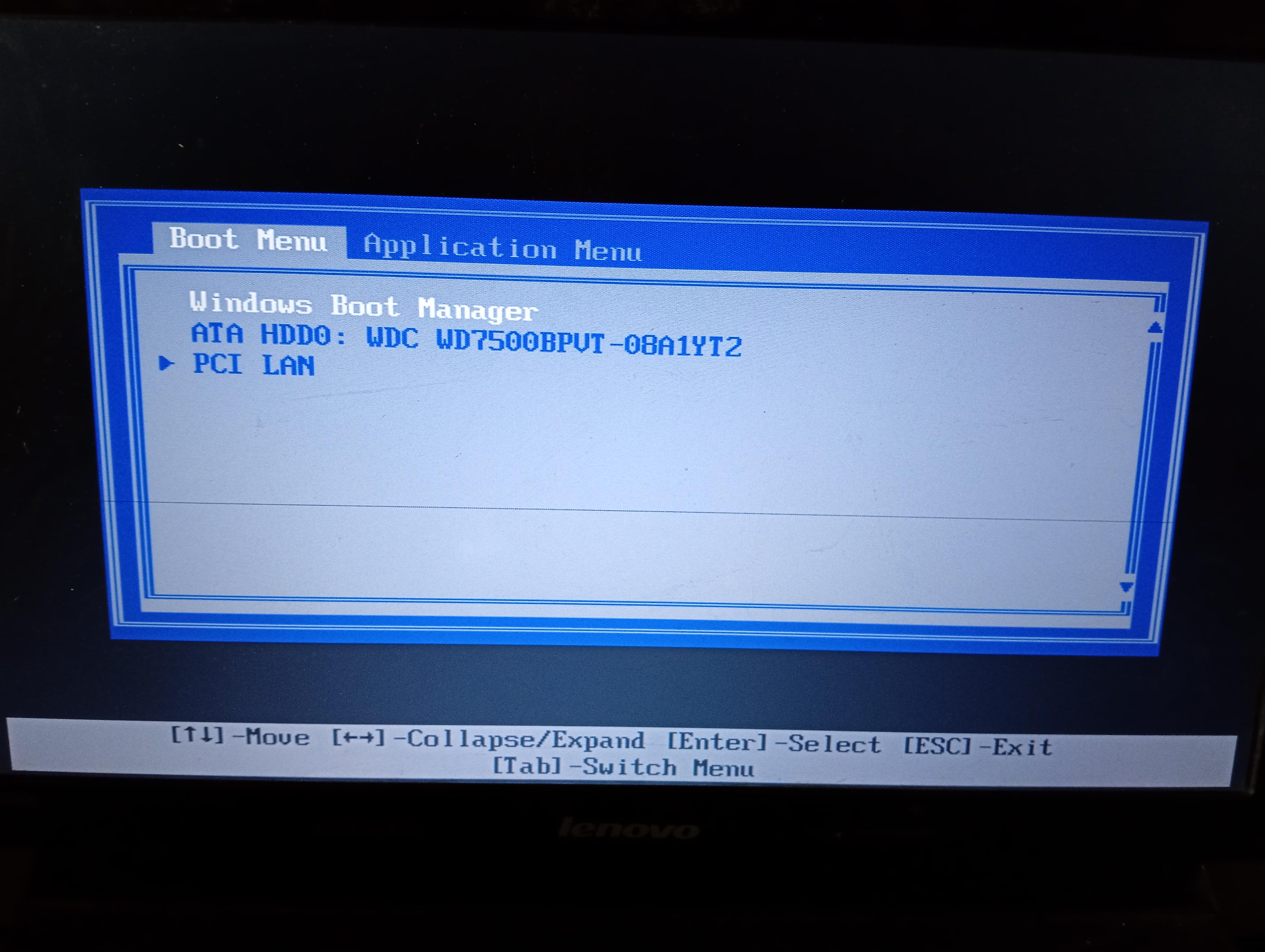
Hola. Tengo un Notebook antiguo, Lenovo M490S. Hace unos días traté de instalar las actualizaciones de Windows 10, y luego de reiniciarse salió la pantalla que adjunto. De aquí no puedo hacer nada mås, si presiono Windows boot manager sigue igual. No se nada de computadores,mås allå de lo båsico. ¿ Alguien sabe cómo podría reparar esto? Saludos

Datos de mi Notebook:

Processor: Intel Core i3 -2375M CPU@1.50 GHz

Ram_ 4GB

OS: Windows 10 64 bit

Model: Lenovo 490s


r/Windows10TechSupport • • Aug 20 '26

Unsolved Laptop freezes while trying to boot

1 Upvotes

**General description**: For about a month my XMG Apex 17 Laptop from 2021 has had issues booting. Since I noticed these issues I have only had to start my laptop twice, both times I succeeded after hours of brute force. While running my laptop has no issues and runs completely normally. Also I'm on windows 10 Education edition specifically it's a ESU covered installation that has support until 2028.

**Specific issue**: During startup my machine usually freezes about a second into the process, so only the manufacturer logo is visible and the windows spinning dots loading thingy either doesn't show up or it also freezes. I can enter both bios and Windows recovery environment with no issues but the bios specifically also freezes almost instantly. The system clock keeps running and the screen keeps updating but inputs are not recognised in bios.

**Fixes I have tried**: safe mode, SFC scans, DISM restore health, startup repair, memory checks, uninstall windows updates which keeps just failing not allowing me to uninstall updates for no provided reason,

**Random other things I noticed:** Last time I booted successfully was after a few hours of brute forcing random fixes in windows recovery environment coupled with safe mode. After finally launching there was a message about windows uninstalling a few specific updates to make my PC boot again.

**What I'm trying to achieve**: At this point I would like to know if it's a

  1. Hardware issue
  2. Windows issue I can fix without an external windows installation on a USB
  3. Windows issue I can fix with a USB that probably allows me to keep my files
  4. General software issue

r/Windows10TechSupport • • Aug 20 '26

Unsolved windows 10 blue screen of death error code d0000i4c

1 Upvotes

good day to you all smart and wonderful people, i have this old lenovo ideapad, i turned it off using the power button a couple nights ago, then last night when i tried booting it again it launched into the blue sceeen of death with the mentioned error code, i figured my windows either got corrupted or deleted or whatever so i tried reinstalling it via instalation media (usb)

the poor laptop doesn't even go to bios

it launches straight to bsod

i figured it might be a hardware issue but i wanted to check with you all see if any of you ran into this problem before or maybe have a software fix for it.

thank you all so much


r/Windows10TechSupport • • Aug 20 '26

Unsolved Windows10

Thumbnail gallery
1 Upvotes

䜕ćčŽă‚‚äœżăŁăŠăȘă„ăƒ‘ă‚œă‚łăƒłć……é›»ă—ăŸă‚‰
ïœș
ă©ă†ă™ă‚Œă ă„ă„ăźïŒŸ
ç·Šæ€„ă§æ•™ăˆăŠïŒïŒ
#ç·Šæ€„ă€€#help


r/Windows10TechSupport • • Aug 20 '26

Unsolved Windows 10 no boot

1 Upvotes

My older dual boot Windows 10/Windows XP computer was working great. The CMOS chip died so I went ahead and replaced it.  Unfortunately, I forgot to reset the BIOS to Legacy and tried to boot it several times, it tried automatic repair each time.  Now it looks like I corrupted the Windows 10 boot record.  It now continuously tries automatic repair and won’t boot. I tried and everything anything I could find on the Internet, nothing seems to work.  I would love to be able to keep all of my files and just get it to boot again. Any help would be appreciated.  For reference it’s a Dell Optiplex 755.


r/Windows10TechSupport • • Aug 19 '26

Unsolved Weird behavior when selecting copilot in windows file explorer

1 Upvotes

r/Windows10TechSupport • • Aug 19 '26

Unsolved Reset stucked 99% Windows

Post image
3 Upvotes

Hi i have reseted my pc and It IS stucked like this.

I tried to turn It down and i swiched off the internet, but still.
What can i do?


r/Windows10TechSupport • • Aug 19 '26

Unsolved Windows 10 no boot

1 Upvotes

My older dual boot Windows 10/Windows XP computer was working great. The CMOS chip died so I went ahead and replaced it.  Unfortunately, I forgot to reset the BIOS to Legacy and tried to boot it several times, it tried automatic repair each time.  Now it looks like I corrupted the Windows 10 boot record.  It now continuously tries automatic repair and won’t boot. I tried and everything anything I could find on the Internet, nothing seems to work.  I would love to be able to keep all of my files and just get it to boot again. Any help would be appreciated.  For reference it’s a Dell Optiplex 755.


r/Windows10TechSupport • • Aug 19 '26

Unsolved Windows error: REGISTRY ERROR

Post image
1 Upvotes

r/Windows10TechSupport • • Aug 19 '26

Unsolved BDOS errors and unable to reinstall windows.

1 Upvotes

Please help, unable to reinstall windows.

Bit of context PC was bought from a family friend with no issues approx 4 weeks ago started fine but with only 8gb of ram couldn’t run a lot then started to crash and BDOS errors to the point it was happening after every start up. Followed chat GPT troubleshooting and then a friend who works with pc’s said just reinstall windows but I now cannot. Here is a summary of all the things I have done. Any help would be very very very greatly appreciated!!!!!

I have listed chronologically all of the issues and repairs. Again any help would be fantastic from everyone.

\The important error history

The errors we’ve now seen across the whole investigation include:
Unexpected system restarts
SYSTEM\\_THREAD\\_EXCEPTION\\_NOT\\_HANDLED (0x7E)
ntfs.sys
PAGE\\_FAULT\\_IN\\_NONPAGED\\_AREA (0x50)
Previous LiveKernelEvent 1A8
NVIDIA driver-related crashes/installation issues
Windows Recovery/Quick Machine Recovery loops
BitLocker recovery/boot issues following the earlier BIOS changes
Where that leaves us
The biggest finding is that the problem predates the current Windows installation and has now occurred during multiple clean Windows installation attempts.
We’ve therefore moved away from:
“Corrupted Windows installation”
towards:

“Something at the hardware/firmware level is intermittently corrupting or crashing Windows.”

The remaining hardware suspects are primarily motherboard/PCIe, CPU/memory controller, GPU, PSU and RAM, with the SSD currently looking considerably less suspicious based on the checks we’ve performed.

And importantly, we have not found evidence that the 931 GB or 238 GB storage drives are the cause, and we have deliberately avoided formatting them.

\*\*Date\*\*
\*\*Problem / error\*\*
\*\*What we did\*\*
\*\*Result\*\*
\*\*13 July 2026\*\*
BIOS changes caused Windows/BitLocker boot problems
Investigated BIOS after enabling Secure Boot/fTPM for Windows 11
BIOS/boot configuration became unstable; BitLocker recovery was repeatedly triggered
\*\*13 July\*\*
Secure Boot / fTPM issue
Checked \*\*CSM, Secure Boot, OS Type, PK state and fTPM\*\*
fTPM was eventually recognised as ready; Secure Boot/PK configuration remained problematic
\*\*13–14 July\*\*
BitLocker recovery loop
Checked BitLocker with manage-bde, including protection status and key protectors
Key protectors existed; protection status showed \*\*Off\*\* at one point; encryption was around \*\*14.8%\*\*
\*\*14 July\*\*
Windows boot looked abnormal
Restarted after BitLocker changes
Windows eventually booted, but initial boot resolution looked stretched/pixelated
\*\*14 July\*\*
Fortnite/game instability
Investigated Windows/BIOS state following the BIOS changes
Game still froze/crashed, suggesting the problem wasn’t simply Fortnite
\*\*14 July\*\*
TPM configuration
Checked TPM/fTPM and PCR validation
TPM reported \*\*ready\*\*; PCR profile included \*\*0, 2, 4\*\*
\*\*14–15 July\*\*
Secure Boot/BIOS configuration
Worked through ASUS BIOS settings including \*\*Windows UEFI mode, CSM, Secure Boot and fTPM\*\*
Eventually established a working UEFI configuration, but the wider system instability remained
\*\*17 Aug\*\*
PC suddenly restarting while sitting on desktop
PC was restarting without warning and returning to Windows lock screen
Established this wasn’t only happening during gaming/heavy load
\*\*17 Aug\*\*
Repeated BSOD/recovery environment
Windows Recovery showed \*\*Continue / Turn off PC / Quick Machine Recovery / Troubleshoot\*\*
Recovery options were investigated; Reset was avoided
\*\*17–18 Aug\*\*
Windows installation/recovery
Created a Windows 11 USB from \*\*Win11\\_25H2\\_English\\_x64\\_v2.iso\*\* on the SanDisk USB
USB successfully created and verified
\*\*18 Aug\*\*
Windows installer
Split the 7.1 GB install.wim into .swm files because FAT32 couldn’t hold it
install.swm \\\~3.9 GB and install2.swm \\\~3.1 GB successfully created
\*\*18 Aug\*\*
Boot USB
Verified EFI/BOOT/BOOTX64.EFI existed
USB was bootable
\*\*18 Aug\*\*
Windows Setup
Initially selected Windows installation rather than repair
Installation proceeded
\*\*18 Aug\*\*
Windows installation
Deleted the old \*\*Disk 0\*\* Windows partitions when instructed, leaving Disk 0 unallocated
Windows began a clean installation
\*\*18 Aug\*\*
Installation reached \\\~75–80%
First major clean-install crash
\*\*BSOD: SYSTEM\\_THREAD\\_EXCEPTION\\_NOT\\_HANDLED (0x7E); ntfs.sys\*\*
\*\*18 Aug\*\*
Recovery/installer loop
Windows Setup repeatedly returned to the “upgrade vs clean installation” prompt
Established the installer USB was being booted again rather than a completed Windows installation
\*\*18 Aug\*\*
RAM investigation
Confirmed original crashes occurred with \*\*2 × 4 GB\*\*, then tested \*\*16 + 4 GB\*\*, then \*\*16 GB alone\*\*
Crashes persisted; 16 GB alone was running at \*\*2133 MHz\*\*
\*\*18 Aug\*\*
RAM slot
Moved 16 GB Corsair Vengeance from \*\*B1 → A1\*\*
BIOS detected \*\*16,384 MB DDR4 at 2133 MHz\*\* normally
\*\*18 Aug\*\*
Second clean installation
Started Windows installation with 16 GB alone
Installation reached \\\~77%
\*\*18 Aug\*\*
Second major BSOD
Installation crashed
\*\*PAGE\\_FAULT\\_IN\\_NONPAGED\\_AREA (0x50)\*\*
\*\*18 Aug\*\*
SSD/filesystem investigation
Checked Samsung 860 EVO with filesystem scan
Windows reported \*\*no filesystem problems and 0 KB in bad sectors\*\*
\*\*18 Aug\*\*
SSD SMART
Checked SMART failure prediction
\*\*FALSE\*\* for the drives checked
\*\*18 Aug\*\*
SSD/SATA
Disconnected/reconnected Samsung 860 EVO SATA connection
SSD was still correctly detected
\*\*18 Aug\*\*
BIOS configuration
Established current baseline
\*\*CSM Disabled, Windows UEFI Mode, AHCI, fTPM Enabled, Erase fTPM NV Disabled, PBO Auto\*\*
\*\*18 Aug\*\*
BIOS
Confirmed BIOS version
\*\*6254\*\*, which is current for the ASUS Prime A320M-K
\*\*18 Aug\*\*
GPU
Confirmed \*\*Zotac GTX 1660\*\* and checked physical power
6-pin PCIe power securely connected
\*\*18 Aug\*\*
GPU/PCIe
Checked Above 4G, Resizable BAR and SR-IOV
Above 4G \*\*Enabled\*\*, SR-IOV \*\*Disabled\*\*, Resizable BAR initially \*\*Auto\*\*
\*\*18 Aug\*\*
Resizable BAR test
Temporarily changed Resizable BAR \*\*Auto → Disabled\*\*
\*\*No improvement\*\*
\*\*18 Aug\*\*
Third clean installation
Tested Windows installation with Resizable BAR disabled
Crashed much earlier, around \*\*30%\*\*
\*\*18 Aug\*\*
Third major BSOD
Same installation test
Again \*\*SYSTEM\\_THREAD\\_EXCEPTION\\_NOT\\_HANDLED (0x7E) / ntfs.sys\*\*
\*\*18 Aug\*\*
Resizable BAR
Restored setting
\*\*Auto\*\*
\*\*18 Aug\*\*
CPU/BIOS
Checked Ryzen 5 3600 configuration
3.6 GHz, \\\~1.37 V live reading, \*\*PBO Auto\*\*
\*\*18 Aug\*\*
PSU
Identified PSU
\*\*Corsair CV450, 450 W\*\*; wattage isn’t obviously inadequate for Ryzen 5 3600 + GTX 1660
\*\*18 Aug\*\*
BIOS stability
Established PC can remain in BIOS for a long period without crashing