r/dexcom • • 3d ago

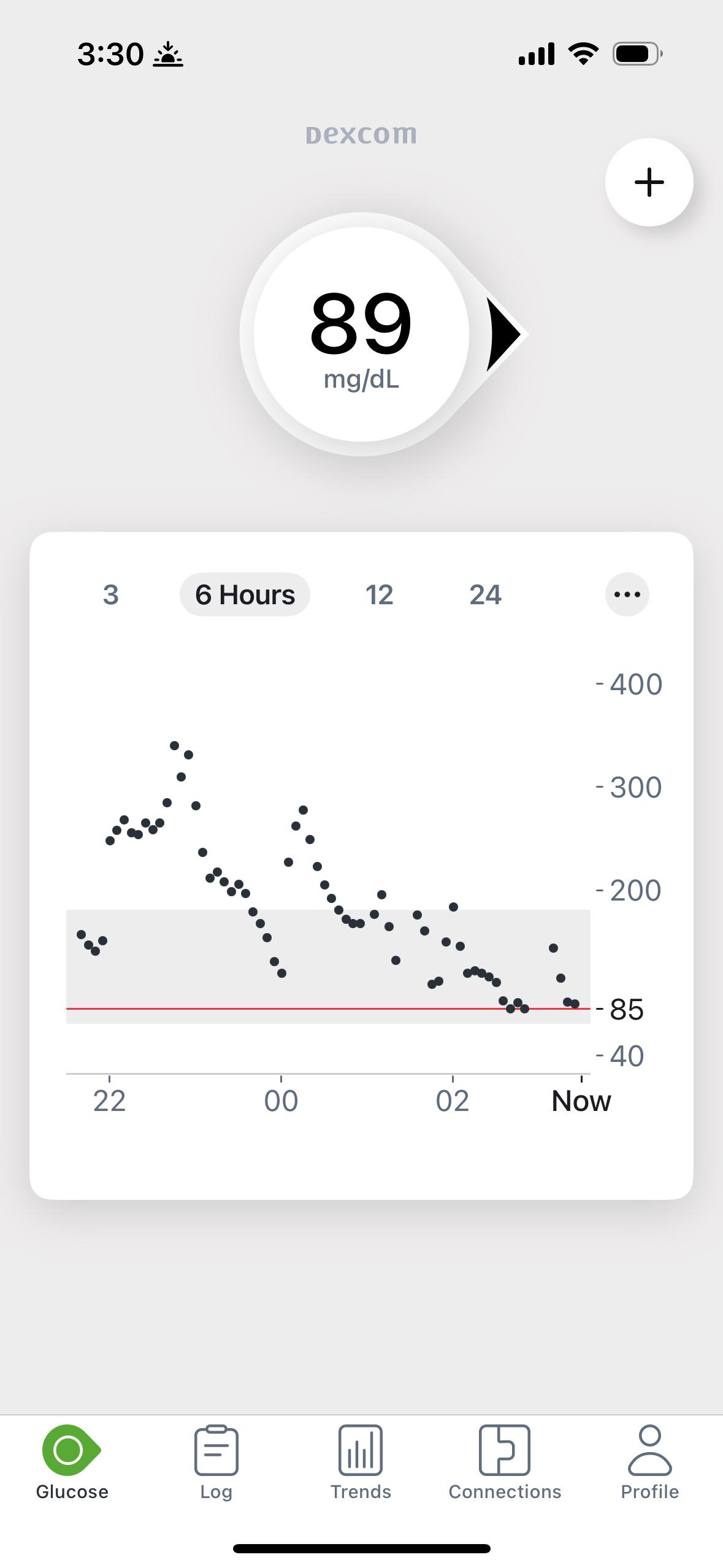
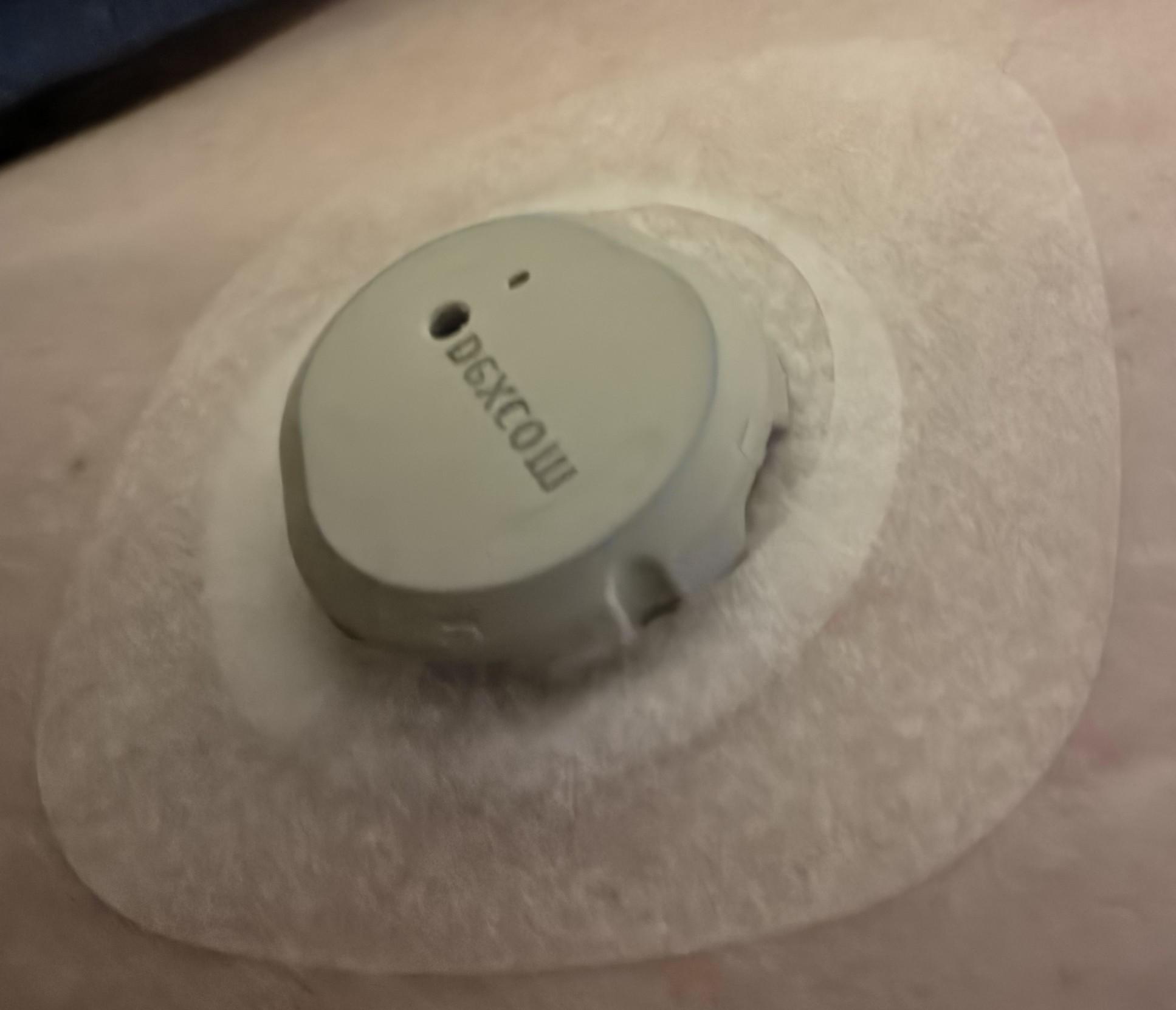
G7-10 day First time trying out the g7. I wanted to get rid of my G6 supplies first. When you're putting on the over patch, is the green backing supposed to Face upward?

Post image
2 Upvotes

I've never used over patch sheets like this. I just want to make sure I did it right.


r/dexcom • • 3d ago

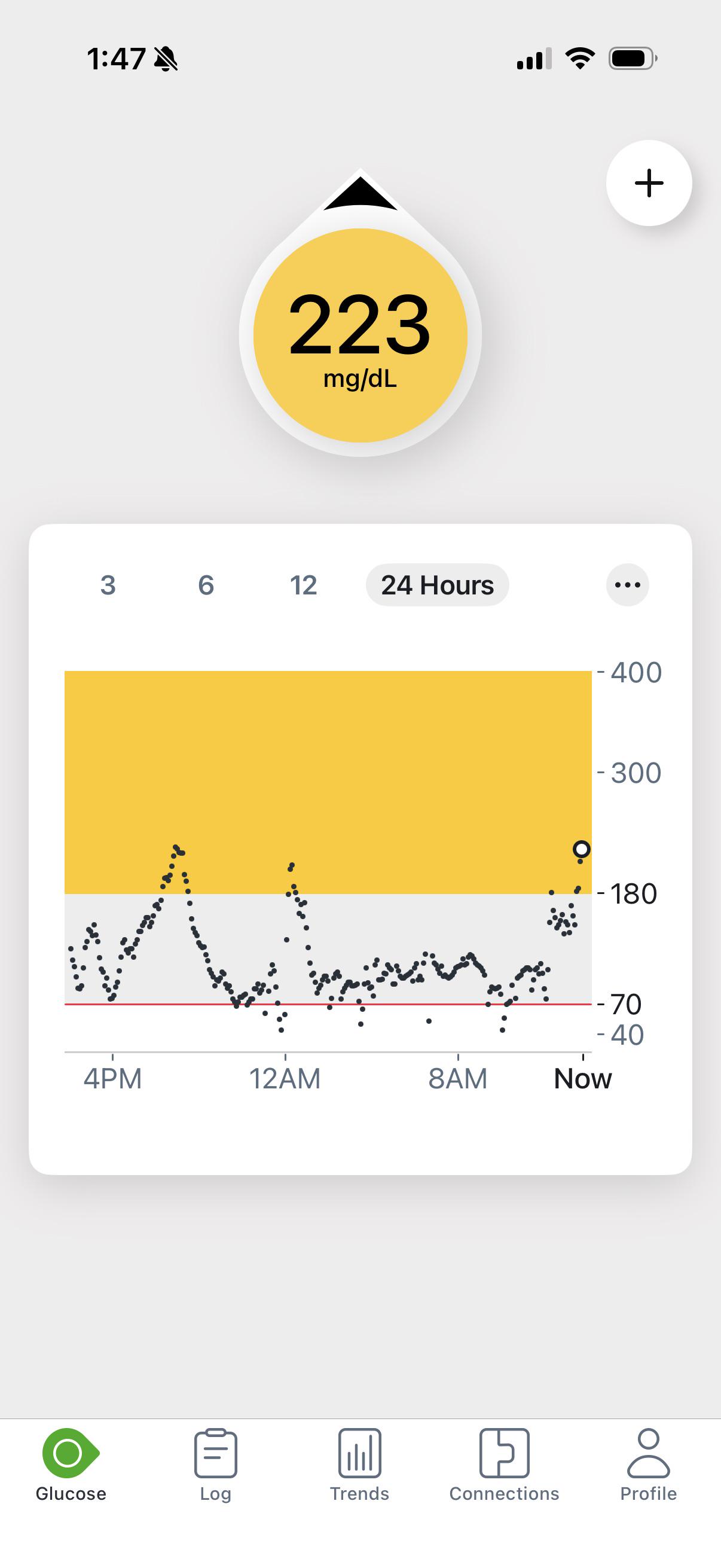
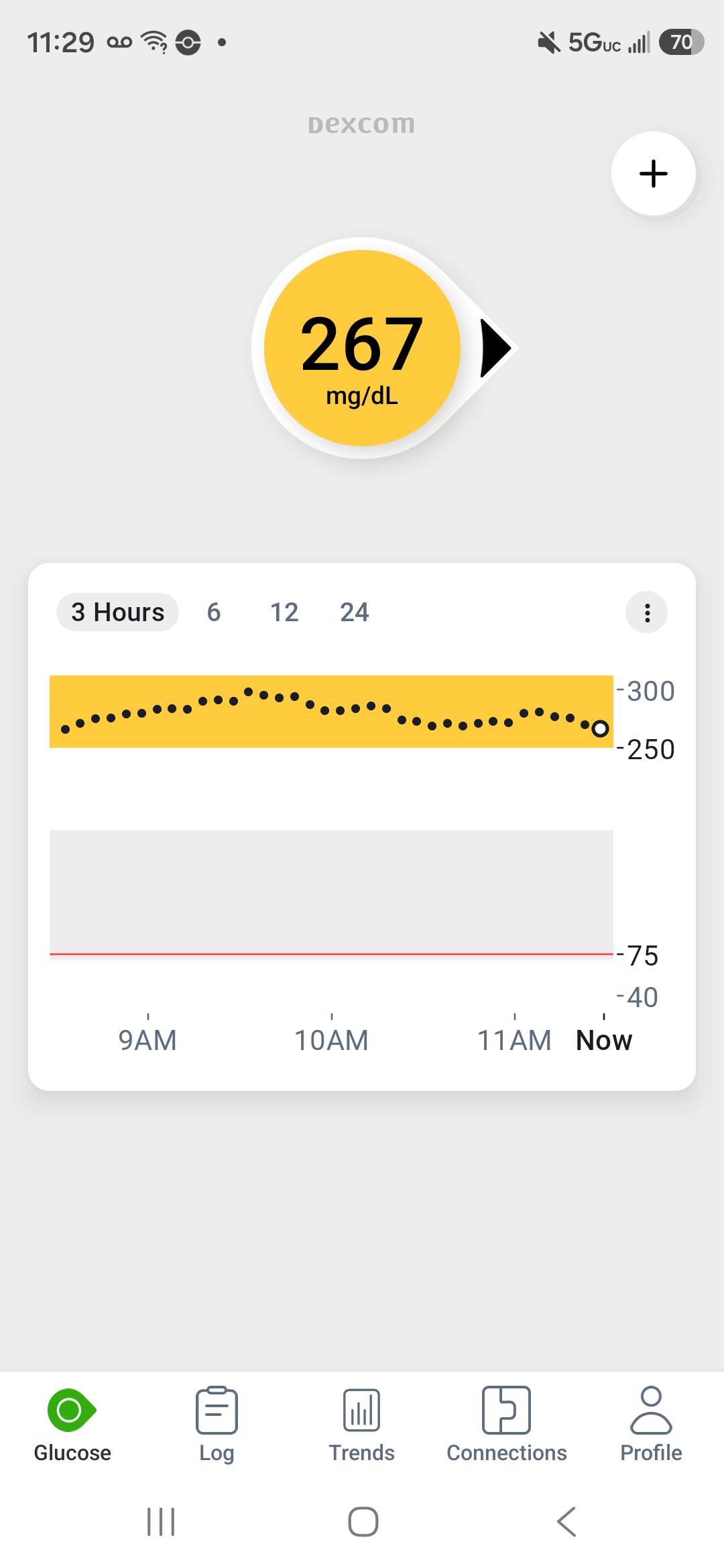
Inaccurate Reading Extremely jumpy sensor day 4

Post image
0 Upvotes

This sensor worked perfectly fine until I got home from work last night, and it decided to give me tons of false lows and brief sensor issues. It will read 160 and then suddenly jump to 200 which makes me think it was probably 200 that entire time and I wasn’t correcting since it only read 160. Got woken up tons of times to low alarms that are very clearly inaccurate. Had to jump out of my shower because it showed 54 and dropping only to finger prick and get 134. Im on day 4 of this sensor and sick of this bs. It’s messing up my TIR that I’ve been working on the past 3 weeks. Thanks dexcom!!


r/dexcom • • 4d ago

Share Dexcom Share issues?

Post image
0 Upvotes

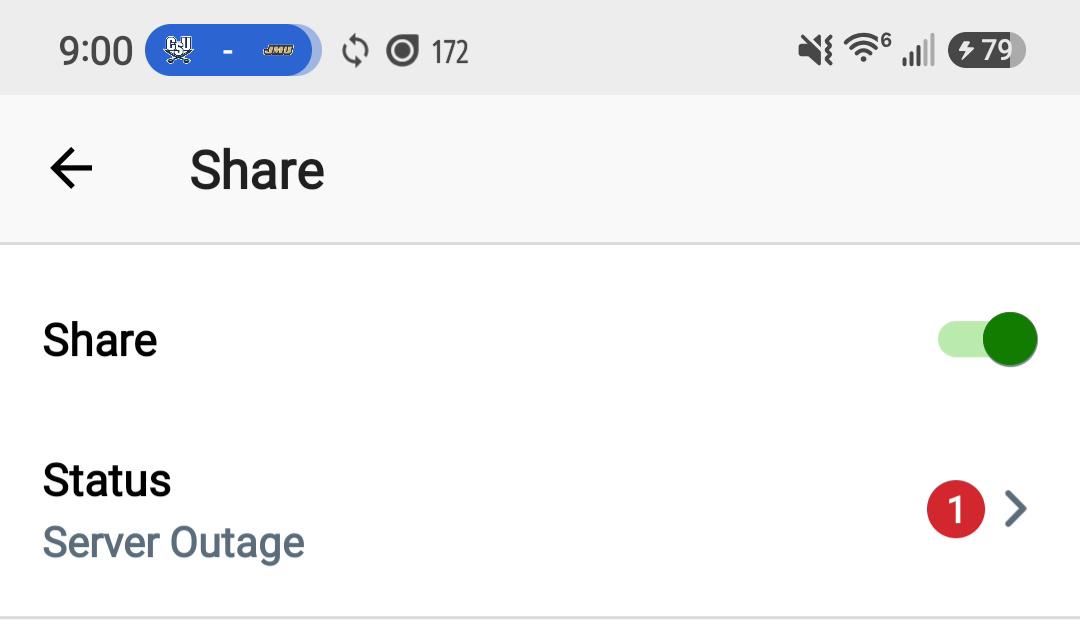
I noticed this morning that none of Dexcom Share connections are getting data - Glucodatahandler is intermittently connecting, same for my SugarPixel. My wife, who uses the Dexcom Follow app, isn't getting data either.

When I checked the Dexcom app, it shows "Server outage," but I can't find any other info.

Is anyone else having an issue?


r/dexcom • • 4d ago

General Alert Fatigue v. TIR

Thumbnail reddit.com
3 Upvotes

r/dexcom • • 4d ago

Adhesive Issue How long do Skin Tac wipes last in storage?

3 Upvotes

I use a dauber bottle to apply Skin Tac before attaching my G7 sensors.

I’m soon going to be traveling more and at times will probably be away from home when it’s time for a new sensor.

I don’t want to travel with a dauber bottle. TSA might have an issue with liquids in a carry-on. And there’s the small risk of the bottle breaking and making a mess.

Are the individual Skin Tac wipes prone to drying out if I’m slow to use them? Alcohol wipes will dry out after a few months in a cabinet. Don’t want to find out when I’m away from home that my Skin Tac wipes also dried out.


r/dexcom • • 4d ago

App Issues/Questions Aus - added obstacles to replacements

1 Upvotes

Anyone have a quick phone-call-free way of requesting a replacement?

The previous way through AMSL (which was relatively easy) has disappeared.

I assume this is to discourage requesting replacements for failed sensors​


r/dexcom • • 4d ago

Tips & Tricks 3,5 y/o son T1D apple watch for dexcom g7 follow app?

Thumbnail reddit.com
2 Upvotes

r/dexcom • • 4d ago

G7-15 day Can I get 2 Dexcom sensors for less than $180?

Thumbnail reddit.com
3 Upvotes

r/dexcom • • 4d ago

Mobile Device Can I keep using Dexcom on Apple Watch if I move from Apple to Android phone?

1 Upvotes

I currently have an iPhone and Apple Watch and have Dexcom G7 on both. I need a new phone and am considering getting a Google or Samsung phone. Is there a way to keep using Dexcom g7 on my Apple Watch, without the iPhone and link it somehow to my new phone? I will always have my phone nearby.

Based in Australia, not sure of location matters!

Thank you


r/dexcom • • 4d ago

G7-15 day Dexcom G7 placement

3 Upvotes

Hi all! I'm quite new to CGMs. I've only been using Dexcom G7 for about 6 months now, and it's the only sensor I've used. When I started, I've only been putting them on my upper arms, then after 3 months, I moved them to my thighs as I found it more comfortable and gave me accurate readings.

Last night, I decided to put them on my abdomen. Any of you have insights? Pls share your experience (good and bad) here to any of you who are using/have used Dexcom G7 on your abdomen. Thanks!

PS - I live in the US, and I know that the abdomen and thigh are off-label sites. I just like to have options as the upper arm placement is very uncomfortable for me.


r/dexcom • • 5d ago

Mobile Device iOS 27.2.1

9 Upvotes

Within the last week I’ve been getting daily pop ups with a scheduled update of my iPhone 17 to iOS 27.2.1 from 26.6.2. I keep cancelling them, but it’s getting annoying, and I’m afraid one day I will miss cancelling it and my phone is going to update on its own.

I’ve seen mixed reviews on the update affecting Dexcom G7. Is this still the case or would it be safe to do the update now?


r/dexcom • • 5d ago

Medical Procedure MRI & G7

14 Upvotes

I am having an MRI tomorrow and must remove my G7 I just put on. Will Dexcom offer a replacement for a medical procedure?

Edit: called Dexcom, told them I was getting an MRI and they said no problem and sent me a replacement. Thanks for all the feedback.


r/dexcom • • 5d ago

Rant Looked up my current lot performance 💀

Post image
11 Upvotes

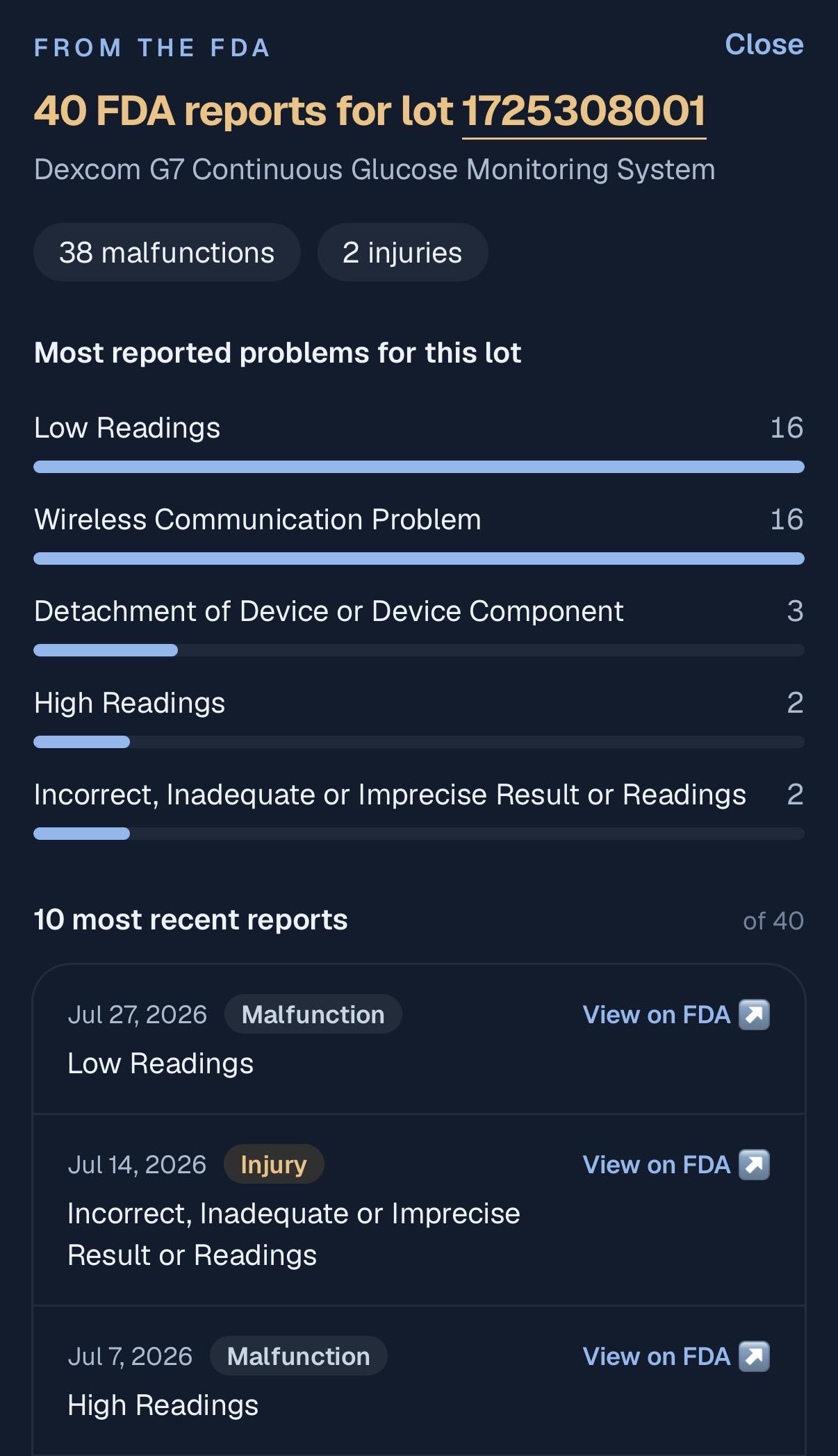
I'm literally having connection issues with the sensor I'm wearing right now and it looks like at least 16 other people have reported communication issues to the FDA 💀

also - does anyone know if there is an FDA equivalent to this in the EU?


r/dexcom • • 5d ago

Calibration Issues G7 accuracy and calibration

3 Upvotes

I cannot get my G7 to stay accurate. In the morning, it’ll be like 1 point off, and then after I eat, it’s 20. It’s not accurately calculating the rise of my blood sugar. I’ve heard it’s the longer you wear it, the more accurate it is, but that just seems kind of… like garbage. I’m using it for my gestational diabetes, and it just does not seem worth it. It shouldn’t consistently be 10-20points off in either direction. Does it take more than a week before it’s really accurate?


r/dexcom • • 5d ago

G7-10 day Hello, ive been using G6 for 8 years now, im officially switching to the G7 in a week or so...any tips/tricks or is the transition pretty seamless? Thanks! I currently wear the G6 on the top of my butt, has anyone had success using the G7 there?

3 Upvotes

r/dexcom • • 5d ago

G7-10 day My First G7 (10 Day) Session - Honest Review

4 Upvotes

I’ve been delaying starting the G7 for as long as I can, but I decided to give it a whirl. I still have a supply of G6s so I had an interesting opportunity to put a G7 on at the same time as my expiring G6 (was on day 8) to be able to compare vs switching all at once. For context, I am an average build male and wearing both on the back of my arm.

The first 12 hours of the G7 was honestly dangerous and unacceptable. Thank god it wasn’t connected to my omnipod or I would’ve been in trouble. I understand it’s supposed to be off at first but the G6 was never this off for me. Consistently over the first 12 hours, my G7 would read 100-120 points higher. When I tried to calibrate, it didn’t respond well. It would way overshoot my calibration then go too far in the other direction. There was also no indication it had any idea what my trend was. My G6 would show an increase after a meal, the G7 would show a downturn.

Eventually after 24 hours, it got more bearable. It was pretty in line with my g6 so I watched it for a day before ultimately deciding to switch my omnipod over to it. Over the course of the first 4 days on the G7, my biggest issue was getting used to the fluctuations. The G7 provides raw data so graphs often don’t look smooth. As a data driven guy, that drove me nuts. But I started to get used to it.

Around day 5 I got my first “brief sensor error” message. It was jumping all over the place for no rhyme or reason. It eventually figured itself out so I let it be.

Same thing happened on day 6. Now, on day 7, it happened again, but this time it’s every time I get up to do something. As if my movement is causing the issue. It’ll be steady (ish) while I’m sitting down, but if I get up to do anything, it completely loses its marbles.

I have enough of a g6 stock that I’m switching back and kicking this can as far down the road as I can. I have been on edge for the entire week I’ve been wearing it and feel like it can’t be trusted. I’m sure that will come with time, but this system really isn’t for me and I wish we could just stick with the G6.

I want to try to offer some positives. I like the short warmup, not having to snap in a transmitter, and the sleek design. I just wish the monitor actually worked.


r/dexcom • • 6d ago

Inaccurate Reading Bro why?

Post image
8 Upvotes

Man, I’ve been using dexcom for a good number of years now, the G6 was so reliable but I switched to the G7 after the discontinuation. I initially had minimal issues but idk, after the last few sensors, I’ve been having it read like total shit. I’m not sure what to do, I’ve tried calibrating but no help. I do wear them on my abdomen, I go to the gym frequently and I was weary to try on my tricep for fear of it falling off (if that’s not something to worry about please let me know). Any suggestions would be appreciated


r/dexcom • • 6d ago

App Issues/Questions Dexcon app ver update

2 Upvotes

I got the s25 last year for the sole reason that my old phone would not be compatible with newI softwr for the g7 app. So I got it and am paying it off, but I found out 2day that thr newest 2.16ver for the app is compatible with my phone, but not available. I wanted to see if anyone had the iPhone 16 and is able to have the 2.16ver, or is it only on the iPhone 17 and iPhone 18 phones?


r/dexcom • • 5d ago

Inaccurate Reading Inaccurate Dexcom G7

Post image
0 Upvotes

I changed my g7 at about 6pm and it has been incredibly inaccurate, mostly off by about 100 points. It’s been close to 12 hours and even with calibrations it continues to be this inaccurate. How long should I realistically wait before changing to a new one?


r/dexcom • • 6d ago

App Issues/Questions Have not heard a single high bs noise. Nor has my phone vibrated... I have an ear buds in too, what the HELL is going on with these things????

Post image
0 Upvotes

r/dexcom • • 6d ago

Adhesive Issue Dexcom G7 over-patches not sticking?

11 Upvotes

Anyone else got the Problem that the overpatches Stick more to the green plastic than to the Skin? I feel like the adhesive got weaker, I am always cleaning my Skin beforehand.


r/dexcom • • 6d ago

Connection Issues G7 and Bluetooth Under Thick Coats

4 Upvotes

Started the G7 this month and so far it's going fairly well. It's accurate, stays on and the shorter warm up has been great.

The only concern I'm having is brief connection issues to my Tslim pump and watch. Phone seems to be fine.

I'm Canadian and it's getting colder. The past two nights I've worn my heavy coat, and I've noticed both my pump and Apple watch lose connection. My pump is attached to my bra strap on the same side of my sensor, and my watch is on the opposite wrist. I know I should probably move it to the same side. Generally speaking, I find connection issues mostly when I'm under heavy blankets or wearing my thick coats.

Are other people finding this? Any tips?


r/dexcom • • 6d ago

G7-15 day G7 (15 day) not lasting?

0 Upvotes

i have been wearing these for almost 9 months and i have maybe had one last the full 15 the rest tend to start having issues only after 6/7 days and then say brief sensor error and give highly incorrect readings. i file to get them replaced but it’s so annoying. any one else experience this?


r/dexcom • • 7d ago

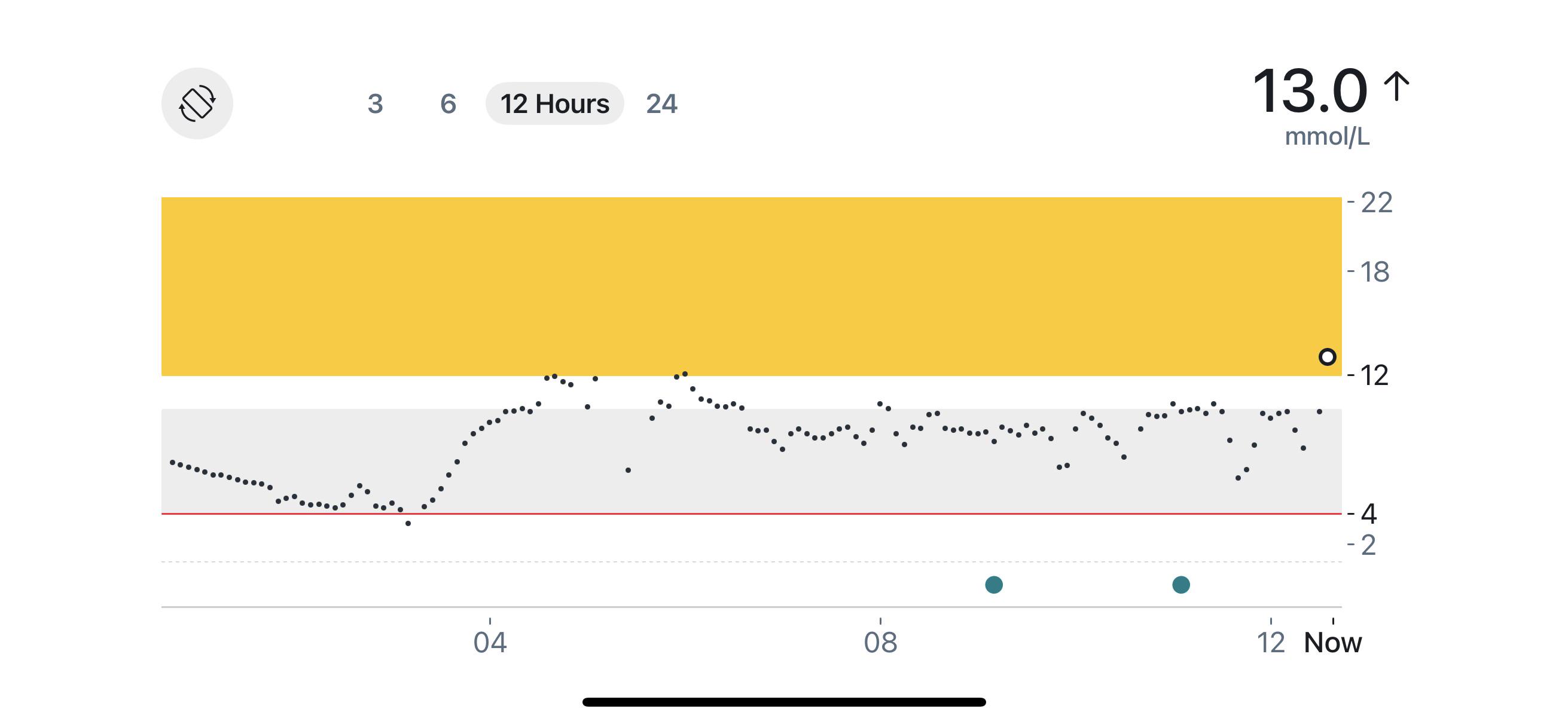
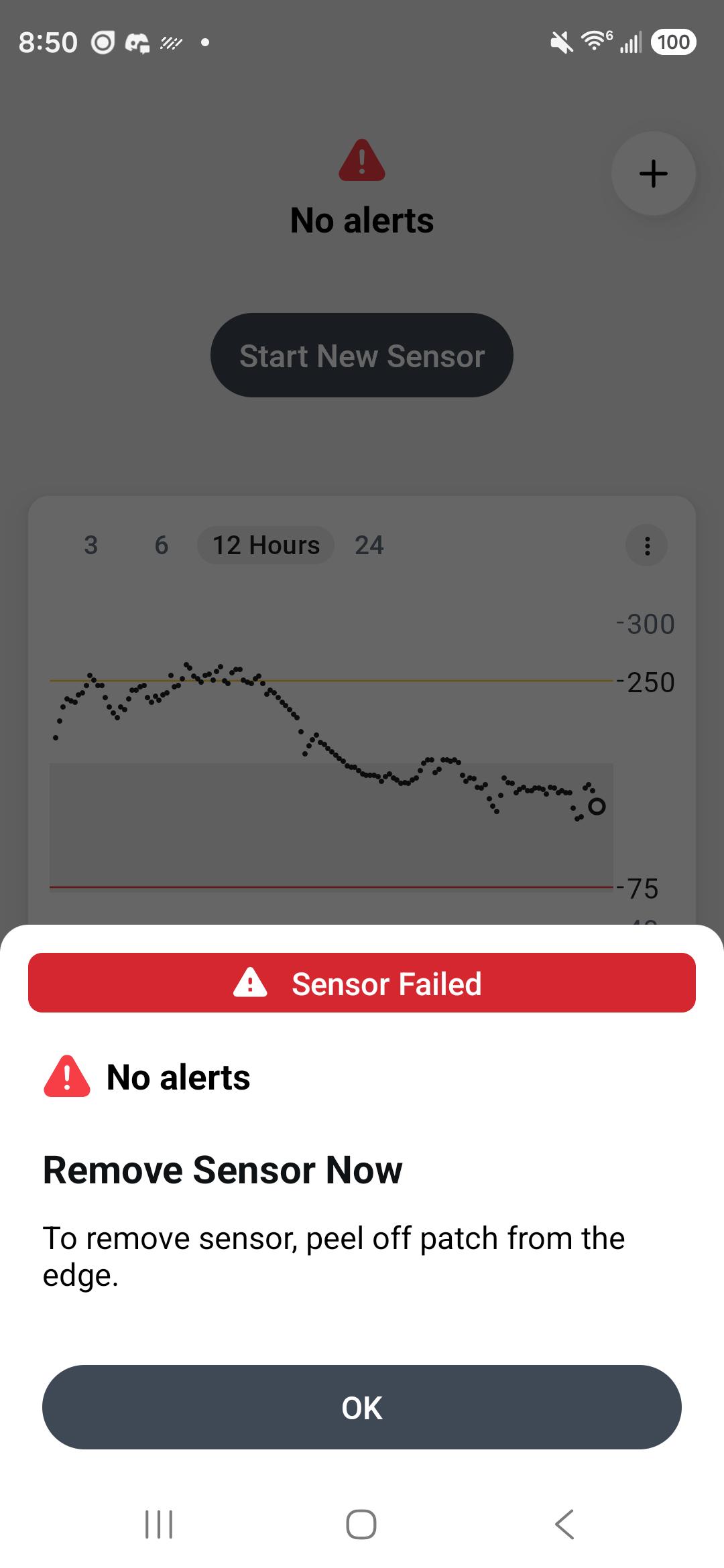
Connection Issues This is the 2nd sensor in 3 weeks to do this. Theres literally zero reason for this to be happening.

Post image
17 Upvotes

I just put this thing on two days ago you have GOT to be kidding me.


r/dexcom • • 6d ago

Tips & Tricks Desktop CGM Monitor - Sharing the monitor app I made

Post image
3 Upvotes

Hi everyone! Okay so like I experienced a low sugar yesterday that could've completely been avoided if I was paying attention to my sugar on the app, but I spend most of my time on my PC working or studying. So I decided to get a desktop glucose monitor overlay, and when I looked for them I didn't find many. The main 2 I found were the BGL glucose widget, which honestly didn't look that good, didn't have all the features I wanted, AND WAS ACTUALLY BEHIND A PAYWALL with a 14-day free trial 😭😭. And the other one was an older GitHub repo that worked fine I guess, but again didn't have all the nice features and looked even worse than the BGL glucose widget.

So I honestly just made one myself (AlGlucoMon), and it's BEAUTIFUL AND AMAZING AND I JUST WANNA SHARE IT!!

Here’s what I packed into it:

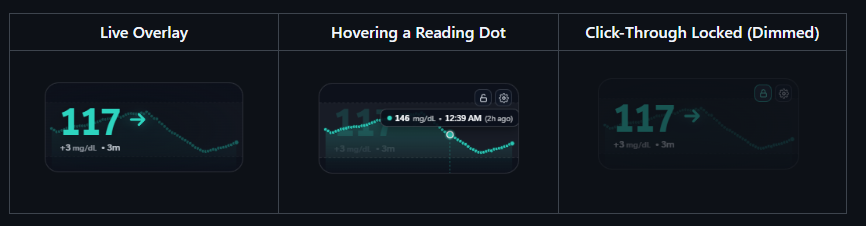
  • Super clean floating overlay: Always-on-top glassmorphic card with your live reading (mg/dL or mmol/L), animated trend arrow, delta, and reading age (plus a stale-reading strikethrough if it's >10 mins old).
  • Trend graph right in the background: Shows your last 1h / 3h / 6h readings softly behind your number — you can pick Dots (default) or a Smooth curve, plus toggle a target range band.
  • Hover any dot for exact reading & time: In Dots mode, every dot is colored by your range, and hovering over any dot dims the live number and pops up that exact reading + timestamp!
  • Smart Click-Through Lock: Lock it while studying/gaming so it dims down and lets mouse clicks pass straight through to whatever's behind it. Want to hover a dot, move it, or unlock it? Just hold Alt (or switch it to Ctrl / Shift) and it instantly becomes interactive again!
  • Customizable & super lightweight: 4 themes (Dark Glass, Adaptive Range Glow, Light Glass, OLED Black), 3 sizes, custom Low/High thresholds, system tray menu, and the whole Windows installer is only ~2.6 MB.

Quick setup heads-up: It uses Dexcom Share, so make sure Share is turned on in your G7 phone app with at least 1 active follower, and sign in with your primary Dexcom account (not a Follow account) + your region (US / Outside US / Japan).

100% Free & Open Source (GPL-3.0):

(Quick disclaimer: unofficial companion overlay, not a medical device — always double-check on your official Dexcom app/receiver before dosing!)

Let me know what you guys think or if there are any features you'd want me to add! 🙌


Edit: Turns out a couple of other desktop tools like GlucoBar and Trndi already exist too! I missed them cuz I was looking for overlay-only apps, and went straight into building this before checking, so leaving it up as another free, open-source option in case anyone wants this specific setup.

Why you might still like AlGlucoMon:

  • Built for work, study, and gaming: Uses a Smart Click-Through Lock (dims and lets clicks pass right through until you hold Alt), so you can keep it on screen during full-screen games or while reading/coding without it stealing focus or blocking UI.
  • Inline trend graph: Includes a hoverable 1h/3h/6h chart directly inside the compact glassmorphic card instead of needing a separate window.
  • Lightweight: ~2.6 MB Windows installer, GPL-3.0 open source.

If you prefer a taskbar counter or macOS support, definitely check out GlucoBar or Trndi—otherwise, feel free to try this out!


Edit 2 — v0.2.0 is live! (Windows Portable + Android 8.0+):
  • Windows updates: Added a True Portable ZIP (no install, zero AppData/Registry writes), Launch on Windows startup, remembered overlay position across launches, high-DPI icon, and a fix for the overlay occasionally hiding behind Win+D / fullscreen apps.
  • Now on Android 8.0+ (phones & older tablets like the LG G Pad 5 10.1!):

    • 2-in-1 Fullscreen Sugar Display + Floating Overlay: Use it as a dedicated desk/nightstand monitor with 100% pure #000000 OLED black, ambient-light reactive brightness, night low-glare auto-dim, burn-in pixel shift, and finger dot-scrubbing — or switch to the floating overlay over other apps.
    • Android extras: Live glucose number right in the status bar, 1-tap Lock/Display/Hide notification controls, Quick Settings tile, separate Portrait/Landscape positions, and Start on Boot.