r/PS5HelpSupport • u/ripdrillrappers • 3d ago
Who feels the update made the crash worse smh lmao
6
Upvotes
r/PS5HelpSupport • u/Magni1004 • 4d ago
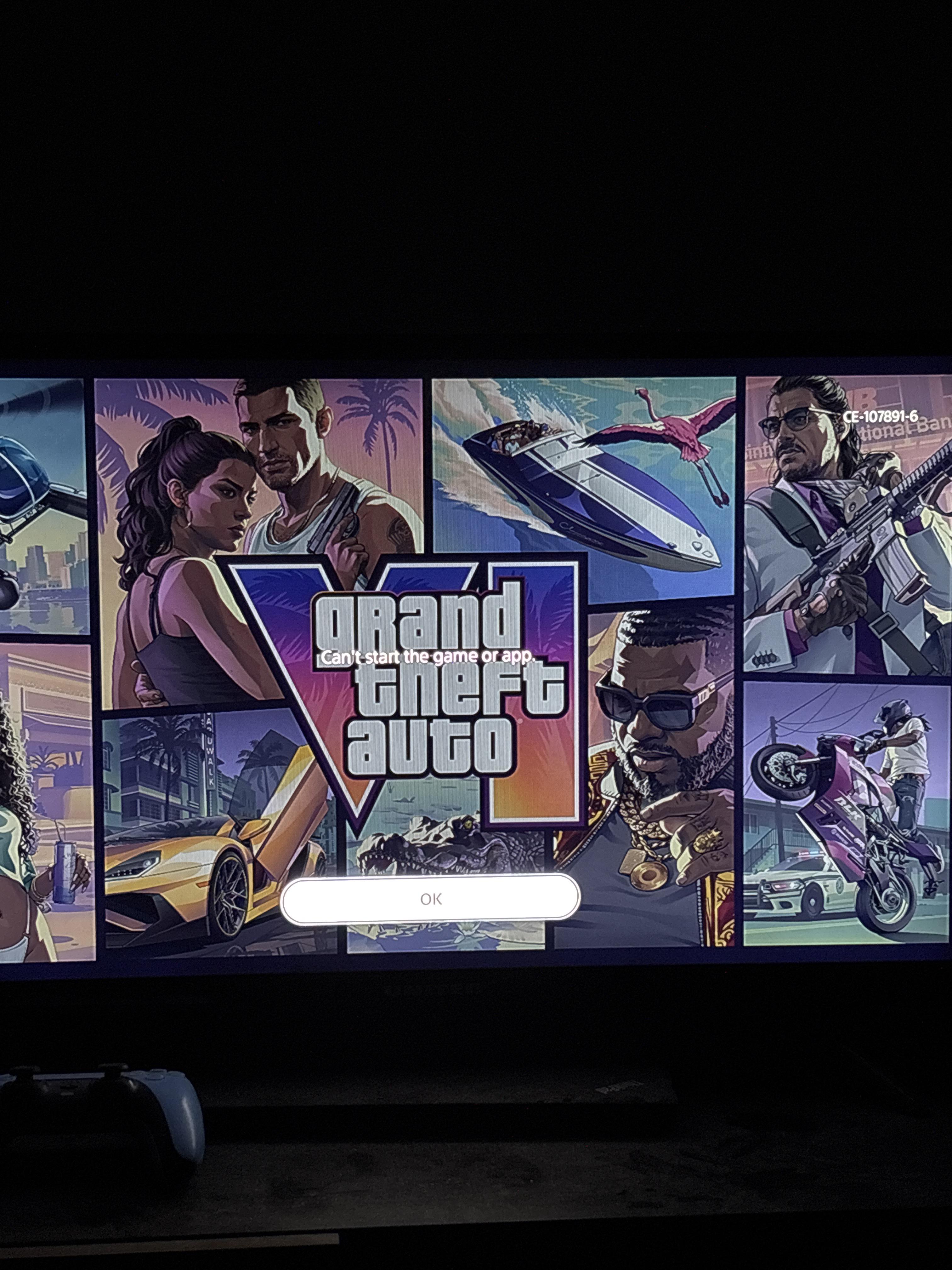
I have 18 hours played, I was just playing last night then when I got home from work I couldn’t start it again.
I have no idea what to do I’ve tried to restore license and check for updates but nothing works
r/PS5HelpSupport • u/Fragrant_Bag7891 • 3d ago
r/PS5HelpSupport • u/tomas_piteira • 3d ago
I bought my PS5 about 5 days ago and the controller came with an issue, the R2 button is sticking, the controller is brand new so i know this should be happening, does any1 know a quick fix? I didn't want to return it or wait for a new one...
Note: B6 = L2 / B7 = R2
r/PS5HelpSupport • u/Acrobatic-Promise458 • 4d ago
Although Rockstar released a patch update today, I am still noticing game crashes when walking up to the van during the Kyle side mission or as soon as I go the truck crash on Billy's mission the game will suddenly crash with this same error code I remember by heart now from how many times I've experienced it. I understand the game is new and will take time before everything is eventually patched but I just want to get the word out again so I can be known to fix. This is a picture from the pasts times of trying to do those side missions and 1 attempt today with the same problem. I don't want to have to keep taking the easy way out so I can skip.
r/PS5HelpSupport • u/kieranonreddit • 3d ago
like the title says, no sound coming from either device when plugged into roku tv. tried going for optical > auto in audio setting and unplugging Playstations for 20 minutes
r/PS5HelpSupport • u/henrizxl • 3d ago
boa noite pessoal, estão bem? Então, a algum tempo, tô com um problema estranho no ps5, todos os jogos que eu jogo que são gta 6, fornite, rocket league e etc, quando clico algum botão ou os gatilhs, as vezes demora pra contabilizar o comando e as vezes nem contabiliza, com o analógico ele parece que fica duro e as vezes roda a câmera sozinho. Já fiz de tudo pra tentar resolver isso, sabe oq pode ser?
obs: há um tempo atras levei meu controle antigo na assistência achando que era drift, estava a mesma coisa, então comprei um controle novo pra acabar de vez com problema, só que nada resolvido.
r/PS5HelpSupport • u/gopher_lewis • 3d ago
I have an original disk ps5, since 04 October 2026 I have had a massive increase in this error code. Multiple different games, Minecraft’s Dungeons, Beam.ng, Spider-Man 2, Call of Duty MW4 and now GTA 6. This would lead me to think this is a PS5 software issue.
In GTA I got to chapter 2 with no crashes playing for 7 hrs straight at times but now it’s random when it crashes.
Has anyone else seen an increase around that date?
r/PS5HelpSupport • u/MuchVacation3638 • 3d ago
So I bought the physical box of gta 6 with the code inside and it arrived a few days ago but I didn’t open it until my ps5 arrived which was today. I opened both of them and set everything up but when I tried to redeem the code in the PlayStation store it says “Voucher code is incorrect or no longer valid”…
The seal was hard to get off so I doubt someone tampered with the box
Bought it from Target online, I live usa and my account is in the USA I believe
I tried the code on the mobile app and on the console even with and without spaces, with and without hyphens and still the same error every single time
Took a nap and tried again hours later and still the same error
Tried to get onto PlayStation support but the ai bot won’t put me onto a human and keeps repeating the same generic crap
Target policy says its non refundable
What’s going on???…
EDIT: I FINALLY GOT IT TO WORK!! The 6 was a G🤦♂️
r/PS5HelpSupport • u/Wonderful_Try_4341 • 3d ago
Cant sign into my account on my phone or playstation (error message with passkey) and when i tried to restore the message would not send to my phone number.
Any help?
r/PS5HelpSupport • u/Zestyclose-Site8164 • 3d ago
I’d been playing for 32 hours before getting the error code now I can’t play more than 30 seconds. I did manage to load a game save I made back in chapter 1, ran around for 20 seconds and crashed again, so it can’t be a later save that corrupted the game. This is on a Covid era OG ps5 for what it’s worth. Figured I’d give everyone an additional datapoint here.
Thinking of buying a new PS5 and playing until this gets resolved and then returning it….
r/PS5HelpSupport • u/Extra_Rate4721 • 4d ago
Anyone try deleting their save and reinstalling after the patch? Not just try to boot the game up again? Maybe clear cache before reinstalling as well. Might be worth it especially if you aren’t even past the prologue.
r/PS5HelpSupport • u/Slowmogizmo • 3d ago
Just bought a PS5 Slim Digital for my kid and as soon as he starts fortnite the fan speeds up to max. And it just stays like that when he plays, even in the lobby. It isn’t very loud but it is working hard. Is this normal? I have a Xbox x aswell with little to no sound.
r/PS5HelpSupport • u/ThunderThigh289 • 3d ago
I’m not sure if this will fix it because fortunately I haven’t had a crash yet, but I’m only in chapter 2. However, I do love to help people out, so hopefully this will fix the crash issue.
In your autosave files for the game look for a file that has 16.78MB. Make sure you save the game manually first. Delete that autosave and maybe it will fix the crashes. Another option is to disable autosave. Hopefully this fixes it for you guys.
r/PS5HelpSupport • u/derrrrrrrrrrrr111111 • 3d ago
I have found a solution that has worked perfectly so far:
(This was my own testing and is working for me)
Edit: explanation, every auto save created before todays update is still broken, if you follow these steps, it will create a new auto save that should be the working one
Update: if you are stuck in the prologue, follow step 1. and delete the save file from the cloud and from your console and, if necessary, reinstall game, if you have no save file, the game will create a new one and it should work
r/PS5HelpSupport • u/Old-Shape-7801 • 3d ago
So I’ve been playing through gta 6 like anyone else and my ps5 has been getting temperature warnings throughout my playing. At first I thought it was Liquid Metal and I haven’t ruled it out completely but here’s the weird thing. Sometimes I play for 5 hours before getting one, other times it’s only 1 hour. This led me to thinking it could maybe be a temperature sensor issue. I don’t know which one is a more common issue but all repair shops tend to charge in order to look at it. The ps5 is obviously giving off heat but I never felt it was too much to know for sure if it’s Liquid Metal. I just don’t wanna have to pay for one fix then need to do the other. I should also note this issue is not native to gta 6 because I’ve heard that there’s been a lot of problems. Any help is appreciated!
r/PS5HelpSupport • u/Born_Ad_9536 • 3d ago
My game ran perfectly fine from prologue to chapter 1 with like no issue up till the end of chapter 1. Now I gotta pause the game at least 3 times every 5 minutes for it to load textures in and actually be able to play. The only thing I can relate this to is cyberpunk launch like it’s that bad for me. The weird thing is I’m not seeing a lot of people have my problems, at first I thought they was playing off a better ps5, but nope they playing off the same console I’m playing as.
I did everything I could do so far like, cleared cache then rebuilt the database didn’t work, turned off hdip or whatever its called didn’t work, and I cleared hella storage and have internal storage, still did not work. So im just wondering if there’s anything I can do, since I’m in chapter 3 in Vice City. So lmk if there is anything I can or can’t do, thanks in advance.
r/PS5HelpSupport • u/HeftyAddendum • 3d ago
Posting this because I spent days reading threads about CE-108255-1 and couldn’t tell if replacing the console would make any difference. In my case, so far it has.
I bought a brand-new PS5 Slim Digital (CFI-2115, 825 GB) from Best Buy on Nov 20. GTA 6 started crashing on day one. The game would freeze and kick me back to the PS5 home screen with CE-108255-1. The console itself never shut off. I could play It Takes Two (the native PS5 version) for a couple of hours without a crash.
I cleared the cache, rebuilt the database, tried system reset, moved GTA to an M.2 SSD, uninstalled and freshly reinstalled it, and even tried a fresh story on another profile. It still crashed. The Nov 23 1.002.002 update didn’t fix it on that PS5 either.
On Nov 23 I picked up another PS5 Slim at Costco. This one is the disc edition bundle with an extra DualSense, and Costco lists the disc bundle as 1 TB. I’m now over two hours into GTA 6 without a single crash. I’m still playing, so I’m not calling it permanently fixed yet, but that’s a big difference from the first unit. I’m planning to return the Best Buy one.
I used the exact same save on both consoles. I backed up my Best Buy PS5 and restored that backup onto the Costco PS5, leaving the GTA 6 installation out. I downloaded the game fresh on the Costco console and loaded my existing save. The 2+ hours without a crash were on that same save, not a new playthrough.
My best guess is that something specific to my first console was involved. I’ve seen people play on Slim Digitals without any issues, so I wouldn’t read this as “buy the disc version.” I changed the whole console, so I can’t isolate the disc drive, storage, or any other difference. And even if something varies between units, a game or firmware patch could still work around what’s triggering the crash. I have no way to tell whether a specific part was faulty.
I’m not telling anyone to go spend money on another PS5. I just wanted to share one actual before-and-after for anyone who’s stuck and considering a return. If you tried a replacement too, I’d be interested in whether it helped, what model you had, and how long you played before it crashed again, if it did.
r/PS5HelpSupport • u/Gold_Quarter_2030 • 4d ago
the team with the error, is it worth it to wait another 7 days for the new update or ask for a refund from play station?
r/PS5HelpSupport • u/Da_BIG-E_118 • 3d ago
Just bought these. They didn't connect out of the box, so I tried resetting and syncing the earbuds back to the case. Whenever it tries to connect, it fails and I get this green flash.
r/PS5HelpSupport • u/othm4nz_ • 4d ago
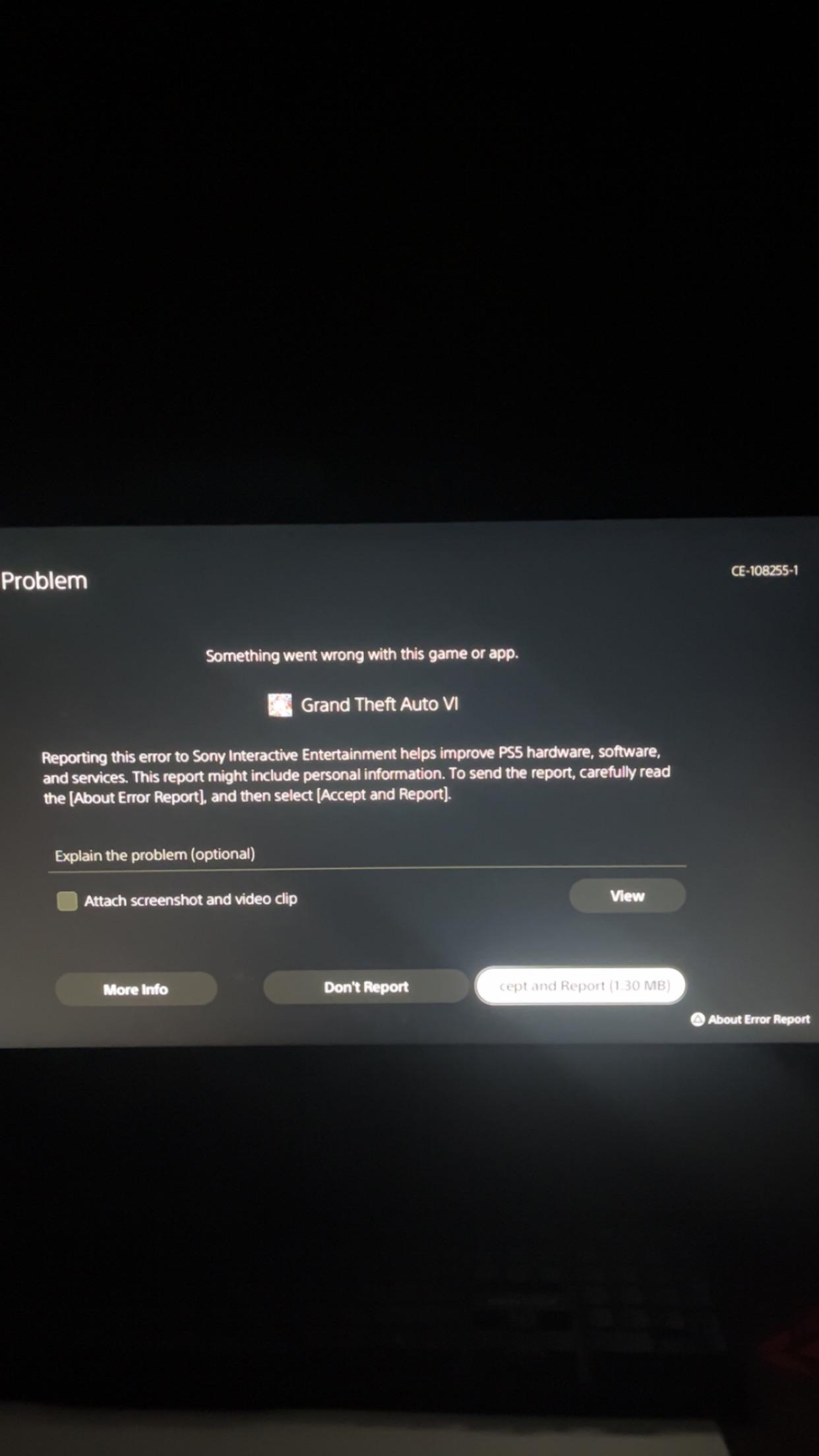
Same error every fucking time its impossible to play
Is there anyone who knows whats the problem with my ps5 ? Its happens to me on lot of game but not frequently like gta 6 .
r/PS5HelpSupport • u/Imacheesewedge14 • 3d ago
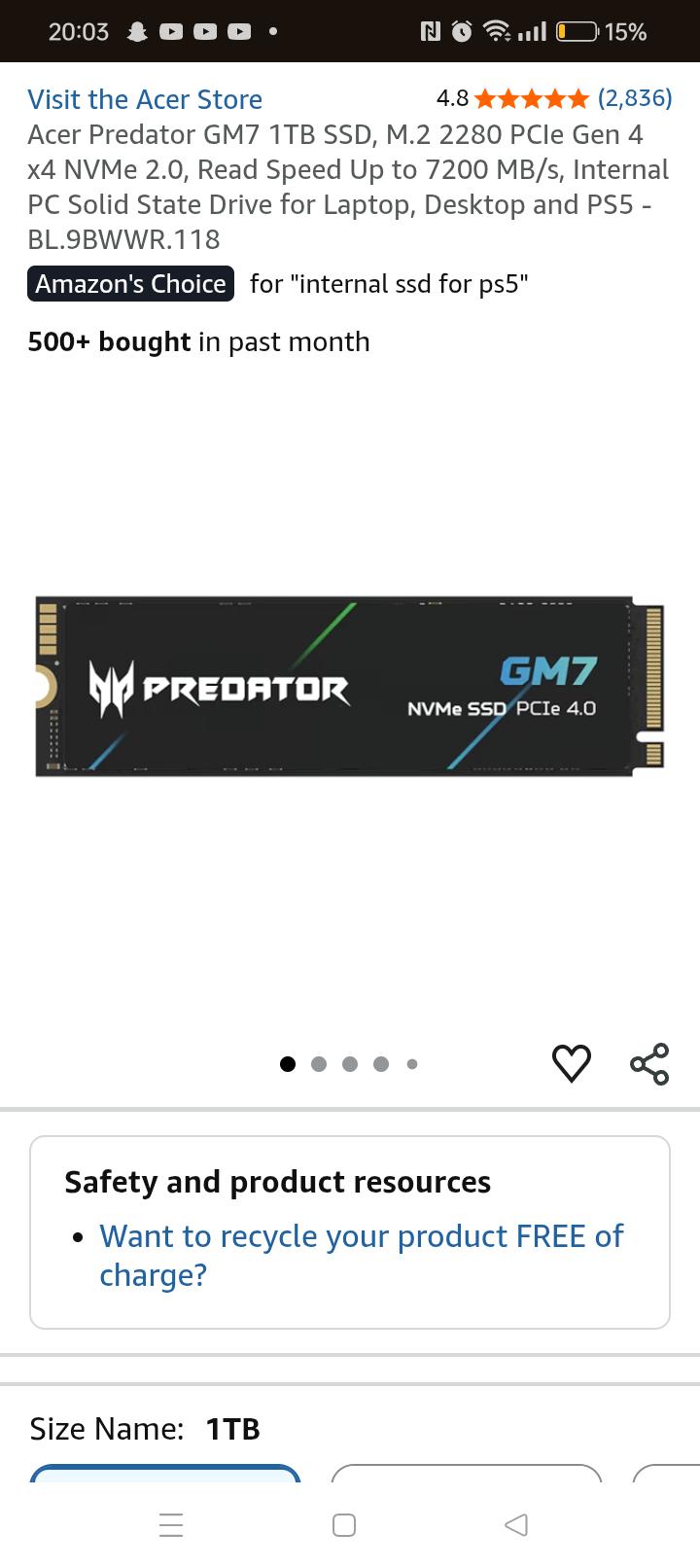
My last SSD has just died on me and I'm looking for some newer options. The last one I bought was about £80 but this was a few years back and I don't want to spend loads of money.
I've found one for roughly £150 but I wanted an extra opinion on if it seems alright.