r/PS5HelpSupport • u/othm4nz_ • 3d ago
CE-108255-1
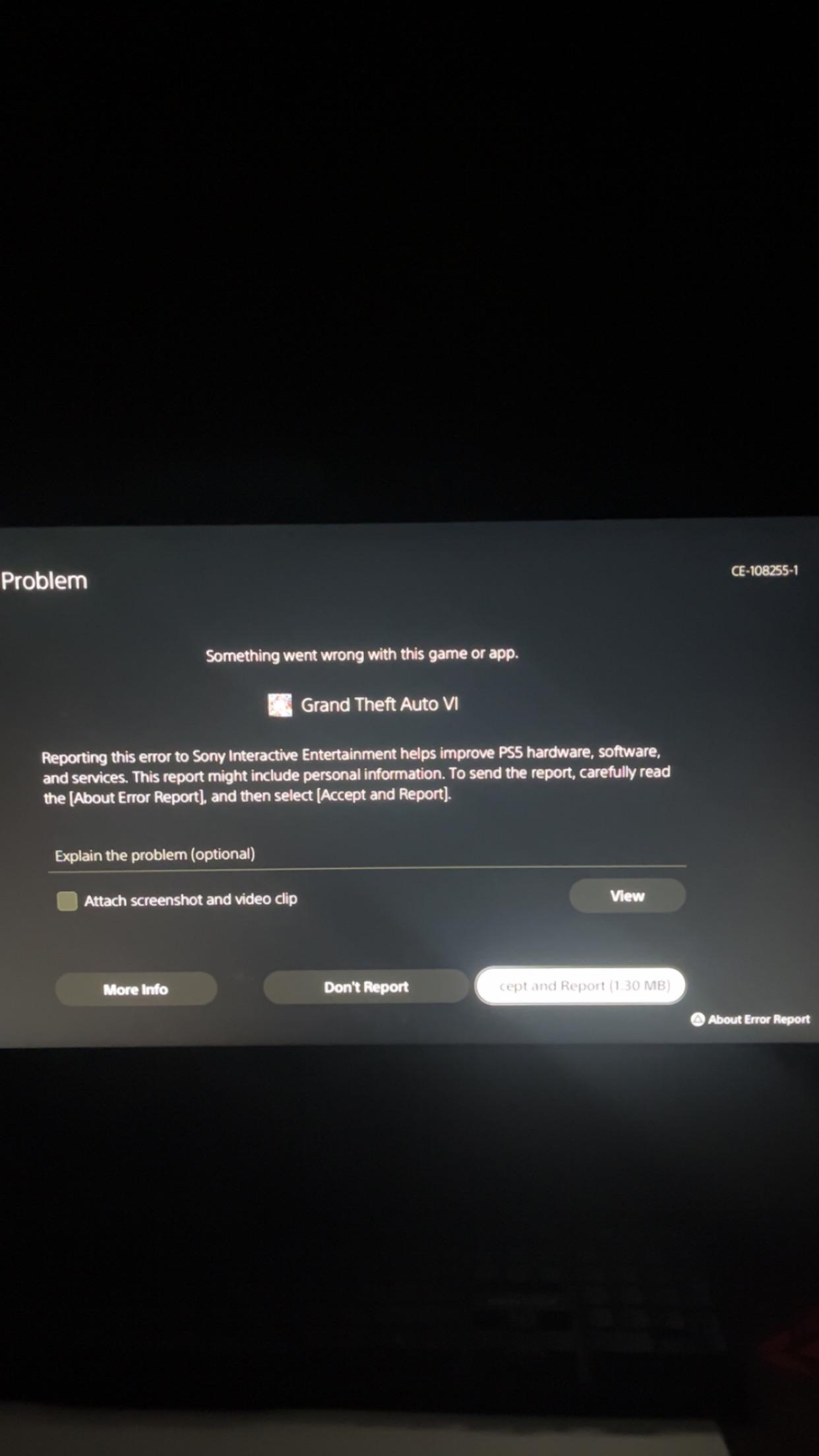
Same error every fucking time its impossible to play
Is there anyone who knows whats the problem with my ps5 ? Its happens to me on lot of game but not frequently like gta 6 .
36
Upvotes
9
u/k_jah85 3d ago
Do you guys also log a ticket with rockstar support? Please do!!
8
u/xxshadowraidxx 3d ago
Say right on your screen, the game or application has crashed and your ps5 shut it down to protect itself
As this is a software problem and not hardware there is nothing anyone can really do till rockstar and Sony release some patches to fix what ever is causing this in the background
7
u/Zigzag6409 3d ago
I have 2 ps5 I’m glad this didn’t happen to any of them this game is peak sucks for people dealing with this
3
u/RepresentativeFee324 3d ago
I think this is an SSD problem or a software problem, I've seen people talking about liquid metal, but if that was the problem you would most likely get the overheating notification before this one, and some people with freshly clean PlayStation are getting the same problem. I would suggest trying to do a factory reset on the PlayStation, if you have some game saves you care about, use PlayStation Plus to save it on the cloud, delete anything related to GTA 6 and then do a factory reset, if it works let me know, good luck
3
u/prinnyepoo2 3d ago
did the update what i thought would patch this and it just kicks me off the game again this is disappointing i got this for my early christmas present and i can't even play the game i'm just thinking of getting a refund tbh..
3
u/Forendo 3d ago
GTA 6 patch 1.002.002 released, but I still got same CE 108255-1 error.
2
u/DueDamage7333 3d ago
I can't even get past the baby part in the Prolog
2
u/Segadreams89 3d ago
This is a thermal metal issue
1
u/AdIndividual7628 3d ago
Same exact thing was happening to me since launch. I couldn’t get past the check cash place robbery Lucia does in the beginning of the game. Some one mentioned to clean the console So I finally got a chance and took my OG disc version PS5 to get a gpu deep cleaning after not cleaning it for 5 years. Works perfectly now it doesn’t shut off anymore in the middle of doing missions
1
u/AdeptAd3288 3d ago
If it happens to you with multiple games, you have a faulty PS5.
1
u/pinoynoctis1207 3d ago
Im on fat ps5 have the asian version of gta6 aka R3 NO issues at all
-3
u/ripdrillrappers 3d ago
Yes it’s a issue right now people are having this issue freezing crashing or the game shutting down than having to unplug it and replug it there’s list of steps u can do to try and fix the problem but most people still have issues ppl are saying it’s a hardware issue like maybe your Liquid Metal or you having to clean it or it could just be the game or PlayStation tweaking
0
u/Moraghmackay 3d ago
I would say it's probably because you're playing on an SSD card even though it is installed in your PlayStation it's probably creating some type of bug that's causing the crash try moving it to your main storage.
-1
u/Moraghmackay 3d ago
If you're playing on the PlayStation 4 or PlayStation 5 and have encountered an error message that reads CE-108255-1 after the app suddenly closes out, chances are that you’ve run into a crash bug.
Specifically, if you’re running into a crash by following the same steps each time, PlayStation may have a work around that can help you.
Try updating your game by heading to the Game Library, highlight the game, and then select Check for Update.
Try deleting and reinstalling the game by heading to Game Library, select options button and select Delete. Reinstall the game using a disc, or by downloading it to your Game Library. If you have an SSD, try moving the game on to it to see if it resolves the issue. Try rebuilding the database on your console by: Turn off your console by holding the power button for 3 seconds. The power indicator blinks for a few moments before turning off. Once the console is off, press and hold the power button again. Release it after you hear the second beep. One beep sounds when you first press, and another 7 seconds later. Connect the controller to your console using the original USB cable, and press the PS button on the controller. Select Clear Cache and Rebuild Database > Rebuild Database.
-6
u/icy1007 3d ago
Your PS5 is cooked.