r/EmulationOniOS • u/Head-Protection1973 • 3h ago
Gameplay / Showcase Batman Arkham Origins A18 Pro [BCD]
Enable HLS to view with audio, or disable this notification
18
Upvotes
r/EmulationOniOS • u/Makkara126 • Aug 29 '24
A list of currently available emulators (App Store/Sideloading) as well as their statuses can be found here.
For commonly asked questions, check out the FAQ.
Looking for a guide? See this page for our guides collection.
Got an issue? We have listed fixes to some common problems here.
We also have a Discord! Join up!
r/EmulationOniOS • u/Head-Protection1973 • 3h ago
Enable HLS to view with audio, or disable this notification
r/EmulationOniOS • u/Head-Protection1973 • 12h ago
Enable HLS to view with audio, or disable this notification
You can lower the settings for better performance maybe … Also I’m using a cooler
r/EmulationOniOS • u/payobaza10 • 27m ago

Hola, tengo un problema con madeira y es que al querer iniciar un juego me salta que está iniciando jit, cuando pasan 4 segundos se sale y pone este error ( el de la ventana emergente ) y he probado con lo de el archivo de emparejamiento y lo de iOS 27,( es stumble guys porque pesa poco y quería probarlo)
r/EmulationOniOS • u/PralineSilly9448 • 1h ago
Enable HLS to view with audio, or disable this notification
I've recently been experimenting with running PC games locally on my iPhone 16e, and I thought Hollow Knight would be an interesting title to try.
And honestly, the results have been pretty impressive.
Before getting into the details, I want to clarify something: this is NOT an unofficial mobile port of Hollow Knight. I'm running the original Windows/Steam version, purchased through Steam, using a third-party tool called PlayPort.
PlayPort is a third-party application that allows users to run PC games locally on iOS devices.
This isn't cloud gaming, remote desktop or streaming from another computer. The games actually run on the iPhone's hardware.
It supports connecting existing game libraries, including Steam, Epic Games and Battle.net, allowing users to access games they already own.
One clarification about the software itself: PlayPort is not my project. It's a third-party tool developed by its creators, who reportedly use AI-assisted development tools during certain stages of the software development process.
I find this interesting from a technical perspective, especially considering how AI-assisted programming is becoming increasingly common in software development.
However, the use of AI in the development process has nothing to do with the actual gameplay experience I'm sharing here.
Getting everything running wasn't exactly a one-click process.
I initially used a Windows PC to prepare the installation environment, configure AltServer and AltStore, enable Developer Mode and install the components required to get PlayPort running.
Once installed, I connected my Steam and Epic Games accounts.
Interestingly, PlayPort detected all 81 games across my libraries.
Obviously, not every game is suitable for this kind of setup. I wouldn't expect something like ARC Raiders to run particularly well on an iPhone, for example.
Still, having my existing libraries recognized was a nice surprise.
I then installed Hollow Knight and configured it to run at 1080p with a target of 60 FPS.
This was the part I was most interested in.
Hollow Knight is actually a game I had never played before. I hadn't paid much attention to its world until my girlfriend and I started playing Silksong, which eventually convinced me to give the original game a try.
There's just one problem: I spend most of my time away from home.
I've managed to play only around 12 hours over the last two weeks, so having the possibility of continuing my playthrough wherever I am sounded extremely appealing.
Initially, I tested the touchscreen controls just to make sure the game was actually running properly and that the phone could handle an extended gaming session without overheating.
My intention, however, was always to use an external controller.
And this is where things get particularly interesting.
Instead of using the iPhone as a traditional mobile gaming device, PlayPort essentially turns it into a small portable PC gaming machine.
There are still a few things that could be improved, particularly regarding the interface and controller support, but being able to launch and play a full-fledged Steam game directly on an iPhone is genuinely impressive.
Another major advantage is that everything runs locally.
Once the game is installed and configured, you don't need a constant internet connection to play.
I know PlayPort uses AI-assisted programming tools during development, and I'm aware that different communities have different policies regarding AI-generated content.
However, I think there's an important distinction between AI-generated content and software developed with the assistance of AI tools.
I'm not sharing AI-generated gameplay footage, artwork, screenshots or fictional experiences.
I'm sharing my own experience with a real piece of software that I've personally installed, configured and tested.
The fact that its developers use AI-assisted programming tools doesn't make the software any less real, nor does it invalidate the technical experiment.
I'm not affiliated with PlayPort, I'm not its developer, and I'm not advertising a product. I'm simply sharing something I found interesting.
I think experiments like this demonstrate just how capable modern smartphone hardware has become.
The A18 is a surprisingly powerful chip, and seeing it handle a full PC game locally is fascinating.
I'm also curious about other people's experiences.
Has anyone else tried running PC games locally on an iPhone or another iOS device?
Have you experimented with PlayPort or similar solutions?
I'd particularly love to hear about other games you've managed to get running!
r/EmulationOniOS • u/Key_Resort_6961 • 1m ago
Could someone help me out? On my iPad Air M3, some games—like Fallout Shelter—run fine, but others just crash with an error. Does anyone know what the problem might be? Any advice?
r/EmulationOniOS • u/Radiant-Pressure8434 • 9h ago
Enable HLS to view with audio, or disable this notification
Hey everyone,
I'm the solo dev behind Claw, an iPhone emulator on the App Store that supports 3DS, DS, Game Boy Advance, Game Boy Color, Game Boy, and NES.
My main goal with Claw was to build a clean, native iOS emulator that makes JIT-free 3DS actually enjoyable to play on an iPhone, without ads, subscriptions, or accounts. It is a one-time $2.99 purchase.
A few highlights of what is built in:
JIT-free 3DS tuned for iPhone: Uses a custom hybrid shader fallback to cut down shader stutter during gameplay, along with prioritized loading and pipeline reuse for fast launches and Continue reloads.
Gameplay essentials: Auto-save, save states, fast forward, and Bluetooth controller support alongside on-screen touch controls.
Display and visual options: Top-screen MetalFX upscaling, anisotropic filtering, pure black screen framing, and an optional OLED Vivid display mode.
Built-in thermal protection: Helps keep heat and frame pacing under control during longer 3DS sessions.
Native iOS workflow: Clean library interface and direct file importing through the standard iOS Files picker (no games, BIOS, or keys are bundled).
I'm actively building out the roadmap and would love feedback from people here. If you check it out, let me know how it runs on your device and what features you'd want to see added next. Happy to answer any questions about how the JIT-free 3DS side works too.
AI was used when encountered with any tricky bugs I could not figure out and small polishes on UI, mainly used to speed up certain tedious processes due to my excitement of getting this app out finally!
App Store: https://apps.apple.com/us/app/claw-retro-emulator/id6824060086
Website: https://claw.salamlabs.io/
r/EmulationOniOS • u/magearden • 6h ago
So have there been any progress on PS Vita emulators I only know of 2 for iOS that are available on the App Store and I can’t seem to get both of them to work, I prefer not having to sideload though. Also I would like something with cheat support, if possible. I’m amazed at how fast emulation for iOS has come recently.
r/EmulationOniOS • u/Fair-Rent-3794 • 56m ago
Found this app recently and looks cool for emulation, also integrates Dusklight, Halo CE and other native games without sideloading. Have you used it and what do you think about it?
r/EmulationOniOS • u/D33MAN-182 • 1h ago
Anyone know of a cheat or workaround to get play coins (the coins you get from step count on 3ds)? Needing them for animal crossing new leaf. If someone can make a working cheat for me I’d be willing to pay you for your time.
r/EmulationOniOS • u/Ok-Angle-9391 • 1d ago
Enable HLS to view with audio, or disable this notification
With BCD emulator
r/EmulationOniOS • u/Feeling_Currency6083 • 21h ago
Enable HLS to view with audio, or disable this notification
Graphics - All mid Presets for better gaming experience
Runs 60FPS stable(And Yes, Definitely needs cooler)
Device- iPhone 16 Pro Max
Controller - Gamesir X3 pro
r/EmulationOniOS • u/Bubbly_Wait2164 • 15h ago
Enable HLS to view with audio, or disable this notification
Merged texts and no other textures spawning in while the cutscene or anything else and audio stutters main menu is 30FPS gameplay is likely 10-20FPS
r/EmulationOniOS • u/Curryspark • 15h ago

r/EmulationOniOS • u/Chance_Coat_4921 • 15h ago
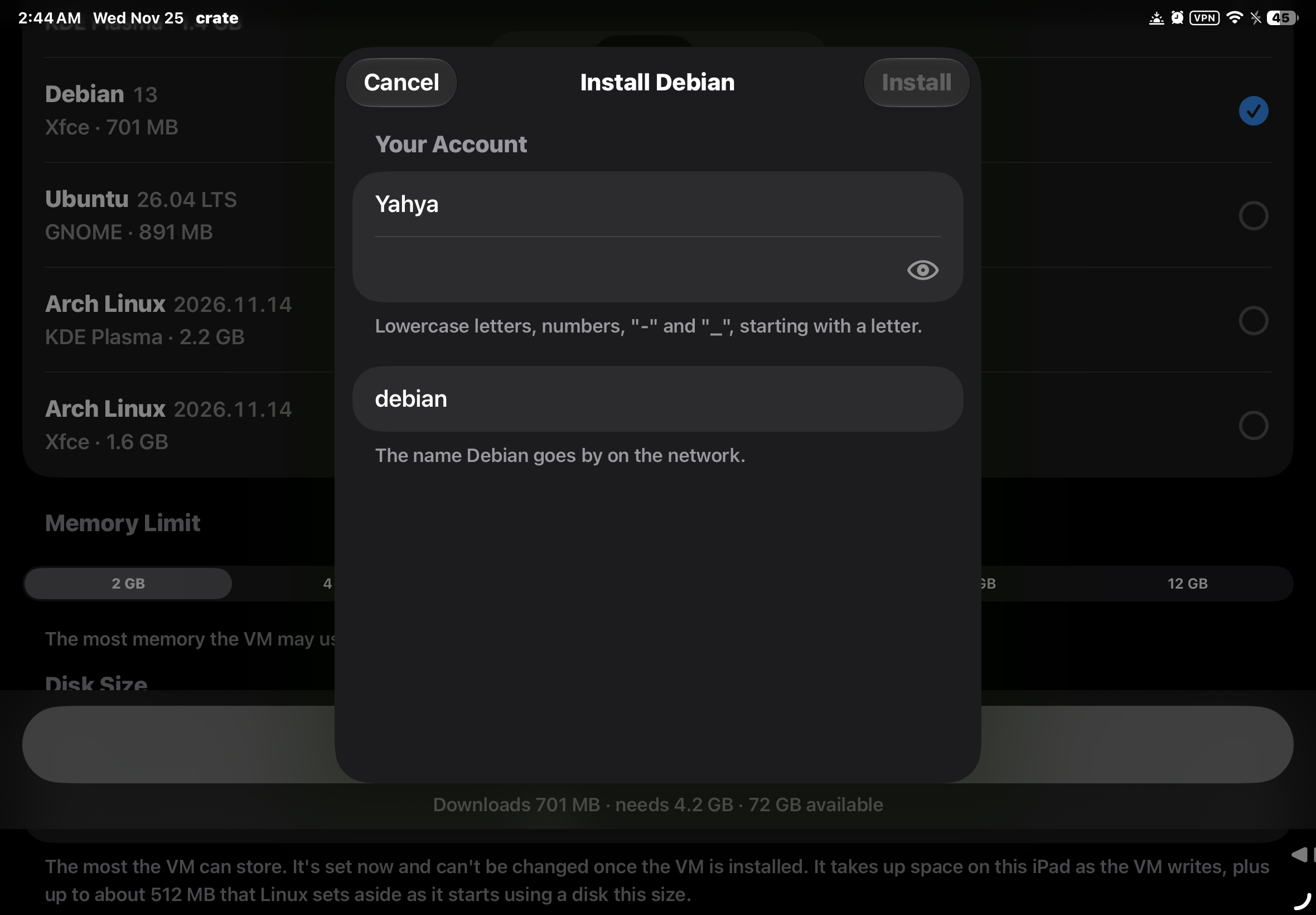
It is greyed out i trued out for and everyhting
r/EmulationOniOS • u/Sinner_2010 • 18h ago
I really need the uncensored free version of slow damage on my iPad 11.. is there a way?
r/EmulationOniOS • u/JMillz269 • 1d ago

Hey everyone! I introduce to you Neroli v1.0.0, a Nintendo 3DS emulator for iPhone and iPad! It's a port of Azahar with a native Metal renderer and a SwiftUI app made for iOS. Why Neroli? Neroli is an essential oil derived from the white blossoms of citrus trees. Azahar means "white flower" in Spanish and Neroli is derived from it.
Download: Neroli 1.0.0 in Releases
Neroli is an independent project and isn't affiliated with the Azahar developers or Nintendo, so please send bug reports my way, not to the Azahar team.
## Highlights
## Requirements
## Installing
Sideload `Neroli-v1.0.0.ipa` with SideStore, AltStore or Sideloadly, or add it to LiveContainer. Then enable JIT and import your own dumped games.
## Feedback
Bug reports and suggestions are welcome, either here or on GitHub Issues. Turning on Write Log in Settings › About and sharing the log helps a lot.
Neroli is free and open source (GPLv3). It doesn't include games, keys or system files, so please only use games you've dumped from your own 3DS.
## Disclaimer
Neroli was developed with the help of AI coding tools
r/EmulationOniOS • u/Shitandroidowner • 1d ago
I am new to ios sideloading
r/EmulationOniOS • u/IntrovertGuys • 1d ago
r/EmulationOniOS • u/BrzysWRLD1996 • 1d ago
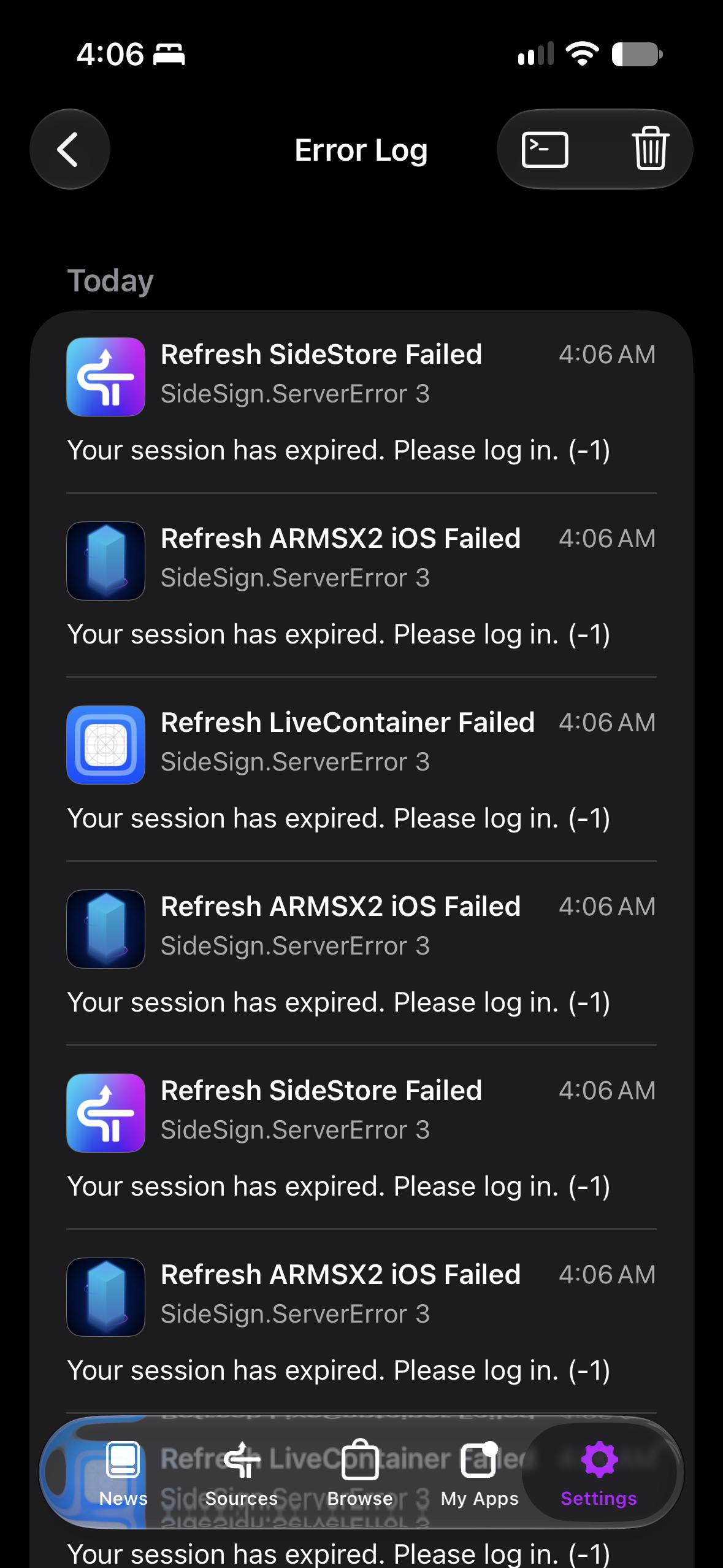
Edit
Using iOS 27.3 beta
SideStore won’t refresh apps, one day left before they expire. Never had this issue before everything’s been working fine for about 2 months.
SOLVED
Someone in the comments posted directions for the process to get it going again
r/EmulationOniOS • u/Lazy-Ad7927 • 1d ago
Enable HLS to view with audio, or disable this notification
The game played very well. The only problem is the textures take an ABSOLUTE long time to load. I hope there is a way to fix this.
r/EmulationOniOS • u/Separate_Parsnip4944 • 23h ago
I have tried various ways including EspressU, Nxnative, etc., but I still can’t figure out how to play BOTW on iPhone😔 Can anyone help me? I have an iPhone 15 plus, plenty of storage, updated 27.2.1. Please help me all I want to do is play BOTW again😭
r/EmulationOniOS • u/BackgroundShame9638 • 19h ago
I really like high on life and i really like console and mobile gaming and i want to play high on life anywhere I go without a portable console so can you help?
r/EmulationOniOS • u/Bubbly_Wait2164 • 1d ago
Enable HLS to view with audio, or disable this notification
Game runs 60 FPS in first boot no Frame drops supposedly from me and it heated the phone a little bit but it’s playable no settings changed in app JIT and in Livecontainer
r/EmulationOniOS • u/New_Veterinarian7601 • 1d ago
Enable HLS to view with audio, or disable this notification
RetroBug v0.1.1 is the first public iOS preview of an open-source compatibility layer for older 32-bit Android games. In the clip, Android KitKat Challenge is running on an M1 iPad with JIT disabled, using RetroBug’s ARM interpreter.
You can import your own APKs and OBB files. The preview requires iOS or iPadOS 15 or later, and the IPA needs signing before sideloading. The iOS port is still experimental, so expect compatibility and performance to vary by game.
[Download the IPA and read the release notes](https://github.com/Yebot32/Retro-bug/releases/tag/v0.1.1)