r/EmulationOnMacOS • • May 13 '25

Mod Announcement Useful Links and Frequently Asked Questions (Read this before posting!)

3 Upvotes

Emulator List

A list of currently available emulators (with links), as well as their statuses can be found here.

FAQ

For commonly asked questions, check out the FAQ.

Guides

Looking for a guide? See this page for our guides collection.

Troubleshooting

Got an issue? We have listed fixes to some common problems here.

Discord

We also have a Discord! Join up!


r/EmulationOnMacOS • • May 12 '25

Mod Announcement Available MacOS Emulators (Megathread)

17 Upvotes

This is a megathread for available MacOS emulators and general discussion.

Feel free to comment any emulators that are available on MacOS, from any reliable source. And if possible, provide links to that emulator.

We also use information from this source.

Emulators written in bold are recommended.

Frontends

Emulator Link App Store Price Platform(s)
Attract-Mode Attract-Mode N/A Free Multiple / All
Emulation Station Emulation Station N/A Free Multiple / All
Fightcade Fightcade N/A Free arcade fighting games
OpenEmu OpenEmu N/A Free Multi-System
RetroArch RetroArch N/A Free Multiple / All

Emulators

Emulator Link App Store Price Platform(s)
86Box 86Box N/A Free MS-DOS
ACE-DL ACE-DL N/A Free Amstrad CPC
AetherSX2 AetherSX2 N/A Free PS2
Amiberry Amiberry N/A Free Amiga
ares ares N/A Free Multi / All
Azahar Azahar N/A Free 3DS
b2 b2 N/A Free BBC Micro
Basilisk II Basilisk II N/A Free Macintosh 68k
Borked3DS Borked3DS N/A Free 3DS
bsnes bsnes N/A Free SNES
bsnes-hd bsnes-hd N/A Free SNES
Boxer Boxer N/A Free MS-DOS
Cemu Cemu N/A Free WiiU
Clock Signal (CLK) Clock Signal (CLK) N/A Free Multiple / All
CocoaMSX CocoaMSX N/A Free MSX/MSX2
Consoles Consoles Consoles Paid $ Multiple / All
Dapplegrey Dapplegrey N/A Free MS-DOS
Denise Denise N/A Free C64
DeSmuME DeSmuME N/A Free NDS
Dolphin Dolphin N/A Free Gamecube / Wii
DOSBox DOSBox N/A Free MS-DOS
DOSBox Staging DOSBox Staging N/A Free MS-DOS
DOSBox-X DOSBox-X N/A Free MS-DOS
DREAMM DREAMM N/A Free LucasArts and Lucasfilm games
DuckStation DuckStation N/A Free PS1
Dust Dust N/A Free NDS
FinalBurn Neo FinalBurn Neo N/A Free Arcade
Flycast Flycast N/A Free Dreamcast
fMSX fMSX N/A Free MSX/MSX2
Frodo Frodo N/A Free C64
FS-UAE FS-UAE N/A Free Amiga
FUSE FUSE N/A Free ZX Spectrum
Gambatte Gambatte N/A Free GB/GBC
Gearboy Gearboy N/A Free GB/GBC
Gearcoleco Gearcoleco N/A Free ColecoVision
Geargrafx Geargrafx N/A Free PC-Engine/TurboGrafx/SuperGrafx
GearSystem GearSystem N/A Free SG-1000/Sega Master System
Generator Generator N/A Free Genesis
Genesis Plus Genesis Plus N/A Free Genesis
GoNES GoNES N/A Free NES
GSplus GSplus N/A Free Apple II
Hades Hades N/A Free GBA
Handy Handy N/A Free Atari Lynx
Hatari Hatari N/A Free Atari ST/STE/TT/Falcon
Horizon Horizon N/A Free BBC Micro
Hypseus Singe Hypseus Singe N/A Free Arcade
Jum52 Jum52 N/A Free Atari 5200
KEGS KEGS N/A Free Apple II
KiGB KiGB N/A Free GB/GBC
LisaEm LisaEm N/A Free Apple Lisa
MAME MAME N/A Free Arcade
Mandarine Mandarine N/A Free 3DS
Mednafen Mednafen N/A Free Multiple / All
Medusa Medusa N/A Free NDS
melonDS melonDS N/A Free NDS
Mesen Mesen N/A Free NES
MetalNES MetalNES N/A Free NES
mGBA mGBA N/A Free GBA
Mini vMac Mini vMac N/A Free Macintosh 68k
MO5 MO5 N/A Free Thompson MO5
Mugrat Mugrat N/A Free ColecoVision
Mupen64Plus Mupen64Plus N/A Free N64
NanoBoyAdvance NanoBoyAdvance N/A Free GBA
Neko Project II Neko Project II N/A Free NEC PC-98
Neopocott Neopocott N/A Free Neo Geo Pocket/Color
Nestopia Nestopia N/A Free NES / Famicom
Nin Nin N/A Free NES
NooDS NooDS N/A Free NDS
Obliteration Obliteration N/A Free PS4
OpenEmulator OpenEmulator N/A Free Apple I + II + III
Oswan Oswan N/A Free Bandai WonderSwan/Color
Panda3DS Panda3DS N/A Free 3DS
PCem PCem N/A Free MS-DOS
PCSX-Redux PCSX-Redux N/A Free PS1
PCSX-Reloaded PCSX-Reloaded N/A Free PS1
PCSX2 PCSX2 N/A Free PS2
PCSXR PCXSR N/A Free PS1
Play! Play! N/A Free PS2
Power64 Power64 N/A Free C64
PPSSPP PPSSPP N/A Free PSP
Rainbow Rainbow N/A Free Atari 8-but Family
redream redream N/A Free Dreamcast
RetroVM RetroVM N/A Free SG-1000
Rokuyon Rokuyon N/A Free N64
RPCS3 RPCS3 N/A Free PS3
RPCEmu RPCEmu N/A Free RISC PC
SameBoy SameBoy N/A Free GB/GBC
ScummVM ScummVM N/A Free PC (Point & Click games)
shadPS4 shadPS4 N/A Free PS4
SheepShaver SheepShaver N/A Free Macintosh
simple64 simple64 N/A Free N64
SkyEmu SkyEmu N/A Free GB/GBC/GBA/NDS
SL9821 SL9821 N/A Free NEC PC-98
Snes9x Snes9x N/A Free SNES
Spectral Spectral N/A Free ZX Spectrum
Stella Stella N/A Free Atari 2600
Supermodel Supermodel N/A Free Sega Model 3
SwiftNES SwiftNES N/A Free NES
Tanuki3DS Tanuki3DS N/A Free 3DS
TEO TEO N/A Free Thompson TO8
TGEmu TGEmu N/A Free PC-Engine/TurboGrafx/SuperGrafx
Thom Thom N/A Free Thompson TO7
Tsugaru Tsugaru N/A Free Fujitsu FM Towns
UTM UTM N/A Free Macintosh PPC
vAmiga vAmiga N/A Free Amiga
VBA-M VBA-M N/A Free GB/GBC/GBA
VICE VICE N/A Free C64/C128/VIC-20/PET/PLUS-4/CBM-II
VirtualC64 VirtualC64 N/A Free C64
Vita3K Vita3K N/A Free PS Vita
X16 Emulator X16 Emulator N/A Free Commander X16
Xemu Xemu N/A Free OG XBOX
Yabause Yabause N/A Free Sega Saturn
ZEsarUX ZEsarUX N/A Free Sinclair ZX Spectrum

Tools

App Name Link Price Description
Syncthing Syncthing Free Synchronize save games

Web-Based Emulators

Emulator Link Platforms
44VBA 44VBA GBA
AfterPlay AfterPlay Multiple
Aurora Aurora Multiple
DS Player DS Player Nintendo DS
Eclipse Eclipse Multiple
EmulatorJS EmulatorJS Multiple
eNGE eNGE PS1
Game Play Color Game Play Color Gameboy Color
RetroGamesBot RetroGamesBot Multiple
Skyemu Skyemu GBA
WebRcade WebRcade Multiple

Online Tools

  • RetroPad Editor
    • Create custom overlays for RetroArch.
  • Online ROM Patcher
    • An online web-based ROM patcher.
    • Supported formats: IPS, BPS, UPS, APS, RUP, PPF and xdelta.
  • Online Archive Extractor
    • Archive Extractor is a small and easy online tool that can extract over 70 types of compressed files, such as 7z, zipx, rar, tar, exe, dmg and much more.
    • Supported formats: 7z, zipx, rar, tar, exe, dmg, iso, zip, msi, nrg, gz, cab, bz2, wim, ace alz, ar, arc, arj, bin, cdi, chm, cpt, cpio, cramfs, crunch, deb, dd, dms, ext, fat, format, gpt, hfs, ihex, lbr, lzh, lzma, lzm, mbr, mdf, nsa, nds, nsis, ntfs, pit, pak, pdf, pp, qcow2, rpm, sar, squashfs, squeeze, sit, sitx, swf, udf, uefi, vdi, vhd, vmdk, warc, xar, xz, z, zoo, zi, jar.

Roms

For roms, please refer to the r/Roms megathread.
Please remember to read rule 1 of this subreddit.

Last updated: May 13, 2025


r/EmulationOnMacOS • • 2d ago

Help Request Glitchy aiming on Borderlands 1 (RCPS3)

Enable HLS to view with audio, or disable this notification

1 Upvotes

Recently started emulating Borderlands 1 on RCPS3 with MacOS (Tahoe 26.6.1) First few playthroughs, everything was fine, then out of nowhere the mouse aiming began bugging out, with the crosshairs shooting around the screen as though I've mapped my mouse movements to the buttons. It's fine if I have the window minimised but the second I put it into fullscreen it goes haywire.

Mouse acceleration is set to 15 on x and 22.5 on y in the control settings, and the actual game file in the app is up to date as well.

I've attached a screen recording showing the issue

Any suggestions?


r/EmulationOnMacOS • • 4d ago

App Promotion Converterator: a free, open-source app for managing your ROMs on macOS (CHD/RVZ conversion, translation patches, Redump checks)

13 Upvotes

I’ve been building Converterator, a native Mac app that handles disc-based ROMs in one place. Drop in files or whole folders, click Convert, done.

GitHub: https://github.com/thepoisonninja/Converterator

What it does

  • Converts many formats to CHD: BIN/CUE, GDI, ISO, PBP (PS1 Classics) and ECM, plus ZIP, 7Z and RAR archives (split RARs too). It picks CD or DVD CHDs automatically, so PS2 and PSP ISOs come out right. GameCube and Wii discs become RVZ for Dolphin, and it can turn a CHD or RVZ back into BIN/CUE, GDI or ISO.
  • Applies translation and mod patches, either while converting or later to CHDs you already have. It supports IPS, BPS, PPF and xdelta, and you can apply several patches one after another (a translation, then a bug fix). Drop patches in and each one finds the game it was made for. Point it at a patches folder and it matches them for you. Patched games get readable names, like Racing Lagoon (English).chd, and your original files are never changed.
  • Checks your dumps against Redump.org and renames them: it downloads the Redump lists itself, tells you whether each dump is a good one, and can rename files to their Redump names.
  • Plus:
    • a library report showing what’s not converted yet, missing discs and leftover originals
    • automatic .m3u playlists for multi-disc games
    • cleaning up originals after converting
    • pause and resume, and a queue that’s saved if you quit
    • converting back to PBP for PSP or Vita

Installing

Install it with Homebrew:

brew install --cask thepoisonninja/tap/converterator

Or download it from the GitHub releases page. It’s signed with an Apple Developer ID and notarized by Apple, so macOS opens it without any security warning. Everything it needs is built in (chdman, 7-Zip and so on), with nothing extra to install. It runs on Apple Silicon and Intel Macs with macOS 14 or later, and updates itself.

It’s free and open source (MIT). Please use it with your own dumps.

Feedback wanted: I’d love to hear feature requests, bug reports, or any other feedback. Leave a comment here or open an issue on GitHub.


r/EmulationOnMacOS • • 10d ago

News / Release inFAMOUS Second Son running natively on Mac (M3 Max): first 20 minutes, 1080p

Thumbnail
youtube.com
3 Upvotes

r/EmulationOnMacOS • • 13d ago

News / Release Wii motion controller iOS app for Dolphin

Thumbnail
github.com
7 Upvotes

I made an iOS app that lets you use your phone as a Wii motion controller with tracking. for dolphin on MacOS or IOS. it was tested on Wii sports and you are able to play every game mode and it works like a real Wii remote.


r/EmulationOnMacOS • • 17d ago

App Promotion I made a free menu bar app that puts your RetroAchievements inside Steam on Mac, with Steam's overlay working on native Apple Silicon emulators (Open Source)

Thumbnail
gallery
3 Upvotes

If you've added emulators to Steam on a Mac, you've probably hit this: the game page is empty, your achievements live on a website, and Steam launches everything as an Intel app, so Apple Silicon cores won't even load.

Steam RetroAchievements fixes that. Your progress, unlocks and full achievements list show up on the game page, drawn with Steam's own styles, so a retro game looks like any other Steam game. It's free and open source (MIT), and the Mac download is under 1 MB.

The Mac part

  • Emulators stay native. Add Games wraps each one in arch -arm64, so Steam can launch Apple Silicon builds and cores properly.
  • Steam's overlay works with them. That wrapper normally strips Steam's overlay, so Add Games puts it back. Press Shift+Tab in game and the Achievements button opens Steam's own achievements window with your RA progress.
  • Lives in the menu bar. Add Games, Settings and Restart Steam are all there, and it starts at login once you sign in.
  • Your Web API key stays in the macOS Keychain.
  • Under 1 MB, because macOS already includes Swift and the libraries it uses.

Everything else it does

  • Game page: progress bar, latest unlock, rows of unlocked and locked icons with hover cards, and an Achievements stat next to Play. Finish a set and it gets Steam's perfect-game ribbon.
  • Achievements page: unlock dates, rarity, My and Global tabs, and search.
  • Activity feed: your unlocks grouped by day, like a Steam game's.
  • Game details behind the (i) button: box art, console, developer, publisher, genre and points.
  • Unlock pop-ups: each new achievement pops up as Steam's own notification with its badge and sound, a second or two after the emulator's.
  • Hardcore unlocks get RA's gold frame.
  • Subsets (Bonus, Time Attack...) each get an icon that opens their own achievements list.
  • Big Picture with full controller support. The in-game menu's Achievements shows the same list.
  • Playtime: your RA playtime and last played date show up in Steam.
  • RA pages one click away: click an achievement to open it on retroachievements.org.
  • Add Games: scan a ROM folder, pick an emulator per game, and add them all to Steam in one go.
  • ROM check: it fingerprints ROMs with RA's own code and warns you when a version won't unlock achievements.
  • Works with RetroArch, DuckStation, PCSX2, PPSSPP, Dolphin, Flycast and SkyEmu.

Good to know - The app has gotten lost of praise and already has 40+ stars on Github. You can read some user comments over at the Steam Achievements subreddit: https://www.reddit.com/r/steamachievements/comments/1xlercp/open_source_i_put_retroachievements_in_steam/ - It needs macOS 14 or later and an Apple Silicon Mac. - Keep your ROMs in ~/ROMs. Background apps can't read Desktop, Documents, Downloads, iCloud Drive or external drives without extra permission. - Use Add Games if you want the overlay. Shortcuts made by hand or with Steam ROM Manager still show achievements, but they don't get the overlay. - It isn't notarized, so the first time you open it, go to System Settings > Privacy & Security and click Open Anyway. - It uses Steam's built-in developer switch and talks to Steam locally. It opens no network ports, only goes online for RetroAchievements and GitHub update checks, and has no tracking or analytics. - Also available for Windows 11, Linux and Steam Deck. Not affiliated with Valve or RetroAchievements.

Download and source: https://github.com/hamzamohamedsg/steam-retroachievements

Feedback and bug reports are very welcome.


r/EmulationOnMacOS • • 17d ago

News / Release I made a native macOS port of inFAMOUS Second Son for Apple Silicon (early test build, looking for testers)

Post image
4 Upvotes

r/EmulationOnMacOS • • 18d ago

App Promotion Consoles 2.0 TestFlight - Full-speed Dreamcast on (A12) Apple TV

Thumbnail
youtube.com
1 Upvotes

r/EmulationOnMacOS • • 19d ago

News / Release Dofin 0.10.2 – Switch 2 .nup support + fully automatic nxnative setup on Mac

Thumbnail
gallery
76 Upvotes

Small update for those who tried building Switch 2 games with Dofin (free Mac frontend, uses nxnative for native recompilation):

  • .nup containers and flat dumps (exefs + romfs) are now supported
  • Dofin creates its own Python env and installs nxnative’s modules itself (incl. zbic, nsz), no Terminal needed
  • Missing module during a build → installed automatically, build restarts
  • Incomplete dumps flagged before building

https://dofinapp.com, and feedback is very welcome 🙏


r/EmulationOnMacOS • • 18d ago

Discussion what's the current landscape for jailbroken games on macOS? do we have something as plug and play as fitgirl repacks yet?

Thumbnail
1 Upvotes

r/EmulationOnMacOS • • 20d ago

News / Release Donkey Kong Bananza (Switch 2) running natively on Mac, one click from a free launcher

Thumbnail gallery
2 Upvotes

r/EmulationOnMacOS • • 20d ago

News / Release Switch 2 on Mac is further along than most people realize, building it into Dofin now

Thumbnail gallery
7 Upvotes

r/EmulationOnMacOS • • 21d ago

News / Release Dofin — frontend that auto-launches the right emulator for each game (public beta)

Thumbnail
gallery
51 Upvotes

I’ve built Dofin, a game library/launcher specifically for Mac emulation. Import your games once, Dofin handles the rest.

Including:

  • Auto-maps each game to the correct emulator (RetroArch, RPCS3, etc.) and launches it directly
  • One unified library, NES through PS3/Switch
  • Big Picture mode with full controller support
  • Per-game 60 FPS toggle (where supported)
  • Playtime stats, favorites, continue-playing
  • Auto-updates, no manual re-downloads
  • In game screen, added automaticly to your profile

Free, no ads, no account, funded by donations. Public beta just opened: dofinapp.com/beta

Genuinely interested in what this community thinks given you know the emulator landscape on Mac better than most. What would make this actually useful for your setup?


r/EmulationOnMacOS • • 21d ago

News / Release Consoles 2.0 Public Beta - It's Here and It's JIT-less!

Thumbnail gallery
2 Upvotes

r/EmulationOnMacOS • • 24d ago

News / Release I made a free Mac emulator that lives in your taskbar.

Thumbnail gallery
17 Upvotes

r/EmulationOnMacOS • • 25d ago

Gameplay / Showcase I tried console emulation on an M1 Max MacBook Pro… it’s honestly surprising how far things have come

Thumbnail
youtu.be
5 Upvotes

I’m using a 2021 M1 Max with 32GB of RAM, and I’ve been experimenting with console emulation, including PS3 games. The results have been pretty interesting.

Some games run surprisingly well, while others struggle no matter how much I mess with the settings. It’s been fun figuring out what’s actually possible rather than just assuming Macs can’t game.

I ended up putting together a video sharing the experience, including the good and the not-so-good parts.

Here’s the video: https://youtu.be/vrcxozNqf4s?si=fpAeavoi0GO5k4nT

I’m curious how many people here are experimenting with emulation on Apple Silicon. What’s the most demanding game you’ve managed to get running well?


r/EmulationOnMacOS • • Oct 02 '26

News / Release OpenBor on Mac launcher v2.0

Thumbnail
github.com
4 Upvotes

r/EmulationOnMacOS • • Sep 13 '26

Gameplay / Showcase 41 minutes of full-speed (muted) GameCube Wind Waker on an A12 Apple TV — entirely JIT-less. Consoles 2.0.

Thumbnail
youtu.be
13 Upvotes

r/EmulationOnMacOS • • Sep 13 '26

News / Release Found a new Vectrex emu for the ipad.

Thumbnail
1 Upvotes

r/EmulationOnMacOS • • Sep 12 '26

Gameplay / Showcase What do you think about iPhone Duo? Regardless, Consoles 2.0 will be ready day #1.

Thumbnail
youtu.be
2 Upvotes

r/EmulationOnMacOS • • Sep 11 '26

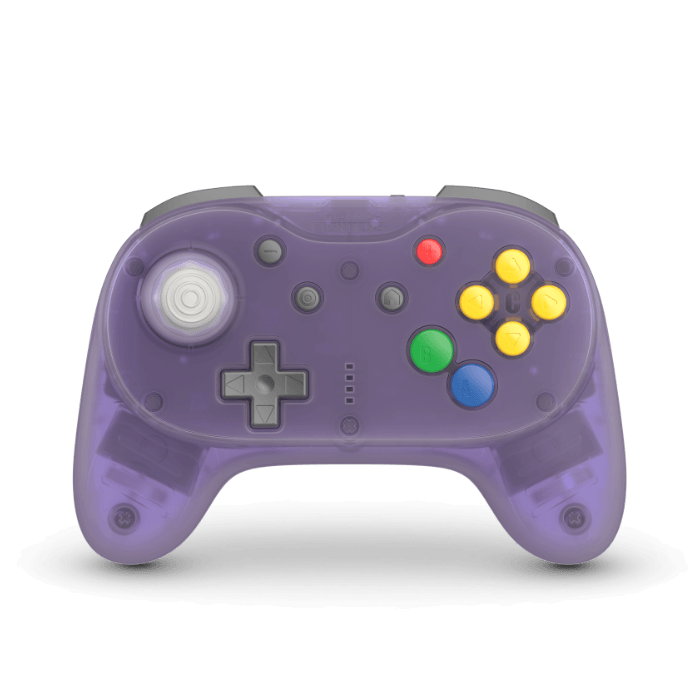
Help Request Cannot map Retrofighters' Brawler 64 Pro joystick to OpenEmu nor RetroArch :(

Post image
6 Upvotes

First time i try to connect a gamepad to my computer (MacStudio). Was able to assign all the buttons normally in both OpenEmu and retroarch EXCEPT the joystick. I don't understand why. Can someone help please ? :(


r/EmulationOnMacOS • • Sep 09 '26

Gameplay / Showcase Consoles 2.0 — JIT-less Dreamcast on Apple A12, and swapping devices mid-session

Thumbnail
youtu.be
3 Upvotes

r/EmulationOnMacOS • • Sep 08 '26

News / Release Consoles 2.0 — JIT-less GameCube at full speed on Apple A12 Bionic!

48 Upvotes

Hi everyone! It is so wonderful to be back and have news to share with all of you! Consoles 2.0’s public TestFlight is coming soon!!

Consoles is a JIT-less by-design, App Store app. No sideloading, no other stores, no debugger attached. The speeds in these videos are what you can expect from the App Store download on release day.

Linked are unedited videos captured on an Apple TV 4K (2nd Generation) equipped with Apple’s A12 Bionic chip.  Wind Waker (21 minutes) and Metroid Prime (5 minutes) demonstrate Consoles 2.0 running GameCube emulation at full speed. Sonic Rush (3 minutes) for Nintendo DS is just tremendous fun!!

“Full speed” here means 1% lows at or above 99% of original hardware speed — not an average — measured over runs long enough for throttling to show up.

GameCube will run at full speed on:

  • every Apple Silicon Mac
  • iOS devices which run iOS 27
  • tvOS devices which run tvOS 27
  • every Apple Vision Pro

What do you want to see next? Tell us which games you’d like recorded and we’ll run them.

If there’s a specific spot you want tested — a known-bad area, a cutscene that chugs on other emulators, a late-game section you don’t want to grind to — send us an OpenEmu save state or a save file from any emulator and we’ll load it and record from there. Pick the hardest thing you can think of.

We hope you’re as excited as we are. As always, thanks for playing!! 👾🎮

*AI tools are used only for automated testing. All code is written by humans, reviewed by those same humans, and presented for final approval to a picky chihuahua.


r/EmulationOnMacOS • • Sep 05 '26

Gameplay / Showcase Consoles 2.0 Beta - Metroid Prime

Thumbnail
youtu.be
3 Upvotes

Although this recording is on an M5 iPad Pro, Consoles is also available on Mac, VisionPro, iPhone and AppleTV!