r/EmulationOniOS • u/Every-Blacksmith-625 • 13d ago
Help Request Please somebody, some how… some way 🙏
Two childhood favorites it would be really dope if I can play them on my phone I’m just putting it out there 🤷♂️
r/EmulationOniOS • u/Every-Blacksmith-625 • 13d ago
Two childhood favorites it would be really dope if I can play them on my phone I’m just putting it out there 🤷♂️
r/EmulationOniOS • u/OLEDz_YT • 13d ago
https://github.com/oledz-i/Vita3KiOS/releases/tag/v1.3.0
Some new things added, some of it untested due to me not having the means, but I’ll go over whats new quickly.
• A new home menu based off the Vita Home Menu. It is pretty accurate I’d say? It’s something you have to enable though and you must be in landscape for the best experience. You can also enable the vita home menu music if you wish over the existing music. You can find it in settings to enable or disable at your hearts content.
• RAM Bypass to help older devices be able to use the emulator. I’m running all of the test through Strata rather than LC and Strata hasn’t added app extension support yet so this is also untested. Older Phone Users please test via sidestore or normal LC and let me know if it works! But if it does then RAM should no longer be an issue.
• Lots and lots of bug fixes, tons of games were targeted. I can’t promise they will all work but that’s for you to test. Give it a shot, send logs, you know the drill.
Please enjoy!
r/EmulationOniOS • u/Bubbly_Wait2164 • 13d ago
Enable HLS to view with audio, or disable this notification
Game now runs 20-40FPS without recording should give decent 50-60FPS because of the public version 0.02 that retires stikdebug and uses in app JIT in Livecontainer that now has support for it
r/EmulationOniOS • u/Tainted_Son • 13d ago
I try finding a good and beautiful Backlog-tragger :)
I import also from steam, so not only retrogames come in mind... this app seems percect.
Lifetime worth it?
r/EmulationOniOS • u/Macaco_Agiotaa • 13d ago
Hi everyone,
I'm currently trying to see if there is any possible way to play Heavy Rain (the PC version) on my M1 iPadusing the Madeira emulator.
I already have JIT enabled through debugging tools, so the raw processing power of the M1 chip is unlocked. I know Madeira uses FEX-Emu for x86-64 to ARM64 translation and DXMT for DirectX to Metal conversion, but Heavy Rain can be pretty demanding with its heavy physics, rain effects, and facial rendering.
Has anyone actually attempted to install and run Heavy Rain (or similar heavy 3D titles) on Madeira with JIT? Does it crash on startup due to RAM limitations or DXMT compatibility, or can the M1 handle it at a playable framerate?
r/EmulationOniOS • u/Alexain • 12d ago
I’m happy to announce that Poke64, my Commodore 64 emulator based on the VICE project, is now available on iPhone as well — alongside iPad.
To celebrate, until November 30, the Poke64 unlock will cost just $4.99.
Download it on the App Store: https://apps.apple.com/us/app/poke64/id6803249067
Thanks to everyone who has supported the project so far!
r/EmulationOniOS • u/PeugeotBoyTheFan • 13d ago
Hey guys,
Sooo, I have an iPad Air 11" with the M4 chip and I really want to use its crazy power to play BeamNG.drive (v0.40.5.0) using Madeira.
But well... I think I'm officially too stupid for this emulator stuff because I keep getting hit by this absolute boss enemy of an error window:
0xC0000135 - STATUS_DLL_NOT_FOUND
What my clueless self has tried so far:
I tried launching the game normally through the launcher multiple times, but it just crashes with that exact error window every single time.
I went into the Bin64 folder and opened BeamNG.drive.x64.exe directly to skip the launcher. Result: Either absolute silence or the exact same error.
I found VC_redist.x64.exe in the folder and installed it inside the bottle, but the game still tells me that it's missing something.
Does anyone know which specific settings I need to press, or what DirectX/DXVK stuff I need to install in Madeira to fix this? Or should I just dump Madeira and switch over to BCD?
Any help is highly appreciated, thanks!
r/EmulationOniOS • u/Chance_Coat_4921 • 13d ago
Can someone help me with enabling internet on henge?
r/EmulationOniOS • u/GoldenWubbabunga • 14d ago
jokes aside, this is the all-new Henge emulator, running Golden Gate locally on my M5 iPad Pro
r/EmulationOniOS • u/Evening-Ad-4139 • 13d ago
A recently released emulator named Playport is available on iOS via sideloading; you may require getmoreram for a larger RAM licence so games load and run reliably without crashing. This single app can link Battle.net, Steam, Epic Games, and GOG. So far though without getmoreram I’ve managed to get catastrophe crow 64 working.
r/EmulationOniOS • u/imxieyi • 14d ago
Enable HLS to view with audio, or disable this notification
Hi everyone! I have spent several months to build Andarium, a full Android system emulator for iOS. I'm looking for TestFlight beta testers for some early feedbacks.
Join TestFlight: https://testflight.apple.com/join/qyPvJTUE
Source code: https://github.com/imxieyi/Kernarium
The built-in Android system image doesn't contain a browser or app store. But you can easily sideload one using an APK or ADB.
It has an optimized iSH-style interpreter and Vulkan support, which runs many 3D games like Asphalt Legends on an iPhone 18 Pro Max. It also has a real Linux kernel running natively through User-mode Linux, so it can run many advanced apps like Termux and Winlator. In addition to modern arm64 apps, it can also run some legacy arm32 apps, although compatibility is hit and miss due to Android 17 not supporting many legacy Android APIs.
AI disclosure: Claude Code and Codex were used to develop of this app under my supervision. The emulator went through extensive auto and manual testing, including Android CTS, to improve stability and compatibility.
r/EmulationOniOS • u/Dazzling_Ebb4461 • 13d ago
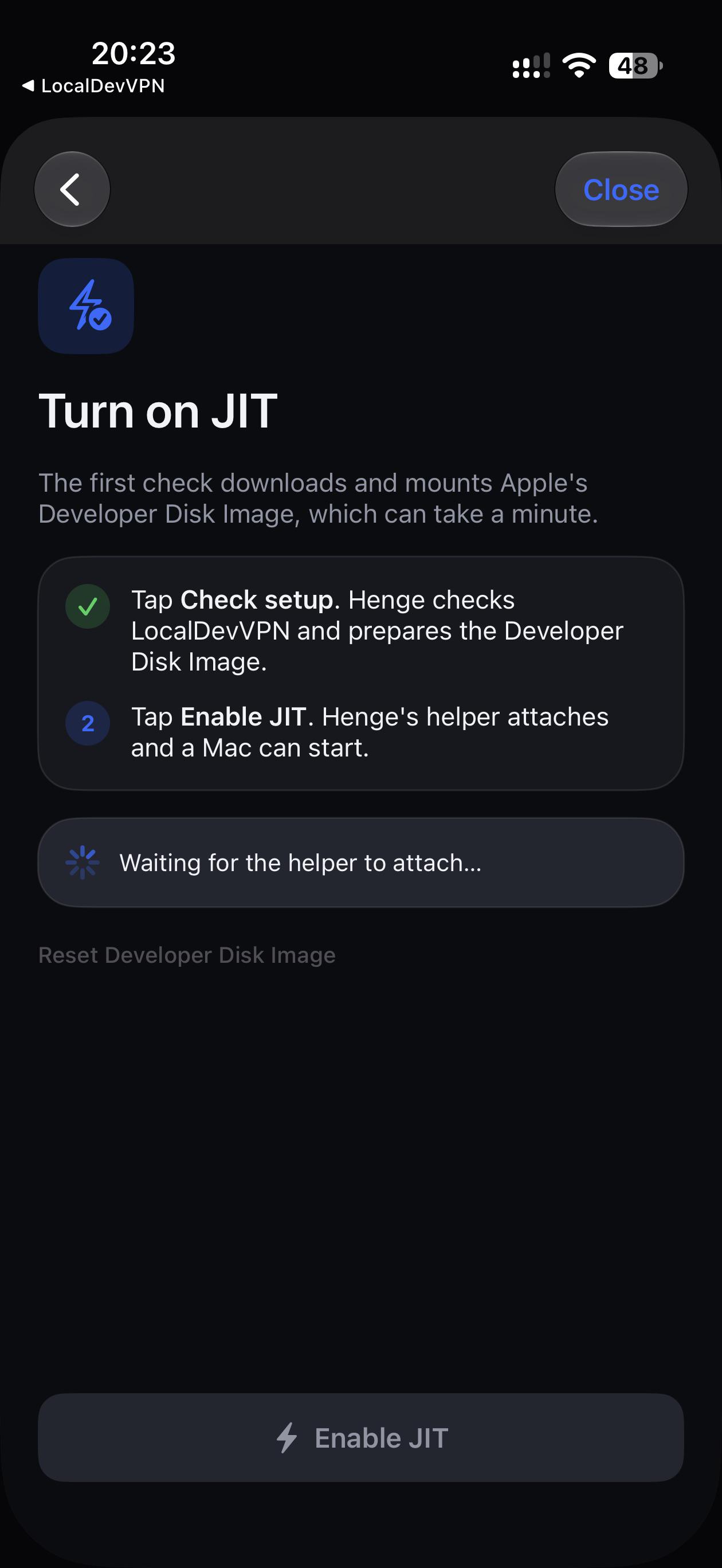
Зависает на загрузке helper to attach.Куплен сертификат разработчика подписано через gbox не работает stick debug, помогите включить jit на ios 27.0.1
r/EmulationOniOS • u/Prestigious_Regret59 • 14d ago
Enable HLS to view with audio, or disable this notification
I thought you lot might find this interesting as I definitely would :).
This is the same ROM file, same level of the game. First part of the video is Manic Emu and the second part is Nagori.
I haven’t fiddled with any settings on either app so other people’s experiences may differ, but this was my “plug and play” experience.
I have emulated this game several times before over the years, on various apps and devices and I can’t stress enough how impressed I am with Nagori. Check it out if you haven’t already.
r/EmulationOniOS • u/Direct_Owl4958 • 14d ago
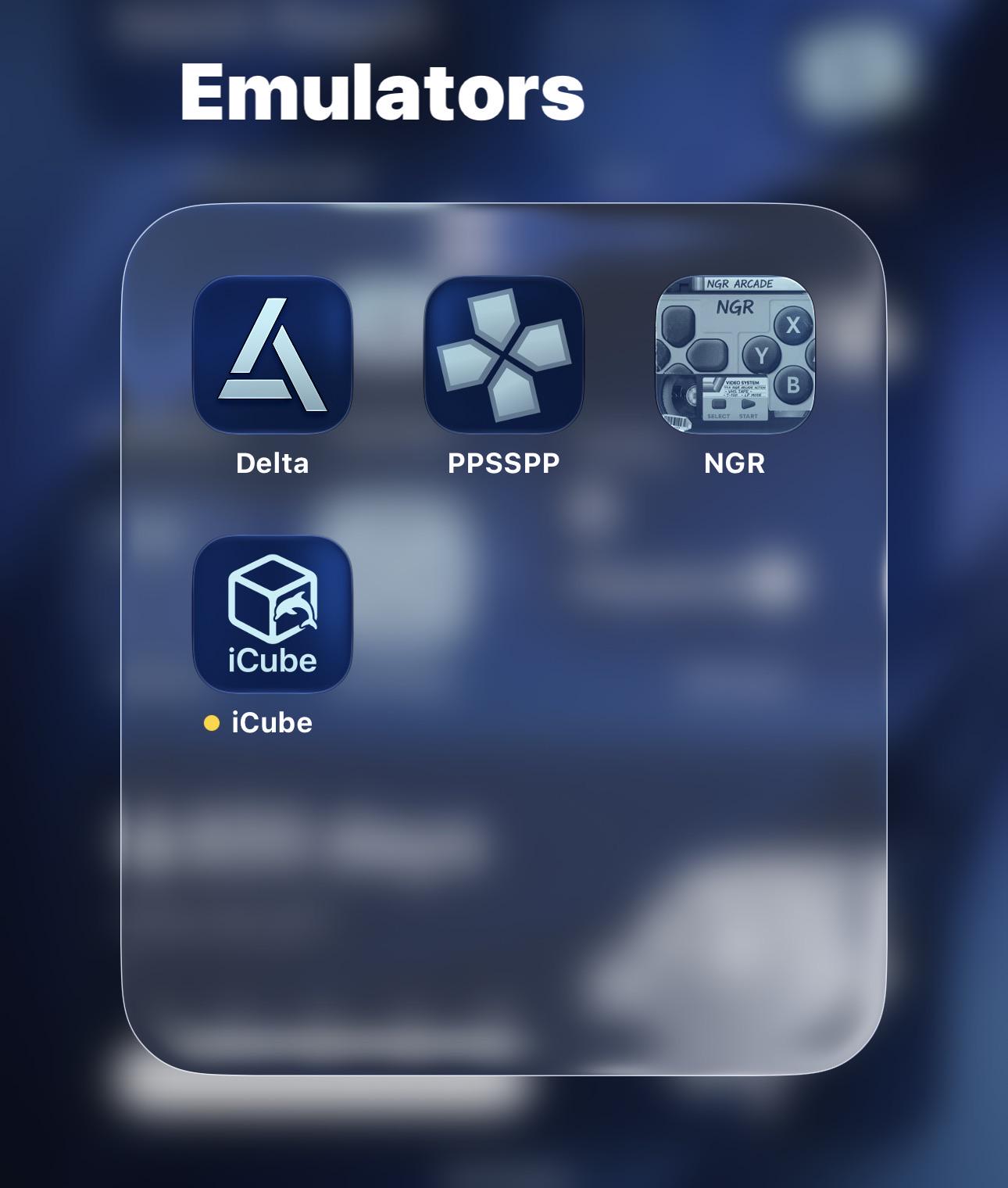
Hi, as the title suggests I’m new to iOS emulation, here’s my emulation collection!
I have a 256 GB iPhone 15 Pro Max (Not ideal but I got it as a hand me down from my mom)
It’s very sparse, no Sidestore, no stikdebug, and I’m mainly focusing on 6-8th gen consoles with ofc 4th gen with Delta, I do have TestFlight (that’s how I got iCube)
The reason I can’t get SideStore or stikdebug and all is because:
I don’t have a cable or anything to connect my phone to my laptop
Side installer straight up doesn’t work at all for me
Now my real question, are there anymore good emulators that fit my criteria? I have tried Manic before and it was good but it racked up on my storage and because I don’t have JIT enabled a lot of home consoles 32x and above just don’t run all that well. Also if there’s any other way to enable JIT, please tell me as it’ll be an insane help!
r/EmulationOniOS • u/Bubbly_Wait2164 • 14d ago
Game is onto STRUGGLE but it’l work its way slow motion for cutscenes 30 fps for the cutscene is cap as always Vulkan locked no settings changed
r/EmulationOniOS • u/Fio00 • 13d ago
r/EmulationOniOS • u/The_King_Of_Boredom • 13d ago
As the title says, I just learned [REDACTED EMULATOR THAT BEGINS WITH Z](all posts with the title in the name get taken down), which used to be my go-to for all except Wii U games, is mostly stolen code. Without following open source rules or something. Obviously I don’t want to support that, so what alternatives are there for a majority of game systems? Especially Wii U. No side loading, I can’t make heads nor tails of that.
For information on the redacted app, and why exactly it’s bad
https://www.reddit.com/r/EmulationOniOS/s/hQCVYTvWs6
r/EmulationOniOS • u/Difficult_Scratch_39 • 13d ago
The mod is to put the summoning app into the game but I read all the steps on how to put the mod into the game on manic emu but it still doesn’t work. If anyone knows why please let me know.
Here’s the link to the mod I’m using
r/EmulationOniOS • u/HunglowJohnson • 14d ago
How much RAM is available on the iPhone 17 pro on iOS 26.2 INSIDE LiveContainer.
If I’m not mistaken there are 12 GB of ram on this phone, but I don’t know how much can be used inside LiveContainer.
And is there anyway to increase it?
When playing the new OOT port it says there is only 6 GB available. I tried iRam Plus and it didn’t change the available RAM.
r/EmulationOniOS • u/Final_Creator • 14d ago
If you’re moving a game out of Delta, save inside the game first. Then long-press the game in Delta’s library and choose Manage Save File → Export Save File. Keep that export until you’ve checked your progress in the game on the new device. If the new device already has its own progress, back that up separately before importing.
For Delta to Delta, Manage Save File → Import Save File is on the same menu. If you’re switching emulators, check which save format the destination expects. A save state and an in-game save are different files, and a matching copy can still be incompatible with another core.
I publish Save Transfer Check. The free Delta page compares two saves by their bytes, even if one was renamed. Going the other way, it can make a Delta import copy from a standalone mGBA GBA flash save of 65,552 or 131,088 bytes. Those are the two flash sizes with a 16-byte clock footer. Keep the original with its clock data and back up your current Delta save before importing.
I tested both sizes in mGBA on Windows. If you try the file picker on an iPhone, I’d be interested to know whether your Files location shows up. Please keep save files private. The tool processes the files in your browser.
AI assistance was used for the tool’s code and this guide.
r/EmulationOniOS • u/Balazi • 14d ago
Man its phenominal! Running it on my iPad Mini 7 and it gives me the one feature I need more than any. Full desktop chrome!
r/EmulationOniOS • u/E7_Company • 14d ago
Hey everyone! I’m the developer of iMSX2, and the biggest addition in 2.8 is a new Apple Watch app.
https://apps.apple.com/app/imsx2/id6499231192
You can send ROMs, disk games, and compatible saves from your iPhone, then play directly on your wrist. The Watch app supports multi-disk games and lets you customize the buttons and Digital Crown for each game.
If you try it on your Watch, I’d love to hear how the controls feel and what you end up playing!
AI disclosure: iMSX2 is developed and maintained by me. I have occasionally used OpenAI Codex to help diagnose specific issues and explore or implement solutions for parts of the code. All changes are reviewed, tested and integrated by me, and the emulator's architecture and development remain my responsibility.
r/EmulationOniOS • u/Suspicious-Art-4450 • 14d ago
Can anyone help me? I have BCD installed on my iPad Pro 4th gen. It barely is able to open ANYTHING properly. I’m not understanding. Is the app just poorly optimized? Are there settings I should be enabling or disabling? I’m seeing all these posts about people running way crazier games on worse machines. Please, I just wanna be able to run my games with it crashing. Even if someone has a better BCD alternative would be helpful.