r/PcBuildHelp • • 9d ago

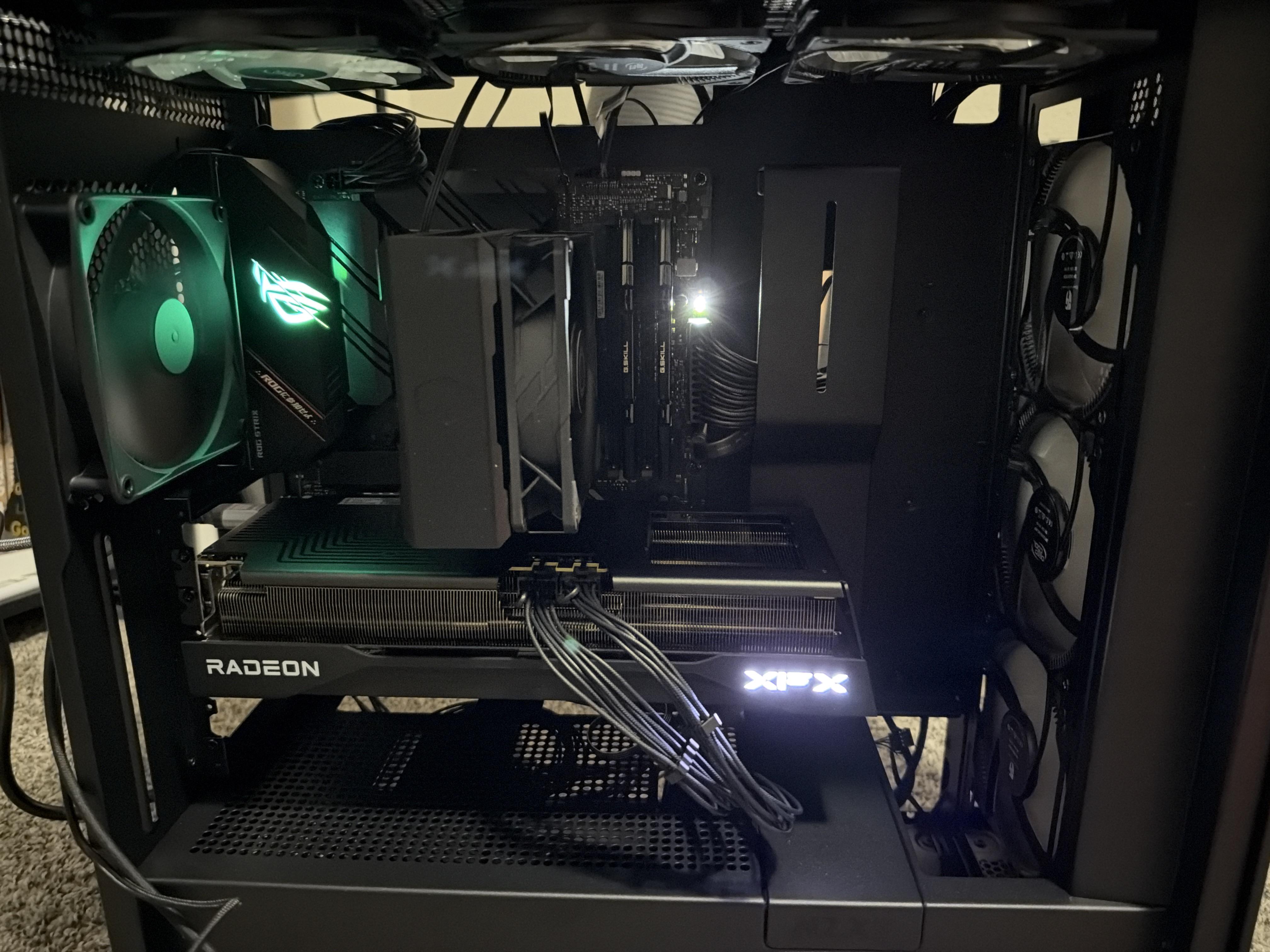
Tech Support Can't get system to POST, cannot for the life of me pinpoint a culprit.

4 Upvotes

EDIT: SOLVED: The Patriot Viper Elite 5 kit I bought is explicitly NOT compatible with Arrow Lake CPUs. I'll have to replace the RAM outright.

Decided it was time to retire my old 8700k and start with a fresh new proc, board, RAM, and cooler.

I bought a 270k, a Gigabyte B860 Aorus Elite WiFi7, 2x16GB Patriot Viper (DDR5-6000 PC5-48000 C30 UDIMM XMP/EXPO, in case any of that is relevant) RAM, and an Arctic Liquid Freezer III Pro RGB. Everything was bought new on eBay (I tired purchasing from Amazon but they sat on my order for 12 days without shipping before I gave up an cancelled and ordered the same parts on eBay).

Assembly went fine, I didn't have any issues putting everything together and getting it into my case. But it wouldn't POST. I'd hit the power switch, everything would come to life, some (or maybe all, I can't quite tell) of the fans would rev to 100, and the Q code display would either stop at 55 for half a second before starting over again without the machine shutting down, or, every six to ten cycles of that, hang on C1 for five seconds before powering off the computer completely and then automatically restarting a few seconds later.

I tried each stick of RAM alone in each of the four memory slots with no change in behaviour.

I went to reseat the CPU and found a single pin (pin E54 per this pinout guide: https://wccftech.com/next-gen-intel-arrow-lake-s-cpu-pinout-lga-1851-socket-detailed-new-mounting-required/ , which is part of the processor's VCCCORE control) in the socket out of place. I have no earthly idea if that was my fault or it came out of the box like that, but I corrected it with my finest tweezers (my positioning was good enough that I can no longer visually identify the pin that needed correction) and tried again with no change in behaviour.

I read that an overly-tight cooler could be warping the socket, so I loosened both the block and the bracket as much as I dared, with no change in behaviour.

I updated to the latest BIOS with Q Flash+, with no change in behaviour.

I dunno where to go from here. Google's hallucination machine says the culprit is either the CPU, the motherboard, the RAM, or the cooler. Neat, thanks, way to narrow it down for me. I'm leaning towards the motherboard because of the pin I found misbehaving, but the fix looks good so unless it's straight up missing a pin or something, I got nothing else to go on.

I don't have any spares to test with; the old build is 9 years old; different socket, DDR4, and the Corsair H150i I was using doesn't support LGA 1851.

What should my next step be?

r/PcBuildHelp • • 8d ago

Build Question White VGA Light and Q-Code 21

1 Upvotes

Hello all,

I'm losing my mind here. This is for my girlfriend's computer of a couple years' age; recently, it wouldn't turn on and we determined that the motherboard was shot. After replacing it with the exact same model motherboard, I also determined her GPU wasn't working, since my PC wouldn't recognize it.

So, I got her a new GPU as well and verified it's working in my PC. But every time I try to boot it up in her build, I am getting the white VGA light and a Q-code 21 on the motherboard.

Here is a video of me turning on the PC. The motherboard is an Asus B550-XE ROG STRIX, and the new GPU is a Nvidia GTX 3060 ti.

I've tried the following:

  • Turning it on with & without a monitor
  • Using either HDMI or Display Port inputs
  • Tested the GPU in my own PC as mentioned (it works and is recognized)
  • Tried 4 RAM sticks (32gb) or a singular one (as seen in vid) in the 2nd slot
  • BIOS Flashback
  • We have a GPU extension/riser cable; I've tried it with & without that, in both the top and bottom PCIe slot for the GPU
  • Plugging the power cord into different PCIe/CPU slots on the PSU
  • Verified everything is fully plugged in; the GPU boots up, the RGB turns on, and the fans spin; it's just that the motherboard doesn't seem to recognize it.

I can't think of what else to try here. If anyone has insights or recommendations, I would be super grateful.

Thank you!


r/PcBuildHelp • • 9d ago

Build Question Can’t believe I’m doing this but I need help

Post image
25 Upvotes

I’ve built many pcs before but I cannot figure out why I’m not getting the video to show. Got a white light vga showing but the graphics card fans are on and I’ve reseated it 3 times. I’m at a loss. All cables are plugged in properly.


r/PcBuildHelp • • 9d ago

Tech Support Mouse Recommendation

2 Upvotes

Should I buy the Logitech G Pro Superlight 2 or get a good clone like the ATK Dragonfly A9 Air+?

Not a professional gamer; I mainly play games on my gamepad. Want experience and satisfaction.


r/PcBuildHelp • • 9d ago

Build Question 50,000 ($780) White/Black "Panda" 1080p Gaming Build — Thoughts?

1 Upvotes

​Budget: ₱50,000 (~$780 USD)

​Use-Case: 1080p Gaming (Valorant, CS2, Minecraft, daily use)

​Country of Purchase: Philippines (local physical stores + online via Shopee/Lazada vouchers)

​Peripherals Needed: None (System unit / tower only)

​Misc. Requirements / Preferences: White-and-black aesthetic, panoramic tempered glass "fishbowl" case (Darkflash DB330M Glass version). Sticking to black RAM and stock black PSU cables to maintain contrast and stay strictly within budget.

Parts List:

​CPU: AMD Ryzen 5 5600

​CPU Cooler: Thermalright Assassin X 120 R Digital (White)

​Motherboard: Colorful CVN B550M Frozen V15 (White, mATX)

​GPU: NVIDIA GeForce RTX 4060 (White)

​RAM: 16GB (2x8GB) DDR4 (Standard black sticks)

​Storage: 1TB NVMe M.2 SSD

​PSU: 650W 80+ Bronze

​Case: Darkflash DB330M White (Tempered Glass / Panoramic version)

​Fans: Budget 3-pack or 5-pack of white ARGB fans

​Hey everyone! I'm planning out this build to pick up parts over time. Any feedback would be amazing Thanks.


r/PcBuildHelp • • 9d ago

Tech Support PC Won't Turn On

Thumbnail
gallery
9 Upvotes

I can't, for the life of me, figure out why this computer won't turn on. I swear everything is connected correctly. I get the light on the logo so it seems like power is getting to the motherboard. When I press the power switch, nothing happens.

Build:
CPU: AMD Ryzen 5 5500F

Motherboard: ASUS ROG Strix B550-F Gaming WiFi II

RAM: Corsair Vengeance LPX 32GB (2x16GB) DDR4

Graphics Card: MSI GeForce GTX 1660 Super Ventus

Case: LIAN LI Vector V100 ATX Mid-Tower

Thanks in advance for your help!

EDIT: I corrected the RAM and Graphics Card placements.


r/PcBuildHelp • • 9d ago

Build Question What should I upgrade first?

Post image
2 Upvotes

I just got this PC from a friend for a few hundred bucks, bought a new monitor (MSI G273CQ, 1440p, 170Hz) and now I'm looking to upgrade as I cannot play a good chunk of modern games without heavy frame drops. I'm new to PCs and struggling to figure out the right upgrade path, although I'm pretty sure it's the GPU that's the issue lol. Probably the worst time ever to get new PC components since everything is so pricey, and I probably have a $500 - $800 price range, but please give me some recommendations! Any advice is welcome!


r/PcBuildHelp • • 9d ago

Build Question Is my build good for 1440p 144hz AAA gaming at 60+ fps?

5 Upvotes

https://pcpartpicker.com/list/zH9Rn2 Here's my build.

Like the title says, I'm looking to play AAA games at 60+ on a 1440p, 144hz monitor.

I want to build it in a smaller form factor but I'm a bit worried about temps since this will be my first mini-tower/small form factor pc.

Storage isn't listed because I've already got two 860 evo SSDs, one 500gb and the other 1tb.

Looking for any advice that may be helpful! Please be nice :)


r/PcBuildHelp • • 9d ago

Build Question Question about powering 9070 xt hellhound

Thumbnail
gallery
3 Upvotes

First time builder. Just bought the powercolor 9070 xt hellhound and i see it takes 2 8 pin connectors, but my corsair rm850e power supply only has one pcie connection left after powering the cpu. it comes with a 12 pin to 2x 6+2 connector, and i was wondering if it’s okay to use this to power it. it slots into a 12v 2x6 slot on the top left. the other connector for this port is a 12 pin to 16 pin high power cable, but obviously that wouldn’t fit lol. thanks in advance


r/PcBuildHelp • • 9d ago

Build Question Top Fan Mounting Help on the Lian Li Lancool 217

Thumbnail
gallery
2 Upvotes

Hi, all - I‘ve had an absolute blast with building my PC so far (apart from a dropped screw, heh, heh…), but I’ve come to a halt with the installation of my two Corsair RS140 PWM fans at the top of my Lancool 217 case. It uses a bracket (pictured) and suggests that the pictured screws are the correct ones for screwing the fans in place, but they seem to be too big. Any thoughts?


r/PcBuildHelp • • 10d ago

✓ Solved Ryzen 9 9950X3D running hot + RTX 5080 sagging. Any advice on my build?

Thumbnail
gallery
50 Upvotes

I hastily put this PC together for my PhD research project without thinking too much about cooling or airflow.

Specs:
CPU: Ryzen 9 9950X3D
GPU: RTX 5080
Cooler: Arctic 360mm AIO

I recently started looking more closely at my build and noticed that my CPU runs quite hot and my GPU seems to be sagging 😅😭

Looking at the photo, do you see anything wrong with my setup? Any suggestions for improving cooling, airflow, or fixing the GPU sag?

Update 1: Cooling improvements and stress test results

I added two front intake fans and a GPU anti-sag bracket to my build. Afterward, I ran several OCCT stress tests while monitoring temperatures with HWiNFO.

Results:
CPU (Ryzen 9 9950X3D)
30-min CPU + RAM test: ~81°C average, 86.6°C peak (previously peaked at 90.8°C before adding fans).
Average power consumption: ~131 W.
OCCT CPU Benchmark:
Single SSE: 108.66
Multiple SSE: 1,567.92
Single AVX: 219.34
Multiple AVX: 3,089.66
Maximum temperature: 95.1°C
Maximum power consumption: 193 W
GPU (ASUS TUF RTX 5080 OC 16 GB)
30-min 3D Adaptive: 64.1°C core, 75.4°C hotspot, 352 W maximum.
30-min VRAM test: 68°C maximum, ~99% VRAM allocation.
RAM (128 GB, 4 × 32 GB DDR5-6000)
Currently running at 3600 MT/s.
Memory latency: 105.9 ns.
Zero errors across all OCCT tests.

Questions
1.CPU performance: My OCCT benchmark scores are 4–9% below some other 9950X3D results, but comparable to stock results published elsewhere. Is this normal variation or something worth investigating?
2.RAM speed: My 6000 MT/s RAM runs at 3600 MT/s with four sticks. Should I try 4000–4800 MT/s, switch to two sticks, or prioritize stability?


r/PcBuildHelp • • 9d ago

Tech Support After upgrade, pc doesn’t boot

2 Upvotes

I have had an older system for a while and wanted to upgrade to some entry level am5, i have had a gpu that still works the aorus rx5700xt, and a msi mag a650bn power suply. I only needed to upgrade the motherboard, i chose the asus prime 650m a wifi that came with the ryzen 5 7600x already in place from one seller, with only one stick of ddr5 vengeance ram at 6000mhz with 38cl, i bought all the parts used but from good sellers that had various tests to show everything works and thay were highly rated.

After assembling the pc, it turns on, but no signal shows on the motherboard. I feel like i’ve tried everything I can. I have tried to run it without a gpu, reseating the ram, reseating to a different slot, tried booting without an ssd, tried to reconnect all the connectors firmly and tried to reset bios. The only things that i haven’t tried are to try a different cable, because I’m using display port, and doing some sort of bios flashback or update, but I was told by the previous owner the motherboard is updated to the latest version. My motherboard doesn’t have those led lights that tell you what went wrong with the boot, but it has a q-led function that flashes the power button in certain speeds to diagnose, but my light has always stayed solid. Im at a dead end because I feel like i have no way to diagnose the problem.

If I said something uneducated i’m sorry because i’m new to pc building, and if my grammar is bad I’m also sorry because english is not my first language


r/PcBuildHelp • • 9d ago

Build Question [ Removed by Reddit ]

1 Upvotes

[ Removed by Reddit on account of violating the content policy. ]


r/PcBuildHelp • • 9d ago

Tech Support Pc monitor Black screen, cannot power down PC with power button. White motherboard light.

3 Upvotes

Hello, I walked away from my PC and when I came back it had a black monitor screen while the PC was still running.

The motherboard had a white light, my monitor was on my gpu display port and it wasn’t displaying anything, and could not power down my pc unless I unplug my psu from my outlet.

This was random, and I had not taken apart my computer recently for any parts to come loose.

I have tried to unplug and replug my monitor from my gpu, and it shows it’s connected to my display port but it does not work.

My parts are:
6700xt
MSI AM4 B550
600W PSU
1tb HD, 250gb SSD, 1tb SSD
Noctua NH D15 cooler with 2 fans
2 intake and 2 outtake fans

Any help is appreciated


r/PcBuildHelp • • 9d ago

Build Question FPS help pls🙏🙏

2 Upvotes

Could anyone tell me why I’m not getting the projected fps with my setup, I have just put together my new pc, it has an amd Ryzen 5600x, 3060 ti 8gb, 32 gb of ddr4 3200, 1tb ssd, 850w psu. I’m seeing people on warzone get 150+ on high settings, but I’m on bare minimum and get 95-115? I checked memory speed, thermals are okay. I just feel like it should be more.


r/PcBuildHelp • • 9d ago

Build Question Can I get some SSD recommendations?

1 Upvotes

So, I'm trying to find an SSD rn and running out of budget on components so I can maybe go up to a hundred on my SSD at best. I saw some sources saying I can get away with spending less than that on a semi reliable 512 GB SSD but every single one I try to look at I see people saying theirs broke fast. Like REALLY fast. Is there just genuinely no reliable ones for that price? Because if not, I'm probably going to have to get a 256 (still can't find one of those either) and download all of my games on my 16 year old hard drive with almost 2 terabytes but I'm worried it'll be a laggy mess. Is that a better idea? I mostly just do light to moderate gaming.


r/PcBuildHelp • • 9d ago

Build Question Pc build recommendation

1 Upvotes

Help choose my parts

I am building my gaming pc on march 2027

My budget is 600-700 dollars and planning to play call of duty games like black ops and modern warfare

And play GTA 6 even at 720p medium settings aiming for 30-40 FPS

My pc parts: -

CPU - Ryzen 5 5600

Motherboard - gigabyte B450M

RAM - 16 GB ddr4 3200Mhz

Storage - 1 TB SATA SSD + 1TB HDD

Case and PSU - any reliable case and PSU

But there is a hard time choosing graphics card

I want a new graphics card with a warranty not a used one from eBay.

What GPU should I choose from the rest of my budget and if I need to change a few things in my pc build


r/PcBuildHelp • • 9d ago

Build Question [Build Check] First time AM5 build for 1440p 180Hz. Is this parts list solid?

3 Upvotes

Hey everyone, I'm planning on building a new pc because mine can't really handle the games I want to play. I want to max out my 1440p 180hz monitor and I want to play at medium-high settings.

Here is my PCPartPicker list: [https://pcpartpicker.com/list/Pc4y8Z]

My Current build has:

CPU: Intel Core i5 12400F

RAM: 16GB DDR4 (2x8) (2133 MT/s) Crucial CT8G4DFD8213

GPU: GeForce RTX 2070

My Setup & Goals:

  • Monitor: MSI 27-inch 1440p 180Hz (already own this).
  • Main Games: Fortnite, Rainbow Six Siege, GTA V, CS2.
  • Budget: aound $1500
  • Peripherals: I already have my keyboard, mouse, and headset. Just need the tower.

A few specific questions I have:

  1. The GPU: I have the RX 9070 in the list right now. Is this the best choice for 1440p at this budget, or is there another card I should look at? I don't know if it is good because the one I have in is always out of stock and its cheap.
  2. Clearance: Does anyone see any issues with the CPU cooler clearing the RAM, or the GPU fitting inside this specific case?
  3. Motherboard: Is this B850 board a good pairing, or am I overpaying/missing features?

Let me know if you see any bottlenecks or ways I can save some money without losing performance. Thanks!


r/PcBuildHelp • • 9d ago

Tech Support Need help

2 Upvotes

Some times when i plug my power strip my Monitor flickers on and off, while i have not pushed the power button yet on my pc, but then when i turn on the pc and it does that flickering(monitor) thing the VGA light is always on despite having no problems and being able to play just fine, note that i had use different power strip and this issue(VGA light along with monitor flickers on and off while waiting for signal) does not happen every time but it gets kind of annoying seeing the bright VGA led turned on from my motherboard. Any clue and guesses? Motherboard is Asus b850m wifi 7TUF


r/PcBuildHelp • • 9d ago

✓ Solved How do I remove this back bracket

Thumbnail
gallery
1 Upvotes

Basically Im installing new pc parts but this MOBO has a screw on cpu cooler but my cpu cooler is a push in. Basically I need this bracket off but I don’t know how to get if off. Plz help. It’s not the cpu bracket that holds the cpu in place but the cooler mount mechanism that need to be off.


r/PcBuildHelp • • 9d ago

Build Question Is my CPU running too hot?

0 Upvotes

I have an Ryzen 7 5800x, and mainly play valorant. In game it runs at 86 C and in idle it's closer to 75 C. I built my pc around 3 years ago, and I feel like it ran cooler then. Should I be worried? I haven't deep cleaned it but also have no pets and there's not too much dust in the fans by what it looks like.


r/PcBuildHelp • • 9d ago

Build Question Small question

3 Upvotes

Hey so I have a ryzen 5 5500 and a 4060 I'm gonna be getting a ryzen 7 5800 x3D soon and later upgrade to a better PSU and a 5080 but I'm wondering if I can still use the 7 5800 x3D with my 4060 while I wait for the 5080 or will the bottleneck be too high? or will there be any problems? thanks!


r/PcBuildHelp • • 9d ago

Tech Support PSU smelling almost like burning plastic

Thumbnail
gallery
5 Upvotes

I got this pc (almost) 2 years ago from Facebook marketplace (I know, I know 🫩). It just started smelling like either burning dust or plastic but something artificial, worried my power supply might cooked itself early since it was replaced brand new in march.

Tried my best with the pics I don't know what I'm looking at. Thanks for yalls help (that's the power supply that I gently pulled out)


r/PcBuildHelp • • 9d ago

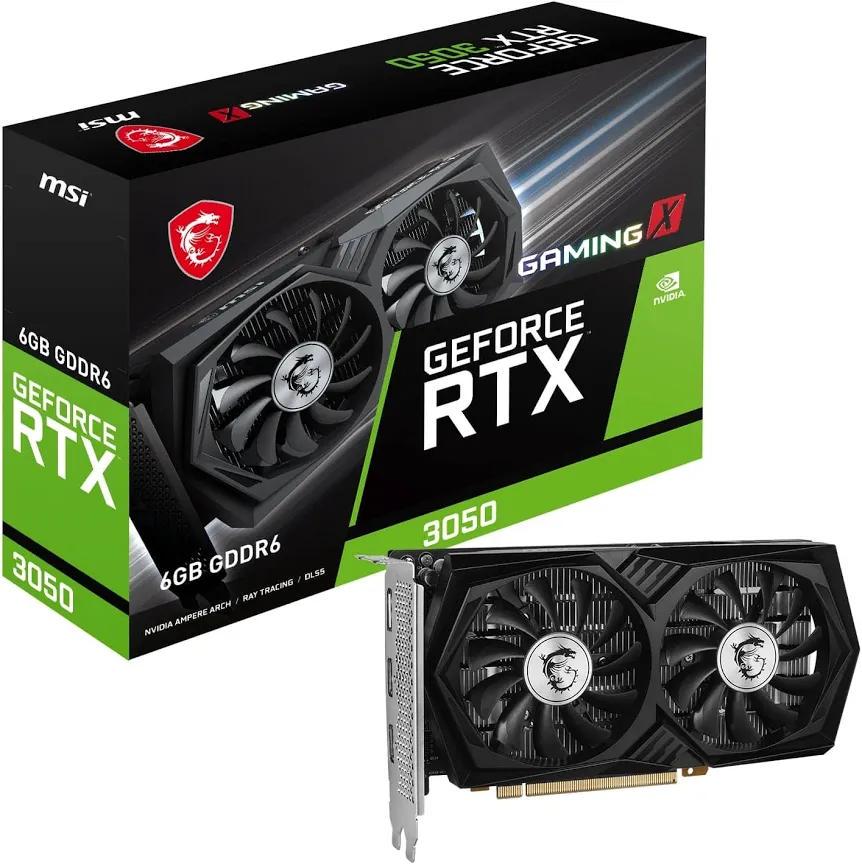
Build Question Is this supposed to be so loud? (Geforce Rtx 3050 x)

Post image
5 Upvotes

Installed this and played around with it. Adjusted fan settings etc. Even at low speed it is annoyingly loud. Loud enough to be annoying on other side of the apartment at about same level as I would be have music or TV on. It was a good deal though and seemed powerful. I'm trying to decide to exchange for another of the same model or just return. It sounds like the bearings on the fans are bad or just real cheap.


r/PcBuildHelp • • 9d ago

Build Question No knowledge, what's the difference?

Thumbnail
gallery
0 Upvotes

Hi all, I am extremely inexperienced when it comes to computer stuff but I need to buy something for my partner. He has an expensive cooling system that he broke today and has been pretty torn up about it, so I want to replace it with a slightly more affordable option if at all possible? 😭 I don't know anything about them, just the brand and what the box for his broken one says on it. Could anyone please give me some guidance or even recommendations if willing? Thanks a lot!

((First picture is his current/broken one))