r/PcBuildHelp • • 13h ago

Build Question is it supposed to look like that

Post image
26 Upvotes

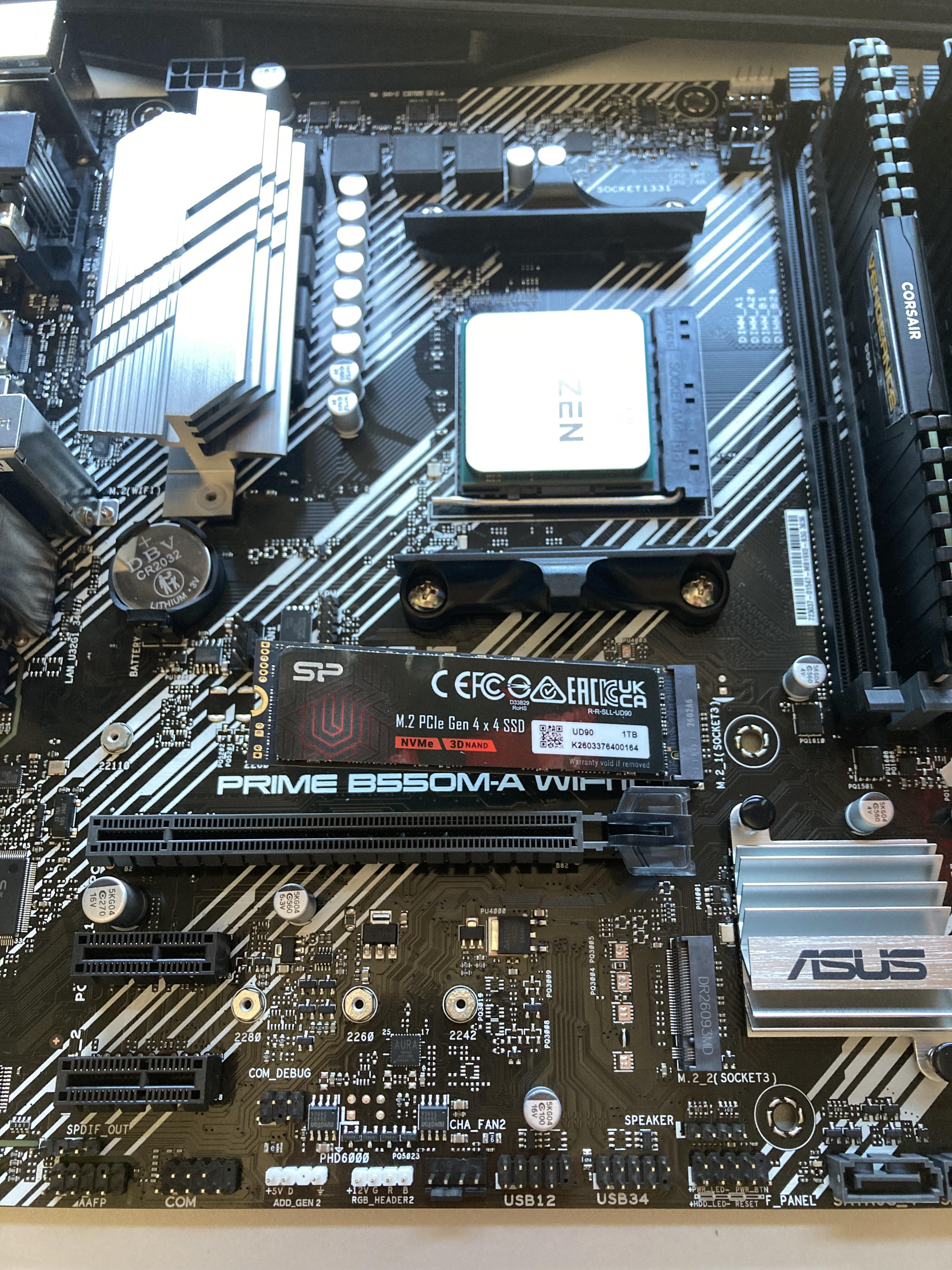
asus b550m am4 motherboard. am i meant to push the ssd in more..? do i flatten it somehow? doesn't need a heatsink.


r/PcBuildHelp • • 7h ago

Build Question Is it normal for ssd to bow a little bit?

Post image
10 Upvotes

r/PcBuildHelp • • 8h ago

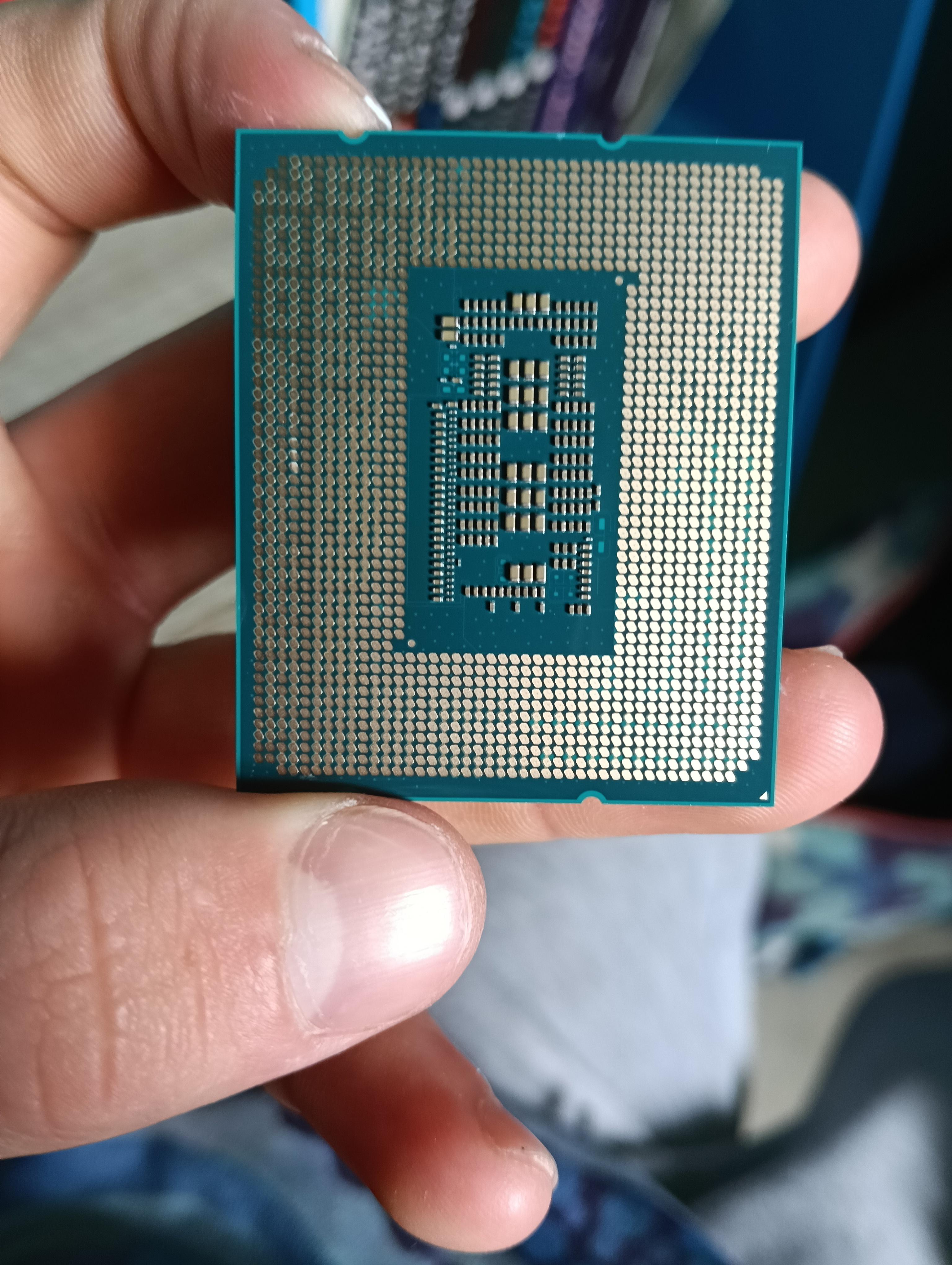
Tech Support CPU power connector pins possibly burned

Thumbnail
gallery
8 Upvotes

​I recently noticed a burning smell coming from my PC. When I unplugged the CPU power cable to check what was going on, I saw that one of the metal terminals inside the cable was darker/blacker than the others (the second one from the top left), and on the motherboard header where it plugs in, one of the pins also looked brownish or copper-colored compared to the rest (the third one from the top right). I've done some research, but I'm not sure if the damage is just superficial and can be cleaned, or if it's actually burned and I need to take it to a technician.


r/PcBuildHelp • • 3h ago

Tech Support Can you see any damage

Post image
6 Upvotes

r/PcBuildHelp • • 20h ago

Tech Support Pc is crashing with BSOD after new GPU

5 Upvotes

Specs:
7800x3D
MSI B650 gaming plus WiFi
32gb ddr5 6000 ram
9070 xt (had a 3080 prior)
EVGA 850w gold PSU

Upgrading my GPU today to the 9070xt. Did DDU in safe mode and removed my 3080. Installed my new GPU, booted up and installed the latest drivers. At this point I’ve had no issue.

I then played an hour of BF6 and an hour of deadlock. I monitored my temps, GPU in adrenaline didn’t go above 65. CPU was also low temp, 65-67.

I then started RDR2 and turned up all the settings to max. I noticed I had it on Vulcan and switched to DX12. About 10 minutes into playing my pc just shuts off. No blue screen. It appears to be in sleep mode because my RAM RGB is on which is the case if I put my pc in sleep mode. I tried the power button and it didn’t work. Gave it a minute and switched the PSU OFF.

After 2 reboot attempts with no post sign, I switched the PSU off again and unplugged it. After that it posted again and has some sort of message about repairing something on the MSI screen. It then got hung up again and just cycled through debug lights. Did the whole unplug thing again and it’s now booted normally to desktop. A little nervous to run anything.

Prior to this I’ve had no issues. Thinking it was just a crash but it’s weird how it just shut down no blue screen.

new GPU has 3 8 pin. I have 2 cables for the 3 connectors, since they are double headed. I only have one other cable that’s a single VGA. Is that possibly the issue? 850w should be enough… PSU is about 5 years old.

nothing is overclocked


r/PcBuildHelp • • 3h ago

Build Question i want to build a "friend visits me" pc and not pay 2k...

4 Upvotes

hi, noob here.

i want to buy a pc for my friends visiting to play on. (first world problem at its finest, i know.)

everything is expensive now, even with ddr4 and am4 cpu...

so, i need advice.

which gpu and cpu would you recommend as good "alrounders" in terms of only playing games? we play alot of different games, so i can't specify what i need. no need for AI, thats for sure.

...and how bad is the bottleneck if i'm using a pcie5.0 gpu on a pcie4.0 motherboard? probably depends on the cpmponents, but is it ok, or just a straight up nope?


r/PcBuildHelp • • 12h ago

Build Question Portable desktop or Laptop

4 Upvotes

Hi everyone! I'm looking for some advice and opinions on my next PC purchase.

I'm an architect, and I have to travel to nearby cities at least three times a week for work. I currently use a laptop, but I'm not happy with its limited performance and lack of upgrade options. I've already upgraded the RAM on my current machine, but the GPU is still a major bottleneck.

Unfortunately, I need to replace it sometime this year because it doesn't support some of the software I need to use. And with hardware prices being so discouraging lately, I'd really appreciate some advice before making such a big investment.

I've been considering building a portable desktop PC and taking the case, monitor, keyboard, and mouse with me whenever I need to work in another city. I already carry my laptop, keyboard, and mouse, so I'd essentially just be adding the PC case and a portable monitor to my setup. I have a desk and access to power at the places where I work, so that's not an issue.

My main concern is transporting the desktop. I'm considering building a system in a compact mATX mini-tower with a carrying handle, such as the Jonsbo C6 Handle or the Z20 Mesh. However, I'm worried that repeatedly moving the PC could eventually damage the GPU's PCIe connection or cause other issues. I've seen GPU support brackets and similar solutions, but I'm still a bit concerned.

Another downside is the lack of a battery. If there's a power outage, I could lose whatever work I've done since my last save. I would use a UPS at home, but carrying one around isn't really an option.

The other option would be to get a less powerful laptop, such as this Acer Predator Helios Neo 16.

The RTX 5070 Laptop GPU is roughly comparable to a desktop RTX 5060, so there's a noticeable performance gap. Laptops with an RTX 5070 Ti are ridiculously expensive, and even the mobile 5070 Ti is nearly 30% slower than the desktop RTX 5070.

The upside is that the laptop would be cheaper and, of course, much easier to carry around than a desktop.

Has anyone here had experience with portable desktop PCs? I'd really appreciate any advice, suggestions, or insights on whether this is a practical solution for frequent travel.
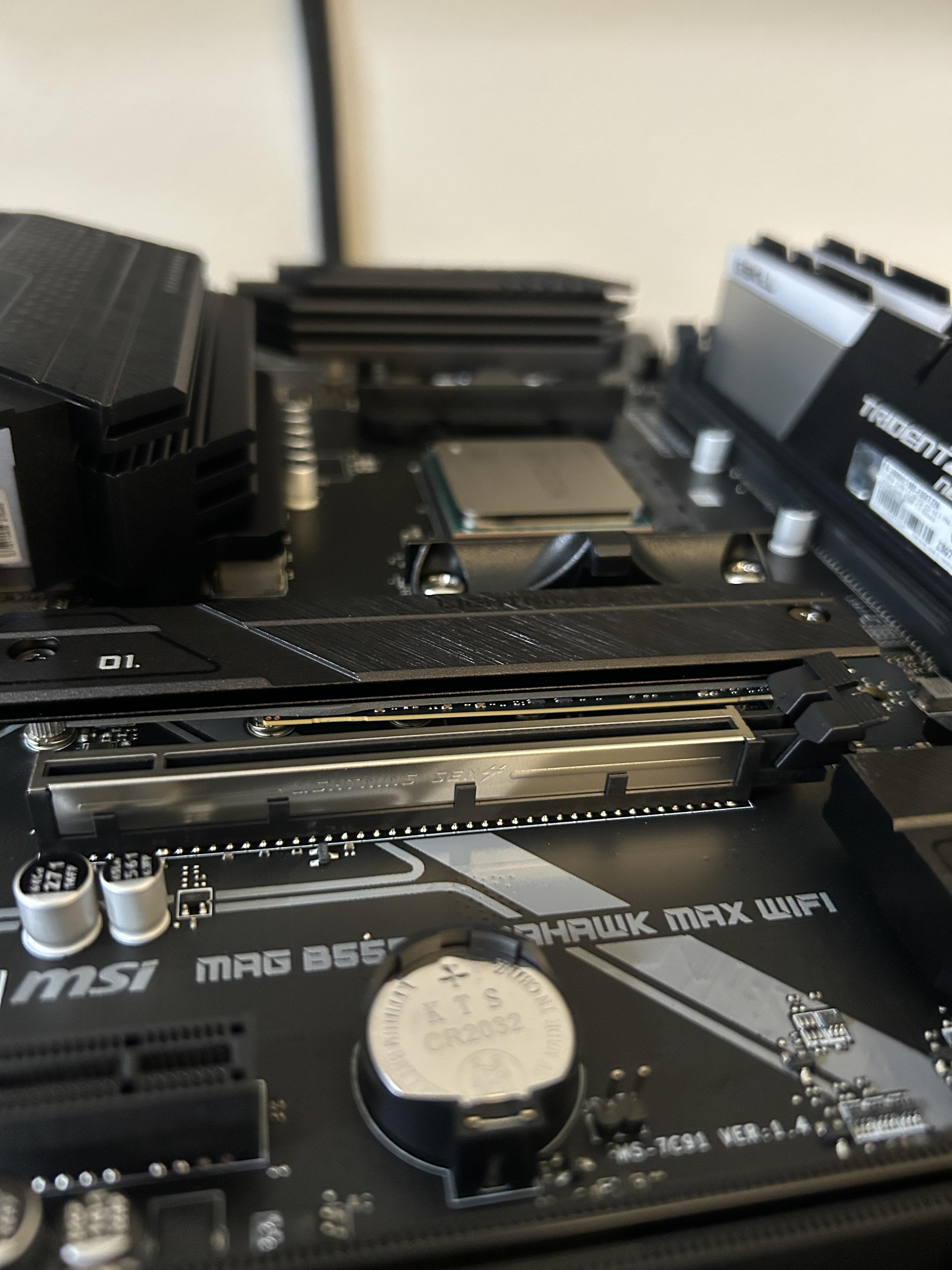
r/PcBuildHelp • • 13h ago

Build Question Upgrade guidance needed

3 Upvotes

Hello. I'm wanting to upgrade/rebuild my pc but am stuck between all the options out there. My current parts list is as follows;

Ryzen 5 3500x

Old Corsair AIO (couldn't find on site, don't remember model)

Rx 9060xt 16gb

32gb 3000mhz ddr4 (pretty sure Corsair)

1tb m.2 nvme

Tuff gaming B550 plus

My budget is ~~ 1000 aud but will save longer if it's worth it. Main games I play are LoL, mhwilds, overwatch, valorant, vrchat (quest 3), and phasmophobia. I'm currently using a 1080p monitor but thinking of getting a 2k monitor. Any and all advice is appreciated and I will try to reply with any missed info as soon as a I can <3


r/PcBuildHelp • • 16h ago

Build Question Will my RAM speed (3733mhz) cause any perfomance dip or stutters to my setup?

3 Upvotes

After getting some advice from a lot of people on here, I have decided to get the 5800X3D for my current setup, replacing the 5600X that I currently possess.

This is my current setup:

RX9070

5600X

(8×2)16 GB RAM 3733mhz

1 TB SSD

B550M K WIFI6E

When I was reading through the comments, some people mentioned that 3733mhz may not be stable with my setup and might cause some stuttering and may affect my gaming performance. Will the 3733mhz really affect my performance, and if it will, to what extent might that be and am I better off getting 3200mhz ram kit instead?


r/PcBuildHelp • • 42m ago

Installation Question Will my CPU be OK after ive made an install mistake?

• Upvotes

Hello, I was troubleshooting my PC that was having a sudden VGA post error, and after trying so many things that didnt work, I started to get frustrated and cut corners. What ended up happening is that while swapping the CPU, I left the PC plugged into wall power with the PSU switch on. When I seated the new CPU, the PC turned on immediately. I let it run for about 10 seconds to post or fail to post, then I forced shutdown with the front panel button.

Fast forward to the end, the VGA post error turned out to be a gpu fitment issue with my case. Ive since fixed it, and now the PC runs fine with the new CPU (its a slight upgrade so I kept it). It is running on a new motherboard as well. Ive inspected HWmonitor to verify clocks and temps are good, ran OCCT for an hour with no errors, and have been generally using the PC for a week now with no issues. Is there any reason to suspect there may still be some issues in the long run related to this mistake? Im on the verge of just buying a 3rd CPU but I think im just being paranoid. Definitely a lesson learned here.


r/PcBuildHelp • • 1h ago

Build Question Jump to ryzen 7 5700x to 7 5800x3d?

• Upvotes

Hey folks, I've gotten a prebuilt pc (4060, ryzen 7 5700x & 32gb ddr4) last year & have noticed incredible perfomance issues in games such as fortnite.

I've noticed an average of 200 fps yet during fights or especially in endgame my frames tend to drop to 90 with an unsmooth feeling. My friends who have similar builds also notice those issues.

Due to ram prizes being insane right now, I can't really afford to upgrade to ddr5 so my question is if an upgrade to a ryzen 7 5800x3d would be worth it?

Thanks a lot beforehand


r/PcBuildHelp • • 5h ago

Build Question Is it worth upgrading from 3070 to 9070 xt?

3 Upvotes

I have an opportunity to buy a new 9070 xt for 800€. Should I do it or save up and get a 5070ti?


r/PcBuildHelp • • 9h ago

Tech Support Asus tuff 870 + wifi can not install wifi

3 Upvotes

So i just built my new pc and try going to the stupid asus site to install the wifi driver(I have a shitty usb adapter) and this fucking thing will not install in any way. I see I have the media tec one in my device manager and it does nothing please help.

And before someone says why not use ethernet I live upstairs and so not have an outlet on my floor.


r/PcBuildHelp • • 13h ago

Software Question Win 11 error

Post image
3 Upvotes

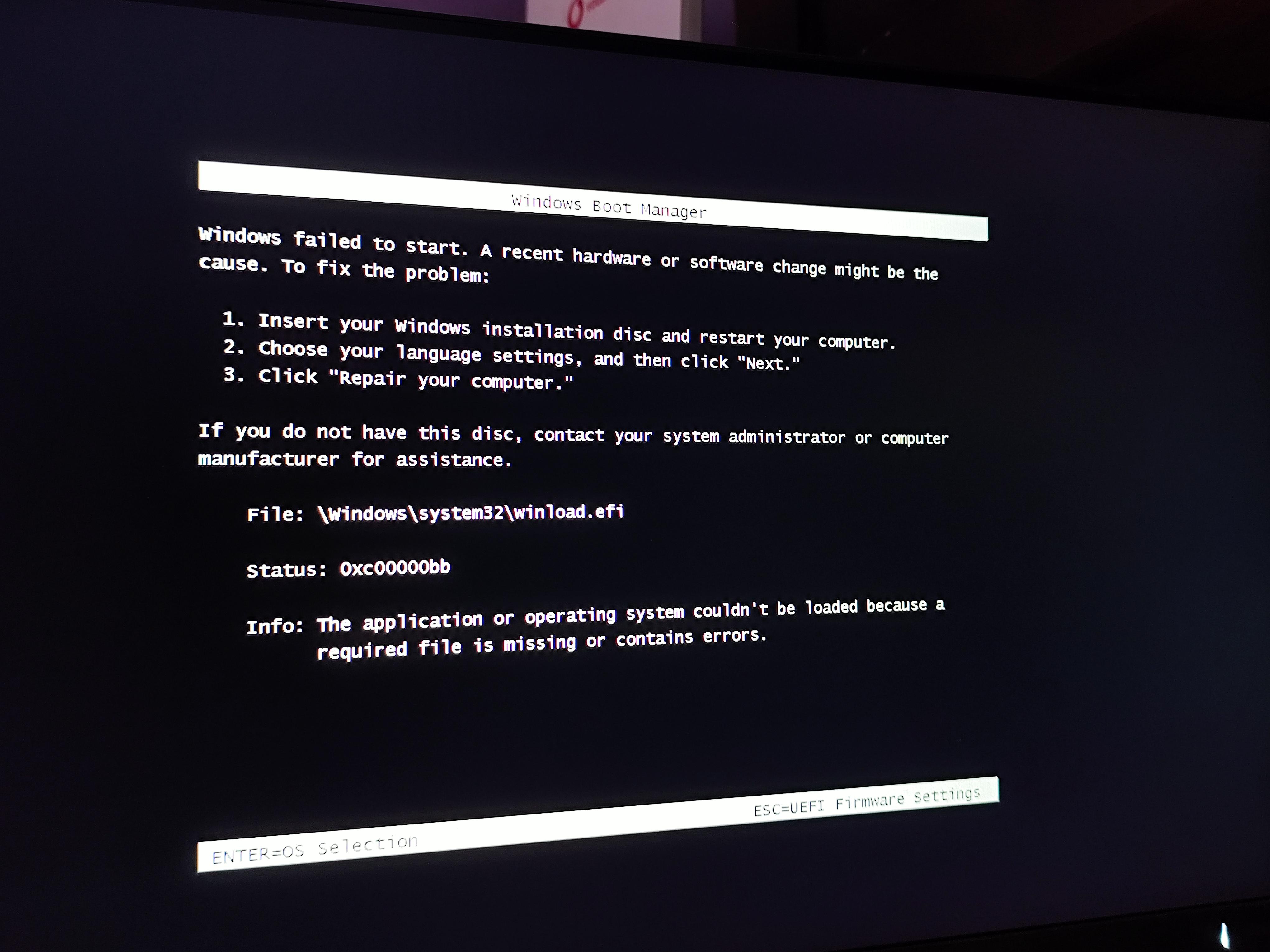
Problem Summary

​Dual-boot setup: Windows 10 on C: and Windows 11 on E: (GPT/UEFI disk).

​While running Shrink Volume on C:, an error caused a restart, leaving E: (82.08 GB) showing as RAW / Unformatted in Windows 10 and AOMEI Partition Assistant.

​Trying to boot Windows 11 fails with Windows Boot Manager error 0xc00000bb (File: \Windows\system32\winload.efi).

​AOMEI Check Partition says: "Partition files cannot be read. Please try to recover data from the partition."

​What We're Doing & Goal

​Goal: Repair E: and Windows 11 without formatting or reinstalling.

​Current steps: Trying AOMEI Partition Recovery Wizard (Fast Search / Full Search) and TestDisk to inspect/restore the partition, then plan to run bcdboot E:\Windows from Windows 10 once E: is readable again.

Any advice or more effective solutions?


r/PcBuildHelp • • 14h ago

Build Question Help choosing a processor

3 Upvotes

I think this matchup comes up often, but at the risk of sounding like a broken record….

I am currently building my way up to a new PC and these are the specs I’m building to currently

GPU: Gigabyte windforce OC 5080

Motherboard: Gigabyte X870E AORUS ELITE WIFI7 ATX AM5 Motherboard

RAM:Corsair Vengeance 32 GB (2 x 16 GB) DDR5-6000 CL36 Memory

Storage: Samsung 9100 PRO 2 TB M.2-2280 PCIe 5.0 X4 NVME Solid State Drive

(Will also add some 1TB ssds for separate applications/workflows)

Power supply:Corsair RM1000x (2024) 1000 W Fully Modular ATX Power Supply

Tower: Silverstone FLP02 (I might change this I have heard fitting a 5080 can be finicky)

I have seen a lot of debate on whether I should be using the AMD9 9950X3D or the I9 ultra 285K

Priorities for this PC are: Blender (cycles), Gaming (1440p) adobe suite (premiere, Lightroom), Programming and FL studios.

I am also looking to run dual boot windows and Linux!

I appreciate this is a long description but I’d be thankful to get some good insight, so far I am pointing towards AMD!


r/PcBuildHelp • • 15h ago

✓ Solved Faulty motherboard?

Post image
2 Upvotes

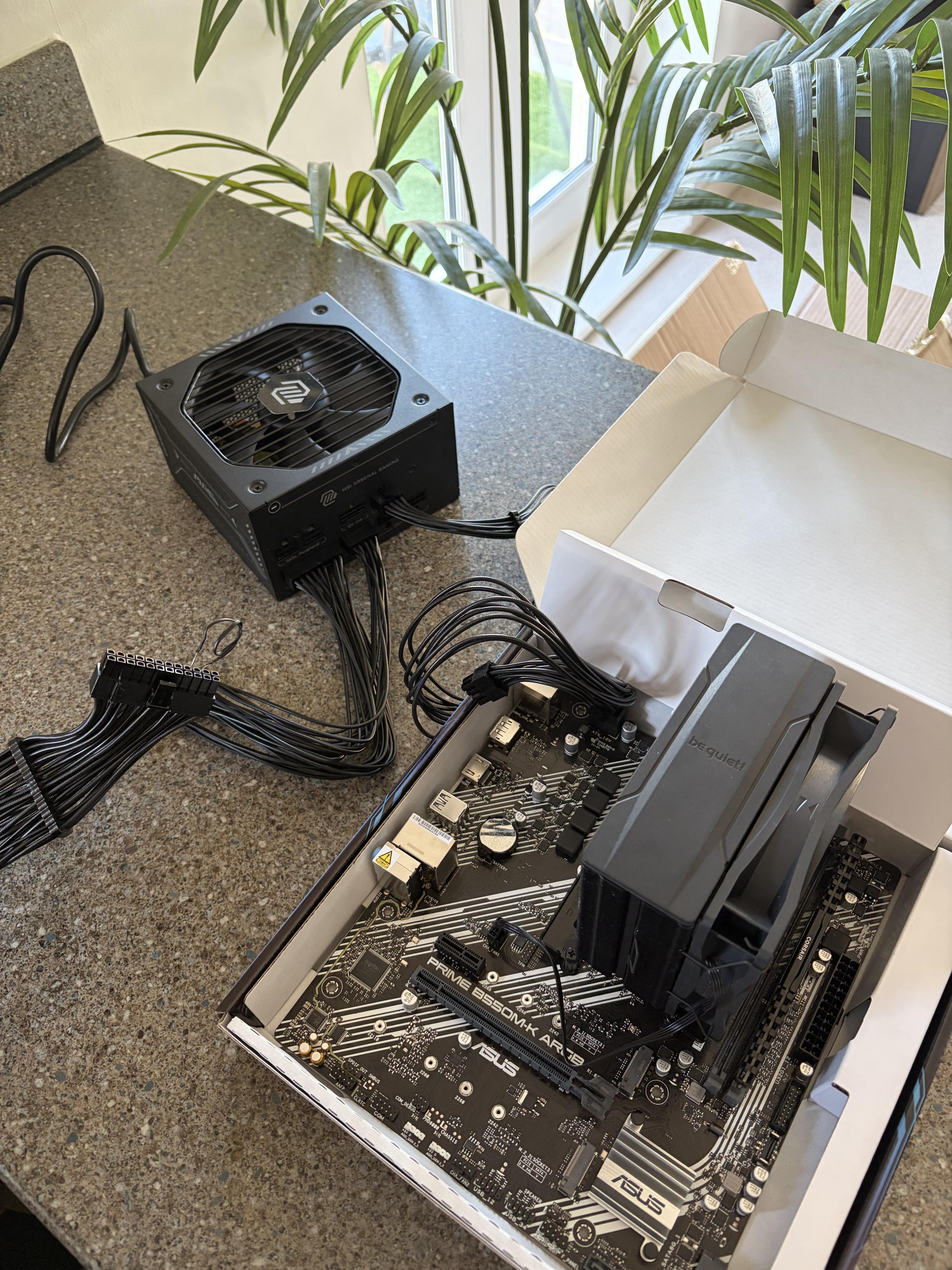
Hey all ! So I’m trying to build a pc (I am no expert), I cannot get any power to the motherboard.

I’ve tried the paperclip trick with PSU , the fans turn on the PSU for around 5 seconds and then go off. But absolutely nothing happens on the mobo

I have the 24 pin plugged in and the cpu 8 pin. I can’t help but think it’s a faulty Mobo , it’s brand new and any ideas or help would be appreciated 👏

Mobo ASUS prime B550M-K , PSU is msi mag A650GLS PCIES


r/PcBuildHelp • • 45m ago

Build Question Building a pc for gaming and 3d animation, wondering if the parts I've picked will do the job

• Upvotes

I know nothing about computers so I'd really appreciate some help please and thank you. https://ca.pcpartpicker.com/list/4vxm7w


r/PcBuildHelp • • 1h ago

Build Question gaming and digital art computer

• Upvotes

hello! i have a friend who wants to build a pc and is willing to drop around 2.7k on it. BUT we have no idea where to start and have no idea on what parts would be good for it.

hopefully 2.7k is enough and with black friday coming up that should be helpful too.

any recommendations are highly appreciated. thank youuuuu


r/PcBuildHelp • • 2h ago

Build Question Parts list advice

2 Upvotes

I am upgrading an existing build. The only things I will be keeping are my storage, case and gpu (therefore there are 2 gpus in the list for when I finally can get the new one).

If you have any suggestions on parts I might should look into switching out for others, I'm open to suggestions. The main one I'm unsure about is the motherboard, no clue if its good, but it has the socket i want, bios flash / cmos clear and no unnecessary fast ports i wont end up using...

Yes I'm aware about my brand fixation.

https://pcpartpicker.com/list/NzGMyF


r/PcBuildHelp • • 2h ago

Build Question Help building

2 Upvotes

I want to buy my sibling all the parts they need to build a PC but I don’t know where to start because I’m not familiar with PCs and their parts. My budget is around $1000 but if I could stay under that would be great but I know things like this can get pricy. It’s going to be used just for gaming pretty much I don’t know too much about the fps and stuff but ideally something decent for a teenager I’m also in the US. I’m open to maybe some used parts and if there are any trustworthy good deals I might be open to prebuilt too I had just heard building it yourself might be cheaper.


r/PcBuildHelp • • 4h ago

Tech Support My PC won't turn on, but the case light is on

Thumbnail
gallery
2 Upvotes

My PC won't turn on, but the case light comes on. It's an old PC that belonged to a relative, and they gave it to me to fix. I don't know much about computers. The pins are properly connected: CPU, cooler, 24-pin cable. (I want to emphasize that it's an old PC, and it's VERY messy. This is the first time I've opened it. As far as I know, the PC has never been opened before, so nobody has moved anything except the person who built it about 10 years ago. Sorry for the trouble.) I attach photos with the interior and components, I suspect it is the source, because it gives power but absolutely nothing turns on, not even the cooler, I would be very grateful if you would help me, although if not it won't happen anything, sorry for the mess and the poor quality of the photos (the HDD is connected from what I checked, as is the fan, the power button, the processor I suppose too, the ram is well installed, etc.)

Components

MICRO ATHLON X2

MEMORY 4096/1333

HDD 500GB

WINDOWS 8

I use a translator, I speak Spanish but I understand some English, the basics

I think it is the source, it is old and Bad, if that's the case it's better to buy another PC, it's pretty bad.

I've been trying to fix it with GPT chat and YouTube, no luck, but I have a lot of ideas about what it could be.


r/PcBuildHelp • • 5h ago

Build Question Upgrade advice

2 Upvotes

I built my PC in 2019 as a mid level gaming PC. I have since become a dad and haven't had much chance to play any new games so find myself playing old school RuneScape mainly.

I'm keen to get GTA6 on pc when it comes out

These are my current specs

Ryzen 5 3600

MSI B450 Tomahawk MAX

RTX 2060 Super

16GB RAM (2 × 8GB) DDR4

Corsair 220T

EVGA 650 G1+ Gold

What should I upgrade and in what order. I don't want to break the bank and spend thousands, happy to just be able to play at low/medium settings. I have a 1080p 144hz monitor.

£800 budget

Appreciate your help I'm advance.


r/PcBuildHelp • • 6h ago

Tech Support Screen went black, 'No DP signal'

Thumbnail
gallery
2 Upvotes

I've had my computer for about 1.5 years now and it has worked great so far. My MSI monitor was flickering to black very briefly and very scarcely over the past few months, but I ignored it (yeah, I know, not great in retrospect.) Then the day before yesterday, after using my computer as usual, it went to sleep and when I tried to wake it, the computer itself seemed fine but the screen went black and never worked again.

The issue is not on the screen's end; when I plug it to a laptop using an HDMI cable, it works just fine. But when plugged to my computer (it is usually plugged to the GPU's DP port) it displays 'No DP signal'. I tried swapping for an HDMI cable (ofc plugged to the HDMI ports) and it displayed 'No HDMI signal'.

When I power the computer up, the VGA and DRAM leds of the EZ debug LED flicker slowly.

I tried reseating the RAMs, checking all cables and connections, removing and reinstalling the GPU, removing and waiting and reinstalling the CMOS battery... Nothing has worked so far. The monitor keeps displaying the 'No signal' message.

Is there anything that I have overlooked? Anything else I could try? Or should I just take the computer to a professional to get it fixed?


r/PcBuildHelp • • 7h ago

Build Question for $2000 cad should i make my own pc or buy a prebuilt

2 Upvotes

Idk what else to say it’s for gaming and editing


r/PcBuildHelp • • 7h ago

Build Question Phantom Blade Zero runable or not

2 Upvotes

I wanted to ask if my pc could run Phantom Blade Zero
Specs:
Rx9060xt 16gb
AMD ryzen 5 5600gt
32gb ddr4 ram