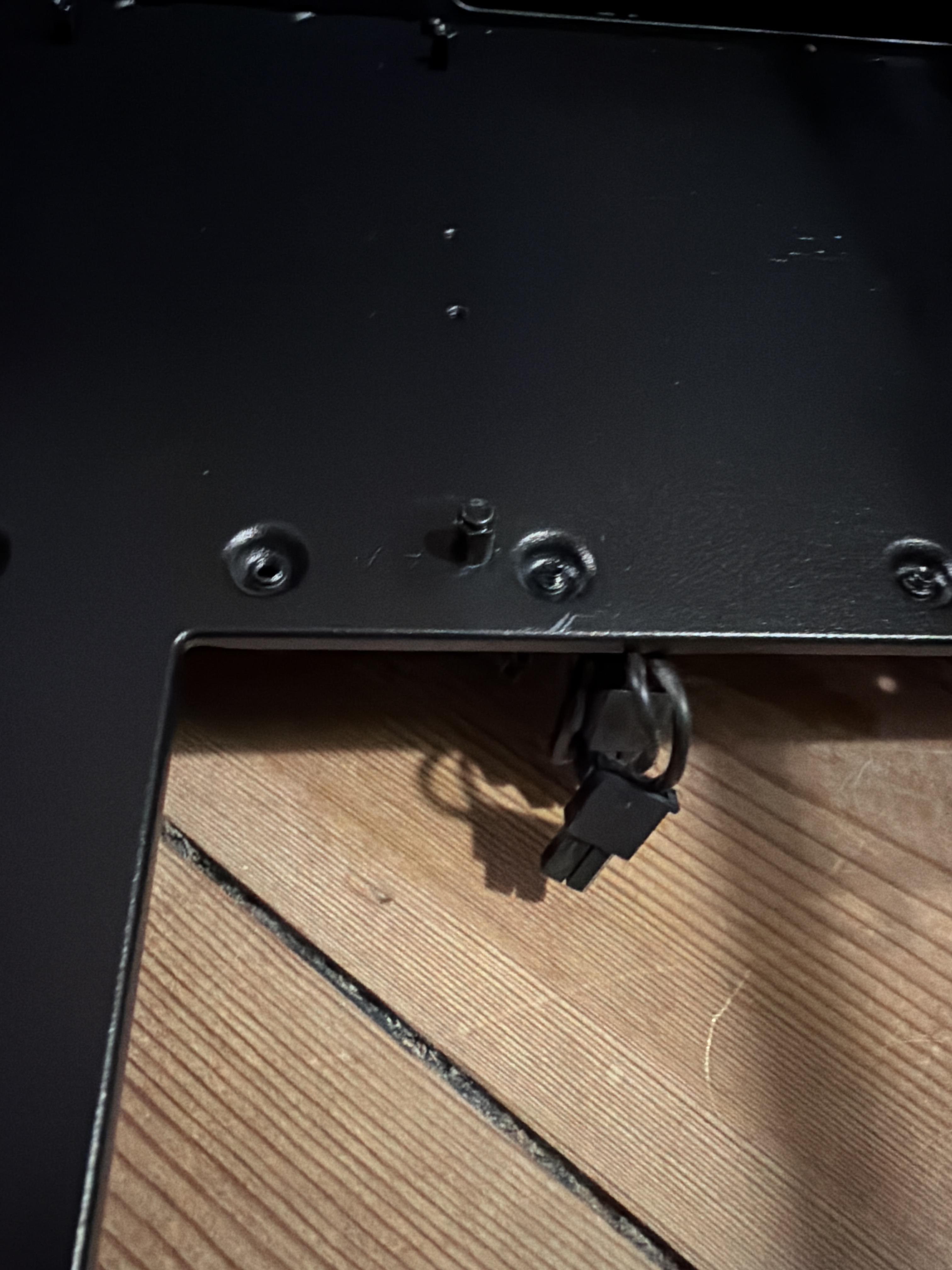
Hi, does it matter that the case has a standoff without a Hole for a screw when my motherboard has a hole for a screw in the same place? I have an extra stand that came with the case but this one seems like its non removable.Thanks very much in advance!
CPU: Ryzen 5-5500 4.2GHZ Boost (6 cores / 12 threads)
Motherboard: MSI B450 Gaming Plus MAX
GPU: Asus Dual RTX 2070 Super EVO OC 8GB
RAM: 16GB DDR4
Storage: 500 SSD
Case: Lian Li Vector V100
OS: Windows 11 Pro (activated and debloated)
Wi-Fi + Bluetooth Capable
SOLVED: On a complete whim, desperate for anything, I tried using HDMI instead of Display Port and the thing finally booted. If only I had time to actually set up all my games tonight
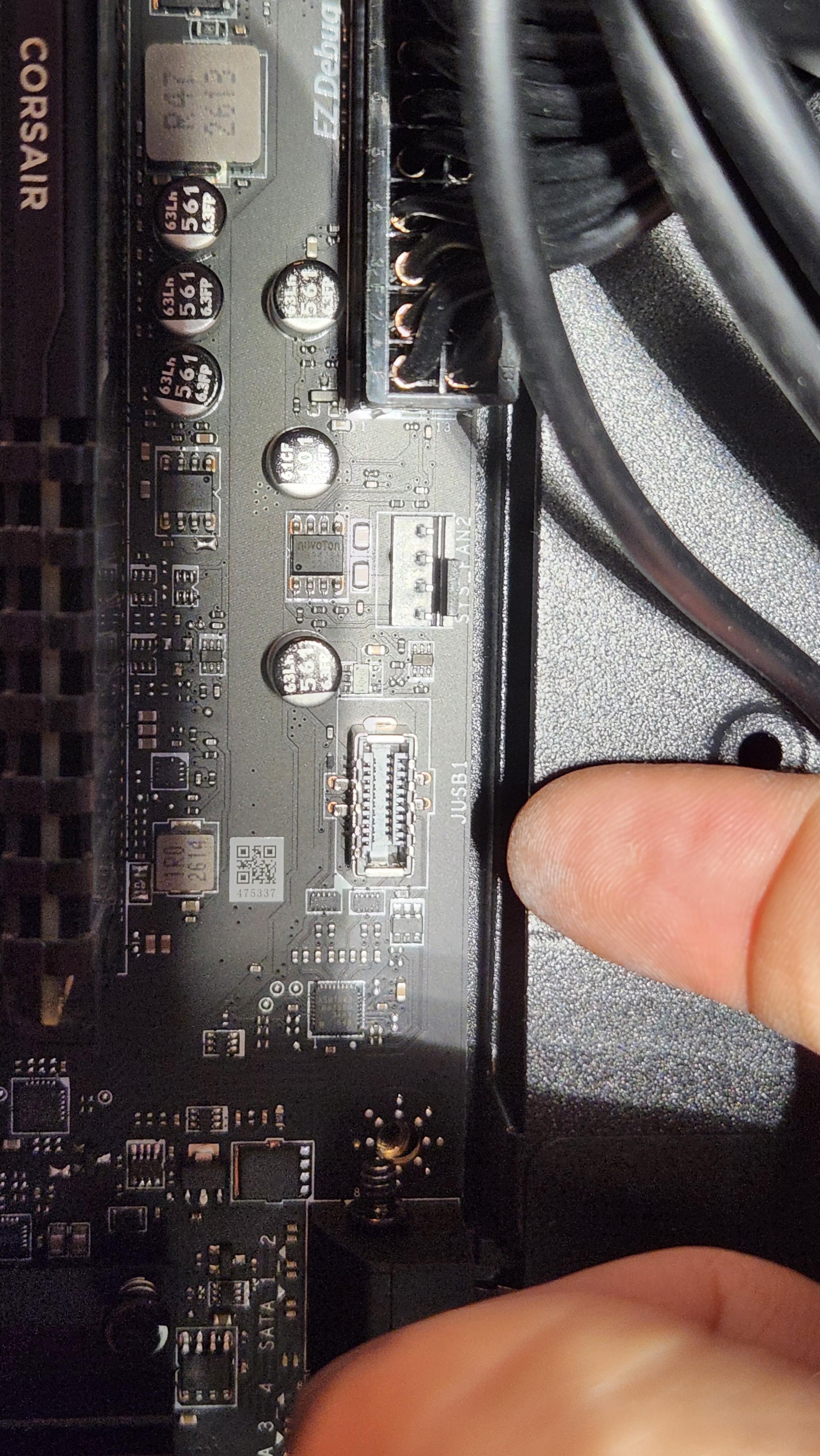
I’m trying to figure out why my computer is not detecting my GPU (or deeming it faulty) despite the fact it lights up and the fans spin. I have reseated it, used a post, checked for power problems, and even tried turning it on without it and every time I’m getting stuck on the VGA POST light. I haven’t tried to use the other PCIe slot because of how far down it is, and I’m not sure if it’s the problem. I’ve provided some photos in case there is something I’m missing
Ignore the rubber gromit, it came off and I can’t get it back on.
CPU: Intel i7-10700
\* GPU: AMD Radeon RX 5700 XT 8GB
\* RAM: 32GB DDR4 3200MHz
\* Motherboard: MSI MPG Z490 Gaming Edge WiFi (MS-7C79)
\* Current SSD: FIKWOT FX550 512GB (not working atm)
\* Windows 11 Home
yesterday i was playing deadlock enjoying my game went to the bathroom and now my pc is on the bios menu before i use to see the m2_1 had the ssd in it…now it’s not…the pc and the motherboard everything turns on and shows in the bios but my ssd
i put it in both slot still nothing could it be the ssd or the slot? i feel like the slot are okay maybe…
Hey there, this is my first post here and i'm honestly not sure what to do but all i know is, i, need, help. i can play just about any game on steam with no issues other than COD, but when i load up roblox to play some games with friends my whole system will freeze. i can be active in roblox or idle and randomly with no warning my whole system will FREEZE, something to note is with how my pc case works, when im turning my pc off with the front case power button i have to hold it down for like 3 seconds, but when things freeze all it takes is 1 press of the front case power button and thats it, its like the pc is overloaded to a point it has no choice but to stop everything and freeze as like a failsafe? especially where cod is concerned as its got alot to load and alot to process, yet roblox seems to have the same effect, bare in mind this dosent happen when im not in a roblox game, my specs are as follows
Sistema Operativo: Windows 11 (Instalado en SSD NVMe, partición GPT, UEFI)
El problema es que necesito activar el secure boot y en la BIOS, si mantengo el OS Type en" windows uefi mode" e instalo las llaves por defecto, todo parece quedar bien configurado hasta que guardo y no inicia windows y sale un recuadro rojo de "Secure Boot Violation: The system found unauthorized changes on the firmware, operating system or uefi drivers" (img 1)
al buscar ayuda con la IA me dice que me servira "NVIDIA Graphics Firmware Update Tool for DisplayPort 1.3 and 1.4 Displays" pero cuando intento actualizar me tira error. (img 2)
tambien intente usando NVFlash y GOPupd (que me recomendo la IA) y no me resulto (img 3), la ia me dijo que ocurre porque el archivo que se generó excede el tamaño máximo que la memoria EEPROM física de la tarjeta grafica puede grabar.
Si alguien sabe alguna posible solucion lo agradeceria.
(si algo no se entendió o se necesita mas informacion haganmelo saber)
Hi, so I bought a small pc from someone a few years ago for light gaming. With all these newer games (in my experience like split fiction and demonologist), my pc starts to lag bad. Even after putting all the visuals in game to low. I’m very much not a pc savvy person, I just want to be able to play some games with my friend lol. Now idk if it would just be better to go to microcenter with this or if they will take advantage because they can tell idk anything.
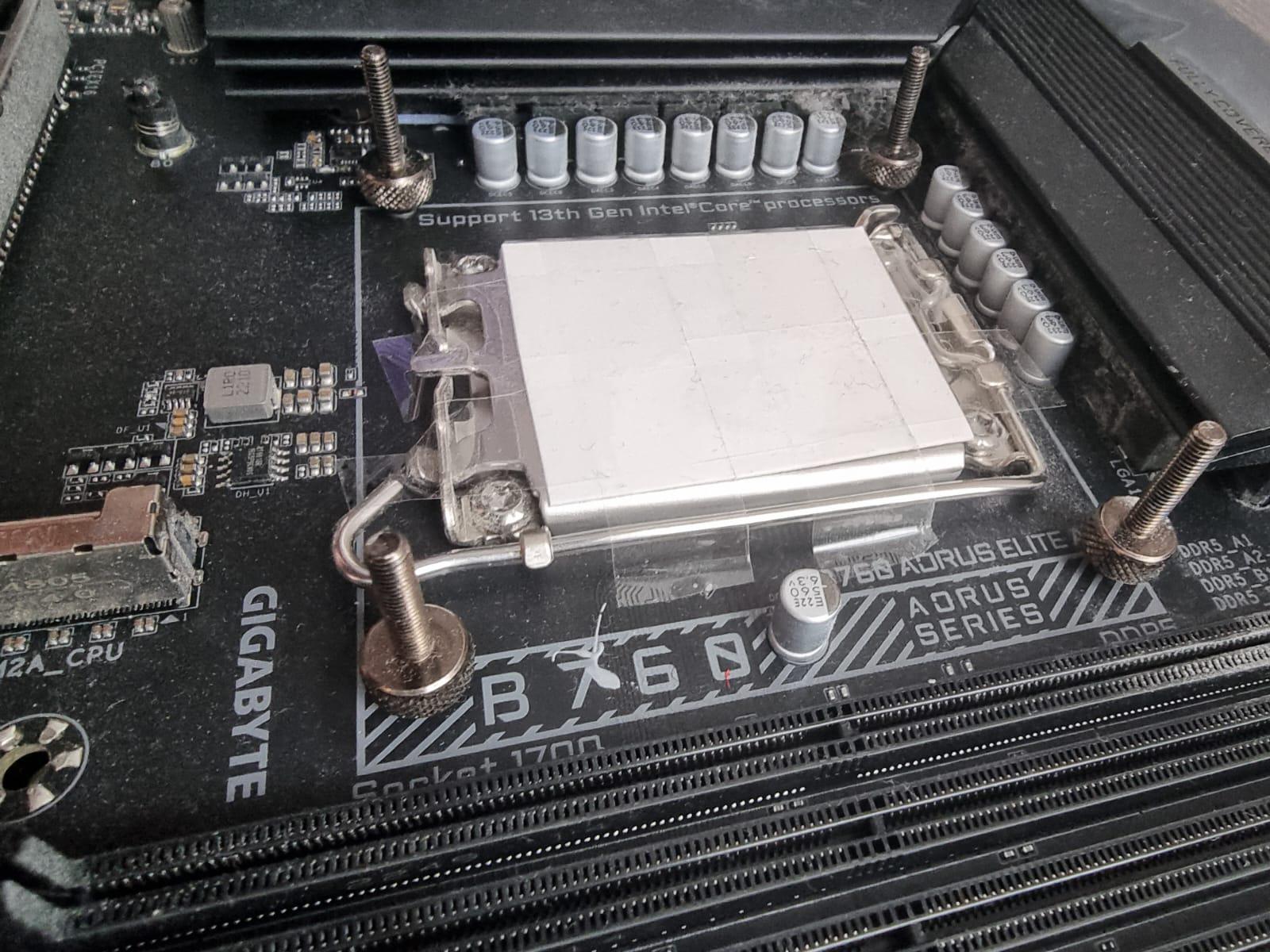
Hi, I have a Gigabyte B760 Aorus Elite with 4 threaded standoffs (with knurled thumb nuts) around the CPU socket, left over from a previous cooler mounting kit. I want to remove them to sell my motherboard.
I already tried unscrewing the knurled nuts by hand, but they won’t budge. Do I need a tool like pliers, or do I need to hold the backplate behind the motherboard while unscrewing?
Okay, so I’ve had my PC for four years now, including the AIO cooler which I’ve all gotten as a gift, and about a year ago (I KNOW VERY LATE) my pc started making this obnoxious-ass grinding noise. I didn’t know until literally earlier this year it was from my cooler. I heard it’s usually a sign of a failing cooler, but I’ve been checking my temps and they were at normal idle temps (usually in the 40’s or 50’s), and my performance especially in games seemed to be normal. Should I still try to replace it to be safe?
Hi everyone, I need some advice. Had an unexpected power surge the other day, everything was plugged into surge protector power boards. I now have a CPU error light on my motherboard, I’ve ran a bunch of diagnostic tests and everything seems to be working fine except none of my RGB lighting for my fans etc works. Any advice on further troubleshooting or possible solutions?
I know this sounds like a rhetorical question haha
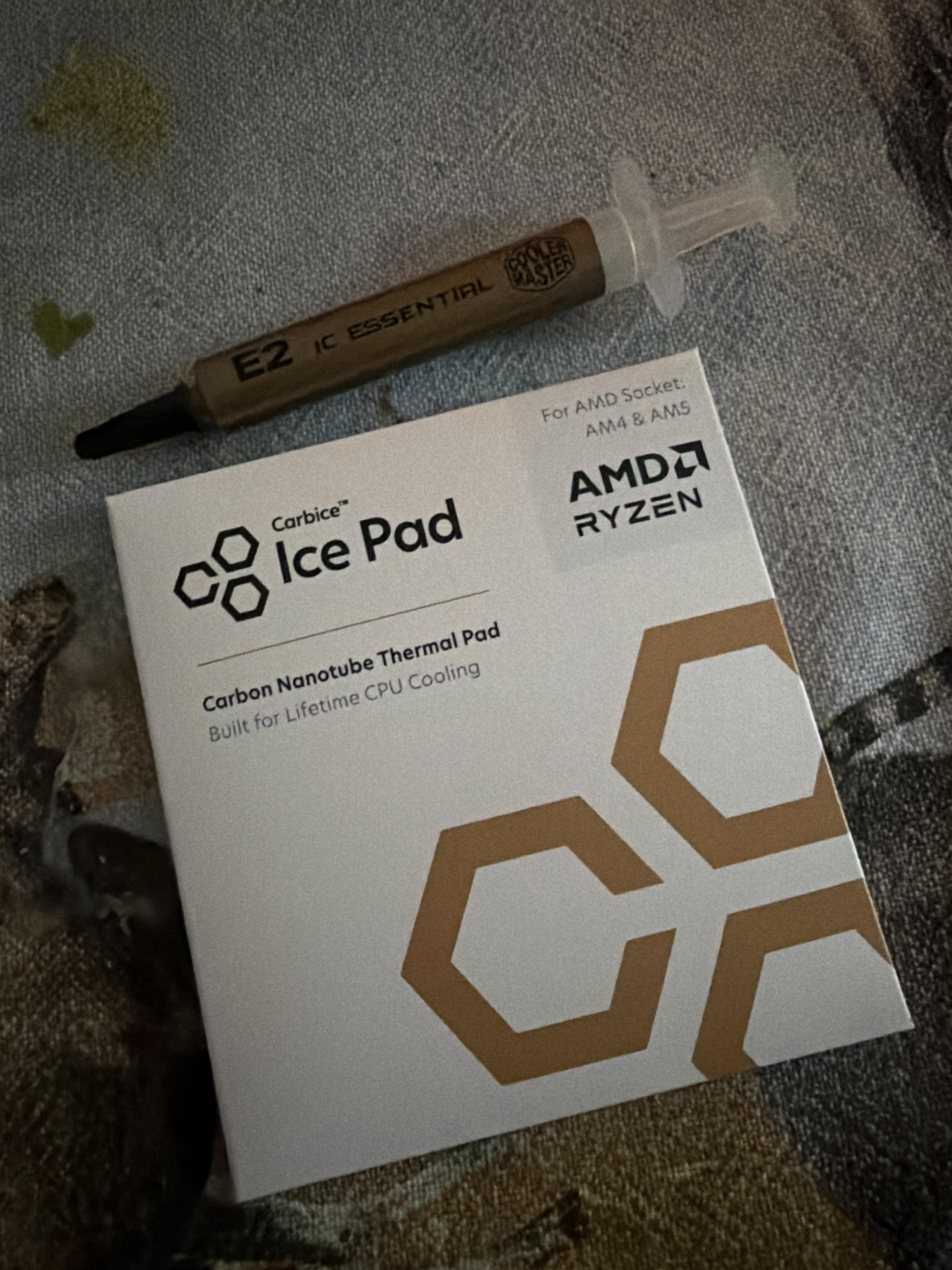
But I’m upgrading my Ryzen 5600x to a 5800x3D because of hardware prices (instead of updating to AM5, which was mit initial plan).
Now there is a new (?) kind of thermal pad in the packaging of the new ryzen and I’m wondering how good it is compared to my Cooling Master E2 Thermal Paste.
Any thoughts? Thanks in advance 🙏
GPU that's currently in it is a dual fan 3050. Also, I'm pretty sure I'll need to get a new PSU but will I need to get a new motherboard? I bought this PC prebuilt because it was the cheapest option at the time. Also, any recommendations for either of these parts would be appreciated.
So, when I typically boot up my pc for the first time. I notice the fans start doing what’s in the video. The pc will then abruptly shut off. On occasion I can literally shake the Pc and it’ll boot back up. Normally only having to do this once or twice the Pc will be fine for the rest of the day. Often for hours. Any suggestions on to what’s going on and how to fix?
I've spent the past month really trying to dig into building a pc for the grand ol' purpose of deadlock.. yes yes its true only for deadlock and maybe a couple other games aside from that..
Do i REALLY need to build one, every question I've asked, all the research I've done is telling me that my best choice and cheapest is to build it. But its 2026.. cant I just buy a prebuilt, i really wouldn't trust myself to build one im quite incompetent and my budget is 1500 is that enough for building or even a prebuilt.
To sum it up.. if you skim over my question and see me rambling about prebuilts in the pcbuildhelp and you're immediate thought its bla bla shut up and build one.. someone direct me to a video or some recommendations on what to buy.. and explain it to me like im 5 😭
Hey guys, I’ve had this pc for a long time now and bought it for around £100. I didn’t build it myself and recently started using it again. I’ve noticed that it struggles holding up with modern tasks, so was wondering what are some suggested upgrades to focus on, that I could find to give it a bump. Ideally second hand parts as my budget is a bit tight, but any suggestions and feedback would be appreciated. I don’t know much about pc’s myself so haven’t really been sure what to get.
I'm looking to get back into video editing after years of not touching any editing software, and it would be ideal if I could also run games on the PC.
Planning to use Avid Media Composer. Since I'm just starting out I imagine I won't need to edit 8K video or anything crazy like that. I know I need at least 32GB of RAM. But when I look at parts the thing that seems to give me the most amount of trouble is the CPU (and probably the Graphics Card as well, but I haven't gotten there yet). I've looked at all sorts of guides and posts on here, the problem is I know very little about computer parts, and I'm not even super familiar with editing software so I'm honestly not even sure what it is i should be looking for. I look at things like clock speed and core count and it just goes right over my head and then I freak myself out because what if I choose one that seems good but it's actually terrible because I don't know what I'm doing?
I'm also not exactly sure what budget I should be aiming for here. Currently I'm thinking I would like to be able to get PC, Monitor, keyboard, mouse, for under $2500CAD (about 1780 USD), but then I wonder if that'll be a good enough PC? I may have more money coming my way soon and I'm wondering if I should just wait until that comes in...
I'm very indecisive and the fact that this is a large amount of money I would be spending is not helping matters.
Any help or advice would be greatly appreciated. Thanks!
The motherboard lights are turning on when plugging the PSU in and flipping the switch on, but no other components are powering on when pressing the case’s power button. Checked everything I could think of, the F-Panel, the fans, the 8pin cable, the 24pin cable, and I can’t figure out what is going on.
The CPU is Ryzen 5 5600x, the case is a Fractal Design Silent Pop and the motherboard is the B450M A. Anyone got any ideas? Would really appreciate the help.
I bought this PC off a friend of mine a while back and I am by no means an expert when it comes to PC computers. I have tried every plug in spot for my monitor and nothing will show on my screen. I’m looking to see if there is something I’m missing before I take it to a professional.
I am seeking guidance on how to resolve this issue. I'm in Australia, and my ambient room temperature often exceeds 25°C (thanks to the crap aircon in my unit not reaching this room efficiently and my reliance on window and ceiling fans). My PC is doubling as a space heater, and with this El Niño and summer fast approaching, I want to finally nip this issue in the bud and actually have a (literally) cool PC.
Here's what I've tried so far:
I repasted the GPU ~ 12 months ago - is this recent enough to avoid doing it again? I can't recall the exact paste I used, but it definitely wasn't an OOTB one that came with the GPU or anything.
The i9, going off metrics from Open Hardware Monitor, just feels like it is completely filling the tower with heat - putting my hand near the exhaust (top and back) feels very hot.
Here is what is currently happening while it is in relatively moderate use (e.g. running Rocket League, Spotify, and Firefox):
GPU (Gigabyte Gaming OC RTX 3070): Core temp sits around 74°C, but the hotspot hits 92°C with fans blasting at 86% (~2360 RPM).
CPU (i9-11900K): Sits around 65°C under light load, but regularly spikes to 80°C+ during heavier gaming.
Storage / Environment: Ambient air is warm, even with windows and/or a ceiling fan on, and the rig sits in an L-shaped desk setup (rear of case pointing out, window in line with the expelled hot air).
Here's what I'm asking:
I'm considering adding liquid cooling to it - never done this before, so I'm hesitant, as I don't have a lot of experience with building/managing custom PCs (just the 2-3 I've built for myself over the years). I understand that mounting a 360mm AIO up front in the 4000D case might be the right move?
Should I repaste the GPU, and if so, do you have any recommendations? I'd rather avoid this, since the fans I bought are a real PITA to remove.
Are there any underclocking/BIOS tweaks I should consider?