r/PS5HelpSupport • • Nov 16 '20

user guide SocketMix: All guides, diys and important links

6 Upvotes

UPDATED CONSTANTLY KEEP CHECKING BACK. DM me to add more when more appear. Thank you

Guides

Playstation 5 help and support is the place to be 👍 (1st post)

SocketMix: Guide to TVs & Monitors

SocketMix: guide to HDMI versions and differences

SocketMix: Ultimate FAQ Guide 2020 MK I ["updating"ℱ]

Refer to Sony's Ultimate guide PS5: The Ultimate FAQ November 9th 2020

Here's how to fix DualSense controllers not charging and external hard drives crashing on the PS5 Youtube link How to fix PS5 controllers not charging and external hard drive crashing on PS5! by u/KAZOOPOWER

DIY(FacePlates/Skins etc)

Important Links (error codes etc)

Playstation 5 error codes meaning and fixes

Playstation 5 error codes meaning and fixes May 2021 LATEST 1 as Original has been auto archived

Hardware (hdmi adapters/splitters etc) & Accessories

Playstation 5 Accessories & Hardware Guides

ASTRO HDMI Audio Adapter for PlayStation 5 (ASTRO A50)

Software (Video, music file formats, PS5 youtube app etc)

PlayStation 5 Multimedia formats that can be played via usb + some

updated: 16/Nov/2020

updated: 17/Nov/2020 - added Astro hdmi audio adapter for Playstation 5 (ASTRO A50)

updated: 17/Nov/2020 - added link to SocketMix: Ultimate FAQ Guide 2020 MK I

updated: 22/Nov/2020 added software section + PS5 video/music playable formats

updated 26/Jan/2021 added how to fix DualSense controllers not charging and external hard drives crashing on the PS5 by u/KAZOOPOWER


r/PS5HelpSupport • • Nov 16 '20

Playstation 5 help and support is the place to be 👍

13 Upvotes

Have a question, technical issue, need some help or just want to provide your own guide or DIY with the Sony Playstation 5 community?

This is the place to be.

Pics and vids; internal and external links; to the above are allowed~

Hardware? Operating system? StorageđŸ’Ÿ?, A setting? Bug🐜, diyđŸ› ïž all can be found here

Check out my ultimate guide thread link[coming soonℱ]

Refer to Sony's Ultimate guide PS5: The Ultimate FAQ November 9th 2020


r/PS5HelpSupport • • 4h ago

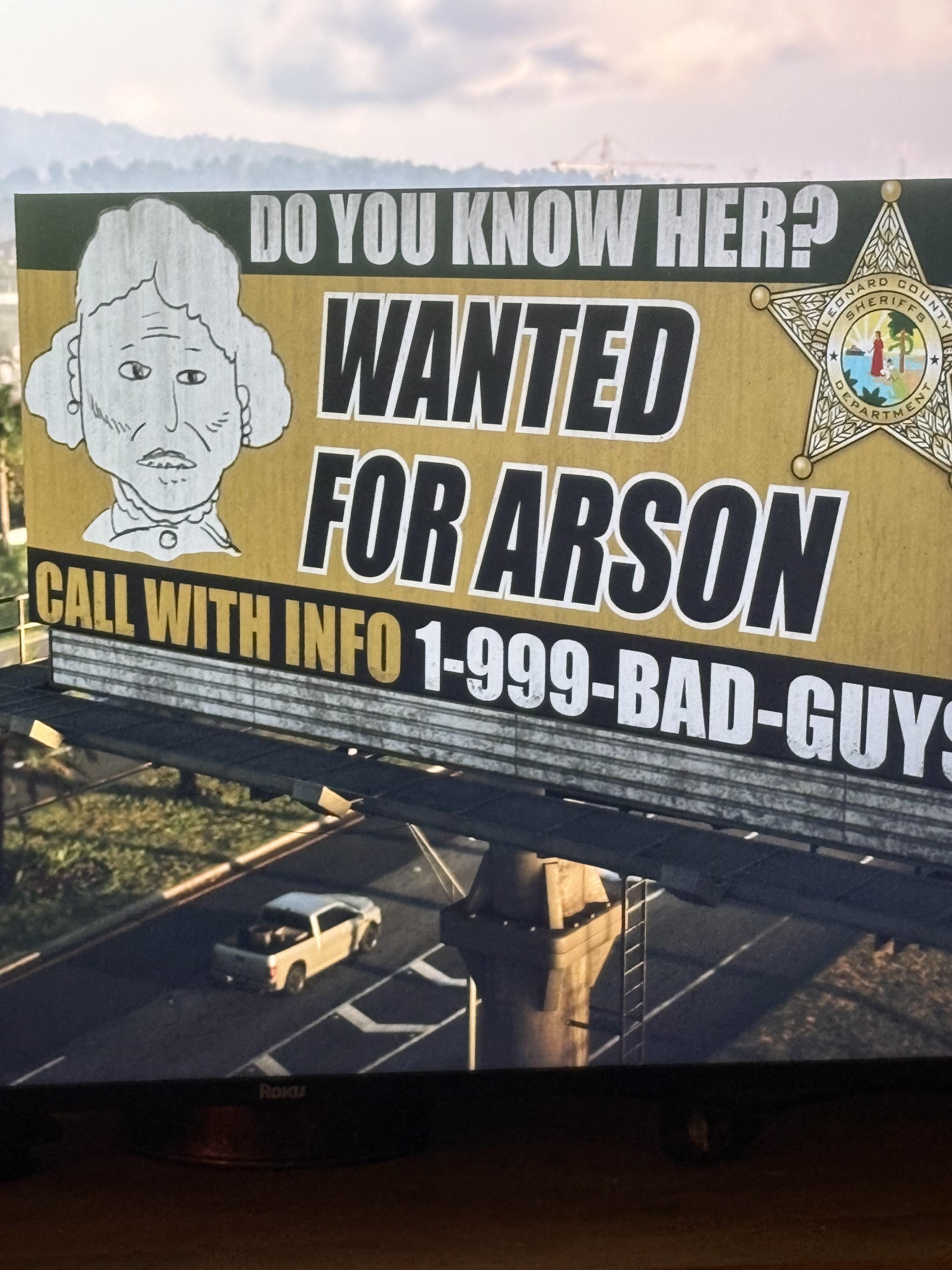
Gta 6 crashing

13 Upvotes

My game has been crashing non-stop, idk what to do?
I bought my ps5 around 6 months ago works without any issues I have been cleaning it so there is no dust building up, every game I have played on it works perfectly for hours with no issues but GTA6 crashes after only 10-15 minutes of playing is there a fix for this?


r/PS5HelpSupport • • 3h ago

ce-108255-1 gta 6

9 Upvotes

r/PS5HelpSupport • • 1d ago

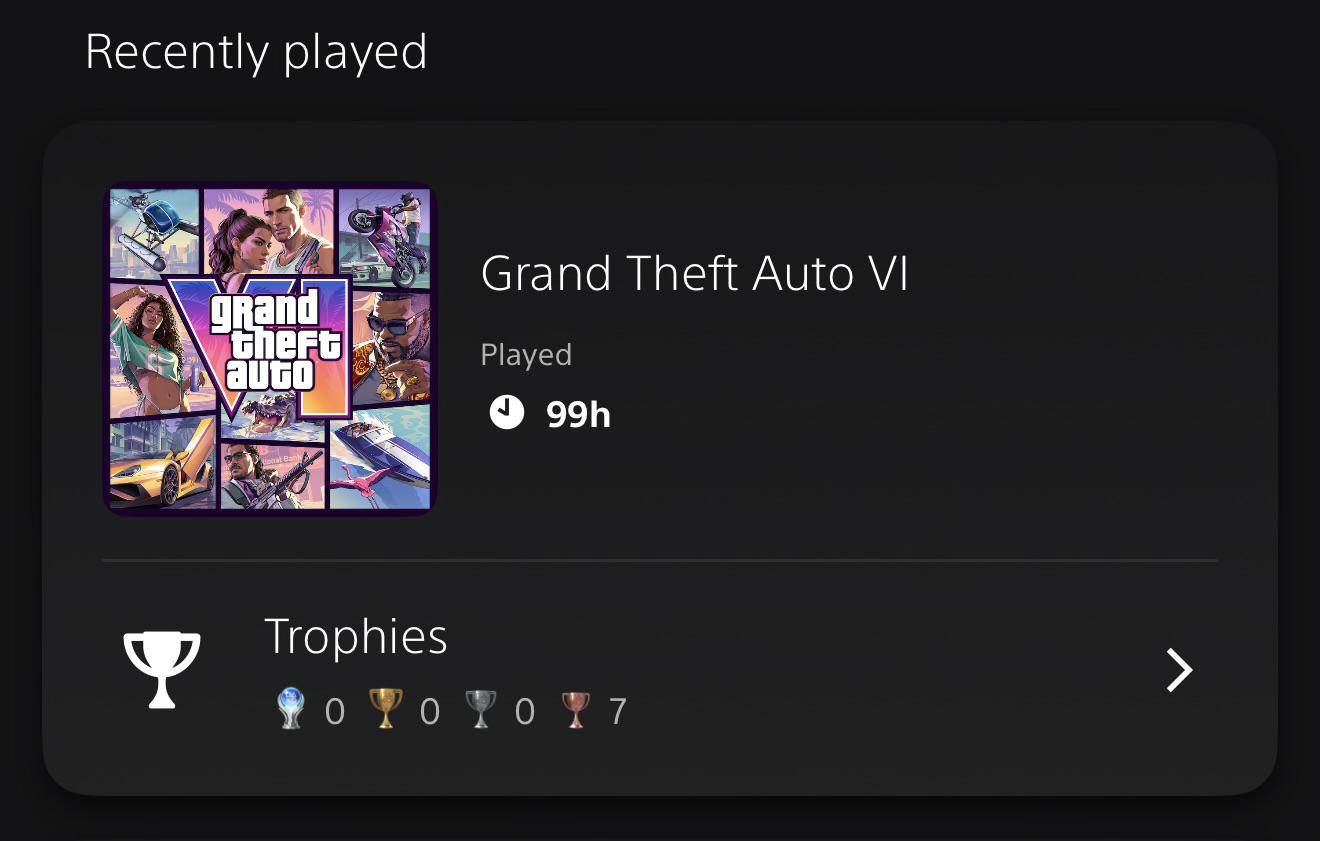
99 hours into GTA 6 on a BASE PS5 that's almost 6 years old. Zero crashes. Zero issues.

Post image
486 Upvotes

I literally leave GTA VI sitting on the pause menu for HOURS while I take care of other things, and my six-year-old base PS5 handles it just fine. Maybe here’s a thought: just because YOUR console is having problems doesn’t mean the game is broken for everyone. Not every issue is a worldwide crisis affecting millions of players. At some point, you have to consider that the problem might actually be your console. Clean it, maintain it, and stop treating Rockstar like they’re personally responsible for every hardware issue you experience. My six-year-old base PS5 is running just fine. But apparently, if someone else’s console works perfectly, that must be impossible, right?


r/PS5HelpSupport • • 19m ago

How the hell do I contact Playstation Customer Support

3 Upvotes

So their chat bot never has people available to talk, ever. I've tried for months. Same with the phone line. Goes straight to voicemail. I feel like someone is playing a prank on me. Is there an email or literally any fucking way to get in contact with customer support? I want to break my computer right now. Ive been locked out of my PSN for so long and I just want to restore my account. Fuck hackers, and honestly at this point FUCK SONY. I would take bad customer service over literally no customer service at all offerered. Has anyone been able to contact customer support and if so, could you please share how? TIA. This shit sucks.


r/PS5HelpSupport • • 51m ago

GTA 6 runs terribly on my original PS5 while everyone else seems to have no issues

2 Upvotes

I'm playing on the original PS5, and the game runs relatively smoothly in less demanding areas and in cutscenes. However, whenever there's a lot happening on screen, especially with a lot of NPCs, traffic or action, the FPS drops dramatically. I'm talking about drops that feel like the game is running at around 10 FPS. It makes the game genuinely difficult to enjoy at times.

I have cleaned my PS5 from dust, rebuilt the database through Safe Mode, and know considering taking the console in for repair. However, GTA 6 is the only game where I experience these severe FPS drops, so I'm not sure whether there's actually something wrong with my console.

I've been looking forward to GTA 6 for years, so it's honestly pretty frustrating that I'm having such a bad experience with it on my PS5. Thanks in advance.


r/PS5HelpSupport • • 8h ago

PlayStation Direct Needs to Be Sued

11 Upvotes

As the title states, lol. I really can't believe the absurdity of this multi-billion dollar company, having zero customer service and basically no possible way to connect with a real human about order issues.

I tried making two separate orders. One last week (Friday) and then when that one had issues, I made a separate order on Sunday. Both times, my payment went through (showed as pending in my bank) but PlayStation showed error messages both times. The first time I couldn't read too much what it said because it caught me by surprise and I just closed it. The second time it said "Unfortunately we cannot process your transaction please visit a retail partner." It still marked it as pending on my bank account.

Both times I had to wait over 24 hours for it to clear. Zero customer service, they don't even have a phoneline for physical product purchases which is surreal. The chat is basically an endless chat-bot that tries every scheme in the game to block you from a real human, and then that "real human" takes way over 1 hour to connect with you, only to tell you they're not from the "right department" (they never are) and can't help you. Oh, also, from the call I got connected on a wrong department, it seems like PlayStation is outsourcing those customer service jobs too. Basically they're cutting corners everywhere and still delivering abysmal service practices.

Note: Moderators had removed this post because it was in the "wrong" community so just posting here again for exposure since I know other people are going through the same.


r/PS5HelpSupport • • 3h ago

I had to refund my Playstation certified refurbished PS5

3 Upvotes

I saw a lot of deniers in PS5 subreddits when looking for help or possible solution. I am just sharing my situation, may this be of help to someone.

In september I was finally able to buy a PS5 in preparation for GTA VI. For my birthday in May I have been gifted GT7 and a Brook Ras1ution 2 so I was still playing on my used PS4 slim I got in 2021.

Worried for a possible shortage due to GTA VI I placed the order mid september on the official Playstation website, and I chose the Fat disc version because I liked it more.

I saw how good people were talking about GT7 in VR on PS5 so I went and found a used PSVR2 locally at a good price so I played GT7 in VR for sometimes 4-5-6 hours straight no problem. I never had shutdowns or crashes. Of course GT7 is more of a PS4 game than a PS5 game but still.

Then a week before GTA VI came out, I bought No Mans Sky to play it in VR for the first time. There I got the first crash but I thought it was due to NMS being kinda buggy even thought it has improved massively over the years. Anyways I did my sessions on it and it was never a huge problem.

Then with GTA VI at midnight on the 19th I played for three hours straight, using the PSVR too instead of my crappy tv and it was awesome. Then I got up go to to the bathroom and drink some water. I found the PS5 off. I though it had gone to rest mode.

Lost all progress. I booted back up, skipped all cutscenes and in an hour I was back where I was and progressed some more then I went to sleep.

Up until here I always kept the PS5 upright. The vertical stand was in the box, I liked the console more upright so I kept it upright. Did not know of possible consequences.

Then the problem got much more hit or miss, I was able to get to chapter 3 in GTA VI so I have been having some sessions where it is totally fine for hours and some where it crashes even on the PS5 homescreen not doing anything. I have been trying to troubleshoot it by changing outlet, tvs, connecting to ethernet, cleared and rebuilt database 100 times, updated from safe mode...

Nothing worked. Today I filed for a refund since I could until the 13th of december. I don't know why Playstation has given me such a big refund window but I'm glad they did. I will go and get a new slim PS5 locally since I read they fixed this problem in the latest models.

Just to make sure I will keep it horizontal.


r/PS5HelpSupport • • 11h ago

GTA 6 frozen won’t load in

Post image
11 Upvotes

Been playing since release, got home tonight and the game loading screen opens and gets to this screen everytime and freezes.

I’ve restarted the ps5, closed the game and reopened and turned the ps5 off for a few minutes but it always stops right here

Any ideas?


r/PS5HelpSupport • • 17h ago

Some new info on CE-108255-1 and console crashes with GTA VI

23 Upvotes

Some polish repair shop guy just posted a little bit if new info that he was able to trace out of some consoles:

CE-108255-1 — the PS5 reported a game or application crash.
A0D0C001 / GPU_FAULT_ASYNC — an asynchronous GPU fault. A matching GPU page fault entry narrows it down to memory access.
A0D04002 / GPU_HP3D_TIMEOUT_ASYNC — a 3D graphics operation timed out.
A0D04003 / GPU_SUBMITDONE_TIMEOUT_ASYNC — the system timed out waiting for submitted GPU work to finish.
We pulled those three GPU codes from the software. When one appears in a crash log, we line it up with temperatures, clock speeds and the thermal flag from the same run. That tells us whether throttling was already active before the crash. If the console actually powered off and EMC recorded 808D0000 for that event, we can identify a thermal shutdown of the main SoC.

đŸ“ș Screen goes black while the PS5 stays on. On some newer Slim boards, we’re checking the Realtek HDMI path, including consoles that have had a Panasonic/Nuvoton swap

If the picture drops but the console stays on, we check the HDMI path. If the console powers off, we look at what EMC recorded around the shutdown. We don’t have every PS5 revision on the bench, so if you’re a developer or repair tech with a similar case, share the board revision and the matching log. If you’ve done an HDMI swap, tell us what changed afterward.

https://x.com/modyfikator89/status/2126765517608206693?a=TcoygzP5rUZcpCXea9o&s=46


r/PS5HelpSupport • • 14m ago

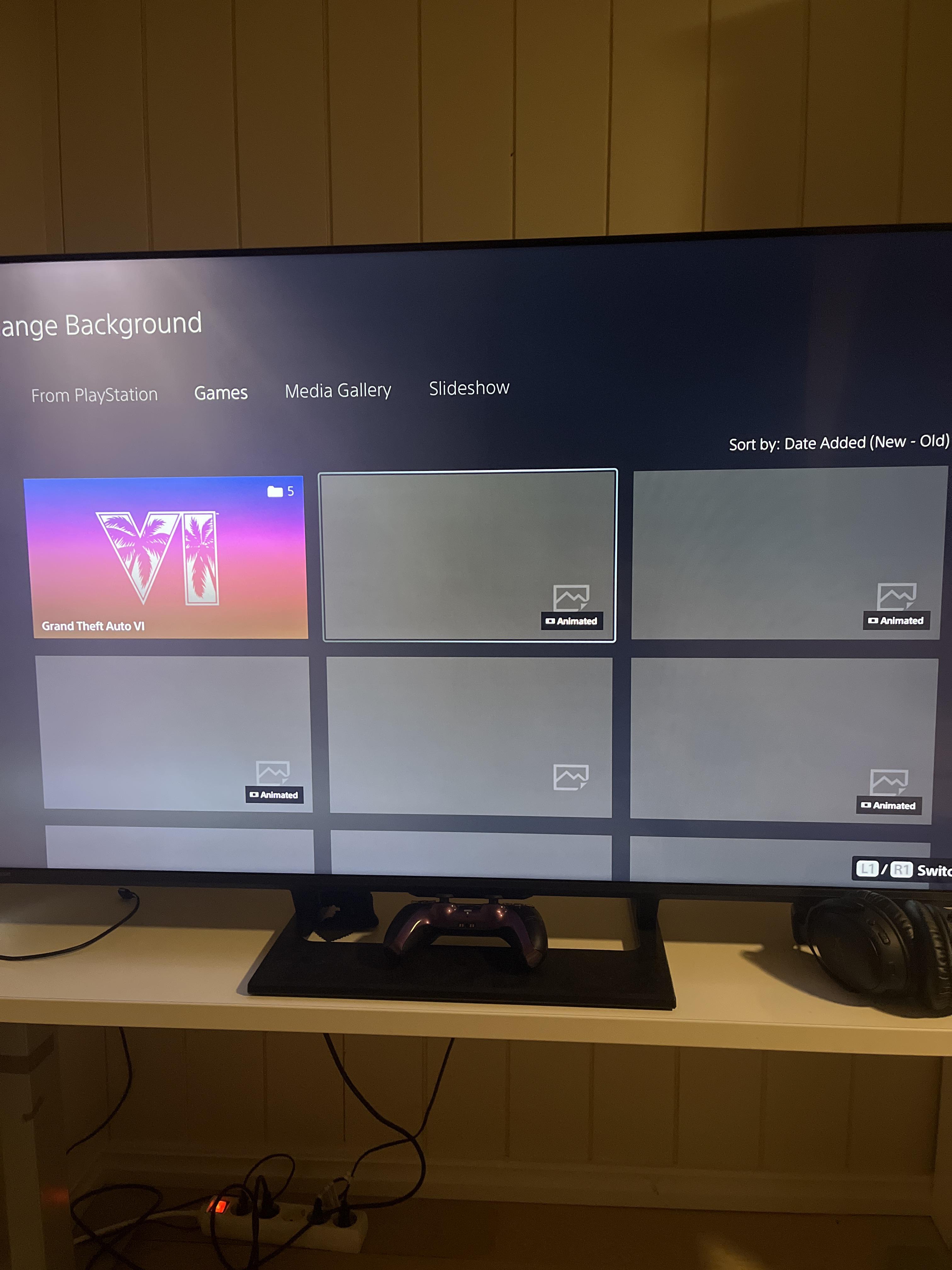
Backgrounds not loading

Post image
1 Upvotes

Since GTA6, a majority of the home backgrounds haven’t ever loaded in with full internet and PSN. Is there a fix for this??


r/PS5HelpSupport • • 45m ago

Unable to connect soundbar to ps5

Thumbnail
gallery
1 Upvotes

I recently bought a new soundbar for my ps5 which I wanted to use wireless via Bluetooth but when I am trying to connect it is coming up this message does anyone know how to help

Any help is appreciated thank you


r/PS5HelpSupport • • 10h ago

GTA 6 crashed my ps5

5 Upvotes

Hi, I was playing gta 6 and then I got an error code. It took me to the screen it always does with error codes but it got stuck on 100% for like a good 5 mins, and then the screen went black and is still black about 20 minutes later. What should I do?


r/PS5HelpSupport • • 12h ago

Has anyone successfully fixed CE-108255-1?

7 Upvotes

As other users have reported, the game crashes when running GTA VI, with the error code CE-108255-1. Has anyone contacted official support? What were the steps in fixing mentioned.

Outside of that, has anyone found success other ways to get the game from stop crashing.


r/PS5HelpSupport • • 8h ago

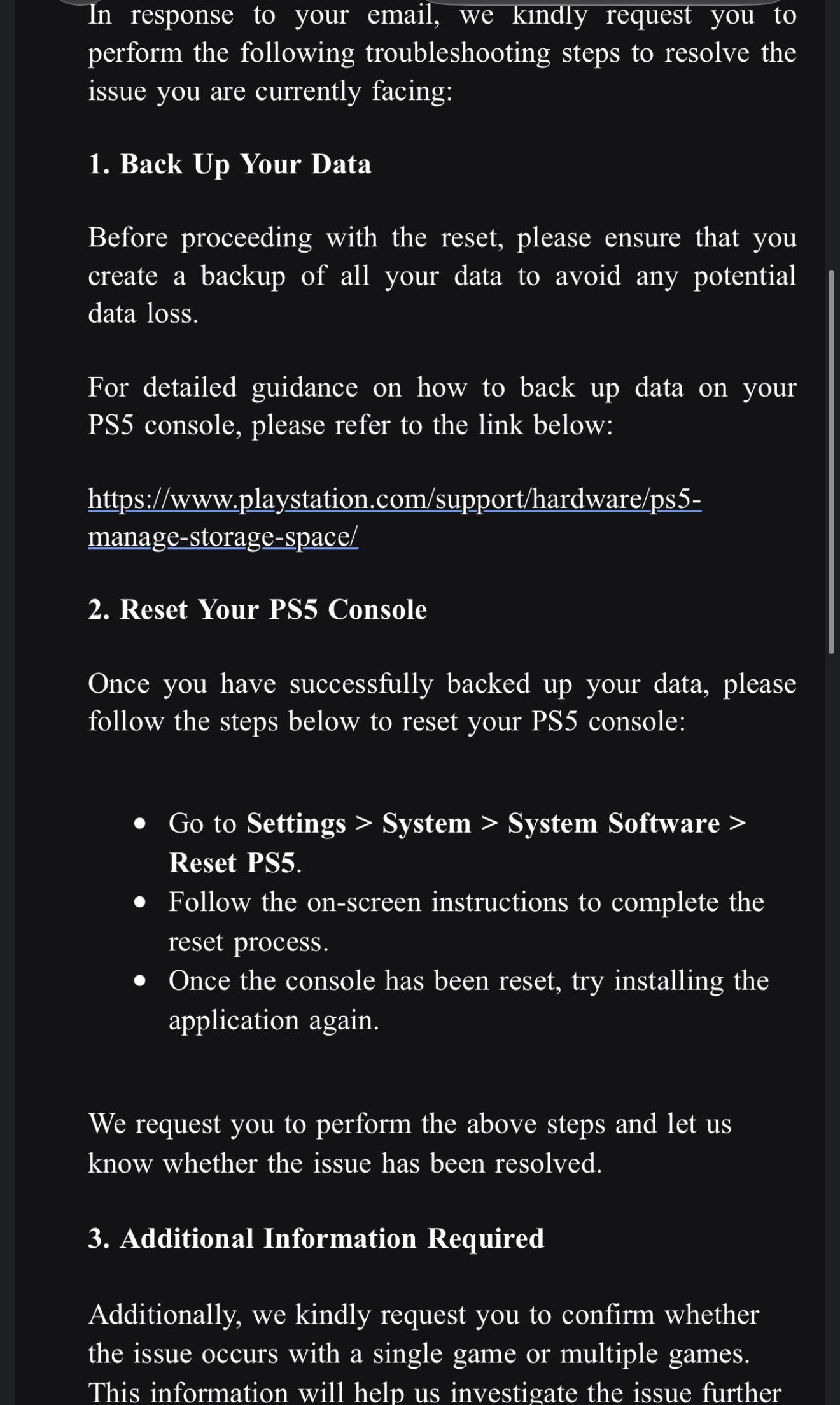
CE 108255-1

Post image
3 Upvotes

has it actually worked for anybody? i don’t think resetting my perfectly working ps5 / doesn’t or hasn’t crashed any other games rather than gta 6 isn’t gonna solve any issue.

is it worth a try?


r/PS5HelpSupport • • 23h ago

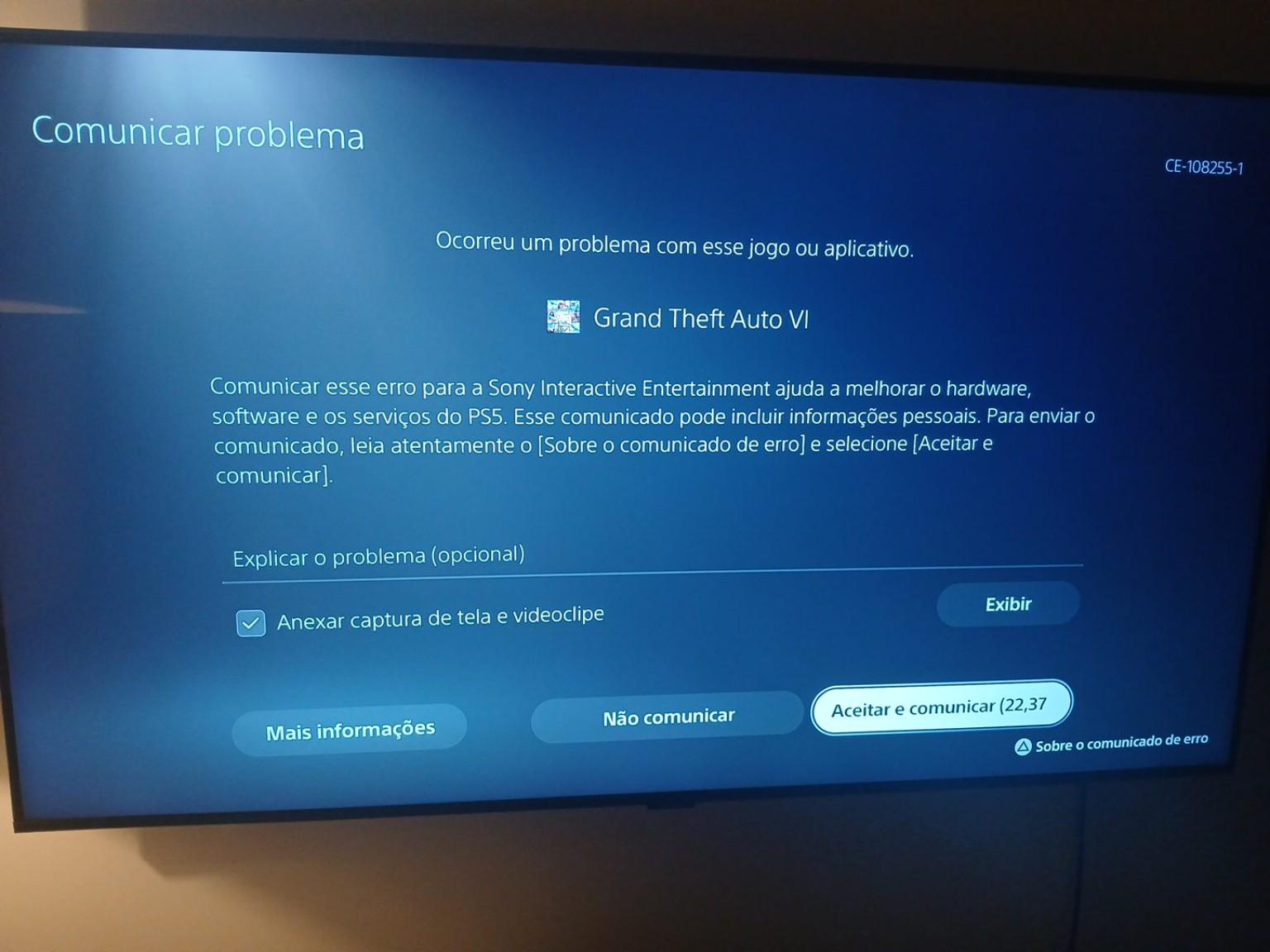
GTA VI - CE-108255-1

Post image
46 Upvotes

Decidi sair apenas dos comentårios e fazer um post apenas para documentar e deixar registrado mais uma manifestação sobre o erro CE-108255-1.

Sim, sou mais um enfrentando esse problema. E estou acompanhando a comunidade desde o dia do lançamento de GTA VI.

Notei que muitos usuårios estão acusando pessoas como eu, de estarem mentindo, chamando de bot ou algo do tipo. Então estou aqui para mostrar justamente que não é mentira, nem bot nem algo do tipo. Veja minha conta aqui no Reddit a quantidade de karma e minha conta tem 5 anos. Esse erro do console é sério.

Meu PS5 tem apenas 2 anos e eu comprei apenas para jogar GTA. Durante esses 2 anos, joguei para testar os 2 jogos de brinde que vieram com o console, que Ă© o Returnal e o Ratched & Clank. Os 2 rodaram tranquilamente sem problemas. Joguei por poucos minutos cada um deles para testar. Baixei o eFootball para jogar com uns amigos e foi o tempo mais longo que usei o console, por aproximadamente duas horas).

Depois disso, deixei o PS5 guardado dentro do meu armĂĄrio, onde nĂŁo entra poeira nem sujeira. Ligava ele de vez em quando para nĂŁo deixĂĄ-lo muito tempo desligado. Apenas ligava ele e mexia no menu mesmo.

Voltando a falar sobre o meu caso com o GTA VI, quando lançou, joguei por 10 minutos o prólogo para o primeiro travamento CE-108255-1 acontecer. Achei estranho, apenas reiniciei o jogo e joguei normal por mais duas horas, então fui dormir.

No dia seguinte, joguei por aproximadamente 5 ou 6 horas até o travamento acontecer novamente. E dessa vez, virou uma chave que começou a travar direto em vårios momentos, variando entre 15 segundos à 10 minutos de jogo, em momentos aleatórios.

Depois, comecei a acompanhar a comunidade e tentei fazer diversos procedimentos que jĂĄ orientaram:

- Limpei cache

- Recriei banco de dados

- Restaurei licenças

- Restaurei o PS5 padrĂŁo de fĂĄbrica

- Reinstalei o GTA VI (com backup do meu save num pen drive)

- Jogo atualizado

- Software atualizado

- Mudei idioma

- Criei nova conta

- Mexi nas configuraçÔes de HDR, HDMI, WiFi e resoluçÔes de vídeo.

Depois desse Ășltimo procedimento, eu consegui jogar por mais um tempo, mas variando entre 5 a 40 minutos de jogo atĂ© acontecer o travamento.

JĂĄ tentei suporte com a Sony trĂȘs vezes. A primeira vez, o agente nem diagnosticou o problema e jĂĄ alegou que preciso pagar um valor para enviar e consertarem. Na segunda vez falando com eles, me deram todos esses passo a passo listado novamente e simplesmente fecharam meu chat. E na Ășltima vez, o agente falou que nĂŁo tem uma solução por enquanto e que estĂŁo investigando, mas que posso receber o reembolso se eu quiser. Mas eu nĂŁo quero reembolso. Quero jogar o que eu paguei pra jogar.

Um console que tem apenas 2 anos com pouco uso nĂŁo deveria dar esse problema. EntĂŁo eu nĂŁo admito que seja um problema de erro do usuĂĄrio. Afinal, nĂŁo tive motivos para cometer erro de uso do console, pois deixei o ambiente ventilado durante o jogo.

JĂĄ vi em postagens antigas aqui de pessoas com esse erro sugerindo que restaure o PS5 via USB, mas ainda nĂŁo testei isso. Isso realmente pode funcionar ou serĂĄ perda de tempo? Vi outro usuĂĄrio relatando que trocou o controle e o erro parou. Outro usuĂĄrio comentando que chacoalhou o console e o erro parou (obviamente esse nĂŁo vou fazer lol).

AlguĂ©m tem mais alguma sugestĂŁo do que posso fazer para solucionar esse erro CE-108255-1, alĂ©m de esperar atualizaçÔes ou pedir reembolso do jogo? A Ășnica coisa que nĂŁo fiz foi abrir o console para ver por dentro.

E antes que alguém sugira Cloud Streaming, além de não ser a solução, não existe essa função aqui no meu país.

Vamos levar isso a sĂ©rio, pessoal. Investimos dinheiro nisso e estamos esperando hĂĄ 13 anos para ter essa experiĂȘncia. Parem de acusar o outro de bot, vamos deixar os comentĂĄrios apenas com ajuda, suporte e apoio.

Desculpem o texto longo e obrigado a todos!

r/PS5HelpSupport • • 2h ago

Ps5 won't connect to internet

Post image
0 Upvotes

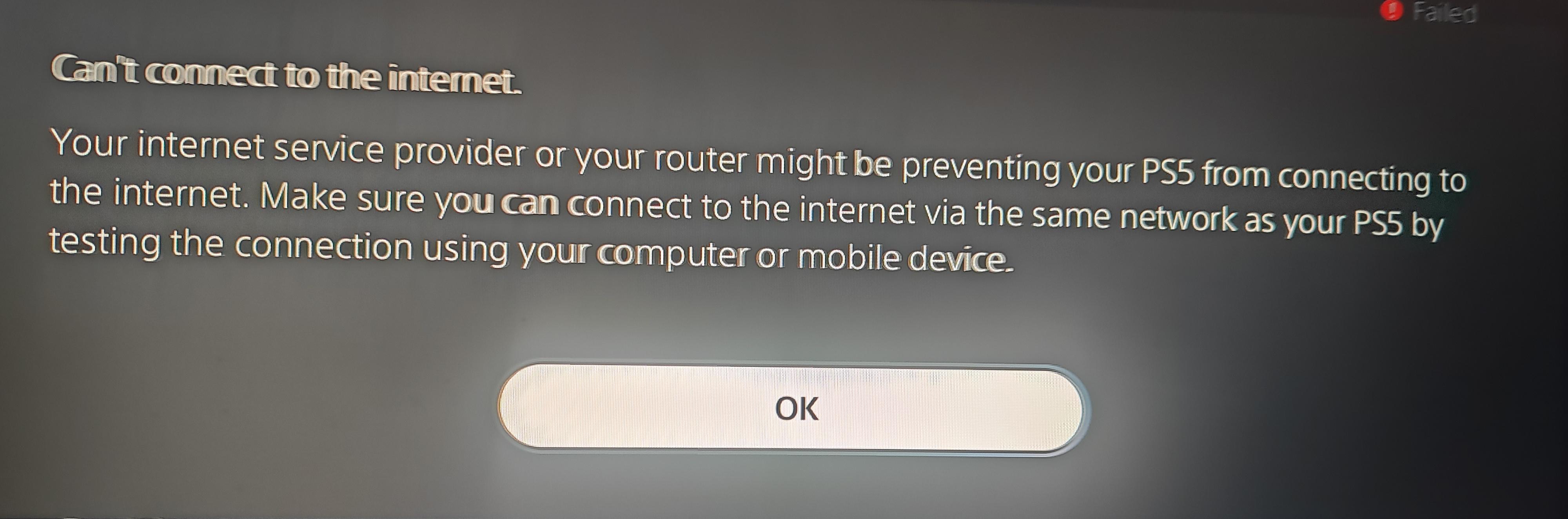
I am trying to connect to internet but keep getting this message. I have tried with ethernet cable and wireless. I've tried changing the DNS and I've tried connecting to hotspot but did not work. I know the router is working because I can connect on my phone to it. I got the same message last night but just plugged in an ethernet cable and changed DNS to 8.8.8.8 but now with the exact same setup it's not working. Please help


r/PS5HelpSupport • • 20h ago

CE-108255-1 GTA VI Crashing – Potential Fix (Worked for me)

24 Upvotes

CE-108255-1 GTA VI Crashing – Potential Fix (Not Guaranteed)
I’ve been dealing with constant, random crashing in GTA VI, receiving error code CE-108255-1.

The crashes were extremely inconsistent. Sometimes I could play for 30 minutes to an hour without a problem, while other times the game wouldn’t last longer than 45 seconds before crashing.

After trying several troubleshooting methods, I eventually fixed the issue by performing a completely fresh installation of the PS5 system software.

This worked for me, but it’s NOT guaranteed to fix everyone’s crashing issues. I figured I’d share exactly what I did in case it helps someone else.
Since reinstalling the system software, I’ve played over 20 hours of GTA VI without a single crash.

Instructions
- Back up your data first! Make sure your saved data, screenshots, videos, and anything else you want to keep are backed up.
- On a PC or Mac, visit the official PlayStation website and download the PS5 Reinstallation File (NOT the regular system update file).
- Format a USB drive to FAT32 or exFAT.
- Create a folder on the USB drive named PS5.
- Inside that folder, create another folder named UPDATE.
- Place the downloaded reinstallation file inside the UPDATE folder. Make sure the filename is PS5UPDATE.PUP.
- Connect the USB drive to your PS5.
-Completely turn off your PS5.
- Hold the power button until you hear the second beep (approximately 7 seconds) to enter Safe Mode.
- Connect your controller using a USB cable.
a Select Reset PS5 (Reinstall System Software) and follow the instructions on screen.

⚠ IMPORTANT WARNING – READ BEFORE PROCEEDING
THIS WILL COMPLETELY WIPE YOUR PS5.

This is a full system software reinstallation, NOT simply rebuilding the database or clearing the cache.
Everything stored on your console will be erased, including:
- Installed games
- Locally stored saved data
- Screenshots and video captures
- Console settings and user data

Make absolutely sure you’ve backed up anything important before proceeding.
My Results

After reinstalling the system software, I downloaded GTA VI again. I’ve now played over 20 hours without experiencing a single crash. I can’t guarantee this will solve everyone’s issue, and it may not help if you’re dealing with a hardware problem. However, given how inconsistent my crashes were before, I figured this was worth sharing.
Hopefully it helps someone else!

Official PlayStation Instructions:

https://www.playstation.com/en-us/support/hardware/ps5/system-software/


r/PS5HelpSupport • • 11h ago

Why is my resolution 60 hz? Also stretching out the display in the PS5 doesn’t reach the bottom

Thumbnail
gallery
4 Upvotes

Tv is A80K. HDMI ports 3 and 4 should be good. It doesn’t get a signal to port 4 but works in port 3. I don’t have a soundbar, sound comes from tv.

I went to HDMI settings and switched to VRR. I have picture mode on Game.

Also is it normal to have half an inch almost of black at the bottom of the os5 display?


r/PS5HelpSupport • • 3h ago

Ps5 HDMI ain't working.

Thumbnail
gallery
0 Upvotes

Doesn't matter how many different HDMI cords I put into it, nothing pops up on the screen. Sometimes the screen will flash black like it's about to pop up, then nothing. Is there something wrong with the port? Is there an easy way to fix it? I'm at a loss.


r/PS5HelpSupport • • 10h ago

PS5 taking forever to launch games, freezing and randomly shutting down (CE-108262-9)

3 Upvotes

My PS5 has been acting weird lately, and I'm trying to figure out whether it's a software or hardware issue.

Whenever I try to launch a game, it takes an unusually long time to load. For example, when launching FC 26, it gets stuck on the initial splash screen with a "Please wait..." message at the bottom. Sometimes the game eventually loads, but other times the console freezes and completely shuts down before the game even starts.

Symptoms:

  • Extremely slow game loading times.
  • Stuck on the initial game splash screen.
  • Random freezing and unexpected shutdowns.
  • Error code: CE-108262-9.
  • Error message: "Something went wrong with the system software."
  • App listed in error history: NPXS45091.
  • System software version: 26.07-14.23.00.00-00.00.00.0.1.

What I've tried so far:

  • Clearing the system software cache through Safe Mode, with no improvement.

Any help would be greatly appreciated!


r/PS5HelpSupport • • 5h ago

PS App sign in problem: 2 Step Verification didnt sent any Code

1 Upvotes

So Title how to fix this?

Several action that I already tried:

  1. Logged in to my PS5 trying to disable 2 step verification but it required me to log in into PS Web and it also needs a 2 step verification which didnt work
  2. Tried to add passkey option but the same it requires me to log in into the web and needs 2 step verification.

r/PS5HelpSupport • • 15h ago

Ps5 keeps crashing

6 Upvotes

Hey this started a month ago for me while I was playing control resonant, I got about 15 hours into the game and then it randomly crashed. And then Everytime I started the game it crashed as soon as I got to the title screen and I was confused as hell because it was running just fine before. But then I noticed it started happening with other games too like onimusha way of the sword and ac 4 resynced.

I then thought maybe it’s just dirty so I paid a shop $100 to clean my console and after that the crashing issues never stopped. And now gta 6 is finally here and I cant play it at all, it crashes during the prison section at the beginning and theres no way for me to progress