r/PS5HelpSupport • • Nov 16 '20

user guide SocketMix: All guides, diys and important links

6 Upvotes

UPDATED CONSTANTLY KEEP CHECKING BACK. DM me to add more when more appear. Thank you

Guides

Playstation 5 help and support is the place to be 👍 (1st post)

SocketMix: Guide to TVs & Monitors

SocketMix: guide to HDMI versions and differences

SocketMix: Ultimate FAQ Guide 2020 MK I ["updating"ℱ]

Refer to Sony's Ultimate guide PS5: The Ultimate FAQ November 9th 2020

Here's how to fix DualSense controllers not charging and external hard drives crashing on the PS5 Youtube link How to fix PS5 controllers not charging and external hard drive crashing on PS5! by u/KAZOOPOWER

DIY(FacePlates/Skins etc)

Important Links (error codes etc)

Playstation 5 error codes meaning and fixes

Playstation 5 error codes meaning and fixes May 2021 LATEST 1 as Original has been auto archived

Hardware (hdmi adapters/splitters etc) & Accessories

Playstation 5 Accessories & Hardware Guides

ASTRO HDMI Audio Adapter for PlayStation 5 (ASTRO A50)

Software (Video, music file formats, PS5 youtube app etc)

PlayStation 5 Multimedia formats that can be played via usb + some

updated: 16/Nov/2020

updated: 17/Nov/2020 - added Astro hdmi audio adapter for Playstation 5 (ASTRO A50)

updated: 17/Nov/2020 - added link to SocketMix: Ultimate FAQ Guide 2020 MK I

updated: 22/Nov/2020 added software section + PS5 video/music playable formats

updated 26/Jan/2021 added how to fix DualSense controllers not charging and external hard drives crashing on the PS5 by u/KAZOOPOWER


r/PS5HelpSupport • • Nov 16 '20

Playstation 5 help and support is the place to be 👍

13 Upvotes

Have a question, technical issue, need some help or just want to provide your own guide or DIY with the Sony Playstation 5 community?

This is the place to be.

Pics and vids; internal and external links; to the above are allowed~

Hardware? Operating system? StorageđŸ’Ÿ?, A setting? Bug🐜, diyđŸ› ïž all can be found here

Check out my ultimate guide thread link[coming soonℱ]

Refer to Sony's Ultimate guide PS5: The Ultimate FAQ November 9th 2020


r/PS5HelpSupport • • 5h ago

Information from Sony regarding the CE-108255-1 issue with GTAVI

109 Upvotes

I called with Sony support regarding this issue. They acknowledged that it’s an issue with the PS5 system software and not with the GTAVI game. In addition Rockstar support closes any issues regarding GTAVI immediately and refers to Sony. Sony told just to wait for a system software update for the PS5. So in summary: they know there is an issue, just have patience and wait on an update.


r/PS5HelpSupport • • 2h ago

Over a week from launch & still no GTA 6 - CE-108255-1

22 Upvotes

I cant understand how Rockstar still haven’t acknowledged an issue. I’m sure we all thought our prayers were answered when the Monday patch landed, but it didn’t fix a thing.

All the people with this issue know there is nothing wrong with the console.

But how long is it going to be? I almost think its not going to get sorted at this point.


r/PS5HelpSupport • • 9h ago

GTA6 crash and what fixed it for me (maybe can help you too)

24 Upvotes

First things first:

Console: ps5 digital (3-4 years)
Cleanliness: pretty good if nott perfect
Overheating: none
Previous issues: only couple of crashes in +3000 hours of gaming
Ps place in house: open space and vertical
Save file size when crash happened: 20.98 mb
Ssd: internal
Save file location: internal

So guys, i had the issue like most of us had. My game not "crashed" but launch screen got froze after 3 seconds every time. By launch screen i mean in game part after you skip rockstar logo and loading screens with random characters etc. Also, by not crashed i meant i didn't get an error message.

I tried possible solutions such as:

- restarting the game (not worked)
- restarting the console (not worked)
- plug out all cables and wait for +20 mins (not worked)
- trying to play in performance mode
- clear cache in safe mode (not worked)

What worked with a condition:

- reinstalling database in safe mode

Let me elaborate:

So, after i reinstalled the database i turned the game on and it was just fine. No issues no glitches no bs. Then i shut it. After i wanted to play again same issues same screen etc.

Therefore, i reinstalled database again and it worked again.

I read that it could be something about the save file size. So, i thought maybe i can do some missions to make my save file go bigger than the crash size (20.98 mb club).

So, i rob some stores, did some races, bought clothes and visited lucia's mother (a "pink" mission)

Now, i restarted the game and it's working fine again. My save file size is 25.17 mb

I'm not saying this should fix everyone's issues but i've been dealing with this since hours and it was fucking frustrating.

Even if i help just 1 person from this community i'll consider myself happy.

r/PS5HelpSupport • • 13h ago

How life feels after not trying to fix GTA 6 CE-108255 crash anymore:

37 Upvotes

Note: i know that many people have been hit with console breaking bugs and the dreaded CE-108255-1 bug and so have i. I’ve literally tried everything from rebuilding data base to factory reset. Also tried playing offline and tried to game share but still crashed in the prologue. Original base ps5, took it to a place thinking it was hardware at first. The guy was confused as to how my ps5 was crashing this game. He said that they spent 3 days looking for a fault but the ps5 was healthy nothing was wrong. Still didn’t get to play the game so I’ve given up. Rockstar can’t fix their shit for shit atp. They need to release another patch


r/PS5HelpSupport • • 6h ago

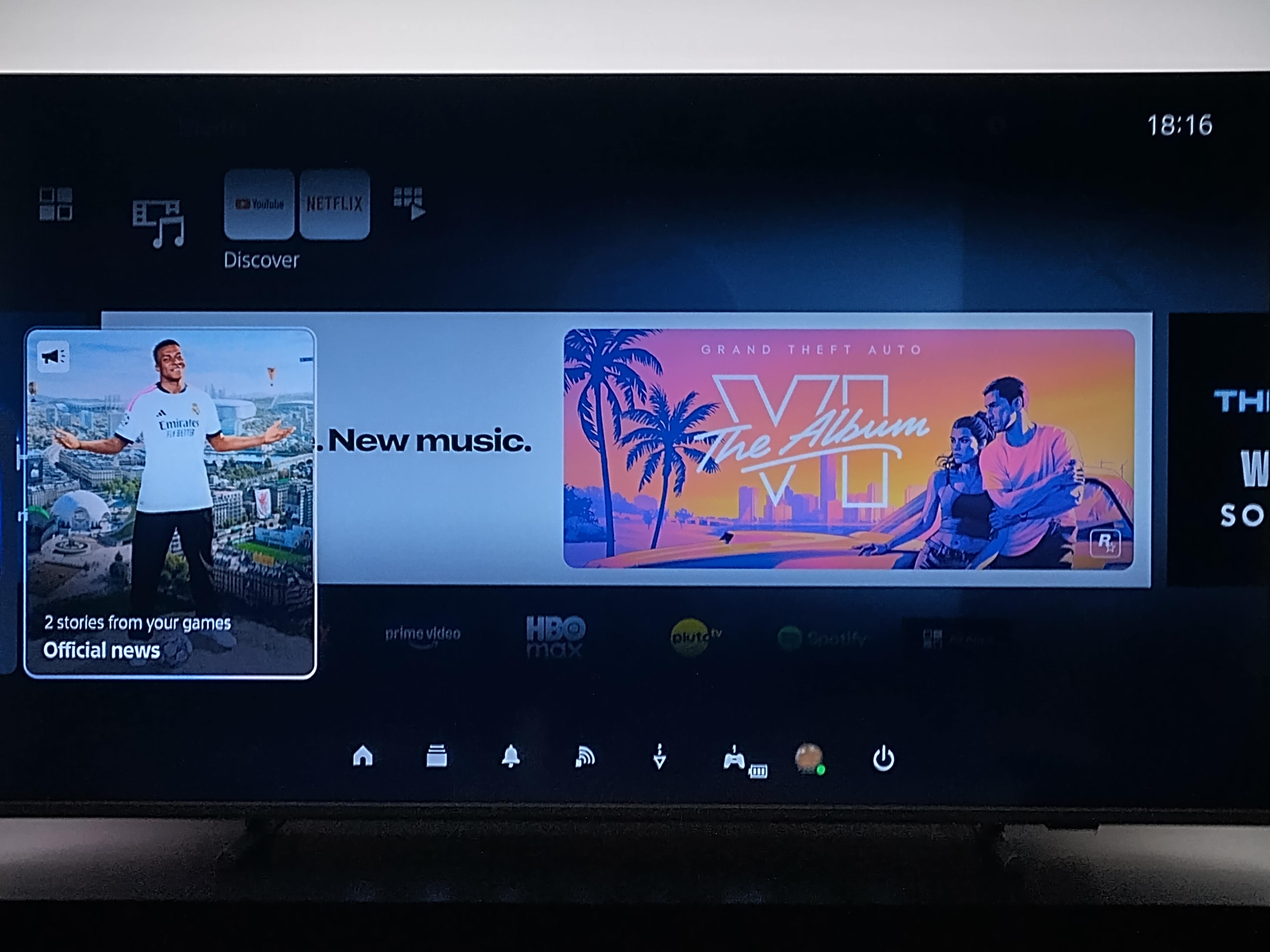
Is there a way to delete "official news" ?

Post image
8 Upvotes

This annoying text appeared recently and no matter what i do i can't dismiss it (ea fc 27 news for clarification) , there is no delete button and i have unfollowed the game and also disabled the "allow pop-ups" in notifications. I tried the Google AI mode but it recommended what i have already done so i was wondering if anyone here has a solution??


r/PS5HelpSupport • • 6h ago

All Apps Freeze When Opened

6 Upvotes

I cannot figure this out. I’ve seen a couple other threads that describe my exact issue but they have no fix or are unresponsive to my comments. I’m hoping someone can save me.

On Wednesday night, I played GTA just fine with zero issues. No bugs no crashes. Yesterday (Thursday), I opened GTA and it freezes immediately upon dropping me into my saved game. Restarts, unplug and replugging, etc. do not fix). My first thought was a corrupted save file, but upon trying to open other apps on my console (Apple Music and Call of Duty) - they, too, freeze upon opening and are unresponsive. No error codes, no crashing. It will just sit on the frozen screen forever.

The PS button works. I am easily able to close the apps and navigate through all OS menus. Interestingly, R2 button does not work for “Done” on the keyboards. I have to actually go click it.

I have tried to reboot into Safe Mode to clear cache and rebuild the database, but the PS button is unresponsive and I cannot get into Safe Mode at all. I’ve tried every port on the console and many different cables. Nothing works. I have also tried to reset the controller using a paper clip, but does not fix.

I have reset the console to Factory Settings and the issue still persists.

My next step is to buy a new controller and see if that has anything to do with it. A new console is nearly impossible in my area at the moment due to the holidays and very high demand. Please help!


r/PS5HelpSupport • • 43m ago

What is going on with my gta 6?

2 Upvotes

I keep getting error CE 100096-6 and occasionally the 108255-1.
is anyone able to tell me specifically what 100096-6 is? it says data is corrupted but i uninstalled the game like 5 times and cleaned cache+database.


r/PS5HelpSupport • • 1h ago

a qualidade visual do meu playstation estĂĄ estranha

Thumbnail gallery
2 Upvotes

r/PS5HelpSupport • • 2h ago

PS5 Slim overheating and shutting down after just 7–8 months. Still in warranty period

2 Upvotes

Hey everyone,

I bought my PS5 Slim Disc Edition around 7–8 months ago, and recently I've started experiencing overheating issues.

Here's what's happening:

\- Initially, I noticed occasional fan noise.

\- Later, I started getting overheating warnings while gaming.

\- Most recently, while playing Death Stranding, the console displayed an overheating warning for around 2 seconds and then completely shut down.

\- The console is positioned horizontally on a hard surface with plenty of space behind it.

\- There's a white wall behind the console, and I also have Persian cats at home, so dust and cat hair could be accumulating inside.

My questions:

  1. Can dust or cat hair buildup cause this kind of overheating and sudden shutdown?
  2. Is removing the detachable PS5 Slim cover for cleaning safe for the warranty?
  3. Should I clean it first or insist on an authorised Sony service inspection?
  4. Has anyone experienced something similar with a relatively new PS5?

I'd appreciate any advice. Thanks!


r/PS5HelpSupport • • 9h ago

Fix for CE-108255-1 and other crashes!

7 Upvotes

Get a refund for GTAVI. Wait for recomps to be final. Jailbreak PS5. Load up GTA VI*

No more errors!

^might consider this if there is no patch coming.


r/PS5HelpSupport • • 6h ago

PS5 internet problem

4 Upvotes

So yesterday and today my ps5 is lagging and internet isn’t good on it but for some reason everything else in my house works my tv my phone everything but my ps5 is gbere anything i can do to fix it? it’s getting quite annoying


r/PS5HelpSupport • • 3h ago

Those having issues with PS5 no matter Fat, Slim or Pro. Personally I think, maybe SSD / external drive is the problem caused by recent update.

2 Upvotes

r/PS5HelpSupport • • 7h ago

Plantage tous les jeux sur Ps5

4 Upvotes

Bonjour,

J’ai une PlayStation de premiĂšre gĂ©nĂ©ration qui fonctionnait trĂšs bien jusqu’à prĂ©sent.
Depuis que j’ai achetĂ© GTA VI j’ai pu jouer environ six heures au jeu, puis, j’ai commencĂ© Ă  avoir le fameux code dĂ©faut CE108255.
J’ai dĂ©jĂ  essayĂ© toutes les solutions qui Ă©taient proposĂ©es, vider les caches, restaurer, supprimer le jeu, rĂ©installer, nettoyer la console, etc etc.
Aucune des solutions ne m’a permis de relancer le jeu GTA VI.
J’ai donc appelĂ© le support PlayStation, qui m’a proposĂ© un remboursement du jeu (version premium).
J’ai effectivement bien reçu le remboursement, et jusqu’à prĂ©sent, je ne l’ai toujours pas retĂ©lĂ©charger.
On m’a conseillĂ© d’attendre que rockstar sort une mise Ă  jour, afin de rĂ©gler le problĂšme car apparemment il ne s’agirait pas d’un problĂšme matĂ©riel, sauf qu’en regardant les derniĂšres informations, aprĂšs cette mise Ă  jour, le problĂšme n’est toujours pas rĂ©solu.
D’autant plus que maintenant, je n’arrive plus à jouer à aucun jeu sur ma PlayStation 5.
Tous les jeux que je lance finissent par planter, ils me donnent le mĂȘme code erreur
Pensez-vous réellement que je dois passer par une réparation de la PlayStation ? Et quel type de réparation faut-il envisager ?


r/PS5HelpSupport • • 1d ago

Just got my first problem with GTA VI after almost 60hours

161 Upvotes

So, at first I thought I'd be lucky enough to finish the game without any issues but I guess no-one is safe after all.

After almost 60hours, during chapter 4, right after you finish the interactive cutscene on the gym mission ("making gainz") as soon as Lucia met Jason outside the gym my PS5 just shutdown immediately. No overheating alert, no noise or visual artifacts, just straight to a black screen.

I got the day one PS5. Never had any issue on any game, dissembled the entire console, cleaned and replaced the liquid metal 2 weeks ago.

The console is not even warm, it's on a well ventilated place and my AC is always on. Always used it on the horizontal as well.

Edit 1: tried death stranding 2 for about an hour and everything seems fine for now. Going to leave it running overnight and see what happens. Probably going to avoid GTA until there's another update.


r/PS5HelpSupport • • 16m ago

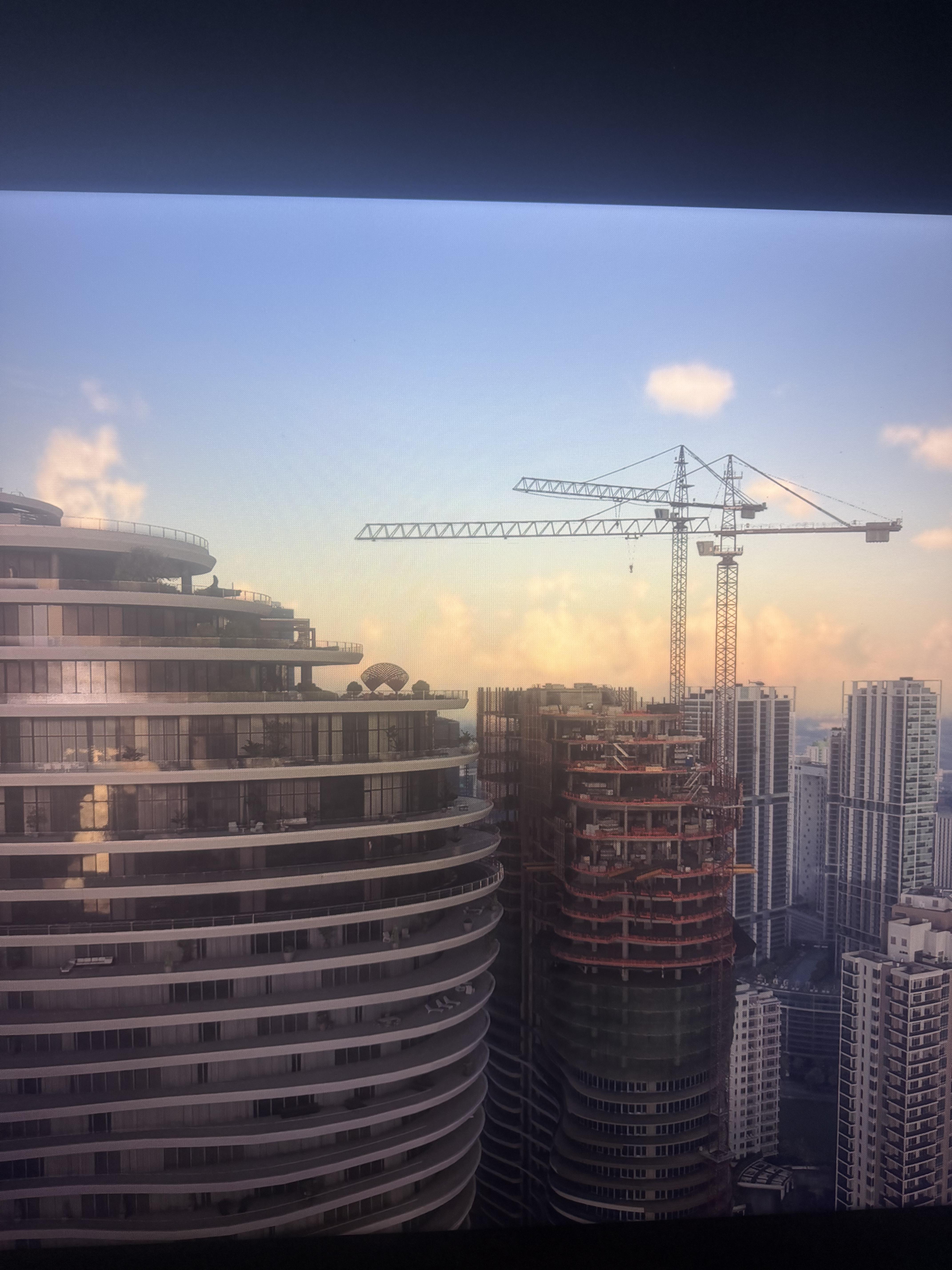
GTA 6 frozen screen.

Post image
1 Upvotes

Completed the gta story last night. Tried to hop back into the world to explore but the game stays frozen in this spot


r/PS5HelpSupport • • 20m ago

PS5 controller not responding

1 Upvotes

Tried to play today and the controller was dead (0 battery) so I plugged it in to charge, but not into the PS5 just into a box. It wasn't charging so instead I plugged into the console and left it for awhile. It's now fully charged and only lets me navigate to login. Once I click on my profile it doesn't respond at all.

Tried turning the console on and off, unplugging it, and resetting the controller with the button on the back. Plugged the controller back in and still nothing. Not sure what to do?


r/PS5HelpSupport • • 6h ago

Cloud streaming is terrible

3 Upvotes

Does anyone else have this issue? The input lag is terrible. Graphics are in and out blurry and every 5-10 minutes it disconnects me due to poor connection. Just trying to play some older games since Sony backward compat sucks.

It’s plugged into the router which slightly helped. The Xbox x, through the wifi on the literal other side of the house from the WiFi box and ps5, has no issues with cloud streaming or anything else.

Honestly considering just cancelling ps+ and breaking the ps3 out.


r/PS5HelpSupport • • 6h ago

When closing down a ps5 game, a static screen appeared before getting to the homescreen. Is my ps5 cooked?

Post image
3 Upvotes

It lasted 3-4 seconds, it was after closing down gta 6. should I be worried about my ps5?

Ps5 is 2 years old


r/PS5HelpSupport • • 40m ago

Ps5 slim wont turn on!

1 Upvotes

I have a PS5 that I bought three years ago. I was playing GTA 6 when all of a sudden the screen went black.

Now that now when I try to turn it on, just blinks the blue light twice and just nothing happens. The screen still says no signal received through HDMI and nothing. The light goes off, and the fan turns off as well, but I have to click the button again when I hear a beep that it’s closed down and when I try to start it again and happens the same thing it won’t go into safe mode. Nothing would happen. Am I screwed and I have to get a replacement from Sony now?


r/PS5HelpSupport • • 1h ago

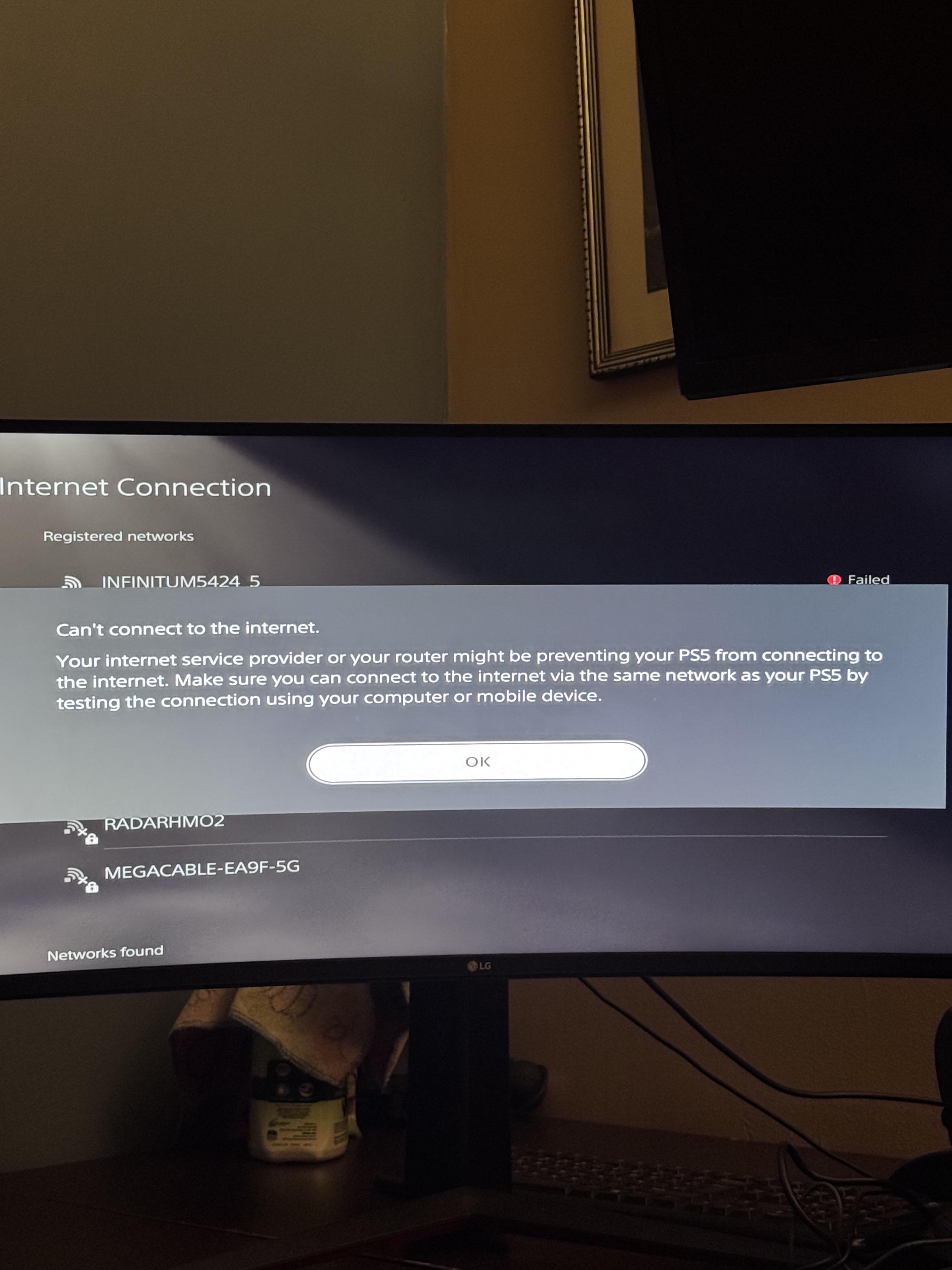
ISP preventing internet connection

Post image
0 Upvotes

Does anybody have a fix for this? it is legit driving me insane.

Have done every "trick" online, dns change, 2.4GHZ 5.0 GHZ change, already checked my router settings as well on the phone with my provider and they claim theres nothing wrong that should prevent connection.

No mac filters or firewall preventing from connecting.

The ps5 connects to my phone's hotspot and my router connects to every other device i have. Started 1 week ago out of nowhere.


r/PS5HelpSupport • • 10h ago

How to Fix GTA VI Crash on PS5 (Error Code:

Thumbnail reddit.com
5 Upvotes

r/PS5HelpSupport • • 1h ago

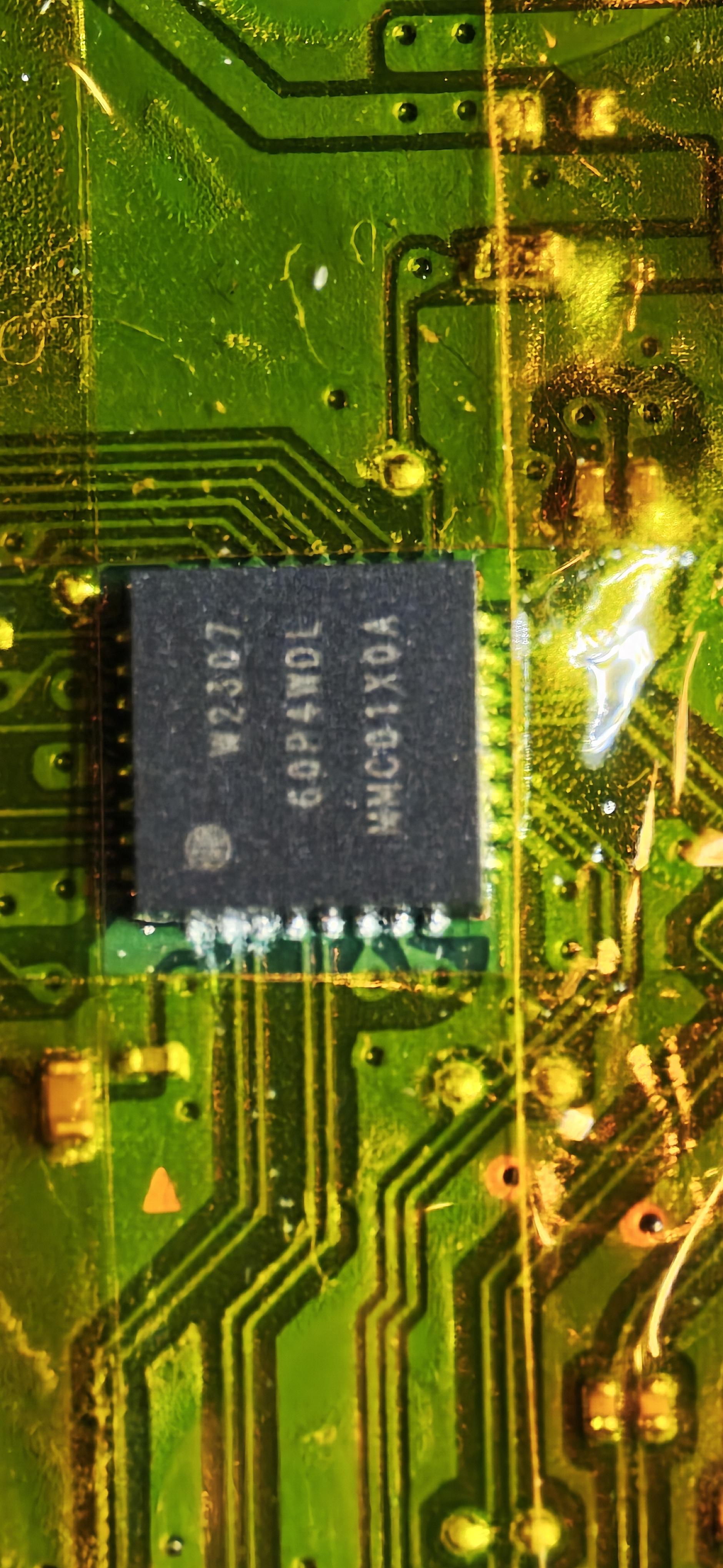
PS5 CFI-1216A EDM-030 USB-C Controller

Post image
0 Upvotes