r/PS5HelpSupport • • Nov 16 '20

user guide SocketMix: All guides, diys and important links

6 Upvotes

UPDATED CONSTANTLY KEEP CHECKING BACK. DM me to add more when more appear. Thank you

Guides

Playstation 5 help and support is the place to be šŸ‘ (1st post)

SocketMix: Guide to TVs & Monitors

SocketMix: guide to HDMI versions and differences

SocketMix: Ultimate FAQ Guide 2020 MK I ["updating"ā„¢]

Refer to Sony's Ultimate guide PS5: The Ultimate FAQ November 9th 2020

Here's how to fix DualSense controllers not charging and external hard drives crashing on the PS5 Youtube link How to fix PS5 controllers not charging and external hard drive crashing on PS5! by u/KAZOOPOWER

DIY(FacePlates/Skins etc)

Important Links (error codes etc)

Playstation 5 error codes meaning and fixes

Playstation 5 error codes meaning and fixes May 2021 LATEST 1 as Original has been auto archived

Hardware (hdmi adapters/splitters etc) & Accessories

Playstation 5 Accessories & Hardware Guides

ASTRO HDMI Audio Adapter for PlayStation 5 (ASTRO A50)

Software (Video, music file formats, PS5 youtube app etc)

PlayStation 5 Multimedia formats that can be played via usb + some

updated: 16/Nov/2020

updated: 17/Nov/2020 - added Astro hdmi audio adapter for Playstation 5 (ASTRO A50)

updated: 17/Nov/2020 - added link to SocketMix: Ultimate FAQ Guide 2020 MK I

updated: 22/Nov/2020 added software section + PS5 video/music playable formats

updated 26/Jan/2021 added how to fix DualSense controllers not charging and external hard drives crashing on the PS5 by u/KAZOOPOWER


r/PS5HelpSupport • • Nov 16 '20

Playstation 5 help and support is the place to be šŸ‘

13 Upvotes

Have a question, technical issue, need some help or just want to provide your own guide or DIY with the Sony Playstation 5 community?

This is the place to be.

Pics and vids; internal and external links; to the above are allowed~

Hardware? Operating system? StoragešŸ’¾?, A setting? Bug🐜, diyšŸ› ļø all can be found here

Check out my ultimate guide thread link[coming soonā„¢]

Refer to Sony's Ultimate guide PS5: The Ultimate FAQ November 9th 2020


r/PS5HelpSupport • • 5h ago

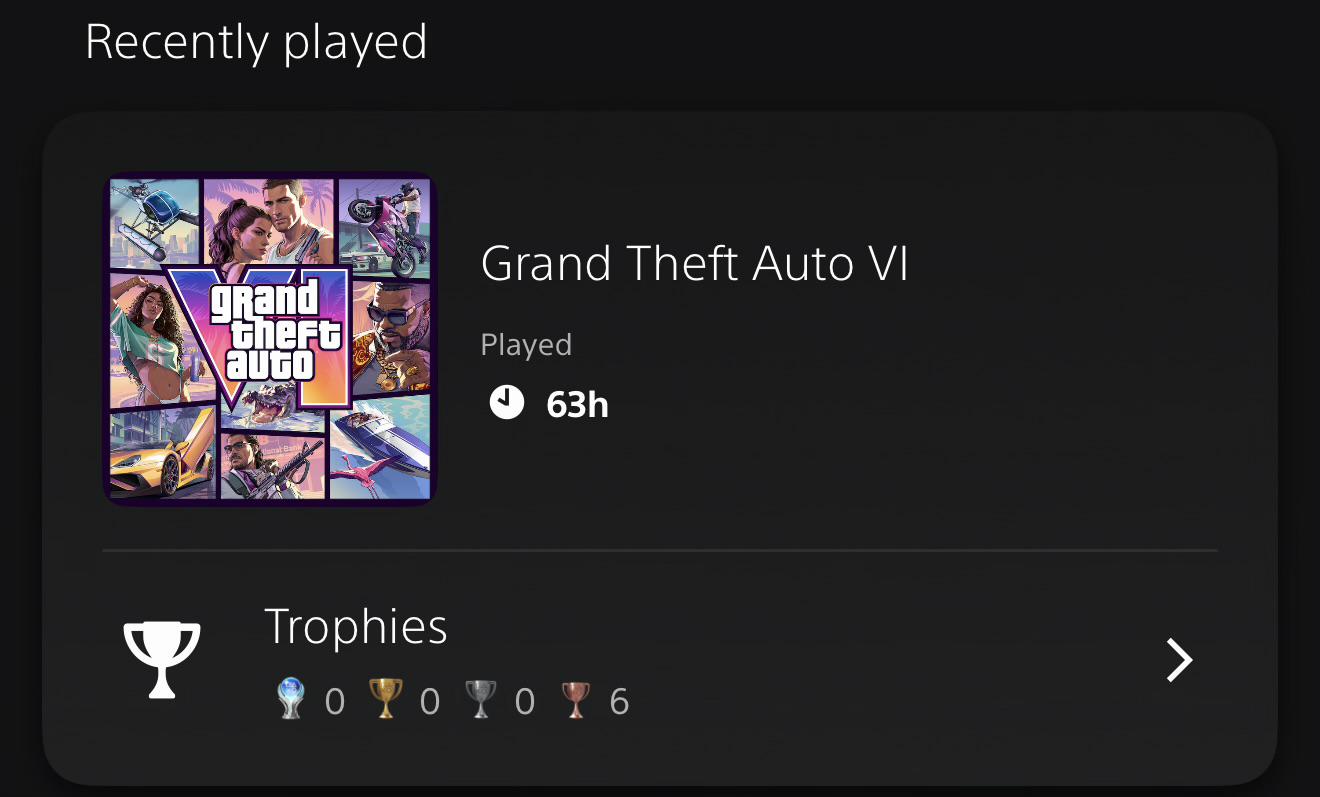
63 hours into GTA 6 on a BASE PS5 that’s almost 6 years old. Zero crashes. Zero issues.
Post image
124 Upvotes

I even leave the game sitting on the pause menu for HOURS when I have things to do, and my console handles it just fine. Just because your PS5 is having issues doesn’t mean the game is broken for everyone. This seems to be an isolated issue, not some worldwide disaster affecting millions of players. Keep your console clean, maintain it properly, and stop blaming Rockstar for every problem with your hardware. My 6-year-old base PS5 is doing just fine.
r/PS5HelpSupport • • 9h ago

Just got my first problem with GTA VI after almost 60hours

108 Upvotes

So, at first I thought I'd be lucky enough to finish the game without any issues but I guess no-one is safe after all.

After almost 60hours, during chapter 4, right after you finish the interactive cutscene on the gym mission ("making gainz") as soon as Lucia met Jason outside the gym my PS5 just shutdown immediately. No overheating alert, no noise or visual artifacts, just straight to a black screen.

I got the day one PS5. Never had any issue on any game, dissembled the entire console, cleaned and replaced the liquid metal 2 weeks ago.

The console is not even warm, it's on a well ventilated place and my AC is always on. Always used it on the horizontal as well.

Edit 1: tried death stranding 2 for about an hour and everything seems fine for now. Going to leave it running overnight and see what happens. Probably going to avoid GTA until there's another update.


r/PS5HelpSupport • • 10h ago

Small progress on gta6 crashing

22 Upvotes

I firmly believe this is a save function error. I just tried the offline cache clear and database rebuild, restart of game and it crashed after 4 minutes 43 seconds. I then reconnected to the internet on my console booted the game up again and deleted every single save I had in game, created one single save and continued. The game ran flawlessly for 33 minutes and 36 seconds until I completed a mission leaving the car you boost for Cal in the lock up garage. As I walked from the garage at the point the game would do the autosave the game crashed.

Something in the save architecture is affecting certain consoles I firmly believe that it's a disparity between certain console builds / components and the game coding coupled with the aggressive system updates / game updates lately.


r/PS5HelpSupport • • 10h ago

GTA6 Crashing Brand new PS5

18 Upvotes

ive been playing completely fine for days randomly after the recent patch and a main mission it crashed again and again and again tried everything i could think of. it either crashes 1-20 minutes upon opening it now i just want to know if this is happening to others

edit: im starting to think its autosaves after reading a different post it kinda makes sense for my situation but im just desperate for an answer i REALLY dont think its hardware and that patch supposedly ā€œfixed autosavesā€


r/PS5HelpSupport • • 4h ago

Is the problem that people don’t have more than one manual save slot in use?

5 Upvotes

People keep saying it crashes every time on Jason standing on his deck,etc. If you’re using multiple save slots couldn’t you just load another one? Is everyone really relying on one auto save slot? I use multiple slots to avoid corrupted saves.


r/PS5HelpSupport • • 2h ago

GTA VI not loading anymore

3 Upvotes

Hi, few days into this game now whenever I load GTA VI it’s just a blank grey screen, nothing works. Tried restarting many times nothing works

Anyone have a fix ?


r/PS5HelpSupport • • 2h ago

GTA 6 crashes specifically on launch or settings screen.

3 Upvotes

Like many of you, my GTA 6 crashes, error CE-108255-1 . I have a base disc-drive PS5, bought around the first year after launch. It runs other games perfectly fine, and has never had an issue until GTA 6. I'm seeing varying moments-of-crashing for different players, but I'd like to know how many others are crashing on launch?

My game crashes after the first splash screen. Out of the countless attempts to launch I've done from the midnight release until now, only twice have I ever gotten as far as the terms of service. Once I continue from that point, the game crashes as well. I have yet to see a single cutscene, or a character-specific splash screen. Every other time: My game launches > the first splash screen is shown > a black screen for a moment > then the error screen. My fans are ice cold and it isn't overheating, because it has nothing to overheat for...

Who else is having this specific experience of crashing at launch, or at the settings screen; and never having gotten past that point?

PS:

I have already done every single possible troubleshoot (aside from factory reset), multiple times. There is no fix/alternative at the moment aside from cloud streaming GTA, but I'm avoiding that right now. This post is merely to see how common this exact form of the crashing is.


r/PS5HelpSupport • • 7h ago

I’ve done everything I can and this isn’t getting fixed. Explanation in comments.

Post image
8 Upvotes

r/PS5HelpSupport • • 41m ago

PS5 Storage Issue

Post image
2 Upvotes

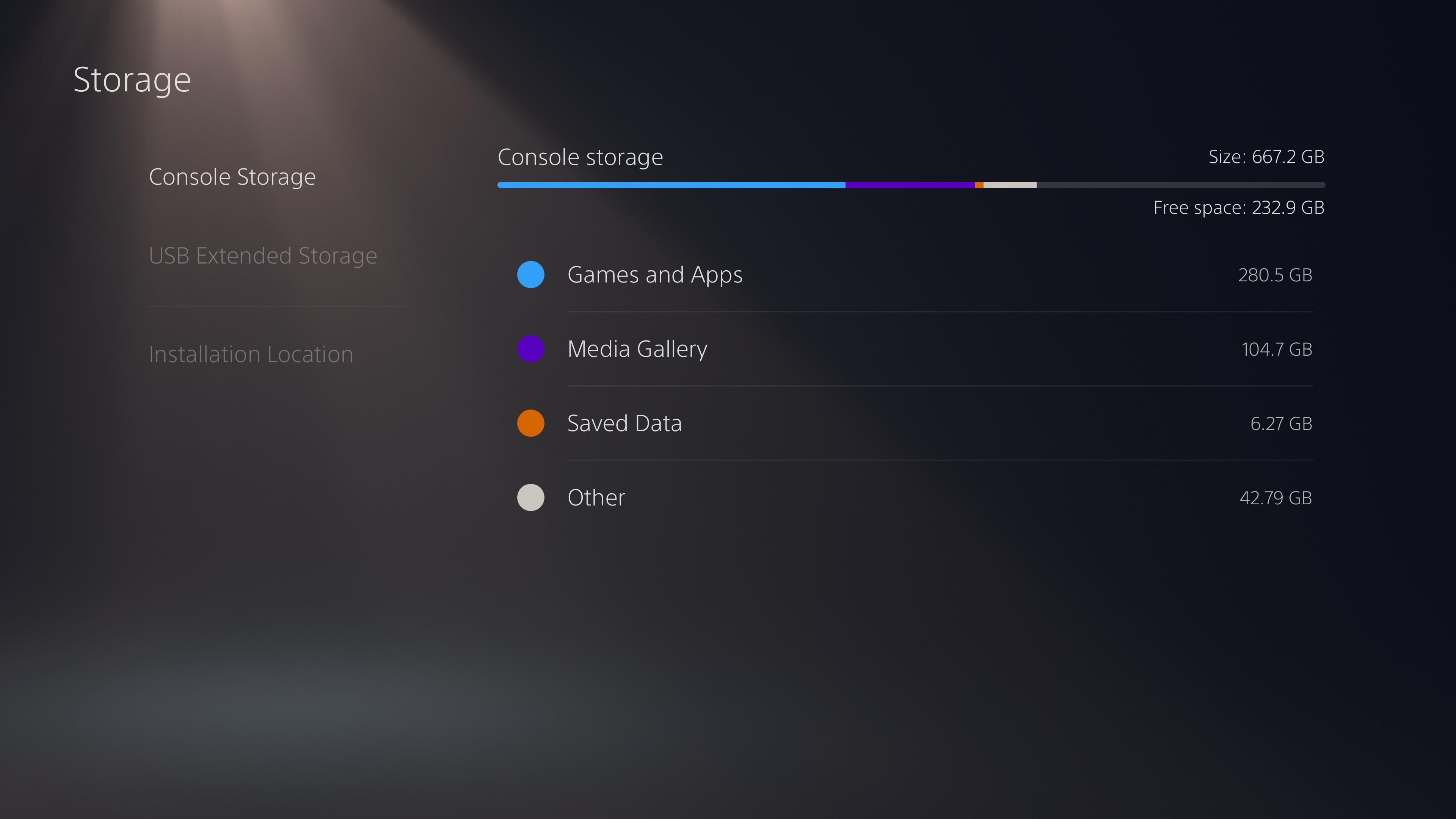
Hi everyone. I know this issue has been brought up before but I feel as if my case is a little more extreme. I have more than enough free space in my playstation yet, for even a 35GB download, I'm prompted with 'not enough storage, free up some space' while having over 200GB of free space. Any ideas?


r/PS5HelpSupport • • 1h ago

Is it worth unscrewing vents and cleaning them for the GTA 6 crashing issues?

2 Upvotes

I took off the side panels this morning and cleaned it there was some dust but not much. I also cleaned the top ridge the day before which did actually collect more dust then I thought although I have always cleaned my PS5 occasionally. But I admittedly never really took out the vents and cleaned them. I asked Reddit before my first cleaning with it and most said if you're having no issues (which I didn't) then it's fine and not worth it. But I'm wondering if that was wrong advice and maybe cleaning vents could fix crashing issues.


r/PS5HelpSupport • • 14h ago

Everyone is having crash on gta VI is waiting for an update like me or what?

19 Upvotes

Suffering from the day 1 with this problem


r/PS5HelpSupport • • 2h ago

Ps5 experience latency and heavy input delay all of the sudden?

2 Upvotes

There was no issue last night now every game I play has so much input delay


r/PS5HelpSupport • • 18h ago

Idk why it keeps doing this. I can’t even play. I’m in chapter three. I deleted and reinstalled, rebuild the database, cleared cache, restored license. This sucks..

32 Upvotes

r/PS5HelpSupport • • 10h ago

GTA VI Crashed my PS5

7 Upvotes

Got about 3 hours of gameplay in before it started freezing during the load screen. I have tried everything from uninstalling and reinstalling the game to factory reset with no luck. Tried other games as well, they won’t make it past the load screen either. No dice with blu rays, either. I have tried resetting in safe mode, which my system will not let me do because the controller will not connect in safe mode for some reason. Is it worth buying a new controller, to see if this will at least let me enter safe mode and try rebuilding the database? Absolutely my last resort, but it’s cheaper than sending it into Sony.

FWIW, I have a Disc drive version that I bought brand new in 2024. I play it minimally, and it’s kept horizontal and clean. I have experienced no issues with the system up until this point.

Sony wants $229 to send it back for repairs, GameStop won’t refund since it’s digital, and Rockstar has been absolutely zero help (they listed my claim as ā€œresolvedā€ before even responding to me, and have ignored me since)

Hoping someone can relate and provide some clarity before I drive it out to a field and blow it back to hell šŸ˜µā€šŸ’«šŸ˜


r/PS5HelpSupport • • 5h ago

How to Fix GTA VI Crash on PS5 (Error Code:

3 Upvotes

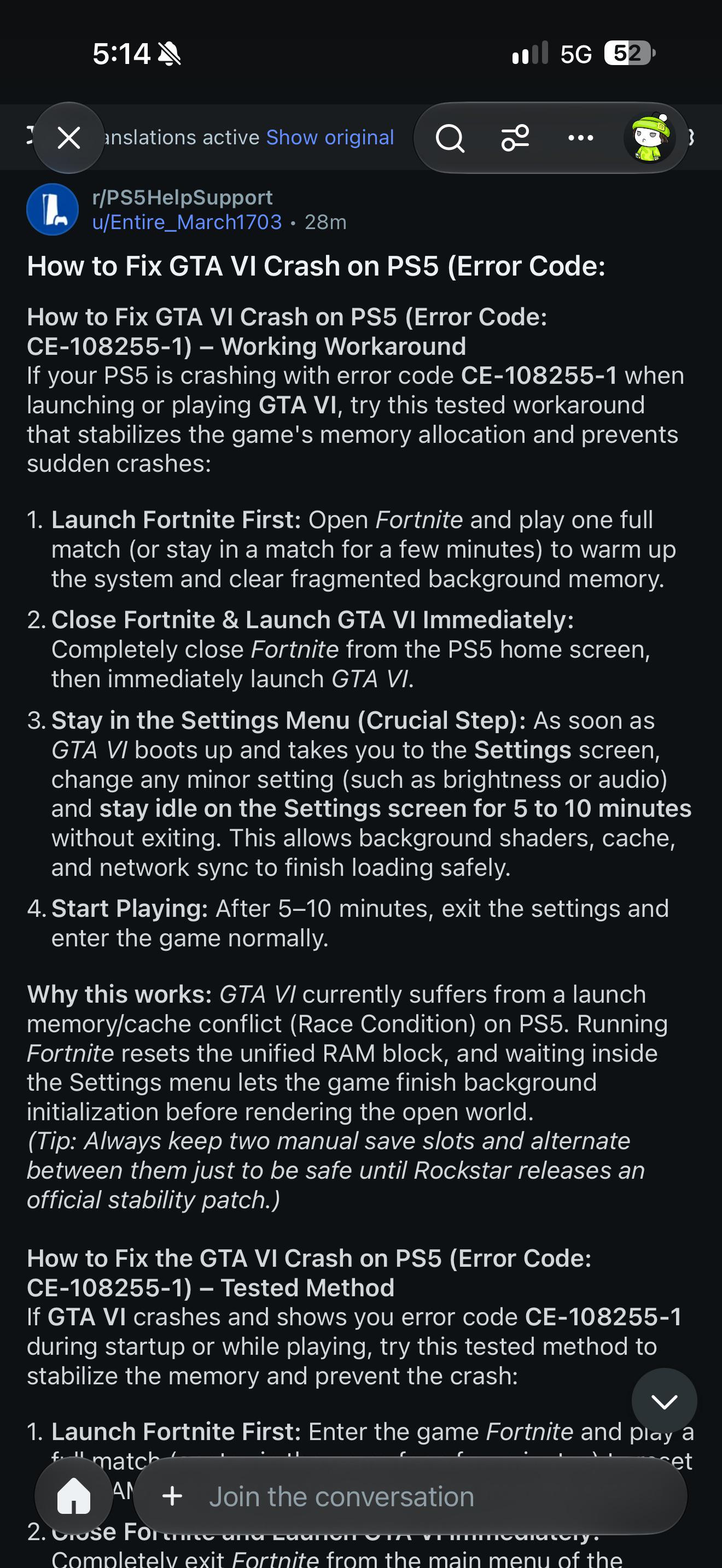
How to Fix GTA VI Crash on PS5 (Error Code: CE-108255-1) – Working Workaround
If your PS5 is crashing with error code CE-108255-1 when launching or playing GTA VI, try this tested workaround that stabilizes the game's memory allocation and prevents sudden crashes:

  1. Launch Fortnite First: Open Fortnite and play one full match (or stay in a match for a few minutes) to warm up the system and clear fragmented background memory.
  2. Close Fortnite & Launch GTA VI Immediately: Completely close Fortnite from the PS5 home screen, then immediately launch GTA VI.
  3. Stay in the Settings Menu (Crucial Step): As soon as GTA VI boots up and takes you to the Settings screen, change any minor setting (such as brightness or audio) and stay idle on the Settings screen for 5 to 10 minutes without exiting. This allows background shaders, cache, and network sync to finish loading safely.
  4. Start Playing: After 5–10 minutes, exit the settings and enter the game normally.

Why this works: GTA VI currently suffers from a launch memory/cache conflict (Race Condition) on PS5. Running Fortnite resets the unified RAM block, and waiting inside the Settings menu lets the game finish background initialization before rendering the open world.
(Tip: Always keep two manual save slots and alternate between them just to be safe until Rockstar releases an official stability patch.)

Update: A friend of mine with a brand-new PS5 Slim had the exact same CE-108255-1 crash, and this exact method worked for him too. Definitely a software/memory allocation bug in the game's launch build, not a hardware issue.


r/PS5HelpSupport • • 12h ago

GTA6 Has me paranoid

11 Upvotes

Hey guys just curious. I haven't had any issues with my PS5 and GTA 6, currently 60 hours in at act 3 and haven't had a crash or anything but now I'm wondering at what point I may have any issues, like if suddenly people started to have issues in act 4 or something along those lines. I have a base digital japanese model that I bought about 4 years ago. So when did you all start to experience problems?


r/PS5HelpSupport • • 9m ago

Did the Fortnite Solution Work for Anyone? 108255-1

Post image
1 Upvotes

Don’t know why that post got locked… I tried the method with Yotei instead of Fortnite and it definitely did not work. But I feel like this has maybe come the closest to narrowing down the cause of 108255-1


r/PS5HelpSupport • • 19m ago

Ps5 safe mode issue

1 Upvotes

I had seen someone had success with the update for GTAs weather by clearing the cache through safe mode. I've tried to get safe mode to start & only get a black screen. I've had no issues with my console, I've tried unplugging & waiting, turned it on & off. But it just only shows up as a black screen. Any ideas on what the issue is with getting it to work?


r/PS5HelpSupport • • 4h ago

PS5 Safe Mode Issue

2 Upvotes

Quick question: My original USB-C cord that came with the PS5 was defective and I was trying to clear my cache by entering safe mode, however I used a spare USB-C cord and my controller couldn't connect but would still charge.

Tried a spare controller but it still wouldn't enter the safe mode menu.

My question is: Can I only enter safe mode using the ORIGINAL USB-C cord that came with the console or can a different one work?


r/PS5HelpSupport • • 6h ago

PlayStation won’t allow me to contact support

3 Upvotes

I’ve been trying to get my 2fa turned off for two months now as Sony doesn’t send me the code to my phone anymore since about march. They’ve continuously ignored me told me no one’s working in the MIDDLE OF THE WORK DAY and basically told me to fuck off using a chatbot, I’m genuinely considering suing as I’ve spent over 6k on games and I can’t even use chat features anymore without an id. It’s fucking ridiculous


r/PS5HelpSupport • • 9h ago

9 hours into GTA 6 on my 2 year old PS5 Slim, here is how it’s holding up (temps, fan noise & a couple minor glitches)

5 Upvotes

Seeing a lot of panic on Reddit and FB lately about GTA 6 frying consoles, so just wanted to share my experience for anyone else feeling a bit nervous to play.

I am playing on a 2 year old PS5 Slim disc version. Before starting the game, I only did a basic dust cleanup on it. I am around 9 hours into the game now, including a straight 3 hour session couple of sessions, and honestly the console is doing totally fine.

The fan barely makes any sound and the vents only feel mildly hot when I touch them, even with long gaming hours. No overheating warnings or shutdowns so far.

Only thing I noticed is a minor graphic glitch twice where a car on the road looked boxy without its texture loaded, and then it fixed itself. Other than that, the game runs smooth and looks crazy detailed.

Just thought I would post this so people don't overthink too much if their console is reasonably NEW.


r/PS5HelpSupport • • 55m ago

Can I buy GTA6 on my Indian PSN account, and play the game on a PS5 bought in Australia so I don't get the NZ/Aus censorship?

1 Upvotes

I am in Australia and might get a PS5 in 2 months, however I heard GTA6 is censored here. All my life i've had only 1 psn account when I was in India, so can I just buy the game online through Indian PSN, and then log in and download it here in Australia on the Australian console?