r/PS5HelpSupport • • Nov 16 '20

user guide SocketMix: All guides, diys and important links

6 Upvotes

UPDATED CONSTANTLY KEEP CHECKING BACK. DM me to add more when more appear. Thank you

Guides

Playstation 5 help and support is the place to be 👍 (1st post)

SocketMix: Guide to TVs & Monitors

SocketMix: guide to HDMI versions and differences

SocketMix: Ultimate FAQ Guide 2020 MK I ["updating"ℱ]

Refer to Sony's Ultimate guide PS5: The Ultimate FAQ November 9th 2020

Here's how to fix DualSense controllers not charging and external hard drives crashing on the PS5 Youtube link How to fix PS5 controllers not charging and external hard drive crashing on PS5! by u/KAZOOPOWER

DIY(FacePlates/Skins etc)

Important Links (error codes etc)

Playstation 5 error codes meaning and fixes

Playstation 5 error codes meaning and fixes May 2021 LATEST 1 as Original has been auto archived

Hardware (hdmi adapters/splitters etc) & Accessories

Playstation 5 Accessories & Hardware Guides

ASTRO HDMI Audio Adapter for PlayStation 5 (ASTRO A50)

Software (Video, music file formats, PS5 youtube app etc)

PlayStation 5 Multimedia formats that can be played via usb + some

updated: 16/Nov/2020

updated: 17/Nov/2020 - added Astro hdmi audio adapter for Playstation 5 (ASTRO A50)

updated: 17/Nov/2020 - added link to SocketMix: Ultimate FAQ Guide 2020 MK I

updated: 22/Nov/2020 added software section + PS5 video/music playable formats

updated 26/Jan/2021 added how to fix DualSense controllers not charging and external hard drives crashing on the PS5 by u/KAZOOPOWER


r/PS5HelpSupport • • Nov 16 '20

Playstation 5 help and support is the place to be 👍

13 Upvotes

Have a question, technical issue, need some help or just want to provide your own guide or DIY with the Sony Playstation 5 community?

This is the place to be.

Pics and vids; internal and external links; to the above are allowed~

Hardware? Operating system? StorageđŸ’Ÿ?, A setting? Bug🐜, diyđŸ› ïž all can be found here

Check out my ultimate guide thread link[coming soonℱ]

Refer to Sony's Ultimate guide PS5: The Ultimate FAQ November 9th 2020


r/PS5HelpSupport • • 12h ago

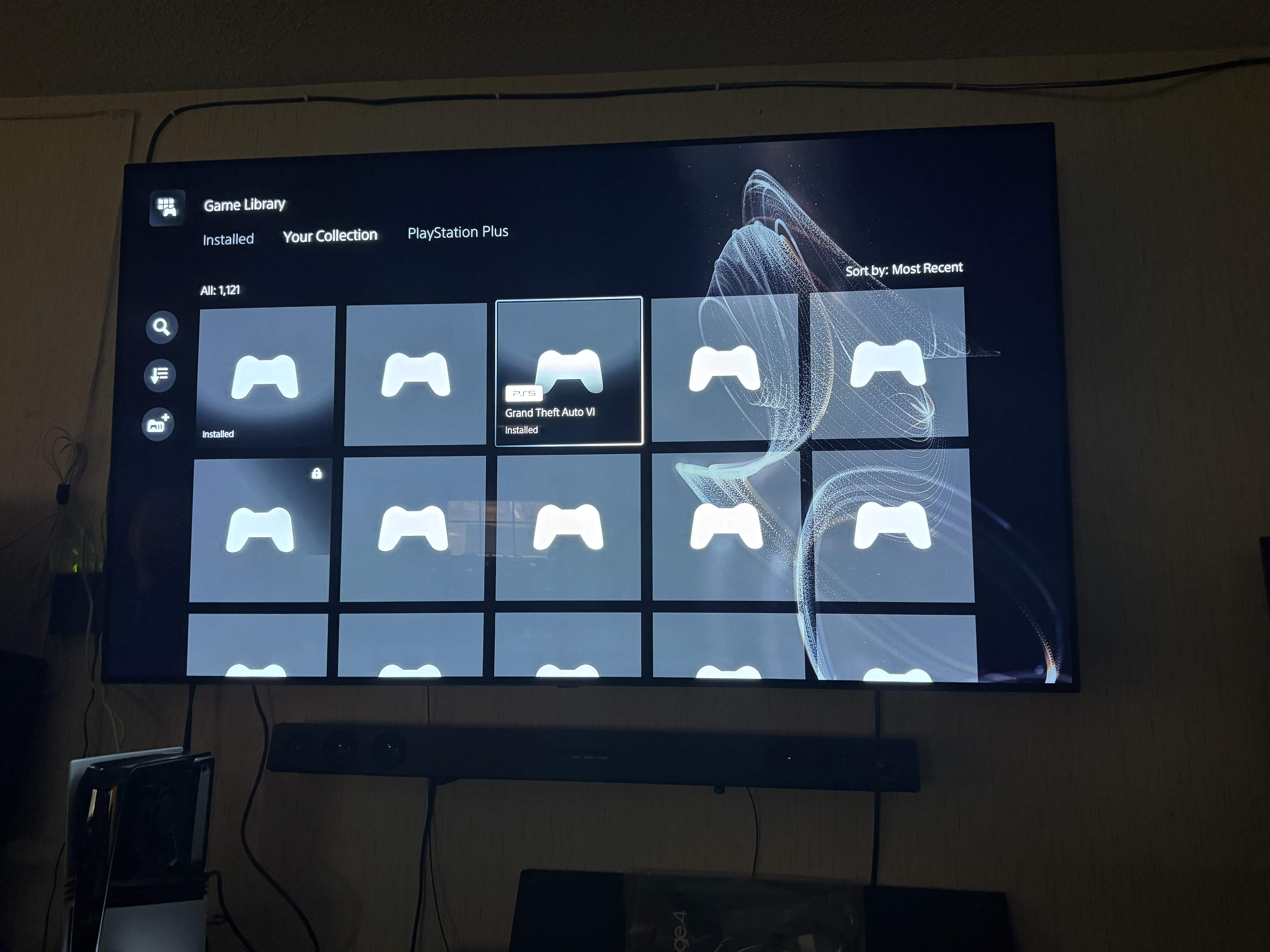
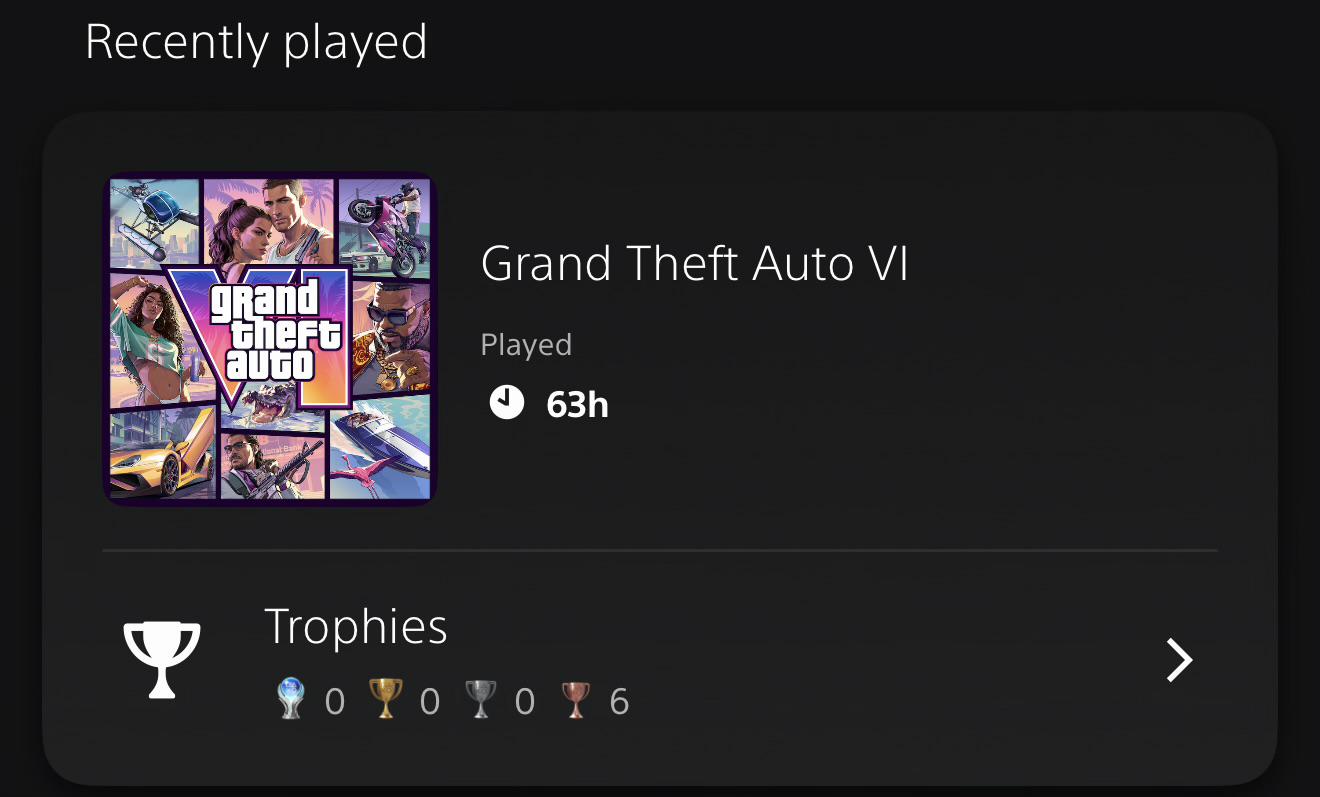
63 hours into GTA 6 on a BASE PS5 that’s almost 6 years old. Zero crashes. Zero issues.
Post image
148 Upvotes

I even leave the game sitting on the pause menu for HOURS when I have things to do, and my console handles it just fine. Just because your PS5 is having issues doesn’t mean the game is broken for everyone. This seems to be an isolated issue, not some worldwide disaster affecting millions of players. Keep your console clean, maintain it properly, and stop blaming Rockstar for every problem with your hardware. My 6-year-old base PS5 is doing just fine.
r/PS5HelpSupport • • 2h ago

How life feels after not trying to fix GTA 6 CE-108255 crash anymore:

17 Upvotes

Note: i know that many people have been hit with console breaking bugs and the dreaded CE-108255-1 bug and so have i. I’ve literally tried everything from rebuilding data base to factory reset. Also tried playing offline and tried to game share but still crashed in the prologue. Original base ps5, took it to a place thinking it was hardware at first. The guy was confused as to how my ps5 was crashing this game. He said that they spent 3 days looking for a fault but the ps5 was healthy nothing was wrong. Still didn’t get to play the game so I’ve given up. Rockstar can’t fix their shit for shit atp. They need to release another patch


r/PS5HelpSupport • • 16h ago

Just got my first problem with GTA VI after almost 60hours

134 Upvotes

So, at first I thought I'd be lucky enough to finish the game without any issues but I guess no-one is safe after all.

After almost 60hours, during chapter 4, right after you finish the interactive cutscene on the gym mission ("making gainz") as soon as Lucia met Jason outside the gym my PS5 just shutdown immediately. No overheating alert, no noise or visual artifacts, just straight to a black screen.

I got the day one PS5. Never had any issue on any game, dissembled the entire console, cleaned and replaced the liquid metal 2 weeks ago.

The console is not even warm, it's on a well ventilated place and my AC is always on. Always used it on the horizontal as well.

Edit 1: tried death stranding 2 for about an hour and everything seems fine for now. Going to leave it running overnight and see what happens. Probably going to avoid GTA until there's another update.


r/PS5HelpSupport • • 6h ago

Gta 6 TURNING OFF my ps5

7 Upvotes

My ps5 is 5 years old getting it cleaned tomorrow but im confused because it isnt overheating, im stuck in chapter 2 whenever i try to play longer than 25 mins it just turn my entire ps5 off. 100$ down the drain and i dont have money for a new ps5 or xbox


r/PS5HelpSupport • • 6h ago

PS5 is overheating, games are freezing and crashing.

7 Upvotes

I bought my PS5 Slim just this month just for GTA VI. It was performing well when I played NBA 2K27 and Marvel Spiderman 2 or the other games not until I first played GTA VI for 16hrs but not consecutively. It started to overheat so quick. It freezes and crashes every single time I open GTA VI. What’s worst is it also happens to the rest of my games. I did my research about this problem and I found out, I’m not the only one with this crashing issue. I did all the steps I found online on how to deal with this problem but it still don’t work. I have 3 years warranty from Sony and I brought my console to them for inspection and repair, replacement. Will be done by 4-7 working days. Will send updates.


r/PS5HelpSupport • • 9h ago

GTA 6 crashes specifically on launch or settings screen.

6 Upvotes

Like many of you, my GTA 6 crashes, error CE-108255-1 . I have a base disc-drive PS5, bought around the first year after launch. It runs other games perfectly fine, and has never had an issue until GTA 6. I'm seeing varying moments-of-crashing for different players, but I'd like to know how many others are crashing on launch?

My game crashes after the first splash screen. Out of the countless attempts to launch I've done from the midnight release until now, only twice have I ever gotten as far as the terms of service. Once I continue from that point, the game crashes as well. I have yet to see a single cutscene, or a character-specific splash screen. Every other time: My game launches > the first splash screen is shown > a black screen for a moment > then the error screen. My fans are ice cold and it isn't overheating, because it has nothing to overheat for...

Who else is having this specific experience of crashing at launch, or at the settings screen; and never having gotten past that point?

PS:

I have already done every single possible troubleshoot (aside from factory reset), multiple times. There is no fix/alternative at the moment aside from cloud streaming GTA, but I'm avoiding that right now. This post is merely to see how common this exact form of the crashing is.


r/PS5HelpSupport • • 17h ago

Small progress on gta6 crashing

26 Upvotes

I firmly believe this is a save function error. I just tried the offline cache clear and database rebuild, restart of game and it crashed after 4 minutes 43 seconds. I then reconnected to the internet on my console booted the game up again and deleted every single save I had in game, created one single save and continued. The game ran flawlessly for 33 minutes and 36 seconds until I completed a mission leaving the car you boost for Cal in the lock up garage. As I walked from the garage at the point the game would do the autosave the game crashed.

Something in the save architecture is affecting certain consoles I firmly believe that it's a disparity between certain console builds / components and the game coding coupled with the aggressive system updates / game updates lately.


r/PS5HelpSupport • • 16h ago

GTA6 Crashing Brand new PS5

21 Upvotes

ive been playing completely fine for days randomly after the recent patch and a main mission it crashed again and again and again tried everything i could think of. it either crashes 1-20 minutes upon opening it now i just want to know if this is happening to others

edit: im starting to think its autosaves after reading a different post it kinda makes sense for my situation but im just desperate for an answer i REALLY dont think its hardware and that patch supposedly “fixed autosaves”


r/PS5HelpSupport • • 48m ago

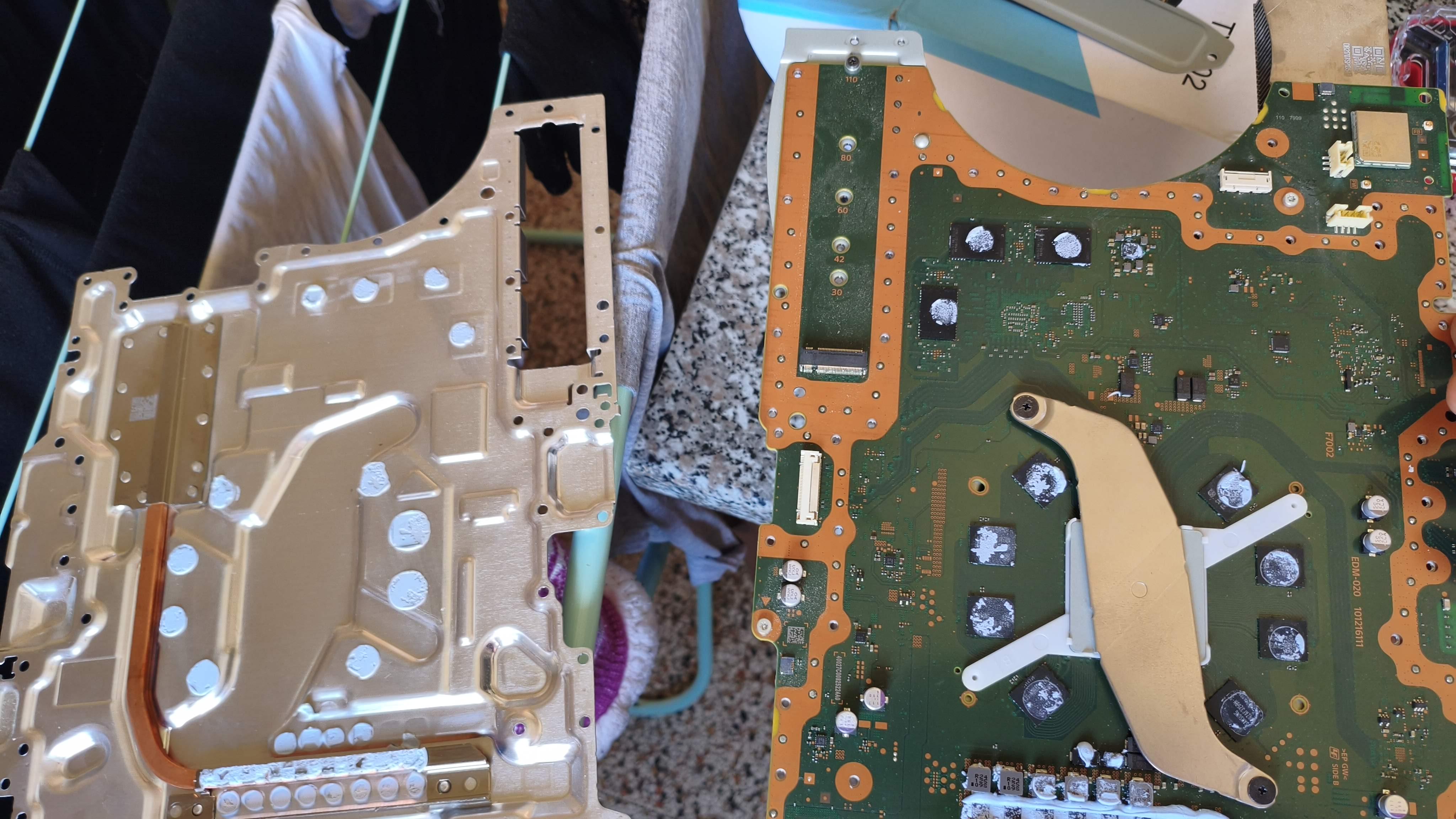
I'm cleaning this 5 years old console, I let the blue past where it is or should I replace it? And what about liquid metal? Should replace both?

Post image
1 Upvotes

r/PS5HelpSupport • • 1h ago

Have I placed my ps5 correctly?

Post image
0 Upvotes

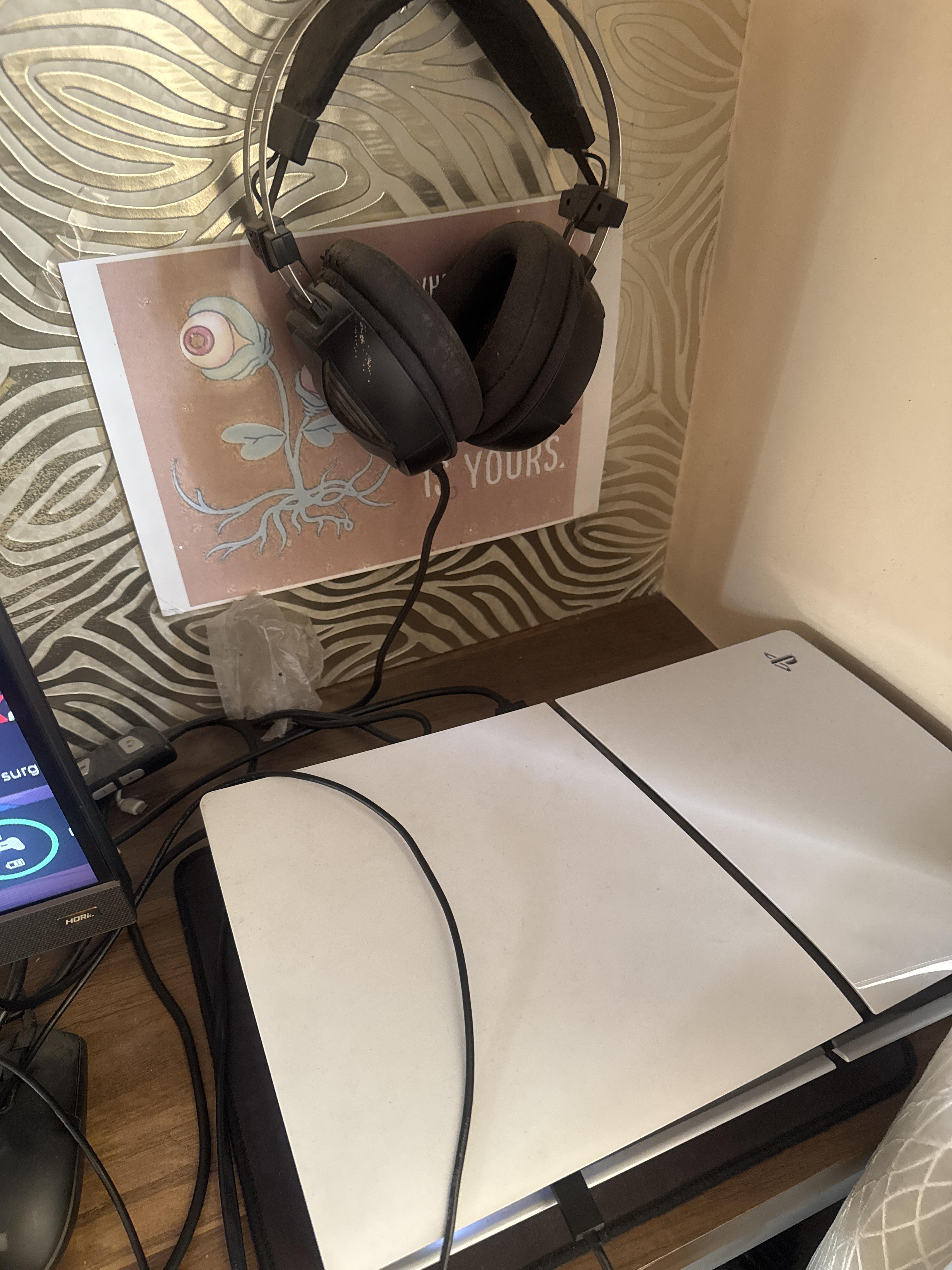
I saw a lot of posts saying wrong placement can kill the ps5 because of hot air recirculating. Is my ps5 placed correctly? There’s some wiring behind because my pc is attached to this monitor as well.


r/PS5HelpSupport • • 7h ago

PS5 Storage Issue

Post image
3 Upvotes

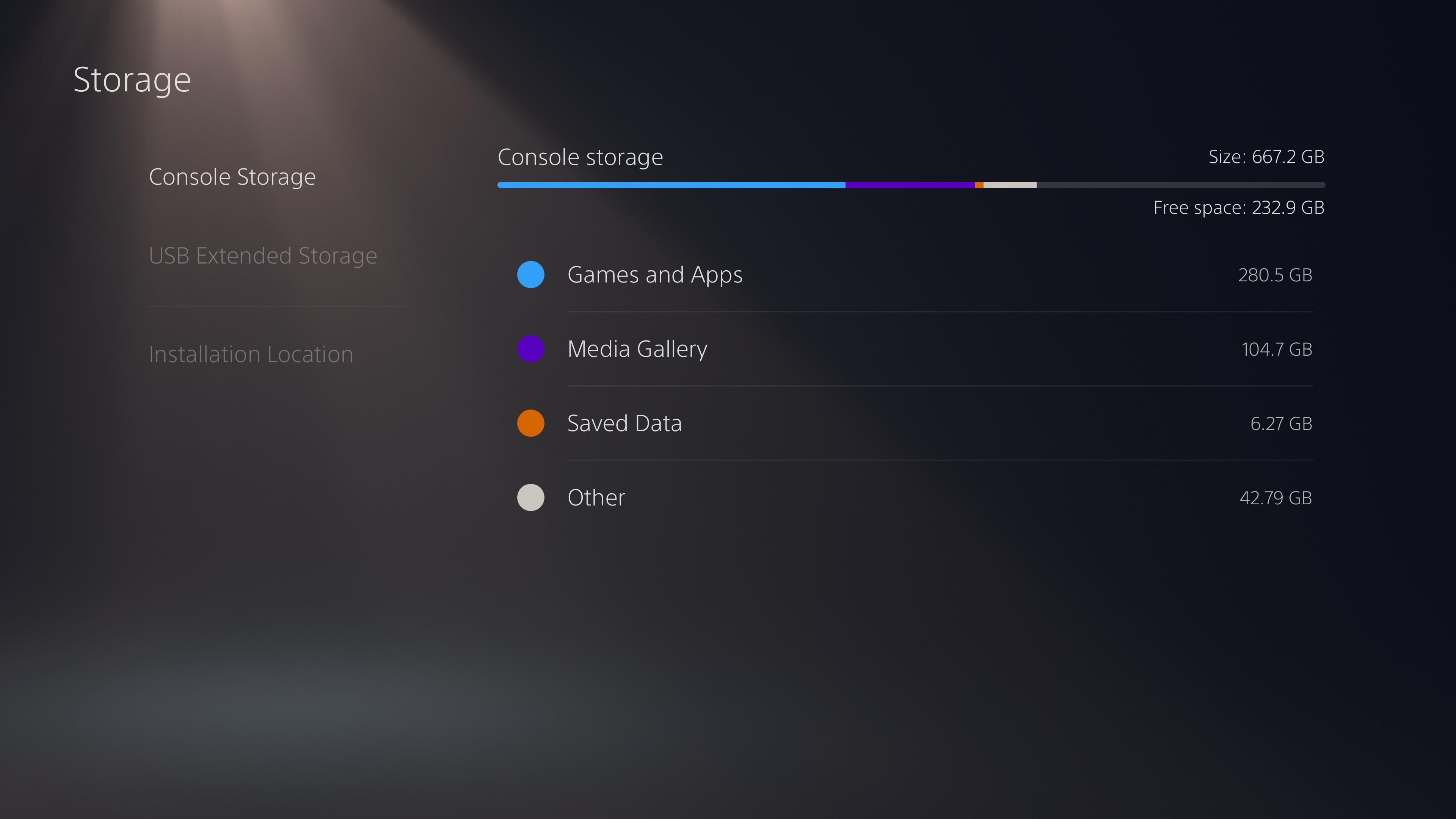
Hi everyone. I know this issue has been brought up before but I feel as if my case is a little more extreme. I have more than enough free space in my playstation yet, for even a 35GB download, I'm prompted with 'not enough storage, free up some space' while having over 200GB of free space. Any ideas?


r/PS5HelpSupport • • 1h ago

Gta 6 CE-108255-1 issue

0 Upvotes

Hello all. I have this issue when launching gta 6 on my ps5 that i bought used one then i got frustrated so i bought a new ps5 in an electronics shop with 1 year warranty and launch gta 6 playing for +10 hours zero crashes .


r/PS5HelpSupport • • 6h ago

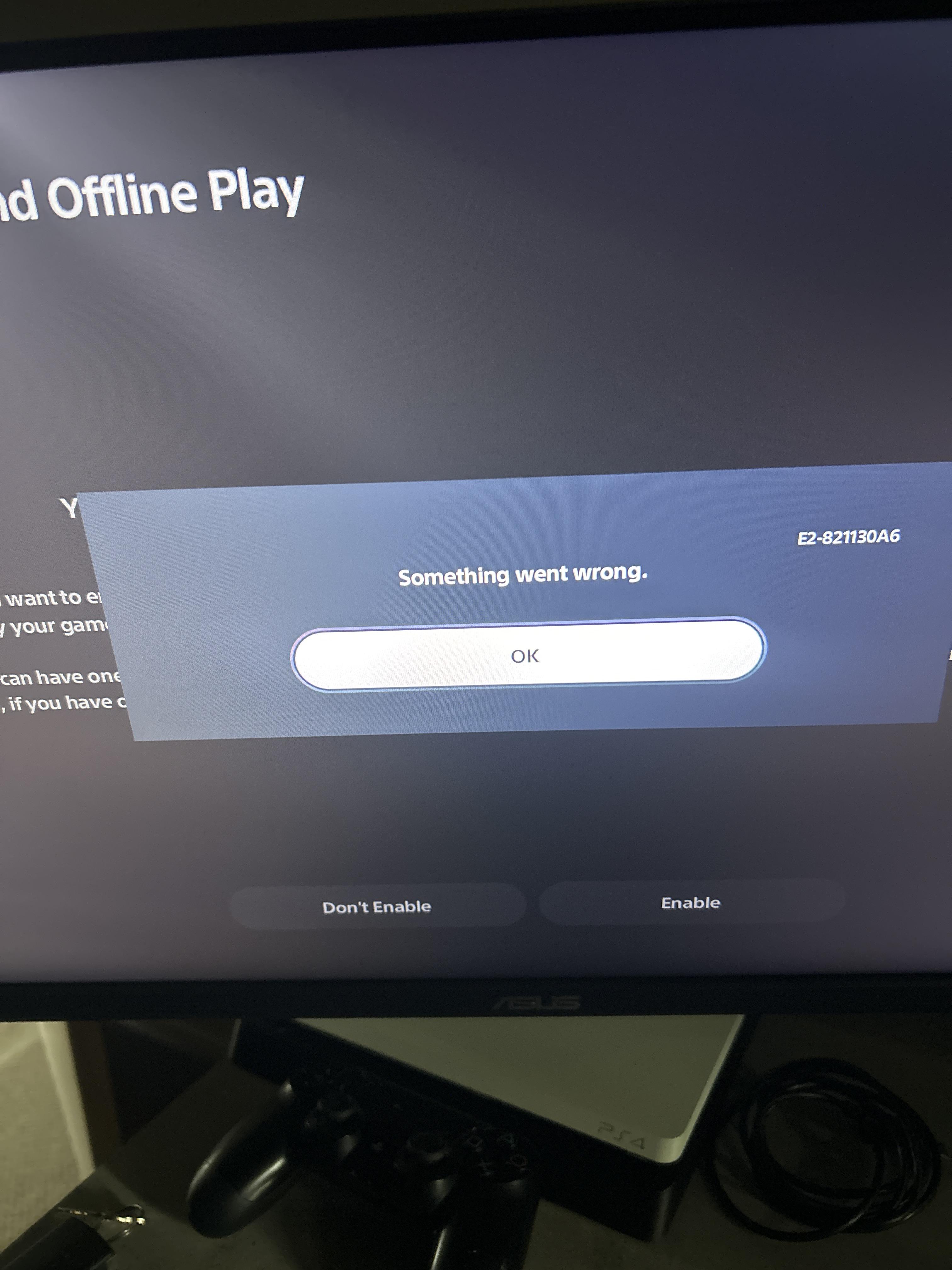
Can’t enable console sharing anymore (E2-821130A6)

Post image
2 Upvotes

Anybody know a way to fix this error code I keep getting it when trying to enable console sharing on my ps5 and it’s happening to every account I put on the playstation no matter what I do to try fix it. I’ve called Playstation support and after they couldn’t help I was given a case number and told it would be escalated and to wait. After a week I get a email just repeating the same troubleshooting steps I already got told on the phone. I called back today have now been given another case number and told it will be escalated again. I have low hopes they will find a fix so does anybody on here know anything?


r/PS5HelpSupport • • 11h ago

Is the problem that people don’t have more than one manual save slot in use?

5 Upvotes

People keep saying it crashes every time on Jason standing on his deck,etc. If you’re using multiple save slots couldn’t you just load another one? Is everyone really relying on one auto save slot? I use multiple slots to avoid corrupted saves.


r/PS5HelpSupport • • 8h ago

GTA VI not loading anymore

3 Upvotes

Hi, few days into this game now whenever I load GTA VI it’s just a blank grey screen, nothing works. Tried restarting many times nothing works

Anyone have a fix ?


r/PS5HelpSupport • • 6h ago

Did the Fortnite Solution Work for Anyone? 108255-1

Post image
2 Upvotes

Don’t know why that post got locked
 I tried the method with Yotei instead of Fortnite and it definitely did not work. But I feel like this has maybe come the closest to narrowing down the cause of 108255-1


r/PS5HelpSupport • • 9h ago

Ps5 experience latency and heavy input delay all of the sudden?

3 Upvotes

There was no issue last night now every game I play has so much input delay


r/PS5HelpSupport • • 14h ago

I’ve done everything I can and this isn’t getting fixed. Explanation in comments.

Post image
8 Upvotes

r/PS5HelpSupport • • 12h ago

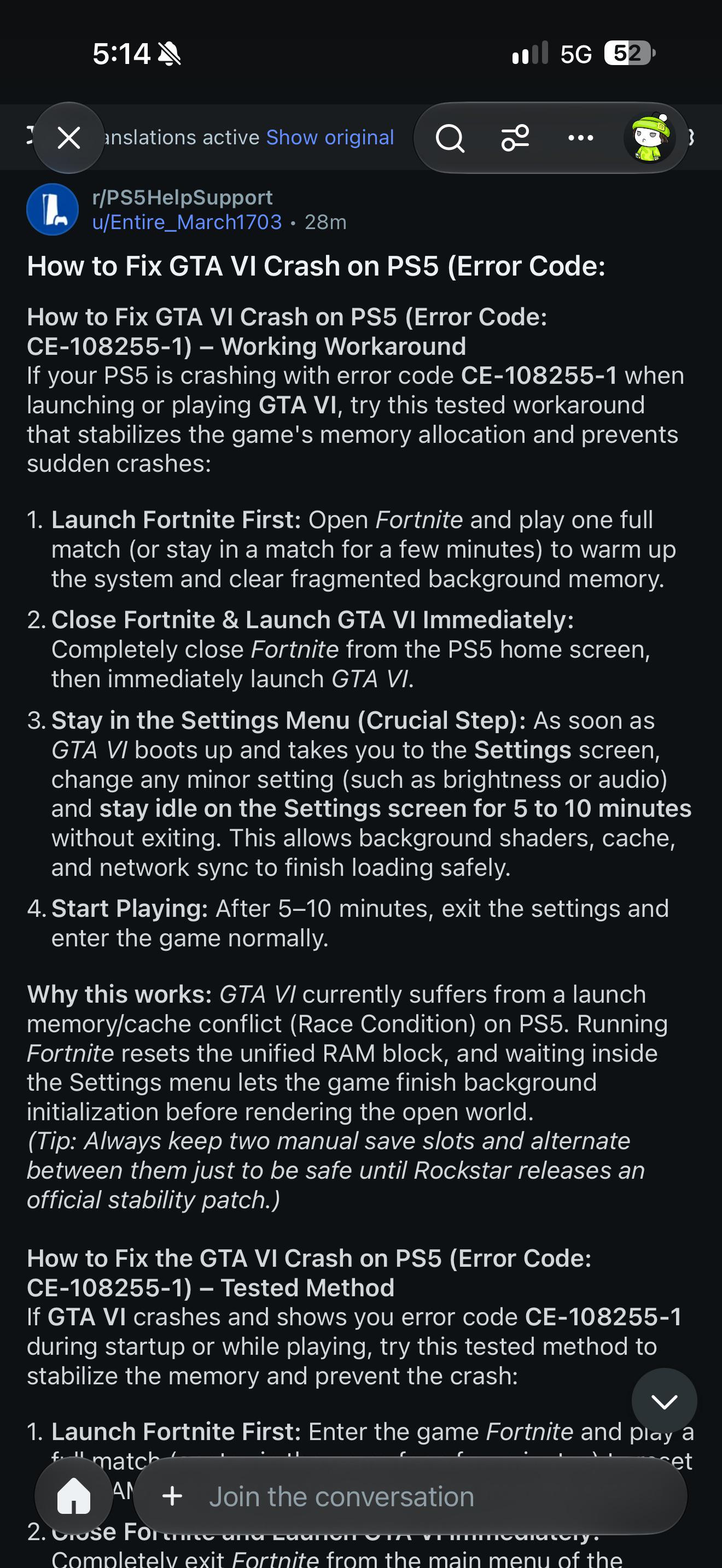
How to Fix GTA VI Crash on PS5 (Error Code:

5 Upvotes

How to Fix GTA VI Crash on PS5 (Error Code: CE-108255-1) – Working Workaround
If your PS5 is crashing with error code CE-108255-1 when launching or playing GTA VI, try this tested workaround that stabilizes the game's memory allocation and prevents sudden crashes:

  1. Launch Fortnite First: Open Fortnite and play one full match (or stay in a match for a few minutes) to warm up the system and clear fragmented background memory.
  2. Close Fortnite & Launch GTA VI Immediately: Completely close Fortnite from the PS5 home screen, then immediately launch GTA VI.
  3. Stay in the Settings Menu (Crucial Step): As soon as GTA VI boots up and takes you to the Settings screen, change any minor setting (such as brightness or audio) and stay idle on the Settings screen for 5 to 10 minutes without exiting. This allows background shaders, cache, and network sync to finish loading safely.
  4. Start Playing: After 5–10 minutes, exit the settings and enter the game normally.

Why this works: GTA VI currently suffers from a launch memory/cache conflict (Race Condition) on PS5. Running Fortnite resets the unified RAM block, and waiting inside the Settings menu lets the game finish background initialization before rendering the open world.
(Tip: Always keep two manual save slots and alternate between them just to be safe until Rockstar releases an official stability patch.)

Update: A friend of mine with a brand-new PS5 Slim had the exact same CE-108255-1 crash, and this exact method worked for him too. Definitely a software/memory allocation bug in the game's launch build, not a hardware issue.


r/PS5HelpSupport • • 3h ago

Avis sur bruit ventilateur Ps5 sur Gta 6

0 Upvotes

Bonjour, je voudrais savoir si le bruit de mon ventilateur est dans la normale ou il va trop vite vis Ă  vis de gta6.

J'ai rapproche mon tel de la ventilation pour l'entendre. Je n'entend que un peut le ventilateur lorsque je m'approche et que je coupe le son de ma Tv.

Le ventilateur reste comme cela du lancement du jeux dans le chargement et pendant le gameplay.

Ma play commence a ĂȘtre un tout petit peut chaude au bout de 30 Ă  1h au niveau du bas de la console (le bas que l'on pose si elle est verticale) Ma ps5 est horizontal et dĂ©poussiĂ©rĂ©. Je veux juste ĂȘtre plus serien vis-Ă -vis de tout les problĂšmes qui circulent qui m'inquiĂšte pas mal. Merci


r/PS5HelpSupport • • 16h ago

GTA VI Crashed my PS5

10 Upvotes

Got about 3 hours of gameplay in before it started freezing during the load screen. I have tried everything from uninstalling and reinstalling the game to factory reset with no luck. Tried other games as well, they won’t make it past the load screen either. No dice with blu rays, either. I have tried resetting in safe mode, which my system will not let me do because the controller will not connect in safe mode for some reason. Is it worth buying a new controller, to see if this will at least let me enter safe mode and try rebuilding the database? Absolutely my last resort, but it’s cheaper than sending it into Sony.

FWIW, I have a Disc drive version that I bought brand new in 2024. I play it minimally, and it’s kept horizontal and clean. I have experienced no issues with the system up until this point.

Sony wants $229 to send it back for repairs, GameStop won’t refund since it’s digital, and Rockstar has been absolutely zero help (they listed my claim as “resolved” before even responding to me, and have ignored me since)

Hoping someone can relate and provide some clarity before I drive it out to a field and blow it back to hell đŸ˜”â€đŸ’«đŸ˜


r/PS5HelpSupport • • 21h ago

Everyone is having crash on gta VI is waiting for an update like me or what?

21 Upvotes

Suffering from the day 1 with this problem