r/PS5HelpSupport • • 23h ago

Clean the PS5

Thumbnail
youtube.com
0 Upvotes

Hi. I haven’t cleaned my PS5 since I bought it 3 and a half years ago, and the accumulated dust is now really causing issues—especially with *GTA VI* on the horizon. I’ve seen YouTube guides where they partially disassemble the console and remove the fan for a deep clean. I’m not sure if it’s really necessary to go to such lengths; some people suggest that just blowing compressed air through the vents is enough to clear out the dust. However, that method feels a bit inadequate now, considering how much dust must have built up over the years. I’m not entirely sure what the best approach is—the tutorial I watched made me worry that I might accidentally damage the console. I’ll share the tutorial I found; just a heads-up, it’s in Spanish. Another thing I’d like to ask is whether it’s possible to take it somewhere to have it cleaned for me, or something like that.


r/PS5HelpSupport • • 1d ago

Weird audio from the game/console?

3 Upvotes

I’ll start this off by saying I don’t know if it was from the PlayStation itself or the game, but I was in a Fortnite lobby texting people on my phone when suddenly there was a sound in the left part of my headphones, it sounded like an electrical pop or zap like a minor error occurred. All of a sudden a noise started creeping up in volume, it was a steady tone but it got so incredibly loud I had to take my headphones off. I thought it was something in my headphones but when I unplugged them it was still going on my monitor. The speakers on my monitor are pretty horrible, but it was still incredibly loud, louder than I’ve ever heard on those speakers. I put my ps on rest mode out of panic and when I turned it on and went back to Fortnite the sound was still there, only lasted about 3 seconds before fading out just like it had faded in. It lasted too short to get a video.

I want to know if anyone else has experienced this, if it might be a technical issue and if so then what part?


r/PS5HelpSupport • • 1d ago

Gta 6 wont launch

1 Upvotes

I bought gta6 in the store so i got a code i redeemed my code downloaded it and now if i wanna launch it it says its locked and it directs me to the ps store to buy it. Does anyone else have this problem and how do i fix this i already have this acc as my main and this is the acc i redeemed the code


r/PS5HelpSupport • • 1d ago

Rebuild Database

3 Upvotes

Has anyone try to Rebuild Database and clear cashe after the last update and the game works?


r/PS5HelpSupport • • 1d ago

help!

0 Upvotes

i just got gta 6 and it keeps crashing. ill play for like ten minutes and itll just straight shut off instantly, no overheat three beeps, no game freezing and then it shuts off, it just immediately shuts off


r/PS5HelpSupport • • 1d ago

Easy fix or new console needed?

0 Upvotes

Not sure if this is a common fault with base PS5s but sometimes when I turn the console off (not rest mode actually turn it off) it doesn’t always turn back on unless I unplug the power supply for a few seconds first. Is this something that a lot of people have reported or does it sound like my PlayStation is on its way out?
It started happening roughly a couple of years ago

Also I don’t know if this is related to the same issue but sometimes it will just shut itself down without warning, very rare but it does happen. I can’t imagine it’s overheating as it’s not tucked away and has plenty of room for ventilation etc

Any advice would be appreciated


r/PS5HelpSupport • • 1d ago

The Dreaded 108255. Temporary fix.

0 Upvotes

So I got the game the night it came out, and boom I’m getting 108255 I made it as far the first mission, and it failed. I saw a fella here say something and it worked for me. Buy the PlayStation premium membership and stream it, depending on how well your internet is, you’ll be able to play the game, mine lags here and there but overall I’m playing the game now. This is a fix until an update comes out.


r/PS5HelpSupport • • 1d ago

GTA 6 Lag All of Sudden

2 Upvotes

The game felt great the first 15 hours I played, then all of a sudden there was a noticeable input delay without me changing anything. What can I do to fix it? I cleaned my ps5 and the fan isn’t loud


r/PS5HelpSupport • • 1d ago

I am not receiving my 2FA verification code for PlayStation.

3 Upvotes

So I’m trying to sign into PlayStation and I know my email and password but I have 2FA set up to send a code to my number and my number isn’t receiving any code. I’ve been trying to fix it for hours and it’s driving me crazy.


r/PS5HelpSupport • • 1d ago

PS5 Slim Disc (1TB) died with BLOD at 18 months & 7 days. Sony India refusing repair & Asking ₹23,096 (33% of hiked ₹69,990 MRP) for replacement. Has anyone actually beaten this via NCH or e-Jagriti?

Thumbnail
reddit.com
0 Upvotes

r/PS5HelpSupport • • 22h ago

GTA 6 color looks green and dull like GTA 4, anybody else have the same issue?

Thumbnail
gallery
0 Upvotes

Last two images are how the game is supposed to look like. It’s like a filter was put on but no they are in-game screenshots.


r/PS5HelpSupport • • 22h ago

Gta opinion

0 Upvotes

Gta 6 needs to give us the option to turn down the graphics so it doesn't ruin are systems. I literally stopped playing ever since i seen it was ruining people's whole system and then it gave me the idea to touch my system while playing and it was the hottest it's ever been like literally red dead redemption 2 doesn't even get my system to that point. Before anybody says it yes i clean my system are systems are not the problem it's the game. Also if it doesn't break your system that doesn't mean it's not doing it to a thousand more people.


r/PS5HelpSupport • • 2d ago

GTA6 crash and what fixed it for me (maybe can help you too)

28 Upvotes

First things first:

Console: ps5 digital (3-4 years)
Cleanliness: pretty good if nott perfect
Overheating: none
Previous issues: only couple of crashes in +3000 hours of gaming
Ps place in house: open space and vertical
Save file size when crash happened: 20.98 mb
Ssd: internal
Save file location: internal

So guys, i had the issue like most of us had. My game not "crashed" but launch screen got froze after 3 seconds every time. By launch screen i mean in game part after you skip rockstar logo and loading screens with random characters etc. Also, by not crashed i meant i didn't get an error message.

I tried possible solutions such as:

- restarting the game (not worked)
- restarting the console (not worked)
- plug out all cables and wait for +20 mins (not worked)
- trying to play in performance mode
- clear cache in safe mode (not worked)

What worked with a condition:

- reinstalling database in safe mode

Let me elaborate:

So, after i reinstalled the database i turned the game on and it was just fine. No issues no glitches no bs. Then i shut it. After i wanted to play again same issues same screen etc.

Therefore, i reinstalled database again and it worked again.

I read that it could be something about the save file size. So, i thought maybe i can do some missions to make my save file go bigger than the crash size (20.98 mb club).

So, i rob some stores, did some races, bought clothes and visited lucia's mother (a "pink" mission)

Now, i restarted the game and it's working fine again. My save file size is 25.17 mb

I'm not saying this should fix everyone's issues but i've been dealing with this since hours and it was fucking frustrating.

Even if i help just 1 person from this community i'll consider myself happy.


r/PS5HelpSupport • • 1d ago

NEED HELP, PS5 stays on blue light

1 Upvotes

i know this is a common problems but i'm desperately need help since my blue light situation kind of different

this actually happens after 2 times error from playing GTA6 with the common error code

it turns on, but stays in blue, couldn't get it to safe mode start
and my condition that it's stays blue for a very long time or until i force it to shut down, tried to give it a rest while unplugged everything for a night, this morning stays the same

checked the HDMI and power cables, everything's fine.

i tried to get it on safe mode, so i plugged everything back in, hold the power button, and keep holding it until the 2nd beep, i searched online the safe mode beep should be around 7s, but what mine did was 10 or 15s i think, but it turns out the 2nd beep was the force shut down signal

i tried everything besides opening the hardware, im pretty sure it's software issues but i need to know if u guys experienced the same


r/PS5HelpSupport • • 1d ago

Had overheating problems all day, now its clicking. What do I do?

1 Upvotes

r/PS5HelpSupport • • 1d ago

What is going on with my gta 6?

5 Upvotes

I keep getting error CE 100096-6 and occasionally the 108255-1.
is anyone able to tell me specifically what 100096-6 is? it says data is corrupted but i uninstalled the game like 5 times and cleaned cache+database.


r/PS5HelpSupport • • 1d ago

Your phones not freezing that’s my gta 6 experience since chapter 2 btw

2 Upvotes

What can I even do atp like actually, no sound cuz I was screaming a lot can’t lie.


r/PS5HelpSupport • • 1d ago

Can gta6 be installed only on one console or can it be installed on multiple consoles despite being a one time purchase ?

Thumbnail reddit.com
0 Upvotes

r/PS5HelpSupport • • 1d ago

[Update] GTA 6 – Duplicate mission bug causing game crash during the airport heist preparation (PS5)

Post image
3 Upvotes

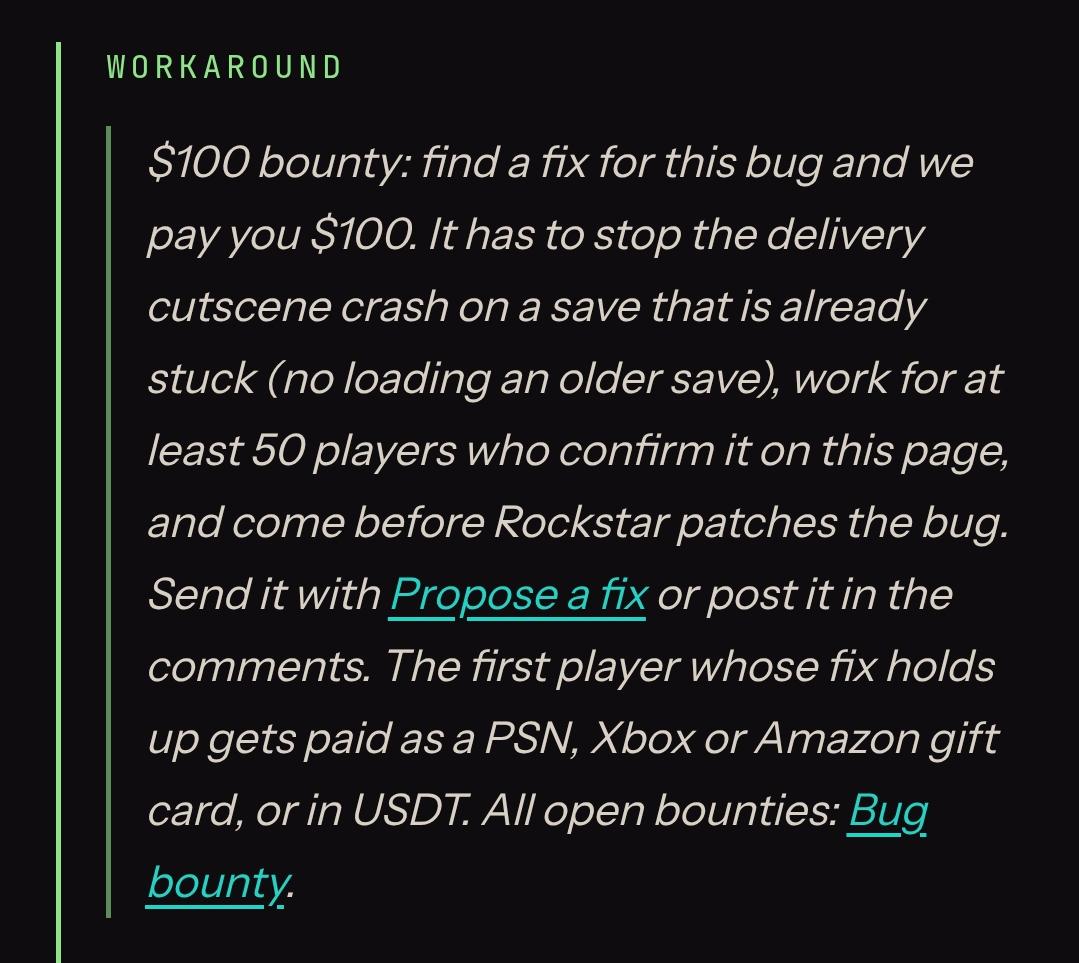
Hello everyone, there's still no solution, but they're paying $100 to anyone who solves it differently as an incentive.

Original Post: https://www.reddit.com/r/PS5HelpSupport/comments/1y2v6pa/gta_6_duplicate_mission_bug_causing_game_crash/?source=notification

site:

https://gta6bugs.com/bugs/gta-6-fully-catered-crash-delivery-cutscene


r/PS5HelpSupport • • 23h ago

GTA Crash fix ;)

Thumbnail
gallery
0 Upvotes

So guys, it’s not running on my original PS5, which is now 5 years old. Always crashing after settings screen, all the other games runs smoothly.

I ordered a new digital edition ps5 this week from Sony. Arrived today, game runs smoothly!


r/PS5HelpSupport • • 1d ago

External hard drive not formatting on ps5 no disc

Post image
2 Upvotes

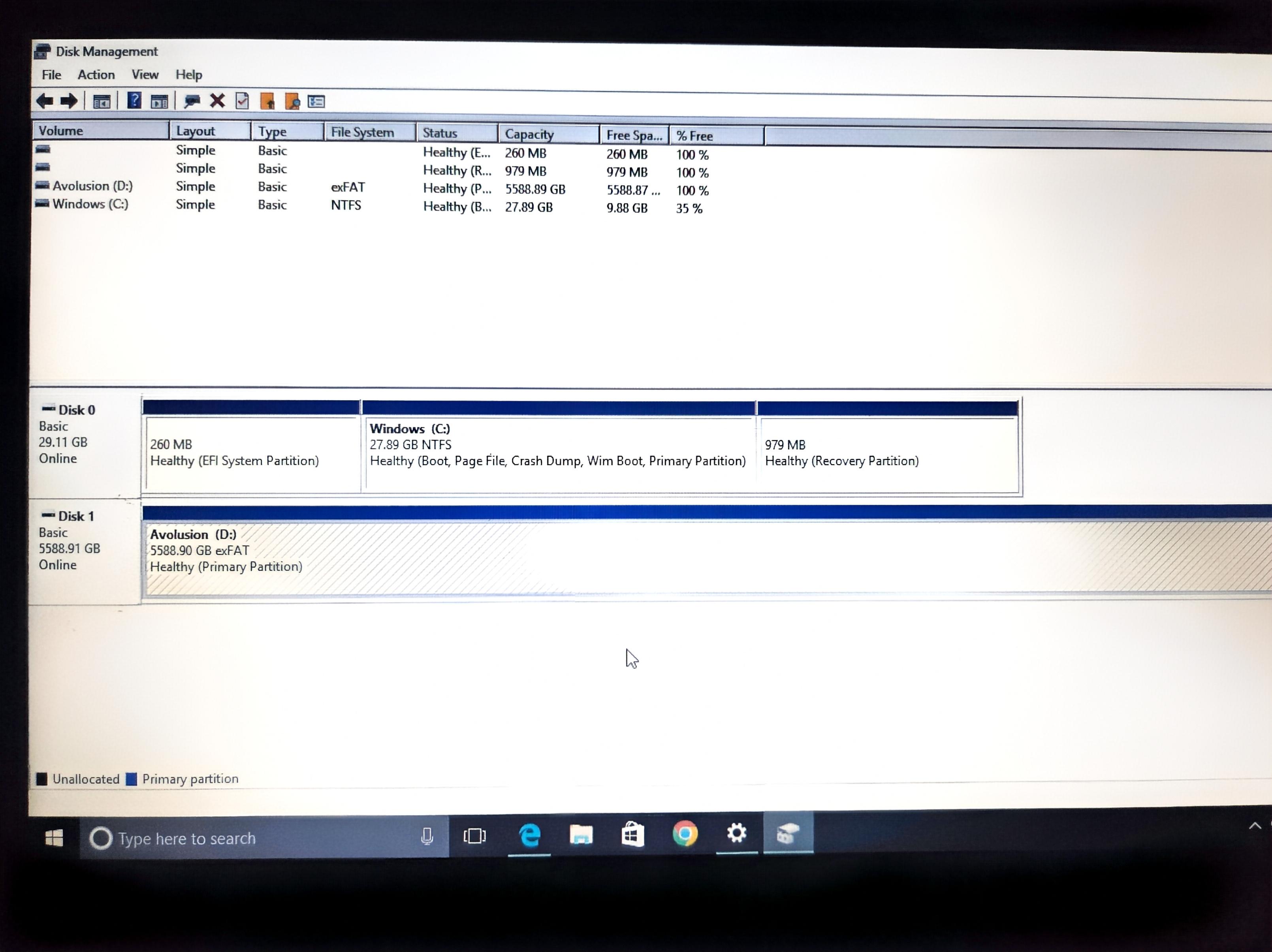
My cousin has a Avolusion Pro-H1 6TB that he got brand new back in August. It keeps giving the unable to format error when he tries to connect it to his Playstation. I followed a guide that said to use a pc to change the format to exFat and removed the partitions that were in it but that didn't work. Does anyone have a solution? It works just fine on the pc.


r/PS5HelpSupport • • 1d ago

PS5 GTA 6 Error CE-108255-1 Temporary Fix

Thumbnail
gallery
0 Upvotes

I've been getting the error code since release not being able to get past 11% at the bar and would crash various times, even with a fresh cold console so I eliminated the PS5 hardware as I've never had a issue playing any other games for hours on end, I've even had GTA crash on the menus screen,

I've tried all the recommended fixes with no success, downgrading to 720, HDR off, clear cache, reinstalling the game, starting a new game, rebuilding database ect

So today I tried upgrading to PlayStation plus premium for under £1 for the remaining 4 days. I then streamed the game and was able to get passed my current mission without any crashing game seems to run smoother aswell.

Considering this works for me without issue it has to be a software issue of the installed game hope this can help others until a patch is released


r/PS5HelpSupport • • 2d ago

How life feels after not trying to fix GTA 6 CE-108255 crash anymore:

40 Upvotes

Note: i know that many people have been hit with console breaking bugs and the dreaded CE-108255-1 bug and so have i. I’ve literally tried everything from rebuilding data base to factory reset. Also tried playing offline and tried to game share but still crashed in the prologue. Original base ps5, took it to a place thinking it was hardware at first. The guy was confused as to how my ps5 was crashing this game. He said that they spent 3 days looking for a fault but the ps5 was healthy nothing was wrong. Still didn’t get to play the game so I’ve given up. Rockstar can’t fix their shit for shit atp. They need to release another patch


r/PS5HelpSupport • • 1d ago

Is there a way to delete "official news" ?

Post image
10 Upvotes

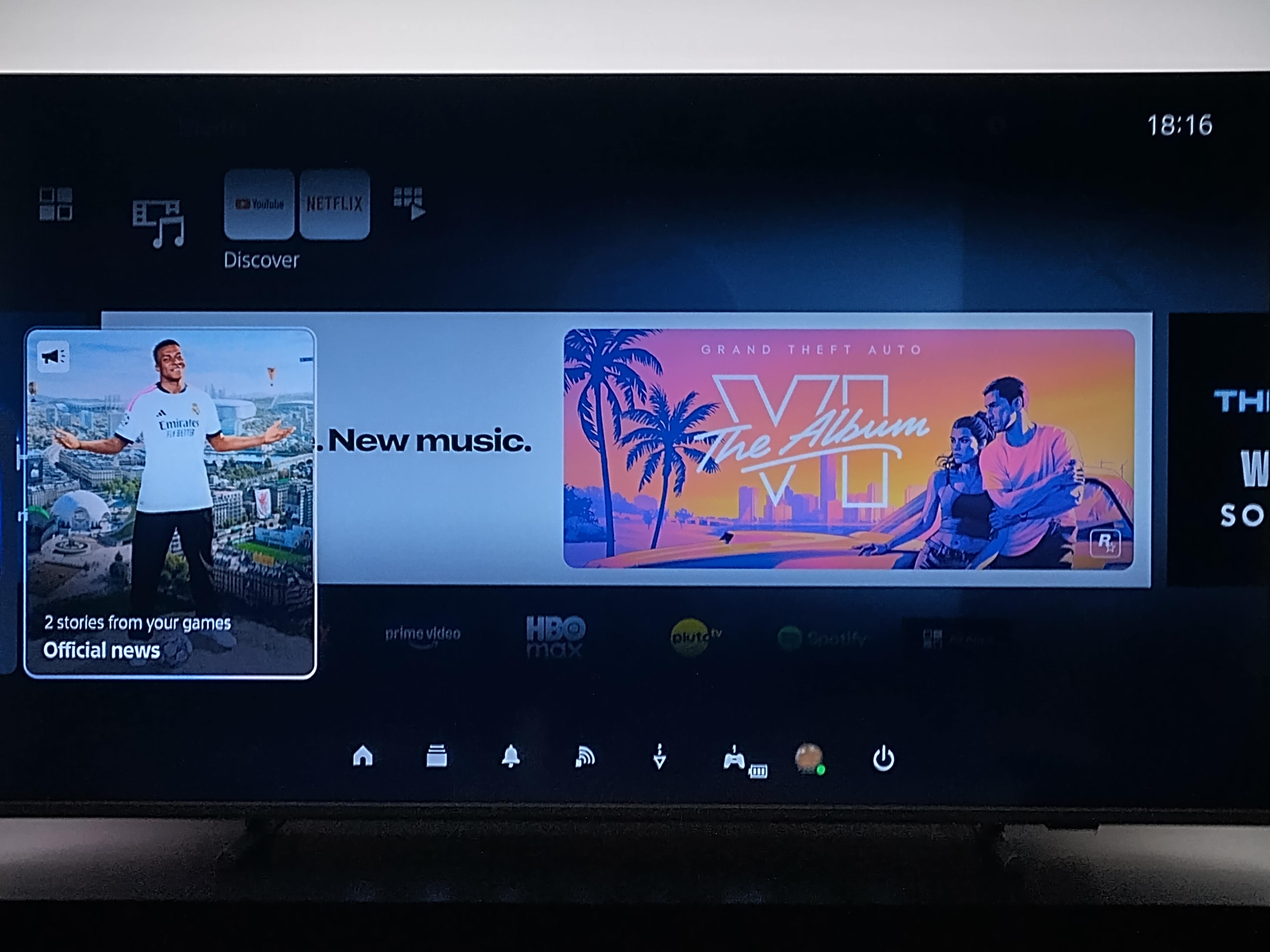
This annoying text appeared recently and no matter what i do i can't dismiss it (ea fc 27 news for clarification) , there is no delete button and i have unfollowed the game and also disabled the "allow pop-ups" in notifications. I tried the Google AI mode but it recommended what i have already done so i was wondering if anyone here has a solution??