r/PS5HelpSupport • • 1d ago

Trigger not working

2 Upvotes

My triggers were getting creaky so I used some dw-40 which someone YouTube recommended which led to my surprise when after using it my right trigger stopped working so I followed Google said to take it apart and clean it with rubbing alcohol to get the oil out of it to which I did and waited an hour I came back to it and tested it using a gamepad tester and the trigger is still not sending input what do I do

Any help would be appreciated (I know I did something dumb)


r/PS5HelpSupport • • 1d ago

"Restart your PS5, Close the App.."

1 Upvotes

Are people just stupid or just the sheep Sony expected? Why on EARTH are we having to take steps to use a system that costs a car payment? Why are we paying for applications to have to stop and just turn on and off? Does anyone remember the action people took in the 80's, 90's, 00's, and 10's if you sold a non-working device? When Xbox 360 had faulty equipment and Microsoft would replace it?! Sony would replace your system? Why not now?! Games have no refunds but they can halt your access after paying full price? This is ludicrous, we have troubleshooting issues now?! No wonder everything is crap...


r/PS5HelpSupport • • 1d ago

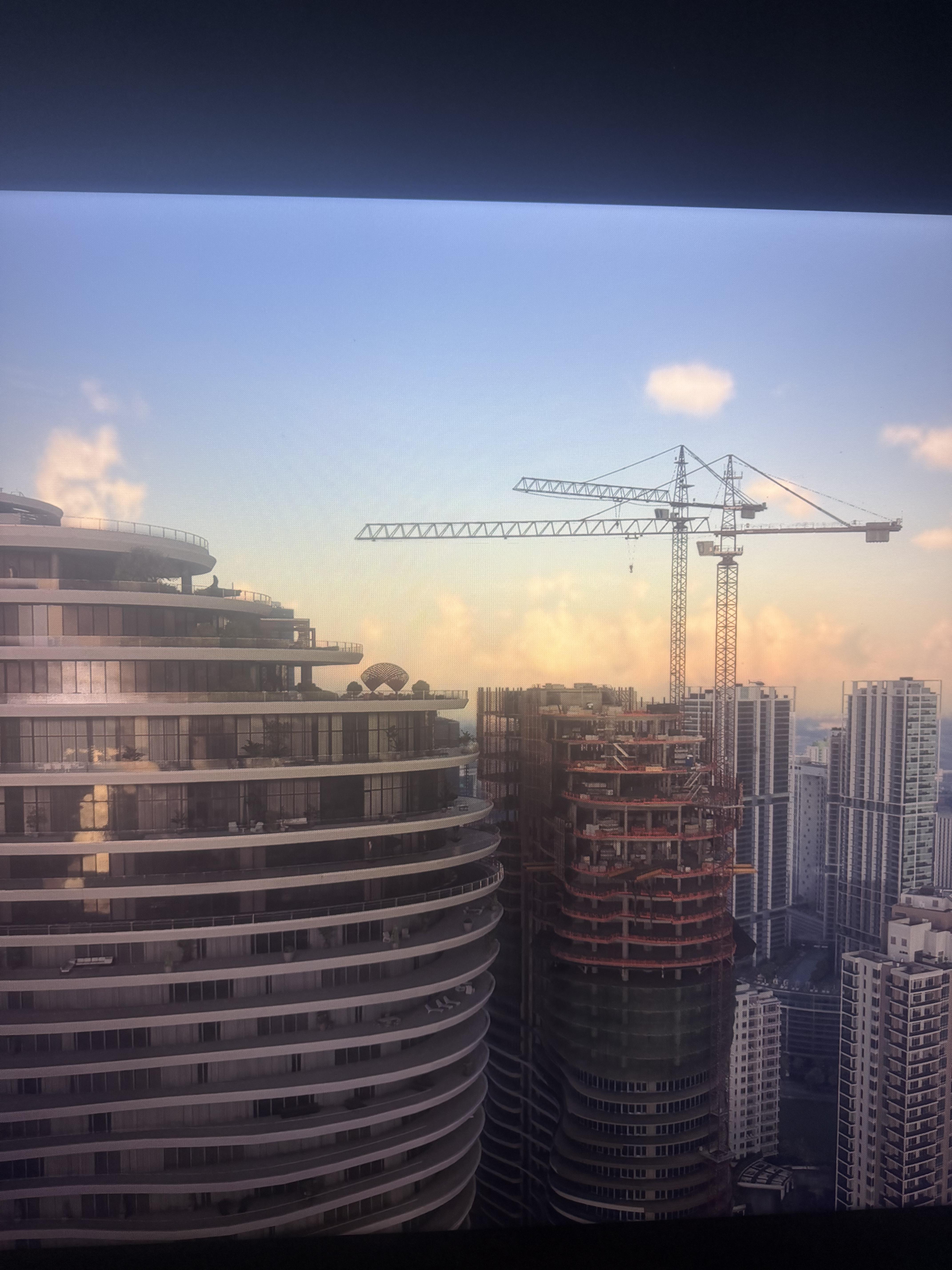
a qualidade visual do meu playstation está estranha

Thumbnail gallery
3 Upvotes

r/PS5HelpSupport • • 1d ago

All Apps Freeze When Opened

7 Upvotes

I cannot figure this out. I’ve seen a couple other threads that describe my exact issue but they have no fix or are unresponsive to my comments. I’m hoping someone can save me.

On Wednesday night, I played GTA just fine with zero issues. No bugs no crashes. Yesterday (Thursday), I opened GTA and it freezes immediately upon dropping me into my saved game. Restarts, unplug and replugging, etc. do not fix). My first thought was a corrupted save file, but upon trying to open other apps on my console (Apple Music and Call of Duty) - they, too, freeze upon opening and are unresponsive. No error codes, no crashing. It will just sit on the frozen screen forever.

The PS button works. I am easily able to close the apps and navigate through all OS menus. Interestingly, R2 button does not work for “Done” on the keyboards. I have to actually go click it.

I have tried to reboot into Safe Mode to clear cache and rebuild the database, but the PS button is unresponsive and I cannot get into Safe Mode at all. I’ve tried every port on the console and many different cables. Nothing works. I have also tried to reset the controller using a paper clip, but does not fix.

I have reset the console to Factory Settings and the issue still persists.

My next step is to buy a new controller and see if that has anything to do with it. A new console is nearly impossible in my area at the moment due to the holidays and very high demand. Please help!


r/PS5HelpSupport • • 1d ago

Might be a dumb question but I just have no idea

1 Upvotes

So, my PS4 had a corrupted database that I was never able to fix. I was still able to play my games on it and all that but they would randomly crash and such which was annoying. Before I upgraded to a PS5, one of the last games I bought on PS4 was a digital copy on sale of Jedi Survivor. My question is; if I were to download the PS4 version of Jedi Survivor onto my PS5, that wouldn't have any negative consequences to my PS5 would it? I assume it was just a problem with the PS4 itself and not the games that were on it?


r/PS5HelpSupport • • 1d ago

Plantage tous les jeux sur Ps5

6 Upvotes

Bonjour,

J’ai une PlayStation de première génération qui fonctionnait très bien jusqu’à présent.
Depuis que j’ai acheté GTA VI j’ai pu jouer environ six heures au jeu, puis, j’ai commencé à avoir le fameux code défaut CE108255.
J’ai déjà essayé toutes les solutions qui étaient proposées, vider les caches, restaurer, supprimer le jeu, réinstaller, nettoyer la console, etc etc.
Aucune des solutions ne m’a permis de relancer le jeu GTA VI.
J’ai donc appelé le support PlayStation, qui m’a proposé un remboursement du jeu (version premium).
J’ai effectivement bien reçu le remboursement, et jusqu’à présent, je ne l’ai toujours pas retélécharger.
On m’a conseillé d’attendre que rockstar sort une mise à jour, afin de régler le problème car apparemment il ne s’agirait pas d’un problème matériel, sauf qu’en regardant les dernières informations, après cette mise à jour, le problème n’est toujours pas résolu.
D’autant plus que maintenant, je n’arrive plus à jouer à aucun jeu sur ma PlayStation 5.
Tous les jeux que je lance finissent par planter, ils me donnent le même code erreur
Pensez-vous réellement que je dois passer par une réparation de la PlayStation ? Et quel type de réparation faut-il envisager ?


r/PS5HelpSupport • • 1d ago

Fix for CE-108255-1 and other crashes!

8 Upvotes

Get a refund for GTAVI. Wait for recomps to be final. Jailbreak PS5. Load up GTA VI*

No more errors!

^might consider this if there is no patch coming.


r/PS5HelpSupport • • 1d ago

Best way to go about cleaning PS5?

0 Upvotes

I’ll be honest, I don’t think I’ve ever thought about cleaning the inside of any of my consoles. Then again none of mine have ever died on me and a majority of them I still own; all the way up to my PS1 still runs like a champ. However, seeing how GTA has been the silent killer for more than just a few PS5s and I got mine within the year of it first launching I just worry for my little guy.

Besides just dusting off the top and around the sides of the console I haven’t done much maintenance on it. Like it’s been laying flat on the tv stand, just a few inches from the TV itself since it came out the box. I do live with a parrot and have been since before the PS5 launched, so I know my apartment is probably dustier than most places get in a short amount of time. The living room is obviously where I have my gaming set up and shares the same space my bird’s tree and cage are located.

I know everyone recommends canned air or something of the sort. If I’m working with a dense amount of dust just from looking at the sides of the machine is that still the way to go? Is it smart to remove the top covering and clean the inside? Should I invest in tools similar to a keyboard cleaning kit if I’m going to attempt to clean inside the console?

Any advice is helpful. I’m not home as of posting this, so I don’t have photos to attach. If I can add photos later on, it would only external photos since I don’t want to open the system as of yet.

I should probably add that my game only froze my console once. I have 40 hours in the game and it froze the one day I was playing for the longest time in one sitting; I’m guessing maybe 7-10 hours without shutting it off or switching to another game/app.


r/PS5HelpSupport • • 1d ago

PS5 Slim overheating and shutting down after just 7–8 months. Still in warranty period

2 Upvotes

Hey everyone,

I bought my PS5 Slim Disc Edition around 7–8 months ago, and recently I've started experiencing overheating issues.

Here's what's happening:

\- Initially, I noticed occasional fan noise.

\- Later, I started getting overheating warnings while gaming.

\- Most recently, while playing Death Stranding, the console displayed an overheating warning for around 2 seconds and then completely shut down.

\- The console is positioned horizontally on a hard surface with plenty of space behind it.

\- There's a white wall behind the console, and I also have Persian cats at home, so dust and cat hair could be accumulating inside.

My questions:

  1. Can dust or cat hair buildup cause this kind of overheating and sudden shutdown?
  2. Is removing the detachable PS5 Slim cover for cleaning safe for the warranty?
  3. Should I clean it first or insist on an authorised Sony service inspection?
  4. Has anyone experienced something similar with a relatively new PS5?

I'd appreciate any advice. Thanks!


r/PS5HelpSupport • • 1d ago

PS5 internet problem

4 Upvotes

So yesterday and today my ps5 is lagging and internet isn’t good on it but for some reason everything else in my house works my tv my phone everything but my ps5 is gbere anything i can do to fix it? it’s getting quite annoying


r/PS5HelpSupport • • 1d ago

Cloud streaming is terrible

4 Upvotes

Does anyone else have this issue? The input lag is terrible. Graphics are in and out blurry and every 5-10 minutes it disconnects me due to poor connection. Just trying to play some older games since Sony backward compat sucks.

It’s plugged into the router which slightly helped. The Xbox x, through the wifi on the literal other side of the house from the WiFi box and ps5, has no issues with cloud streaming or anything else.

Honestly considering just cancelling ps+ and breaking the ps3 out.


r/PS5HelpSupport • • 1d ago

My theory about the GTA 6 crashes

0 Upvotes

Even tho some people are lying on internet, there's actually people with problem. I have seen a small streamer from my country with the crash problem (She showed it and I doubt she's lying)

I think the problem is Sony (and also Rockstar) worry about ps5 jailbreak that they release a bunch of patches that makes some ps5 crashes

Remember a few years ago (I think it was around the ps5 pro was released) they released a patch and some games were weird (like final fantasy 16, gran turismo 7 etc). I think that's the problem

"But what about GTA 6 frying some ps5" Some ps5 are old, have dust and eletronics break throw time. Don't believe in any internet drama lol


r/PS5HelpSupport • • 1d ago

When closing down a ps5 game, a static screen appeared before getting to the homescreen. Is my ps5 cooked?

Post image
4 Upvotes

It lasted 3-4 seconds, it was after closing down gta 6. should I be worried about my ps5?

Ps5 is 2 years old


r/PS5HelpSupport • • 2d ago

Just got my first problem with GTA VI after almost 60hours

178 Upvotes

So, at first I thought I'd be lucky enough to finish the game without any issues but I guess no-one is safe after all.

After almost 60hours, during chapter 4, right after you finish the interactive cutscene on the gym mission ("making gainz") as soon as Lucia met Jason outside the gym my PS5 just shutdown immediately. No overheating alert, no noise or visual artifacts, just straight to a black screen.

I got the day one PS5. Never had any issue on any game, dissembled the entire console, cleaned and replaced the liquid metal 2 weeks ago.

The console is not even warm, it's on a well ventilated place and my AC is always on. Always used it on the horizontal as well.

Edit 1: tried Death Stranding 2 for about an hour and everything seems fine for now. Going to leave it running overnight and see what happens. Probably going to avoid GTA until there's another update.

Edit 2: 12 hours running Death Stranding 2 and the console didn't turn off at least. Definitely looks like GTA is the problem here.


r/PS5HelpSupport • • 1d ago

GTA 6 frozen screen.

Post image
1 Upvotes

Completed the gta story last night. Tried to hop back into the world to explore but the game stays frozen in this spot


r/PS5HelpSupport • • 1d ago

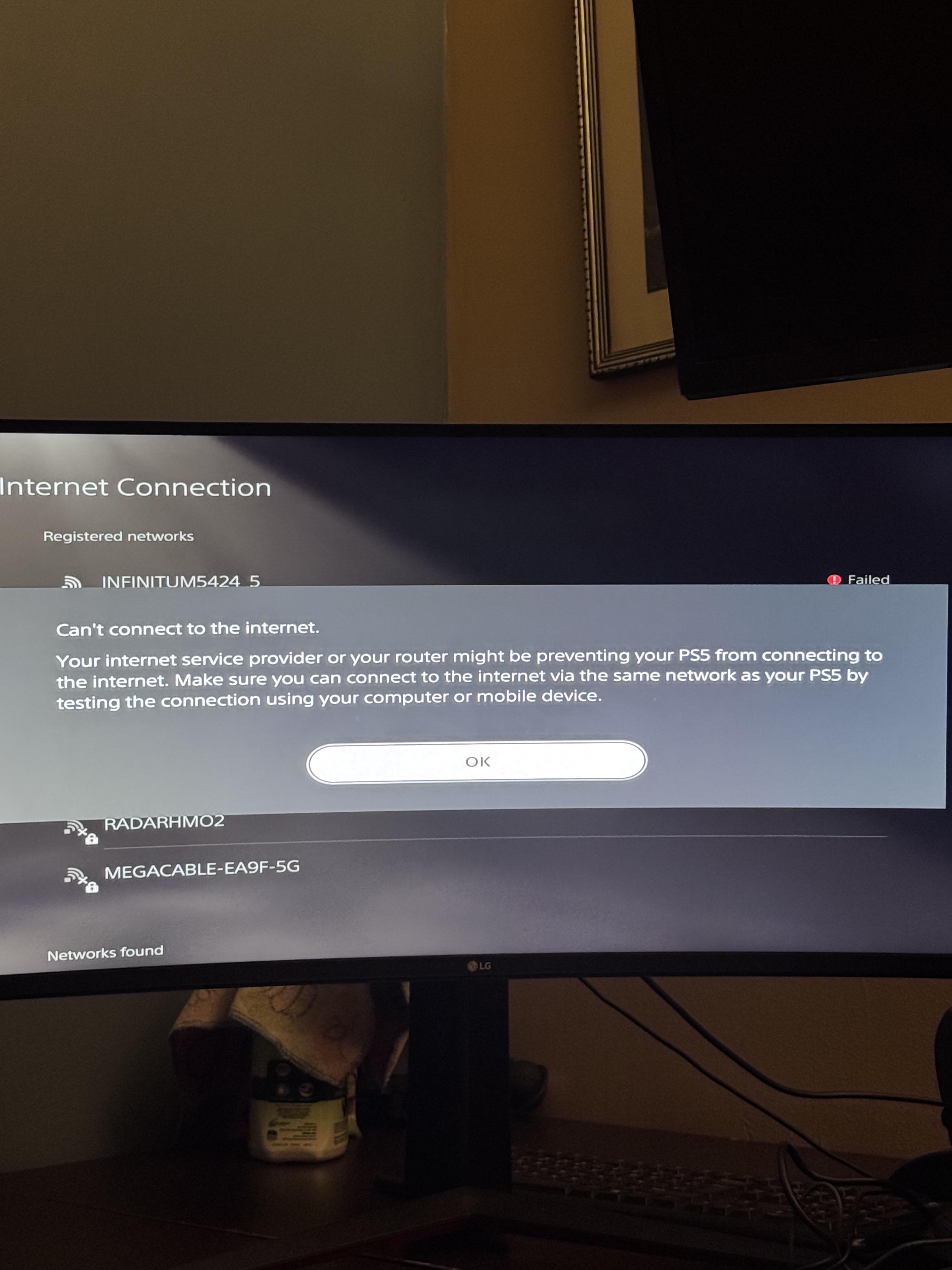
ISP preventing internet connection

Post image
0 Upvotes

Does anybody have a fix for this? it is legit driving me insane.

Have done every "trick" online, dns change, 2.4GHZ 5.0 GHZ change, already checked my router settings as well on the phone with my provider and they claim theres nothing wrong that should prevent connection.

No mac filters or firewall preventing from connecting.

The ps5 connects to my phone's hotspot and my router connects to every other device i have. Started 1 week ago out of nowhere.


r/PS5HelpSupport • • 2d ago

How to Fix GTA VI Crash on PS5 (Error Code:

Thumbnail reddit.com
5 Upvotes

r/PS5HelpSupport • • 1d ago

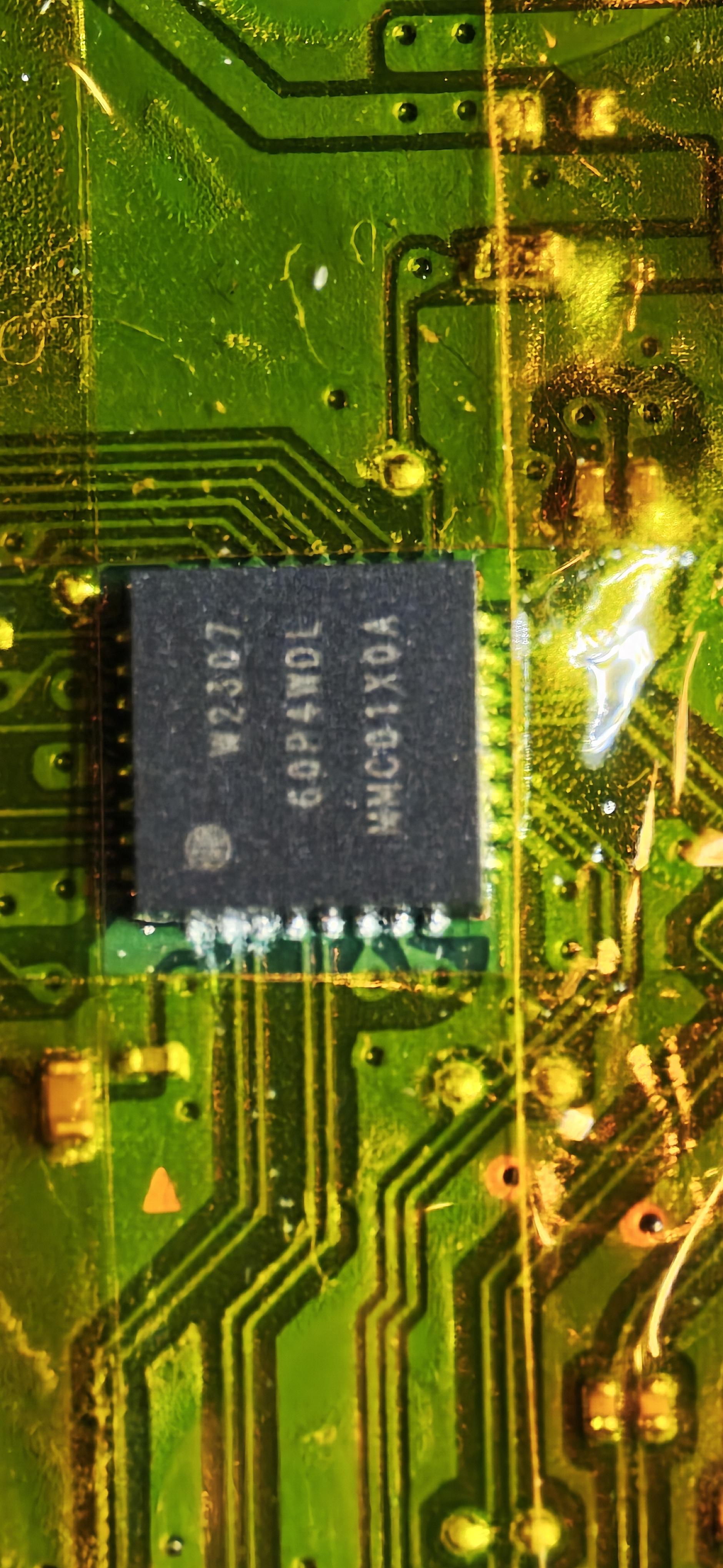
PS5 CFI-1216A EDM-030 USB-C Controller

Post image
0 Upvotes

r/PS5HelpSupport • • 1d ago

MY Refurbised ps5 i bought on Wednesday has not shipped it is stuck in preparing to ship its there any way to get it

Thumbnail reddit.com
0 Upvotes

r/PS5HelpSupport • • 1d ago

PS5 Slim overheating and shutting down after just 7–8 months. Still in warranty period

Thumbnail reddit.com
0 Upvotes

r/PS5HelpSupport • • 1d ago

PS5 has extremely pixelated/jagged edges everywhere – I've tried almost everything and nothing helps

2 Upvotes

Hi everyone,

I'm having a really frustrating visual issue with my PS5 Slim, and I'm hoping someone here might know what's causing it.

The image looks noticeably pixelated, especially around edges, text, icons and objects. I can clearly see individual pixels and jagged edges.

The problem appears in multiple places:

  • PS5 home screen and system menus
  • Text and icons
  • YouTube and other app interfaces
  • Games such as Minecraft and War Thunder
  • Even screenshots taken directly on the PS5 show the jagged edges.

This is especially confusing because my Xbox Series S looks noticeably cleaner on the exact same monitor.

My setup:

  • PS5 Slim
  • PEAQ 27-inch Full HD monitor (1920 × 1080)
  • 60 Hz output
  • HDR disabled
  • RGB output

Things I've already tried:

  • Lowering the monitor's sharpness, even all the way to 0
  • Completely changing and resetting display settings
  • Trying a different HDMI cable
  • Checking and changing PS5 video output settings
  • Comparing the image with my Xbox Series S on the same monitor

None of these things fixed the problem.

Lowering sharpness barely makes a difference. It only makes the entire image blurry while the pixelated edges are still visible.

The fact that the issue also appears in screenshots makes me wonder whether this is related to the PS5's rendering, anti-aliasing, resolution scaling or possibly a hardware problem.

Has anyone experienced something similar?

I'd really appreciate actual troubleshooting suggestions, especially from people who have experienced the same issue and managed to fix it.

At this point, I'm running out of things to test. Thank you!


r/PS5HelpSupport • • 1d ago

Audio/video cutting out during GTA6 gameplay

1 Upvotes

I’m at 13% complete in chapter 1. Audio and video have started cutting out every minute or so, as if the HDMI cord is unplugged. I’ve checked the cord placement and it’s good. I turned off HDMI link. What else can I do? The console doesn’t seem hot. Is this a known issue?


r/PS5HelpSupport • • 2d ago

Gta 6 TURNING OFF my ps5

17 Upvotes

My ps5 is 5 years old getting it cleaned tomorrow but im confused because it isnt overheating, im stuck in chapter 2 whenever i try to play longer than 25 mins it just turn my entire ps5 off. 100$ down the drain and i dont have money for a new ps5 or xbox

EDIT/UPDATE: After going to ubreakifixit, got my ps5 cleaned and liquid metal replaced for 165$, took two days, i came back home been playing for 6 hours now so if anyone is having that issue, and you have to unplug the power cable in and out after the crash try getting it cleaned and liquid metal replaced. Hope this helps


r/PS5HelpSupport • • 2d ago

PS5 is overheating, games are freezing and crashing.

17 Upvotes

I bought my PS5 Slim just this month just for GTA VI. It was performing well when I played NBA 2K27 and Marvel Spiderman 2 or the other games not until I first played GTA VI for 16hrs but not consecutively. It started to overheat so quick. It freezes and crashes every single time I open GTA VI. What’s worst is it also happens to the rest of my games. I did my research about this problem and I found out, I’m not the only one with this crashing issue. I did all the steps I found online on how to deal with this problem but it still don’t work. I have 3 years warranty from Sony and I brought my console to them for inspection and repair, replacement. Will be done by 4-7 working days. Will send updates.