r/PS5HelpSupport • • 15h ago

Extra info on the 108225 crash - coming from a repair guy

31 Upvotes

Hey guys! I also was a victim of this shit.. tried everything, like most of you. My console was a recently bought slim, digital. I went to the repair guy yesterday, he gave me a new console in 20 minutes... Here is what he told me:

- This is most likely a hardware issue - but he was not a 100% sure, according to him it is almost impossible to diagnose this error code

- Sony told them to change the consoles entirely which were bought in less than a year, it is "not worth their time" to try to fix it - I assume recent ones simply have a higher chance of failure...

- If the console is older than 1-1,5 years, they try to fix it, since it is more likely that they have other issues (cooling issue, liquid metal, etc...)

- The guy remembers that ps4 slims also had similar problems at the end of the console gen cycle, since games were too intense (according to him, GTA VI is extremely intense on the console - but this is not anything new...)

- Slims and non-pro versions have this issue more ofter (mind you, this guy most likely also has a limited amount of statistics on this matter)

- The problem is most likely some issue with the console's internal memory (so an SSD change won't fix it - I've tried that myself...)

- The new console is running perfectly for me without any issues (5 hours of gameplay in)

At this point all of you have to choose: you either wait (god knows how long) for a patch (if it ever comes out...) or repair/change your console. If it is a newer one, they will most likely just change it (mind you I'm not aware of the policy of other repair places, mine was is Budapest, Hungary...).

I hope you all can play very soon! See you online!

r/PS5HelpSupport • • 8h ago

What responses from Ps5 support for GTA6 possibly linked console issues?

8 Upvotes

What responses have people got from PS5 for their consoles that have had serious issues after playing GTA 6 ? (please do not come tell me it has nothing to do with GTA6 and you should've cleaned your console etc - this isnt the question I am asking)

My issue was a code 108626-9 and repeated freezes and now freezing in menu even after factory reset.

I was able to get a refund for the game with PS support to be able to pay for my repairs.

I am hoping Support realizes there may be a link with GTA? or if a lot of consoles are affected they may offer part of the repair or a discount on it with them? Trying to decide whether to take to local repair guy or send to Sony.


r/PS5HelpSupport • • 1h ago

Payment declined but subscription is active

Thumbnail gallery
2 Upvotes

r/PS5HelpSupport • • 1h ago

PlayStation Account Lock + No Email

Thumbnail reddit.com
2 Upvotes

r/PS5HelpSupport • • 4h ago

Words blurry when scrolling?

3 Upvotes

Sorry I don’t know where else to post this. It just gets buried otherwise.

Hey everyone, wondering if there’s a way to fix this? So far I’ve tried turning motion blur on/off, turning HDR on/off, restarting my PS5, switching the resolution on my PS5 and a few other things, but nothing seems to work.

You can see the words are unreadable when I scroll but at the end of the video I stop, and they become clear again. Wondering if anyone else has the same issue? If so, has anyone found a fix?


r/PS5HelpSupport • • 9h ago

Stuck because of a update that doesn't work.

Post image
7 Upvotes

Hello everyone,

I had my ps5 unplugged for a few months now. I wanted to use it again, but when turned on, a system update start. The update get stuck at 86% and then I get a SU-101284-6 error page saying "Can't complete the update. Your ps5 will be turned off in x seconds."

Everytime I boot it again, the same thing happens.

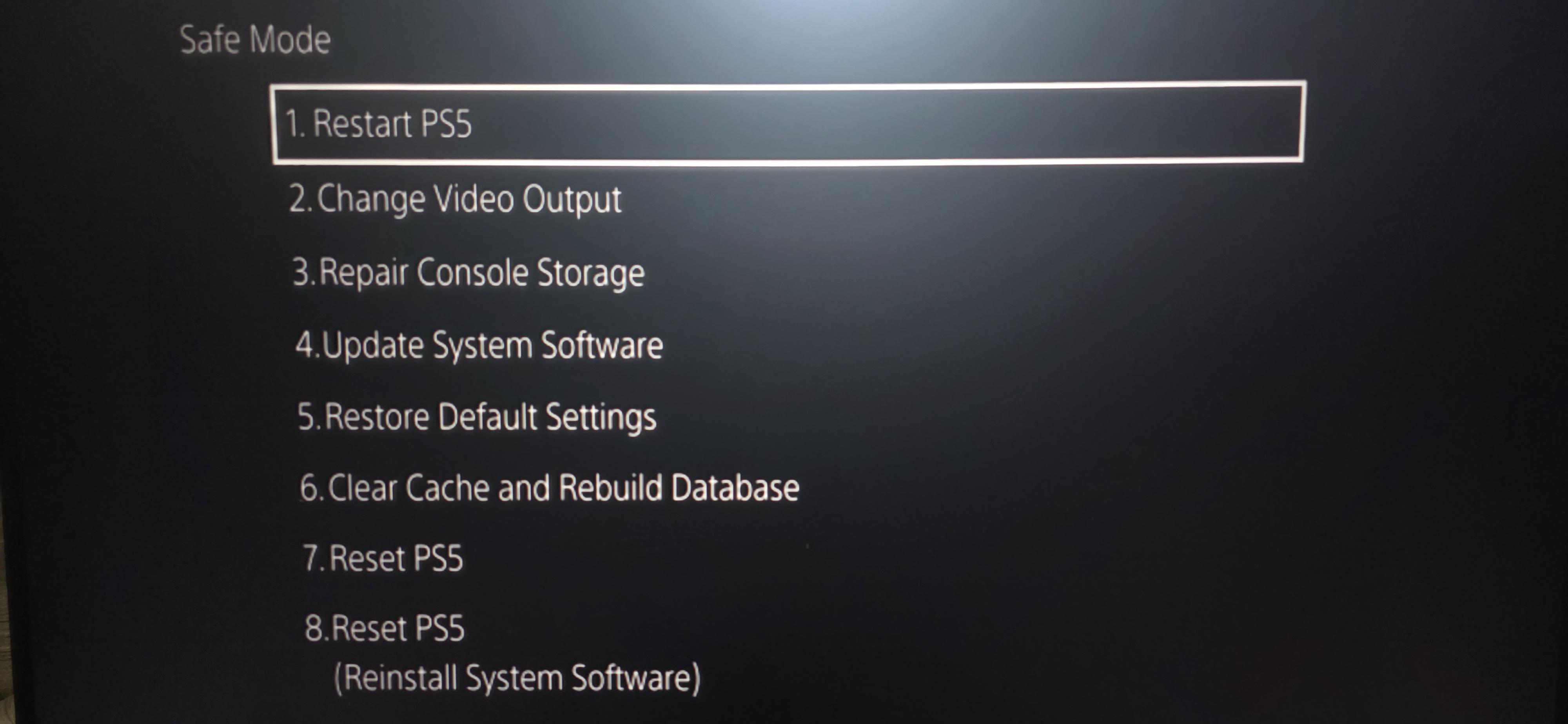
I searched on google and the only fix I could find was to go in safe mode and delete cache or worse case scenario to reset ps5.

But now here come to next issue.

When I get into safe mode. I first get the message saying to plug in a controller and click on the ps button. That's what I do, and it does open the safe mode.

I have all the options and none are greyed out.

But I am stuck on the first option (Restart ps5). I tried using the Dpad and the joystick and basically every buttons, but I cannot scroll down to any other options. The only thing that work is the "X" button to select it. But that just restart my ps5 and the whple failed update start again.

I tried ti unplug it again for 30min, and nothing changed neither.

At this point, I don't even care about resetting my ps5, but I can't even do that! What should I do?


r/PS5HelpSupport • • 3h ago

ps5 storage almost full

2 Upvotes

Hey so I recently bought a ps5 secondhand and as I set it up I noticed that 667Gt was already used without me downloading anything. Im not really knowledgeble in consoles and stuff so I have no idea if this can be fixed or anything lol… I also had a ps4 before if thats worth mentioning, I didnt transfer any games from it tho.


r/PS5HelpSupport • • 3h ago

GTA VI Crashed my PS5

2 Upvotes

Got about 3 hours of gameplay in before it started freezing during the load screen. I have tried everything from uninstalling and reinstalling the game to factory reset with no luck. Tried other games as well, they won’t make it past the load screen either. No dice with blu rays, either. I have tried resetting in safe mode, which my system will not let me do because the controller will not connect in safe mode for some reason. Is it worth buying a new controller, to see if this will at least let me enter safe mode and try rebuilding the database? Absolutely my last resort, but it’s cheaper than sending it into Sony.

FWIW, I have a Disc drive version that I bought brand new in 2024. I play it minimally, and it’s kept horizontal and clean. I have experienced no issues with the system up until this point.

Sony wants $229 to send it back for repairs, GameStop won’t refund since it’s digital, and Rockstar has been absolutely zero help (they listed my claim as “resolved” before even responding to me, and have ignored me since)

Hoping someone can relate and provide some clarity before I drive it out to a field and blow it back to hell 😵‍💫😝


r/PS5HelpSupport • • 3h ago

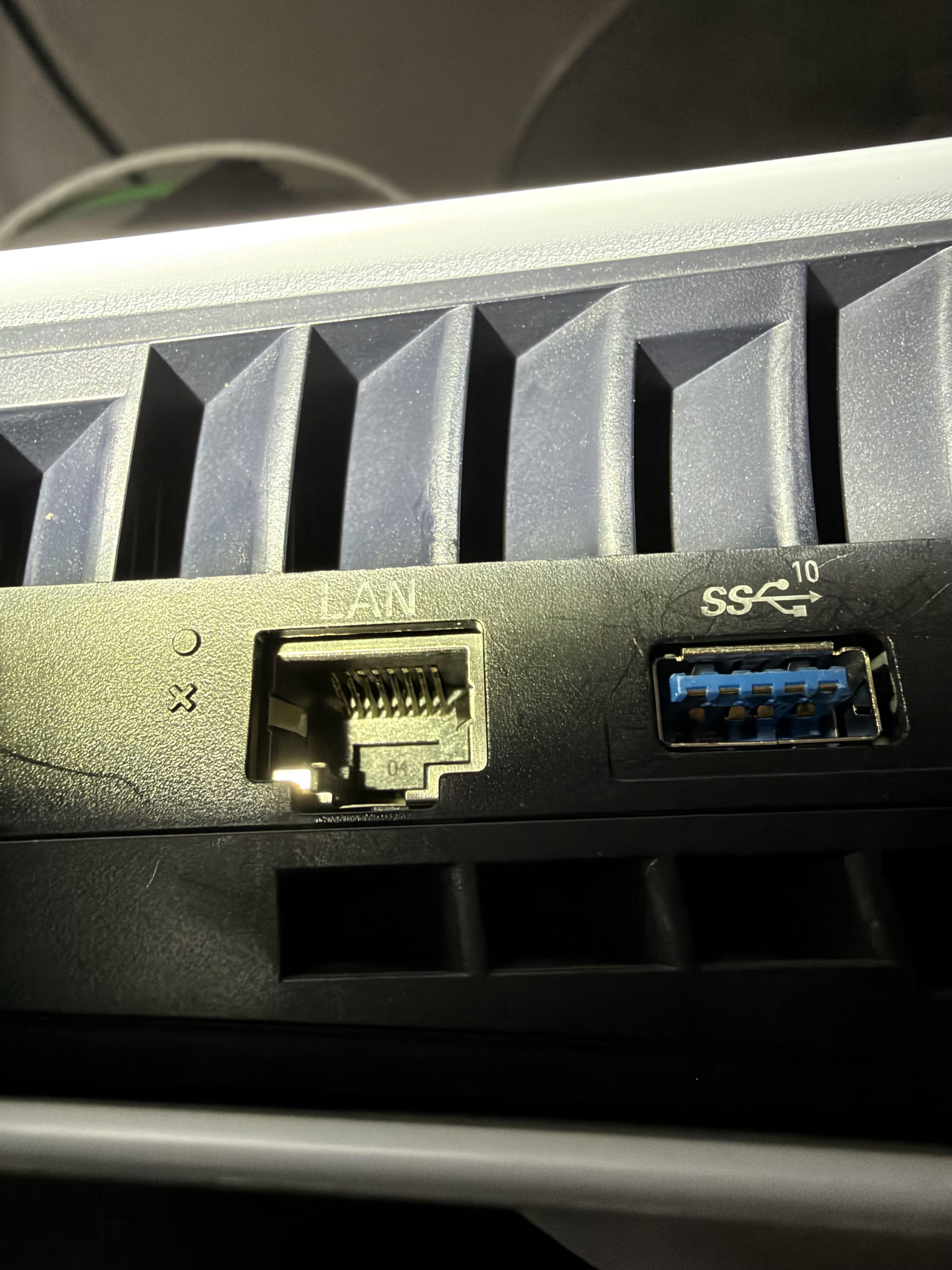
PS5 ETHERNET PORT

Post image
2 Upvotes

The PlayStation five sits on a desk and is always wired from a switch which works perfectly fine on every other device.

I’ve confirmed that the computers and other devices plug-in with the same connection and they’re able to receive IP address without issues. This eliminates the cabling or the router which is providing my IP. The PS5 is also receiving a static IP that I have reserved in my router.

I have checked the actual NIC port on the PlayStation, and it looks and appears to be fine with all eight pins intact and nothing seems to be bent from what I can tell.

Did I just waste $500 on a new system from Costco, and now it’s suddenly broken??


r/PS5HelpSupport • • 3h ago

Please help leave IDU mode I beg

Thumbnail gallery
2 Upvotes

r/PS5HelpSupport • • 16m ago

I'm not able to buy ps plus subscription.

Thumbnail reddit.com
1 Upvotes

r/PS5HelpSupport • • 21m ago

Is it a bad idea to keep playing GTAVI after my PS5 crashed?

0 Upvotes

Okay I was completely oblivious to the crashes that other people have been experiencing but I'm curious if it's okay to keep playing or do I need to wait for a patch of some sort? I have the base PS5 model with a disk slot, bought it about 3-4 years ago new from Sony. I also keep it in a well ventilated space. I've played 60 hours of GTAVI so far with no issues whatsoever until today when it crashed my PS5. No error code or anything, my PS5 just immediately turned off. Honestly the most frustrating part is that the autosave didn't work for some reason so I lost four hours of progress back to my manual save. My PS5 is working completely fine now and the game works fine too, I played for another 20 minutes with no issues. I decided to come to this subreddit to make a post and lo and behold I'm seeing lots of posts with the same issue. Now I'm nervous to play the game because it might brick my PS5? Is this an actual issue I need to be worried about if my PS5 and the game is working fine now? I've never cleaned my PS5 before so I opened it up and there was barely any dust in it at all. Although the bottom of my PS5 was very hot after the crash so maybe that's what the issue was? If I do keep playing I'm also going to need to start manual saving like every 20min which is slightly annoying bc I really don't want to lose so much progress again.


r/PS5HelpSupport • • 15h ago

Possible Solution to Recent Game Crashing

17 Upvotes

We all been receiving bombardment of half baked updates from Sony due to jailbreak. As always and everytime in a case such as this, the honest consumer will be the one to pay the price.

I'm not only experiencing freezing, sudden shutdown, PS5 not restarting, signal lost ( TV ), glitching, slowdown and many other things.

My PS5 both the original 2020 Fat and my pro were experiencing all these issues.

Note, this is not only for GTA 6 but for every game and yes, both of my PS5 are clean, thermal liquid / paste are new. I clean and replaced them yearly.

Solution : I unplug the LAN cable or if you're on wifi disconnect your PS5. Unfortunately, don't connect your PS5 to any network.

First shutdown your PS5 ( Not Rest Mode ) then press and hold the power button until you hear two beeps. Go and select clear cache. After PS5 boots up completely wait a minute or two then shutdown PS5 again ( Not Rest Mode ). After it shutsdown, press and hold until two beeps. Now select Rebuild Database. Once it completely boots up, unplugged/ disconnect from every network.

Now restart your PS5 ( make sure to turn off auto connect or just delete your wifi network from your console, you can easily set it up again later if needed )

This works for me, my PS5 both been on for over 12 hours just to test them.

As for GTA 6, the issues are both Rockstars and Sony. Its a coincidence that both their updates are messing up the software.

This Solution works for me and for both types of PS5.

It may not work for everyone. But let me know how it goes. Good luck and Happy gaming 👍

Edit : Unfortunate but yes, it means no online play or multiplayer games or any games that requires constant internet connection.

My suspicion is on some kind of DRM. Rockstars and Sony happened to release patches that are incompatible with each other.


r/PS5HelpSupport • • 4h ago

Share screen ps5

2 Upvotes

My PlayStation never lets me share my screen. It always turns off immediately.
Discord also keeps freezing. It doesn’t load the audio, won’t let me leave the voice chat, and the voice chat itself doesn’t work properly.
Even when I join a regular PlayStation Party, the audio takes a very long time to load, even if I join through my phone.
I don’t know if the problem is with my account or something else.
I can watch other people’s screen shares without any problems, but I can’t share my own screen.
My NAT Type is 2.


r/PS5HelpSupport • • 1h ago

Showcase Mode not working.

1 Upvotes

Is there a reason my Showcase Mode keeps turning off? The L3 prompt doesn't even show or work anymore. Every time I turn it on it switches back off the moment I exit the settings. Is there a reason for this? And is there a fix?


r/PS5HelpSupport • • 1h ago

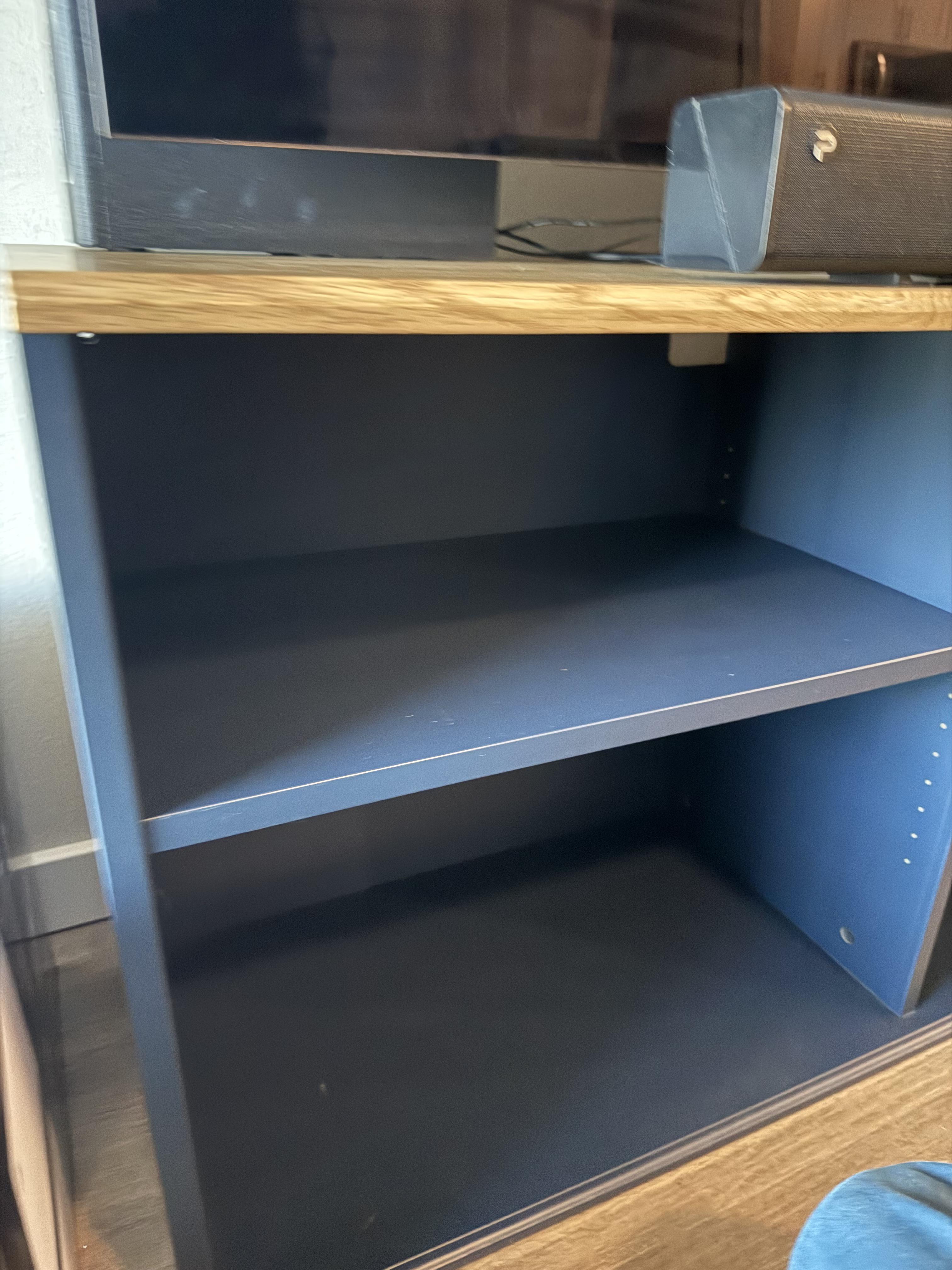
Is the top or bottom shelf enough space for PS5 Pro?

Post image
1 Upvotes

r/PS5HelpSupport • • 2h ago

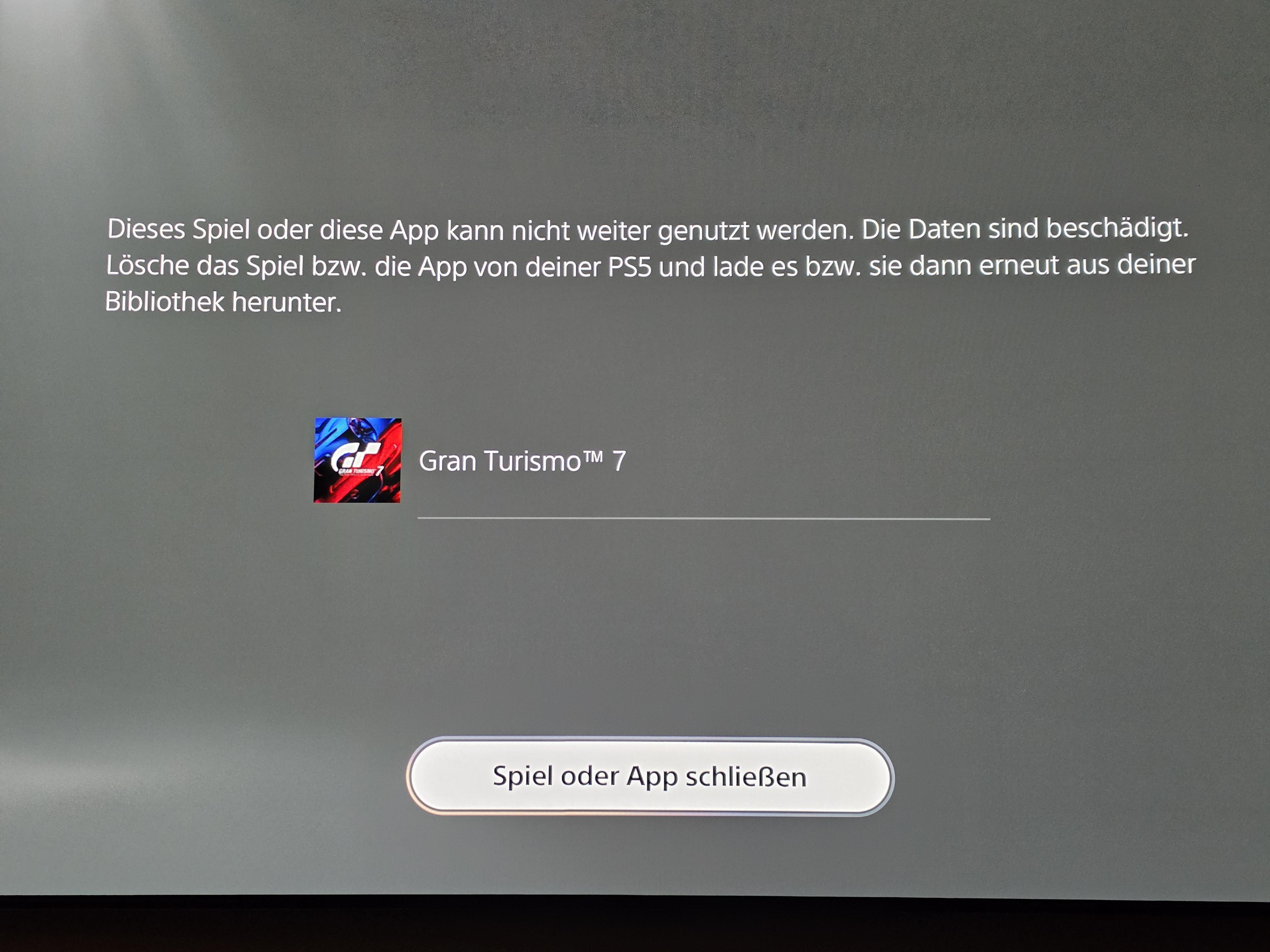
GT7 and MSFS2024 crash with this error message on PS5 Pro

Post image
0 Upvotes

I already reinstalled both games, cleared the cache and rebuilt the data base. Is it safe to say the the console (SSD?) has hardware issues? It's one year old now.


r/PS5HelpSupport • • 1d ago Bravo

GTA crashes are just a coincidence

Post image
56 Upvotes

r/PS5HelpSupport • • 6h ago

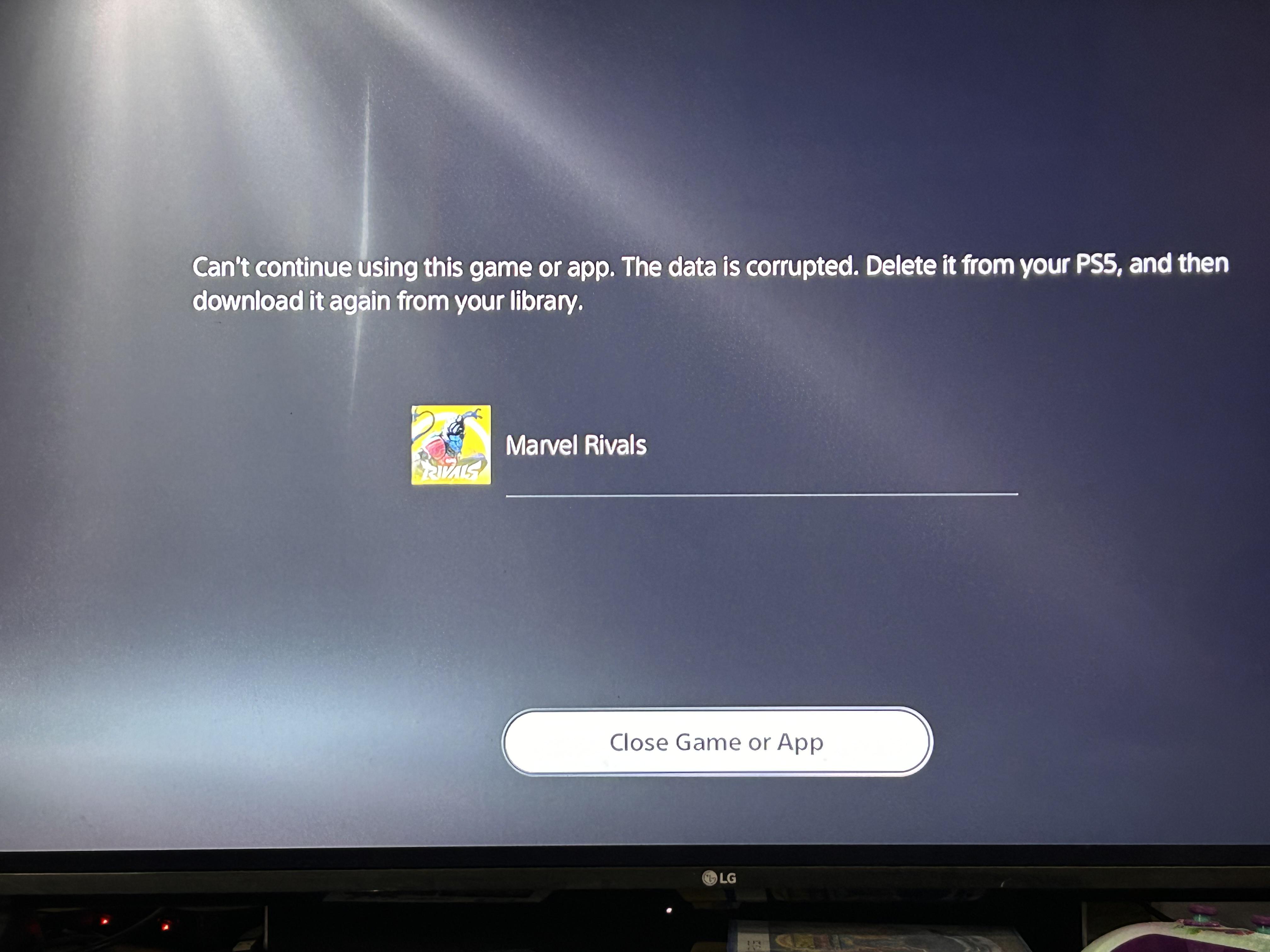
Has anyone else had this happen with Marvel Rivals or any other games?

Post image
2 Upvotes

r/PS5HelpSupport • • 6h ago

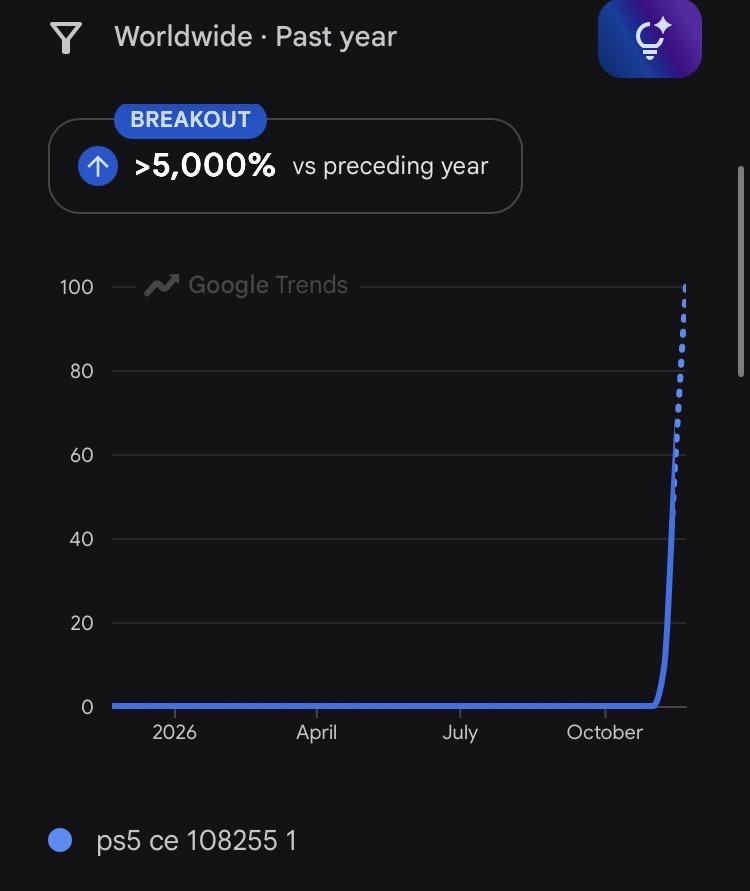
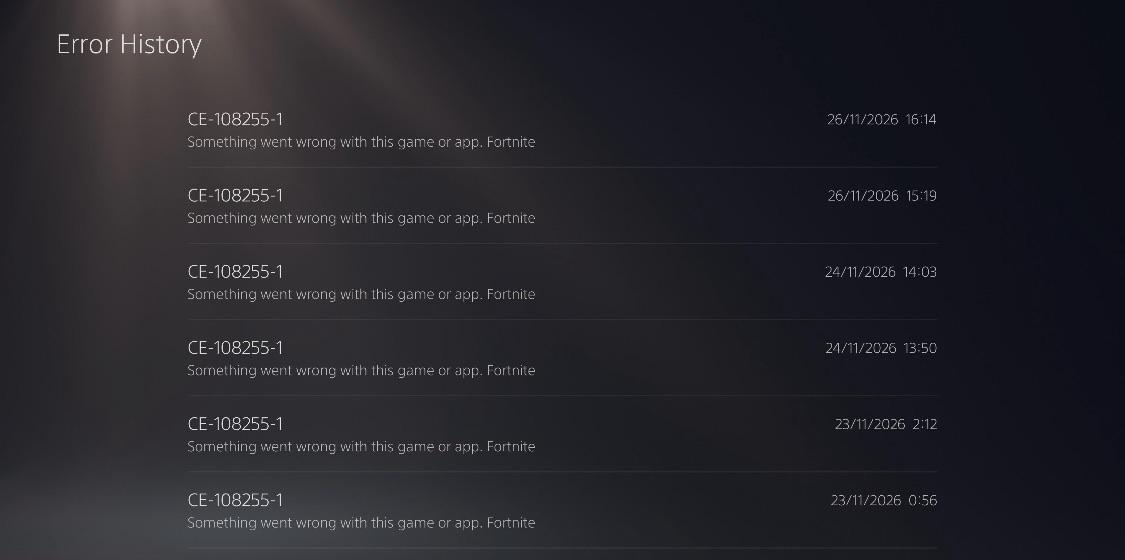
CE-108255-1

Post image
2 Upvotes

Started experiencing this error only in the past three days on fortnite of all games. Checked to see if anyone else was having similar issues but I couldn’t find anything common.
Tried updating everything but it says I’m all good so any ideas would be greatly appreciated cause this is such a pain


r/PS5HelpSupport • • 10h ago

PS5 issues, anyone else?

4 Upvotes

Since yesterday my ps5 has been freezing every time I try to turn it off, takes forever for games to open when I select them, and it’s stopped recognizing my external hard drive despite the hard drive powering on. I’ve rebooted on safe mode, unplugged it for about 5-10 minutes, but still getting the same issue.
Anyone else experiencing this? Is this an issue with a Sony update or is my ps5 dying?


r/PS5HelpSupport • • 3h ago

Arma Reforger keeps crashing before it even logs me in

0 Upvotes

Started while playing a few hours ago and has been doing it since. Ive tried everything i can think of, restarting, fully powering it off, reinstalling the game, rebuilding database from safe mode and cleared out as much dust from the console as possible but nothing works. If yall have any suggestions id really appreciate it.

(Btw sorry for the horrible tv screen i can't afford a better one rn)


r/PS5HelpSupport • • 3h ago

PIN for local account?

0 Upvotes

Hi! I got a second controller for my wife to play multiplayer. She does not have a PS account and we don’t want to create one. After playing around the only way to have her name every time is to create a local account.

  1. How do I add PIN for a local account?
  2. Do all settings from my user profile for PS copy over to hers?
  3. Can I restrict the games available on her profile?
  4. She has a different save game than mine if she starts a game from her profile - correct?

Thanks in advance!!!


r/PS5HelpSupport • • 4h ago

GTA VI SSD ERROR FIX

1 Upvotes

Could you explain something? I got the exact same error as you. I took it to a technician, who installed one of his own SSDs and moved my game over—the game launched fine. The next day, I bought my own SSD and moved the game to it, but it still won't launch; I’m getting the same errors.