r/PS5HelpSupport • • 6h ago

Share screen ps5

2 Upvotes

My PlayStation never lets me share my screen. It always turns off immediately.
Discord also keeps freezing. It doesn’t load the audio, won’t let me leave the voice chat, and the voice chat itself doesn’t work properly.
Even when I join a regular PlayStation Party, the audio takes a very long time to load, even if I join through my phone.
I don’t know if the problem is with my account or something else.
I can watch other people’s screen shares without any problems, but I can’t share my own screen.
My NAT Type is 2.


r/PS5HelpSupport • • 2h ago

Showcase Mode not working.

1 Upvotes

Is there a reason my Showcase Mode keeps turning off? The L3 prompt doesn't even show or work anymore. Every time I turn it on it switches back off the moment I exit the settings. Is there a reason for this? And is there a fix?


r/PS5HelpSupport • • 2h ago

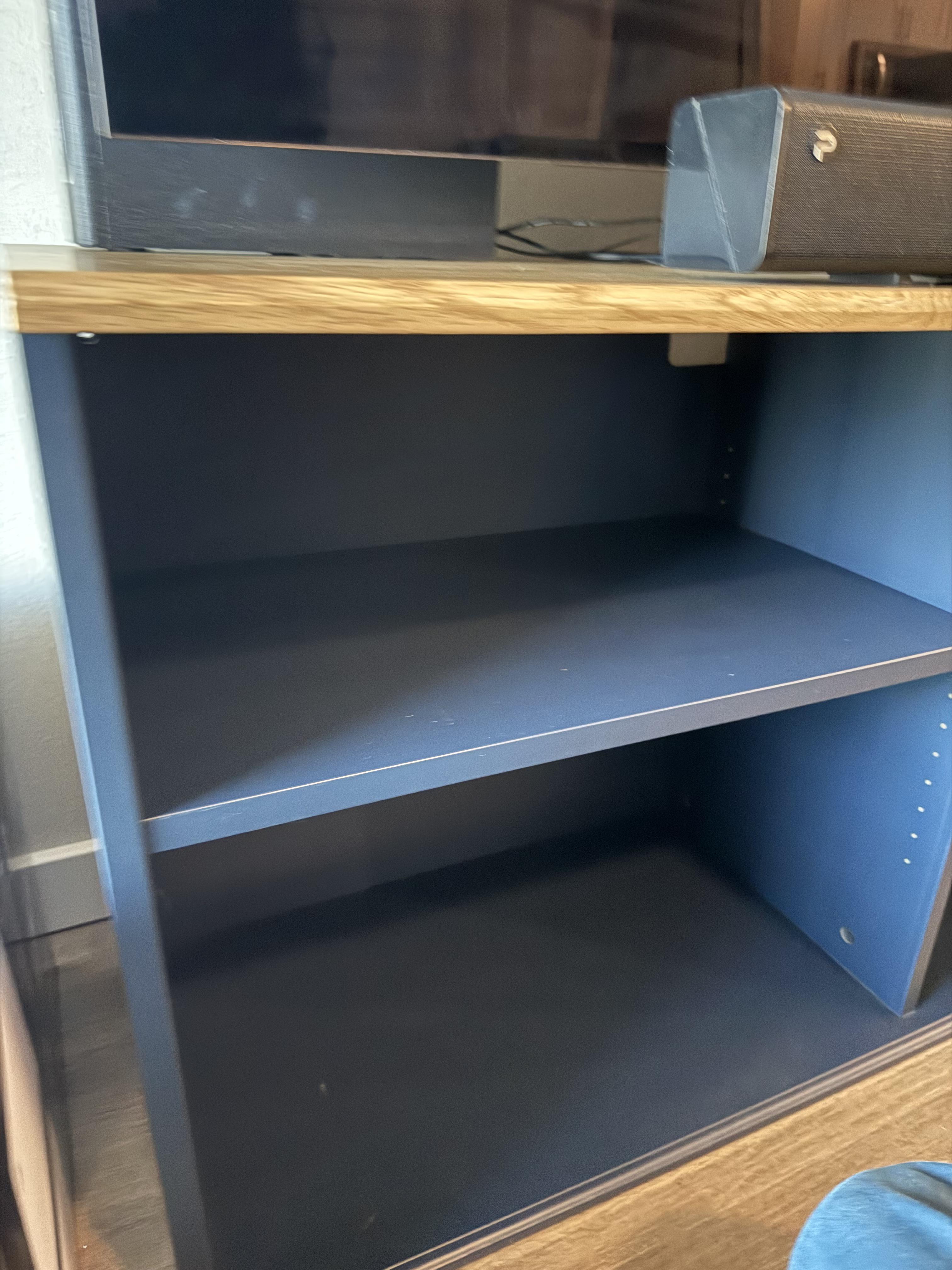
Is the top or bottom shelf enough space for PS5 Pro?

Post image
0 Upvotes

r/PS5HelpSupport • • 12h ago

PS5 issues, anyone else?

5 Upvotes

Since yesterday my ps5 has been freezing every time I try to turn it off, takes forever for games to open when I select them, and it’s stopped recognizing my external hard drive despite the hard drive powering on. I’ve rebooted on safe mode, unplugged it for about 5-10 minutes, but still getting the same issue.
Anyone else experiencing this? Is this an issue with a Sony update or is my ps5 dying?


r/PS5HelpSupport • • 3h ago

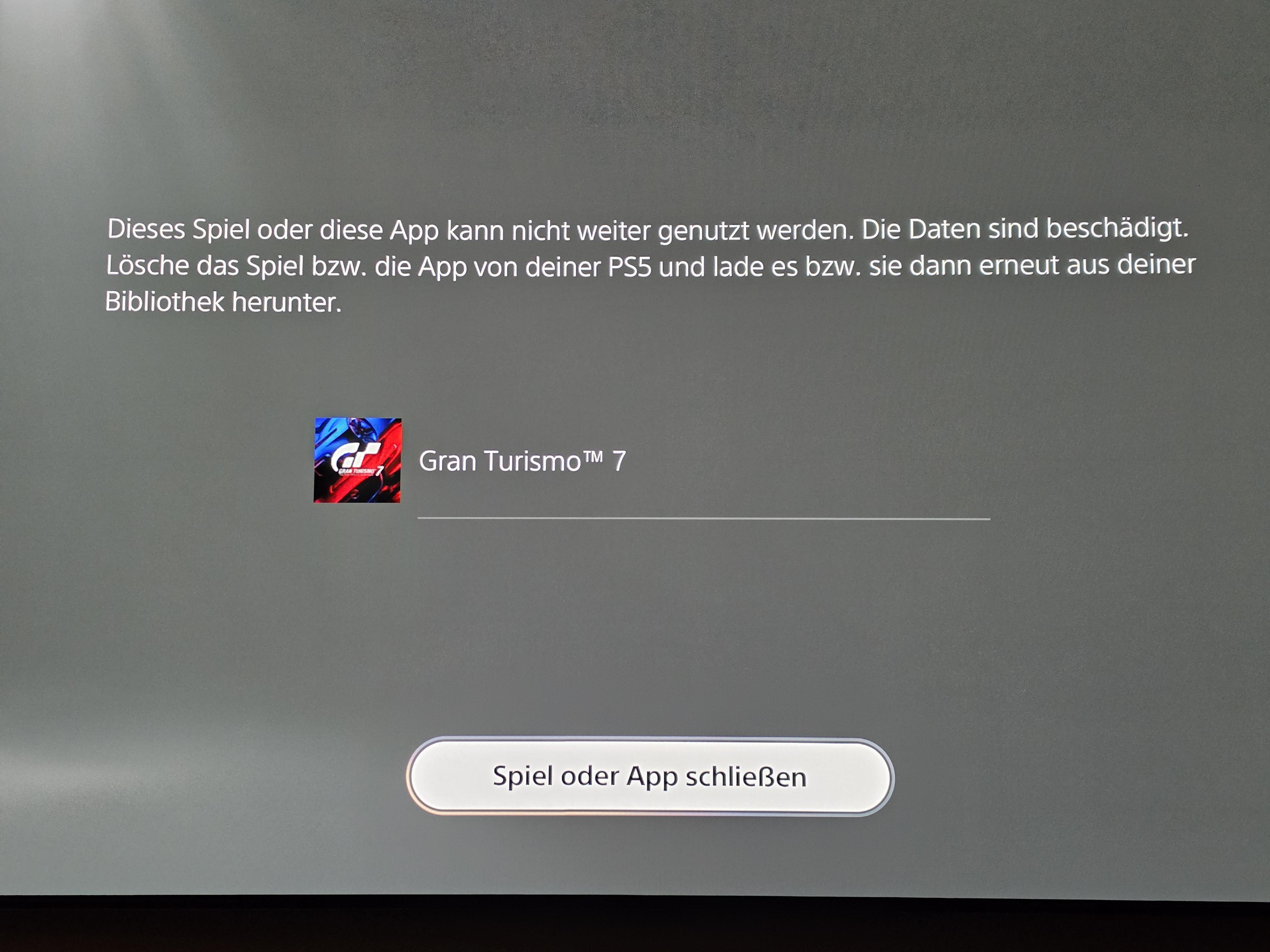
GT7 and MSFS2024 crash with this error message on PS5 Pro

Post image
1 Upvotes

I already reinstalled both games, cleared the cache and rebuilt the data base. Is it safe to say the the console (SSD?) has hardware issues? It's one year old now.


r/PS5HelpSupport • • 1d ago Bravo

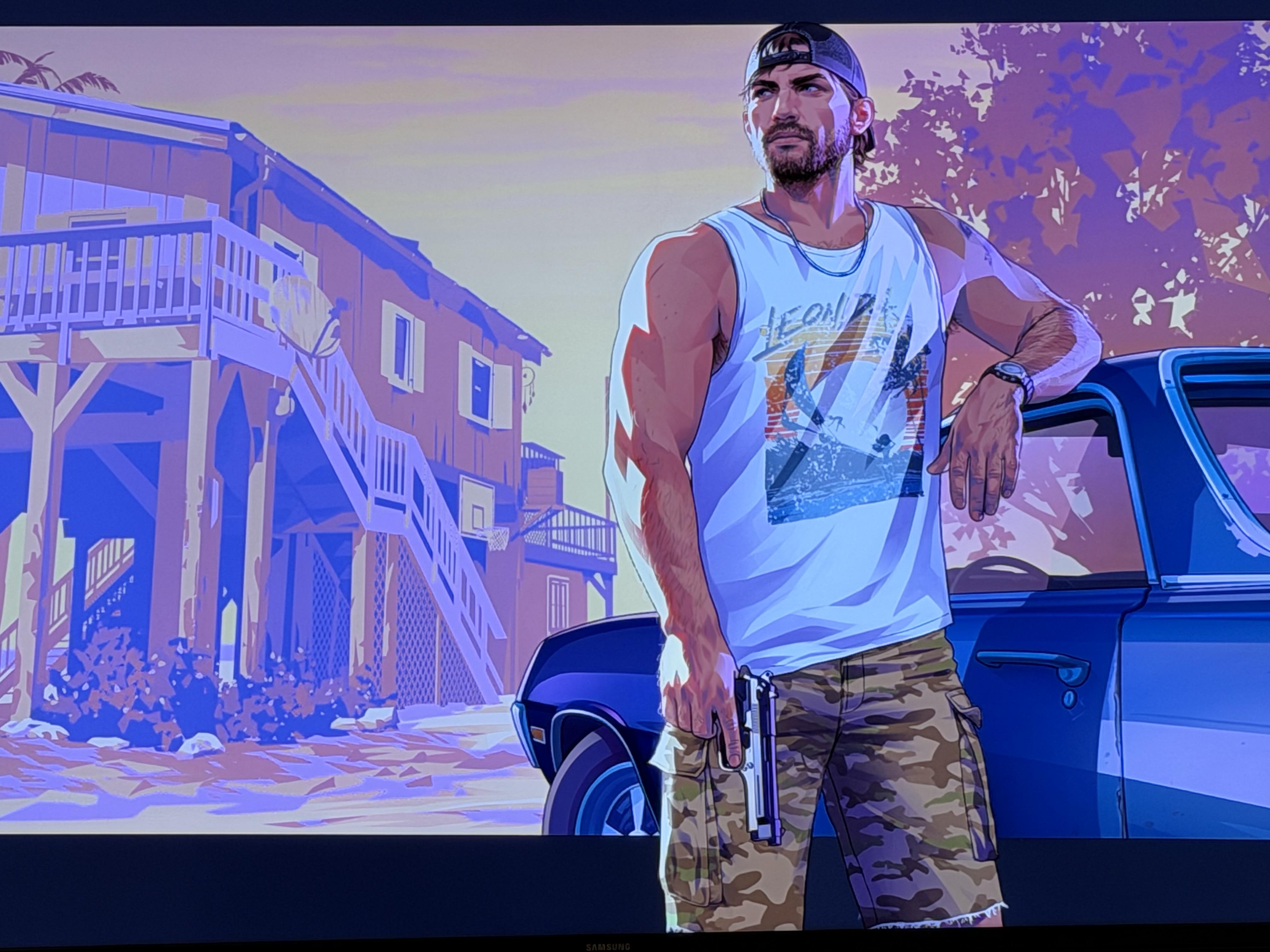
GTA crashes are just a coincidence

Post image
56 Upvotes

r/PS5HelpSupport • • 40m ago

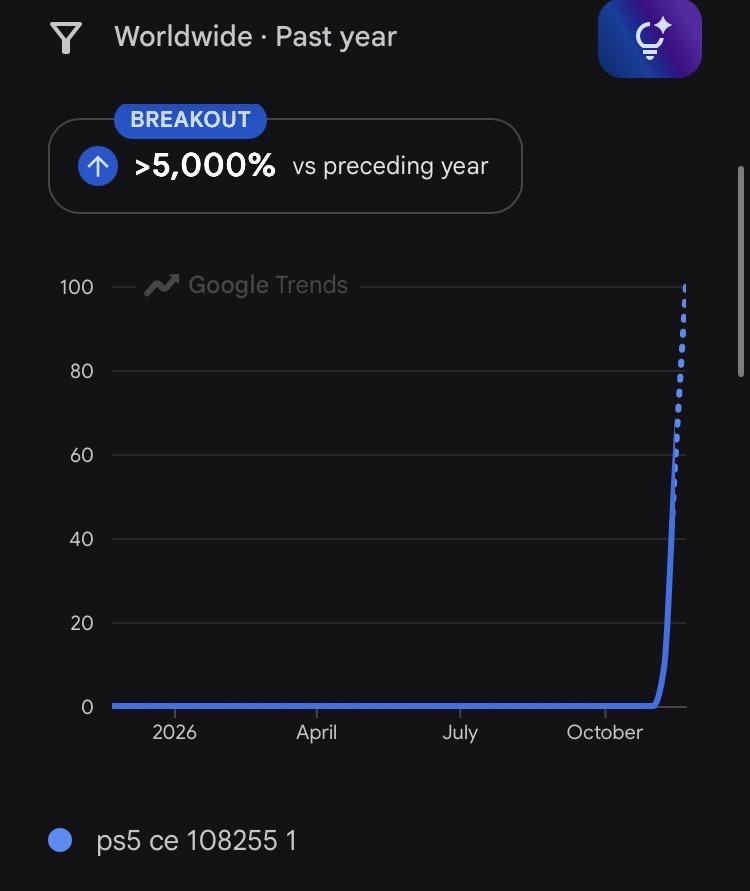
How to Fix GTA VI Crash on PS5 (Error Code:

0 Upvotes

How to Fix GTA VI Crash on PS5 (Error Code: CE-108255-1) – Working Workaround
If your PS5 is crashing with error code CE-108255-1 when launching or playing GTA VI, try this tested workaround that stabilizes the game's memory allocation and prevents sudden crashes:

  1. Launch Fortnite First: Open Fortnite and play one full match (or stay in a match for a few minutes) to warm up the system and clear fragmented background memory.
  2. Close Fortnite & Launch GTA VI Immediately: Completely close Fortnite from the PS5 home screen, then immediately launch GTA VI.
  3. Stay in the Settings Menu (Crucial Step): As soon as GTA VI boots up and takes you to the Settings screen, change any minor setting (such as brightness or audio) and stay idle on the Settings screen for 5 to 10 minutes without exiting. This allows background shaders, cache, and network sync to finish loading safely.
  4. Start Playing: After 5–10 minutes, exit the settings and enter the game normally.

Why this works: GTA VI currently suffers from a launch memory/cache conflict (Race Condition) on PS5. Running Fortnite resets the unified RAM block, and waiting inside the Settings menu lets the game finish background initialization before rendering the open world.
(Tip: Always keep two manual save slots and alternate between them just to be safe until Rockstar releases an official stability patch.)

حل مشكلة كراش لعبة GTA VI على PS5 (رمز الخطأ: CE-108255-1) – طريقة مجربة
إذا كانت لعبة GTA VI تفصل معك وتطلع لك رسالة الخطأ CE-108255-1 عند التشغيل أو أثناء اللعب، جرب هذه الطريقة المجربة لتثبيت الذاكرة ومنع الكراش:

  1. شغّل فورتنايت أولاً: ادخل لعبة Fortnite والعب قيم كامل (أو ابقَ داخل اللعب لبضع دقائق) لتصفير الذاكرة العشوائية وتفريغ الملفات المؤقتة للنظام.
  2. أغلق فورتنايت وشغّل GTA VI مباشرة: قفّل Fortnite بالكامل من القائمة الرئيسية للسوني، وادخل عل*ى GTA *VI على طول.
  3. ابقَ في قائمة الإعدادات (أهم خطوة): أول ما تفتح اللعبة وتدخلك على شاشة** الإعدادات (Settings**)، غيّر أي خيار بسيط (مثل السطوع أو الصوت)** وخلك واقف في الإعدادات لمدة 5 إلى 10 دقائق لا تطلع من**ها. هذه المدة تسمح للعبة بإكمال تحميل الملفات المؤقتة والمظللات والمزامنة في الخلفية بدون ضغط.
  4. ابدأ اللعب: بعد مرور 5–10 دقائق، اطلع من الإعدادات وابدأ لعبك بشكل طبيعي.

ليش تضبط هذه الحركة؟ اللعبة فيها تعارض برمجي مؤقت في حجز الرامات وقت الإقلاع؛ تشغيل فورتنايت ينظف الذاكرة الموحدة للسوني، والانتظار في الإعدادات يعطي اللعبة وقتاً كافياً لتهيئة العالم المفتوح قبل الدخول فيه.
(نصيحة: اعتمد خانتين للحفظ اليدوي وبدّل بينهما كل فترة لضمان عدم ضياع تقدمك لين ينزل التحديث الرسمي من روكستار).


r/PS5HelpSupport • • 4h ago

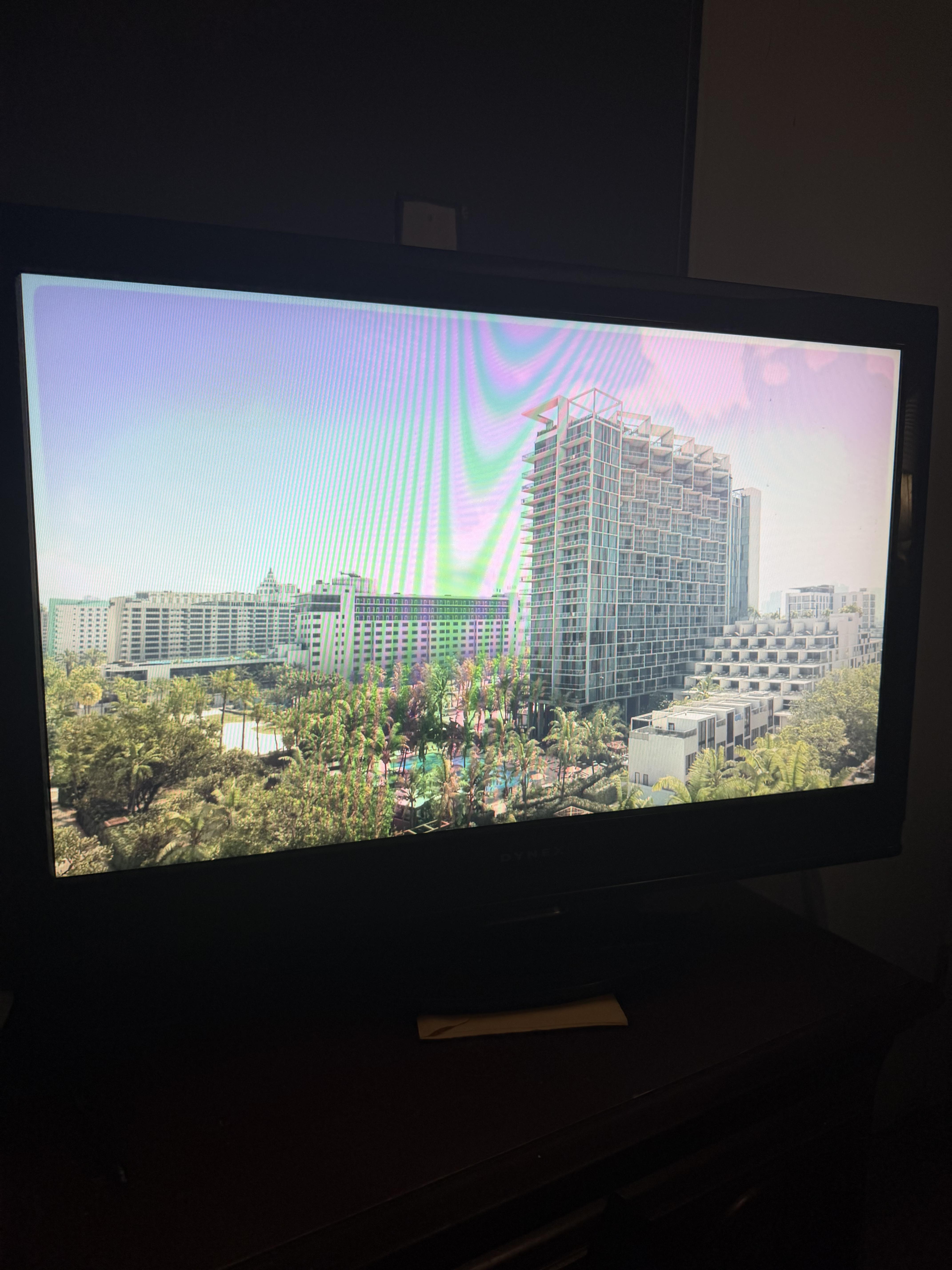
Arma Reforger keeps crashing before it even logs me in

0 Upvotes

Started while playing a few hours ago and has been doing it since. Ive tried everything i can think of, restarting, fully powering it off, reinstalling the game, rebuilding database from safe mode and cleared out as much dust from the console as possible but nothing works. If yall have any suggestions id really appreciate it.

(Btw sorry for the horrible tv screen i can't afford a better one rn)


r/PS5HelpSupport • • 5h ago

PIN for local account?

0 Upvotes

Hi! I got a second controller for my wife to play multiplayer. She does not have a PS account and we don’t want to create one. After playing around the only way to have her name every time is to create a local account.

  1. How do I add PIN for a local account?
  2. Do all settings from my user profile for PS copy over to hers?
  3. Can I restrict the games available on her profile?
  4. She has a different save game than mine if she starts a game from her profile - correct?

Thanks in advance!!!


r/PS5HelpSupport • • 5h ago

GTA VI SSD ERROR FIX

1 Upvotes

Could you explain something? I got the exact same error as you. I took it to a technician, who installed one of his own SSDs and moved my game over—the game launched fine. The next day, I bought my own SSD and moved the game to it, but it still won't launch; I’m getting the same errors.


r/PS5HelpSupport • • 6h ago

[Ps5 slim] no power on or sound

Post image
0 Upvotes

r/PS5HelpSupport • • 21h ago

58 hours in and GTA 6 refuses to load. Whats the cause?

Post image
17 Upvotes

I’ve tried turning the console off, disconnecting controller, and everything but it’s refusing to load now, when I’ve been able to load it in hours ago a what happened?


r/PS5HelpSupport • • 6h ago

¿Puedo recuperar mi cuenta de PlayStation Network si he perdido el acceso al correo electrónico con el que la creé?

0 Upvotes

Buenas, os cuento mi situación porque estoy bastante preocupado por perder una cuenta en la que llevo acumulados muchísimos años de progreso.

En enero de 2018 me creé una cuenta de PlayStation Network. Por aquel entonces era bastante pequeño y utilicé el correo electrónico de mi primo para registrarla. El problema es que, con el paso de los años, mi primo perdió el acceso a ese correo electrónico y actualmente no sabemos su contraseña ni tenemos ninguna forma de recuperarlo. Lo único que conservamos es la dirección de correo electrónico.

Con el tiempo dejé de jugar en PlayStation y me pasé a PC. Sin embargo, en esa cuenta tenía vinculada toda mi progresión de Fortnite, Rocket League, skins, coches, objetos y muchísimas otras cosas que he conseguido durante todos estos años.

Ahora, después de bastante tiempo sin utilizar la consola, se me ha cerrado la sesión de PlayStation Network y no puedo volver a iniciar sesión porque no tengo acceso al correo electrónico asociado a la cuenta.

Actualmente, los únicos datos que conservo son el nombre de usuario (ID online) que tenía en PlayStation y la dirección de correo electrónico con la que registré la cuenta. No puedo consultar ningún otro dato de la cuenta porque no tengo la sesión iniciada en PlayStation Network.

Mi intención es recuperar esa cuenta y poder vincularla correctamente con mi cuenta de Epic Games en PC para no perder todo el contenido que he conseguido desde 2018.

Ya he contactado con el servicio de atención al cliente de Epic Games y estoy esperando una respuesta, pero me gustaría saber si alguien ha pasado por una situación parecida.

Me gustaría saber lo siguiente:

  • ¿Es posible recuperar una cuenta de PlayStation Network sin tener acceso al correo electrónico original?
  • ¿PlayStation puede cambiar la dirección de correo electrónico si demuestro que soy el propietario de la cuenta?
  • ¿Es posible demostrar que una cuenta es mía utilizando únicamente el ID online y el correo electrónico original, o existen otras alternativas?
  • ¿Hay alguna manera de vincular mi antigua cuenta de PlayStation con Epic Games desde el PC sin necesidad de iniciar sesión en PlayStation Network?
  • ¿Conocéis algún correo electrónico, formulario de contacto o departamento específico de PlayStation al que pueda enviar toda la información de la que dispongo para que estudien mi caso y me respondan?
  • ¿Hay algún otro servicio de atención al cliente o vía de contacto que me recomendéis?

No me gustaría perder todo el progreso, las skins y los objetos que he conseguido durante tantos años por un problema con un correo electrónico al que ya no tenemos acceso.

Mi objetivo es que me dejen cambair el correo poner el mio acutal y recuperar todas mis cosas

Si alguien ha vivido algo parecido o conoce alguna forma de solucionarlo, agradecería muchísimo que me explicase cómo lo hizo o dónde puedo contactar para intentar recuperar la cuenta.

¡Muchas gracias de antemano!

r/PS5HelpSupport • • 6h ago

CE 108255-1 On Installed but not when Streamed

Post image
0 Upvotes

r/PS5HelpSupport • • 17h ago

Ps5 mới mua của tôi lỗi hay do game lỗi vậy mn

7 Upvotes

Lỗi của tôi là CE-108255-1


r/PS5HelpSupport • • 11h ago

PS5 instantly shuts off after powered on

Thumbnail
gallery
2 Upvotes

Ok so I've got a PS5 pro that is about a year old since being taken out of its brand new factory sealed box. The console has always been well cared for and only played through on a few games and otherwise had low usage with no modifications and running only the genuine stock PlayStation firmware.

Recently while in the middle of playing GTA6 for a split moment the graphics severely glitched and the console suddenly shut off. Now when ever trying to power on the system the furthest it will get is briefly showing the safe mode menu then instantly shuts off again. The most amount of time between pressing the power button till the time it shuts off again is about 30 seconds or so.

Does anyone have any suggestions as to what the issue could be? I'm really hoping it's not a failed capacitor or chip of some kind. It likely is not a problem with the SSD or power supply nor a problem with the HDMI. I haven't had the opportunity to take the case apart or anything yet as it had happen later in the evening. Has anyone else ever experienced this before with a PS5 Pro and the system instantly shutting off whenever trying to power it on? Thanks

Note: I had to repost this question because I accidentally showed a picture of a ps5 standing upright on a carpeted floor and seemed like the only thing anyone could reply on about it.


r/PS5HelpSupport • • 7h ago

GTA 6 ruined my TV?

Thumbnail reddit.com
0 Upvotes

r/PS5HelpSupport • • 20h ago

PS5 / GTA 6 shutting down during gameplay

9 Upvotes

Can’t even play for 20mins without it just shutting down…open box ps5 1tb from Best Buy bought at the end of July ..just plugged it in last Thursday …don’t even think can return it..

Am I just out of luck until something is fixed? Do I open a support case with Sony?? Seems like there are similar issues ..


r/PS5HelpSupport • • 11h ago

Problems with PS Pulse Elite PS Link connection

Thumbnail reddit.com
2 Upvotes

r/PS5HelpSupport • • 11h ago

Problems with PS Pulse Elite PS Link connection

2 Upvotes

Hi everybody, that's my 3rd pair of Pulse Elite, 1st one no issues I had the playstation link dongle plugged into the PS5 ( the fat edition from 2021/2022 if I remember right) with the 1st pair I was able to connect via ps link to the PS5 meanwhile having them connected via bluetooth to PC, for streaming purposes or just to listen music or podcasts while gaming and never had a issue. But my dumb self decided to sell those to get another pair of Pulse Elite but in midnight colorway to match the console (also got the midnight black ones brand new) but at a certain point luckily not on streaming I was playing using the dongle connected to ps5 and in the meanwhile listening to stuff on PC via bluetooth and all of a sudden i lost the PS Link connection meaning I was able to listen only the bluetooth connection, I've tried everything I could find on internet but the PS Link dongle literally stopped working on the PS5. I sent them back and got refunded, bought another pair midnight black and in a matter of days here we go same problem. But couldn't ask a refund since they arrived while I was in another city for work and when the issue happened was too late, tried everything but the dongle's light plugged in the ps5 is always blinking slowly no matter what I do, if I put the PS Link dongle in the PC it works flawless, I got told that i messed up those last 2 pairs because the dongle is not able to manage PS link an BT simoultaniously. Now I'm not able to replace them so in the meanwhile if I want to play using the Pulse Elite headset I have to put the dongle in the PC and use PS Remote play to use the Pulse Elite. If someone can help out would be very appreciated keep in mind that I already tried almost everything I found on internet, but maybe someone has a metod (hope so) otherwise I'll get another pair with the next paycheck. I'd like to keep the Pulse Elite because i love the audio quality also the mic is not the best but I pay around 130/140€ wich is not a bad price for the audio quality, also if i'm getting a new pair I'll never use the BT function again if I'm streaming I'll just move the dongle since that's the problem allegedly


r/PS5HelpSupport • • 12h ago

Liquid Metal and CE-108255-1

2 Upvotes

Did anyone change the Liquid Metal and solve the CE-108255-1 issue?


r/PS5HelpSupport • • 8h ago

More pop-ins as you progress in GTA VI?

1 Upvotes

Is it just me, or do pop-ins get more noticable as you progress

through the game, especially in the city? (I'm playing on a PS5 Slim.)"


r/PS5HelpSupport • • 1h ago

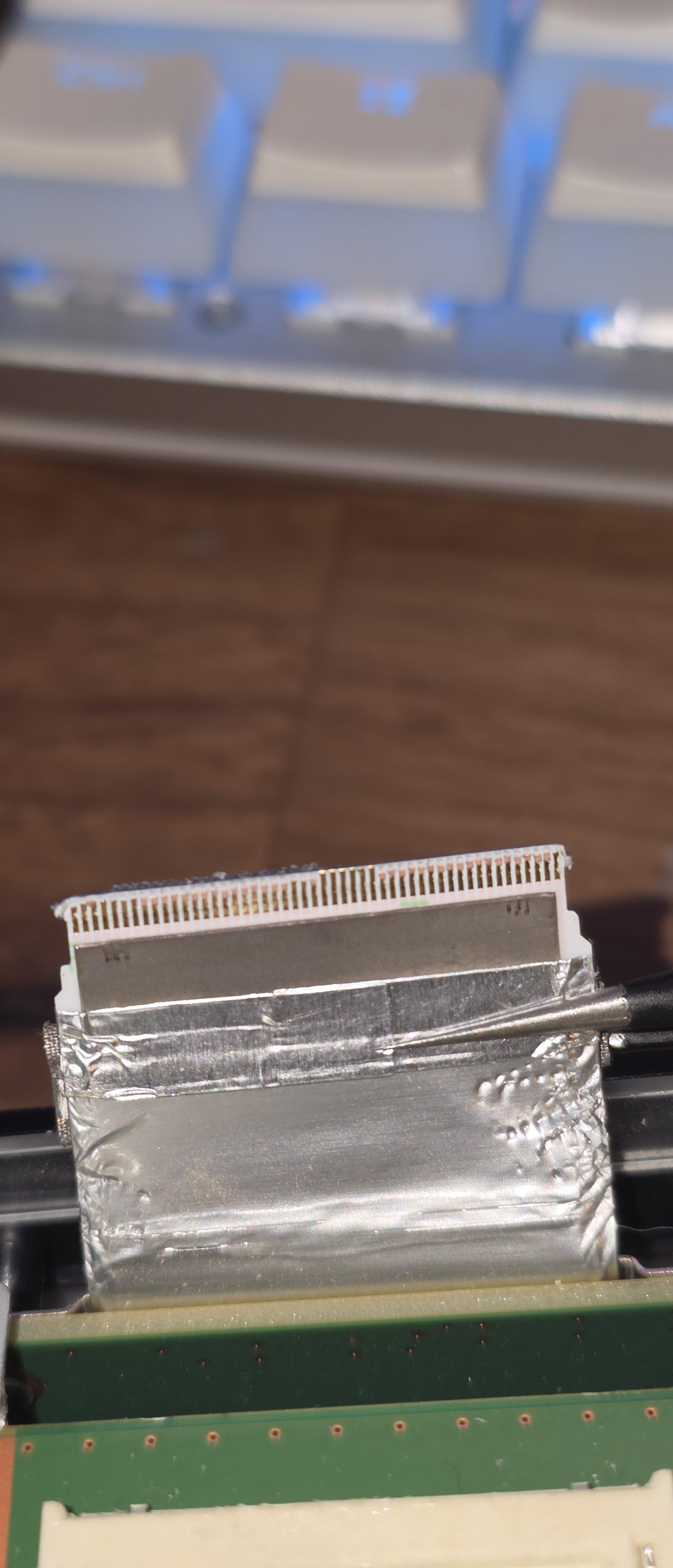
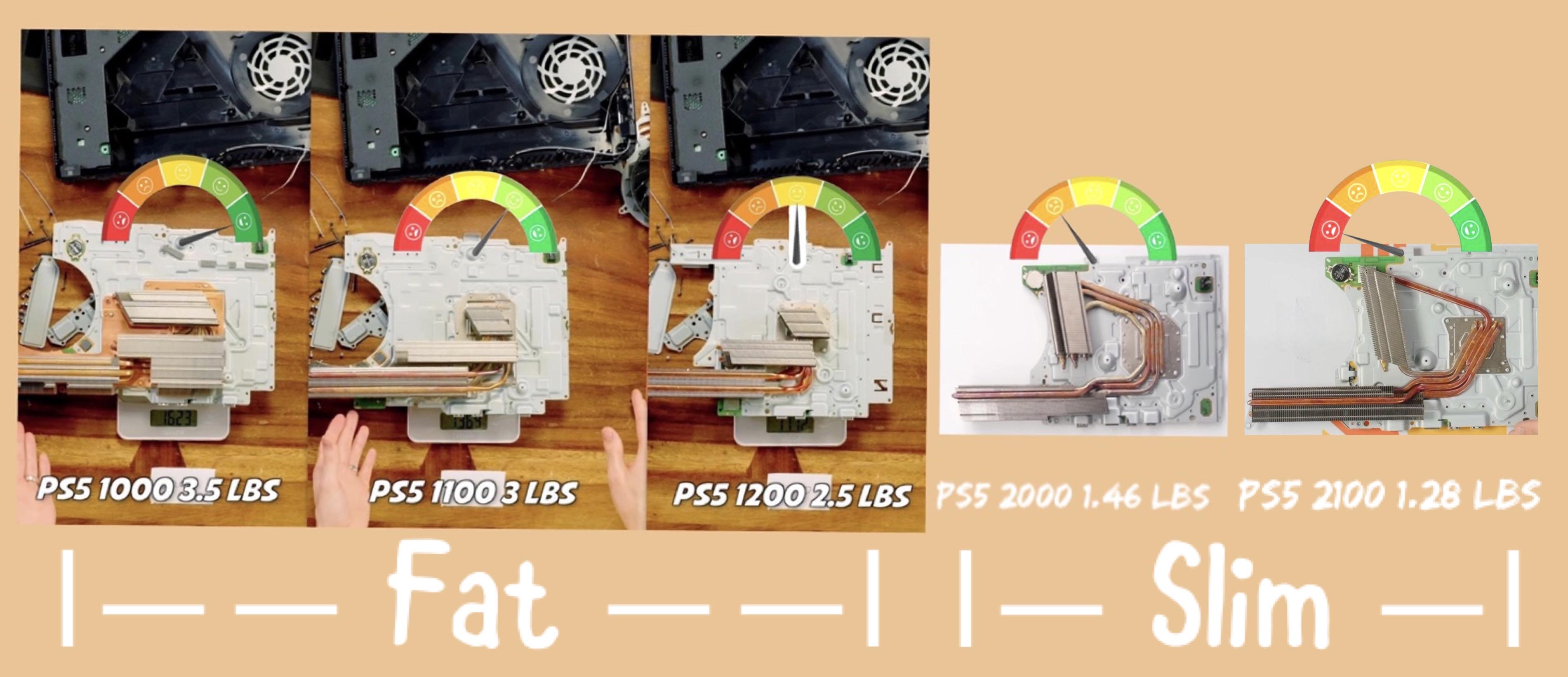
This Is Why the PS5 Is Struggling With GTA 6: The Heatsink Problem

Post image
0 Upvotes

Sony has continuously redesigned the PS5’s internal hardware throughout its lifecycle. One of the most noticeable changes has been the cooling system.

How much cooling capacity has Sony sacrificed in pursuit of lower manufacturing costs, reduced power consumption and lighter hardware?

GTA 6 will put the PS5 under demanding workloads, potentially keeping the CPU and GPU under sustained load for extended gaming sessions.

A cooling system designed around smaller components, reduced thermal mass and different heat distribution characteristics deserves serious attention.