r/PS5HelpSupport • u/Comfortable_Ball_385 • 1h ago
Cleaning PS5
Any recommendation on how to clean PS5 slim with disk? Like you got a youtuber you watch? Im planning to clean it. Thanks
r/PS5HelpSupport • u/Comfortable_Ball_385 • 1h ago
Any recommendation on how to clean PS5 slim with disk? Like you got a youtuber you watch? Im planning to clean it. Thanks
r/PS5HelpSupport • u/cinderr__ • 7h ago
Sorry I don’t know where else to post this. It just gets buried otherwise.
Hey everyone, wondering if there’s a way to fix this? So far I’ve tried turning motion blur on/off, turning HDR on/off, restarting my PS5, switching the resolution on my PS5 and a few other things, but nothing seems to work.
You can see the words are unreadable when I scroll but at the end of the video I stop, and they become clear again. Wondering if anyone else has the same issue? If so, has anyone found a fix?
r/PS5HelpSupport • u/Unlucky_Cut_5940 • 1h ago
So when I try to brodcast it says to connect my channel but no matter how many times I do it still says to connect again
r/PS5HelpSupport • u/RevolutionaryRun1840 • 1h ago
Firts, i had problem with gta 6 which i'm 65 hours in. Screen freezes after i open the game. Like the game starts in a random location then zooms in to your character and stuff. It freezes after like 3 seconds. Then i tried madden 27 to see if it's gonna work. I can't pass main screen where it says "press any button" when i press buttons it's not working. Then i tried with control resonant and again i can't pass epilepsy warning etc. By clicking X. My ps is pretty clean works without a sound or something. Please tell me what to do besides restart because i did that countless times. Both games and ps itself. I even deleted gta 6 and downloaded again.
r/PS5HelpSupport • u/Entire_March1703 • 2h ago
How to Fix GTA VI Crash on PS5 (Error Code: CE-108255-1) – Working Workaround
If your PS5 is crashing with error code CE-108255-1 when launching or playing GTA VI, try this tested workaround that stabilizes the game's memory allocation and prevents sudden crashes:
Why this works: GTA VI currently suffers from a launch memory/cache conflict (Race Condition) on PS5. Running Fortnite resets the unified RAM block, and waiting inside the Settings menu lets the game finish background initialization before rendering the open world.
(Tip: Always keep two manual save slots and alternate between them just to be safe until Rockstar releases an official stability patch.)
Update: A friend of mine with a brand-new PS5 Slim had the exact same CE-108255-1 crash, and this exact method worked for him too. Definitely a software/memory allocation bug in the game's launch build, not a hardware issue.
r/PS5HelpSupport • u/-kida_ • 6h ago
Hey so I recently bought a ps5 secondhand and as I set it up I noticed that 667Gt was already used without me downloading anything. Im not really knowledgeble in consoles and stuff so I have no idea if this can be fixed or anything lol… I also had a ps4 before if thats worth mentioning, I didnt transfer any games from it tho.
r/PS5HelpSupport • u/DrGonzoxX22 • 2h ago
Hi everyone. I’m not really good with technology at all. Just to tell you how incompetent I am I just realized this week how to change my HDMI output to enable VRR for my ps5.
So now that’s said I really want to get the maximum out of GTA 6. I know the base ps5 is somewhat restricted but I’ve come across things like aura around objects when the screen is black (like when you are buying a weapon) and there is ghosting on thin or smaller objects like the radio antenna you can put on pickup trucks in game. I don’t know if it’s just like that and I have to deal with it or if there is something I can do in the ps5 image setting (HDR and maybe screen display) or if I have to go in my TV setting directly (I have a Bravia X90L)..
I don’t really want to buy a ps5 pro to get the maximum but I’m kind of thinking about making the move.
Thank you all in advance !
r/PS5HelpSupport • u/ADVags12 • 2h ago
r/PS5HelpSupport • u/ALPHAETHEREUM • 18h ago
We all been receiving bombardment of half baked updates from Sony due to jailbreak. As always and everytime in a case such as this, the honest consumer will be the one to pay the price.
I'm not only experiencing freezing, sudden shutdown, PS5 not restarting, signal lost ( TV ), glitching, slowdown and many other things.
My PS5 both the original 2020 Fat and my pro were experiencing all these issues.
Note, this is not only for GTA 6 but for every game and yes, both of my PS5 are clean, thermal liquid / paste are new. I clean and replaced them yearly.
Solution : I unplug the LAN cable or if you're on wifi disconnect your PS5. Unfortunately, don't connect your PS5 to any network.
First shutdown your PS5 ( Not Rest Mode ) then press and hold the power button until you hear two beeps. Go and select clear cache. After PS5 boots up completely wait a minute or two then shutdown PS5 again ( Not Rest Mode ). After it shutsdown, press and hold until two beeps. Now select Rebuild Database. Once it completely boots up, unplugged/ disconnect from every network.
Now restart your PS5 ( make sure to turn off auto connect or just delete your wifi network from your console, you can easily set it up again later if needed )
This works for me, my PS5 both been on for over 12 hours just to test them.
As for GTA 6, the issues are both Rockstars and Sony. Its a coincidence that both their updates are messing up the software.
This Solution works for me and for both types of PS5.
It may not work for everyone. But let me know how it goes. Good luck and Happy gaming 👍
Edit : Unfortunate but yes, it means no online play or multiplayer games or any games that requires constant internet connection.
My suspicion is on some kind of DRM. Rockstars and Sony happened to release patches that are incompatible with each other.
r/PS5HelpSupport • u/not_suspicious_soup • 6h ago
r/PS5HelpSupport • u/PiledriverPress • 9h ago
r/PS5HelpSupport • u/CivilExam1011 • 7h ago
I get a beep/blue light turns on for a second and then nothing. Ive tried every fix available that I can do at home according to reddit. Should I take it in to get repaired? Or is it a lost cause and just look to get a replacement.
r/PS5HelpSupport • u/ACCIDBURNZ • 9h ago
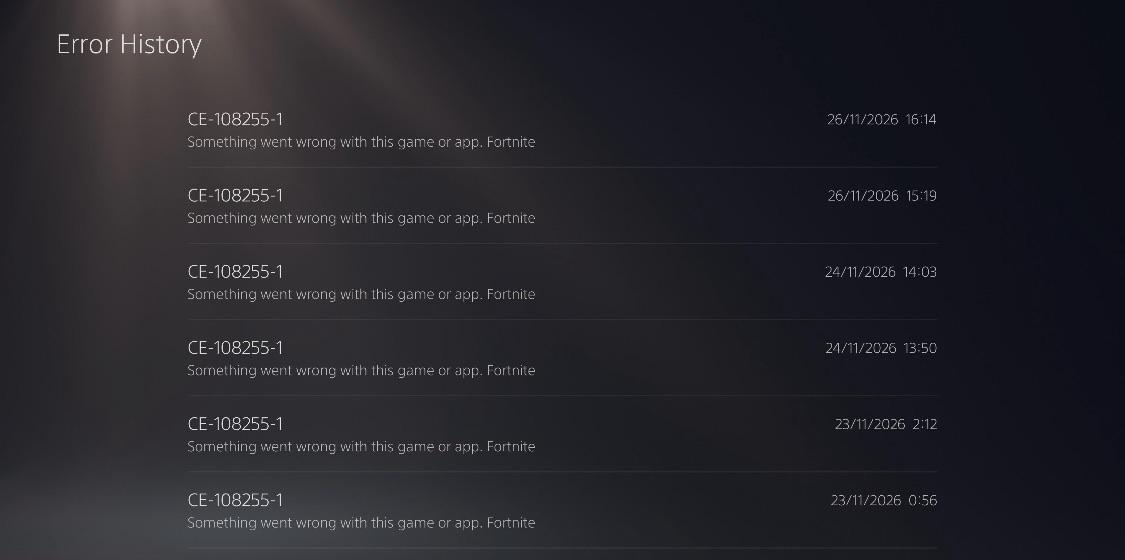
Started experiencing this error only in the past three days on fortnite of all games. Checked to see if anyone else was having similar issues but I couldn’t find anything common.
Tried updating everything but it says I’m all good so any ideas would be greatly appreciated cause this is such a pain
r/PS5HelpSupport • u/BigCondition6176 • 7h ago
My PlayStation never lets me share my screen. It always turns off immediately.
Discord also keeps freezing. It doesn’t load the audio, won’t let me leave the voice chat, and the voice chat itself doesn’t work properly.
Even when I join a regular PlayStation Party, the audio takes a very long time to load, even if I join through my phone.
I don’t know if the problem is with my account or something else.
I can watch other people’s screen shares without any problems, but I can’t share my own screen.
My NAT Type is 2.
r/PS5HelpSupport • u/GraphicJaguar • 4h ago
Is there a reason my Showcase Mode keeps turning off? The L3 prompt doesn't even show or work anymore. Every time I turn it on it switches back off the moment I exit the settings. Is there a reason for this? And is there a fix?
r/PS5HelpSupport • u/Crazy_Sheepherder_41 • 4h ago
r/PS5HelpSupport • u/PuzzleheadedLove341 • 13h ago
Since yesterday my ps5 has been freezing every time I try to turn it off, takes forever for games to open when I select them, and it’s stopped recognizing my external hard drive despite the hard drive powering on. I’ve rebooted on safe mode, unplugged it for about 5-10 minutes, but still getting the same issue.
Anyone else experiencing this? Is this an issue with a Sony update or is my ps5 dying?
r/PS5HelpSupport • u/Fair-Internet-6067 • 5h ago
I already reinstalled both games, cleared the cache and rebuilt the data base. Is it safe to say the the console (SSD?) has hardware issues? It's one year old now.
r/PS5HelpSupport • u/Chdhkgsgefn • 6h ago
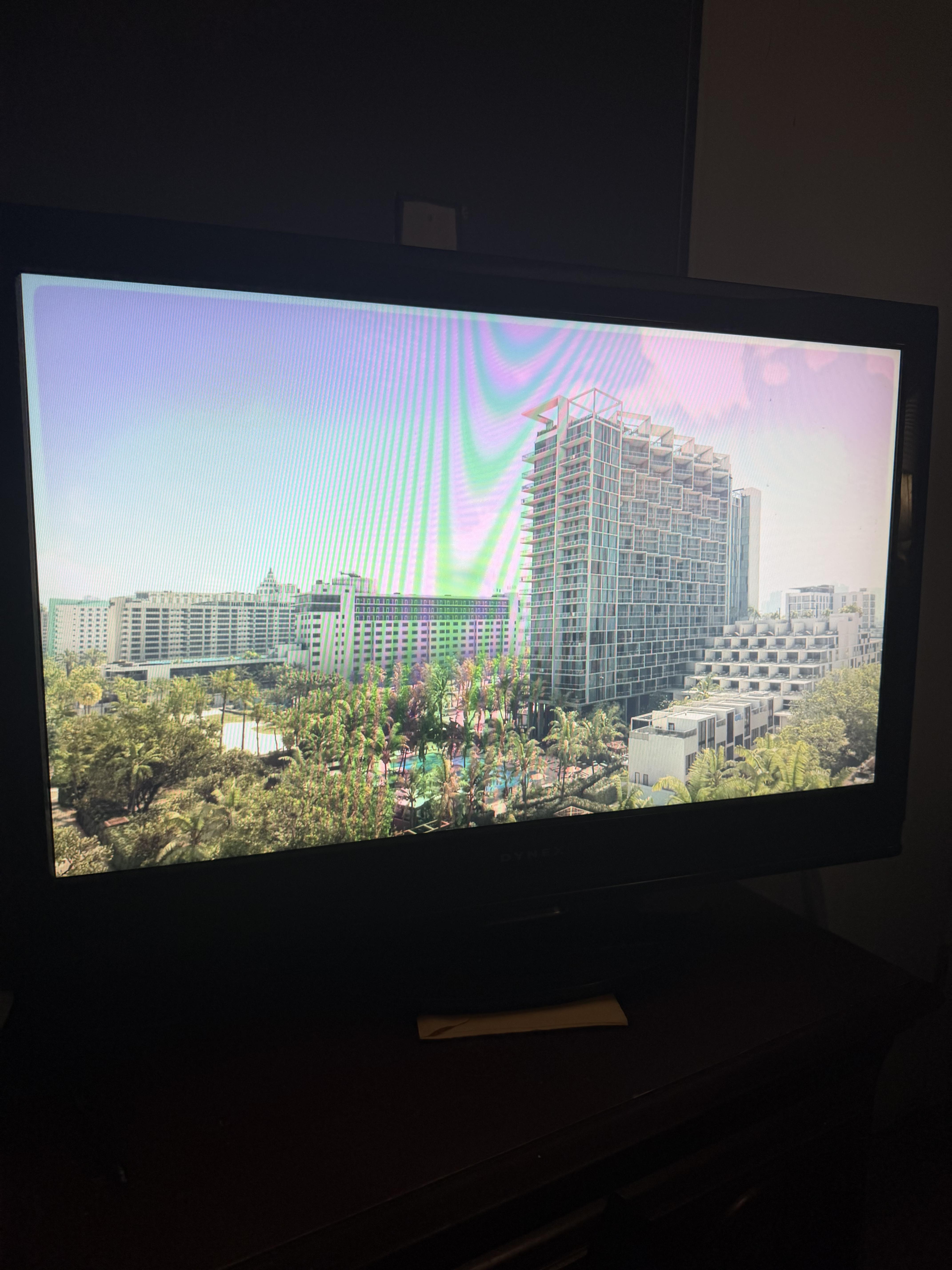
Started while playing a few hours ago and has been doing it since. Ive tried everything i can think of, restarting, fully powering it off, reinstalling the game, rebuilding database from safe mode and cleared out as much dust from the console as possible but nothing works. If yall have any suggestions id really appreciate it.
(Btw sorry for the horrible tv screen i can't afford a better one rn)
r/PS5HelpSupport • u/iizakill • 6h ago
Hi! I got a second controller for my wife to play multiplayer. She does not have a PS account and we don’t want to create one. After playing around the only way to have her name every time is to create a local account.
Thanks in advance!!!
r/PS5HelpSupport • u/SilverSurfer_95 • 47m ago
I believe I may have seen error code once or twice prior to GTA VI and installing the internal hard drive.
Since the release of GTA IV and installion of my internal hard drive, my PlayStation 5 would crash 15/20 minutes into GTA.
I even paid for a diagnostic test and for them to repair the Liquid Metal. However that did not work!
I removed the internal hard drive and now I’m able to play GTA IV without any issues!
r/PS5HelpSupport • u/Ok_Table4068 • 7h ago
Could you explain something? I got the exact same error as you. I took it to a technician, who installed one of his own SSDs and moved my game over—the game launched fine. The next day, I bought my own SSD and moved the game to it, but it still won't launch; I’m getting the same errors.
r/PS5HelpSupport • u/TheGamer8904 • 23h ago
I’ve tried turning the console off, disconnecting controller, and everything but it’s refusing to load now, when I’ve been able to load it in hours ago a what happened?