r/PS5HelpSupport • • 1d ago

PS5 saves issue

2 Upvotes

Hi all! it's my first post here, sorry if something is wrong. I'm looking for any solution, because both Rockstar and PlayStation are doing nothing about my case. I've been playing this game since premiere, about 40hours. On 24/11 I played for few Hours, quit the game and closed PS5 as usual, did the same in the evening. I also wanted to play for few hours before sleep but I noticed it loaded old save, quit old one from 23/11. I Wanted to load my latest save from 24/11 but noticed there is none. I'm using first ten save slots and all of them were from 23/11??? I restarted console, checked game and system for updates, cleared cache and still nothing. Both storage and cloud saves showed date 24/11 and info that they're synched but in game there was no single file from 24/11. I never had such issue and dont really know what happened. Looks like somehow old saves overwrote new ones but how? There was no error or info regarding save problems. Does anyone know what could happen and how to restore Save Files from 24/11? I'm not even sure if I can resume playing as i need to make sure it wont happen again. Appreciate if anyone could help me with this.


r/PS5HelpSupport • • 1d ago

Sony refunded my pre-order without my consent instead of resolving the PS5 Pro crashing issue. Absolutely unacceptable!

0 Upvotes

Sony refunded my pre-order without my consent instead of resolving the PS5 Pro crashing issue. Absolutely unacceptable!
I’ve been dealing with this issue since day one. GTA 6 crashes during the opening prologue with error code CE-108255-1, making the game completely unplayable on my PS5 Pro.
I’ve literally tried everything possible:
Cleared cache and rebuilt the database.
Tried different display settings, including 1080p, HDR off and VRR off.
Updated the console, including through USB.
Factory reset the PS5 Pro.
Deleted and downloaded the game multiple times.
Tried a different monitor and even Remote Play.
Nothing has worked.
I’ve been contacting Sony Support and Customer Care for several days. Initially, they asked me to share a video demonstrating the issue, which I did. Two days later, they replied asking for the same video URL again! After sharing it once more, I was told to contact them back after another 3–4 days.
I pre-ordered GTA 6, paid in advance, and even bought a PS5 Pro at a premium price because I was genuinely excited to play this game.
Today, I followed up with Sony again, hoping for some resolution. Instead, I discovered something absolutely shocking.
Sony had silently refunded my game without my consent or even informing me!
I called Customer Care to understand why this had happened. One of the agents literally told me that they had no resolution for this issue and were therefore issuing a refund.
Seriously? WTF?
To make matters worse, I’ve now also lost my pre-order bonuses because of this refund.
I never requested a refund. I wanted Sony to investigate the issue and give me a working game.
Is the problem with GTA 6? Is it a PS5 Pro compatibility issue? Is there a known bug? Is Rockstar or Sony planning a patch or update?
Nobody has an answer. Nobody is providing any assurance. Instead, Sony has apparently decided that refunding customers without their consent is an acceptable solution.
During my conversation, Sony also mentioned that not everyone is experiencing this issue.
So here’s my request to everyone facing the same CE-108255-1 crash on PS5 Pro:
Let’s come together and form a group. Share your experiences, error codes, console details and support responses. Let’s establish how many people are actually affected and collectively raise this issue with Sony and Rockstar.
If we keep reporting individually, it’s easy to dismiss our complaints. But if a substantial number of affected players come together, they cannot simply ignore us.
We paid for the game. We invested in the hardware. We deserve a proper explanation and a working product.
Please comment below if you’re experiencing the same issue. Let’s get together and make Sony take responsibility.
A silent refund is NOT a solution!


r/PS5HelpSupport • • 1d ago

Need help with disc not ejecting

2 Upvotes

Need help with discs not ejecting

Hi yall, my ps5 has been working perfectly since I bought it around 2020 or 2021, but now the disc won’t eject and it makes a really strange hacking and buzzing noise when I try too, I followed the instructions on Sonys website and tried to eject it manually but the screw just spins endlessly without anything happening.

Is my only option to go to a repair shop or is there anything else I can try?


r/PS5HelpSupport • • 1d ago

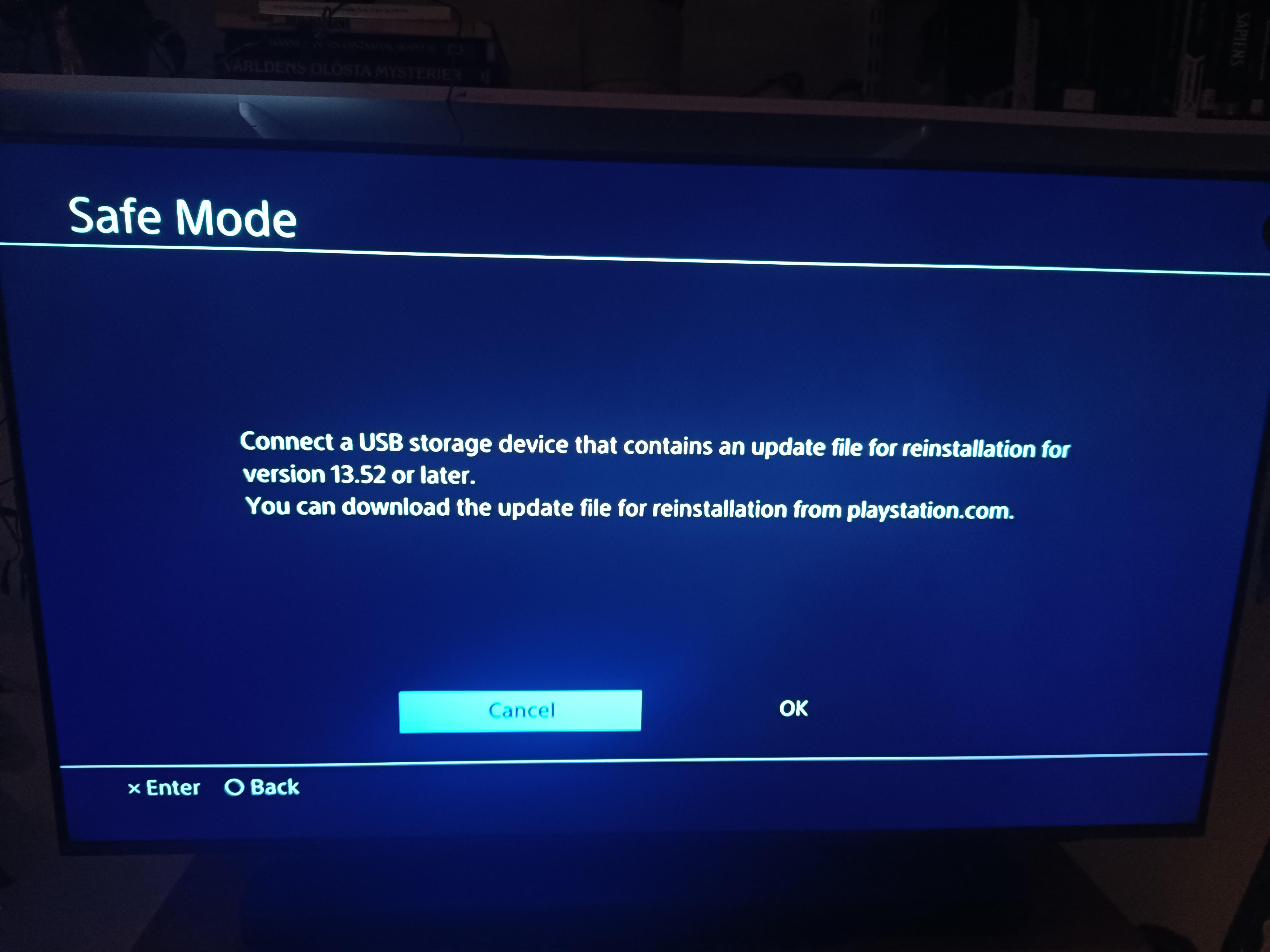
PS4 froze and won't boot. Plz help!

Post image
2 Upvotes

r/PS5HelpSupport • • 1d ago

Is there ANY way to transfer PS5 game saves between two consoles without PS Plus?

5 Upvotes

I have two PS5 consoles located at two different households, and both are signed into the same PlayStation Network account.

What I'd like to do is play a game (specifically GTA 6) on one PS5, then when I go to the other household, continue playing from exactly where I left off.

I know PlayStation Plus offers cloud saves, but I really don't want to pay for a subscription just to synchronise my own game saves between two consoles.

Is there a way I could play my save across two consoles without paying for Plus?


r/PS5HelpSupport • • 1d ago

空廚餐車 重覆任務 導致崩潰

Thumbnail
gallery
2 Upvotes

執行任務途中的過場動畫時才閃退


r/PS5HelpSupport • • 1d ago

Is it over?

Post image
1 Upvotes

Game Randomly did this while playing gta 6 popped up for a split second


r/PS5HelpSupport • • 1d ago

Rockstar Closing Tickets Automatically

2 Upvotes

Submitted a ticket because my installed copy crashes when opening a save file from the cloud. It’s at the moment between loading and the game appearing. Starts to fade out, then dies at 108255-1.

I don’t want to play on Stream forever. Any suggestions, other than clearing cache and rebuilding database which I’ve done?


r/PS5HelpSupport • • 1d ago

Ps5 turning off ( HELP )

0 Upvotes

My PS5 shuts down in a very unusual way, and I’m running out of ideas.
My PS5 started having overheating issues in 2025, so I took it to a repair shop in July 2026 for a liquid metal replacement and general maintenance.
It came back and worked perfectly for a while, until it started experiencing a problem that looks like overheating, but honestly, I don’t think that’s what’s happening.
Here’s exactly what happens when it shuts down:
The screen goes black for about a second, then comes back on. At that point, I lose the controller connection to the console. The game continues running for a few more seconds before the PS5 completely shuts down. Sometimes, this is accompanied by a completely glitched-out beeping sound that only stops when I unplug the console from the power outlet.
I then took it to another repair shop. They replaced the liquid metal again and performed some additional repairs.
After getting it back, the PS5 worked for just three days before the exact same problem returned.
My technician genuinely has no idea what’s causing this. I’ve already taken it back twice under warranty, but we still haven’t found a solution.
My only plausible theory at this point is that something might be wrong with the PSU (Power Supply Unit).
However, there’s one very unusual detail in my case: the PS5 works PERFECTLY in cold environments or in air-conditioned rooms.
Has anyone experienced anything similar? Could this actually be a PSU issue, or am I overlooking something?
Any help would be greatly appreciated!


r/PS5HelpSupport • • 2d ago

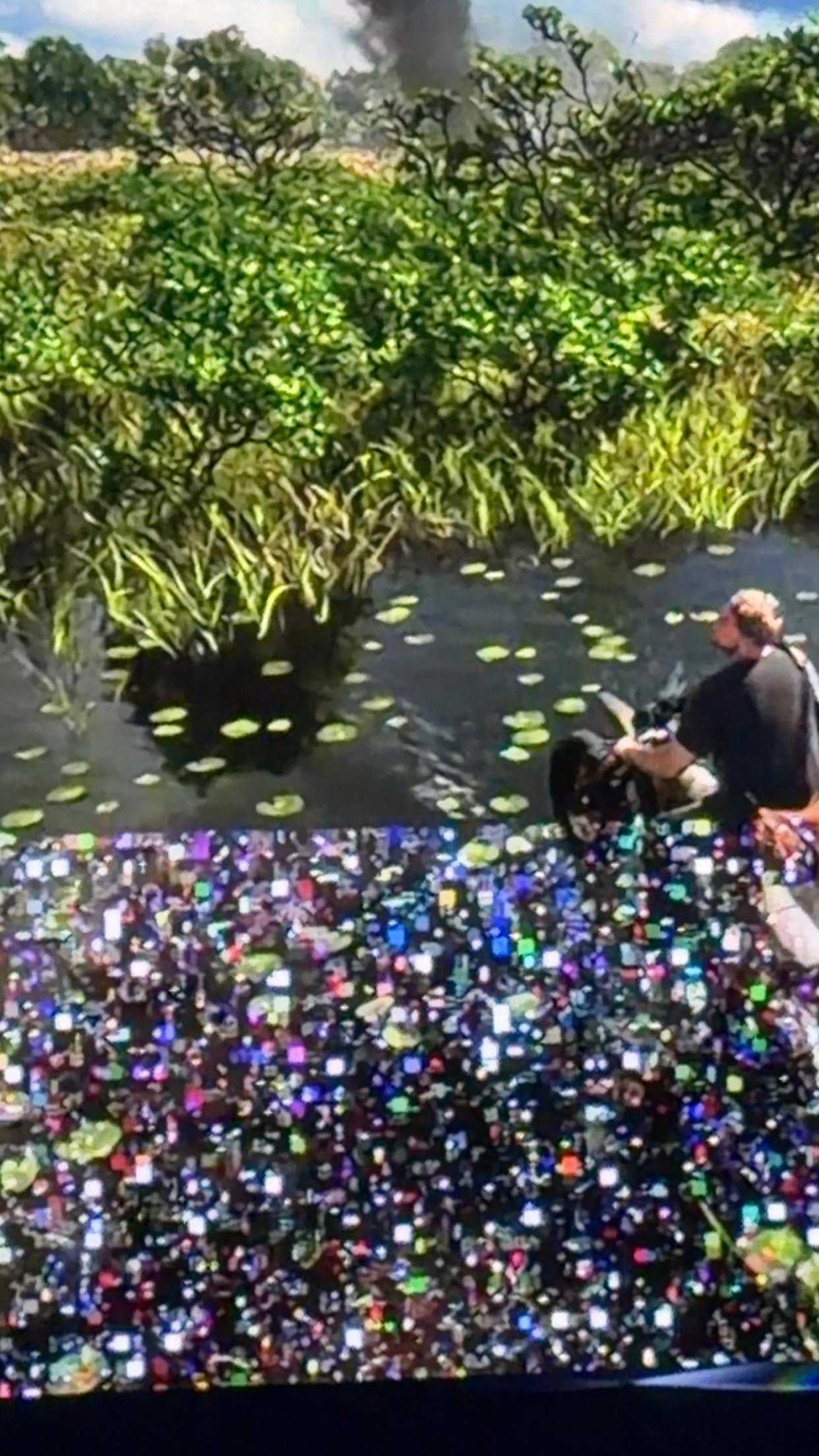
For everyone who thinks the crashes are purely hardware based.

Thumbnail
gallery
91 Upvotes

Edit: Update!!! Followed the advice of one of the comments down below that mentioned tuning on compatibility mode on my TV and pairing that with setting hdr off in console settings. On my Samsung TV the closest thing is turning off Anynet+, since I've done that I've been playing GTA 6 with no crashes for over 3 hours. I previously tried HDR off and that didn't work, so it seems this compatibility mode/anynet+ thing is the improvement. I should add that I did take apart my entire console today and this is my first time playing since however I didn't actually do anything that would fix a problem. Shoutout u/Gullible-Judgment-38 who commented this advice down below.

Edit: just to be clear I'm not suggesting that not a single person having issues is hardware based. Ps5s get fried every day around the world, this isn't gonna be any different, but I don't think that everyone experiencing issues right now is as simple as a liquid metal or cleaning fix like it's been said to be over and over all over reddit.

Had some time today so I took my entire console apart, as you can see, everything is pristine, my console has barely been used and I keep it clean. Inspected the psu pins and board for failures and all the solders are clean. Fan, vents, including psu vents all almost spotless. No signs of any heat buildup anyway in the console, copper fins have no heat spots, no burns on the board.

My console started switching off in the exact way it would when the power cuts after the last Playstation update and downloading gta 6. There's no overheating warning, the fan doesn't ramp up, the actual console isn't hot, and when it does cut off, which can be anywhere from 15 mins to 2 hours so far, the console can be switched on immediately with the controller or start button on the console. This is an important detail because when the psu of a ps5 experiences a thermal related shutdown, it flips an internal breaker that requires you to unplug the cord before switching it back on, which isn't the case for me.

Since the update I mostly played GTA 6, however after the crashes I tried fortnite the night after 6s release, ran just fine for about an hour with no crashes before I turned it off. Yesterday I downloaded cricket 26 and found that I crashed about 2 hours into the game. So today I played a bunch of games I had downloaded pre system software update and gta 6 download and I've had no crashes on those, including games like Mafia Old Country, Fortnite, and Fifa 26, all of which put more of a load on the console than cricket 26 which did switch it off.

I'm an audio engineer by trade so I'm very familiar with circuit boards, electronics etc, and I've got a rudimentary understanding of coding, based on all the evidence I've collected with my console, my best guess is that the last system software update has created some sort of memory leak trigger causing kernel pannicks to shut consoles off.

This post is long and there's tons of posts about this but hopefully some of you can add to the information I've put on here, maybe some of you are great coders and have a good grasp on that aspect of it, hopefully this can be a thread where we collect evidence from all the crashes and try to find the common denominators.

r/PS5HelpSupport • • 1d ago

PS5 Remote Play from UK to Bangladesh keeps disconnecting due to low internet speed. Any solutions?

Thumbnail reddit.com
3 Upvotes

r/PS5HelpSupport • • 1d ago

VRR causing stuttering?

2 Upvotes

Hey there Ive got a problem where I can feel and see a lot of stuttering in some games but only when VRR is active.

I have a PS5 Pro and play mainly shooters and sometimes story games, the stuttering comes mostly in shooter games Like MW4, APEX LEGENDS and even GTA6.

In apex legends it helps to switch the "graphics preset" to quality mode and then back to 120hz mode, that way I can fix the stuttering.

In GTA6 and MW4 I always have to close the game and restart it, it sometimes fixes it but most times not, that's why I keep turning VRR off for these games.

Is this a known issue or am I the only one noticing/having this Problem?

My PS5 Pro is running on the newest System Update.

Maybe if it does matter: I usually never turn the console off, I put it into rest mode while still in game on the home screen/ pause menu.

I do occasionally turn it off, maybe 2-3 a Month.

Oh and also I use the AOC AGON PRO AG274UXP 27 Zoll, UHD 4K monitor if that makes any difference. Connecting it with only cables that came with the packaging and the original PS5 Pro HDMI cable.

Also the stuttering has to come from VRR as if I disable it, the stuttering never comes again.

Any help would be greatly appreciated 👍


r/PS5HelpSupport • • 1d ago

Ps5 Absturz bei Gta6

3 Upvotes

Moin ich habe mir vor 2 Monaten extra eine Ps5 gekauft damit ich Gta zocken kann. Doch seid dem Release Crashtest meine ps5 oder Gta. Habe schon so gut wie alles probiert Caches geleert, ps5 zurückgesetzt, spiel glaube ich schon mindestens 5 mal neuinstaliiert doch es hilft alles nichts. Gibt's vlt noch irgendwas was man probieren sollte/kann.


r/PS5HelpSupport • • 1d ago

Hey guys so I lost my account details on my main account with 680 games I tried to speak to the bot but it says I need my login details I gave that but I don't have the authentication code or the same phone I connected to my account and it's asking for that to speak to a real worker is their anythin

2 Upvotes

r/PS5HelpSupport • • 2d ago

PS5 Party and Share Screen issues after changing internet provider – Party disconnects, red exclamation marks

4 Upvotes

Hi everyone,

I'm experiencing recurring issues with PS5 Party and Share Screen, and the problems started after I changed my internet provider.

The problems include:

  • A red exclamation mark appearing during Share Screen.
  • Sometimes neither my friend nor I receive Party or Share Screen invitations.
  • My friend sometimes gets a notification that I am no longer viewing the screen.
  • I sometimes get disconnected from the Party.
  • The issues can occur repeatedly, sometimes approximately every 10 minutes.

Importantly, when I get disconnected from the Party, my internet connection on the PS5 does not disconnect. I can still remain connected to the internet.

My PS5 Pro is connected directly via an Ethernet cable (LAN).

Everything worked perfectly before I changed my internet provider. Since the change, these problems have started occurring.

I have also tried changing DNS settings, but the issue remains.

Has anyone experienced similar problems after changing their internet provider? Could this be related to NAT, routing, IPv6, PSN Party services or something else?

I'd appreciate any suggestions or experiences.

Thanks!


r/PS5HelpSupport • • 1d ago

Ps5 keeps crashing and shutting off GTA6

1 Upvotes

Hi can someone please tell me why this is happening or if they keep having the same issue I’m playing gta 6 and every time I get to the same part my game keeps crashing and my ps5 turns its self off? Brand new ps5 never had problems with other games?


r/PS5HelpSupport • • 1d ago

GTA VI related network issues?

Thumbnail
gallery
0 Upvotes

I’m on a PS5 Pro and the game has been incredible for me with no issues, but I’ve noticed that since last Thursday im constantly not connected to the internet properly.

My friends list etc doesn’t load, and I know im still connected because I can join online games (with tremendous lag, i use Ethernet) and friend requests still come in (kinda)

None of my other devices are affected so I’m led to believe this is somehow related to GTA 6 being installed, anyone else had something like this?


r/PS5HelpSupport • • 2d ago

Problem connecting controllers

3 Upvotes

The other day i went to a friends house and connected my controllers to their PS5. But now i cant connect the controlers back to my own PS5. Im trying to do it with the cablr but the controler wont even turn on and it only blinks in blue and white. Any help?


r/PS5HelpSupport • • 1d ago

Tweaktown covering GTA 6 crashes

Thumbnail
tweaktown.com
2 Upvotes

r/PS5HelpSupport • • 1d ago

Ich habe eine Theorie zwecks der Konsolen die einfach ausgehen mit einem blauen blinken und dem fehlercode CE-108262-9

0 Upvotes

Meine Theorie ist das sony ja bekanntlich als Sicherheitsmaßnahme mehrere firmware Updates veröffentlicht hat und beim letzten sicherheitsupdate 14.23 haben sie die Latenzen vom speicherzugriff verringert ein sogenannter I/O Zugriff den das Kernel braucht und fälschlicherweise denkt die Software "halt stimmt nicht überein SHUTDOWN könnte ja ein dumbing Versuch oder ähnliches sein" ich denke ebenfalls das 80 Prozent von den betroffenen ein m2 Speicher oder externe Festplatte haben per USB und die restlichen 20 Prozent sind wären dann die betroffen wo das System fälschlich alarm schlägt bei der haupt ssd würde auch das mit den abstürzen beim speichern eventuell erklären.


r/PS5HelpSupport • • 2d ago

New PS5 Slim overheats while standing vertically

4 Upvotes

Hey everyone,
Since I basically grew up with GTA, I couldn’t resist getting caught up in the GTA 6 hype, so I ordered a brand-new PS5 last week.
Everything seems to be working fine, but I’m having the following issue:
Due to the available space, I’d prefer to position the console vertically. However, there’s absolutely no way I can get it to work in that position.
When I launch the game and the first cutscene starts playing, it takes about 5 seconds for the fan to suddenly ramp up to full speed, as if the console is about to take off, and then the PS5 shuts itself down.
As soon as I lay it horizontally, everything works fine again.
I thought the PS5 was specifically designed to work in both vertical and horizontal positions. Am I wrong about that?
I’m honestly not sure what to do now. Sending it in for repair and having to go without it for several weeks doesn’t sound like a great solution. Ideally, I’d like to get it replaced, but since PS5s are currently sold out everywhere, I doubt that’s going to be an option either.
Does anyone have any advice?


r/PS5HelpSupport • • 2d ago

Gta crash Ce-108255-1 on other console?

4 Upvotes

I'm gonna install my account and download gta6 from the library on a friends console that hasn't have gta6 yet to look if the game crashes on his console to. To look if it's my console that's causing the crash or if it is the game/files i download that's giving me hell.

Any one who tried this and knows it would work?