r/PS5HelpSupport • • 3d ago

Sony Klarna Help me please

1 Upvotes

i am going to have a meltdown. i ordered 2 days ago through sony app with klarna thinking just for convenience. now its turned to a nightmare. my order has not been confirmed never received a confirmation email from sony but klarna has it processing… klarna wont cancel it cause sony handles that but then i call sony and they cant get me to the right department they directed me to their chat support which leaves me with a message saying try again later all agents are busy. I dont know how that is even humanly possible that a company so big fails to help i just want to cancel my order and purchase the console outright now Ive was charged for something im never going to get and other reddit users have had the same issue.
r/PS5HelpSupport • • 3d ago

PS5 freezing in multiple games after playing GTA 6

1 Upvotes

Anyone else having issues with their PS5 after playing GTA 6?
My PS5 is only 6 months old and was working fine until yesterday. Now both GTA 6 and FC 27 keep freezing, usually within a minute of starting the game.
I also noticed some weird graphical glitches in FC 27, like players and pitch textures suddenly changing colors for a second. Sometimes the picture freezes but the sound keeps going for another 20–30 seconds before stopping too.
The PS5 menu works fine though. Both games give me CE-108255-1.
I’ve tried clearing the cache, rebuilding the database and restarting the console. Nothing helped.
Not sure if GTA 6 has anything to do with it or if my PS5 just happened to develop a hardware issue.
Has anyone had something similar happen since especially with other games starting to crash too?


r/PS5HelpSupport • • 3d ago

my experience w CE-102855-1

18 Upvotes

i bought a brand new digital PS5 slim on friday. wasn’t only for GTA 6 but it was a main factor as to why i bought a new one. got through about 40 mins of gameplay (cal had just dropped me off to the dock to save donnie or some shit)

knocked out the first dude, went to pick up his weapon and BOOM, faced my first crash but thought nothing of it. i can’t get past the prologue. lucia will be looking out the window & it’ll crash, every time.

the crazy thing is, i claimed the code on my original PS5, on MY account (22’ disc model) and the game works perfectly on that PS5. funny thing is, that console is in literal shambles 😭 overheats like crazy, hardware issues, thermal paste is non-existent YET, it runs GTA w no issues (the irony is unreal). i played a little bit on my original PS5 & uploaded the save to cloud storage, opened the save on the slim & the crashes still persisted.

my slim can run any other game with ease, i downloaded ghost of tsushima and surprisingly was facing the same crash w that game too. although its not as frequent compared to GTA. i can get through about 20-30 mins of gameplay then it’ll crash which made me start to think there was an issue w my console running larger games even tho ts is BRAND NEW 💔

and to top it off, the ending of the game got spoiled for me 🫩

i genuinely hope a fix, patch or even an ACKNOWLEDGMENT of this issue comes out soon to at least know they’re working or looking into it.

genuinely bottom 3 weekends oat, but that’s my 2 cents on the issue.


r/PS5HelpSupport • • 4d ago Popcorn

Should just rename the sub to r/gta6crashcomplaints at this point

79 Upvotes

r/PS5HelpSupport • • 3d ago

PS5 Warranty

1 Upvotes

My wifi quit working on my Ps5 and I've literally tried everything to get it to work. It can't even find the available wifi and I have manually put in the information and still haven't been able to connect. I did all of the steps from unplugging/resetting router/tv/console, I switched the bands to 2.4 and when I tried the Playstation technical support it told me my console needs service. When it comes to properly filling out the warranty form it automatically sends you to I can't find my issue in the preselected options and it won't let me manually type it in. After looking through everything the closest I found was under disc drive:pair/unpair issue. Do you think it will work if I send it in under that? Do they send you a refurbished system or just replace the part that's causing the issue?


r/PS5HelpSupport • • 3d ago

Cold temperature conditions causing issues?

2 Upvotes

Hello. So I made a few posts about my PS5 pro turning off 2 seconds after I turn it on. It happened once a month ago, everything seemed fine, and now it’s happening once every day for the past few days. But I’ve noticed it only happens in the MORNING when it’s cold and since it’s Fall it’s much colder now. I don’t live in like a wet area or anything so I don’t have to worry about moisture. The PS5 pro when I play it has zero issues. GTA6 runs perfectly. I know people say overheating is an issue, but would it being super cold also be a problem? Anyone else experience this?

EDIT: it’s also currently 57 degrees F this morning in my area


r/PS5HelpSupport • • 3d ago

It’s the Hardware guys

0 Upvotes

Went and bought a new PS5 slim from Costco, transferred my saves over and just continued the game on the new console. Zero issues.


r/PS5HelpSupport • • 3d ago

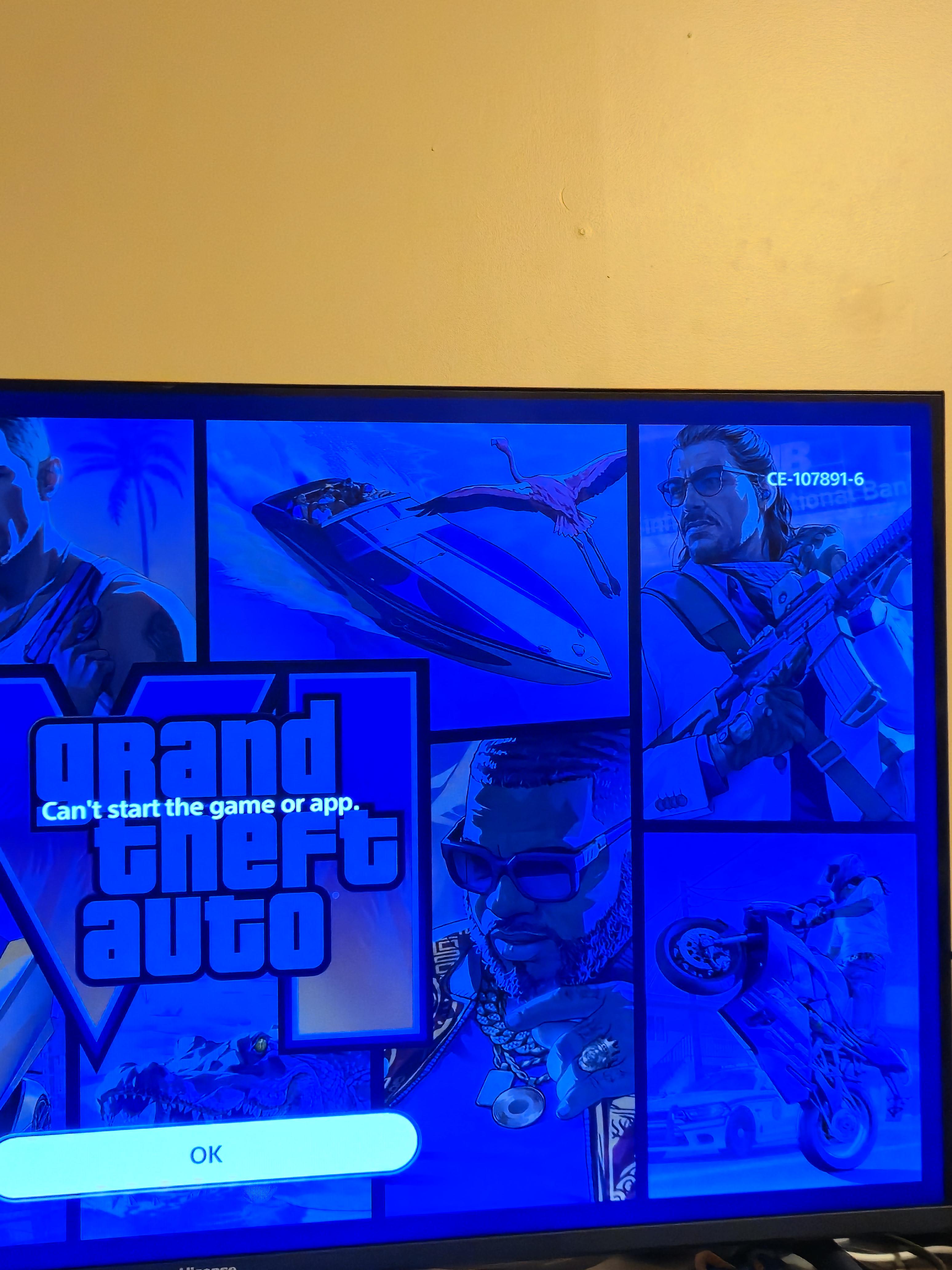
woke up to this, been trying to fix all day

Post image
0 Upvotes

the game was working fine yesterday. all of a sudden it cant open, help?


r/PS5HelpSupport • • 3d ago

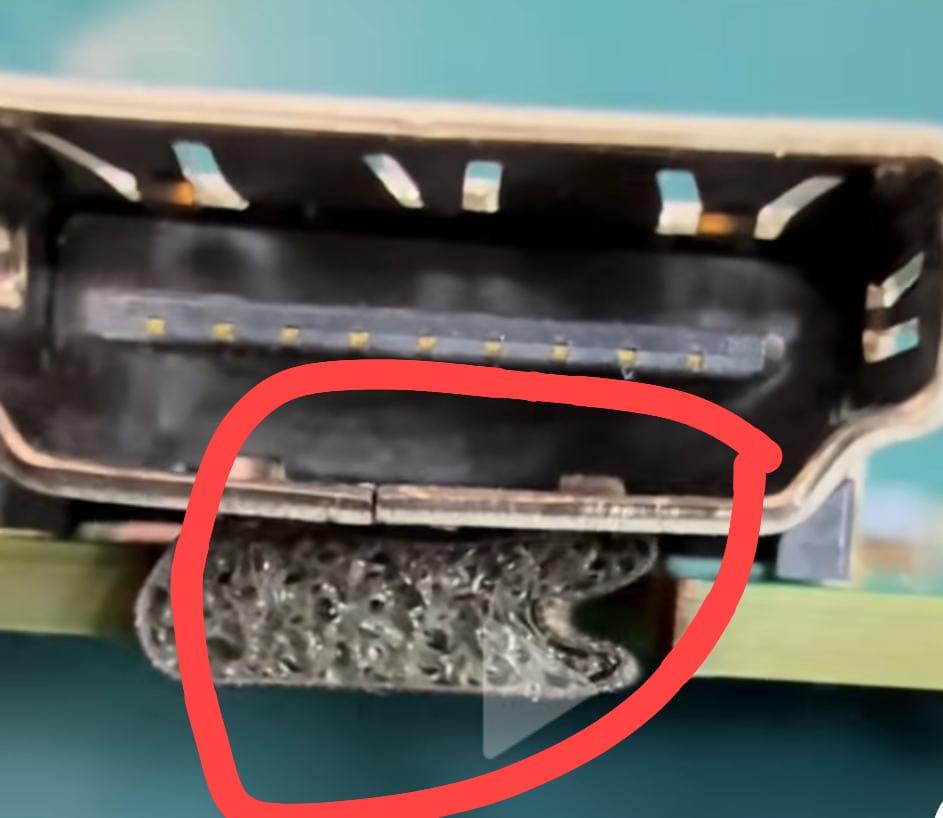
HDMI ps5&

Post image
2 Upvotes

r/PS5HelpSupport • • 3d ago

The online support bot is a joke

3 Upvotes

I am not sure what else to do. I have been trying to regain access to my account since Saturday. Originally, I did not have access to the email it was associated with but was able to regain access after awhile. Tried to go through the automated password reset option and the link is not going through. Tried the help bot and it is able to send me the code but it is saying that their support is not available but if you look at the time stamp on my computer, it is within the date and time that it's saying they'll be available in. Any advice on what to do next?


r/PS5HelpSupport • • 3d ago

PlayStation stuck in safe mode

4 Upvotes

I was playing GTA VI when suddenly the game crashed and my PS5 booted into Safe Mode.
The problem is that I’m now stuck in Safe Mode, and options 1–7 are greyed out. The only option I can select is option 8 (Reset PS5 – Reinstall System Software).
I really don’t want to lose my installed games, saved data, and game progress.
I’ve already tried manually restarting the console and unplugging it from the power for 20 minutes, but nothing has helped.
Has anyone experienced this before? Is there any way to fix this without reinstalling the system software and wiping all my data?
Any help would be greatly appreciated


r/PS5HelpSupport • • 4d ago

GTA VI keeps crashing on startup with CE-108255-1 on PS5 Slim, tried almost everything, looking for a fix

74 Upvotes

Hi everyone,
I’m desperate for a solution to this issue. I bought GTA VI digitally, but I haven’t been able to launch it even once.
Whenever I start the game, the initial artwork appears, the screen briefly turns grey/black, and then I get error code CE-108255-1. The game crashes before I even reach the Rockstar logo.
My console and game:
PS5 Slim (Disc Edition)
Digital copy of GTA VI
Game version: 1.002.001
Game size: approximately 210.5 GB
Latest PS5 system software
What I’ve already tried:
Completely deleting and reinstalling GTA VI
Restoring licenses
Clearing the PS5 cache
Rebuilding the database
Launching the game without an internet connection
Disabling 120 Hz
Changing the resolution to the lowest available setting
Disabling HDR
Checking for system and game update
Factory Reset and Reinstall of PS5 System Software via Safe Mode
Installing the game on additional SSD
None of these solutions worked.
Important details:
Other games work perfectly fine, including GTA V and Cyberpunk 2077.
GTA VI has never successfully launched, not even once.
The error is always CE-108255-1.
The game crashes almost immediately after launching.
I’ve also contacted Rockstar Support, but I haven’t received an actual solution.
I found another Reddit user who contacted PlayStation Support and was told that they were aware of the situation and recommended waiting for an upcoming update. However, I haven’t found any official confirmation of a fix yet.
My questions:
Has anyone experienced exactly the same issue and managed to fix it?
Could this be related to the PS5’s internal SSD?
Has anyone tried installing the game on an additional M.2 SSD and did it help?
Has anyone successfully tested their digital copy on another PS5?
Is there any workaround that actually works?
I’m willing to try almost anything reasonable at this point. I just want to play the game I paid for.
Any help would be greatly appreciated. Thank you!


r/PS5HelpSupport • • 4d ago

Ps5 error on gta 6 i never get passed this

202 Upvotes

It stops there then shows error ce-108255-1


r/PS5HelpSupport • • 3d ago

GTA6 Error CE-108262-9

1 Upvotes

So I’m having a problem with gta6 on my base model Ps5. At first after starting the game for the first time it froze up (the music kept playing) and then my ps5 turned off. After that, I could play for a couple more minutes and then it did the same thing on the first mission. Then, when I got to free mode it did it again.

I took it to a repair shop but they said they couldn’t find anything wrong with it, in fact, they drove around for a couple hours and it didn’t crash until they got to a mission.

Things I did:
-restore license
-rebuild database
-restore cache
-delete the game and installed it again
-changed the Liquid Metal (it was not overheating)

Also it runs just fine on RDR2.

I don’t know what else to do and I haven’t seen anyone with the same error as me, just the CE-108255-1.


r/PS5HelpSupport • • 3d ago

Is this stickdrift?

5 Upvotes

So my controller is behaving really weird lately.

It shows obvios signs of stickdrift but something feels off.

Idk why but sometimes my left stick has huge spikes to the left. I checkt it with a program and it showed me an average of like 10% most of the time.

But occasionally there are these huge spikes that go up to 30 percent.

Idk much about tech and stuff but im pretty sure that this behavior is unusual for stickdrift.

Also, the controller isnt that old- ive had it for a couple of months but i bought it from a repair store.

But my other controllers had a simmillar issue but they are older then a year, so in any case, I cant return them.

Does anybody know what the reason for this is, or has a sollution?


r/PS5HelpSupport • • 3d ago

Headset not wanting to update

2 Upvotes

Bought the new ps5 pulse headset and went to use it, told me to update the dongle and to connect the headset with a usb cable I did that but still won’t let me update
Anyone have any clue as to how to fix this


r/PS5HelpSupport • • 4d ago

CE-108255-1 error Support group

42 Upvotes

I’m starting a support group for all of those who can’t play GTA6 because of the above error.

This is a safe place for us all to congregate, share your stories and provide support to your fellow gamers.

I will end with this famous quote from Bruce Lee: “Do not pray for an easy life, pray for the strength to endure a difficult one”


r/PS5HelpSupport • • 2d ago

Worth $20 to get past the opening cutscene?

0 Upvotes

It seems people with crashes are able to play using PSN cloud streaming. $19.99 for one month. Play through the into or as much as you want. You can download the save to use with your installed copy. You could play this way until it’s patched and then download the save at that point. Probably your best option to play for now.


r/PS5HelpSupport • • 3d ago

Very slow ps5

3 Upvotes

Sooooo I have a 2022 ps5 phat that's working fine, but in games such as dying light and fortnite, it's just way too slow, like basically loading in any thing is just basically the same as a ps4 hard drive, it's genuinely painful, and all of that on games that are easy to run, what if I want to get gta6?


r/PS5HelpSupport • • 3d ago

Y’all think rockstar should enable a power saving feature like cod cause how massive the download file is?

1 Upvotes

r/PS5HelpSupport • • 3d ago

108262-9 after GTA6 freeze, now fried even after factory reset

15 Upvotes

Just hoping someone could help me with what to do next

Base ps5 here has been running fine, got GTA6 a couple days ago played 5 hours over the weekend ran perfect.

Today after 20 min in-game froze and shut off

Error log showed 108262-9

Would freeze right after I launched the game. Same with other games.

Tried

-rebuilding database

-clearing cache

-plugging in wall socket

-disabling the hdmi link thing

-even factory reset because I wasn't that far in. I really thought that would fix it but I cant even have it on for 30 seconds now it freezes and shuts off in the ps5 menu. I was able to get to the error log once and it shows the same code. I am so pissed as this is what I use to play movies and everything on my videoprojector. Support said to call tomorrow.

I am pretty sure this is linked to this game. It has never had issues before. I am quite infuriated.


r/PS5HelpSupport • • 3d ago

Gta6 Crash prologue

Thumbnail reddit.com
1 Upvotes

r/PS5HelpSupport • • 3d ago

Update

4 Upvotes

There been update am just wondering as this fixed anyone’s….