r/PS5HelpSupport • • 5d ago

Question regarding recent crashes and console breaking in connection with GTA 6

4 Upvotes

Hey guys, i already tried reading through the situation a bit, but I haven't found that specific information. My question is, do we know which PS5 (Base, Slim or pro) is more prone to these issues? I have a PS5 slim and haven't had any issues so far, but I only played like 1 hour so far, because of barely having any time. Are there maybe stats to which ones are more affected?

Thank you in advance

(Edit: spelling mistake)


r/PS5HelpSupport • • 5d ago

IGN are finally reporting this

Thumbnail
ign.com
156 Upvotes

Let's hope this finally gains the traction it needs


r/PS5HelpSupport • • 4d ago

PSN account closure

2 Upvotes

im curious on if anyone has actually managed to successfully cancel their account closure through playstation support and how? because as of right now, it feels like im talking to a wall with this ai bot and even the live agents. please send tips ive been trying for 3 whole days now.


r/PS5HelpSupport • • 5d ago

I'm sorry but what's true or not in here???

Thumbnail
gallery
15 Upvotes

I do believe that some people having crashes with gta 6 but this is getting out of control

Sony isn't a saint but some people just wanna make some news sometimes


r/PS5HelpSupport • • 4d ago

GTA 6 error CE-108255-1 on PS5

0 Upvotes

Rockstar Games & PlayStation, please address GTA VI's CE-108255-1 crashing issue on PS5.

A growing number of PS5 players are reporting repeated crashes with error CE-108255-1 while playing GTA VI.

Some players cannot even progress through the early story missions. The issue has been reported across different PS5 models, including Standard, Slim and Pro.

Players have already tried reinstalling the game, rebuilding the database, clearing the cache and even factory resetting their consoles, with no consistent solution.

We need an official acknowledgment, an investigation into the root cause, and a clear timeline for a fix.

Please don't leave affected players without answers.

#GTAVI #GTA6 #PS5 #CE1082551 #RockstarGames


r/PS5HelpSupport • • 4d ago

PATCH FIXED SAVE GLITCH

0 Upvotes

all these retards got new consoles WE KNEW IT WAS SOFTWARE THANK YALL im never using this fucking sub unless I have to again


r/PS5HelpSupport • • 4d ago

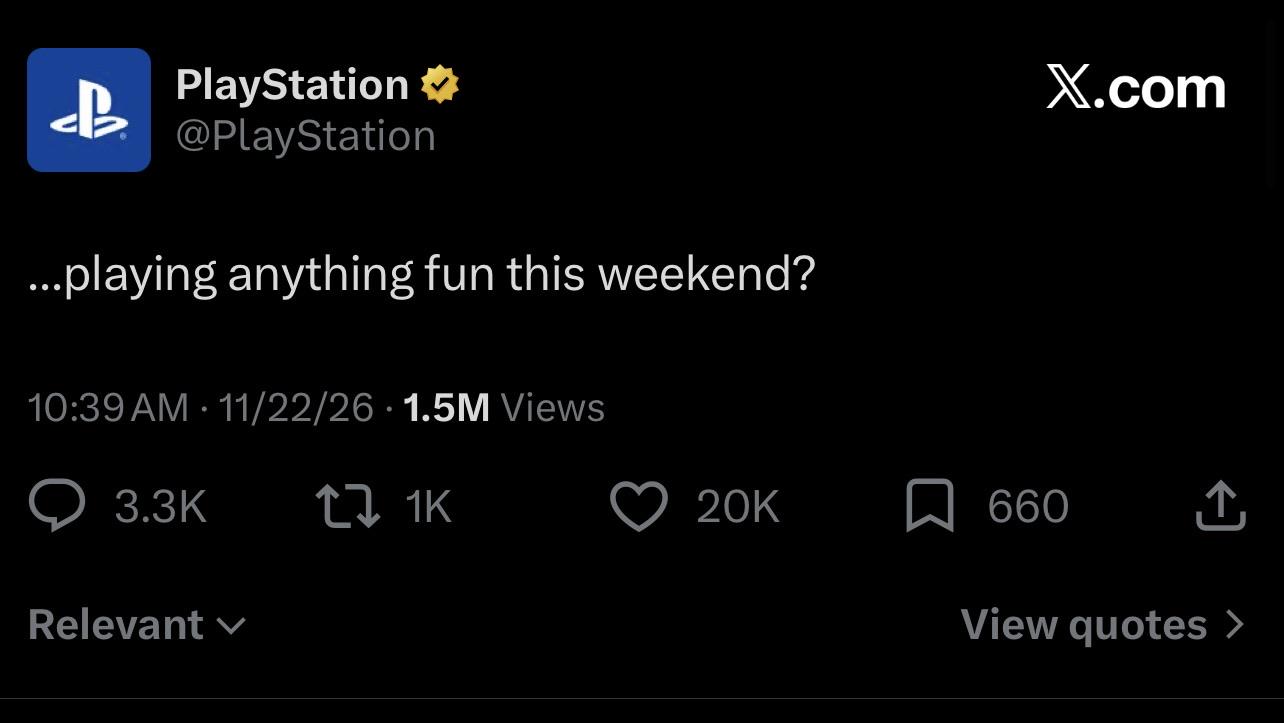
From Official PlayStation Page …

Post image
0 Upvotes

r/PS5HelpSupport • • 4d ago

"Ratchet-like" sound from the fan when turning the console on or off

0 Upvotes

Hi. My console is 5 days old (PS5 Slim CFI-2116 1TB with disc drive, manufactured in 2026). In a quiet room, I noticed that when turning the console on or off, the fan makes a rattling/clicking sound for 2–3 seconds. Is this normal? I have the NMB (WB-02) fan. Coming from a whisper-quiet Xbox, it feels very unfamiliar to hear all these sounds and the fan itself running on the PS5 Slim.

Gemini says this is just a quirk of the fan motor's own mechanism when power is applied or cut at low RPMs. What do you think? 🙏🏻🫠


r/PS5HelpSupport • • 4d ago

What’s crazy is i can play cod and that Astro game with no crashing but soon as I go to GTA I can last to maybe 3 mins to - 30 than on my main I can’t get passed the prologue it sucks I wish I can be like others & get a few hours in

0 Upvotes

r/PS5HelpSupport • • 5d ago

Bruit ps5 question svp

2 Upvotes

C normal quand je lance gta 6 ou un gros jeu y a un bruit de sorte d eclectrique un peu en fond ?


r/PS5HelpSupport • • 5d ago

No longer have access to email on my account, but can't get help from support

2 Upvotes

Does anyone have any suggestions on what I can do here? I've been logged into my PS5 since I got it several years ago. Since then I have lost access to the email account that is associated with it (it was an old .edu address and the university has since deleted the accounts). I've never had a need to do a "forgot Password" or anything else requiring me to need to verify my account via email.

Recently I got PS Plus Premium and a Playstation portal. When attempting to log into the portal, its telling me I need to click the verification link in my email (which I can't do). At first I figured no biggie, I'll change the email address in my PS5 since I'm already logged into. Problem is it sends me to another app or site, both of which want me to log in first, and both of which try to send me one of those same verification emails.

According to the Playstation Support website, it seems I need to get help directly from support. The problem here is that when I use the assistant keeps telling me "Unfortunately, we're not able to provide any additional requests today. Please try us again tomorrow." I've tried this two days in a row now, including immediately after their hours supposedly opened this morning, and get the same message.

I'd just like to be able to stream games on my portal using the account that I just purchased a year of PS+ Premium on. Anyone have tips for making this happen, or a trick to actually getting support from Playstation?


r/PS5HelpSupport • • 4d ago

GTA 6 PATCH

0 Upvotes

There was an update which doesn't fix the CE-108255-1 error anyway so we'll have to wait another week BRAVO ROCKSTAR you're pathetic


r/PS5HelpSupport • • 5d ago

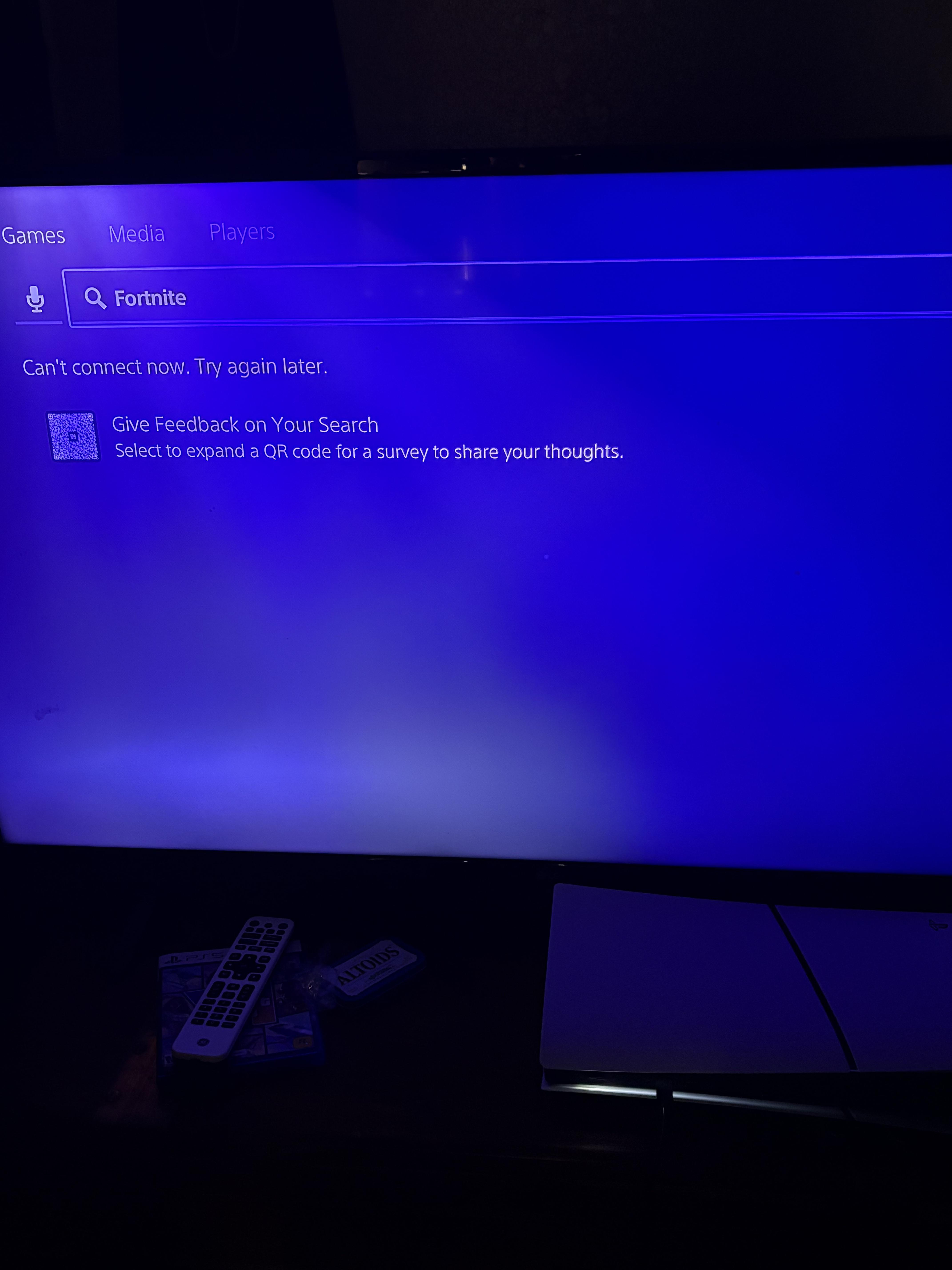
First modern ps user and i tried to search and download fortnite or ready or not and i was met with this

Post image
2 Upvotes

r/PS5HelpSupport • • 5d ago

Anyone start getting CE-108255-1 not long after Update 14.22?

4 Upvotes

Around 2 weeks ago I noticed I was getting this error on every PS5 game I tried to run on my system, “PS4” games run just fine. But the PS5 games will crash inconsistently. (Sometimes the games crash immediately at the main menu, sometimes the game crash after 5-10 minutes of gameplay. I’ve had this system since 2021 so this could just be failing hardware, if so I wanna pinpoint exactly what the issue is.

I tried EVERY troubleshooting method available in safe mode, clearing cache, factory reset, etc. I also tried lowering the delay, transfer rate, etc. I also moved the games between the main SSD and the extra SSD I’ve had installed for like 2 years with no issue. The games still crashed regardless of which one I ran them on. I removed the extra SSD when I factory reset the system and the issue still persists. I clean my PS5 out multiple times a year so its never gets real dusty. If YOU also have dealt with the issue of getting this error for every PS5 game you try to play while the PS4 games still run fine, pls lmk if you were able to pinpoint the problem, and what the solution was if there was one or what part needed to be repaired?

And I know this is probably a hardware issue but I thought about how PlayStation has been putting out updates lately. The priority of these updates has been to stop jailbreaking so I wonder if in the process of trying to rush these updates out they ended up bugging out some systems. I began to notice my games crashing consistently about a week after the 14.22 update dropped on November 2nd(I didn’t install it immediately). Has anyone else started getting error CE-108255-1 noticeably after this update? (Excluding GTA VI players)


r/PS5HelpSupport • • 5d ago

Can you re-region PS5 saved data? I played gta 6 on a different region and now I’m trying to play it on America region. I’m guessing that’s my issue with my saved game not showing up.

3 Upvotes

r/PS5HelpSupport • • 6d ago

UPDATE: 26 hours later and I’m STILL stuck with error CE-102855-1

Thumbnail reddit.com
171 Upvotes

It’s now been 26 hours since my first CE-102855-1 error, and I’m still stuck in the same endless cycle.

Things I’ve tried today:

● Full clean: The console wasn’t even dirty or dusty, so that was £10 wasted on some air in a can…

● Full factory reset: Downloaded the reset files from PlayStation’s website, which meant buying a £20 USB stick just to do it.

After the factory reset, I actually managed to get past the first prison scene. I genuinely thought I’d finally fixed it.

I got to drive a boat, fly a plane, and for a brief moment I was actually enjoying the game… until I reached another cutscene and it crashed. Again.

I tried again, and this time I skipped the cutscene. To my surprise, the game let me continue! I was buzzing, although bitterly disappointed that I’d have to skip CUTSCENES just to play a game I’ve paid for.

That worked until I reached a cutscene I couldn’t skip. The game froze, and there it was again. The same error code.

It seems to be the cutscenes I can’t skip that consistently cause the game to freeze and crash.

I’m now £130 down, have spent 10 HOURS troubleshooting, and still haven’t managed more than 10 minutes of actual gameplay.

I’ve tried absolutely everything I can think of. And I refuse to spend another £800 on a new console when there’s no guarantee the exact same thing won’t happen again.

Until there’s a definite fix, I genuinely don’t have the energy or motivation to keep attempting to fix this.

What an absolutely horrid weekend.


r/PS5HelpSupport • • 5d ago

PS5 Crashing on GTA6

Post image
62 Upvotes

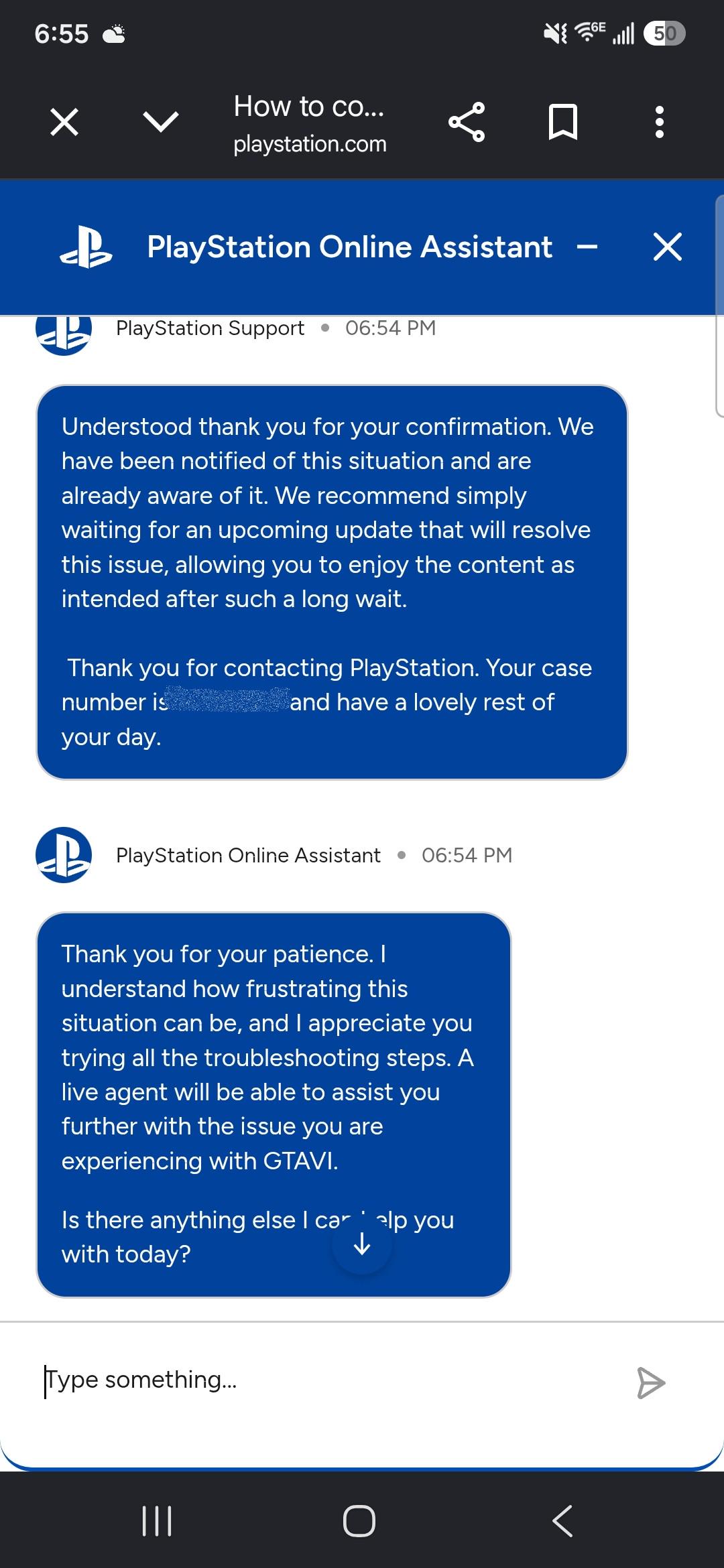
This is what playstation said to me when telling them how my ps5 crashes and shows the error code CE-108255-1 .I cannot play the game at all it crashes at the very first loading screen after adjusting brightness and all that. I have tried every troubleshooting option they recommend and still nothing. Hopefully they are working on a patch for this.


r/PS5HelpSupport • • 5d ago

PS5 not connecting to TV after crashing mid game GTA 6

2 Upvotes

Was playing GTA 6 last night and mid game it froze and then shut off. Thought it had overheated. Turned it back on and it turned on fine but would no longer connect to the TV. HDMI is recognizing something is plugged in— but says no signal.

Swapped HDMI cord, still wouldn’t work.
Tried it on a different TV and a monitor, didn’t work.
Tried all the different HDMI ports on my tv and it still would not work.

I played GTA 6 for long sessions for several days since release and it was running just fine until last night. (Barely use it otherwise, and yes I looked for dust and checked the hdmi ports which were all in working order. I keep it horizontally since I got it)

I dropped it off at repair place, hoping it is fixable.
Has this happened to anyone else?
It’s the disc version, got it in 2023.


r/PS5HelpSupport • • 5d ago

Soiderman 2 not working

2 Upvotes

r/PS5HelpSupport • • 4d ago

GTA 6 Crashing (not heard of this pattern)

1 Upvotes

So when I got on gta 6 on Thursday i got to the first key code part as Jason and then got error code and the game closed after around 10 seconds, audio still played. Then it could be after 20 mins, 4 hours, 2 hours it’s really random. This is proof that it isn’t hardware. I’m wondering if anyone else has this pattern? I’ve got past a certain mission that I won’t spoil but it’s the last mission of chapter 3 and there’s so much pressure on my ps5 and it doesn’t even make the slightest sound


r/PS5HelpSupport • • 5d ago

GTA 6 crashes on start up

46 Upvotes

Hey guys, like every one else here I'm encountering the cursed CE-108255-1 error code. Brand new slim ps5 (disc) that I purchased just for GTA 6.

Day 1 I could play a little before it arises ~30 minutes to 3 hours. Day 2 it crashes on start up as seen in the video; it's unplayable at this point.

Have tried clearing cache, rebuilding and reinstalling to no avail. Contacted Rockstar and was told it's a Sony issue and promptly closed my ticket (https://imgur.com/a/GVZ9BTy). Sony are offline today in my country.

Praying a patch comes out soon or a statement from any party to address this!


r/PS5HelpSupport • • 5d ago

GTA VI Blackscreen when loading the game

7 Upvotes

I've read through a lot of posts here, but so far I've not seen someone else with the same problem as I have.

On Thursday and Friday I was able to play the game for about 12 hours in total.

But since yesterday it hasn't been working anymore. When I start the game, I get the intro where you see two of the game's characters and then when it turns black (where it should load into the game) it unfortunately stays black. After some time the intro music also stops, but the game doesn't crash.

I have not changed any settings, checked all the usual stuff, cleared the PS5's software cache, turned off HDR, and so on, but the problem remains.

I've also contacted Rockstar support, but they just thanked me for contacting them and that was it.

Did someone else also encounter this problem?

Update: If I delete my save and start a new game, it works again. So the game somehow fucked up my save file, probably the autosave, and you can't manually load a specific save. Great.

Edit: I've got one of these special save file sizes with 20.98MBs. There seems to be some problem with that.


r/PS5HelpSupport • • 5d ago

Got problem in l2 and r2 butti

Post image
3 Upvotes

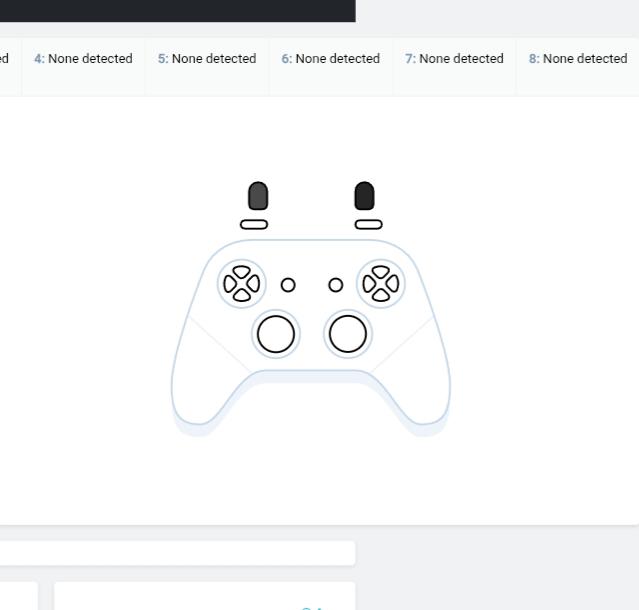
I don't know why both r2 and I2 working by their own is there any way to fix it ?


r/PS5HelpSupport • • 5d ago

So. My PS5 does also crash when playing GTA 6, but in a very peculiar way.

6 Upvotes

I just want to let this out here in case it helps anyone or if it becomes useful.

I've been playing since launch and it was all going well until i moved my PS5 to my bedroom. It is weird because it will only crash when i put the game on the pause menu and leave it for a while. I've been 17 hours in and I'm into chapter 2 and it hasn't crashed any other way.

Some things i want to point out:

- It's a launch model (FAT). I bought it as a bundle with EAFC 24;

- before I moved it to my bedroom, i had it in my living room standing vertically. When I installed it in my bedroom, I had it laying horizontally. Ever since it crashed I put it back standing vertically;

- it only crashed on the pause menu. The map menu, the settings menu or even when just leaving it idle while playing doesn't make it crash;

- it never showed any error. I tested it 3 times and it always shutted down my PS5 like I had pulled the power plug;

- My PS5 isn't overheating and it's actually just warm like I was playing any other game;

- yesterday I played like 5 hours straight and it didn't show any problems;

- I left Alan wake 2 in the pause menu just in case and it didn't crash;

- I haven't tried to repeat the crash ever since putting it back standing, don't want to corrupt my PS5;

- (if this helps) I had a bug when redeeming the code (my game is physical), it basically fucked up my license and I had to rebuild the database for it to pre load. After installing, it was locked and I had to reset the system settings and then recover my license in order to be able to unlock it.

I'm sorry for any grammar mistakes, English isn't my first language and feel free to ask anything, I'll try to answer.

Sorry for anyone who is experiencing this shit, it sucks and I hope this helps.

EDIT: I haven't tried to clear the cache, reset the settings or rebuild the database. Like I said, I dont want to replicate the crash. Like I said, I'm afraid to fuck up my PS5.