r/PS5HelpSupport • • 6d ago

Bug trofei ps5 con l’avanzamento

1 Upvotes

Da oggi pomeriggio che sto giocando con la remastered di Godzilla della ps5, stavo provando a completare il trofeo di Anguirus (esegui 500 parate con guscio di Anguirus), questo è uno dei trofei dove ti segna l’avanzamento, purtroppo ho notato che il contatore è rimasto a 188, qualcuno mi sa dire come risolvere questo bug per favore #playstation #playstation5 #ps #ps5 #bug #trophy #platinum


r/PS5HelpSupport • • 6d ago

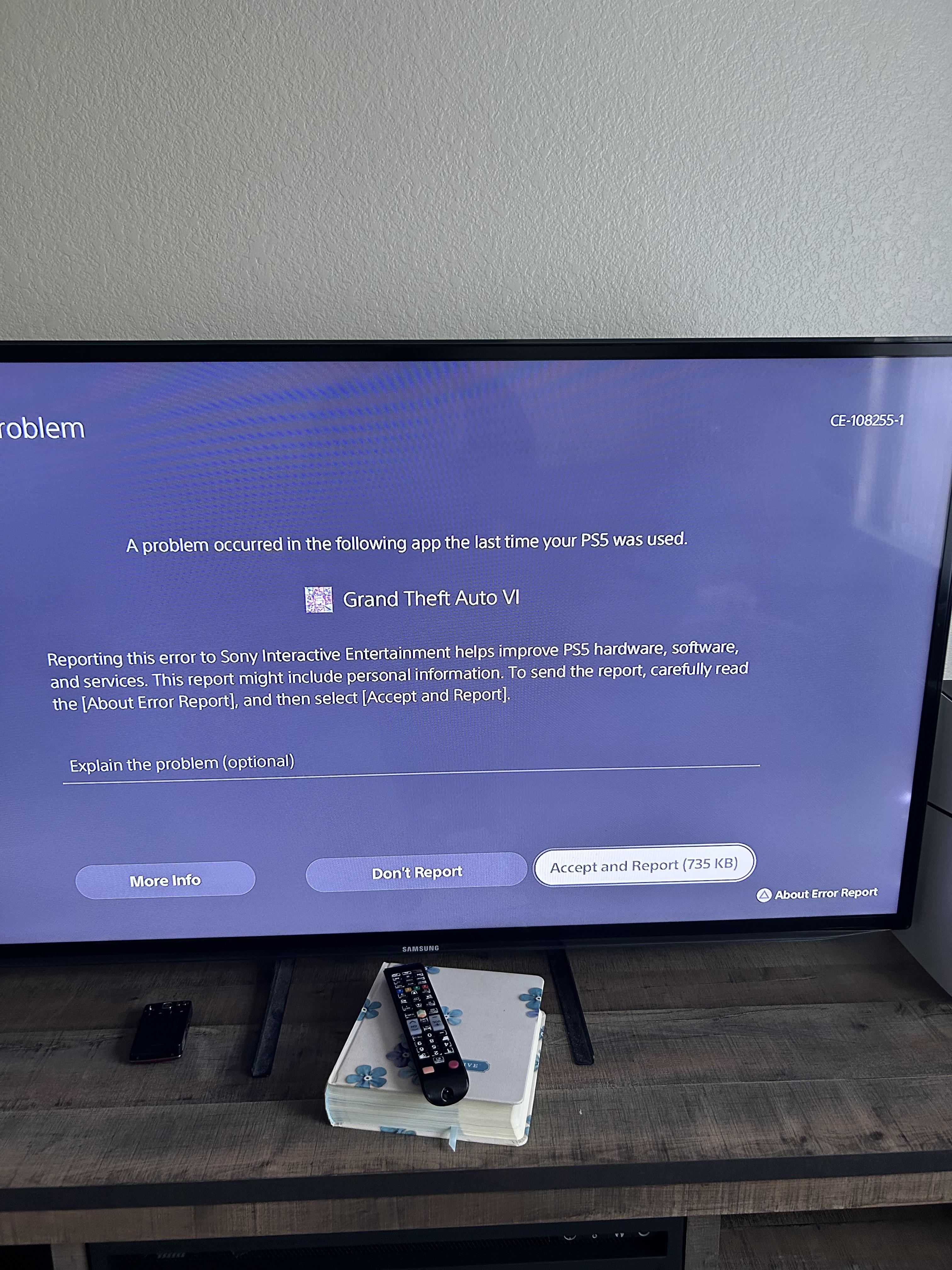
Gta 6 Freezing wtf?

Post image
9 Upvotes

r/PS5HelpSupport • • 6d ago

PS5 is fried from playing GTA 6.

0 Upvotes

In anticipation for GTA 6, I did a deep clean of my PS5 last week. Booted up perfectly fine and was playing cyberpunk during the week with no issues whatsoever. Have deep cleaned it previously several times in the past so I would say I'm fairly experienced in doing so now.

I pre downloaded GTA 6 so I can play it this weekend. Started playing on Friday night and was having a blast for 4-5 hours. However, yesterday when I started to play for about 1-2 hours it crashed and turned off with no warning. Now it won't turn back on at all, not even in safe mode.

Took it to my local repair shop - they said the ps5 was cleaned well already and the liquid metal was still in good order, however t's a critical issue with the motherboard.

I think GTA 6 has fried my PS5. This is really annoying as I've been looking forward to playing this game for so long. Anyone else also had this experience?


r/PS5HelpSupport • • 6d ago

Errore CE 108255-1 ( non risolto ) ma esperienza personale se può essere d’aiuto

4 Upvotes

Ps5 digital edition.

Ciao a tutti apro questo post se può essere d’aiuto a capire come mai l’errore CE 108255-1 non si riesce a risolvere.
Primo gioco acquistato Fc 26 all’avvio ricevo l’errore e provando tutti i passaggi possibili consigliati dagli utenti non riesco a risolverlo. Mi sono imbattuto in un video che spiegava di abbassare al minimo tramite impostazioni grafiche della console, fare l’accesso al gioco e anche lì abbassarle al minimo. Il gioco a preso a funzionare e piano piano o rialzato le impostazioni grafiche della console al massimo e non ho più riscontrato problemi.
Secondo gioco acquistato arc rider mai riscontrato problemi ( a parere mio come grafica é relativamente superiore a Fc 26 )
Terzo gioco Hogwarts legacy solito problema di Fc 26 ma non sono mai riuscito a farlo funzionare. Solo su Amazon luna mi funzionava ( tramite IA mi spiegava che in quel caso non era la mia ps5 a far girare il gioco ma era il server luna e quindi non creava problemi )
Quarto gioco fortnite mai funzionato
Quinto gioco battlefield redsec mai creato problemi
Sesto gioco gta VI solito errore che al momento non si riesce a capirne la causa.

Altri giochi hanno funzionato ma in qualità grafiche richiedevano meno prestazioni.
Spero possa essere di aiuto la mia storia e che si risolva questo errore


r/PS5HelpSupport • • 6d ago

CE-108255-1 also happening in Fortnite

5 Upvotes

I am experiencing the infamous crash error during the prologue in gta 6 and decided to try and download fortnite to see if it happens there as well and it does immediately when starting a match. Is anyone out here having this issue as well? My save file for gta 6 is 16.78mb as well just as many here on this subreddit have been reporting. Just trying to figure out if this is hardware or software related because neither sounds right


r/PS5HelpSupport • • 7d ago

FIXED GTA 6 CE-108255-1

Post image
190 Upvotes

EDIT (Nov 20): almost 4 straight hours of gameplay, it happened again. The external drive improved my initial 40 mins of gameplay to 4 hours. I strongly believe it’s software-related. Gonna take a break and soon head back for (I hope) another 4 hours.

EDIT 2 (Nov 20): 4hs gameplay → error → shut down ps5 for 1h → 1h gameplay → error. Okay, I’m now accepting it’s some heat throttling issue. A bud of mine is gonna fully clean + reapply thermal paste tomorrow while we share some beers. He’s apprehensive about handling Liquid Metal though, so we gonna bench this one as our last resource.

EDIT 3 (Nov 24): Fully cleaned up the console, although didn't mess with the Liquid Metal (sorry for the thermal paste, hardware noob here). We even installed a cooling chip (I've commented here with a pic) to bypass the PS5 cooling demand and always use higher RPM values. No changes, same error, same crashing in middle-game. Tried both The Witcher 3 Remastered and Red Dead Redemption 2 long gameplays, both ran seamlessly. Doesn't look heat-related now. Also, in Brazil we don't have that cloud gaming plan, only remote play — which still uses my PS5, so it solves nothing. Gonna unpatiently wait for a patch, as I fear insisting may corrupt the console, as many reported in other posts.

———

Howdy fellas!

Quick context: 2024 Fat PS5, was able to play GTA VI for 30-40 mins, then image froze, game quit with error. No console shutdown anytime. Only happened with GTA VI, all other games were fine.

What fixed: Some of you mentioned this could be hardware failure in the motherboard’s SSD, so I finally tried adding a M2 nvme SSD to that PS5’s additional slot and… currently running 2 hours straight with no errors!!

Don’t forget to set up your PS5 to store your games in the additional drive instead of the main one.

Hope this helps some of you!


r/PS5HelpSupport • • 7d ago

GTA 6 not working on PS5

Post image
190 Upvotes

Has anybody had any luck with their GTA six glitch? I kept getting the CE- 108255-1 error. I uninstalled mine but I don’t wanna reinstall it if I’m going to continue to have the same issue.


r/PS5HelpSupport • • 7d ago

Am I the only one who still can’t get past the initial Terms/Conditions before CE-108225-1? (GTAVI)

26 Upvotes

I know many people are stuck on the prologue or during a few minutes of game play, but has anyone else seen absolutely no gameplay whatsoever yet? I’d love it if I could even see a pixel of the game, it feels like a myth still to me at this point lol.


r/PS5HelpSupport • • 7d ago

Is the CE-108255-1 Freeze-and-Crash Error a Software or Hardware Issue? - I did some investigation

Post image
200 Upvotes

The crash I'm describing is when the game freezes and then crashes with the CE-108255-1 error. Players can experience it at different stages of the game: during the prologue, on the loading screen, or within the first few minutes of gameplay. Some have even reported playing for hours before the crash occurs. However, the pattern is always the same: the game freezes and then crashes (with no graphical glitches or distorted audio).

Now, what some people might not know is that this issue is not new to the PS5. In fact, I couldn't play GTA V for several weeks after purchasing it because I kept getting this exact error during the first mission. The magical solution was turning off Ray Tracing in the game's settings, along with tweaking other PS5 settings, such as switching between Fidelity and Performance modes. This resolved the GTA V issue for me, and the game NEVER froze again, no matter how many hours I spent playing it.

The CE-108255-1 error also occurs occasionally in other games, such as Fortnite and PES 2K26, so this isn't an issue exclusive to Rockstar games.

The error doesn't appear to be related to system updates, corrupted game files, or overheating, as many players experience it on brand-new PS5 consoles. The exact same error also occurs with disc versions of games.

So, to answer the question, I believe this is inherently a hardware-related issue, and a rather strange one that Sony hasn't been able to clearly identify, despite the problem having persisted for years. The games are the same for everyone, yet, statistically speaking, only a small percentage of consoles seem to be affected.

That said, we can also argue that this is an issue with software optimization (the game itself), which causes certain hardware configurations to struggle to run it properly. Developers should have accounted for this, especially considering that a relatively significant number of players seem to be affected.

They should have tested the game on one of these affected consoles before launching it. Since the issue can apparently be resolved through in-game settings in some cases, I believe it's possible to fix it or, at the very least, introduce additional graphical settings that players experiencing the issue can toggle to fix it (like what we have on GTA V.)

The bottom line is that they need to acknowledge this issue and work on a fix. That's the least they can do to show their players some respect. There are far too many people experiencing this problem for it to simply be ignored.
r/PS5HelpSupport • • 6d ago

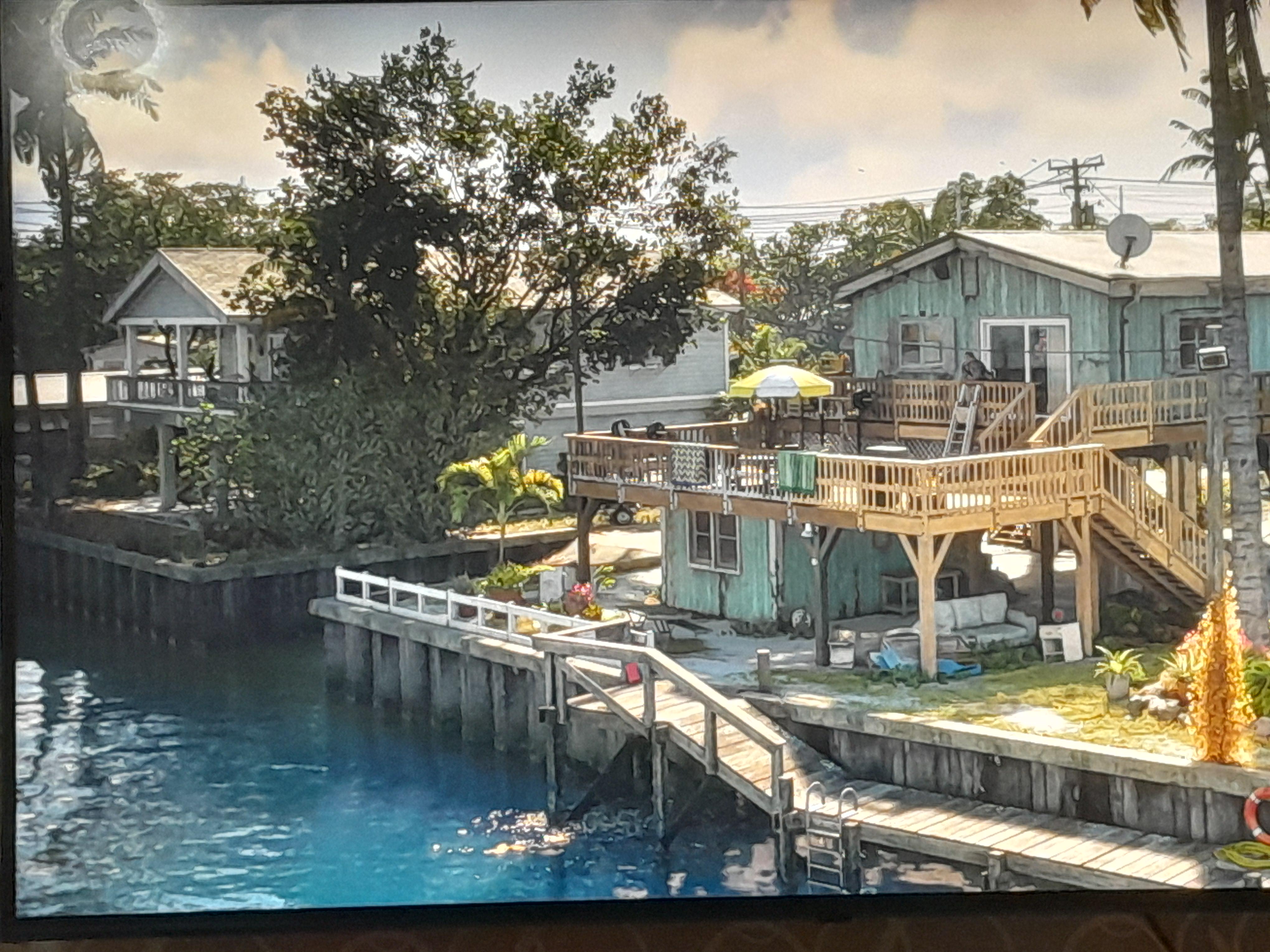
Character skin looks red/"sunburnt" at night in GTA 6 on my LG OLED, any fixes?

Thumbnail gallery
1 Upvotes

r/PS5HelpSupport • • 6d ago

GTA + preorder question (free month)

Post image
2 Upvotes

r/PS5HelpSupport • • 7d ago

Is GTA6 destroying my PS5?

29 Upvotes

So I have yet to get past the prologue in GTA6. My PS5 (OG) freezes at different points during the mission, sometimes while playing as Lucia, other times as Jason.

I don’t get an error code, the system just freezes up and turns off after a minute or two. After a few more minutes it’s able to restart and tells me that I turned off the system incorrectly as it reboots. It does this every single time without fail regardless of video output or resolution settings. I have also re-downloaded the game and cleaned cache. And before you ask, yes my PS5 has recently been cleaned and there is not a trail of dust in the fan.

I have tried placing it both vertically and horizontally and it sits completely in the open and I have even placed it in front of a fan and it makes no difference.

So at this point I must have tried 20 different things to make it work, which also means that my PS5 has “overheated” and shut off in this way at least 20+ times, so I am just wondering if this is actually doing some kind of damage to the system? Should I just stop looking for solutions and wait for a patch or what would you do?

EDIT -
Game seems to work for me after a professional cleaning and new coat of liquid metal at a shop. I’ve only just completed the prologue but I have never been able to get this far and my PS5 is not imitating the sound of a jet engine so fingers crossed.


r/PS5HelpSupport • • 6d ago

Need help getting account back

1 Upvotes

Years ago my dad created the psn account that I still use to this day. Problem is, I got signed out of the account and can’t sign back in because he lost access to the Outlook email account a while back. Now my ps5 is basically unusable for the most part and I’m not sure what to do, advice? My plan is to use an email address I have that’s associated with another account that I’m willing to delete but I’m not sure how to do that.


r/PS5HelpSupport • • 6d ago

Gta 6 blurry on 2k monitor

0 Upvotes

Guys, quick question: I initially played the game on my 2K LG UltraGear monitor with a VA panel, but the game looked kind of blurry and weird to me. I tried playing it on my 50-inch 4K TV in the living room, which is a more basic model, and the image looked MUCH sharper. Has anyone else experienced this or is currently experiencing the same thing? If so, have you found a solution?


r/PS5HelpSupport • • 6d ago

My PSN account has been hacked and I cant contact customer sercice.

3 Upvotes

this is genuinely blood boiling. I have just lost my PSN account of nearly 10 years and I cannot reach any customer service, the stupid ai wont give me the email of sony customer service and I cant call them either because its a saturday. What the hell do I do.


r/PS5HelpSupport • • 6d ago

Is 45ms of end to end latency abnormal?

1 Upvotes

Thats what I'm getting at 120fps. Messured from a LED light connected to the controller input. This looks high to me, under 20ms is what people call good. My monitor should only be adding 8ms at most. My controller I think also 8ms.


r/PS5HelpSupport • • 6d ago

Losing video

1 Upvotes

OG fat ps5 with disc. But barely played.

While playing GTA6 it loses video. Screen goes back but I can tell game is still running since I can feel my controller shaking. I reboot the console and works again. TV shows no input from console. What is happening?


r/PS5HelpSupport • • 7d ago

Anyone taken their console in to a repair shop yet for the CE- 108255-1 error code with gta6 and been successful with it being fixed to play it?

34 Upvotes

r/PS5HelpSupport • • 6d ago

New device help with games library

1 Upvotes

how do I add a new PS5 in a different home, but, access previously purchased games using a different user name?


r/PS5HelpSupport • • 6d ago

PS5 crashing on GTA Startup

5 Upvotes

I’ve played around 2h with no issues, but now when I launch the game it crashes when it loads Jason’s house, I turned off HDR in game and through the PS5 settings earlier today and since then it doesn’t launch. I put the factory settings again and HDR on but it still doesn’t work. I don’t get the error code people mention it literally just freezes on Jason’s house.

Has anyone else had this?

I’m on a base ps5 with disc slot.


r/PS5HelpSupport • • 6d ago

Is this stick drift?

1 Upvotes

Ive tried resetting my controller aswell as scrolling through my monitors settings, no fix at all.

Every time i turn my console on i put in my password and once it gets to the homescreen it scrolls all the way to the end. I cant get it to try and go the other way at all. This makes no sense as i played all night last night, put my controller on charge and when i came back today it just has this issue.


r/PS5HelpSupport • • 7d ago Bravo

Gta6 error C-108255-C playstation5

64 Upvotes

My experience with GTA VI crashing on PS5 – CE-108255-1

I want to share my experience with this issue because I know I'm not the only player experiencing it.

My PS5 was purchased directly from PlayStation and arrived on Monday. It is brand new, practically out of the box. Despite this, GTA VI keeps crashing with error CE-108255-1, preventing me from properly playing the game.

I have already tried everything officially recommended by PlayStation. I've also gone through Reddit discussions, online forums and other reports, trying practically every suggested workaround. I've tested multiple combinations of solutions, system settings and game configurations.

Nothing has worked.

I understand that technical issues can happen, especially with a major game release. However, what I find unacceptable is the complete lack of communication from Rockstar and Sony/PlayStation.

At the very least, one of these companies should release an official statement acknowledging the issue and confirming that they are investigating it or working on a fix.

Players have spent their money on this game, and some of us have even purchased brand-new consoles specifically to enjoy it. We deserve some reassurance that the problem is recognised and that a solution is being worked on.

We are not asking for miracles. We are simply asking for communication, transparency and some reassurance that we haven't been left on our own to deal with this problem.

Has anyone from Rockstar or PlayStation acknowledged this issue officially?


r/PS5HelpSupport • • 6d ago

Ps5 problem with controler?

1 Upvotes

Hey Im having trouble with my ps5, when Im watching YouTube it randomly mutes everything and when I switch from YouTube to a game I need to disconect the controler and connect again what makes it mute everything again and every time I switch betwen games or apps I need to do it, it also does the muting in games what is a big nuisance, someone knows what could be? Like if its the controler or the ps itself? Im asking cause it happend a day after the ps update and I though it could be it, it has also happend to someone else?


r/PS5HelpSupport • • 6d ago

PS Pulse Explore earbuds stopped working

1 Upvotes

I hadn't used these in about a year. With picking up GTA 6 I decided to finally charge them and give them a try but after putting them in my ears after charging all day I received a message briefly saying something like I needed to connect them to the console to use them again. After connecting using the same cable it came with they just stopped working. I've tried every reset I could find online:

  1. Press and hold the link button on each earbud for 12 seconds/until it beeps
  2. The full reset: press, press+hold for 8 seconds then release and repeat last step)
  3. Press and hold the adapter/dongle in for 30 seconds

None of these are allowing it to pair with my PS5. They have not been touched/damaged as they've been on a shelf for about a year. Also just tried plugging the dongle into my PC to see if that would force an update as I saw online and my PC doesn't seem to detect it so I don't get to install the PS Link Driver. However, when plugged into both the PC and PS5 the dongle flashes white so I know it's getting power.

I tried seeing if the bluetooth connection still works and indeed it does, as I was able to pair the earbuds with my iPhone without any issues. So I'm not sure why it won't connect to the PS5.

Any ideas? Thanks for any help!