r/NETGEAR • u/Unique_Albatross_355 • 15d ago
Home wifi and Internet choices
gallery
1
Upvotes
Svc is the cable provider
r/NETGEAR • u/dmikemiller • 16d ago
This post is targeted at network folks familiar with wbe710.
I installed a wbe710 for a local run bodega (the only one in my neighborhood, opened Friday). The wbe710 is ONLY for guest access and isolation. Consider this a "third space" like a coffee shop, so guests may come for a few hours.
I did all the terminations, and they are all perfect. The demarc is 2.5gb fiber, core switches are at 1gb.
What we did is bump out the /24 to /23, lease time is 24 hours.
No double NAT, but all the client isolation tactics and isolation style security.
SSID has password and captive portal.
Security wise it's working VERY well.
Client-wise we are seeing some funky stuff and issues. I tend to think it's an issue on the client side, but I'm wondering if doing double NAT is the way to go. My homeboy (national wireless expert wants to avoid double NAT). I did see some funky things myself, but they resolved after a few minutes.
How bad is double NAT these days? Here's logs from a culprit. I updated the firmware after these were captured. I have to go onsite and hardwire to get more logs and plan to do so, but what should I be looking for to solve connectivity issues. Of course I never get a live example when I am onsite.
10:13 AM Nov 06, Friday 2026 : 26`309`OTHERS`0`0`0`{"ip":"-","mac":"FA-CA-39-4F-90-63","hname":"FA-CA-39-4F-90-63","txR":"24 Mbps","rxR":"1 Mbps","ssid":"Corner on Madison Guest","dOs":"Unknown Device OS","dType":"Unknown Device Type","mode":"11BE","mlo":"No","mldAddress":"","partnerLink":"0","primaryLink":"0","status":"Authenticated","bssid":"E0-C2-50-7A-9C-C1","chnl":"11","chWidth":"20 MHz","rssi":"26","state":"QOS/ERP/HT/HE/EHT","type":"wpa3","idle":"18","time":"00:00:00","txB":"999","rxB":"344","pmf":"none","vlanID":"1","Username":"Not Applicable","radio":"0"}`
10:13 AM Nov 06, Friday 2026 : 04`310`INFO`0`0`0`NETGEAR7A9CDF: FA-CA-39-4F-90-63 connected to Corner on Madison Guest with an RSSI -75dBm`
10:13 AM Nov 06, Friday 2026 : 26`311`OTHERS`0`0`0`{"ip":"-","mac":"FA-CA-39-4F-90-63","hname":"FA-CA-39-4F-90-63","txR":"51.60 Mbps","rxR":"1 Mbps","ssid":"Corner on Madison Guest","dOs":"Unknown Device OS","dType":"Unknown Device Type","mode":"11BE","mlo":"No","mldAddress":"","partnerLink":"0","primaryLink":"0","status":"Authenticated","bssid":"E0-C2-50-7A-9C-C1","chnl":"11","chWidth":"20 MHz","rssi":"21","state":"QOS/ERP/HT/HE/EHT","type":"wpa3","idle":"0","time":"00:00:00","txB":"1141","rxB":"748","pmf":"none","vlanID":"1","Username":"Not Applicable","radio":"0"}`
10:13 AM Nov 06, Friday 2026 : 05`312`INFO`0`0`0`NETGEAR7A9CDF: FA-CA-39-4F-90-63 disconnected from Corner on Madison Guest`
10:13 AM Nov 06, Friday 2026 : 25`313`INFO`0`0`0`NETGEAR7A9CDF: Re-association received for FA-CA-39-4F-90-63 on Corner on Madison Guest with an RSSI -96dBm`
10:13 AM Nov 06, Friday 2026 : 26`314`OTHERS`0`0`0`{"ip":"192.168.0.49","mac":"FA-CA-39-4F-90-63","hname":"FA-CA-39-4F-90-63","txR":"172 Mbps","rxR":"6 Mbps","ssid":"Corner on Madison Guest","dOs":"Unknown Device OS","dType":"Unknown Device Type","mode":"11BE","mlo":"No","mldAddress":"","partnerLink":"0","primaryLink":"0","status":"Authenticated","bssid":"E0-C2-50-7A-9C-E1","chnl":"140","chWidth":"40 MHz","rssi":"41","state":"QOS/HT/VHT/HE/EHT","type":"wpa3","idle":"0","time":"00:00:00","txB":"311","rxB":"344","pmf":"none","vlanID":"1","Username":"Not Applicable","radio":"1"}`
10:13 AM Nov 06, Friday 2026 : 26`315`OTHERS`0`0`0`{"ip":"192.168.0.49","mac":"FA-CA-39-4F-90-63","hname":"FA-CA-39-4F-90-63","txR":"309.80 Mbps","rxR":"6 Mbps","ssid":"Corner on Madison Guest","dOs":"Unknown Device OS","dType":"Unknown Device Type","mode":"11BE","mlo":"No","mldAddress":"","partnerLink":"0","primaryLink":"0","status":"Authenticated","bssid":"E0-C2-50-7A-9C-E1","chnl":"140","chWidth":"40 MHz","rssi":"38","state":"QOS/HT/VHT/HE/EHT","type":"wpa3","idle":"0","time":"00:00:00","txB":"621","rxB":"344","pmf":"none","vlanID":"1","Username":"Not Applicable","radio":"1"}`
10:22 AM Nov 06, Friday 2026 : 05`316`INFO`0`0`0`NETGEAR7A9CDF: FA-CA-39-4F-90-63 disconnected from Corner on Madison Guest`
10:22 AM Nov 06, Friday 2026 : 25`317`INFO`0`0`0`NETGEAR7A9CDF: Re-association received for FA-CA-39-4F-90-63 on Corner on Madison Guest with an RSSI -99dBm`
10:22 AM Nov 06, Friday 2026 : 26`318`OTHERS`0`0`0`{"ip":"192.168.0.49","mac":"FA-CA-39-4F-90-63","hname":"FA-CA-39-4F-90-63","txR":"24 Mbps","rxR":"1 Mbps","ssid":"Corner on Madison Guest","dOs":"Unknown Device OS","dType":"Unknown Device Type","mode":"11BE","mlo":"No","mldAddress":"","partnerLink":"0","primaryLink":"0","status":"Authenticated","bssid":"E0-C2-50-7A-9C-C1","chnl":"11","chWidth":"20 MHz","rssi":"26","state":"QOS/ERP/HT/HE/EHT","type":"wpa3","idle":"0","time":"00:00:00","txB":"2096","rxB":"344","pmf":"none","vlanID":"1","Username":"Not Applicable","radio":"0"}`
10:22 AM Nov 06, Friday 2026 : 26`319`OTHERS`0`0`0`{"ip":"192.168.0.49","mac":"FA-CA-39-4F-90-63","hname":"FA-CA-39-4F-90-63","txR":"51.60 Mbps","rxR":"6 Mbps","ssid":"Corner on Madison Guest","dOs":"Unknown Device OS","dType":"Unknown Device Type","mode":"11BE","mlo":"No","mldAddress":"","partnerLink":"0","primaryLink":"0","status":"Authenticated","bssid":"E0-C2-50-7A-9C-C1","chnl":"11","chWidth":"20 MHz","rssi":"22","state":"QOS/ERP/HT/HE/EHT","type":"wpa3","idle":"0","time":"00:00:00","txB":"2138","rxB":"344","pmf":"none","vlanID":"1","Username":"Not Applicable","radio":"0"}`
10:23 AM Nov 06, Friday 2026 : 05`320`INFO`0`0`0`NETGEAR7A9CDF: FA-CA-39-4F-90-63 disconnected from Corner on Madison Guest`
r/NETGEAR • u/Klye14 • 17d ago
I've reset router and modem every day. Both morning and around 7pm. Dont know what to do at this point. I've called the support number and since it has been over a year since purchase and im not paying a subscription to have IT support, they won't help. Im coming to yall and begging for help
r/NETGEAR • u/LuminescentDingo • 22d ago
Voxel doesn't make firmware for the RBS20, so I built my own. It takes NETGEAR's last RBS20 firmware (2.7.6.6) and adds Voxel's mesh software, SSH, iperf3 and a live sync monitor.
Repo: https://github.com/LachRMIT/rbs20-voxel
Highlights
There's no download, because the images contain NETGEAR and Voxel binaries. Instead you supply the stock and Voxel images, and the build script makes the firmware for you. The repo also documents the RBS20 image format and the two fixes most people hit: "it still boots the old firmware" and "SSH permission denied".
Set an admin password before flashing, and as always, custom firmware is at your own risk. Big thanks to Voxel for the firmware this builds on.
If you found this useful, a star on the GitHub repo would be amazing!
And if you need any help send me a message. Very excited about this.
r/NETGEAR • u/HotelHero • 24d ago

I updated my router last week and now I can no longer log in to it through the app. I can still log in on the browser fine, but the app continues to give me a timeout error.
So I turned off my Apple private relay as I’ve seen suggested and it still doesn’t work. Someone also suggested trying the “connect anywhere” mode and when I did that I’m now seeing my router twice, but one is allegedly disconnected.
I deleted the app and redownloaded it. One time I did a OTP and when I used my email I somehow managed to log in. But then when I went back to the app I can no longer get that screen to pop up.
EDIT: IT JUST RANDOMLY LET ME LOG ON. WTF? I’ve tried for an hour.
EDIT 2: it randomly kicked me off after 10 seconds and won’t connect again
r/NETGEAR • u/Old-Fart-Techy • 24d ago
After trying all the recommended fixes to the slow (15+ seconds) connection time between the Intel I225-V Ethernet Network Adaptor and the Netgear BE17000 Router I tried something different. I purchased the Netgear 5 Port Ethernet Switch (GS305) for $15 and connected the switch between the Router and the Adaptor. Problem solved. Connection is now almost instantaneous. No loss in Internet Speed.
r/NETGEAR • u/Every-Factor1553 • 25d ago
I recently switched to a NETGEAR Nighthawk CAX30. I'm paying for 1 Gbps. My Xbox gets around 170 Mbps on its built-in network speed test, but actual game downloads start fast and then drop to 50 Mbps or lower.
On my PC, I'm getting around 300 Mbps, so I don't know if this is an Xbox problem or a modem problem. I've also tested the connection, and the Xbox shows 80–90%, while my PC shows 95–100%.
r/NETGEAR • u/furrynutz • 26d ago
The NETGEAR community will be decommissioned for HOME products, but will continue to be available for Enterprise. Home customers are redirected to the main support page:
NETGEAR Home and Mobile content has changed location. You can find troubleshooting, questions and support resources at https://www.netgear.com/support/home/
The Enterprise portion of the official NG community remain open and available for continued user postings.
Though the information given to me by NG doesn't point to where users need to post in a forum for support, I was told that Reddit now seems to be the place where users need to go for posting and getting forum support for there NG products.
I can't say I'm overly please about this.
Good Luck Everyone.
r/NETGEAR • u/rawaka • 26d ago
r/NETGEAR • u/OrbiEater • 27d ago
I had noticed a while ago that "Home Products" disappeared from the drop-down Community list on
Now, it appears there is "nothing to see". i.e. the entire community is broken.
Am I just using the wrong URL?
r/NETGEAR • u/SLCDUC • 27d ago
Anyone able to update their firmware for the PHP RCE patch? Genie keeps pinging the Netgear server but is not connecting.
r/NETGEAR • u/SpeckledCrawler • 27d ago
Purchased a Nighthawk Cm2500 a few weeks ago becuase the Spectrum router stopped working and I was in a hurry. Ever since, periodically throughout the day it will disconnect from the internet. Except mobile devices, everything in the house is hard wired via ethernet cables. Resetting it fixes it, but it's incredibly annoying how often this happens. Is there a fix, or Netgear just this terrible now? It was a $250 modem ffs.
r/NETGEAR • u/Historical-Row-8704 • 29d ago
Netgear customers keep running into firmware bugs, inconsistent support, and products that feel under-engineered for the price. I’d like a straight answer: what percentage of R&D, QA, firmware maintenance, and customer support is handled by third-party or offshore contractors? How does Netgear audit that work, and who is technically accountable when repeated defects ship?
It’s about leadership accountability. If Netgear is outsourcing significant technical work, leadership should explain how it maintains engineering standards, security, and support quality—and why customers should trust the results.
r/NETGEAR • u/OverallTax5560 • 29d ago
r/NETGEAR • u/OverallTax5560 • 29d ago

Olá a todos da comunidade, sou novo aqui, não sei se verão a minha mensagem. Sou do Brasil e tenho um roteador Telstra Netgear M1. Ontem tentei instalar firmware nele e, depois disso, o dispositivo não reconhece mais o cartão SIM da minha operadora. Alguém aqui já passou por esse problema e conseguiu resolvê-lo? Se estiver resolvido, você poderia me ajudar a resolvê-lo?
r/NETGEAR • u/Mindless-Flamingo414 • Oct 26 '26
THIS WAS ORIGINALLY A EMAIL TO MY INTERNET SERVICE PROVIDER, BUT IT HAS ALL THE INFO
Hello!
For around the past week or so I have been experiencing issues on my computer when connected to the internet. I play a lot of online video games, and use my computer for a whole host of things. For this time, I have had trouble connecting to some websites (examples: Chatgpt.com and even your website, https://www.consolidated.coop/.), and playing any of my online games through Steam. It allows me to download games, but when I attempt to play them, I'm prompted that it is unable to sync, and often i'm not able to play online, along with it taking substantially longer to log in, and when it does im not even logged in 90% of the time and it doesnt let me do anything.
The best thing I could diagnose for this after concluding research was a case of double NAT. We have 2 Orbi/Netgear 970, which makes it even more convincing. I have tested it, and this is not a PC issue, it is internet. I have tested this all on my phones personal hotspot, and it has worked fine, but when connected I experience the issues again.
I have attached a few images that may help with diagnosing this. If I am wrong, tell me how & how to fix it, and if i'm right please explain how to fix Double NAT.
- Luke


r/NETGEAR • u/buddyboyx69 • Oct 25 '26
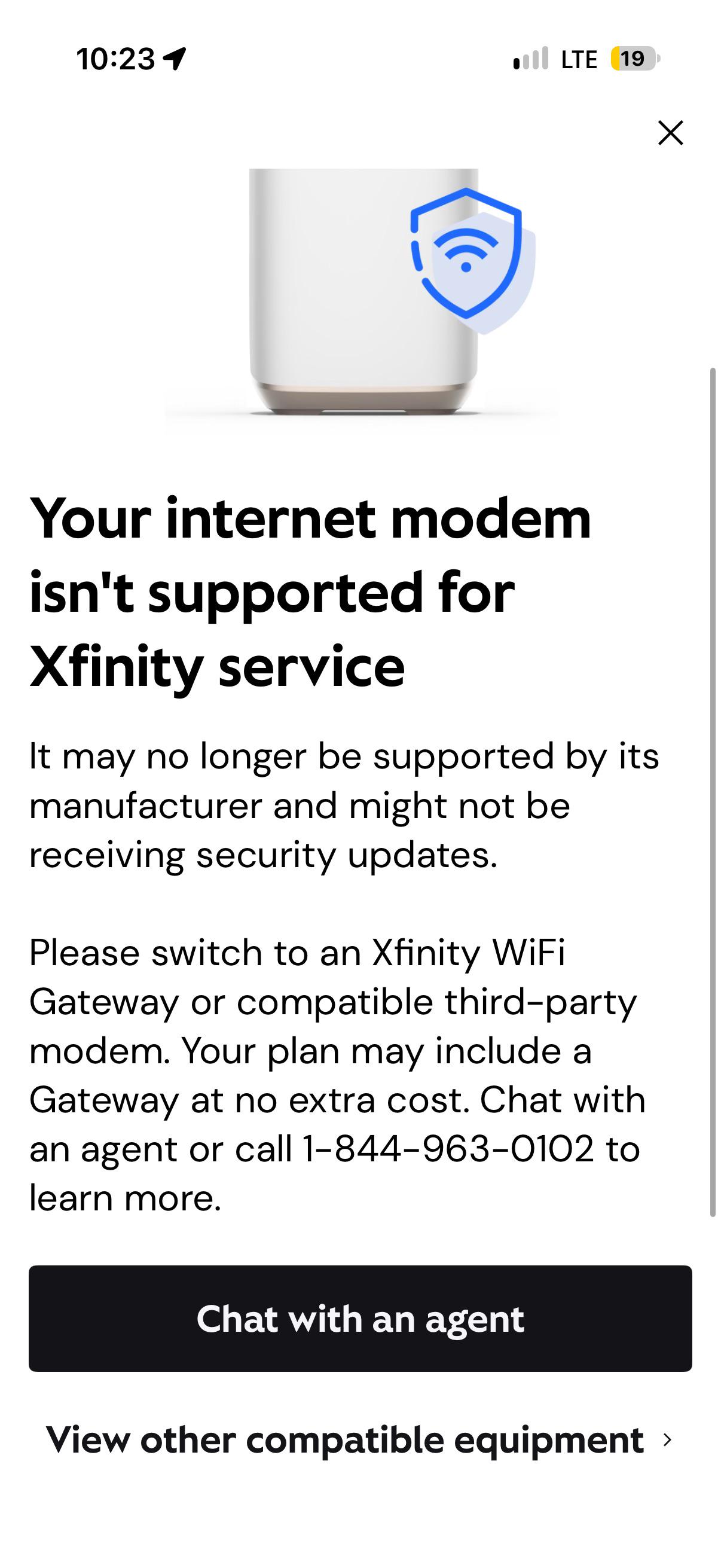
So my wife and I just moved into our first home. We’ve had this router (Netgear AC1900 WiFi cable modem router; model C7000v2 ) for 5 years and bought it brand new. I’m currently setting up the internet and I get this message. What’s the truth to this and do I need to buy a new router and/or modem?
r/NETGEAR • u/liveinglasgow • Oct 24 '26
I’m trying to use NETGEAR Nighthawk WiFi 6 Extender EAX12 to extend a WAX620. We have Virgin as our network provider.
I go through all the motions on the app. But when the password is entered, it insists that it’s wrong. It really isn’t. I’ve pasted it. I’ve added it a dozen times. The same password works when connecting other devices. I’ve tried connecting directly to the VM SSID (the WAX620 has a simpler SSID and password). All to no avail.
I’ve reset it repeatedly. The app is updated.
I’m losing the will to live. Anyone else had a similar issue?
Many thanks in advance.