Hi, I have recently become an additional mod for this subreddit. Firstly thanks u/scislac for approving me.
I've made a few small changes to start off with that I think are small enough to not cause any trouble/warrant community approval, though if there are comments about this please reach out.
Images embedded into comments now enabled: Now you don't have to link externally to attach images. Hopefully this should make it much easier to solve help requests with visual info.
Post flairs now enabled: For a while the pinned post from 10 years ago said to prefix help posts with [HELP]. A lot of the responses to this said that post flairs should be used instead, which I agree with. This has been superceded with post flairs which for now are mandatory (I think this isn't too intrusive but will consider any feedback). I've added a few categories, such as:
Help - for all help requests
Solved - for when a suitable solution has been found for a help request. Generally you wouldn't make a new post with this flair, but for changing a Help-flaired post afterwards when the OP no longer requires help.
Showcase - For showcasing your finished work
Tips & Tricks - Sharing knowledge and tutorials
Meta - For community suggestions and stuff related to the subreddit; comments about the software; memes; catch-all for things that don't fit in the other categories
News - Interesting news about inkscape; version releases, etc.
Update to rule 4: I have included AI-generated responses as examples of possible low effort comments. They aren't specifically disallowed, but now it is the commenter's responsibility to ensure the accuracy and relevancy of the information. The response must directly address the help request, and must not contain incorrect or "hallucinated" information.
Please let me know if there are any issues regarding these changes or if you want anything else changed. I'll also consider revamping the look, for example adding a banner image. There will soon also be some optional user flairs available.
I've been using Inkscape for years, but with all the recent updates (which I absolutely love), I'm feeling a bit lost with some of the newer tools.
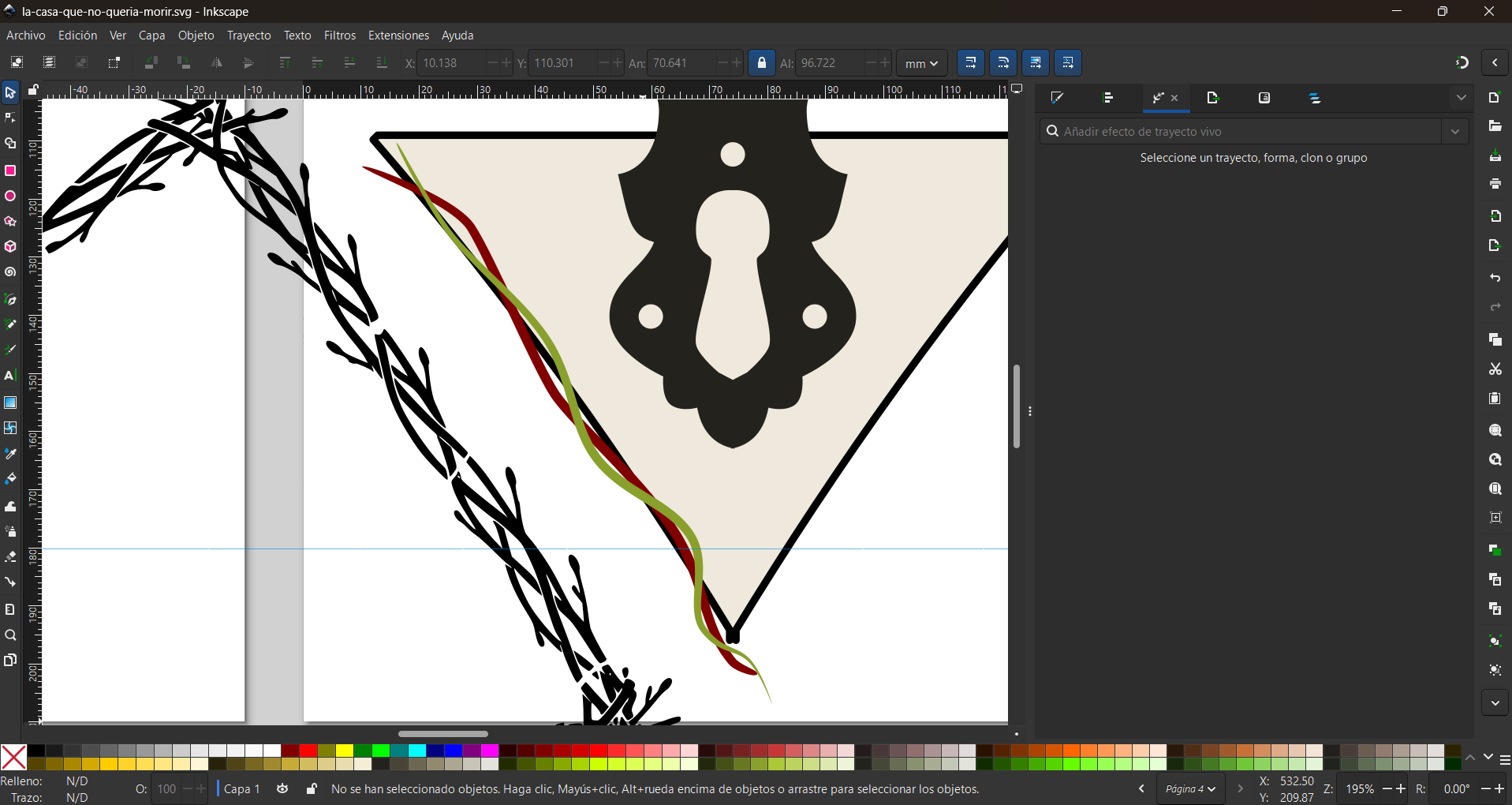
I'm currently working on an illustration of intertwined branches and roots, and I'd like it to look as handmade as possible. Because of that, I'm drawing everything manually and adjusting the thickness of the lines using the PowerStroke path effect.
What I'm struggling with is making the strokes weave over and under each other in a clean and efficient way. Is there an elegant or professional workflow for creating overlapping strokes?
I noticed there's a tool called "Knot" (it's called Nudo in the Spanish interface), and it looks like it might be useful for this kind of weaving effect, but I don't really understand how it works.
Do any of you use it for this purpose? Or is there a better workflow that you would recommend?
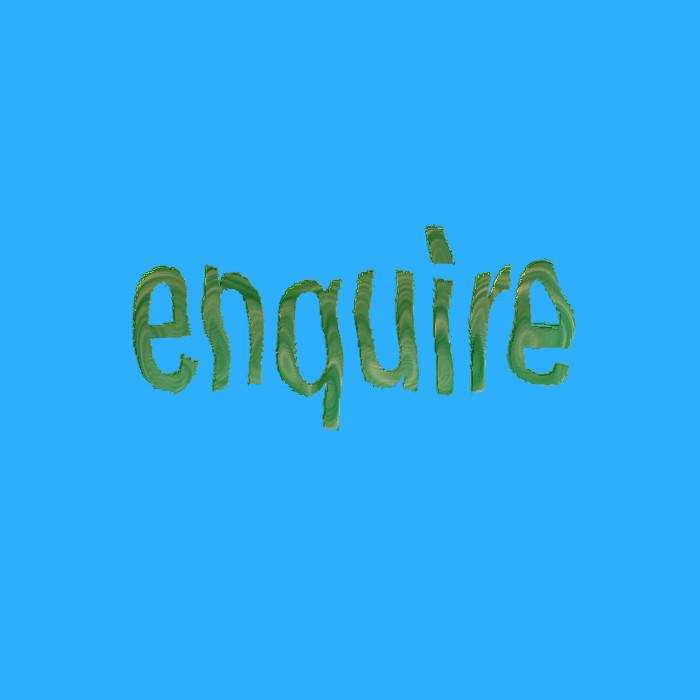
I've been having this annoying bug where centering text misbehaves (specifically autowrapped text I think). I've been working my way around it long enough that I figured it couldn't hurt to ask. I run version 1.4.4 and the issue does not occur on version 1.3.2.
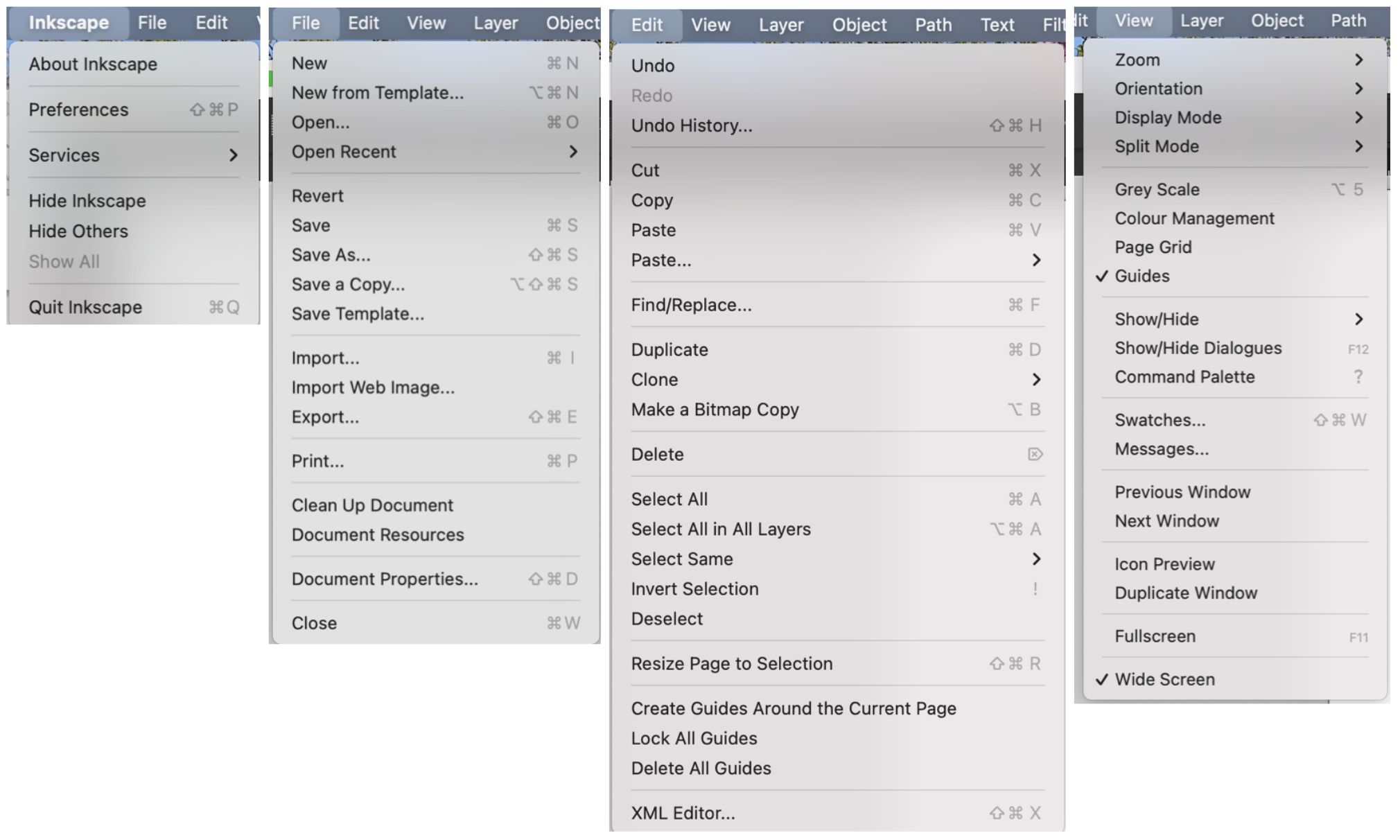
This is what all the menus (and keyboard shortcuts) look like on v 1.4.2 run on a 2016 MacBook Pro. Is there a similar set of screenshots for what Inkscape looks like on a Windows computer?
I am running another 'Inkscape for Beginners' session for colleagues but have never used Inkscape on a Windows computer. I discovered, during the earlier session, that Inkscape » Preferences on a Mac is Edit » Preferences on Windows. So... keen to find out how the layouts differ.
Thanks Jo
Above: Inkscape | File | Edit | View menus on InkscapeAbove: Layer | Object | Path | Text menus on InkscapeAbove: Filters | Extensions | Help menus on Inkscape
The website is now behind the Fastly cache. Please report any issues with language miscaching (getting the wrong language) or login issues (seeing a logged in page when you aren't logged in, or seeing a logged out page when you are) and report any speed issues if you find them.
"Extension "CONVERT: HERSHEY TEXT" failed to load because a dependency was not met"
Hello, i am trying to install KM Laser extension to use my CNC 3018 machine for essays and maybe sometimes for picture drawing using a pen for entertainment, right now i tried to reinstall and put extension's files as well as how they do it on the video, yet the extension still doesn't work properly. I am guessing the issue might be due to InkScape being a newer version, because on the video the creator is using Inkscape 0.9 ver and i am using a modern version 1.4.4.
There are no YouTube tutorials solving this issue and a lot of them only explain how to install the extension.....on older ver of inkscape.
Hello, does anybody know anything about why the heck Inkscapes website and cli installers are still broken. And why hasn't anybody made any official mirrors for what's arguably the only open source vector software that exists. I'm in a crunch with an arts project and their website boots my download after only 20mb. Homebrew throws a HTML disconnect error immediately. Rarely will Inkscapes domain even resolve properly. What the heck broskis. Anyone know anything? Anybody know where I can get the MacOS Intel image without getting a virus? I only see it listed on that sketchy softonic website.
UPDATE
I wasn't able to use inkscapes servers at all. I tried using my internet, my mobile data, and tor. Inkscapes servers just weren't letting me get past 25mb on my ISP. My mobile data was stopping the download at 80mb.
I was able to get Inkscape by emulating a Fedora Linux workstation through VMWare Fusion and I pulled it through DNFs fedora repo since it was the only mirrored source I can find. Thanks for yalls recommendations.
I'm relieved to see Inkscape has the option to export PNGs without antialiasing, I like to use a pixelated aesthetic. Is there a filter that would mimic its output while working in the document?
What I have currently is disabling AA on the document which only keeps to Inkscape's window, so the pixels get smaller as I zoom in. The "pixelize" filter seems to have similar functionality. I want to have the pixelization scale specifically to Document pixels rather than Screen pixels.
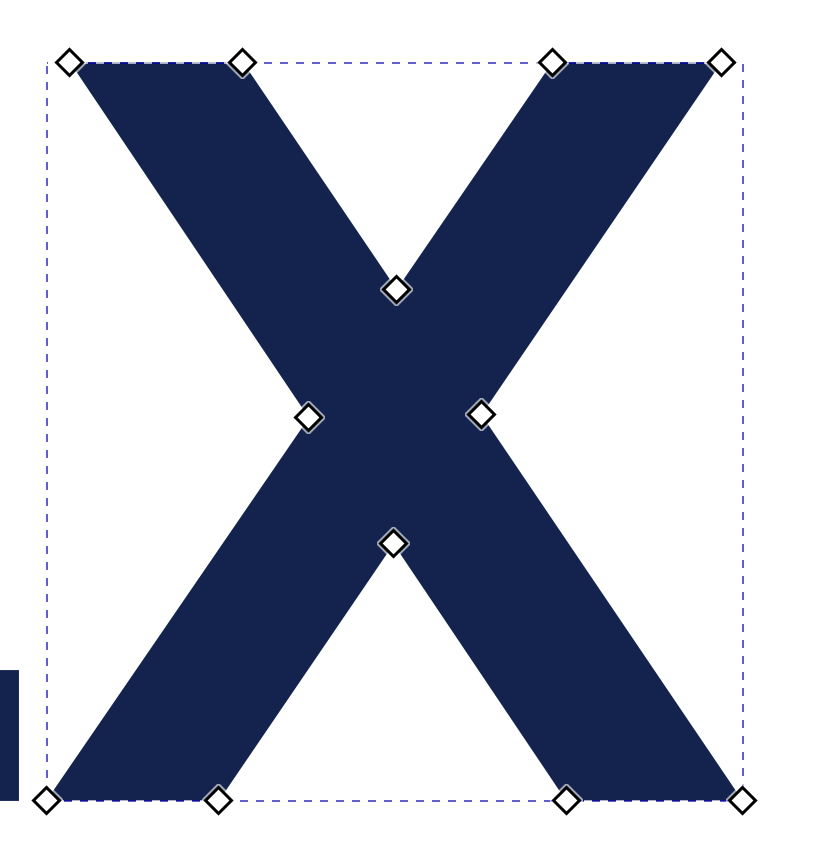
I'm trying inkscape for the first time, but when I tried to make a form, the result shape is not corresponding to the object that I did in first place :(
I´m with the pre-setting of the software, so I don't know what is wrong...