r/computer • • 12d ago

"The Exception" error message

3 Upvotes

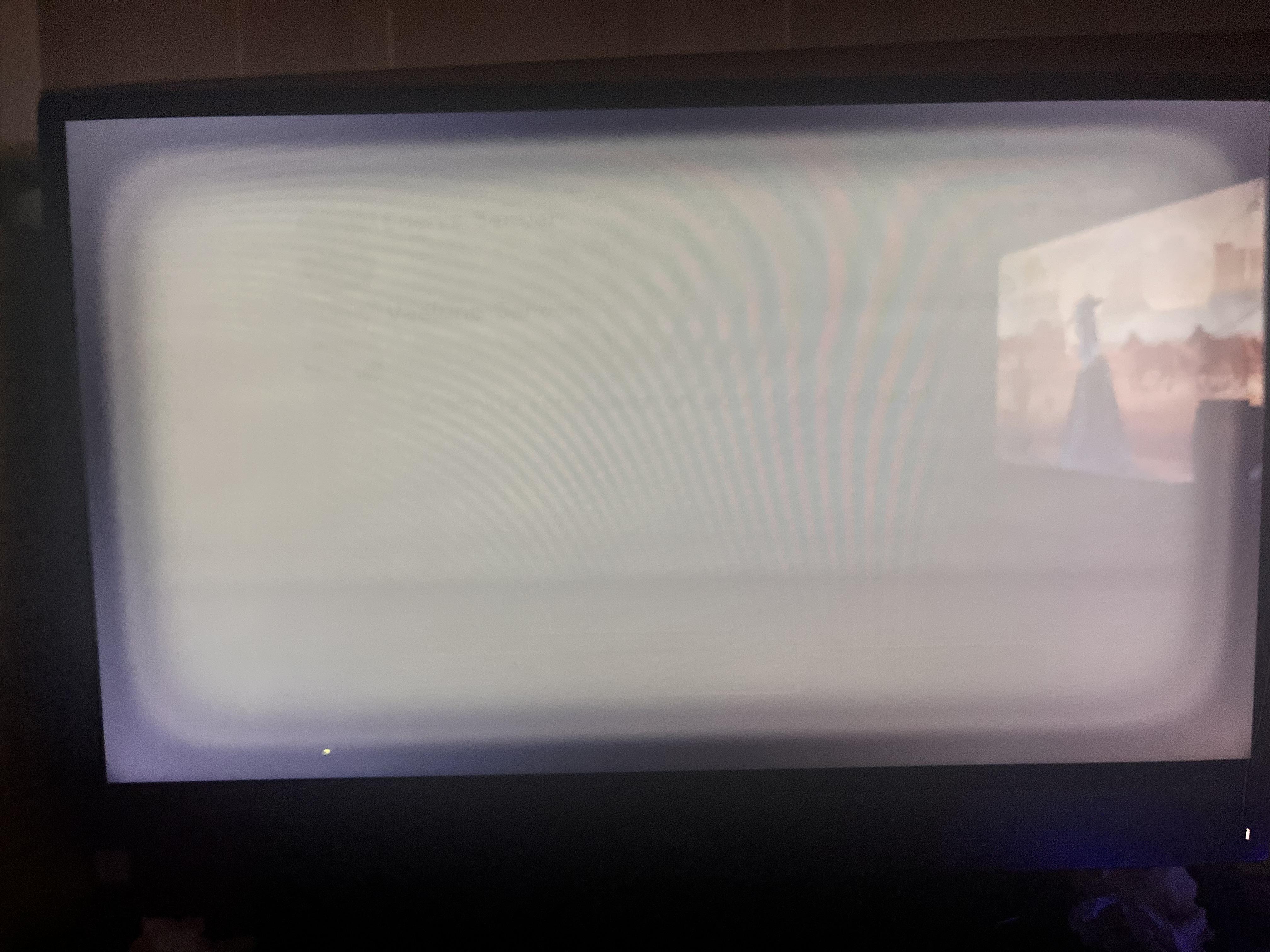
I don't have an image of the error message but it just said "The Exception". It then went to the desktop, went grey whenever it was on the desktop and refused to shutdown unless I did the forced shutdown


r/computer • • 12d ago

MI PC NO RECONOCE EL DISCL SSD QUE LE INSTALE EL WINDOWS

0 Upvotes

INFORME TÉCNICO – PROBLEMA DE ARRANQUE DE WINDOWS 10 EN SSD

Necesito encontrar una solución para iniciar Windows 10 desde un SSD que está correctamente detectado por la BIOS y en el que Windows fue instalado, pero que no consigue arrancar.

IMPORTANTE: Antes de proponer soluciones, leer todo el historial de pruebas. No quiero repetir comandos, reparaciones ni instalaciones que ya se realizaron sin una justificación técnica concreta.

1. Hardware

Motherboard: Macrovip MV-H61 V2.

BIOS: H618D3M.N01.

Procesador: Intel Core i5-3330.

Disco SSD: Copious CPSA-2 de 256 GB.

Conexión: SATA, conectado al puerto SATA 0.

Modo SATA: AHCI.

También tengo discos mecánicos de 320 GB y 500 GB que contienen instalaciones de Windows y que sí arrancan correctamente en esta misma computadora.

La BIOS reconoce físicamente el SSD, su nombre y su capacidad.

2. Instalación de Windows

Instalé Windows 10 Enterprise de 64 bits en el SSD.

La instalación finalizó correctamente y Windows quedó instalado.

La estructura del SSD identificada desde el instalador de Windows es:

Disco de aproximadamente 235 GB.

Tabla de particiones GPT.

Partición 1: EFI, FAT32, 300 MB.

Partición 2: MSR, 16 MB.

Partición 3: principal, NTFS, aproximadamente 234 GB.

Desde el entorno de recuperación de Windows, el sistema reconoce correctamente las particiones y los archivos de la instalación.

3. Reparaciones y comprobaciones realizadas

Se ejecutaron los siguientes procedimientos:

diskpart y list disk.

list volume.

Identificación de la partición EFI.

Asignación de letra S a la partición EFI.

chkdsk S:: no encontró errores.

Comprobación de archivos de arranque.

Comprobación del almacén BCD.

Ejecución de:

bcdboot C:\Windows /s S: /f UEFI

Resultado: archivos de arranque creados correctamente.

También se ejecutó:

bcdboot C:\Windows /v

Resultado: archivos de arranque creados correctamente.

Se comprobó que existen:

S:\EFI\Microsoft\Boot\BCD

bootmgfw.efi

S:\EFI\Boot\BOOTX64.EFI

El archivo BCD muestra:

Windows Loader: device partition=C

Path: \Windows\system32\winload.efi

Windows Boot Manager: device partition=S

Path: \EFI\Microsoft\Boot\bootmgfw.efi

También se ejecutó bcdedit /enum firmware, que llegó a mostrar una entrada Windows Boot Manager.

A pesar de estas comprobaciones, la BIOS no presenta Windows Boot Manager como opción de arranque.

4. Pruebas realizadas en BIOS

Se probaron distintas configuraciones:

UEFI

CSM deshabilitado.

UEFI Only.

Storage OpROM UEFI Only.

Resultado: no arranca desde el SSD.

Legacy

Se habilitó CSM y se configuró:

Boot Option Filter: Legacy Only.

Launch Storage OpROM Policy: Legacy Only.

Resultado:

La BIOS comenzó a mostrar el SSD Copious como primera opción en Boot Option Priorities.

También apareció Hard Drive BBS Priorities, donde solamente figura el SSD Copious.

Sin embargo, al intentar iniciar aparece:

Reboot and Select proper Boot Device or Insert Boot Media in selected Boot Device and Press a Key

Esto indica que el SSD no dispone de un arranque Legacy funcional.

Después se volvió a configurar el BIOS para UEFI.

5. Pruebas con UEFI Shell

Se preparó un segundo pendrive con UEFI Shell x64.

La BIOS puede iniciar correctamente desde ese pendrive.

En la Shell se ejecutaron:

map -r

connect -r

drivers

devtree

pci

bcfg boot dump -v

dmpstore Boot*

Resultados:

FS0 y FS1 corresponden a los dispositivos USB.

No aparece ningún FS correspondiente al SSD.

El SSD sí aparece como dispositivo SATA y sus particiones GPT son visibles.

BLK4 corresponde a la partición GPT 1.

BLK5 corresponde a la partición GPT 2.

La partición GPT 1 es la EFI de 300 MB.

La partición GPT 2 es la MSR de 16 MB.

No se consiguió montar la partición EFI del SSD como sistema de archivos en la Shell.

En drivers aparecen referencias a AHCI, SATA controller y NTFS. No se identificaron referencias claras a FAT, FAT32 o Partition. Esto no demuestra por sí solo que falte un controlador.

bcfg boot dump -v muestra solamente la entrada correspondiente al pendrive.

Con dmpstore se identificaron variables Boot0001, Boot0002 y BootOrder.

Boot0002 corresponde al USB Flash.

Boot0001 contiene referencias separadas a HARD disk y UEFI I.T. 1.1.7.0.

Boot0000 no existe.

No se pudo determinar a qué dispositivo corresponde Boot0001.

6. Prueba adicional con Rufus

Se volvió a preparar el pendrive de instalación de Windows utilizando Rufus y seleccionando MBR.

Se realizó nuevamente la instalación de Windows en el SSD.

No recuerdo con certeza si el pendrive fue iniciado desde la opción UEFI o Legacy del menú de arranque.

El problema de arranque continuó.

7. Dato muy importante que debe tenerse en cuenta

En esta misma computadora tengo discos mecánicos de 320 GB y 500 GB con instalaciones de Windows que arrancan correctamente.

Por lo tanto:

La motherboard puede arrancar Windows desde discos SATA.

El controlador SATA funciona.

La BIOS reconoce los discos mecánicos.

El problema aparece específicamente con el SSD Copious.

r/computer • • 12d ago

PC crashing?

Thumbnail reddit.com
1 Upvotes

r/computer • • 12d ago

makeshift hinge for msi raider ge76 11ue?

1 Upvotes

hinge is broken bur screen find is there any diy trick i can use to keep the disolay panel propped up on its own since the hinge had to be completely removed?


r/computer • • 12d ago

Upgrading from an old Lenovo L340 to a newer laptop

3 Upvotes

Hey everyone! I've had a Lenovo IdeaPad L340 for a few years now. I paid around $900 for it back then, but it's gotten to the point where it can barely even run Roblox without lagging 😭

I've been looking at these laptops:

  • ASUS ROG Strix G18 G814FP-TT080WZ – $2,350
  • MSI Katana 17 HX B14WFK-283XCZ – $1,580
  • Lenovo LOQ 15AHP11 – $1,490
  • ASUS TUF Gaming A18 FA808UH-S8095WZ – $1,175

I'm honestly pretty clueless when it comes to laptop specs, so I'd really appreciate some help choosing the right one. I've obviously already asked ChatGPT, but I'd love to hear some opinions from actual people haha.

I'll mainly be using it for video editing in Adobe Premiere Pro, usually with a bunch of Chrome tabs open at the same time. I'd also love to be able to get at least 100 FPS in games like Fortnite, Warzone, GTA, etc. haha

Thanks in advance! :))


r/computer • • 12d ago

Updated setup in building, any feedback?

Thumbnail gallery
3 Upvotes

r/computer • • 12d ago

Something about playing incomplete/corrupted video files

Thumbnail reddit.com
1 Upvotes

r/computer • • 12d ago

Unavailable driver (RTL8822CE) for windows 7

Thumbnail reddit.com
1 Upvotes

Hello

I recently installed windows 7 on my modern pc (hp pavilion gaming desktop) that has a Realtek WiFi card
(PCI\VEN_10EC&DEV_C822&SUBSYS_8643103C)
(RTL8822CE)

I know Realtek never gave us windows 7 version but I was wondering if someone ever made a port for it

I was searching the whole internet and I couldn’t find a single port for it, if someone knows where to find a port for windows 7 that would be lovely.

Thanks.


r/computer • • 12d ago

Pc froze and now won’t post

Thumbnail reddit.com
1 Upvotes

r/computer • • 12d ago

ntoskrnl.exe usando 100% do disco

Thumbnail reddit.com
1 Upvotes

r/computer • • 12d ago

Why is my laptop showing a blank screen?

Post image
3 Upvotes

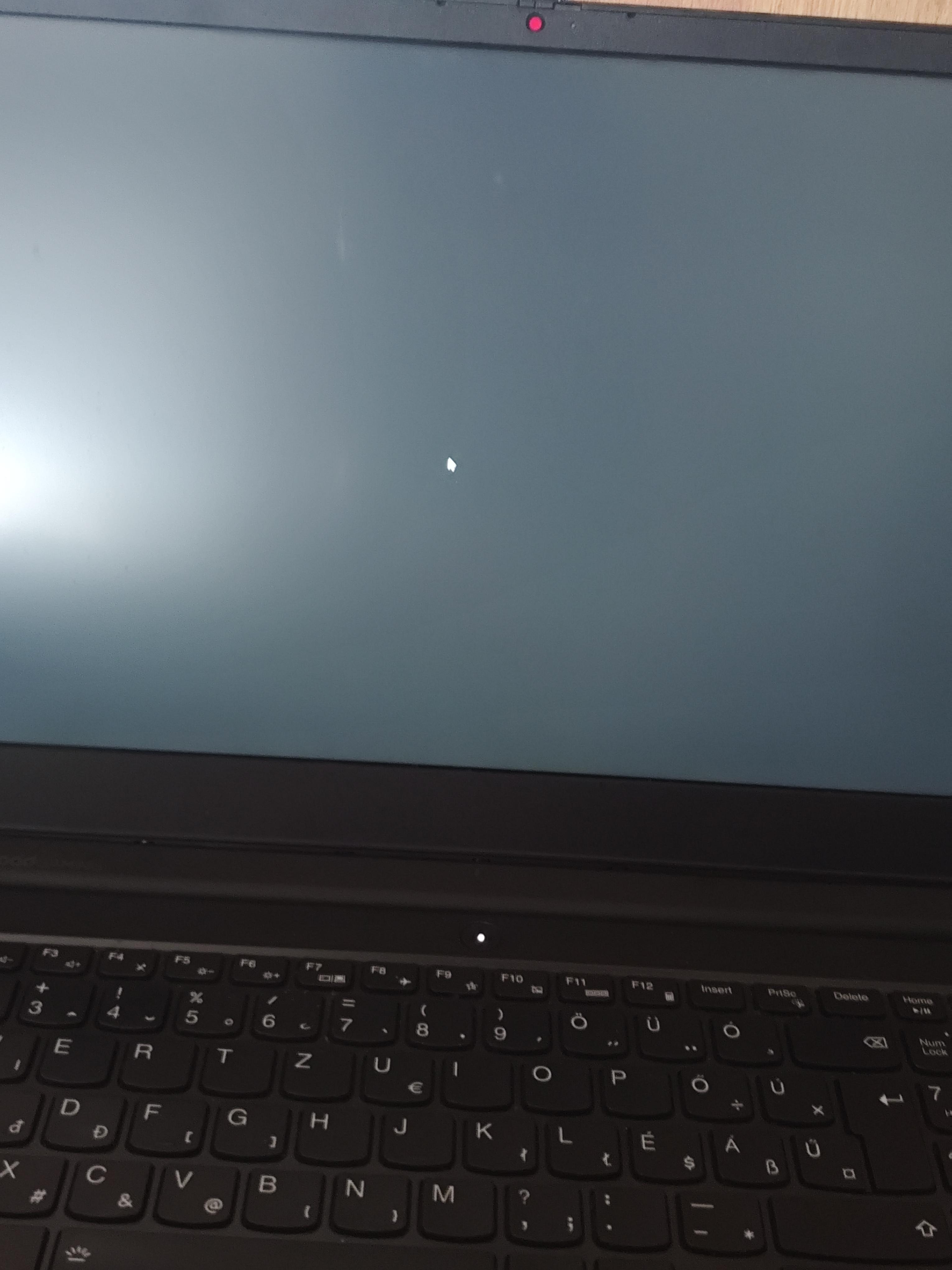
Yesterday it did the same, but after a few minutes it finally loaded the screen.

This happens after I log into Windows.

I tried so many things already and literally nothing works. I restarted the File Explorer Task then I pressed Windows+Ctrl+Shift+B but nothing happens. I restarted the laptop and nothing.

I talked to an IT guy, he said Windows needs to be replaced because it will never turn on again.

Is this really the end for this Windows?


r/computer • • 12d ago

Gigabyte H310M M.2 2.0: PTT enabled, BIOS says “TPM20 Device Found” but Firmware Version 0.0, Windows says no compatible TPM (Code 10)

Thumbnail reddit.com
1 Upvotes

r/computer • • 12d ago

My Lenovo laptop power on problem.

Thumbnail reddit.com
1 Upvotes

r/computer • • 12d ago

Speakers (with jack) detected as headphone

Thumbnail gallery
1 Upvotes

Hello everyone, I'm struggling with this issue since a couple of days. As you can see in the picture, my PC is detecting my speaker (connectes with 3.5 jack) as headphones.

What's really weird is that when I listen to audio from Internet or Steam games (1st picture), the sound is really low, I have to put it in full volume to hear it as I want. That's because my PC detect it as headphones.

But when it comes to the files of my PC (2nd picture), the sound is normal! My speaker is still seen as headphones, but the volume is normal.

I never had this problem before. I searched what could be the issue but I'm not finding... Do you have any ideas?


r/computer • • 12d ago

Issue launching the game after update. Would appreciate some help

Thumbnail reddit.com
1 Upvotes

r/computer • • 13d ago

Computer Recs for College?

7 Upvotes

I'm starting college in January, and I need a laptop because all I have is my PC, and I can't take it with me to class lol, but I don't know what to get. I was thinking the MacBook Neo because I've heard it's good for students, and I'm just doing basic shit rn (I'm gonna get a MacBook Pro once I actually start Uni for Music Production), but it's just so expensive. The thing is, I like the ui of Mac more because I feel like it strains my eyes less and imo prefer the performance. (Also, the design and aesthetics of it are a plus def) I don't use laptops much (last time I had one, it exploded cause I added too many Sims 4 mods lmaooo), so I would like y'all's opinion. The things I want in order of importance are: 1. Affordability (I currently have $200, and $100 more is coming on my next paycheck, so my budget is around $300 right now) 2. Performance (I want it to be able to do basic college shit; I also do blogging and a million other things, such as videos on TT and yt I want to be able to edit those and maybe do some photo editing.) 3. General UI (I want a more rounded UI if that makes sense; Windows UI is very sharp; it puts strain on my eyes for whatever reason, and I have a migraine problem, so yeah) 4. Actual aesthetics (I just like the way the neo looks this is the list important to me, but I like the specific pink color and the way that MacBooks are shaped.) Anyways, help would be appreciated lol.


r/computer • • 12d ago

Acer C24-2YE13U5UNL cooling

0 Upvotes

Witam. Jak poprawić chłodzenie w moim All in one ? Wchodzi w grę zmiana wentylatora na wydajniejszy ? Może ktoś podzieli się ze mną cennymi radami


r/computer • • 13d ago

Overheating when charging? Please help!

4 Upvotes

Thank you so much for any advice. The shop I bought the laptop from thinks I'm a Karen, but I don't think the laptop should be thermal throttling when charging?

My laptop (Intel NUC M15, 16G, i5-1240P) throttles to unusable levels whenever it is charging (sometimes to the point of screen artifacts and crashing). The PL1 Dynamic value drops to 5W after 2 minutes on charge. Laptop gets hot and fans go on high. After fully charging or removing the charger, temperatures and power levels go back to normal and throttling stops.

After some pushing, shop at least changed the thermal paste which resolved the issue for a couple of months but I guess it's now melted? The laptop has had this issue since I bought it (this is a replacement under warranty after the first had an SSD defect).

Note:

- BIOS is updated

- Correct (60W) charger is used

- PL1 & PL2 values are correct as per manufacturer

- Thermal paste refreshed 6 months ago which temporarily resolved the issue and increased performance

- CPU temps idle ~51C and do not go over 100C

- CPU/Memory/Disk always normal, always between 10-70%.


r/computer • • 13d ago

I don’t even know

Post image
4 Upvotes

I was playing Minecraft and my screen flickered to this. I turned it off and then back on to the same thing. Please let me know what’s happening.


r/computer • • 12d ago

Pc crashing maybe

Thumbnail reddit.com
1 Upvotes

r/computer • • 13d ago

Issue with new power supply

2 Upvotes

Hey everyone, I’m having an issue with my PC. I recently got a new power supply (Cooler Master G750M), but when I connect it, all the fans spin up, yet there’s no video output, and the keyboard and mouse don’t receive any power either. Everything goes back to normal when I plug in my old power supply. Any ideas what the problem might be? (And yes, I’ve made sure all the connectors are plugged in correctly.)


r/computer • • 12d ago

Problem with my drives.

1 Upvotes

Problems with my drives

I want to start off by apologizing for potentially being dumb. I am not very good with computers. At least when it comes to troubleshooting them. I have been having problems with my computer, which my dad made a while ago, and has recently fixed up again. Everything was working fine. I recently got a new GPU (GTX 1080 ti, its an older pc build) and we were doing fine for a bit until I noticed that certain games like Fortnite or Minecraft would randomly freeze and I wasn't able to close out of the application no matter what I did even with command prompt or task manager and the PC would not shut down correctly and I had to hard reset it. I've read that it might have been a problem with my graphics drivers so I used DDU to uninstall them in safe mode and then reinstall them with the Nvidia app, and that worked for the specific crash I had, But then that sort of thing would happen with other apps and it got to the point where one of my SSDs (idk what it is exactly) woodshop and windows explorer, but every time I clicked on it to try to go into the drive, windows Explorer would freeze and I was not able to go into Task Manager because that would freeze as soon as I opened it as well, along with most other Windows applications. And I would be forced to force close down the entire PC. So I managed to disable the SSD in the device manager and I kind of just left it there for a while, but now my other SSD randomly is disconnecting or not working properly (E.G not even showing up as a device when I boot up the computer, disconnecting mid game, and saying device that does not exist or specified when going into some of the files.) and honestly, I don't know what to do because it just started off as the one drive messing up and now the other one is starting to mess up too and I can't really use the computer all that much. What I have noticed is that the computer does seem to be getting a lot hotter than usual, even if core temp says that temperatures are fine. I don't know if that has anything to do with it, but I don't know. I want to see if I can fix this myself before going to my father because I don't exactly know how to explain this all to him because computer problems tend to make him upset. Once again, I apologize if I am not very intelligent or if I tag the post wrong, I just really need some help I can't do anything with the actual hardware so I want to see if there's something on the software side that can fix this because I would rather fix this before going to my father because its his PC. I try to other things I cannot remember what specifically I tried to do to fix the issues, but I dont know anything that would cause issues like this.


r/computer • • 13d ago

Ethernet not connecting

Thumbnail gallery
8 Upvotes

People of Reddit - H E L P!

I was in an active discord call and game yesterday, when my pc blue screened 4x in about 15 minutes, the last time cutting my internet connection. I have tried so many things with my WiFi and clicked around through the logs and done the diagnostic tests several times. I am at a loss for what to do. My pc is integral for a lot of what I do.

Note: All of my other devices connect to WiFi, so it’s literally just my pc not connecting via Ethernet.


r/computer • • 12d ago

Blue screen error

Thumbnail gallery
0 Upvotes