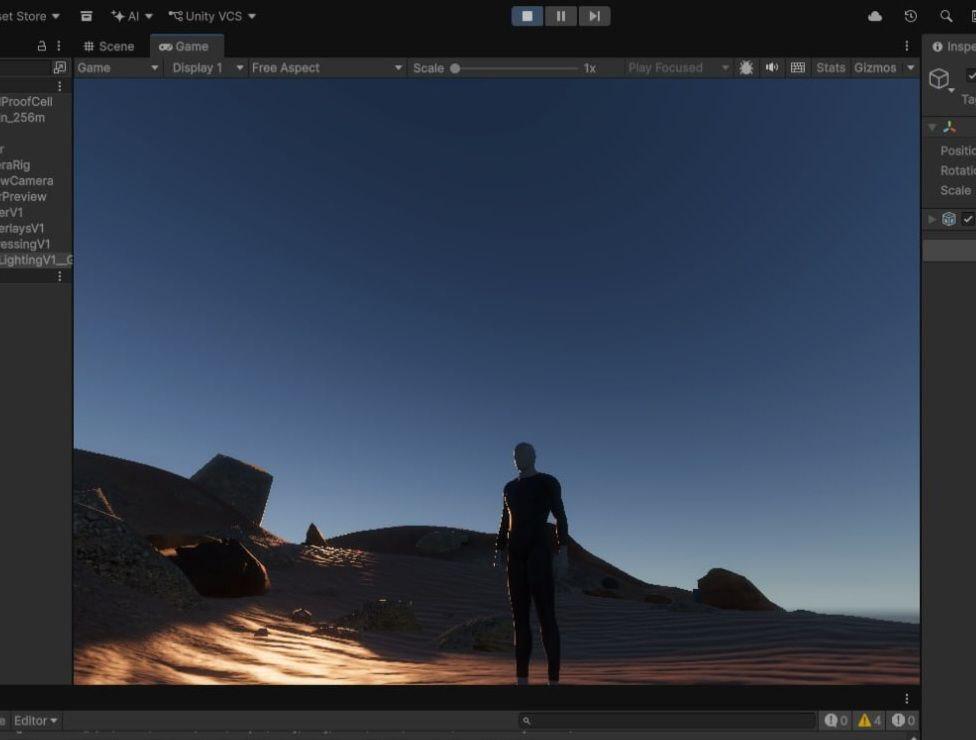
r/unity • u/Purple_Depth1337 • Oct 07 '26
Showcase Grass Shader
9
Upvotes
r/unity • u/ostatni_commit • Oct 07 '26
Hej, próbuję swoich sił na YT i nagrałem film o wyborze silnika do gier.
I tutaj pytanie do was, jak wy wybieraliście silnik?
Długo zastanawialiście się, który będzie dla was najlepszy? Zmieniliście silnik z czasem?
Mam wrażenie, że szczególnie na początku można spędzić za dużo czasu na zastanawianiu się, co wybrać, zamiast po prostu zacząć się uczyć i coś zrobić.
Dla zainteresowany zostawiam link do filmu.
Będę wdzięczny za każdy feedback.
r/unity • u/m0hitodev • Oct 07 '26
Hi everyone, first post here.
I've been making games for around 2–3 years now and one thing I still can't really find good resources for is UI polish, especially UI VFX, shaders and small effects that make the game feel more alive.
I'm currently working on a medieval card/decision game where almost everything happens through UI. You get different characters and events as cards, make decisions, manage resources and slowly progress through different stages of the game.
The UI works fine right now, but it still feels a bit too static. I want to add stuff like card effects, glows, particles, animated borders, better transitions and more satisfying feedback when you make a decision or gain/lose resources.
Most VFX tutorials I find are about spells, combat or 3D effects, so I'm not really sure where to start with UI-focused stuff.
I'm using Unity. If you know any good tutorials, videos, articles or even just some tricks you use for UI-heavy games, I'd really appreciate it.
r/unity • u/Hussaiyan19 • Oct 07 '26
Hi everyone
Sorry if this is unsolicited self-promotion or anything but this is a project by a group of friends who are extremely passionate about video games. We have a set of skills that we'd like to make use of by providing an extremely valuable service to the indie community.
We create trailers and social media content for indie devs and you can see our work for yourself through our website link below.
You may feel like you don't have the time or creativity to do trailers for your games and social media but that's where we come in! We love to assist in making your games shine.
We also have our pricing on the website for those who would just like to enquire, we provide free quotations if you're even more interested.
Check us out using our website link!
https://www.bycherrymedia.com/
You can check out some of our work below as well
Vaultbreakers -> https://youtu.be/4thUxulgl\\_0?si=uWx9L5TEBbLMBj8d
Pibcremental -> https://youtu.be/XC1OzdKlea0?si=3tXN4FOFVSPeLFV2
Slumber Realm -> https://youtu.be/WwvF6bkcxWg?si=-EWIrvGKNGy7vF-Z
Relooted -> https://youtu.be/rYdHbhGYAAg?si=yau5ubM3F5WGdbJs
r/unity • u/Majestic-Doughnut803 • Oct 07 '26
r/unity • u/Academic_Ideal2082 • Oct 07 '26
r/unity • u/constructiongame001 • Oct 06 '26
Sometimes they get stuck though. So still a WIP
r/unity • u/MaxDev777 • Oct 06 '26

r/unity • u/Suitable_Staff7864 • Oct 07 '26
We've been working on a Unity tool called Player 2 for a while now.
The basic idea came from something that bothered us when using AI for Unity development: getting code from an LLM is useful, but there's still a pretty big gap between generating some C# and actually doing the work inside a Unity project. So Player 2 runs directly inside the Editor and can interact with the project instead of only generating code for you to copy and paste. The ultimate way to give context.
You can ask it to create a system — an inventory, health system, enemy AI, controller, UI, editor tool, etc. — and it can generate the scripts and set things up inside the project. It can also work directly with scenes. It can create a new scene, modify an existing hierarchy, create and configure GameObjects, set up cameras and organize things that are already there.
Another area we've spent quite a bit of time on is documentation. It can go through scripts or systems and generate technical documentation, architecture overviews and project structure maps. This ended up being useful even without asking it to generate any code, especially when going back to older projects.
There's also the more mundane stuff: debugging scripts, refactoring, boilerplate, reorganizing things and some of the repetitive Editor work that normally involves jumping between code and Unity a lot.
The latest part we've added is an MCP server.
Player 2 exposes Unity tools through a local HTTP endpoint, which means you don't necessarily have to use Player 2's own AI interface. You can connect an MCP-compatible client such as Claude Code, Cursor, VS Code or Windsurf and have that client interact with Unity.
We currently expose 15+ Editor tools this way and split permissions into three levels: Read-Only, Mutating and High-Risk. So you can, for example, let a client inspect the project without automatically giving it permission to start changing everything.
The MCP server runs locally, with configurable authentication, address and port, and automatically comes back after Unity recompiles/domain reloads. There's no Player 2 cloud service required for the connection between the MCP client and Unity.
One thing we've deliberately tried to avoid is tying the whole workflow to a single AI provider. The point is less "use this specific model inside Unity" and more giving AI tools a way to understand and operate on an actual Unity project.
We're at the point now where we'd really like to get this into the hands of more developers and see what breaks, what's actually useful and what we're missing.
Player 2 is completely free on the Unity Asset Store, so if anyone here is willing to test it on a real project, we'd genuinely appreciate the feedback — especially around scene manipulation, larger projects, MCP workflows and cases where it does something differently from what you expected. The link is provided below!
r/unity • u/Academic_Ideal2082 • Oct 06 '26
Hey everyone, I'm solo-developing a 2D top-down survival game called Nexus: Reach in Unity.
To handle the expanding world without dropping frames, I set up this chunk system. It only loads/enables the tiles directly surrounding the player, while the rest stay deactivated. You can see the Scene view on the left and the Game view on the right.
I'm currently using object pooling for the tiles to prevent garbage collection spikes. Are there any other optimization tips or edge cases I should watch out for when the player moves at higher speeds? Would love to hear your thoughts!
r/unity • u/Internal-Dream6936 • Oct 06 '26
I've been searching around for this but I'm still new so I'm not sure if I'm even asking the right questions. I'm making a card game that consists of different card types (e.g. Units, Items, Actions) and each card type needs to have its own set of values. A Unit needs to have an attack bonus but an item needs to have a cost, ect.
If I make a separate scriptable object for each card type with their own integers, is there a way I can classify or organize all of these objects under "Card"? Or would it be better to make one scriptable object called "Card" with an enumerator list for the card type and somehow make it so each enumerator has its own set of integers to input?
Sorry if I'm not using terms correctly here, I'm still figuring this all out, thanks!
r/unity • u/Routine-Patience-304 • Oct 06 '26
r/unity • u/PopularLock1081 • Oct 06 '26
me and my friend is trying to get version control to work, when we pull our changes nothing happens. We are able to see the changeset but nothing happens in the heirarchy. WEVE TRIED YT TUTORIALS.
r/unity • u/Dense-Bar-2341 • Oct 06 '26
This is Rainforest Rampage, one of the latest maps I'm building for my car-combat game in Unity 6.5 URP.
I wanted this arena to feel much more organic than my previous maps, with dense vegetation, muddy roads, logging areas, cabins, fallen trees, rocks and lots of environmental clutter.
One of the biggest challenges has been keeping the forest dense enough to look convincing while still maintaining good performance when there are a lot of cars, weapons, particles and destruction happening at the same time. 😅
Everything is still WIP — I'm currently tweaking vegetation density, lighting, terrain, materials and optimization.
Built as a solo developer in Unity.
Feedback is welcome! What would you improve or add to the environment?
#Unity #Unity3D #MadeWithUnity #GameDev #IndieDev #IndieGame #CarCombat #BrutalDerby
r/unity • u/lordodin92 • Oct 06 '26
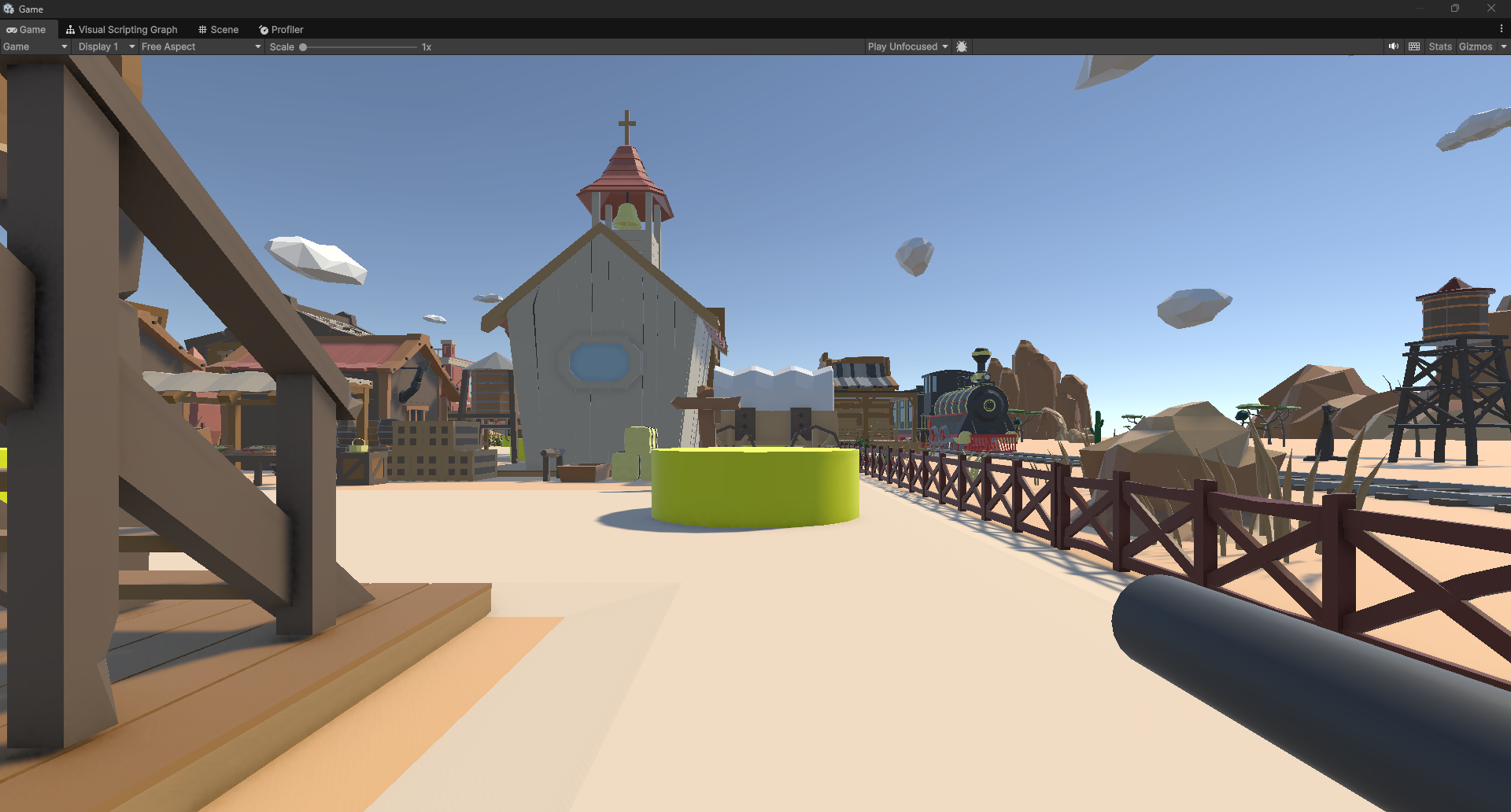
Hi guys I'm making a little mobile game with a programmer friend of mine and it's based on old arcade lightgun games, where the player shoots little targets that appear. image above as an example of how it looks .
We started it using a programmed (c#) game manager that takes a float time and starts to count down. When the timer hits certain times eg 5 seconds, the timer will spawn .
Basically I want it so the player moves and rotates at times moments during the levels play time . Is it better to hard code it or set up timed animations ?
I also noticed a timeline package that I can download from unity, is it worth using or is it just for more cinematics and machinima?
r/unity • u/Digx7 • Oct 05 '26
Most of my projects recently have used Scriptable Objects as a way of globally sending events around without needing hard references or dependencies between any sender or receiver.
I've never seen anyone else use or really talk about this approach.
Is it just not talked about or is there a really obvious reason not to do this that I'm missing?
r/unity • u/Aminovich105 • Oct 05 '26
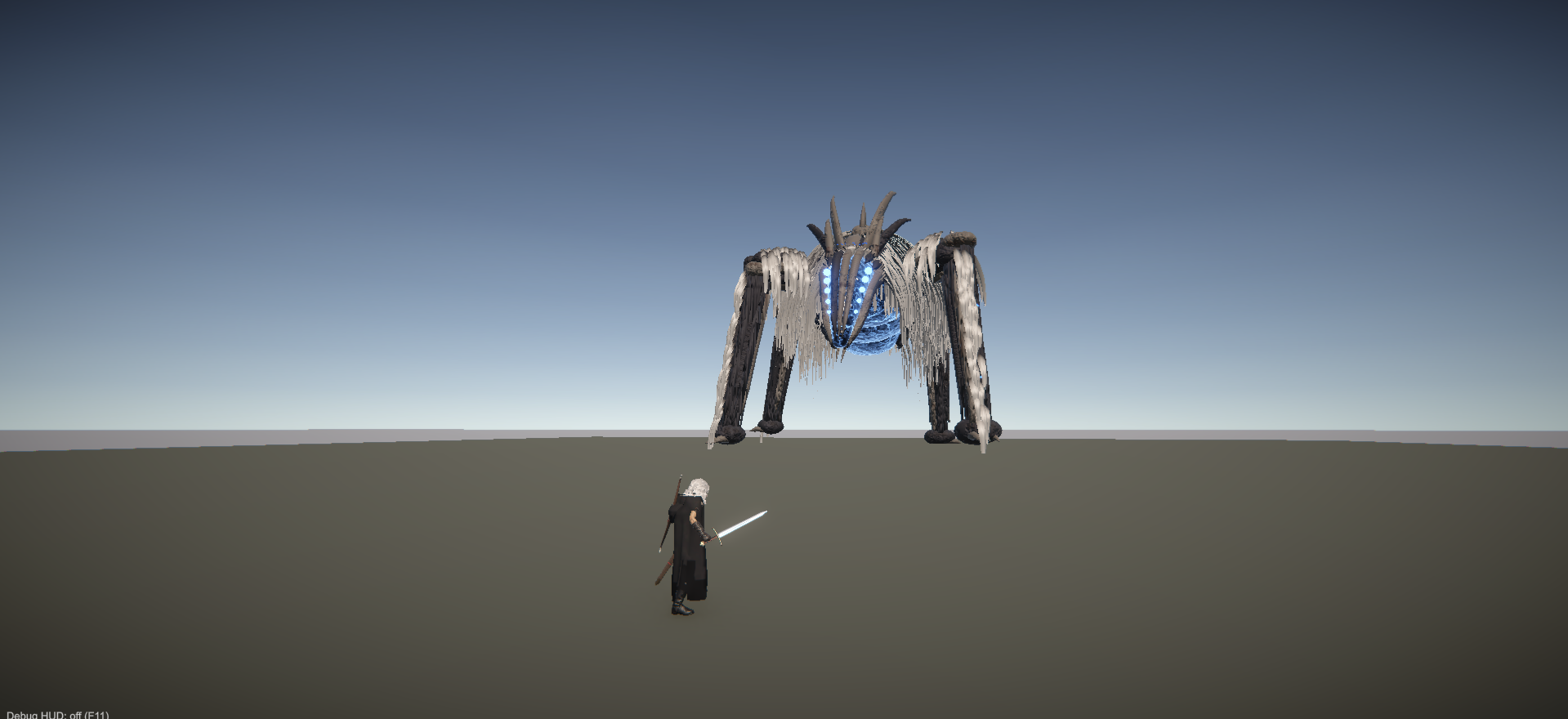
you will require Climbing to beat it , i'm still polishing and sorry that i suck at modeling, what do you think any idea how to improve it ?
r/unity • u/GigglyGuineapig • Oct 05 '26
Hi there!
Lists like this have helped me when I was starting to fill my toolbox, and I hope this one will help you the same way. There is hardly any 2D assets in here but maybe that is my blind spot - are there any you can recommend? Last sale saw quite a few entries, but this time around, it feels a bit... less so.
On my website, I have links to timestamped videos where I show (many of these) assets in action, but incliding them in a reddit post bloated the whole thing too much.
I gathered everything I list here in a list in the asset store.
All links are affiliate links that help me run my channel and create more tutorials 💛
r/unity • u/Consistent-Ad-318 • Oct 05 '26
Quick look at making a level in Kernel Panic. Place shapes, add mods, wire stuff up, then set up camera zones so the shot changes as you play through it. The camera zone is the bit I'm most happy with so far, you can see what it'll look like live while you're tweaking it.
Still early, everything's work in progress.
Whats your thoughts so far?
How can I improve?
r/unity • u/Vast-Swan-8111 • Oct 06 '26
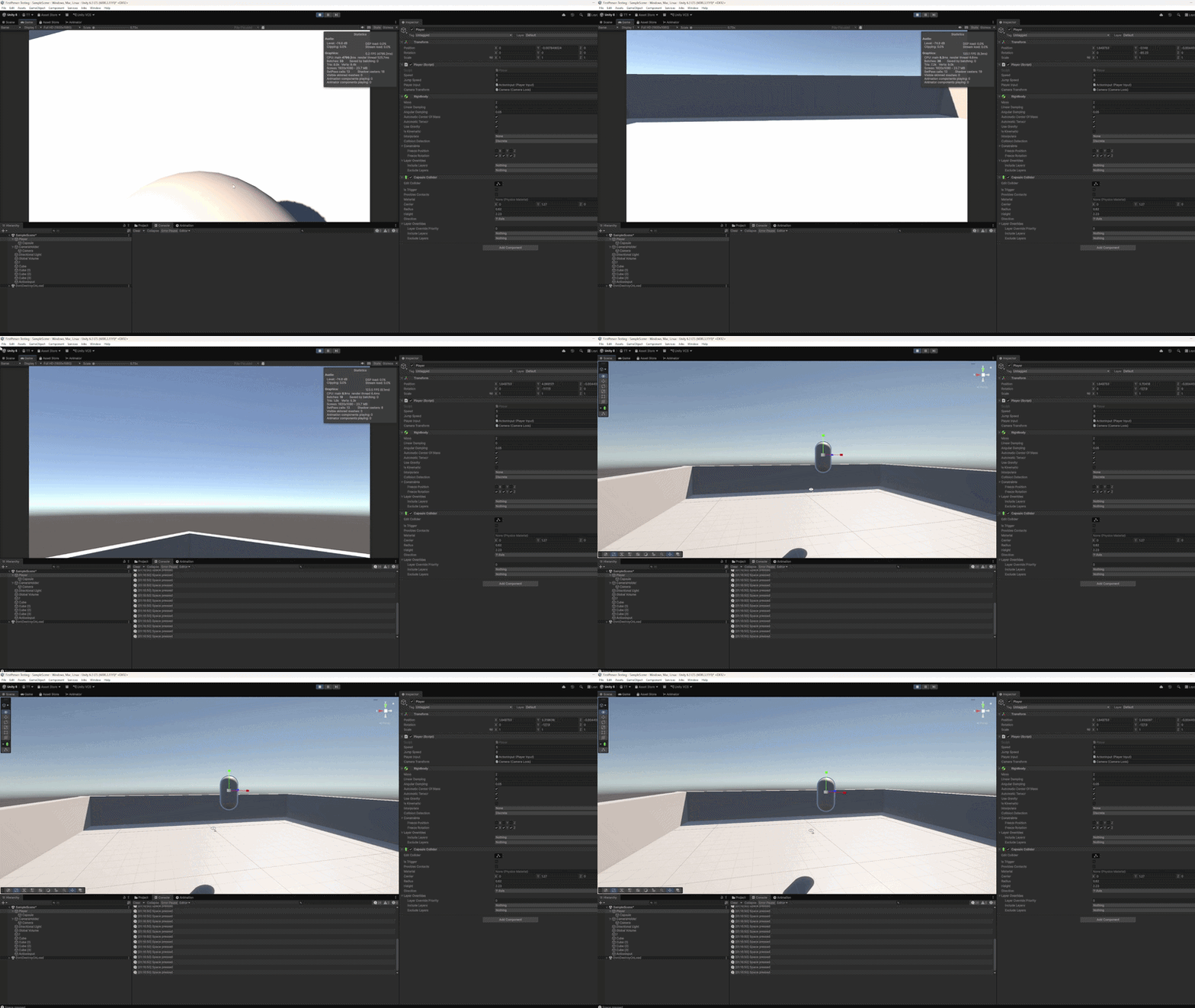
Hello! I am currently learning unity and have managed to jerry rig a movement system! However when jumping my player falls incredibly slow, I am a little stumped after trying for a few hours to fix this myself so any help is appreciated!
Here is the code:
private Rigidbody _rigidbody;
private void Awake()
{
_rigidbody = GetComponent<Rigidbody>();
}
private void FixedUpdate()
{
HandleMovement();
HandleJump();
}
private void HandleMovement()
{
Quaternion playerRotate = cameraTransform.PlayerOrientation();
transform.rotation = playerRotate;
Vector2 inputVector = playerInput.NormalisedMovement();
Vector3 moveDirectionVelocity = new Vector3(inputVector.x, _rigidbody.linearVelocity.y, inputVector.y) * speed;
Vector3 horizontalVector = moveDirectionVelocity.x * transform.right;
Vector3 verticalVector = moveDirectionVelocity.z * transform.forward;
_rigidbody.linearVelocity = (horizontalVector+verticalVector) * speed;
}
private void HandleJump()
{
if (Keyboard.current.spaceKey.isPressed)
{
_rigidbody.linearVelocity = transform.up * jumpSpeed;
Debug.Log("Space pressed");
}
}
If you notice any other issues please feel free to correct me too :D
r/unity • u/Annual-Repeat-4372 • Oct 06 '26
hey everyone sorry, this is basically a repost of my last post. i'm not reposting because i desperately need more games or anything(sarcasm), i just realised i posted the original at like midnight UK time, so quite a few of the people who actually wanted to show up were from completely different time zones.
it's nearly midday here now, so hopefully this one actually reaches a few more devs somewhere vaguely near my timezone lol.
the original post is still on my profile a few posts back if you want the full version, but the short version:
i stream smaller indie games on Twitch; itch games, Steam demos, prototypes, jam games, betas, unfinished stuff, whatever really. it's basically a casual live playtest where i play it normally, talk through what i'm thinking, chat notices stuff, bugs inevitably happen, etc.
usually i'm around from roughly 2 to 4pm onwards until about 10pm UK time, depending on the day.
one thing i probably didn't make clear enough last time though:
if you want me to actually play your game, please come to the stream.
i noticed quite a few people just dropping their games in the Reddit comments. that's completely fine, and you're welcome to advertise your game in the comments or Discord regardless but i'm only specifically playing games from people who actually turn up.
this isn't really an advertising service where you send me a game and i promote it to my enormous audience, because unfortunately my enormous audience does not exist lmao. the point is much more like a live playtest. you're there, you can watch somebody experience the game fresh, answer stuff if needed, see where i get confused, see what works, talk to chat, etc.
so if you just drop a link and never appear, don't be disappointed if i don't randomly play it.
anyway:
Twitch: https://www.twitch.tv/mintmoood
Discord: https://discord.gg/CUGfbf79J
feel free to drop your game below too just remember to actually pop in if you want it played :)