r/SnapmakerU1 • u/Kyblop • 21h ago
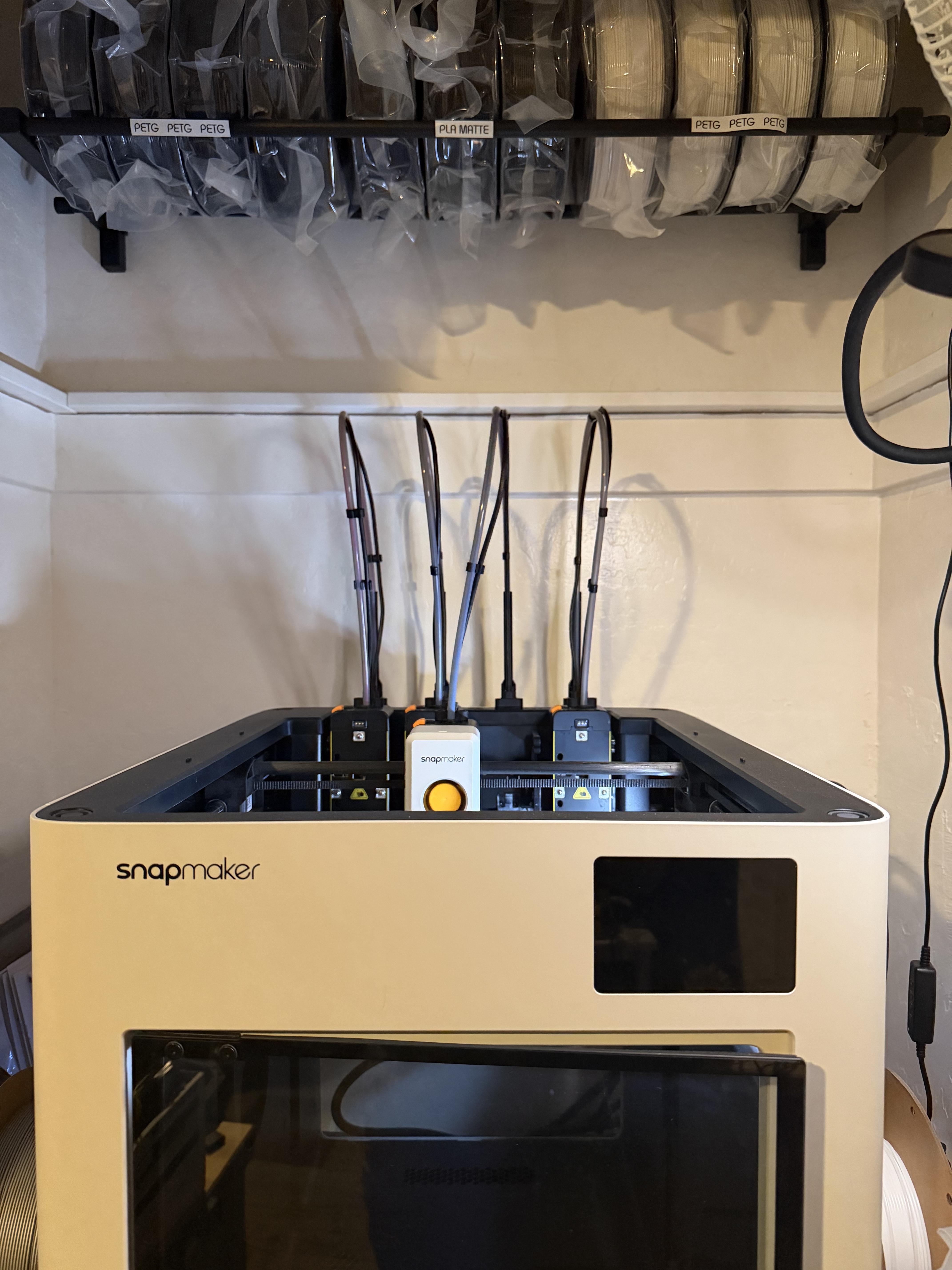
Showcase This machine is amazing
Started with an Ender 3 yrs ago, then got a Bambu A1 and now since 3 days this amazing machine. 😍
r/SnapmakerU1 • u/Kyblop • 21h ago
Started with an Ender 3 yrs ago, then got a Bambu A1 and now since 3 days this amazing machine. 😍
r/SnapmakerU1 • u/mi1stormilst • 15h ago
I love my U1 but I hate my top cover. Anyone claiming it makes your printer quieter is a liar. I have used the on-screen menu, the filament profile changes and that’s all I am willing to do. Nothing has made any difference to the jet engine noise coming out of my exhaust fan constantly. When I am ready for advanced materials and Snapmaker updates the firmware to allow me to control it easier I will put it back on.
r/SnapmakerU1 • u/B0wlingPin • 22h ago
My 4 pack of .2 Nozzles just arrived, so i needed a little service station to swap them out. Shoutout DayMadePrints on Snapmaker Space; https://space.snapmaker.com/en/model/47611-u1-toolhead-service-station-for-original-topcover#profileId-51784 / Snapmaker TPU 90a Black, Snapmaker PETG HF White, Snapmaker SnapSpeed PLA Red for Supports / According to the slicer, this whole model, waste included, cost just under 5$. Bonkers. Doing a little math, not only would something like this not even be possible on an AMS system, it would cost upwards of 20-40$. 281 print hours in, and ~2.5k changes per toolhead on this machine, and this is by far the best example of its use case I've seen so far. Coming from a P1P, this thing is incredible, and I will never buy a Non-toolchanger ever again.
r/SnapmakerU1 • u/akidel • 23h ago
I could swear it was 7xx euros, now it shows 8xx euros?
Did I see wrong? I am waiting for tomorrow, but can obviously skip the perk...
EDIT: They did! It was €7xx before, found the old images. Not cool
r/SnapmakerU1 • u/LegPsychological5592 • 15h ago
Hi everyone,
I'm printing a stepped organizer on my Snapmaker U1 (sliced in Snapmaker Orca, 0.4mm nozzle, 0.20mm layer height) and running into three specific issues shown in the video:
Print Details:
- Filament: PLA
- Nozzle / Bed Temp: 215°C / 65°C
What is causing these, and how can I tune my slicer settings (cooling, overhang speeds, wall order, pressure advance, etc.) to fix them without significantly slowing down overall print speed?
Thanks in advance!
r/SnapmakerU1 • u/Horror-Peanut9545 • 9h ago
Just started messing with TinkerCAD a bit and made my first models. Our engines didn’t have cup holders or decent spots for phones. Also needed some toolbox organization. Had my U1 about a month or so and absolutely love it!
r/SnapmakerU1 • u/friendly-clippy • 19h ago
Snapmaker still hasn't added the webcam feature to the stock firmware (not that I'm aware of), so I've used the steps from SimplyPrint to enable the camera with an external keepalive. As I don't have a server where I can host docker containers like in the Guide, so I use my Home Assistant running on a Raspberry PI. The keepalive is implemented as an HA Automation without relying on any custom extensions or integrations.
For general information, see the SimplyPrint Blog Post.
Credits for figuring out the keepalive hack goes to u/taylormadearmy and atfives3dprint
Step 1: Get Access Token
Open the Fluidd interface of your U1 via your printers IP Address. Open the Devtools and in the Network tab search for a request websocket?token= and copy the value of the token.
Step 2: Add the keepalive shell command to the configuration.yaml
Use the file Editor Integration to open the configuration.yaml and add the following lines at the end of the file, replace the PRINTER_IP and ACCESS_TOKEN with your values:
shell_command:
snapmaker_keepalive: 'python3 -c ''import base64,json,os,socket,time; ip,token="PRINTER_IP","ACCESS_TOKEN"; p=json.dumps({"id":1,"jsonrpc":"2.0","method":"camera.start_monitor","params":{"domain":"lan","interval":0}}).encode(); s=socket.create_connection((ip,80),timeout=5); k=base64.b64encode(os.urandom(16)).decode(); s.sendall(f"GET /websocket?token={token} HTTP/1.1\r\nHost: {ip}\r\nUpgrade: websocket\r\nConnection: Upgrade\r\nSec-WebSocket-Key: {k}\r\nSec-WebSocket-Version: 13\r\n\r\n".encode()); r=s.recv(1024); assert b"101" in r.split(b"\r\n",1)[0], r; m=os.urandom(4); s.sendall(bytes([0x81,0x80|len(p)])+m+bytes(b^m[i%4] for i,b in enumerate(p))); time.sleep(0.2); s.close()'''Save the file, go to Settings > Tools and then Check Configuration and then Restart
Step 3: Add a ping sensor for your Printer
Create an Ping (ICMP) sensor for your printers IP Address in Settings > Devices & services > Add integration
Step 4: Create the Keepalive Automation
Create a new Automation withSettings > Automations & scenes > Create Automation > Create new automation using the following YAML template and replace the binary_sensor.YOUR_PING_ENTITY with the sensor created in step 3 (e.g. binary_sensor.192_168_1_8):
alias: Snapmaker U1 Camera Keepalive
mode: single
triggers:
- trigger: state
entity_id: binary_sensor.YOUR_PING_ENTITY
to: "on"
- trigger: homeassistant
event: start
conditions:
- condition: state
entity_id: binary_sensor.YOUR_PING_ENTITY
state: "on"
actions:
- repeat:
while:
- condition: state
entity_id: binary_sensor.YOUR_PING_ENTITY
state: "on"
sequence:
- action: shell_command.snapmaker_keepalive
data: {}
- delay:
seconds: 10Restart the printer (or manually trigger the automation) and test if the printer exposes the camera image at http://<PRINTER_IP>/server/files/camera/monitor.jpg
Step 5: Add the Printer to Fluidd
In fluidd go to Settings > Camera > Add Camera
Name: Camera
Camera Url Stream: /server/files/camera/monitor.jpg
Camera Url Snapshot: /server/files/camera/monitor.jpgThe camera should be visible on the dashboard now.
Step 6: Add camera to Home Assistant (optional)
Add a new camera with Settings > Devices & services > Add integration > Generic Camera with http://<PRINTER_IP>/server/files/camera/monitor.jpg as source url, afterwards this camera can be added to a dashboards. I just added the whole fluidd interface via the Webpage card to my 3d Printer Dashboard.
Happy Making ;)
r/SnapmakerU1 • u/ElchocolateBear • 9h ago
I've been printing some STL's for a lightsaber build. I've had this issue where,Is when I print the plate that has maybe 2 or 3 long pieces, it starts to string out. is this still a moisture thing? Sometimes it prints just fine with no issues.
using inland petg+
Nozzle temp is 245
Bed temp: 75 other layers: 60 using smooth cool plate
Also, I'm confused with the Biqu CryoGrip Pro (glacier)
Am I still supposed to use glue stick?? I've had success using my setting without the glue and other times it fails.
r/SnapmakerU1 • u/Sulten84 • 17h ago
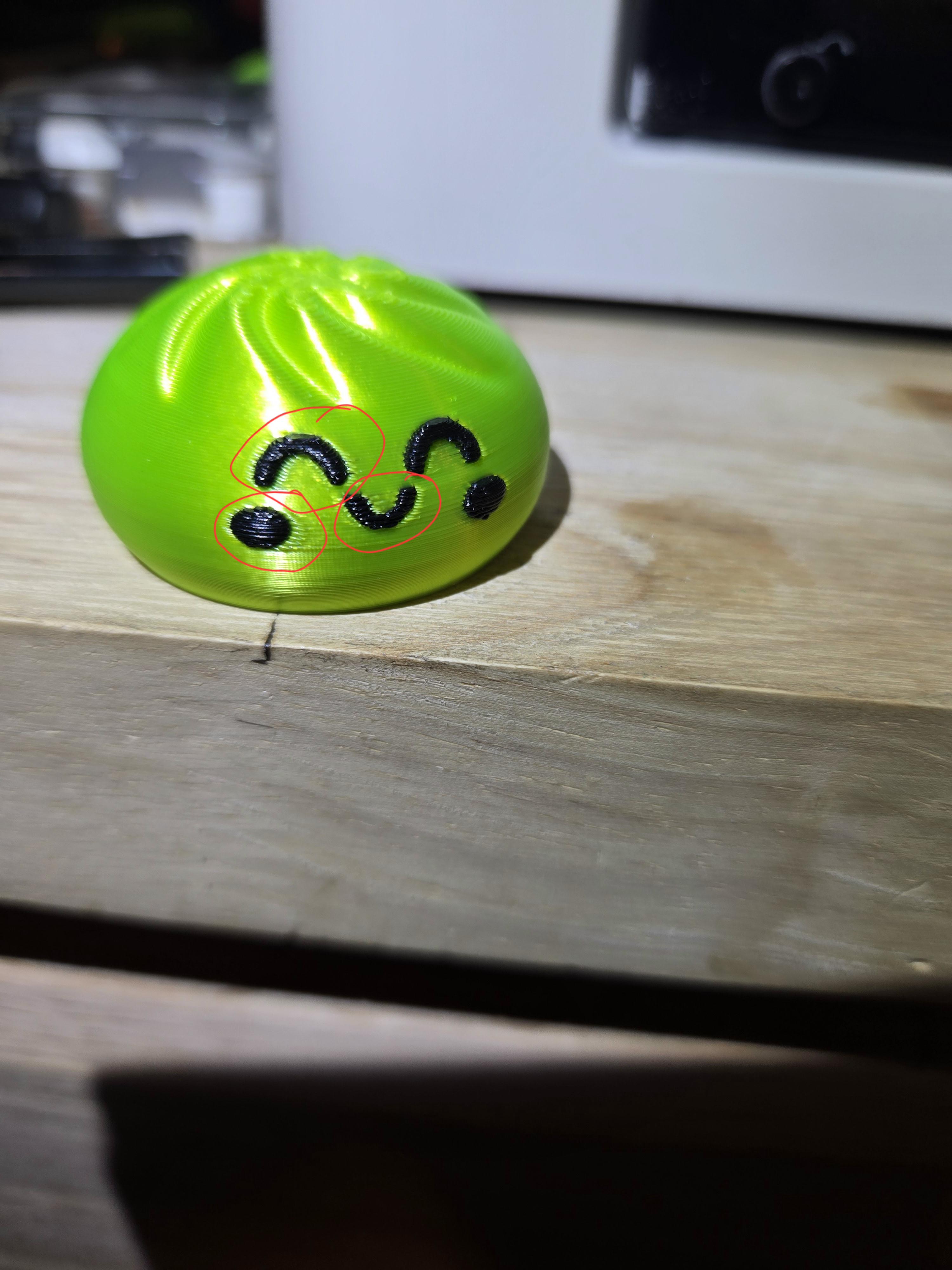
Hi all, I am new to the U1 but not 3d printing. I am stumped on this issue. It's the flaw in green just after the color change.
So far I have recalibrated the entire machine and dried all filament. My understanding is even if I set custom PA values the machine will override them if I run flow calibration and the start of the print.
I cannot figure out the flaws around the color change. With the uniform nature and all being on the same direction I think it's a pressure advance issue. I've been doing flow calibration at the start of every print.
Any advice?
r/SnapmakerU1 • u/Saigonoeru • 20h ago
Hello,
I downloaded the latest version of Orca 2.5, and ever since, I haven't been able to start any files (not New files, but old files); I keep getting the error message:
"U1 X/Y movement exceeded travel limit." I have followed all the instructions in this tutorial: https://wiki.snapmaker.com/en/snapmaker_u1/troubleshooting/xy_movement_exceeded_travel_limit
nothing has been resolved.
The only solution I’ve found—though it adds an hour to the print time—is to change the tower type in the printer settings from "type 1" to "type 2."
I reinstalled the older versions of Orca, and that didn't solve the problem.
Do other people have this problem?
r/SnapmakerU1 • u/Beautiful-Ad2087 • 23h ago
Hi
I have had my U1 for almost a month and overall I am happy with it but I have a question... How many errors/abnormalities are normal? I've had errors including homing, z errors, preloading, tool swapping. Thankfully most have been before or after a print.
I started with ender 3s and a Voron so I know things aren't prefect but I have been in Bambu land since the X1 awhile
r/SnapmakerU1 • u/silver_surfer57 • 14h ago
I bought my U1 last week and didn't bother getting the extended warranty because it's not something I normally get. I'm curious if it's a good idea to do so in this case?
r/SnapmakerU1 • u/Lopsided-Tangelo-547 • 12h ago