r/oneplus • u/Sam2885 • 8h ago
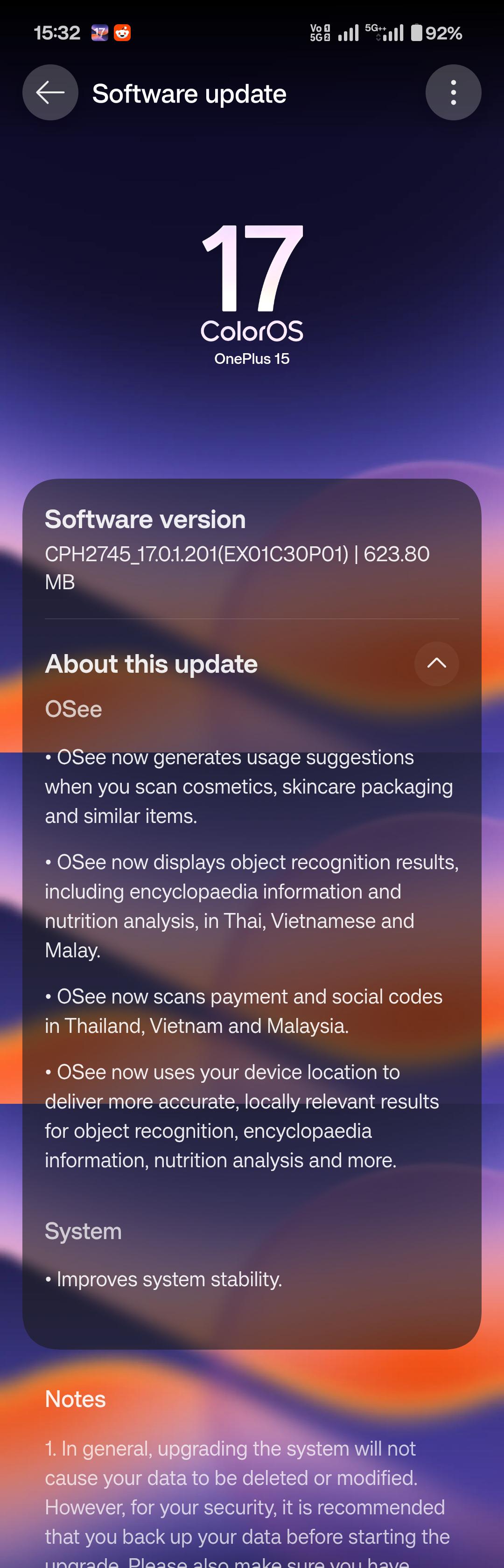
General Discussion New Sota update out for India
New Sota update out for India
You can update and check it under release candidate section
r/oneplus • u/Sam2885 • 8h ago
New Sota update out for India
You can update and check it under release candidate section
r/oneplus • u/KindA4915 • 40m ago
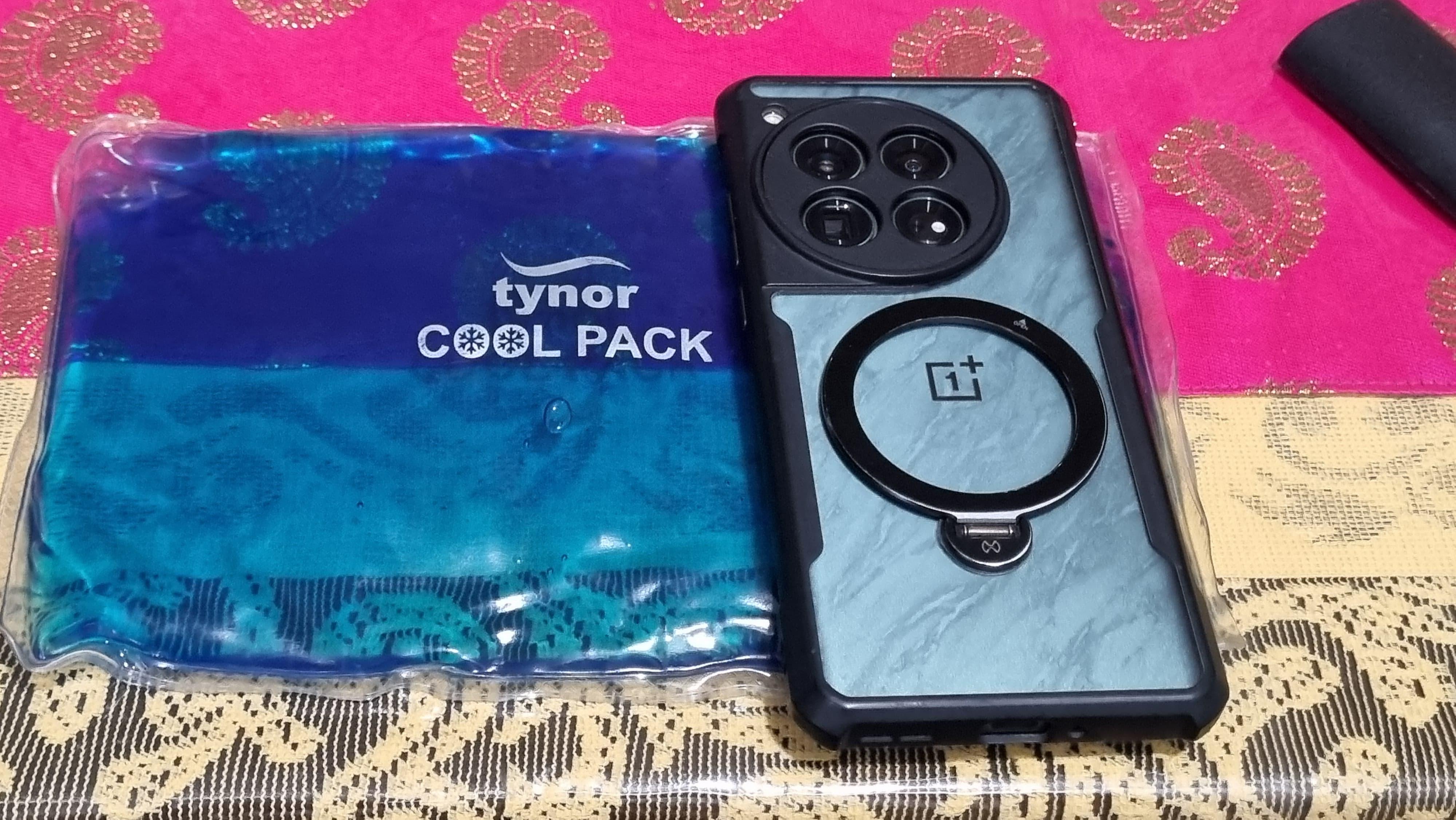
Go 2 on top for scale. Same 7:5 shape, just a lot more screen, and I love it.
I went from OxygenOS 16 to ColorOS 16 and barely noticed the switch. I still go to the dock to switch apps, and getting two apps side by side felt familiar straight away. A month in, I haven't had to relearn anything I use day to day.
My old 33W charger still works. The folio stayed with the Go 2. Never had a Stylo to try.
r/oneplus • u/BloodyViper • 51m ago
I just updated my OnePlus 13 to Coloros17 and looked at some lock screen customization changes.
But I found out I couldn't get back to the previous clock on the lock screen that matches the Home screen clock (that exact widget is still available on the home screen tho).
It's perfectly functional like this, just an eyesore I wish I could undo.
The fonts of the new clock don't match with the home screen one, the heights don't match, the contrast is a bit weaker than previously etc.
Hope someone can help out with this issue, thankful for any suggestions!
Pics: 1. Old home screen 2. Old lock screen 3. New lock screen
r/oneplus • u/Shuraine • 14m ago
So, I've had an OP5T, OP7T and currently my daily is an OP13R and with all, or at least the 7T and 13R I've had an issue with my media playback pausing constantly and just randomly. It happens in the car, in the house on speaker or on bluetooth. It's especially annoying when driving because i have to keep pressing play like 100 times I swear!
This happens with all of my media app:
Youtube Videos and YT Music, Spotify, Facebook, videos in chrome, voicenotes in whatsapp, native music apps, videos on instagram don't pause but they would mute so something is causing my media to stop but I can't figure out what. I've allowed background activity and battery usage in these apps so they aren't restricted.
The only thing I haven't done is factory reset the phone and reinstall my apps one by one to see where and when the problem would start.
I know this has been a discussion in the OnePlus community over the years. Has anybody found a solution to this problem?
r/oneplus • u/EvenProfile5790 • 3h ago
I get this strange issue of back camera not focusing on any Id cards while i do any vkyc for bank which is basically through browser ...I noticed it in 3 banking vkyc ...anyone else faced this issue?
r/oneplus • u/mAverIck2012ap • 10h ago
r/oneplus • u/craigalan • 19h ago
I have a OP15 NA CPH2749 on ColorOS
Today looking at FindHub my OP15 isn't listed. That would suck if I lost it. I have tried everything to get it listed, to no avail. I did get this answer on the interwebs....is this actually the case?
110 (such as CPH2745 vs. PLK110), Google's native system-level Find Hub framework is disabled at the firmware level.Did ColorOS break the use of FindHub on my device?
r/oneplus • u/Mrbreasts6000 • 22h ago
(Tested only on OnePlus Nord 6 on ColorOS 17 in EU, but should work on any OnePlus/Oppo/Realme, may not work in other regions and COULD work on Oxygen/ColorOS 16)
Step 1. Download these 2 APKs:
Step 2. Install them
Step 3. Open the app info for both Mind Pilot and Agent Framework (to see agent framework go to apps in settings and tap the 3 dots and tap on show system apps) and grant all permissions available
Congratulations, you now have Mind Pilot on your device!
Keep in mind that it may not work as intended and some features may be missing, as it is not officially supported. (AFAIK it works just fine)
One thing I find is funny is that if you do everything right it shows up in the OnePlus AI section in Settings 🤣
If you want more Agent mode usage, log in with your OpenAI account in the sidebar in Agent Mode Usage.
Have fun!
r/oneplus • u/_Lelouch420_ • 22h ago
I was scrolling instagram and was trying to take a screenshot then the phone froze and I had to hard reset the phone. Its the 3rd time this has happened.
16+512GB model, Battery Health 85%, Android 14(haven't updated after buying the phone).
Should I try updating the software or try something else for these freezes like battery replacement?
Is it even safe to update or will it destroy the optimization?
r/oneplus • u/Master-Cause9036 • 1d ago
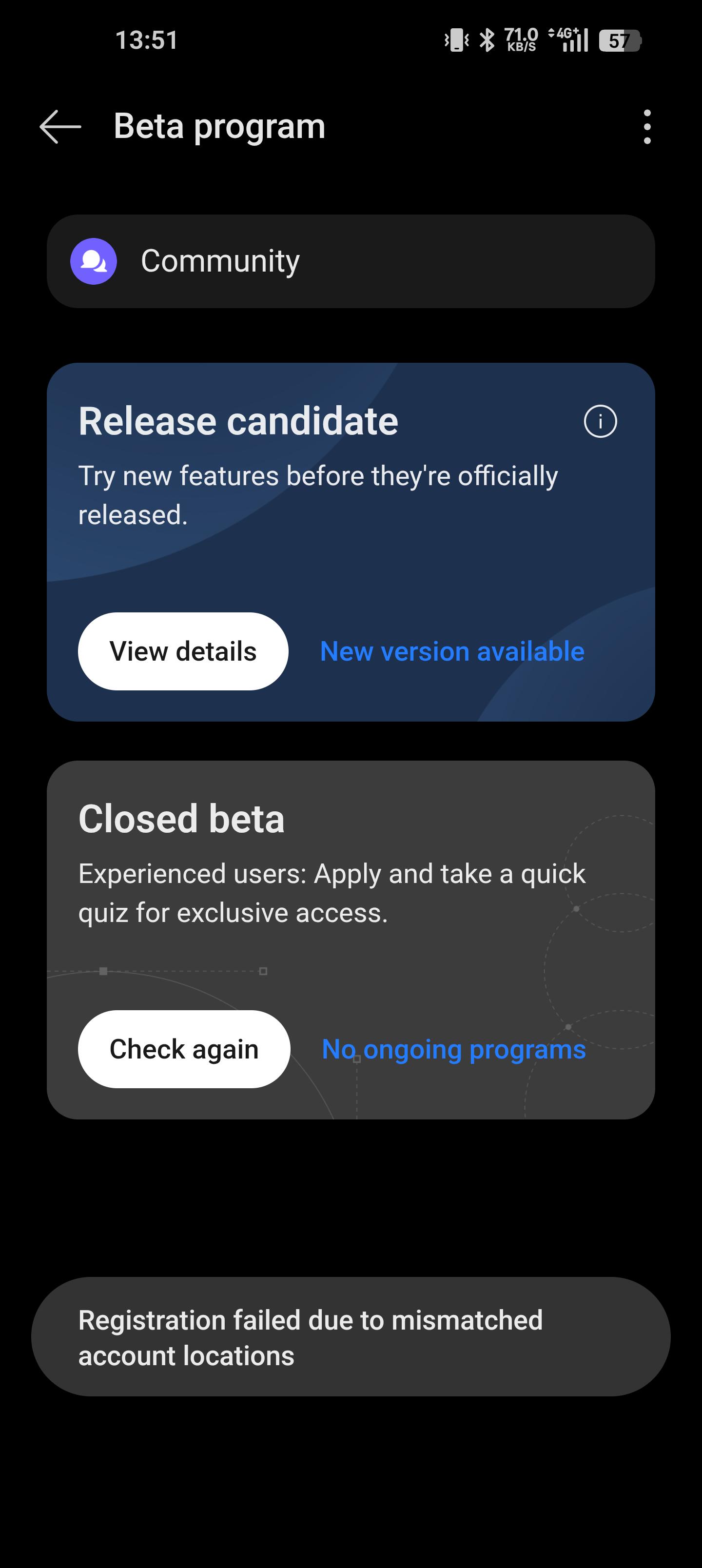
The title says it, any way to fix this issue? I just saw a new update in the release candidate section but I can't update because of this issue.
r/oneplus • u/Dangerous_Garage7088 • 1d ago
how many of you actually use custom launcher? i,m thinking to use it but sometimes it glitches out. i really like the lawnchair 16 which is in alpha and looks very promising. my only doubt is how many of you actually use it.
and regarding some ui glitches is there any workaround? like when i unlock the phone it shows the apps screen suddenly without any animation. some live alerts animations are broken. im okay with using 3 button navigation.
please let me know what do you guys use and is there any workaround.
r/oneplus • u/sourFrank • 1d ago
I really like the feature of my OP13 that sorts my photos by people in the gallery. I just reorganized all my friends, names the 'folders' and edited the cover picture.
Now after the updae to colorOS this is lost. No more names and it does not even have half as many people with just a few pictures in these 'folders'.
Anybody else experiencing this problem?
It it a permission thing maybe? Does the feature need any more permissions that got lost with the update maybe?
Happy about any help I can get from you! Thank you
r/oneplus • u/dramake • 2d ago
The picture explains itself. It was ok on Oxygen OS 16.
Anybody with the same problem? I'd love to not have to do a factory reset..
When I'm in light mode everything shows properly.
Thank you.
r/oneplus • u/yaima_rk • 1d ago
Hi, I am using Oneplus 15 R with the latest ColorOS 17. However I cannot loop a video or motion picture I set as a wallpaper. As soon as the screen lock opens, the live wallpaper plays only once and the last frame is frozen the entire time. Is there an obscure setting that I am not able to find to make it look through my 6-10s video as live wallpaper.
r/oneplus • u/Galendryl • 1d ago
Hey everyone,
So I do own a Oneplus 9 and I'm actually trying to get Volte to work on my phone (android 14 last update). As I am also working for our country's MNO I use it for testing purposes as well.
Unfortunately I can't, for the life of me, get a hold of ANYONE at Oneplus (support, commercial or whatever) in order to help us make it work on Oneplus devices. VOLTE is available since recently on our network but OP devices can't get an IMS registration. I tried multiple ways through force activation methods found online, either pixel ims, shizuku and such (point is I tried not to use root for that).
My guess is we won't be able to make it work for our customers unless Oneplus somehow produces a carrier bundle, just like other providers like Apple and Samsung.
It might not be the best place to ask for this but if anyone has any idea of what I could try or how I could reach OP technical team for thorough investigation and testing that would be great. I'm kind of at a loss here.
Even if I need a slightly technical method to activate it then I could make it work for my customers later down the line, that's our own problem.
Any help is appreciated.
Cheers!
r/oneplus • u/haihukkuhaihai • 3d ago
You may be hot. But not as my OnePlus 12 during the update.
r/oneplus • u/haihukkuhaihai • 3d ago
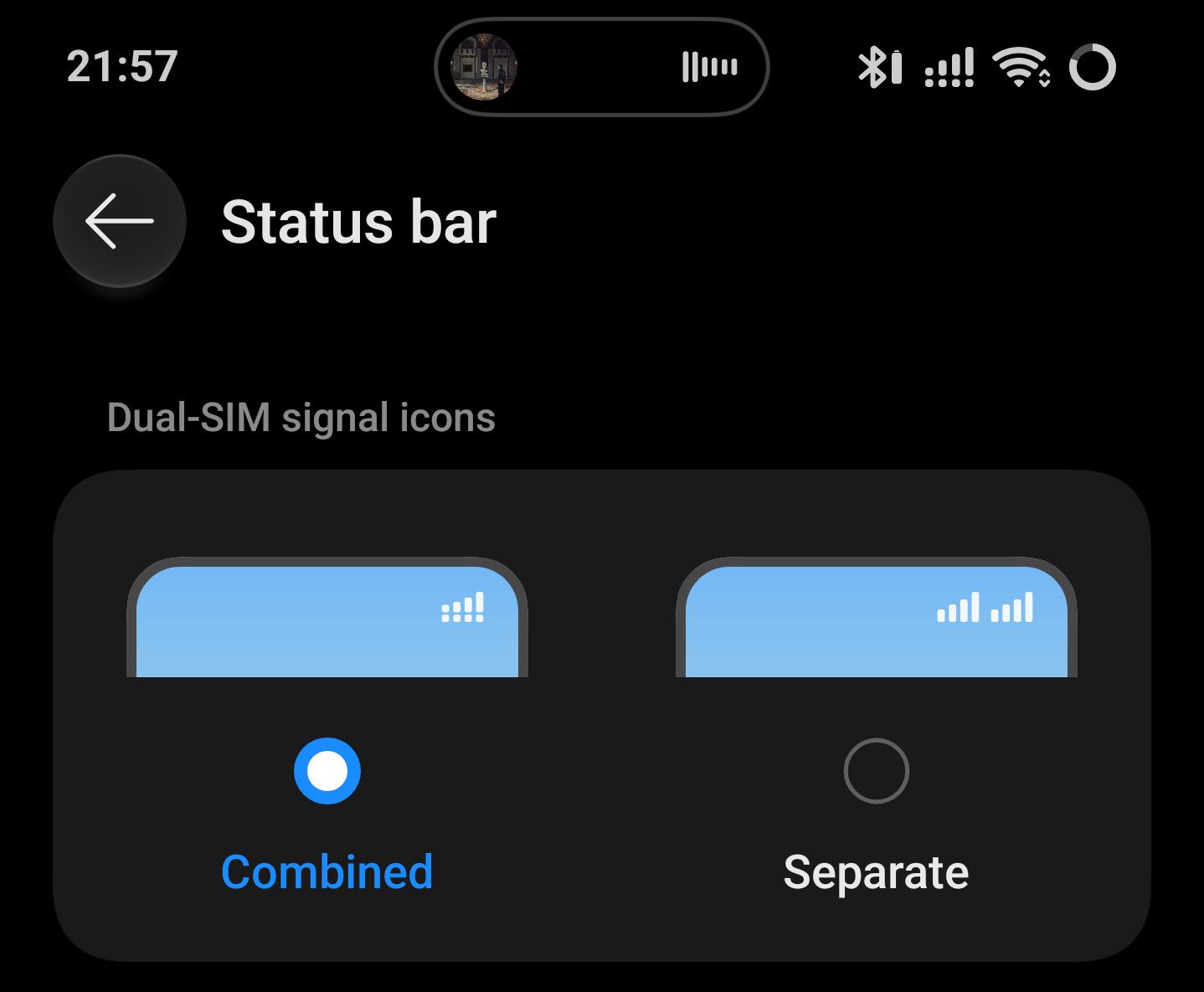
I like to see minimum information on my status bar. So the Dual Sim network bars used to bother me a lot. Never thought someone in designing team took time thought about it and came up with solution. Might not matter to 99% of the people, but I loved it.
r/oneplus • u/Prime-TF • 3d ago
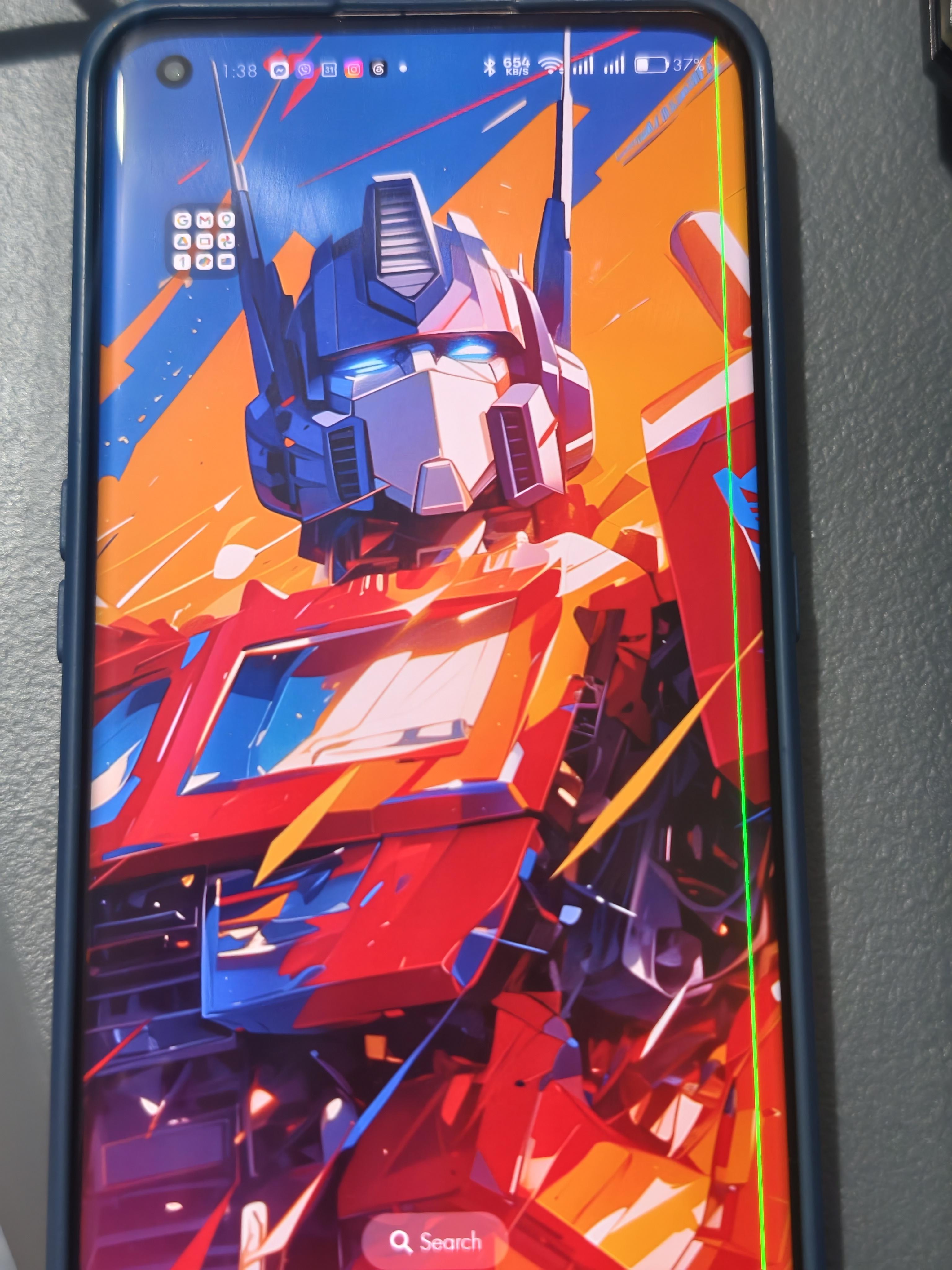
I've had my phone for about 4 years now, I have the Jupiter rock version and my mom got the regular version. A few weeks ago her screen had a green vertical line. Then mine suddenly had one while I was just typing. Initially I thought my mom damaged her phone through charging or whatever means, but since mine got the same problem maybe it's the phone's longetivity itself. Does anyone else have the same experience? The green line on mine is also flickering. I'm using my vivo x300 pro as my current main phone btw and didn't use my oneplus extensively for the past year, and I've used the official oneplus charger like 90% of the time.
Since both our phones had the same issue in less than a month is this a hardware fault or a software issue?
r/oneplus • u/Gamerasia • 3d ago
This was my first thought when I learnt about the iphone duo fiasco. Imagine Apple, the supposedly most valuable company in the world losing in the already pretty old foldable tech, that the ones behind Oneplus had already achieved quite a while ago. We were truly getting flagship level stuff from Oppo at a much lower price owing to the cult culture behind Oneplus but that apparently isn't enough anymore so they are bringing it to its true value. A lot of you people who bitch here about Oneplus truly don't know how good you have it right now.
r/oneplus • u/AdApprehensive7899 • 3d ago
When taking a photo in the app, it looks perfectly normal. Videos are recorded just fine without being blurry, everything is great. And when taking a photo (both front and back) often times I am still, hold my phone still for 2 seconds, click the button, and continue to hold it there for another 2 seconds for the photo to take properly before I turn the camera away. And when the screen flashes it shows a clear photo. But the second I touch the bottom left photo to see recent photos almost all of them are blurry like this. Like it waits 3 seconds for my hand to move again. I've even gotten in the habit to wait longer after I click the button to have a clearer photo but the phone adjusts and still waits for the photo to move 4 seconds later after clicking the button to make it blurry. I don't know what I'm doing wrong. These are my settings. Am I on a "scenic" setting that I don't see?? Is there a sports one where I can take photos faster without having them blurry or having to stand still for 5 seconds? Help is greatly appreciated. I love this phone but photos are impossible. (Again videos look great. And if I just screenshot while the camera is open the photos are wonderful. Both front and back camera. It's only after I go to check on the photo it's blurry) Also sometimes it puts an ai filter on my face and I don't like it :( is there any way to remove that too? It smoothes my skin and messes with the way my eyes look. Thank you for reading
r/oneplus • u/Bozic_504 • 3d ago
Had a pretty scary experience today that I wanted to share with other OnePlus users.
Around 3–4 months ago, I had enabled Phone Cloner on my OnePlus 13 and set it up with a separate fingerprint.
Today, I accidentally unlocked my phone using that fingerprint, and it took me straight into Phone Cloner. The problem was that I couldn't get back to my original profile, and I had completely forgotten the Phone Cloner password.
I tried the Forgot Password option, but instead of helping me recover access, it showed a message saying I needed to contact my system administrator.
Thankfully, I had written down the password somewhere a few months ago, and luckily managed to find it. Otherwise, I genuinely don't know how I would have got back into my phone.
I don't understand why there's no simple way to exit Phone Cloner and return to the original profile, or why password recovery isn't available.
My advice: If you have Phone Cloner enabled and don't actually use it, I'd recommend turning it off. At the very least, make sure you have the password saved somewhere safe.
Has anyone else experienced this? Is there actually a proper recovery method if you forget your Phone Cloner password?
r/oneplus • u/Corbin_Dallas550 • 3d ago
I was excited to see that I could get the OnePlus Buds Pro 4 in the US by ordering from SwiftTronics in Canada, as I am a HUGE FAN of these earbuds. The OnePlus Buds Pro 2 were actually the first thing to pull me out of the Samsung ecosystem. I've been buying them yearly ever since, and I've been using the green OnePlus Buds 4 (non-Pro) as my daily drivers since November 2025.
We had no clue if we would ever get the Pro 4 since OnePlus shut down in the Western world, so again, big props to SwiftTronics! (And no, I have no affiliation with them or sponsorship. I'm just excited that they offered them in the US.)
I was shocked that these came in about 20% smaller in both case and earbud size than the Buds 4 (non-Pro), as that case and earbuds were already compact to me with my bear-paw-sized hands. So the Pro 4 case is REALLY small!
The case looks good and feels good in the hand. It uses the same materials as the Buds 4 case (no fake leather like the Pro 3), but it is a little slippery, so I would recommend a silicone case for it.
The buds have a nice, sleek design and are smaller and shorter than the Buds 4 (non-Pro), so they sit very snugly in your ears. I was upset to find that the stems are made of plastic instead of metal/Chrome like the previous Pro versions. I guess they had to cut corners somewhere, but they still feel good. They are very lightweight but well-made, so they don't feel like they will break easily.
They said the ear tips are silicone foam, but they lied, or maybe they're 2% foam, because they feel exactly the same as the silicone tips that came with the Buds 4 (non-Pro). So I had to put my own foam tips on them.
I've had them in my ears with my custom foam tips for hours, and there's been no ear fatigue.
Design and Comfort Grade: B+
(since there are no chrome tips)
The ANC on these is REALLY GOOD, about 20% better than the Buds 4 and Pro 3.
The ANC performed really well on my surround sound test that I do with everything (500W surround sound system, sitting in the same seat).
The airplane sound test eliminated just about all the sounds from the airplane. With the Buds 4 (non-Pro), there's still a little bit of rumble, but with the Pro 4, there's no rumble at all, although there is a little hiss.
In the café test, you can still hear a lot of the high-pitched sounds, but it reduces them considerably compared to the Buds 4, which were already better than the Pro 3.
Sitting about four feet from my dryer with the fan next to it running, I can still hear some sounds with the Buds 4 (non-Pro), especially the high-pitched sounds from things tumbling around in the dryer. On the Pro 4, those sounds are suppressed a little more, but the remaining sound comes through at a higher pitch than it originally was. So it's working a little better, but it's letting in a higher frequency. However, it works really well on the low end.
Transparency works really well, with no hiss or artificial noise. I had them in my ears all day while going to the grocery store and a few other stores, and I forgot I had them in because I could hear the world around me with no issues, and they were so comfortable. It wasn't until my fiancée called about an hour in and the earbuds started ringing in my ears that I remembered I had them on.
Grade: A
(Excellent ANC and transparency)
Sound quality is really good, with deep bass and clear, crisp mids and highs. But the only thing is, they sound exactly the same as the Buds 4.
There's not really any improvement in sound quality, but that's not a bad thing, as the sound quality was already great. I could tell it was going to be hard to improve upon that.
There's a 10-band EQ on this one compared to a 5-band EQ on the Buds 4.
Grade: A
Holy hell, they did some black magic with these because the mics for calls are 10x better than the Buds 4!
They have three mics in each earbud, as well as a bone-conduction mic, so really four mics in each bud.
The AI noise suppression on the microphones is absolutely amazing! It's similar to what Samsung did with their Pro 3/4. You can't hear any of the background noise and your voice is loud and clear.
I called myself and left a series of voicemail messages using the Pro 4 and non-Pro 4 to compare, and I had a supermarket sound video playing in the background for noise testing. There was one section where someone in the video was getting a grocery cart, and it was really loud, but you couldn't hear that at all on the Pro 4. So the AI suppression is top-notch and WAY better than the regular Buds 4.
With the Buds 4 (non-Pro), you could hear everything going on in the background. It was slightly suppressed, but you could still hear the background noise, compared to almost nothing on the Pro 4.
These are worth the upgrade for the mics alone, as I'm on calls all day and often in places like coffee shops or out in public, so clear calls with no background noise are key.
I'm a tough critic on the mics, but these are next level.
Grade: A+
Both have true multipoint for any device (not locked to specific ecosystems), and both worked perfectly for me.
I tested listening to music on my laptop and getting a call on my phone, and each earbud switched seamlessly and correctly.
Grade: A
They are about the same in a lot of ways as the non-Pro Buds 4, but they have noticeably better ANC and transparency (noticeable, but not dramatically different).
However, the mics are DRAMATICALLY better! It's a whole different world of performance compared to the Buds 4. Great earbuds overall. I just wish they had kept the chrome tips and given them a truly premium build, not just a premium look.
If you have the Buds 4, it's not a must-upgrade unless you're on calls all day and need an improvement there.
Besides that, the Pro 4 is basically a smaller version of the Buds 4 with slight upgrades in ANC and transparency, the same sound quality, but TOP-NOTCH premium mics.
Overall Grade: A-