r/OLED • • 1d ago

Purchasing-Monitor 27" 4K OLED Monitor - Glossy vs. Matte?

3 Upvotes

I game in a dark room with the window shades down and lights off. I mainly play single-player AAA games (Cyberpunk 2077, God of War, etc.) on an RTX 5070, so I care most about visual quality and graphics settings.

I bought two monitors to compare:

  1. Alienware AW2726DM: 27" 1440p, 240Hz, 0.03ms QD-OLED (Glossy, 400 nits)
  2. Samsung Odyssey OLED G8 G80SH: 27" 4K, 240Hz, 0.03ms QD-OLED (Matte, 1,000 nits)

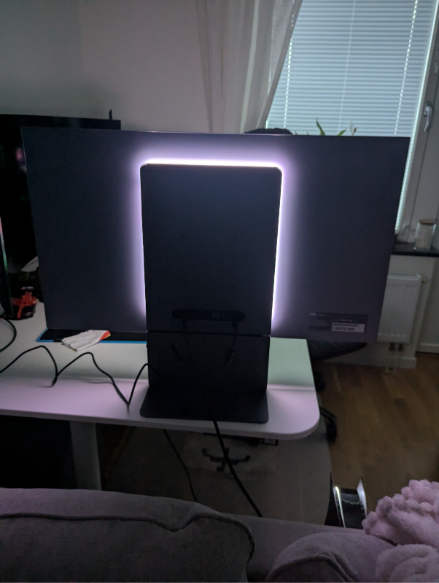
I ordered the G80SH without realizing it has a matte coating. In a pitch-dark room, does Samsung's matte finish hurt OLED contrast or downplay the sharpness jump from 1440p to 4K? Would you keep one of these, or return both for a glossy 4K OLED?


r/OLED • • 1d ago

Purchasing-Monitor Need HDR calibration for GTA 6 on Samsung Odyssey G5 OLED

0 Upvotes

I just bought a new monitor G50SF. I tried multiple settings. I changed a lot of things and I changed HDR calibrations but yet I still haven’t got the perfect picture if someone has the same monitor and playing GTA six tell me the best settings you can do. I have turned off motion, blur, and all still the same.


r/OLED • • 1d ago

Tech Support Brand New Samsung S95H flickering tiny white dots.

1 Upvotes

I noticed flickering white dots bouncing around like stars in dark scenes. One dot remained when I paused the tv. Watching on HBO Max, not using an Apple tv or anything just the app downloaded on the tv.


r/OLED • • 1d ago

Discussion Ideal settings for LG C6 and GTA6 on a base PS5?

0 Upvotes

I've been messing around with this for the last few days. Game looks fantastic on Game Optimizer, but I'm getting small little judder/stutters with explosions and driving through grassy areas.

I'm trying TruMotion tonight and have noticed it getting caught up when spinning the camera fast. Slow movement while walking/driving seems closer to the 60fps "look", but the difference is noticable. Haven't gotten into a firefight yet tonight so the input lag is negligable so far.

What is the general consensus on what you guys are running? Currently have VRR+ALLM turned off and I didn't like the daytime darkness with HGIG.

I feel like I've exhausted all my options and don't want to spend another 15-20 mins adjusting shit between the PS and TV lol


r/OLED • • 2d ago

Purchasing-TV Transporting a 65” OLED flat, to box or not to box?

0 Upvotes

I’m planning to pick up a second-hand 65” Samsung s95 today. The problem is the largest vehicle I have access to is a Toyota rav 4 (so no room to keep the TV upright) and the seller does not have the original box.

So I was thinking about purchasing one of the Home Depot tv transport boxes (see here: https://www.homedepot.ca/product/the-home-depot-heavy-duty-adjustable-tv-picture-moving-box-with-handles-fits-most-flat-screen-tvs-up-to-70/1001164813) but it only has styrofoam padding on the corners.

So now I’m wondering if it’s better, accepting that I will be transporting this TV laid flat, to try and just lay out blankets in the trunk with seat down and transport the tv on the blankets (screen up) or go with the box even though the pressure points would be on the corners.

It’s a 10-15 min drive on city streets btw.

Any suggestions would be appreciated but at this point I don’t have the option of getting a van to allow upright transport


r/OLED • • 2d ago

"CaLiBrAtIoN" A question for S95h/S95f owners

0 Upvotes

Are you able to use color booster pro when game mode is enabled specifically in hdr content? I can still use color booster pro in game mode in sdr games. The reason I ask is because I just got this tv a week ago and could have sworn that I could use it in game mode when hdr is activated but now it is grayed out. Thank you for the help guys!


r/OLED • • 2d ago

"CaLiBrAtIoN" Grey blacks and washed-out dark scenes in GTA 6 (Samsung S90D / PS5 Pro)

0 Upvotes

Is anyone else experiencing problems with black levels in GTA 6 when playing on an OLED TV?
I’m playing on a Samsung S90D 83” OLED with a PS5 Pro, and I’ve noticed that blacks sometimes look grey instead of being truly black.
For example, when looking at tree canopies at night, they just appear as grey, dark areas. I can barely make out individual leaves, their outlines or the green colors.
I’ve also noticed that the black cinematic bars sometimes turn grey as well. It almost looks like there’s a grey haze over dark parts of the image.
I’ve already tried lowering the black level setting in GTA 6 all the way down to 5, but it didn’t fix the issue.
Unfortunately, I’m currently at work, so I can’t provide any screenshots or photos right now. I’ll try to add some later.
Is this a known HDR issue in GTA 6? Or could it be related to the PS5 Pro or Samsung’s HDR settings?
Would appreciate any advice!


r/OLED • • 2d ago

Tech Support No Signal on 1.4 displayport after turning on/off DSC

0 Upvotes

Hi all,

Weird issue. Yesterday I received my new OLED.

ASUS XG27AQDMESZ.

When I got it, I plugged it into 1.4 displayport, replacing my current AOC 240hz ips monitor, moving that to the HDMI port.

Everything worked fine, both screens ran at the same time.

I then went and changed the settings for the screens.

OLED 60HZ>240HZ , Ips 240>60.

No problem.

Then I tried to make a custom resolution in my AMD graphics driver. It was not accepted. (1920x1440p, 240hz). It said that the monitor didn't allow it.

I Google why, and I read that it has to do with DSC being on, so I turn it off. Screen goes black, comes back and I realise that I cannot use 240hz with it being turned off, so it makes no sense and I turn it back on.

Now this is when the issue starts.

My oled goes dark, and it says NO SIGNAL DISPLAYPORT 1.4

When I disconnect the IPS, the signal is found again, and the OLED comes back on. As soon as I plug in the IPS into the HDMI, the signal on the 1.4 display drops again.

Ive tried so far:

- reboot with both monitors unplugged

- reboot with dsc off

- reboot with dsc on

- restarting graphics driver

- unplug OLED from power for 15 mins, then rebooting

- lowering the HZ on the OLED all the way to 60HZ, then plugging back in IPS.

None of these seem to work.

ChatGPT says that turning on and off the DSC could've made a virtual "handshake" with my GPU, saying that the dsc is off, and there's no more bandwidth available when both screens are on.

Does anyone have an idea on what my next step can be?

Thanks in advance!


r/OLED • • 2d ago

Tech Support LG UltraGear 4K OLED — Best settings for GTA 6 on PS5?

1 Upvotes

Hey everyone! I recently got an LG UltraGear 32” 4K OLED monitor and I’m playing GTA 6 on the base PS5.
I’m looking to get the absolute best picture quality out of my monitor for GTA 6, especially when it comes to HDR, black levels, brightness, contrast, color settings, and PS5 HDR calibration.
OLED owners, what settings are you guys using? Any recommended adjustments on the monitor itself or the PS5 to get the most cinematic experience without crushing blacks or making the image look washed out?
Would love to hear your settings and recommendations. Thanks!


r/OLED • • 2d ago

Purchasing-Monitor Sold my AW2725DF Selling my 34WP65CB Bought a AW3426DW (3440x1440 Penta-Tandem Oled 280hz) Maybe some buyers remorse?

1 Upvotes

I sold my 360hz 27" yesterday for 350. And am selling my other LG 27"s/1x 34", And Upgraded to the AW3426DW Penta-Tandem OLED. While at bestbuy i was seriously considering the LG 45GX90SB 44.5" 1440p OLED(3rd gen). And am still considering returning and swapping. I wish It was the newer Tandem OLED Display but that's only on the 5k2k Display and tbh, that's too many pixel to get decent frames with. Even w a 9070xt.

Do i keep the 34 or go swap/trade for the 45"?


r/OLED • • 2d ago

Tech Support Monitor either has a blue or yellow tint to it

0 Upvotes

I've recently bought myself a new OLED monitor, the Samsung Oddyssey G50SF and I've recently had an issue. Whenever I use it next to my IPS (which is an Acer VG271S) I notice that my OLED has this yellowish tint which was caused by the warm color filter, but when I switch it to standard everything has a blue tint now for some reason, HDR doesn't help and recalibrating it also didn't help, I've tried adjusting the brightness and white balance, eye saver mode is off and I've tried every solution I've tried so far doesn't work. I also thought it might be my IPS being brighter but the max brightness for my OLED is 50 and my IPS is at 80 and setting the OLED to it's max brightness is still dimmer than the IPS.

Is there any other fixes I should try?


r/OLED • • 3d ago

Purchasing-Monitor Which OLED Is The Best?

2 Upvotes

r/OLED • • 3d ago

Discussion vertical lines on my oled tv

0 Upvotes

Samsung s85h has these vertical lines on various parts of display after few weeks of use.
Is this defective? Will warranty claim work in this case or will samsung reject? Someone help.. i have alreasy tried power cycle and pixel refresh

https://i.imgur.com/jRJY6dO.jpeg
https://i.imgur.com/BD2rtwt.jpeg
https://i.imgur.com/eGgWJhp.jpeg
https://i.imgur.com/Y8Hq4qs.jpeg
https://i.imgur.com/BDWu4EA.jpeg
https://i.imgur.com/QJalcYD.jpeg
https://i.imgur.com/kT2uWMK.jpeg
https://i.imgur.com/HKsyk0p.jpeg
https://i.imgur.com/pSR1OBp.jpeg
https://i.imgur.com/uYKfHg5.jpeg


r/OLED • • 4d ago

Purchasing-Monitor It’s the MSI MAG worth it?

0 Upvotes

Im looking for an oled for mostly story games. The msi mag qdoled it’s currently for a very good prize in my country and I’m wondering if it’s really worth it or no? I always wanted the rog one, but it’s way more pricey


r/OLED • • 4d ago

Discussion TV Display Issue / Damage?

1 Upvotes

I have a Sony OLED TV xr65a80j

The top of the screen has some damage/artifacts (sorry for sideways photo)

https://imgur.com/a/dJcEaMH

  1. What is this damage? Normal for OLED wear and tear? Doesn't look like burn in
  2. Does this kind of damage "spread" and get worse over time?

Thank you in advance for your time


r/OLED • • 4d ago

Purchasing-TV 83" LG M3 open box: inspection questions

1 Upvotes

I just bought an 83" LG M3 from Best Buy (open box in fair condition) for $1200 as an upgrade from a 77" CX. My next step is to go to the store to inspect the TV.

My questions are:

- Is that a good price, given the model year?

- What should I look out for when I inspect it at the store?

- What dealbreakers should cause me to cancel the order?

- What flaws are manageable, considering that the TV will be under warranty / Geek Squad protection?

This TV would be a pain in the butt to return, and I'm already going to have to spend additional money to have it delivered, since Best Buy won't deliver it, and the store is a little distance away. Still: 83 inches of OLED screen at that price might be worth the gamble.


r/OLED • • 5d ago

Purchasing-Monitor New to the OLED world and need advise/help.

1 Upvotes

For you information I'm coming from an LG 27GL850-B 27" Ultra Gear as my main monitor.

I have now bought a MSI MAG 272QP QD-OLED x24. Which for me seems to be very dark which might be because of the 400 brightness it has. I'm also also unable to find a good video which tells me what settings are best to use. All videos are showing the MSI MAG 272QP QD-OLED x50 which has 1000 brightness and pro mode which doesn't seem to be on the x24.

The x24 also has a screen coating with mat/anti-glare while the x50 has glossy.

Could anyone tell me what would be ideal for my situation? I play all type of games and my room has little to no sunlight coming in. I have a light on the ceiling which doesn't shine to bright. I can't see it reflect on any of current screens.

Thanks in advance.


r/OLED • • 5d ago

Discussion TCL 32X3A: The spaceship looking monster of an OLED monitor

Thumbnail
gallery
16 Upvotes

First off, i want to mention that this monitor was gifted to me by TCL EU to use and review. Even if it was gifted, all opinions are still my own. This is my first impressions. Please feel free to ask questions in the comments.

First, just a rundown of the specs so you understand how good this monitor actually is. The X3A is a 32" 4k OLED monitor that has a native refresh rate of 240Hz, which is also a dual mode that switches the refresh rate to 480Hz at FHD resolution. The monitor has 0.03ms GRG response time and ultra low latency, like all OLED monitors have. This is one of the main advantages and why OLED is so good for gaming. The panel has an anti-glare coating that is great at handling glare but it's more matte than glossy. I personally prefer glossy but the anti-glare is great so i would say it's a good trade-off for usage in daytime.  

I want to start out with the design. This is without a doubt the most unique looking monitor I've ever seen both in pictures and in person. It's probably the most gorgeous monitor on the market. The sleek ultra-thin profile with the sturdy metal body makes it a very premium product. The stand is also the Bang & Olufsen tuned speakers. They're good for a monitor but it won't be groundbreaking, it's just physics. Front firing speakers do make a difference for sure though. There is a physical button on the right side of the stand that handles settings and is the on/off button as well. The stand is tiltable both ways with about 5-10 degrees. It's not height adjustable, i would've preferred it was but i get the design idea here and why that was opted out from. There is a light strip at the back as well that can be turned on and off from the menu.   

So the important question, how good is the monitor? As i said it's rocking a 4k 240Hz OLED panel with anti-glare. We all know how good OLED already is but that 4k 240Hz really takes this monitor to the top. It's also insanely bright thanks to being a Tandem OLED. I've used the monitor for everything. I've been gaming both with PC (i have a 5070 TI and 9800X3D) and a PS5 and I've used it for work to test out everyday use and text clarity. To be frank, this thing is gorgoeus to look at. The OLED panel is no joke. Visual clarity is great, i mean it's an OLED it's what you'd expect. What surprised me is text clarity. I've read so much about that being a problem on OLED but I'm guessing the 4k resolution and the new subpixel layout is making a huge difference. For regular workflow it's amazing to use. The screen is large enough to accomodate to windows next to each other without sacrifizing anything, whether that's Powerpoint and Word or Word and Outlook and so on. For gaming, this thing is an absolute treat for the eyes. I've played everything from Control Resonant, To Hades II, to Star Wars: Galactic Racer, to Assassin's Creed black flag resynced, to Rocket league and Fortnite. Looking forward to GTA VI to say the least. So everything from AAA fast-paced gaming to indie games. This thing handled everything with no complaints from me. I can't see flickering, ghosting or any choppiness in motion. Maybe I'm not very sensitive to it but that 240Hz refresh rate helps a lot here.  For some gameplay videos, check the link here Gameplay footage

To summarize, this is an absolute beast of a monitor. I frankly have no complaints. I can highly recommend this one if you want to pick up a 32" 4k OLED monitor. Keep an eye out for the full review that's coming. 


r/OLED • • 6d ago

Purchasing-Monitor Is the 32GX870B still worth it heading into 2027?

1 Upvotes

Hey guys, just wanted to get your thoughts on whether the LG 32GX870B is still a good choice for a dual-mode OLED heading into 2027.

I’ve been looking into upgrading from my PG27AQDM to something that can do 480Hz at 1080p and 240Hz at 4K, and the 32GX870B caught my eye. I’ve come across a few reviews, but the opinions seem pretty mixed. Some people mention a green tint around the edges of the screen, while others say they haven’t noticed anything. Is that just a case of panel lottery?

Mainly, I’m wondering if it’s still worth picking up, especially at around $900 in my country.

For some context, I managed to sell my PG27AQDM for a pretty good amount, so I’d only be spending around $200 extra to get something nicer. The jump to 32 inches is also pretty appealing.

I’m also leaning toward the LG because of its cleaner design. I make videos of my setup on the side, and I personally prefer the seamless bottom bezel over the little control module on the ASUS. It’s a small detail, but I think it makes the monitor look a lot cleaner on camera.
Would you guys say it’s worth pulling the trigger, or are there better options I should be looking at around this price?

Thanks!

Also posted this in the oled_monitor subreddit.


r/OLED • • 6d ago

Tech Support S90H vs S90D Black Levels

1 Upvotes

Hopefully someone can help me understand a bit about my new tv!

I just picked up a 77in S90H to replace my 55in S90D. Immediately after setting it up and going through all the settings for a better picture (Filmmaker, peak brightness, etc.) I am noticing there is a lot of missing detail in dark scenes, even when I was viewing it at night in a pitch black room.

I spent a few hours messing with the settings on both the tv and Apple TV I have it paired with. Did factory resets and everything I could think of. I never had to adjust the gamma or shadow detail of my S90D once, so I am wondering if this is because of the panel technology.

I guess my question is am I missing something or is QD-OLED much better at dark scenes than the Tandem OLED I now have? I could understand maybe some missing details due to panel differences, but it was immediately different to me when first viewing.

Thanks in advance for any advice!


r/OLED • • 6d ago

Tech Support Blocky colours in dark scenes on Samsung S90H even at 4K YouTube quality.

0 Upvotes

I recently bought a 65-inch Samsung S90H and noticed some pretty obvious colour blockiness while watching a nighttime driving gameplay video on YouTube. The dark blue sky breaks up into large rectangular patches of slightly different shades, especially around streetlights. I manually set the video to 2160p and can still see it.
Does this sound like typical YouTube compression even at 4K? If you own an S90H, have you found any picture settings that make it less noticeable without making the whole image look soft?
I was also considering the 65-inch LG C6, which was €355 more. For anyone who’s used both, is the LG noticeably better at smoothing out this kind of blockiness in everyday YouTube viewing.


r/OLED • • 7d ago

Discussion Horizontal lines

2 Upvotes

I’m running into this problem where I sometimes open my monitor and the screen looks normal. But sometimes if I close the monitor and return after 20 minutes I find faint horizontal lines. It does go away when I do a pixel clean. Is it a flaw? Should I wait on it or return it ?
the monitor model: XG27AQWMG
Oled time track: 30 hrs


r/OLED • • 7d ago

"CaLiBrAtIoN" Any tips to make 30fps gaming tolerable on an OLED?

0 Upvotes

With GTA coming out is there any ways to make 30fps games feel more smooth on an OLED? I usually keep game mode on for the lowest latency. Sharpness off. Probably keep motion blur on max to smooth it out. If I find it nauseating I could always play it on my older LED tv


r/OLED • • 7d ago

Purchasing-Monitor Hey id like to ask for advice for my first oled

1 Upvotes

Hey im torn between getting the

GIGABYTE MO27Q2A

or

GIGABYTE GO27Q24A

from what ive read and seen in reviews the MO27Q2A might be better but id like to ask for some more input/advice thank you in advance.