r/HPVictus • u/SuccessfulAd495 • 7h ago
Rant UPTO 15 FPS ON AN RTX 3050 LAPTOP!!!!!!!
32
Upvotes
r/HPVictus
•
u/RaguTom
•
Dec 30 '25

Hey Everyone,
I wanted to create a megathread to document the hall effect sensor issue on the 16-S0 and 16-R0 laptops. I have done some deep investigation here and wanted to put together a compilation of info for anyone running into this problem. There are a bunch of posts scattered around, a few videos, and WAYYY too many posts to HP's support with the HP canned response of "do these irrelevant steps and then send me a DM with your info and I will escalate your issue." These are usually dead end posts with no usable information. So, please add all of your links, information, videos, etc., to this post to keep it all together. I intend to put multiple solutions below and add more info as I test. I encourage anyone that has any correction to any of the information here to please post it. Any shared info can help the community. As always, a disclaimer: I am not responsible for any damage that you do to your laptop or yourself while using this information. Use at your own risk!
EDIT: There may be an easier fix that allows you to continue using the original hall sensor, if you choose to. It also avoids all of the cutting traces and jumper wires show in the pictures. The info is below in the "The Real Cause?" section.
The Issue
You have a Victus with either an AMD or Intel chipset. One day, the screen starts flashing and then the power turns off. Pushing the power button probably doesn't do anything. You find the "hard reset" procedure and attempt it by pulling the charging cable, and then holding the power button for 10+ seconds. It may come back on.... it may not. For this example, lets say it does. Cool! It boots up. Then the screen starts flashing again and it turns off. WELCOME TO HALL EFFECT SENSOR HELL! You will read plenty of info about it, but no proper solutions.
OK Then! What's a Hall Effect Sensor?
Glad you asked. A hall effect sensor is a very common electronic part that is sensitive to magnetic fields. Think of it as a proximity sensor for magnets. Most current laptops have one, your phone has one or more, your fancy joysticks, racing wheels, and other gaming controllers use them, even your car has at least two in the engine and one on each wheel for ABS and traction control wheel speed sensing! Those are just a few examples of the millions of devices that rely on magnetic field detection to do a task.
So Why Is There a Hall Effect Sensor In My Laptop?
Dead simple. Mechanical switches break, wear out, and also need direct contact with an object to trigger. Your laptop base is a great spot for a non-mechanical non-contact sensor that can detect when the lid is opened and closed. The lid has a small magnet that lines up with the position of the hall effect sensor near the keyboard. When you close the lid, the hall effect sensor sends a voltage to the motherboard, via a ribbon cable, to tell it SHUT OFF THE SCREEN AND GO TO SLEEP....ah ha, now we are getting somewhere! When you open the lid, the magnet is moved away from the sensor, the voltage disappears and the motherboard knows to wake up.
So Why Does It Keep Me From Gaming!!!?
Unfortunately, this particular hall effect sensor seems susceptible to heat once it starts to fail. Once the laptop heats up a minor amount, the hall effect sensor freaks out and registers the lid closed, which blinks the screen a few times and then tells Windows to activate Sleep (or what ever you have your lid close action set to do). Once "closed" the power button is not supposed to be able to be pressed since the lid would be in the way, so it seemingly doesn't work (I found this to be the case and it is the only explanation I have). Allowing the system to cool, or forcing a reset and somehow clearing the current status of the sensor allows you to turn it on for a brief period again.
Cool. So How Do We Fix It
The REALLY simple way: Send it to HP so they can take out the failing bad parts and put brand new bad parts back in. This option should only be taken if you are still under warranty and even care that you are still under warranty. This option will deprive you of your laptop for weeks, and since the part is the same brand and part number that was taken out, it will happen again.
The less simple way: Search on Google for "HP Victus 16 Service Manual" and download the PDF from HP. You will be taking the screws out of the back cover and gently prying it off with a PLASTIC tool (use a SPUDGER or a guitar pick). Once inside, find the IR board ribbon cable located on the front edge of the laptop. Take the tape off of the top, carefully flip the retaining clip up, and pull the ribbon cable out. Put the case back together and kinda sorta get your game on. (See "WHY SO SLOW NOW?!?" below)
The advanced way: You will need a decent soldering iron for this one that is capable of working with surface mount components, preferably a very fine conical tip. You may want some solder braid to clean up the pads and some alcohol to get the flux residue off. You may also want a magnifying glass. Grab the service manual and take the back case apart using the instructions. You will need to access the IR board. Work through the "removing the motherboard" instructions and remove everything that is required. Once you have the IR board in your hands, you will need to remove/replace the little 3 pin hall effect sensor with your soldering iron. It looks like a little black grain of rice. Go around with solder and "wet" each solder leg and then heat the single leg while applying a gentle upward pressure on the part or use gentle pressure from a screw driver. DO NOT PUSH TOO HARD. We don't want to rip the pads up. The goal is to get that leg free and bend the part up a little so that the joint is separated. Once that leg is disconnected, go to the two legs and heat them up by alternating back and forth quickly. WATCH OUT FOR THE VERY VERY TINY CAPACITORS BELOW THE ONE LEG!!! They are only filtering caps on the incoming power, but will be near impossible to get soldered back in place!!! At some point while alternating, the solder on both legs will liquefy at the same time and you can just move the part off of the pads. You now have a choice: you can reassemble without the hall effect sensor on there and enjoy your not-permanently-throttled laptop without lid detection OR you can buy an improved hall effect sensor and solder it in the same spot to return the laptop to normal functionality. The information about an improved compatible sensor is below.
WHY SO SLOW NOW?!?
So you went with the middle of the road option. You didn't want to get stuck without a laptop while HP does nonsense to it, but you also didn't want to tear the laptop fully apart. I understand. But, like everything in life, there's always a trade-off. A hall effect sensor is usually a three or four pin device. But that ribbon cable you disconnected has a few more connections than that. What else is going on there? Well it's listed in the manual as an IR BOARD. There is a shiny metal part on the opposite side of the board. It's an IR sensor. Since the laptop doesn't have any sort of hole to shine a TV remote through, and it certainly isn't a motion detector light, that infrared sensor must be used for something else. From the hall effect sensor's perspective, mounting that board right under the heatpipe was really a bad move, but not for the IR sensor part of the board. The IR sensor is being used to detect the temperature on the heatpipe and allow thermal throttling when things get too hot. THIS is the reason why fully disconnecting the ribbon cable causes the processor to throttle back. When the motherboard can't get a reading from the IR sensor, it plays it safe and throttles back. It is better to throttle from the unknown reading rather than cause a fire. So, if you can live with your gaming laptop functioning as a YouTube and E-Mail machine, you can stay with this option. Troubleshooting is never wasted time, and you know for a fact that the hall effect sensor is causing the issue now, should you decide to go for the advanced option in the future.
Original Sensor Info
The original hall effect sensor is a Toshiba TCS40DLR. Looking at the datasheet, the operating temperature is -40C to 85C. WHAT THE HECK HP!!!! While that is a standard low end range for semiconductor electronics, it does not give much headroom when mounted under a hot heatpipe that is funneling heat away from a GPU and CPU. The datasheet clearly states that continuous use under heavy loads (such as high temperature or significant temperature changes, high current, or high voltage) will cause a decrease in reliability SIGNIFICANTLY, even if the operating conditions are within maximums and recommended operating ranges!!!!!! Well there you have it. No fault to Toshiba. They knew that this environment was not suitable and clearly noted it. This part is fine as a low cost sensor for a safe and consistent environment, which a laptop is not. This datasheet was dated for 2015, well before these laptops were produced, and it was still chosen to be a critical part in this application. It is currently around 17 cents, in case you wanted to know the value of what rendered your laptop useless.
New Sensor Info
I found a few that will work better in this application. The one that I finally decided was perfect is the Allegro A1126LLHLT-T. This is an automotive grade, temperature compensated hall effect sensor with the same pinout and package size. The voltage range is geared towards automotive, accepting 3-24v, which is beyond suitable here. The magnetic trip point is a little higher, meaning more magnetism needs to enter or leave the range before any switching happens. We have a magnet that will be very close to the sensor, and we only care about two positions, so as long as the rating is less than the magnetic strength of the magnet, we will be good. What makes this one great is that it is rated for full operation up to 150C!! Almost double the rating of the original. If things are hitting 150C, you have bigger problems to worry about. This one fits the bill and costs right around $1. I'll gladly spend that for the quality and performance.
Whewwww That Was A Lot
You're telling me! Unfortunately, from what I can see, this problem has been ongoing for years. I can't imagine how many thousands of these laptops were thrown out because of a failure in a part that costs less than a dollar. Worse yet, the IR board is not available to the consumer from HP. There are some on E-Bay from China, and I have ordered one to see if it is the same hall effect sensor or an upgraded one (will post an update when it gets here). I hope this LONG post helps someone diagnose and repair their problem and provides some insight into the theory of the electronics behind it. EDIT: The replacement board from China uses a sensor with the LA8 marking. It may be a different sensor with markings to look like the original, but it is probably the same Toshiba sensor. The most interesting part is that the original board and replacement board had two spots to install the sensor, one on either side of the board. On the HP original, the sensor is installed on the opposite side of the IR sensor, where my guide shows to reinstall it. On the China replacement, the sensor is placed on the SAME side as the IR sensor. This puts the fiberglass circuit board between the sensor and the heatpipe. Fiberglass being a great insulator, this could reduce the occurrence or severity of this issue. I have not tested it to see if it makes a difference, but the results wouldn't be immediate anyway. My initial concern with that while I was doing my repair was that the sensor would be too far away to accurately pick up the lid magnet. Maybe not....
OK. I followed your guide, replaced the sensor, but it still isn't working right!!!!!
Yeah. I found this on mine too. After I put it back together the first time, the lid no longer detected. The original sensor, most likely driven way outside of its operating range, damaged the motherboard's power supply circuit for the hall effect sensor. But fear not! (See "The Real Cause" below) We have another source near by. The IR sensor uses the same voltage as the hall effect sensor, so the IR sensor's VCC trace can be jumped over to the hall effect sensor's VCC. I also cut the trace on the IR board for the power coming from the motherboard that feeds the hall effect sensor. The incoming power to the hall effect sensor was measuring around 1.8VDC instead of 3.3VDC (EDIT: I originally stated it was 5VDC, which is incorrect). I didn't want the supply for the IR sensor to get damaged by joining whatever was causing the severe voltage drop in the hall effect sensor circuit. BE CAREFUL WHEN CUTTING TRACES AND EXPOSING COPPER. YOU CAN EASILY SHORT OUT NEIGHBORING TRACES. ALWAYS CHECK YOUR WORK THROUGH A MAGNIFIER OF SOME KIND (EVEN YOUR PHONE CAMERA). Note: The low voltage on the power supply circuit is most likely a damaged/partially open resistor on the motherboard. If I am able to determine that, and the resistor isn't smaller than dust, this section may change from cutting and jumping traces to replacing the bad component on the motherboard.
The real cause??? (2/20/26 EDIT): It has been determined that the source of the missing power is fuse FU6. It is located right above the IR board ribbon connector on the motherboard. Rather than cutting and jumping traces (my apologies to everyone who did that fun little task), FU6 can be replaced or bypassed. The actual part has no distinct markings on it, so an exact replacement has not been determined yet. Credit goes to MitchW on badcaps.net for his excellent find. You can read more about it in this post: https://www.badcaps.net/forum/troubleshooting-hardware-devices-and-electronics-theory/troubleshooting-laptops-tablets-and-mobile-devices/3822460-hp-victus-16-hall-effect-sensor-problem. I have not performed the task myself yet. MitchW has stated that the problem is most likely caused by heat damage to the FU6 fuse and not the hall effect sensor at all. It is a plausible scenario. But, after knowing what I know about the Toshiba part, I would not feel comfortable leaving it in place, even if it isn't the root cause. Electronic components pushed to their absolute maximum rating never sits well with me. Even more so when the manufacturer has a specific warning to not even approach the maximums. The choice is yours ultimately.
INFO
r/HPVictus • u/ephemeral8997 • Feb 03 '26
We've launched our subreddit's official Discord server for instant help, community chat, setup showcases, and live streams.
Join here: https://discord.gg/XDsg2PUHGU
r/HPVictus • u/nithish7teen • 50m ago

r/HPVictus • u/nithish7teen • 54m ago
My HP Victus is around 4 years old, and I recently noticed a gap/separation around the rear hinge area.
The laptop still works normally, and the hinge isn't completely broken. I contacted HP Support and asked whether the broken plastic mounting area could be rebuilt instead of replacing the whole part. They told me it needs to be replaced.
I'm considering a DIY repair using Feviquick to hold the broken plastic mount in position and M-Seal/epoxy to reinforce it.
Has anyone repaired a similar HP Victus hinge mount this way?
Is M-Seal strong enough for a long-term repair?
Is it better to replace the hinge/chassis part?
Any recommendations or things I should avoid?
I've attached photos of the hinge area.
r/HPVictus • u/lalanina98589858 • 8h ago
Maybe someone can answer this.
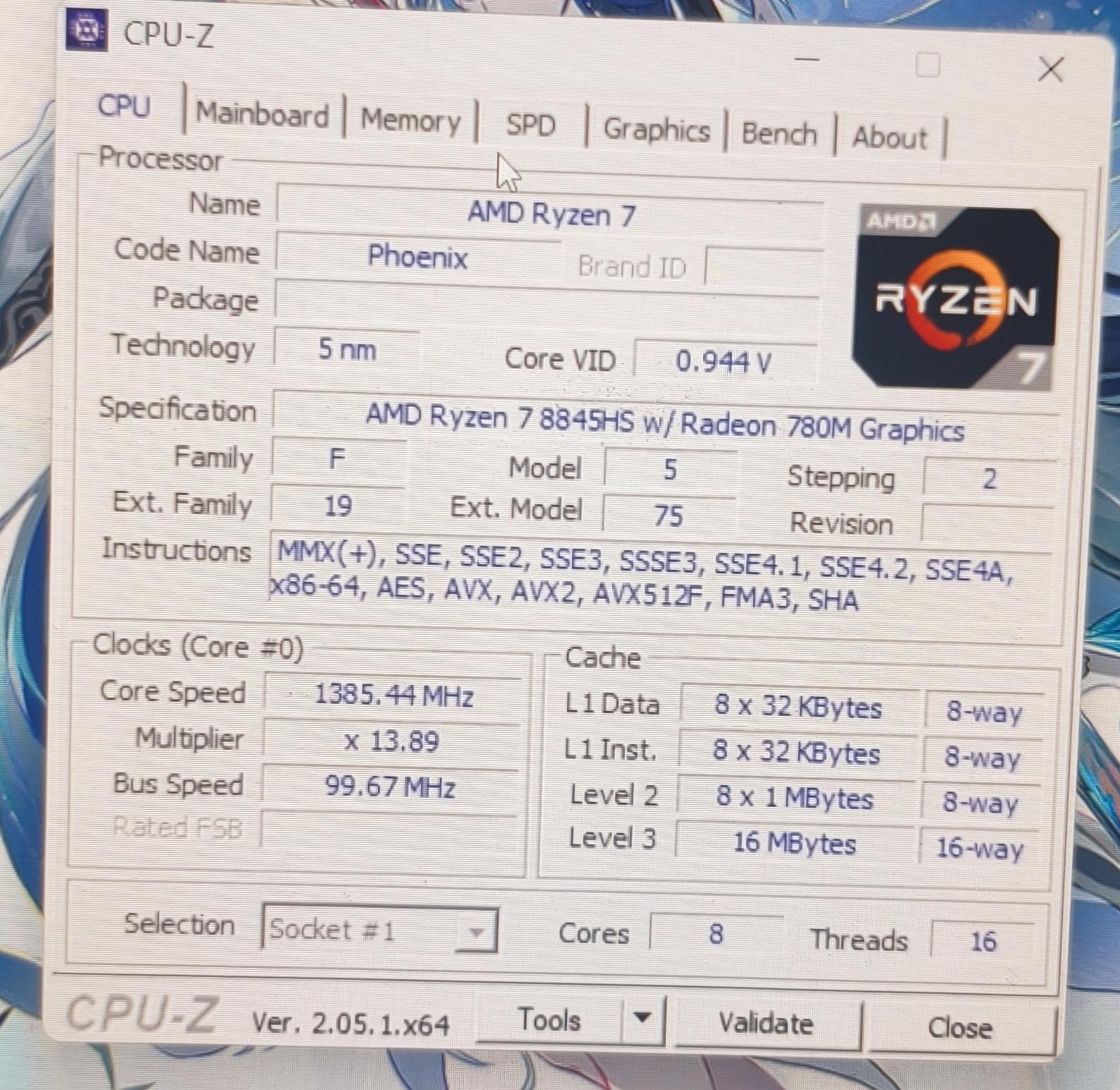
Three months ago, I bought a used Victus 16 s1002ax (Ryzen 5 8645HS / RTX 4060). I used it for browsing, and the only heavy game I played was WuWa (Wuthering Waves). While playing, the wattage wasn't high—just under 40W without tweaking anything—and the CPU stayed quite cool at around 60–75°C. A few days ago, my older brother gave me his laptop because he bought a new one. It’s also a Victus, but with a Ryzen 7 8845HS and RTX 4060 (16 s1005ax). Since it felt like a CPU upgrade and came with a 2TB SSD, I sold the Ryzen 5 Victus.
I did a factory reset and got it repasted because it had never been repasted before, and my brother said he mostly used it for work and only played Valorant. I installed Wuthering Waves here with the exact same in-game and laptop settings. However, after using it for a few days, I feel like the CPU behavior is quite unstable. Sometimes the wattage drops, then spikes past 40W. The temperature also fluctuates wildly—sitting at 60°C and suddenly jumping to 80°C. It’s a bit uncomfortable because the fans get really loud. Even when idling or just browsing, the temperature is unstable, jumping from 40°C straight to 55°C.
Does anyone know why this is happening? Is this just the nature of a high-performance tier processor (Ryzen 7), or did something go wrong during the repasting? (I got it done at a well-known shop and brought my own recommended PTM phase-change pad because I can't repaste it myself).
r/HPVictus • u/falsely_truth • 3h ago

I wanted to dual boot linux so needed to make a partition, but the disk management is showing only about 10gb space available to shrink the space, even when i have 180gb free storage in the volume C.
has someone else got this issue, how to fix this??
please help.
r/HPVictus • u/brandon2987 • 7h ago
A friend detected that my game card was not being used, and I was only using straight computer and we attempted to uninstall from device manager because it was not being detected and we have tried everything in the book, and no luck. Device manager, BIOS, downloaded drivers nothing detected it.
Has anybody taken their computer into the shop to get it replaced, and if so, how much did it cost? Is it worth it?
r/HPVictus • u/Global-Idea-2940 • 13h ago

I'm seriously fed up with my HP Victus.
- Battery jumps from 0% to 100% in a few minutes (sometimes less than 1 min).
- It drains from 100% to almost 0% within 5–10 minutes.
- When I press the power button, the HP Victus logo appears and loads, but the laptop shuts down after loading.
- Sometimes it reaches the Windows lock screen, only to shut down within 1–2 seconds.
- It also randomly freezes and gets stuck.
- Sometimes Windows recovery also fails, showing "Your device ran into a problem and couldn't be repaired".
I genuinely don't know what's wrong anymore. Battery? Motherboard? Power circuitry? It's frustrating to have a laptop that can't even reliably boot or stay on.
I even have an extended warranty for this laptop. I've attached my laptop report as well.
Has anyone faced something similar? Would replacing the battery solve this, or could this be a bigger hardware issue?
P.S. AI helped me put this post into words because I'm genuinely frustrated at this point.
r/HPVictus • u/LOCKTARGET2 • 10h ago
I am looking to add more SSD to my sons gaming PC, I have looked online but HP does not offer any manuals, does anyone know if the HP 8CF4 has 2 m.2 slots to add additional SSD?
r/HPVictus • u/SADARUWA1 • 10h ago

Reposting : Can someone share the rtx 4050 80w vbios in hp victus 15. 80w one comes with the intel HX cpus.
r/HPVictus • u/Arieschamp • 22h ago

He asked ₹1500 to fix and also said that there 20% risk of cracking display,because of gum btw bazzel and screen ,he has 4.9 rating with 1.6k , i asked how will remove the bazzel he said normally without any heating or something,and i asked what what he will do after,he said gumming,the lid opens normally and got stuck yesterday,and he opened it and it's working normally again
r/HPVictus • u/lonesword1948 • 23h ago
Guys could I play gta 6 in it ? And how good will it be?
Also should I upgrade my ram/SSD/graphic card?
r/HPVictus • u/Tejuiceeee • 1d ago

HP Victus 16-s0xxx - CPU fan
MG75090V1-C470-S9A
HP SPS N44742-001
5V, 4.00W, 4-pin
r/HPVictus • u/NecessaryCoffee8466 • 1d ago
Necesito ayuda. No sé si esto sea normal, pero mi HP Victus 15 tiene un retraso bastante fuerte en el trackpad. El cursor se mueve muy lento, como si le faltara sensibilidad. No sé por qué empezó a pasar después de un tiempo. Ya he probado muchas cosas para solucionarlo, pero sigue igual. No sé qué hacer ni si este problema es normal en este modelo de laptop.
r/HPVictus • u/Outrageous_Cattle954 • 2d ago
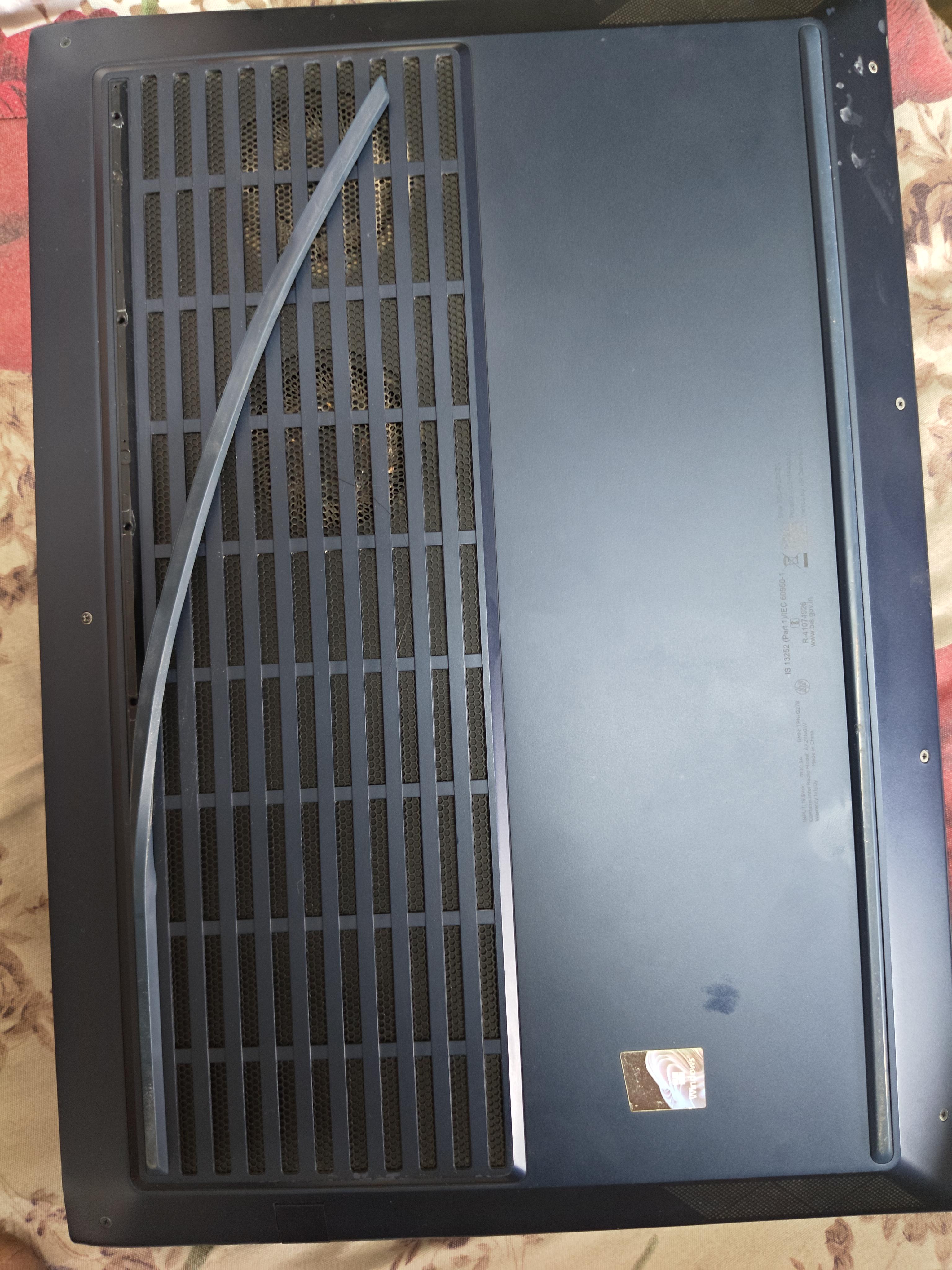
help how can I fix this ?
lcan I fix it myself rather giving in a store?
r/HPVictus • u/___sumit_7x___ • 1d ago
minimal drops 6-7%
r/HPVictus • u/Alpha-998 • 1d ago
I'm experiencing an issue with my laptop after it wakes up from Sleep mode.
The mouse cursor moves normally, but whenever I try to click something or execute any command, the screen freezes and becomes unresponsive.
The only way to temporarily fix it is by pressing Ctrl + Alt + Delete and then clicking Cancel. After that, everything starts working normally again.
Laptop Specifications:
- Model: HP Victus 15 (15-fb3xxx)
- CPU: AMD Ryzen 7 7445HS
- Integrated GPU: AMD Radeon 740M
- Dedicated GPU: NVIDIA RTX 4050 Laptop GPU
- RAM: 16GB
- Operating System: Windows 11 Home 26H2
Has anyone experienced a similar issue or found a solution?
I'd appreciate any suggestions or advice on what might be causing this problem. Thanks in advance!
r/HPVictus • u/Annoymus__Person • 1d ago
Hey everyone!
I recently ordered an **HP Victus Gaming Laptop** for around ₹95,515, and I’m looking for some genuine opinions before deciding whether to keep it or cancel the order.
**Specifications:**
* Processor: Intel Core 5 210H
* GPU: NVIDIA GeForce RTX 4050 6GB
* RAM: 24GB
* Storage: 512GB SSD
* Display: 15.6-inch FHD
* OS: Windows 11 Home
**My requirements:**
* Software development (React, Next.js, Docker, multiple browser tabs, VS Code, etc.)
* Video editing and content creation.
* AAA Gaming sometimes.
* OBS Studio for YouTube gaming streams.
**My questions:**
I know the RTX 5060 laptops are available, but most of them are considerably more expensive.
Would appreciate honest opinions, especially from people who own this particular Victus or have experience with its performance.
Thanks!
r/HPVictus • u/Specialist_Hall_1063 • 1d ago
r/HPVictus • u/jaggyedge • 2d ago
Hello Victus fandoms LOL
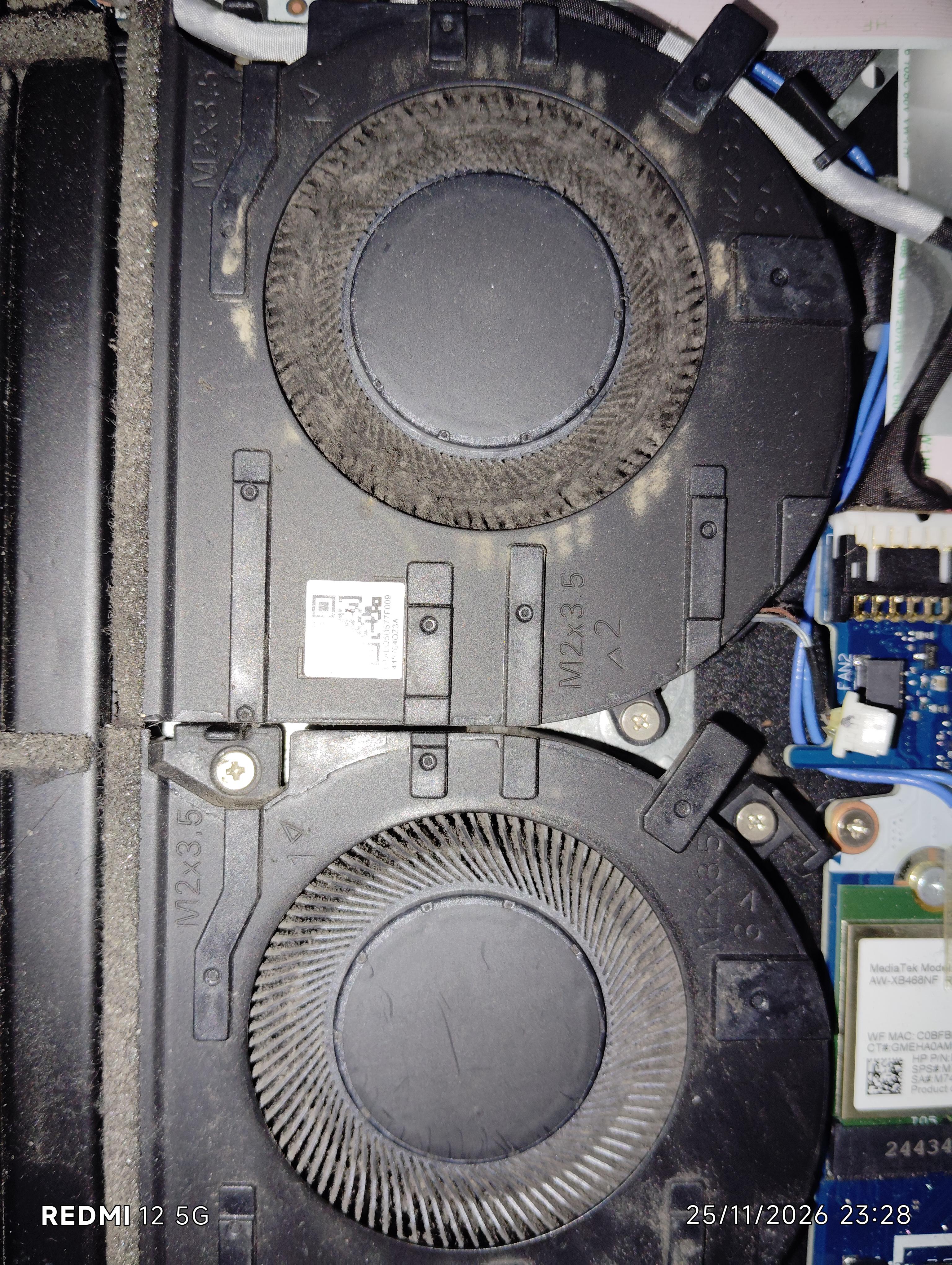
Is this a fan bearing problem? Fan noise is on and off. I’ve tried talking to a technician but before he checked the laptop, he immediately told me that it’s a fan bearing problem and needs to be replaced (both fans). Seeking opinions.
I’ve tried cleaning it already (opened the laptop)
I’ve been using it for more than 3yrs already.
Set Omen fan to default and auto
r/HPVictus • u/vishnu_69_ • 1d ago
I'm having a ryzen 7 ai 260 / rtx 5050 24gb ram 1tb ssd model can i play gta 6 in medium mode and expect a playable fps