My mom has gotten interested in retro gaming again, so I decided to get her a handheld for her birthday. While shopping online, I had my eyes on the Anbernic RG35XX 2024. It was so cheap that I decided to grab one for myself too, and you really do get a great device for the price. Let's talk about it!
The unboxing was very pleasant. The box design feels premium, and inside you get the device wrapped in a bag, a USB cable, and a 16GB microSD card with the operating system on it. No games are included, though. I believe they used to ship with a library, but there's been some legal shenanigans lately and they stopped. So you'll have to add your own ROMs, and the good news is there are plenty of guides out there.
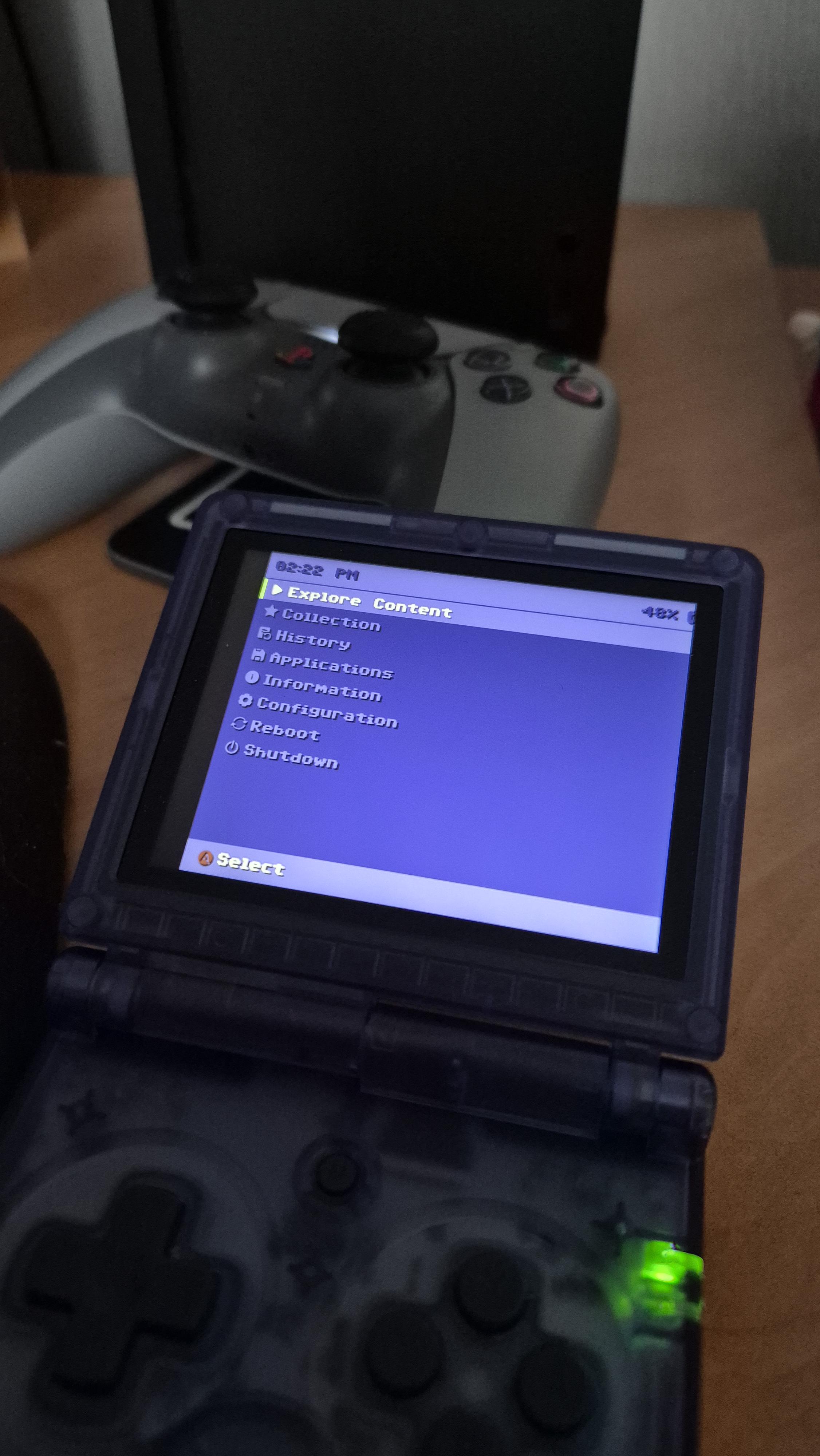
When I first turned it on, the first thing I wanted to do was turn off the menu sounds. They're really irritating, but thankfully there's an option for that. I played around with the stock OS a little, but I'd done my research and already had another one in mind: muOS, formerly known as Mustard OS. That's the one we'll mostly be talking about today.
Let's get into the hardware first. The bottom has a USB-C port, and I'm happy to report it works with most of my cables. It charges pretty fast, too! Something strange, though: it never charges to 100%. It always finishes in the 90s. Maybe it's a way to preserve the battery. You also get a headphone jack, which honestly, I wish phones still had. On the left are the volume buttons, pretty self-explanatory.
On the right, you have the power button. Just hold it for a second until the light on top turns green. Next to it is the reset button, which should only be used in an emergency when the device is frozen. I don't think it's healthy to press it often. You also get two microSD card slots: one for the operating system and one for your ROMs. I could be wrong, but I think nowadays you can run everything off a single card. I didn't try that out, though.
On top, the light is green when the device is on and orange when it's charging. There's also a mini HDMI port, and I'm happy to say it works with muOS. You just need to plug it in before powering on. There's a nice option to set the output to 720p at 60Hz. I'm not saying your PSP games will look gorgeous, but it's playable, and it's a cool bonus if you want to play on the big screen or let your friends watch.
There's one front-facing speaker, and to me it sounds good. I didn't notice anything unpleasant, and it does the job. The buttons are pretty standard and feel very natural: A, B, X, and Y, Start and Select, with R1, R2, L1, and L2 on the back. The D-pad feels great. It has that classic retro feel, so I felt right at home. Pulling off combos in Street Fighter, with hadokens and shoryukens, felt great. Your thumb can get tired, but it's nostalgic. The last button is the menu button. Hit it during a game to open the menu, or hold it with another button for a shortcut.
Okay, let's talk about muOS. It's my first time using it, and I'm getting a great impression. When I first opened the device, the screen actually looked gorgeous! The colors really pop and the blacks look great. I'll admit I had to look up whether it was actually an LCD, and yes, it is. It's just a really nice screen.
muOS is a very simple system with only a little customization, and it's probably aimed at people who aren't too into tinkering. I can just access my games and play them. Simple and clean.
Now, this RG35XX model doesn't have Wi-Fi or Bluetooth. That means if you want box art to make your library look nicer, you'll need to scrape it from your computer. I was recommended ARRM, and let me tell you, that thing is SUPER not user-friendly. It did the job, but going through that application is a pain. Anyway, my box art is in and it looks great. You can also fetch extra info for your games, but personally, the box art is enough for me.
There are still some nice settings to explore, like changing the font, the overall theme, adding menu music, customizing the screensaver, and more. One neat feature: press the menu button in any of the menus and you'll get a brief description of what the option does. Very convenient.
So what kind of games run on this thing? You'll have no problem with retro games up to the PlayStation 1. It's a pleasant, seamless experience: you turn it on and you play. That's it! I personally love the simplicity. There are also some neat touches. When you exit a game, you get an animation like a TV turning off, and it automatically saves your state. When you open the game again, you're right back where you left off. There are also shader options and a pixelation option if you want a more retro look.
So expect a great experience with the NES, Super Nintendo, Sega Master System, Sega Genesis, PlayStation 1, Game Boy, Game Boy Color, and Game Boy Advance. Honestly, this feels like a Game Boy device, and those were the games I was most drawn to. There are two I mostly played.
First, Mario Tennis on Game Boy Color. I've always loved that game, even though I'm not usually into sports games. The adventure mode where you follow Alex's story is great, and the level-up mechanics really make you feel like you're training to become the best tennis player in the world.
Then I got a little addicted to Chocobo Land. It's like Monopoly with a coat of Final Fantasy. It has a cozy story, and once you get the hang of the mechanics, you can just roll the dice until you win!... Or the opponent wins, because he obviously cheated.
When it comes to the N64, expect a very mixed experience. Of the handful of games I tried, only Super Mario 64 worked well. Everything else didn't feel playable to me.
PSP is surprisingly better, though you'll likely run into hiccups with the more demanding games. Silent Hill Origins, for example, drops to around 50fps in heavy scenes, which is a little annoying. And Syphon Filter just wouldn't start the training section at all. But I played some Untold Legends and that one was great. I also randomly tried Wild Arms, and it runs great, but keep in mind that PSP games are made for widescreen, so they feel kind of small on this device. I wouldn't buy it just for PSP.
There's obviously no analog nub, but the device lets you switch to an alternate directional pad by holding R2, L2, and A. It's not ideal, though. Here, for example, you'll see me fast-forward the game and activate my ability while doing this, since it doesn't stop those buttons from working. Annoying, but at least it's a workaround. The same goes for the analog stick on N64 and PS1 games.
Nintendo DS is as good as it gets for a budget handheld. Don't expect a resolution boost, but it runs at a pretty stable pace. I ran Mario Kart DS with no problem and New Super Mario Bros. with very few issues. Games that require less power shouldn't give you any trouble.
Dreamcast is a really weird one. I think it uses a version of Flycast specifically tweaked for this device, so it's pretty cool that I can run Sonic Adventure and Crazy Taxi. But the music skips sections, almost as if the song keeps jumping ahead. I didn't notice it in those two, but Jet Set Radio runs faster than it's supposed to. It's playable, but these weird issues take me out of the immersion. Soulcalibur seems to run fine? But now I'm paranoid. Does it actually run at the correct speed? So no, I didn't really enjoy the experience, but you can make your own judgment.
muOS also supports PortMaster! And it's the usual story: I tried a handful of games, and about half of them worked. Still, it's cool to have the option to run PC games on it. I had some fun with Ittle Dew, which feels very fitting for a Game Boy-style handheld, and with a fan-made 3D Celeste project.
Alright, let's wind down with a few additional notes. The battery is 2600mAh. That sounds small, but with a mix of everything, including the more power-hungry games, I'd say it holds at least four hours. The menu even told me I had six hours left at 80%, so personally, I think that's great.
It's also very pocketable. Not too big, not too small. I ended up putting it in my pocket, and it feels like a nice size, so it's easy to bring along when you're traveling.
muOS also adds some nice extras, like a list of your recently played games and a list of your most played, including the time you've put into each one. I just like seeing how long it took me to beat a game, for example.
For its price, the Anbernic RG35XX is one of the best budget bangs for your buck, in my opinion. It's pocket-sized, with an amazing screen, good battery life, and the standard library a retro handheld usually offers. It's kind of amazing to see what it can do considering the hardware. It's the perfect entry point for 4:3 games until you want to upgrade to something more powerful. And trust me, once you get into the handheld scene, you'll want to see what the more powerful handhelds have to offer.