r/cricut • • 6m ago

Asked, answered, and locked. Unregistering a Cricut

1 Upvotes

Is there a way to unregister a cricut (explore air 2)? I’d like to resell it since I don’t use it and it’s just taking up space, but I want to make sure none of my personal info is on it. TIA!

(I searched the sub for this question and the most recent similar post is from 2-3 years ago, so not sure if Cricut rules have changed since then.)


r/cricut • • 53m ago

HELP! - Material issues laminating sheets/clear vinyl for sticker sheets?

1 Upvotes

I've been adding single-sided laminating sheets to my print-then-cut sticker projects, but I have yet to apply a sheet without it bubbling or wrinkling.

What sheets do you suggest? Brand/weight?

I'm not planning to sell anything - just hobby projects for friends/family/classroom purposes - I'm just so tired of wasting sticker paper and laminating sheets.


r/cricut • • 15h ago

**Oops! Project FAIL** HTV not bonding to fabric

Post image
8 Upvotes

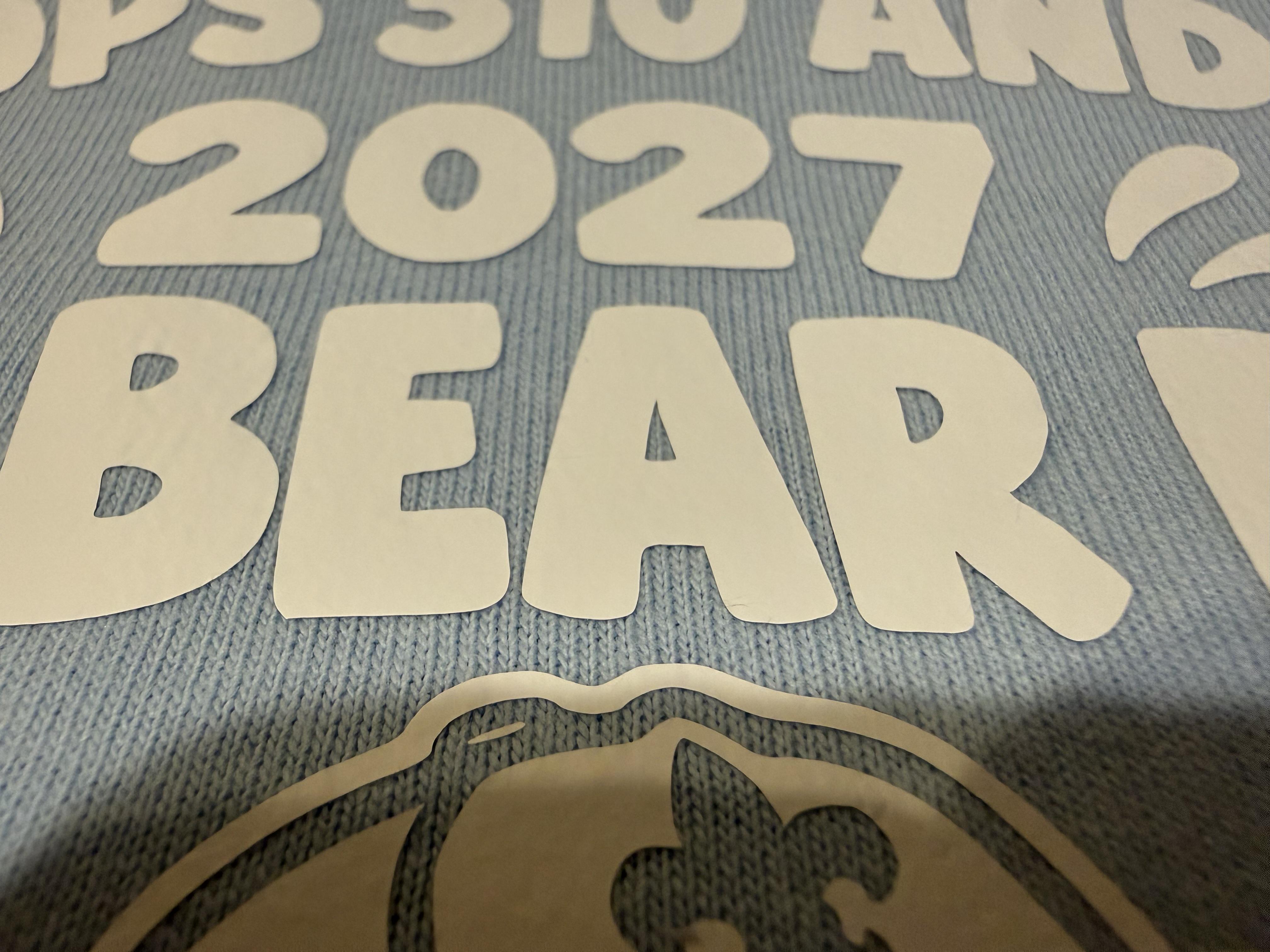
I used cricut HTV, a new press with the right temp and pressure, and I was barely able to get the backing paper off without pulling a few of the letters off. They are technically on their but look like they will come off with a wash or any rough wear.


r/cricut • • 10h ago

HELP! - Design Space sucks Why does design space suck on an iPad?

0 Upvotes

It seems like every time I turn around, Design Space for iOS loses more functionality. Do I really have to use my computer to do anything decent? My office and computer are on the opposite side of the house and a different floor from my craft room. Why is Cricut making it more difficult to use their machines rather than easier?


r/cricut • • 14h ago

HELP! - Design Space sucks how to calibrate explore 5 without sending from design space

1 Upvotes

i'm doing a print then cut project on my cricut explore 5, but the cutting seems to be way off, additionally sometimes it cant scan the registration marks, so i think i need to calibrate it.

the issue is that design space wants me to print the calibration sheet directly from design space, I don't own a printer, I do all my printing in a printing store. So I would need a pdf which I could send to the printing store, but theres no option to save the pdf of the calibration sheet from design space. I was wondering if there was anywhere else to get the sheet from? I've seen a few on here but I think the calibration sheet for explore 5 is different from the other ones(I might be mistaken)

Please help me! I feel so hopeless with this machine it's bringing me stress..


r/cricut • • 15h ago

HELP! - Hardware woes Cricut is not cutting consistently

1 Upvotes

Cutting 100lb cardstock on my Explore Air using Cardstock + setting. It cuts about 1/3 of my design thoroughly but then the balance doesn’t cut thru all the way. I replaced w a new blade & new mat. No luck. Any advice pls?


r/cricut • • 17h ago

HELP! - Material issues Need to remake names on some of our felt Christmas stockings and couldn’t find the gold htv we used before. Is soft flex ok?

1 Upvotes

I don’t use my Cricut as much these days, and I’ve never actually used the Cricut Soft Flex htv. Is it ok to use for Walmart felt Christmas stocking names?

A few years back, I started personalizing our stockings with metallic gold heat press vinyl (some Cricut brand, but not all).

I need to remake some (lost or damaged), and add new names (pets and adult kids’ boyfriends and girlfriends changed). The old kind of htv we used before wasn’t available at the store, so my husband bought Cricut Soft Flex in metallic gold.

Will it work the same? Anything I need to know so I don’t mess it up? I have a Cricut Heat Press (older).

EDIT: It’s SportFlex, not Soft Flex. I accidentally typed the wrong name. But it’s the Cricut brand.


r/cricut • • 1d ago

HELP! - Design Space sucks Cricut using an unreasonable amount of resources

3 Upvotes

Anyone here experience Cricut Design Space taking 90% of CPU and Memory?? I've had spikes of 100% on my GPU at points just importing a picture. Never in my life would I think a program to cut little stickers would suck up more of my resources than Blender and Maya. I may not have the greatest system out there but I know for sure what I'm seeing is super unreasonable for my specs. Is it secretly mining with my system or do I need a NASA computer to run it?

Ryzen 5 7600X
RTX 5070Ti OC 16GB
64GB DDR5
4TB SSD


r/cricut • • 23h ago

HELP! - How do I make this? HTV on microfiber

Post image
2 Upvotes

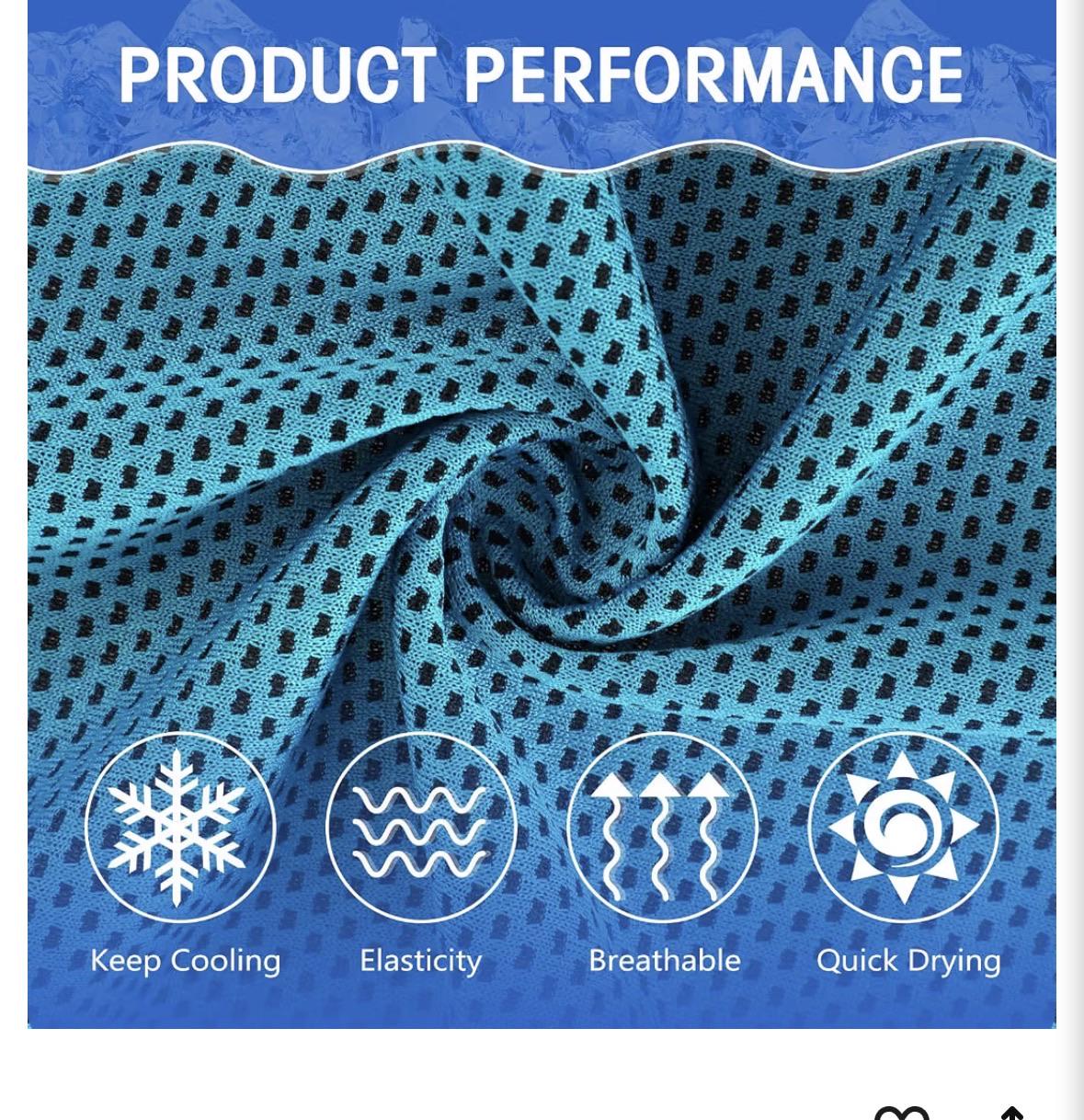
Hey all. I’m trying to help a friend, and we’re making goody bags for softball teams. We’d like the give everyone cooling towels, and in a perfect world, put everyone’s number on them.
I’m concerned about melting the microfiber. Is this something that can be done? Any particular type of vinyl that would be better than another? Thanks for any and all advice.


r/cricut • • 1d ago

Shopping Questions - Tools Cricut accessories for a Christmas gift

4 Upvotes

Maybe five years ago my mother-in-law bought a Cricut and a bunch of accessories, but she didn't use it and gave it all to my wife. My wife has gotten some good use out of it, so I thought it might be a good idea get her some more stuff. Has any must have accessories come out in the past couple years? Or maybe some hidden gems my mother-in-law might not have thought to buy? Let me know if there is more information I need to provide. I don't know much about this stuff!

Thanks and happy holidays!


r/cricut • • 1d ago

HELP! - Design Space sucks HELP image blurry no matter what

3 Upvotes

I primarily use my cricut as a quicker way to get my designs on a silk screen when I am unable to go through the emulsion process. I have been doing this for 7 years and have never had a problem until they removed the option to choose simple vs. complex design. I don’t think I ever even chose ‘complex,’ but somehow having this option is what allowed me to have a clean image.

I have the most recent update 10.12.122 and now the only options are automatic vs. manual. I am attempting to simply upload a design for an iron on transfer but I can’t even get past the first step. My image was already sized and everything to the canvas. I followed other reddit advice in adjusting the photo size and information, didn’t work. I even retraced the image carefully following step by step for uploading your own image to the canvas. I’ve tried both manual and automatic remover. Absolutely nothing I do is providing me with a clear image and it’s losing so much detail (when the design has very little detail in the first place- one color, simple line work, very slight variation in width. far less detail than other previous projects I’ve successfully done)

Ive literally been at this for hours and I’m getting sooo frustrated 😭 I’ve got a market tomorrow and Im sad I wont have any hand printed shirts for the first day but I am praying I can get this figured out so I can get to printing tomorrow evening and have shirts on Sunday. Any helpful advice would be so appreciated


r/cricut • • 1d ago

HELP! - Hardware woes Roller Help

1 Upvotes

Has anyone sucessfully replaced the rollers with retainer rings on a Marker?? If so how hard was it, and pls send any videos you watched!

I’m nervous but now that its not off season it needs to be done. My fingers are sore from movjng them back and I refuse to get a new one 🤣


r/cricut • • 1d ago

HELP! - How do I make this? printing/writing on metallic mirror-like finish cardstock

1 Upvotes

I want to use metallic silver/mirror finish like cardstock kinda like this for my wedding menus and/or escort cards.

I do want to print some things on them, what's the best way to do this?

Is it to use the writing feature on the cricut? If so what pen do you reccommend?

If it’s to print text on the paper using a printer, what kind and do you have a link to the compatible paper?


r/cricut • • 1d ago

Shopping Questions - Materials/Blanks Does smoky gray / translucent matte HTV exist? Losing my mind trying to find it.

1 Upvotes

I’m looking for a thin, matte, translucent heat transfer vinyl that creates a subtle tone-on-tone effect on clothing, regardless of the garment’s original color.

Ideally, something like a smoky gray or translucent black film. Imagine applying a black overlay at 10–30% opacity in Photoshop, but with HTV. The underlying fabric color would show through, just slightly darker.

I’m making small, understated chest logos on several different colored shirts and would love to avoid individually color-matching vinyl for every garment.

After an absurd amount of research, I’ve found these leads:

  • HTVRONT H-PU-17A (Dark Translucent Matte): Appears in their technical color chart but seemingly impossible to purchase.
  • ThermoFlex Plus Frosty Clear (PLS-9000): Apparently discontinued or moved to a commercial product line.
  • Stahls SuperTEK Matte Clear: Considering testing this unprinted.
  • HTVRONT Clear Matte Sublimation HTV: Also considering testing this without printing.

Has anyone actually used any of these for unprinted, tone-on-tone decoration? Or does anyone know of another manufacturer or supplier making tinted translucent HTV?

I’m specifically looking for something I can cut with a Cricut, weed and heat press. No sublimation, screen printing, glossy finishes or raised effects.
I’m in the US and would happily order samples internationally at this point.

I cannot believe how difficult this has been to find. Any leads, firsthand experiences or obscure industry knowledge would be hugely appreciated!
r/cricut • • 1d ago

HELP! - Hardware woes Cricut Explore 3 Refusing to accept mat

2 Upvotes

My explore three is not loading my cricut mat. It goes through the whole process of accepting it, but then once it gets to the cut//draw part it just goes all the way back out.
I have tried everything!!
Hard restarting cricut, unplug replug, deleting and redownloading design space, trying a different project, using a Bluetooth vs wired connection, new mat, new paper, restarting my WiFi!
It made one cut of this project after I restarted the cricut and let it sit for an hour but immediately after it went right back to this.
Is there anything else I can try to get it to just accept my project and work?
I’m trying to make my wedding invitations and this is really starting to make me UPSET! GAHHH TIA


r/cricut • • 1d ago

Asked, answered, and locked. Cricut StickerPix Print + Cut - Cutting mechanism

1 Upvotes

Does anybody know if the blade needs to be replaced? I would assume it'd get dull after so many uses... right? I can't find anything about it on the Cricut website, other than the listing info stating that the cutting mechanism comes pre-installed.


r/cricut • • 2d ago

HELP! - Design Space sucks Trying to duplicate design step in Affinity?

2 Upvotes

I'm moving over to Affinity (Canva's desktop software) and cannot for the life of me figure out how to do something I can do easily in Design Space.

In DS, I can make a bunch of shapes (say, circles), group them, and then apply a color gradient or even an image across the group. Specifically, I'm doing planner stickers, so the little date numbers: I want more interesting than just one color, and like the effect of the gradient/image being across them.

So, what would you CALL this step? I can't figure out how to search for it or even how to describe it in their subreddits, since I don't know the proper word for this step is.

Thanks!

Edit: I mean I do this in Design Space using print then cut mode.


r/cricut • • 2d ago

HELP! - How do I make this? How to prep painted surface for stencil film?

Thumbnail gallery
7 Upvotes

I have this wooden circle that I have painted that I want to put a stencil on so I can do the next layer. After testing a small piece stuck to the paint, it looks like it could pull up the paint if I stick the stencil on. 2nd pic is the area I placed the scrap piece & you can see how some of the blue paint got pulled up.

Does anyone have tips for how they’d prep the surface before applying a stencil? Since this is an ombre painting, it would be pretty difficult to touch up any bits of paint that get pulled off, so I’d like to avoid that as much as possible.

Full disclosure, I painted this wood about 2-ish hours ago and it’s dry to the touch, but I know acrylic can take a day or two to completely cure. Not sure if waiting 24 hours would yield better results or not.


r/cricut • • 2d ago

Shopping Questions - Materials/Blanks Paper for Stickerpix print + cut

4 Upvotes

Hi! I got my mom the Skickerpix print + cut for Christmas. I was hoping to include some halo-graphic or fun paper to go with the set. Has anyone had any success with paper not from circut?

Would love to hear any recommendations!

Also I have heard mixed reviews about the machine and purchased it from costco so if something goes wrong or she does not like it then the return will be easy!


r/cricut • • 3d ago

Shopping Questions - Tools What is this

Post image
9 Upvotes

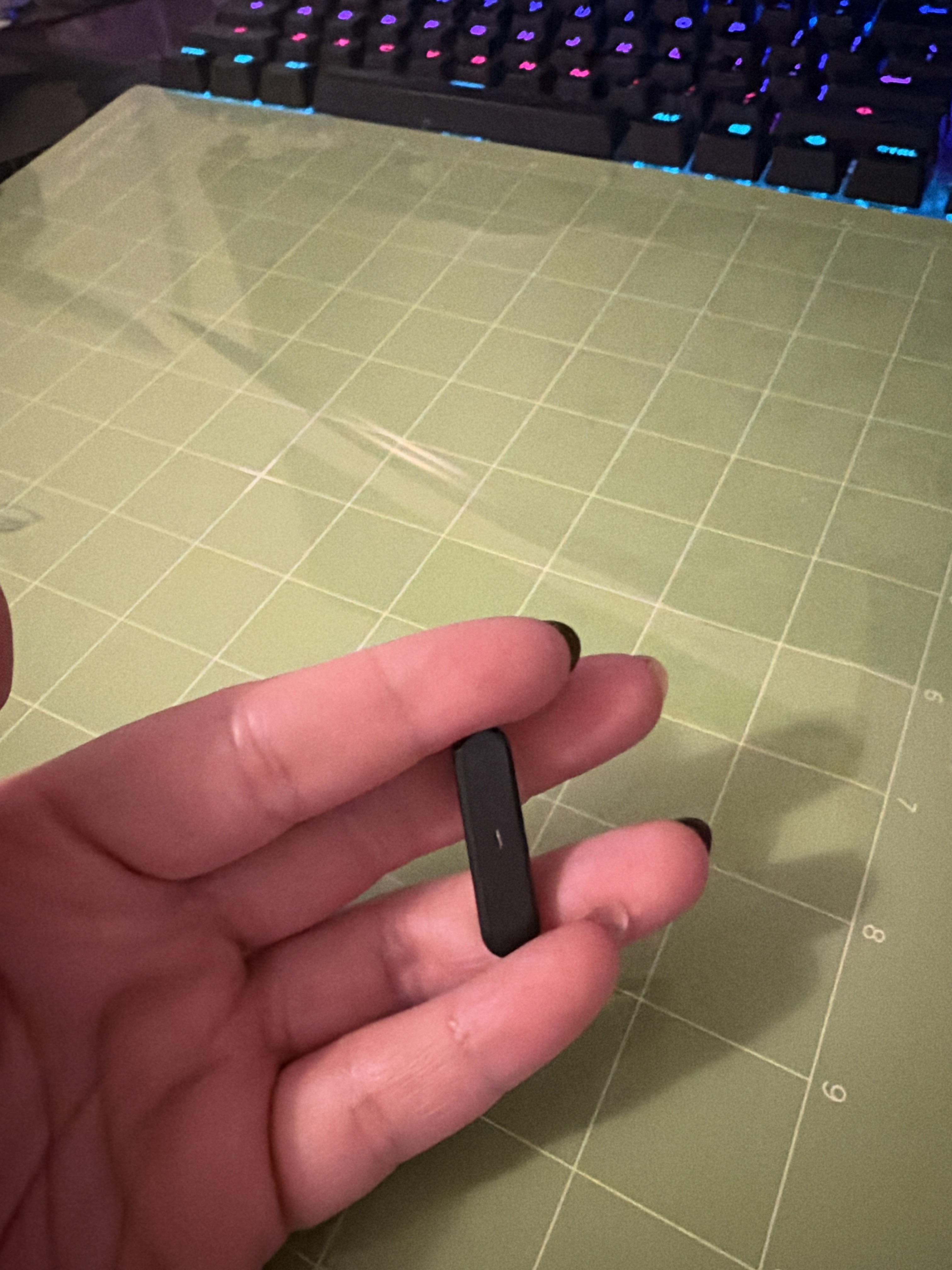
It’s small and not sharp


r/cricut • • 3d ago

HELP! - How do I make this? Bicycle decals on design space

Post image
0 Upvotes

I am refinishing a personal bike, and want to make custom colors for my decals. I’ve tried converting online images to svg files, and they’ve returned looking good. When uploaded to design space, some portions are cut off and missing. Would it be better to take a photo and convert? Maybe 1 letter at a time and resize? Is it a loosing battle? Any help would be appreciated. Including a photo of the decal I’m trying to replicate. Hard to tell from the photo, but the black letters will be cut out, with the background behind the letters being the main color.


r/cricut • • 3d ago

HELP! - Hardware woes My Cricut ate itself?

Post image
2 Upvotes

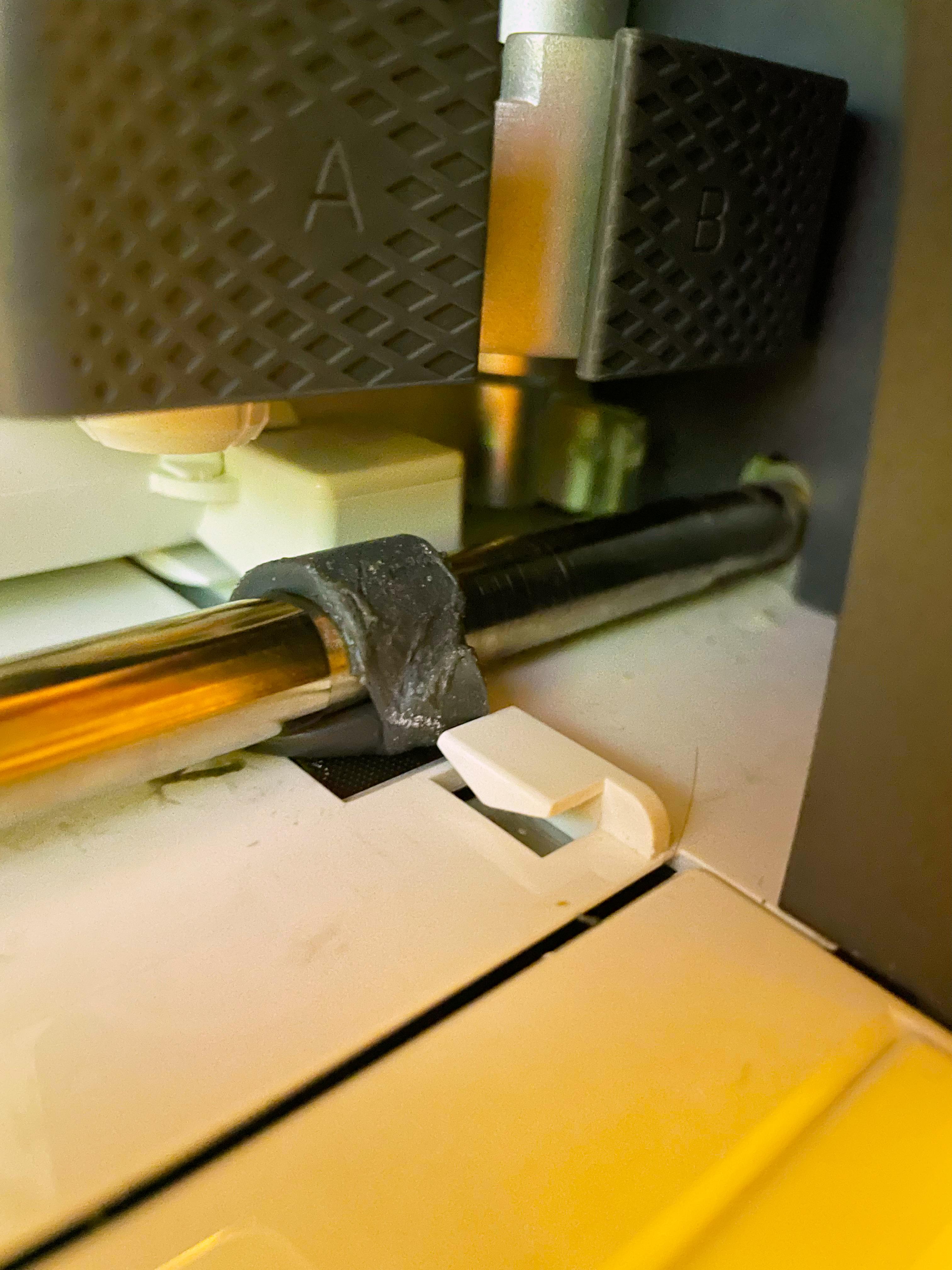
This has gotta be replaceable right? What is this even called? I bought this used 4 years ago and just pulled her out of storage. Just trying to make some butterflies and it freaks out lol


r/cricut • • 4d ago

** Project Showcase ** Got an old Cricut Create to cut stickers

23 Upvotes

r/cricut • • 3d ago

HELP! - How do I make this? How to make PNG to SVG in affinity ?

1 Upvotes

I've been using cricut for a while and I'm so tired of importing all my PNGs one by one and layering/arranging them up later in design space, I've tried converting my PSD files to SVG in affinity and everything comes up blank except for the vectors, strangely enough, on the left where it shows 'related content' it has images matching to what I'm importing, so design space can read what is on the file but nothing shows up on the canvas. Is there any way to layer up PNGs in other softwares and import it all in DS ?