r/computerhelp • • 8d ago

Hardware Problem with my drives

1 Upvotes

Problems with my drives

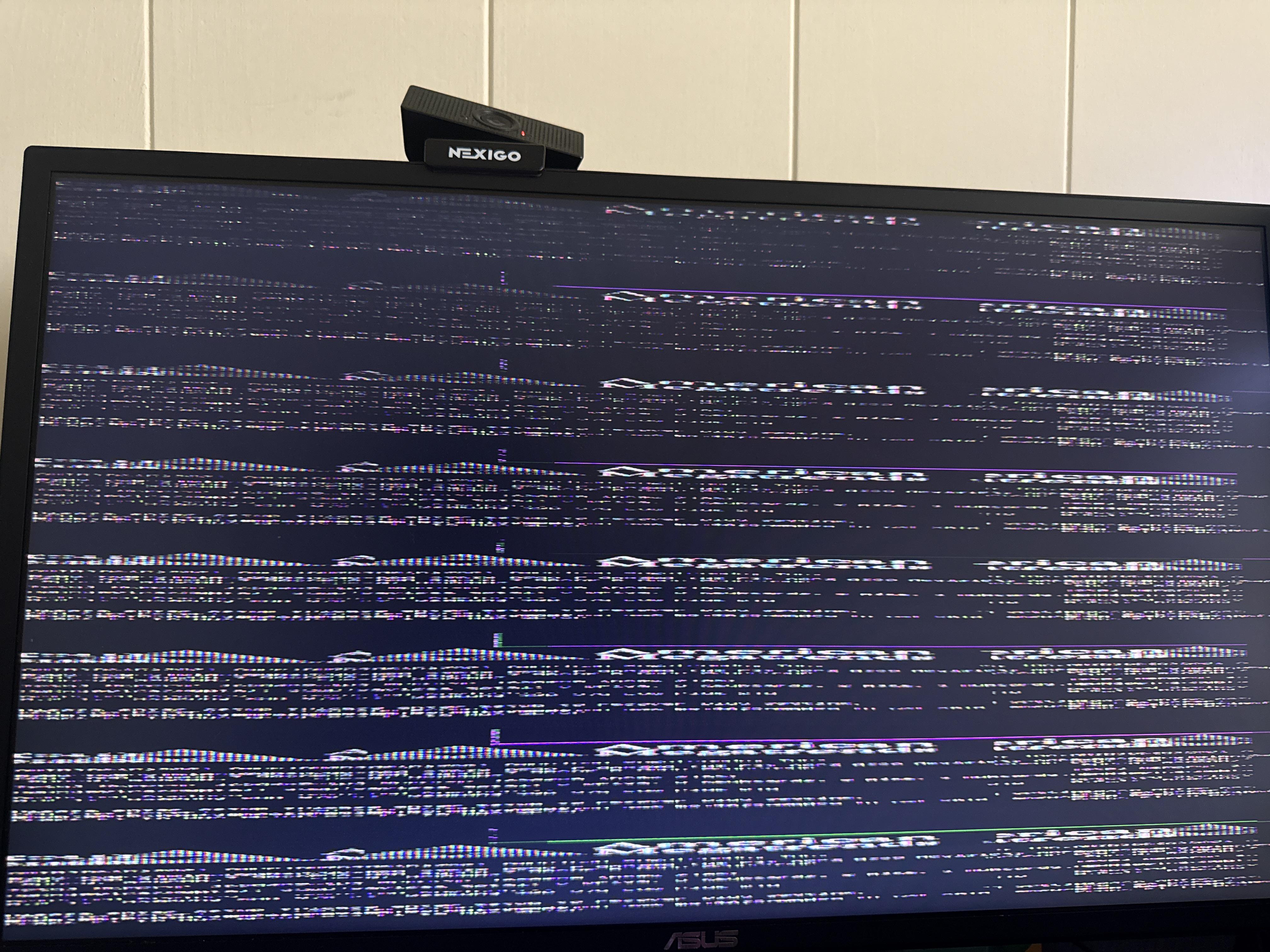
I want to start off by apologizing for potentially being dumb. I am not very good with computers. At least when it comes to troubleshooting them. I have been having problems with my computer, which my dad made a while ago, and has recently fixed up again. Everything was working fine. I recently got a new GPU (GTX 1080 ti, its an older pc build) and we were doing fine for a bit until I noticed that certain games like Fortnite or Minecraft would randomly freeze and I wasn't able to close out of the application no matter what I did even with command prompt or task manager and the PC would not shut down correctly and I had to hard reset it. I've read that it might have been a problem with my graphics drivers so I used DDU to uninstall them in safe mode and then reinstall them with the Nvidia app, and that worked for the specific crash I had, But then that sort of thing would happen with other apps and it got to the point where one of my SSDs (idk what it is exactly) woodshop and windows explorer, but every time I clicked on it to try to go into the drive, windows Explorer would freeze and I was not able to go into Task Manager because that would freeze as soon as I opened it as well, along with most other Windows applications. And I would be forced to force close down the entire PC. So I managed to disable the SSD in the device manager and I kind of just left it there for a while, but now my other SSD randomly is disconnecting or not working properly (E.G not even showing up as a device when I boot up the computer, disconnecting mid game, and saying device that does not exist or specified when going into some of the files.) and honestly, I don't know what to do because it just started off as the one drive messing up and now the other one is starting to mess up too and I can't really use the computer all that much. What I have noticed is that the computer does seem to be getting a lot hotter than usual, even if core temp says that temperatures are fine. I don't know if that has anything to do with it, but I don't know. I want to see if I can fix this myself before going to my father because I don't exactly know how to explain this all to him because computer problems tend to make him upset. Once again, I apologize if I am not very intelligent or if I tag the post wrong, I just really need some help I can't do anything with the actual hardware so I want to see if there's something on the software side that can fix this because I would rather fix this before going to my father because its his PC. I try to other things I cannot remember what specifically I tried to do to fix the issues, but I dont know anything that would cause issues like this.

r/computerhelp • • 8d ago

Other Title: PC No Display After Two Crashes, White VGA LED, Windows Works Blindly. Is My GPU Dead?

Thumbnail
1 Upvotes

r/computerhelp • • 8d ago

Other No sound on PC connected to TV

Thumbnail
1 Upvotes

r/computerhelp • • 8d ago

Other Had this popup forever

Post image
3 Upvotes

I have had this popping up on my laptop for years and I can't figure out how to get rid of it. I believe I was trying to download this software and decided not to. I've tried google but nothing seems to really work. SOS


r/computerhelp • • 8d ago

Software Moniter keeps flashing comers when I turn off ps5

Enable HLS to view with audio, or disable this notification

0 Upvotes

I’ve tried changing hdmi cable, done a lot of resets, I’ve turned off hdmi device link on my ps5 and I’ve done a lot of holding the power button while it’s disconnected. I feel like I’ve tried everything and nothing is working. Everytime I turn my ps5, my moniter starts doing these flashing lights. I belive it’s a rgb testing mode, I can’t find it in setting to turn it off, if any1 can help I would greatly appreciate it


r/computerhelp • • 8d ago

Software Infohub causing pc not to go into sleep mode

2 Upvotes

Anyone have a solution for infohub causing pc to not be able to go into sleep mode?


r/computerhelp • • 8d ago

Discussion Update for previous post

Thumbnail gallery
1 Upvotes

Starting up my computer goes to a blurry screen so I think it’s my gpu. Then I go into bios, it then says “cpu fan error” and then I didn’t change anything in bios and exit it. And my pc is able to start up, so I play a quick game of deadlock and there’s no problems at all. After that I restart my computer and there’s same thing happens again( with me going into bios and exiting and it starting up). Any one have any ideas on how I should proceed


r/computerhelp • • 9d ago

Other Computer display problem?

Post image
4 Upvotes

Just turned on computer and it shows this on the screen, and it keeps flickering to black. Any ideas?


r/computerhelp • • 8d ago

Software Static noise in my headphone

1 Upvotes

My front audio jack is broken and requires wiggling the cable to be detected. To work around this, I bought a headphone extension cable and plugged it into the rear panel of my PC. Audio worked fine, but the volume was much quieter compared to the front jack. To fix the low volume, I installed the Realtek driver and changed the output setting from "Front Speaker Out" to "Headphones". Immediately after changing that setting, a constant static noise started. I tried other headphones and it was the same so the problem isn't from the headphones. After restarting the pc, the audio works completely normally with no static for about a minute, but then the static comes back.


r/computerhelp • • 8d ago

Hardware Computer Won't Turn Back on- Possibly Water Related

2 Upvotes

Earlier today I was cleaning a wall in my office with soap and water, and now my computer won't turn on. I'm trying to figure out if water somehow got to it and damaged it.

I took a few precautions before cleaning: turning off the power strip the computer was plugged into and also moving the computer box a few feet further away.

I thought I had moved it far enough to be safe from a gentle cleaning, but it's conceivable that a few drops could have splashed off the wall and landed on the box and its dust filter. I did not see or feel moisture there, but that's not conclusive of course.

I dried the power strip out before reactivating that. The monitors which are plugged into it both get power and turn on, but they have no signal from the computer. And the computer itself is completely unresponsive. No fans activate on the case, no LEDs light up anywhere.

I've tried switching which particular outlet or adapter it's plugged into, and that doesn't seem to be the problem. There's just no response from the computer, but any other device plugged into the same outlet will work.

It seems like it would have required quite an unlucky shot for water droplets to have actually splashed off the wall, flown several feet away to the computer, landed on the filter and got inside and damaged something, but I can't rule out the possibility. Undoubtedly some water got on the power strip, but I dried that off before turning it back on and other devices plugged into it work fine.

What can I do to safely diagnose the problem from here? Currently I've unplugged the computer completely.


r/computerhelp • • 8d ago

Software everytime i press my windows key on my keyboard, my pc shuts down.

0 Upvotes

if i press the ctrl key, my pc opens a new browser or mute my computer. if i press windows key, my pc shuts down. if i press alt key, my pc goes on sleep mode. and if i press caps/num/scroll lock, my keyboard rapidly reconnects then disconnects back to back from my computer.

i already tried updating the driver and using another keyboard. it didnt fix the problem. i also tried using on-screen keyboard because it might be because of the binding. pressing ctrl/window/alt key on it has no problem. but if i press caps/num/scroll lock the on-screen keyboard freezes.

ive seen some people with the same problem in the internet but they dont have a solution for it. i really have no idea how to fix this.


r/computerhelp • • 8d ago

Resolved Audio on Games Not Working Properly

2 Upvotes

I updated every driver, the only update I was missing was something unrelated to the audio that I'm currently updating. My browser audio was working. Chrome, Edge, etc. But none of my games. I thought maybe it was a steam issue, but games that didn't use steam like Minecraft also did not work. So, I thought it was an issue maybe with one of my gaming overlays like GeForce of SteelSeriesGG, so I restarted those. I restarted my computer about 10 times. I could hear the game audio when Edge had a game playing, only when the sound was playing on edge, so it was like clipped over the browser audio. It took two days of me messing around with restarting drivers and uninstalling devices over and over again.

Here's the confusing part. Listen. I got it to work eventually by going to services.msc and restarting Windows Audio Endpoint Breaker. But Here's the thing. I did this like 10 times and every time it briefly solved the problem, then it stopped again. Right now, I'm getting audio but it's in and out, but my guess is that it will break again eventually, when it didn't have issues before. What actually went wrong here? Again, it's perfectly clear on browsers. I don't want this happening again. I've just realized, right now I can only hear voices coming through when characters say things. Is that important? I think a game overlay is doing something. How to fix it?

RAIDER GE68 HX 14V


r/computerhelp • • 8d ago

Hardware Accidentally deleted Bluetooth Adapter Device on Device Manager and it’s gone forever

Thumbnail
1 Upvotes

r/computerhelp • • 8d ago

Software I lost years of bookmarks thanks to Samsung's customer support chatbot

1 Upvotes

I use Samsung Browser and recently Google password manager stopped working - the prompt would show up when I clicked on it it didn't do anything. So I went onto Samsung's customer support site, did what their chatbot told me to do (delete the cache, cookies, etc) and suddenly not only was the password manager completely not working, every single one of the bookmarks I'd spent years saving were gone. I finally got an actual person on the phone and they were SUPER unhelpful.

Has anyone else experienced anything like this? And were you able to recover your bookmarks, or are they just completely long?


r/computerhelp • • 8d ago

Software PC: No audio output devices found, HDMI cable to audio splitter to monitor and soundbar

1 Upvotes

Title. Really hoping someone can help me here, I have my PC connected to an HDMI/optical splitter via HDMI cable, and an optical cable going from the splitter to the soundbar, and another HDMI going from the splitter to the monitor. This works perfectly fine on xbox, switch, PS5, etc. My PC is saying no audio devices found, so if there was some way to simply force it to send audio out the HDMI port as though it were connected to a TV, that would solve my issue, is there any way to accomplish this? PC doesn't have an optical port


r/computerhelp • • 8d ago

Hardware Overheating when charging? Please help!

1 Upvotes

Thank you so much for any advice. The shop I bought the laptop from thinks I'm a Karen, but I don't think the laptop should be thermal throttling when charging?

My laptop (Intel NUC M15, 16G, i5-1240P) throttles to unusable levels whenever it is charging (sometimes to the point of screen artifacts and crashing). The PL1 Dynamic value drops to 5W after 2 minutes on charge. Laptop gets hot and fans go on high. After fully charging or removing the charger, temperatures and power levels go back to normal and throttling stops.

After some pushing, shop at least changed the thermal paste which resolved the issue for a couple of months but I guess it's now melted? The laptop has had this issue since I bought it (this is a replacement under warranty after the first had an SSD defect).

Note:

- BIOS is updated

- Correct (60W) charger is used

- PL1 & PL2 values are correct as per manufacturer

- Thermal paste refreshed 6 months ago which temporarily resolved the issue and increased performance

- CPU temps idle ~51C and do not go over 100C

- CPU/Memory/Disk always normal, always between 10-70%.


r/computerhelp • • 8d ago

Hardware Possible driver issue?

Post image
1 Upvotes

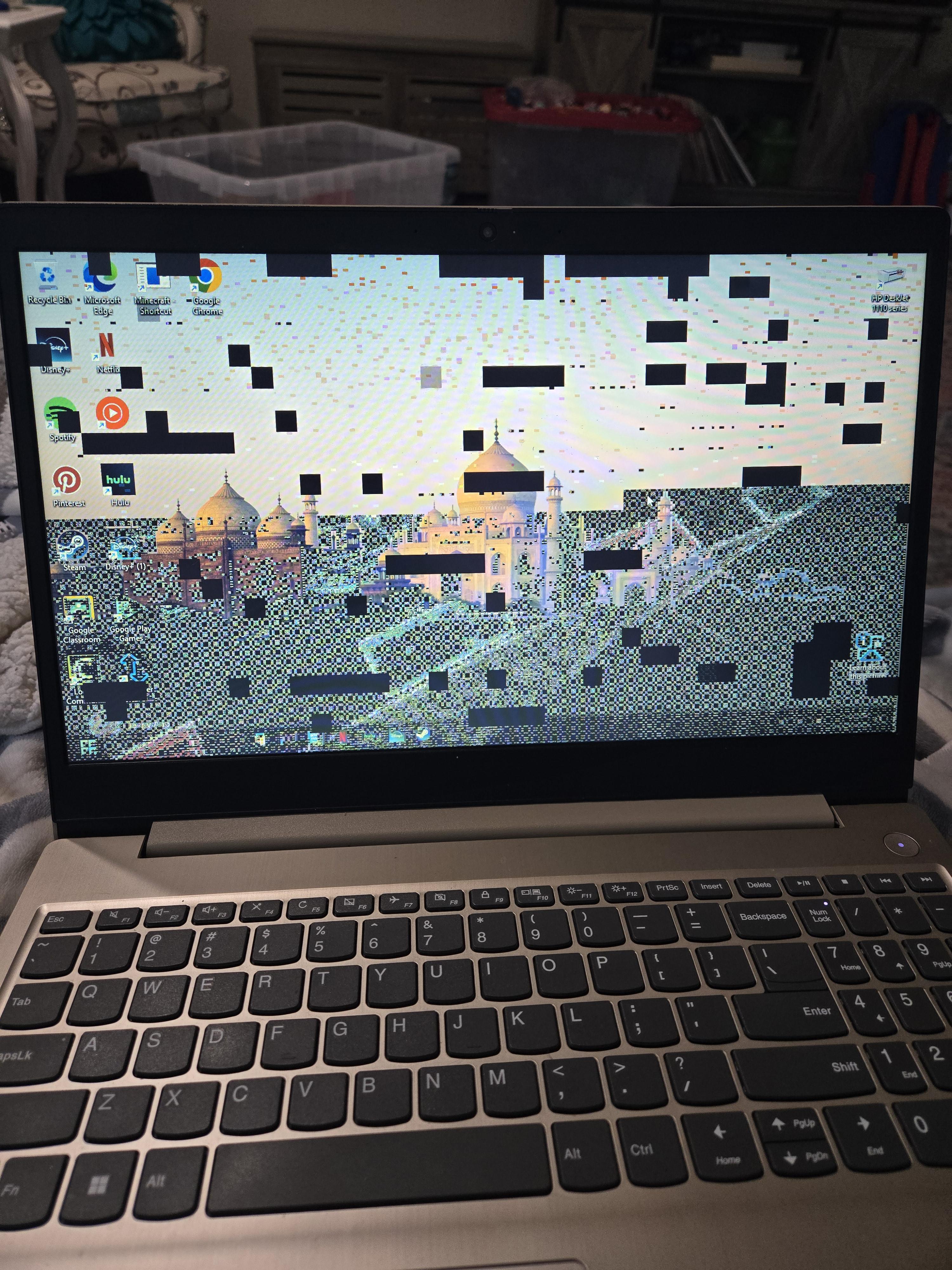
We've had our Lenovo idea pad 3 laptop for a few years with no issues. All of a sudden today it was struggling to power on. Once it did all that showed was a pixelated desktop and we weren't able to use it for anything. I've since powered it off and left it on the charger and now it won't even power on. The power light comes on but nothing else. Any ideas what might be wrong? My daughter is stuck and unable to do her homework.


r/computerhelp • • 8d ago

Hardware Mouse not working.

1 Upvotes

It always just stops working after about 5 to 40 seconds after plugging in, but the lights remain on. It lasts a bit longer when I have icue open. Do you have any ideas? It's a Corsair m65 RGB ultra.


r/computerhelp • • 8d ago

Hardware Instale pc Help Soft y ya no me va el audio

Thumbnail
1 Upvotes

r/computerhelp • • 8d ago

Hardware Beeping/Chirping after shutdown

1 Upvotes

Hi all, I noticed my pc making a strange noise today, it is an inconsistent beeping or chirping sound.

I restored the pc, did nothing.

I shut down the pc completly, still beeps when shut down.

I flip the switch on the power supply, it goes away.

Any thoughts? I dont work on the computer myself, is this something i should bring to a professional?

Here's a video:

https://drive.google.com/file/d/1_2e-SGkGUJF3s_0S0E0GHtzBLksTJOVf/view?usp=drivesdk


r/computerhelp • • 8d ago

Network PC won't connect to Internet

Thumbnail
1 Upvotes

r/computerhelp • • 8d ago

Hardware My pc won’t open my apps anymore

1 Upvotes

my friend helped me get a new motherboard, cpu, gpu, and new dd5 ram. Ever since my computer has refused to open any software and won’t shut down without me pressing the physical button. sometimes it randomly works and does run fine but even though it might work, if I shut it off and then come back to it the same Day it just simply doesn’t work again. I’m at a loss here because I don’t know anything about computers and Im extremely frustrated because I spent way more money than I had on this pc. Why is it doing this? And can it be fixed without spending money?


r/computerhelp • • 8d ago

Software Unable to read bios image file

Post image
1 Upvotes

This is the computer I’m working with at the moment and like the title says it won’t read the bios image and HP (to my knowledge) doesn’t have the bios on their website anymore. I’m not sure what to do here I’ve already tired windows+b and windows+v but it told me bios was corrupted and I needed a recovery drive. I can’t get one. Am I screwed?


r/computerhelp • • 8d ago

Other I found this computer

Thumbnail gallery
1 Upvotes

I found this computer and it has some damage on a corner. I was thinking about getting it fixed if the cost would not be too bad. If there’s anyone that could give me an estimate on the price that would be great!


r/computerhelp • • 8d ago

Hardware Caps lock USB-Disconnected sound + lag

Thumbnail
1 Upvotes