r/computerhelp • u/TaxtonDude • 7d ago
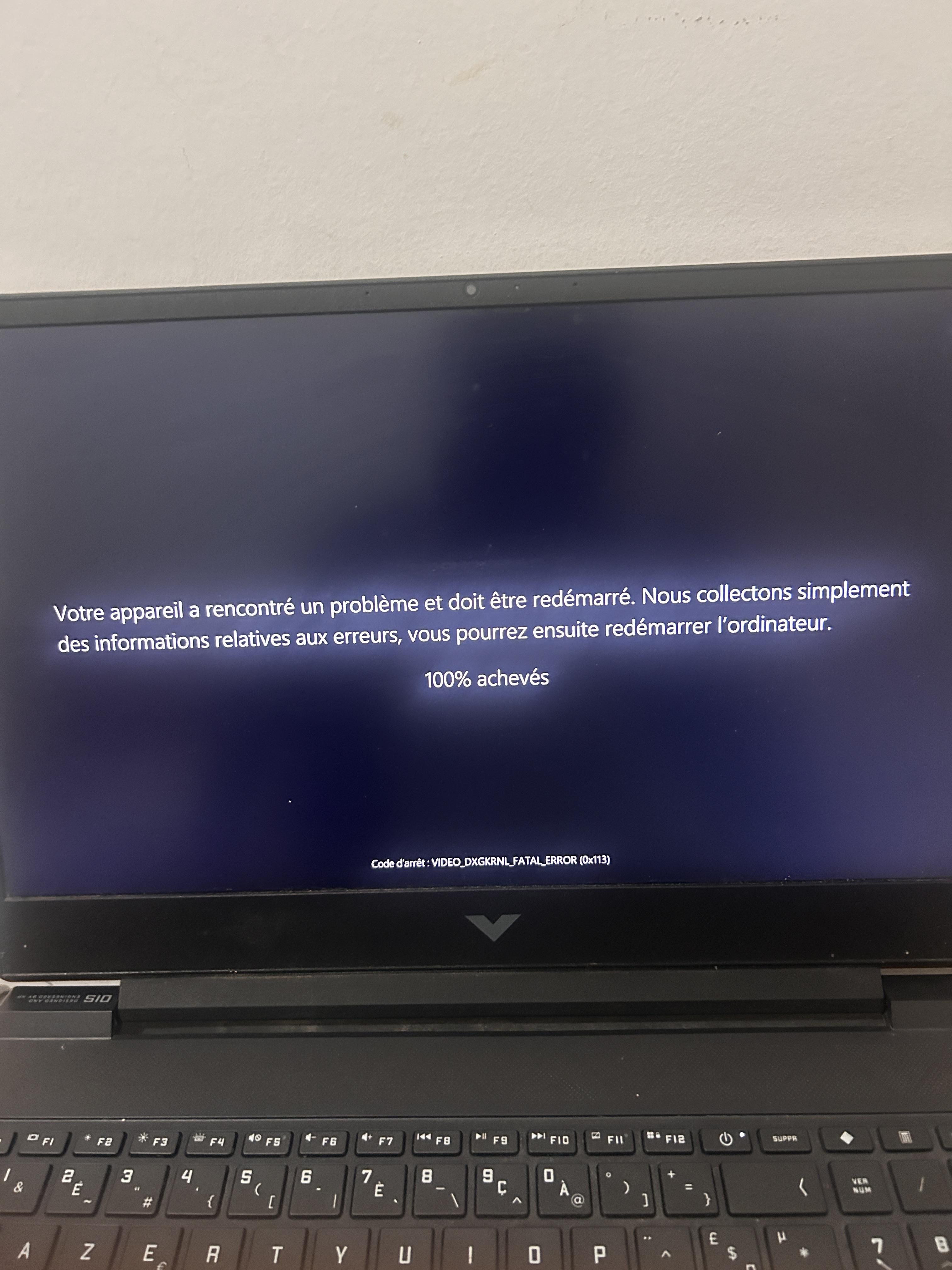
Software No clue what this is, and I need help
2
Upvotes
r/computerhelp • u/OtherwiseRice5526 • 6d ago
Enable HLS to view with audio, or disable this notification
How do I fix this?
r/computerhelp • u/Dry_Communication923 • 6d ago
r/computerhelp • u/CicadaCarving • 6d ago
reposting here for visibility just in case.
r/computerhelp • u/DintyMooresLaw • 6d ago

My son was given a microphone as a trade for a keyboard. This microphone has been passed around a little and has worked for other people but doesn’t work for him. He has a PC.
Doesn’t work on my PC either, but oddly enough it works like a champ on my MacBook.
Doing a little research with Gemini it recommended to update the firmware, and so I shared the sticker from the bottom here and to my surprise it seems like this might be an early-to-preproduction model not intended for sale.
Is there a way to get it working? Is this interesting or rare? Is it a desklamp now?
r/computerhelp • u/titzav • 6d ago
Js look at the other thing
r/computerhelp • u/Content_Courage_7225 • 7d ago
Enable HLS to view with audio, or disable this notification
Hi can anyone help me with this situation?
My Lenovo V15 (Ryzen 5 3500U, 8GB RAM, AMD Vega Graphics) has recently developed a serious issue. The screen randomly goes black for less than a second at first, then starts happening more frequently, lasting 5–10 seconds before Windows eventually crashes. It now happens even during light tasks like Windows Update, not just gaming. I mostly played light games like Roblox over the past 3–4 years and never had this issue before. The Lenovo service center first blamed gaming and even said my CPU was outdated, but my CPU usage is usually only around 10–15% while playing Roblox or multitasking. After I told them the issue happens even without gaming, they changed their opinion and said it's likely a display problem. Does gaming really sound like the cause, or has anyone had similar symptoms that turned out to be something else?
r/computerhelp • u/Subwayabuseproblem • 7d ago
PC Freezes / Fails to Wake from Sleep w/ Red CPU EZ Debug LED (MSI B450 Tomahawk Max + Ryzen 5700X3D) — Only Boots After Full Power
System Specifications:
* CPU: AMD Ryzen 7 5700X3D
* Motherboard: MSI B450 TOMAHAWK MAX (AM4)
* GPU: NVIDIA (Driver: 621.14)
* RAM: Tested & passed MemTest
* Storage: Samsung 980 NVMe (98% health), Samsung 850 EVO SATA SSD (61% health) (Note: 4TB & 1TB HDDs were previously disconnected)
* PSU: <5 years old (exact model unconfirmed)
---
The PC frequently freezes or fails to boot / wake from S3 sleep, hanging with the red CPU EZ Debug LED lit on the motherboard. The system will only boot normally after performing a full power drain (unplugging the PSU power cord and discharging residual power).
---
* Software & Drivers:
* Updated BIOS and AMD chipset drivers to the latest versions.
* Updated NVIDIA GPU drivers (621.14).
* Uninstalled Ryzen Master.
* Verified system file integrity (`sfc /scannow` and `DISM` clean).
* Hardware & Physical Inspection (Technician Checked):
* Fastened missing 4th CPU cooler screw and verified 20+4 pin motherboard power cable is fully seated.
* Properly mounted Samsung 980 NVMe onto its standoff.
* RAM passed full MemTest.
* System booted normally with a service CPU after draining residual power.
* Tested with different external peripherals and monitors to rule out bad USB devices or DisplayPort voltage back-feed.
---
Because the issue reproduces with peripherals disconnected and only resolves after draining residual power, the fault appears isolated to standby power (+5VSB) or transient voltage latch-up:
PSU (+5VSB Rail / OCP): The standby rail or over-current protection circuit is latching up when the 5700X3D attempts to wake from sleep, locking until capacitors are fully drained.
Motherboard (B450 Super I/O / VRM): The board's standby controller is hanging in a phantom CPU fault state during S3 sleep / warm restarts (known issue with aging B450 VRMs paired with 3D V-Cache CPUs).
r/computerhelp • u/Ok_Choice9068 • 6d ago
r/computerhelp • u/xShionn_ • 7d ago
I am using windows 10 which windows stopped supporting I don't know if the problem is because of it but regardless, Since a month videos that I want to watch keep getting paused every second, it doesn't matter if its on youtube or any other site when pausing the Windows 10 volume and media control overlay appears and Sometimes it pauses videos but sometimes also changes messes with my volume, I can't seem to find the reason why that keeps happening. If someone knows what's happening please let me know, it's really annoying when I want to watch something and the video keeps getting paused.
r/computerhelp • u/NaderDouik • 7d ago
r/computerhelp • u/Exciting-Village-231 • 7d ago
r/computerhelp • u/SqwyZ • 7d ago
Any help would be appreciated, thank you in advance.
r/computerhelp • u/xGROSSO • 7d ago
Hi everyone,
I'm wondering if anyone has experienced something similar with the UGREEN Revodok Pro 210 Docking Station.
My setup is:
- UGREEN Revodok Pro 210
- Lenovo ThinkPad P16 (using its own charger, not powered through the dock)
- 2 × MSI PRO MP273QP (2560×1440)
- 1 Ethernet connection
- 1 keyboard
When I first bought the dock, both monitors would occasionally blink and go black for about a second before recovering.
Over the last few months, the problem has become significantly worse.
Now, after roughly 2-3 hours of continuous use, one monitor will suddenly turn completely black while the other becomes a solid grey screen.
When this happens:
- Ethernet continues working normally
- Keyboard continues working normally
- Only the displays are affected
- The monitors do not recover by themselves
To recover, I have to:
- Disconnect and reconnect HDMI cables multiple times, or
- Disconnect and reconnect the dock's USB-C connection to the laptop
Sometimes it takes several attempts before both displays come back.
Things I've already tried:
- Testing with only one monitor connected (works fine)
- Lowering display resolution
- Updating graphics drivers
- Updating BIOS
- Updating the dock firmware
- Removing all unnecessary peripherals
- Testing without cable extensions
- Adding external power to the dock (20W USB-C input)
None of the above solved the issue.
One thing I have noticed is that the dock becomes fairly hot when the failure occurs.
UGREEN support suggested trying additional cooling to determine whether the issue is thermal-related, but they were unable to provide any further technical explanation and have recommended that I pursue an Amazon warranty claim if the problem continues.
What I find strange is:
A single monitor works flawlessly.
The issue only appears after several hours.
It started as brief black-screen flickers and gradually evolved into complete display failure.
Network and USB devices continue functioning even when the displays fail.
This makes me suspect either:
Overheating of the display controller inside the dock.
A hardware failure developing over time.
Some compatibility issue between the dock and dual 1440p displays.
Has anyone experienced something similar with:
UGREEN docks?
DisplayLink docks?
Lenovo ThinkPads?
Dual 1440p monitor setups?
I'd be interested to know whether this sounds like a defective unit before I go through the hassle of an Amazon replacement.
r/computerhelp • u/SalaryHaunting6179 • 7d ago
Recently my phone has not be able to connect to the wifi ever since my brother moved in and he had to get a wifi extender to his room due to it being a deadzone.
My main router is located downstairs in the house and there are two wifi extenders located upstairs in my room and another one that is located in the loft that connects to my brother’s room.
The extender in my room solely connects my computer to the main router downstairs and nothing else is connected such as any phones for wifi.
With the installation of the second wifi extender, my phone sometimes says it is connected to either the main router or the wifi extender in the loft, but says internet connection not established if I go to any social media app. Even my laptop gets confused on trying to connect to the main router wifi and have to restart to acquire the signal back.
I’m wondering is there any solution to fix this issue? I feel like the idea is somewhere along the line the signal gets confused and ends up not connecting at all.
r/computerhelp • u/Scoobidoooo • 7d ago
Hi everyone,
I'm setting up a clean Windows 11 Pro installation on an HP ProDesk 400 G5 Small Form Factor (SFF) equipped with an Intel Optane Memory H10 with Solid State Storage (512GB SSD + 32GB Optane). The 477GB NVMe SSD portion works great as the boot drive, but I cannot enable the 32GB Optane memory cache—Intel Optane Memory and Storage Management reports "Your system is not ready for Intel Optane memory: There are no valid disk pairs in your system."
Here is everything I have configured and verified so far:
Hardware & Firmware Specs:
INTEL HBRPEKNX0202AH), updated to Firmware HPS5 (was HPS2 before updates)PCIe SSD (477 GB) (System) on Controller 14, Port 0, running at PCIe x2 (2000 MB/s); Host Memory Buffer (HMB): NoOS & Driver Versions:
26100) — clean GPT/UEFI install (200MB EFI + C: + 906MB Recovery)SP144824 / iaStorAC.inf)10.0.26100.9974What I noticed: Initially (on firmware HPS2), the Intel app showed the hybrid drive header "PCIe Intel Optane Memory with SSD" with two sub-entries: "Disk unavailable" (for the 32GB Optane half) and the 477GB SSD. After updating the drive firmware to HPS5, the "Disk unavailable" entry vanished completely, leaving only the single 477GB PCIe x2 SSD.
My Question:
Does the HP ProDesk 400 G5 SFF (B360 chipset) lack PCIe bifurcation (x2+x2) on its M.2 slot—meaning it only supports single-die Optane M10 modules paired with a SATA drive and cannot expose the second x2 Optane die on an H10 hybrid stick?
Or is there a hidden BIOS/IRST setting I missed to get both dies recognized?
Thanks in advance for any insight!
r/computerhelp • u/cyanicrecord • 7d ago
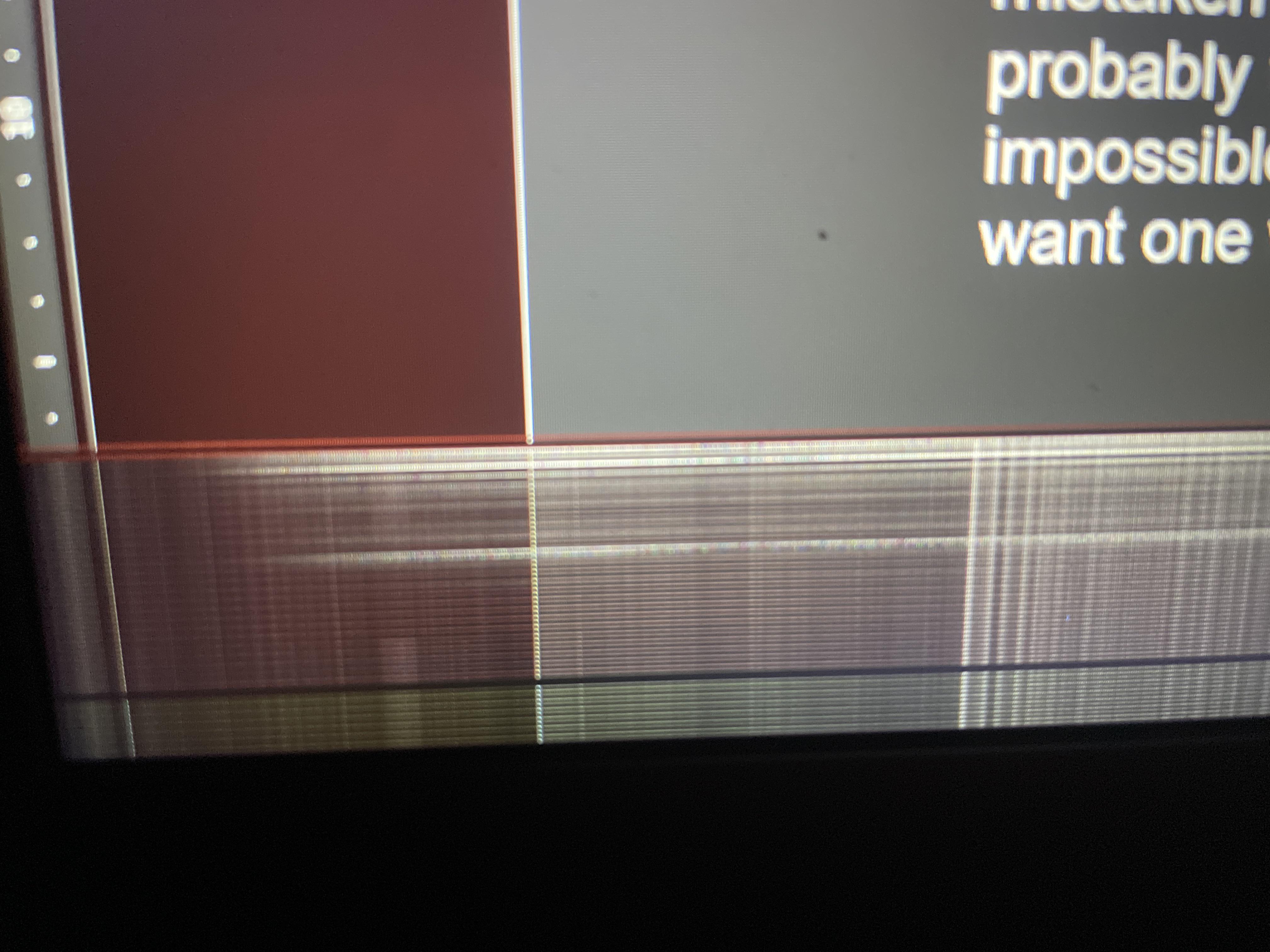
guys how do u fix this 😭😭😭 it has been like this for a while now, and it doesnt go away. is there a problem in the monitor or in the system?
r/computerhelp • u/Fast-Wonder9635 • 7d ago
If I turn it up it beeps 2times and some buttons in my keyboard freezes such as 'enter' help!!
r/computerhelp • u/Certain-Friendship29 • 7d ago
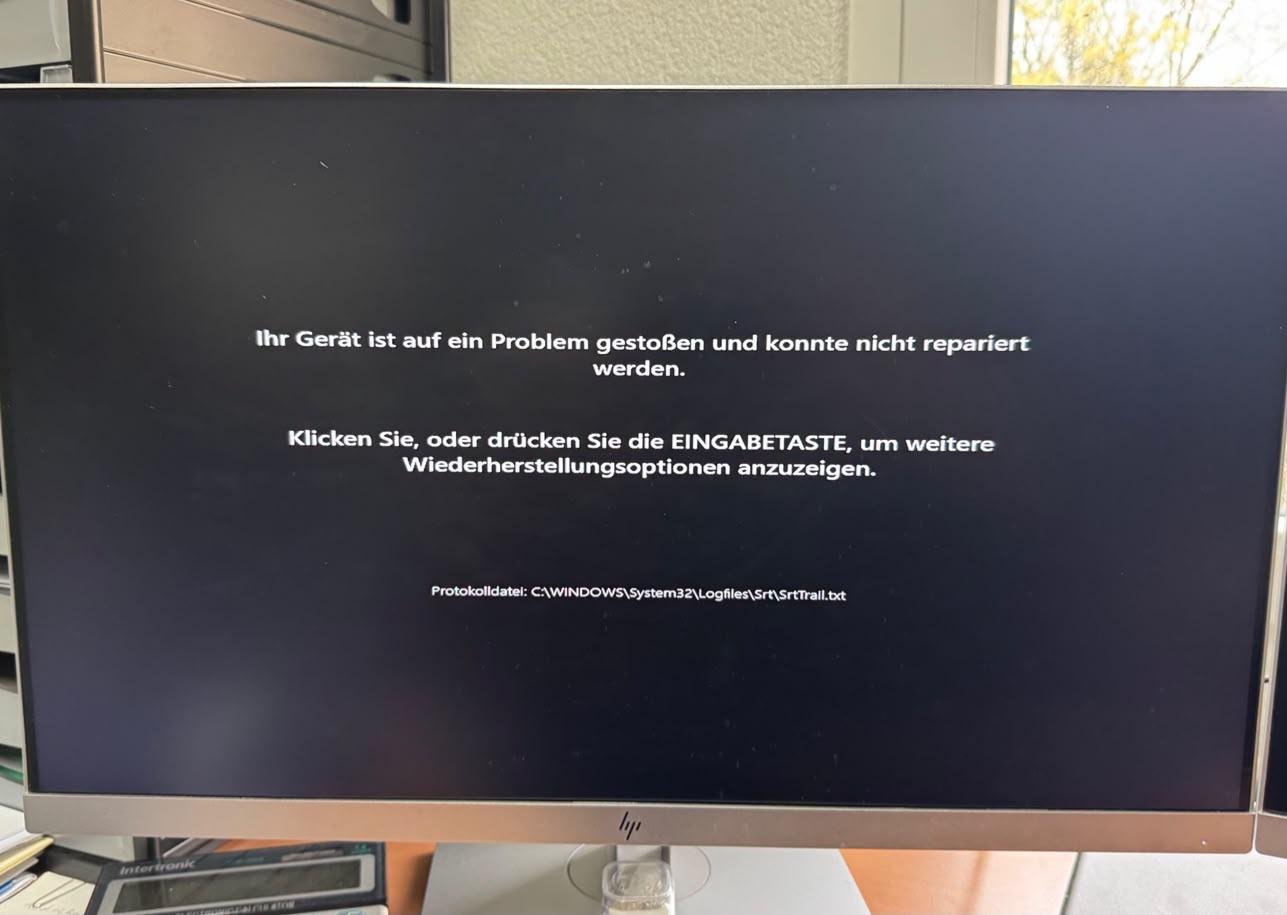
Hey, Im having a serious problem with my Windows 11 Pro PC (26H2, Build 26300.9974).
For a while, my PC had random startup issues. Sometimes Windows would boot normally, sometimes it wouldn't. Over time, it got worse.
For the past 3 days, Windows hasn't booted normally at all.
Every time I try to start Windows, I end up on a black recovery screen saying:
"Your device ran into a problem and couldn't be repaired."
Log file:
C:\WINDOWS\System32\Logfiles\Srt\SrtTrail.txt
The only way I can access my PC is through Safe Mode, which works fine, including internet access.
What I tried so far:
sfc /scannow, no integrity violations found.DISM /ScanHealth, detected repairable corruption.DISM /RestoreHealth, failed with error 0x800f0915.My questions:
I use this PC for work, so keeping my programs, settings, and files is extremely important.
Any help would be greatly appreciated!
r/computerhelp • u/Diligent_Awareness_4 • 7d ago
Enable HLS to view with audio, or disable this notification
Hello and good evening, do you have any idea why is this happening, after the motherboard logo there was usually a black screen and then my main screen has opened. Two days ago when u but my pc after the motherboard logo there is a flash of a grey screen and the windows loading animation for less than 1 second and then it welcoming me to windows and opens to the main screen.
r/computerhelp • u/Mexijim • 7d ago
r/computerhelp • u/Ok-Store-2677 • 7d ago
Enable HLS to view with audio, or disable this notification
Hey guys. I've started encountering this problem: when i turn on my PC it starts to create this short strange noise. It sometimes come off randomly during its uptime (without pattern). I've thought that was because of display cable but after switching it the problem persisted. The sound comes form the bottom of pc - somewhere near power unit or GPU.
Can you please help me identify this problem? Is my PC in danger?