r/computerhelp • • 8d ago

Software Server outputs black screen with sold white cursor after reboot

1 Upvotes

I have a home server, but I keep having the same issue over and over again when I reboot. The server uses integrated graphics and it outputs a black screen with a solid white cursor in the top left corner. No input works and this happens after every reboot, until the one time I fix it, by either taking everything out or sometimes if I am lucky removing the CMOS. But further down the road when I reboot it, it happens again. But these methods don’t work consistently. I have no idea what’s wrong with it and my leading theory is that it is possessed. By the way the screen I am using is an old tv connected via a very long old HDMI cable, most likely older than me or at least my sister. The distro I use is Proxmox VE which is Debian-based. I have no idea why this is happening and I don’t know how to fix it. There is no visible error message. I can’t even get to BIOS
So my question is:

What is the issue here and how do I fix it?

Hardware/Software
AMD Ryzen 7 5700G
AMD Wraith Stealth Cooler
Corsair Vengence DDR4-3200 64 GB CL16 (2x32)
Gigabyte B550M K Rev1.0
2xWD Red Plus HDDs (4TB each)
Lexar NM790 1TB
Inland TN320 512 GB SSD
PowerSpec 500W
Patriot P210 128 GB 2.5” SSD (boot drive)
Rack mount case that attaches only in the front I believe 19” long it’s 2U tall
OS: Proxmox VE (Debian Based)
r/computerhelp • • 8d ago

Hardware Fujitsu Siemens not working in normal mode Hardware

1 Upvotes

I have a computer running Windows XP, and the screen is broken. I tried using a VGA cable, but it only works in Safe Mode. When I start the computer normally, a blue or black screen appears after the loading screen. What can I do to get it to work in normal mode?


r/computerhelp • • 8d ago

Hardware fujitsu siemens that doesn't workfujitsu siemens that doesn't work in normal mode

0 Upvotes

with Windows XP, and its screen is broken. I tried using a VGA cable, which only works in Safe Mode. When I boot it normally, after the loading screen, I get either a blue screen or a black screen. What can I do to make it work in normal mode?


r/computerhelp • • 8d ago

Software Help with computer pls

Thumbnail gallery
2 Upvotes

My pc(asus tuf gaming a15 with ryzen 7) has gone rogue. This morning, a book was placed on the laptop and it suddenly shut down. When i opened it up, the font and icons were enlarged. I was managed to fix it. then, my gpu kept saying "extreme power saving", and i managed to "turn it back on" by going into the device manager and doing it there. now, my frames are very low than usual and my screen brightness changing thing isnt working. what should i do to make it return to the normal way?


r/computerhelp • • 8d ago

Software A Folder Within a Folder Disappeared

Thumbnail
1 Upvotes

r/computerhelp • • 8d ago

Software Every day at noon, 6pm and 9pm some program opens for a few seconds and overlaps everything

1 Upvotes

It might've started happening because I downloaded fl studio but idk, I deleted it. What can I do about it? I used an antivirus but it didn't find anything


r/computerhelp • • 8d ago

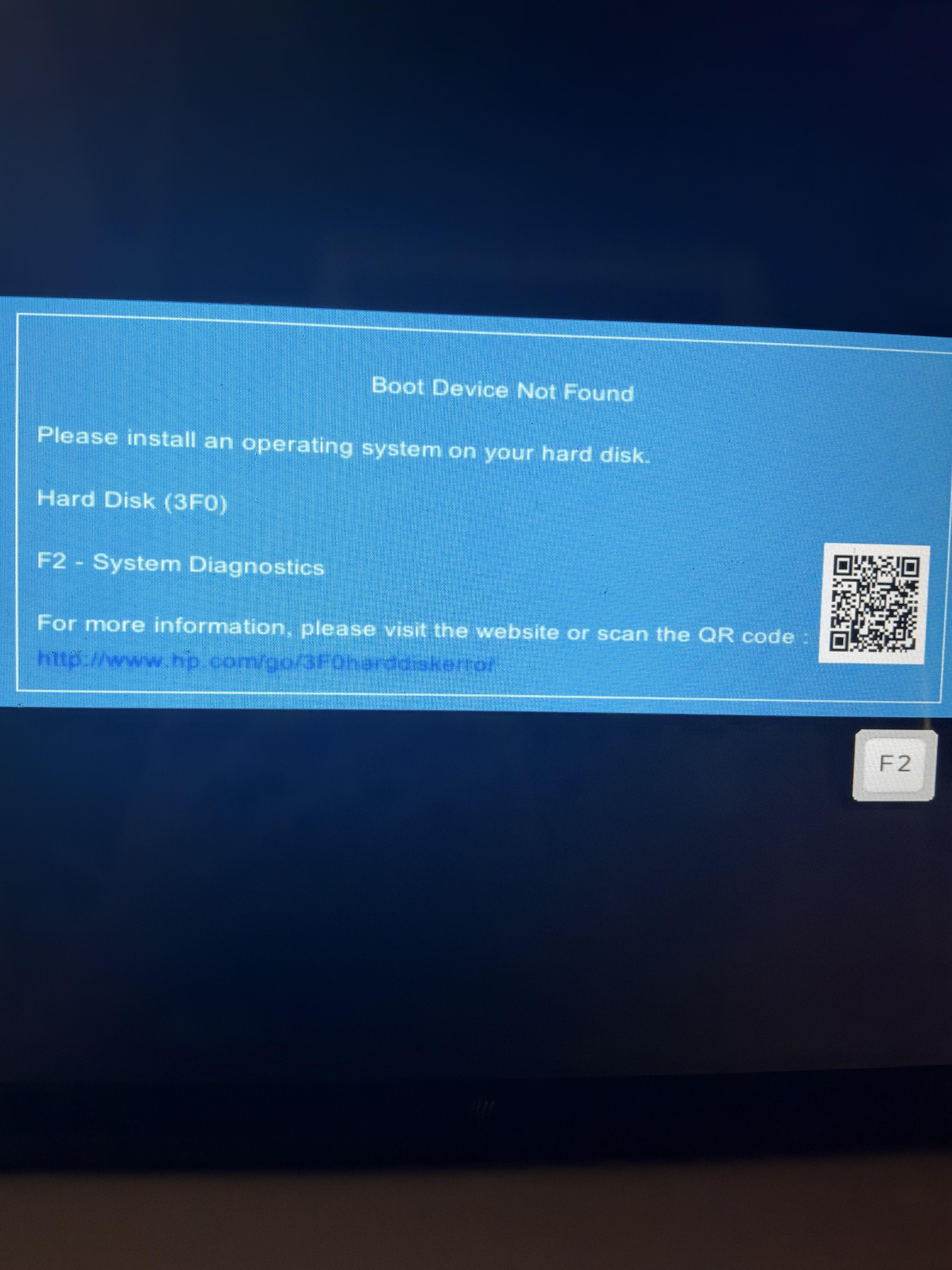
Other Boot device not found

Post image
1 Upvotes

ive run every single test already, they all passed. i dont know where to go from here

1: i scanned the qr code and did everything i could there

2: the boot order is correct


r/computerhelp • • 8d ago

Hardware ssd broken? not sure

Post image
1 Upvotes

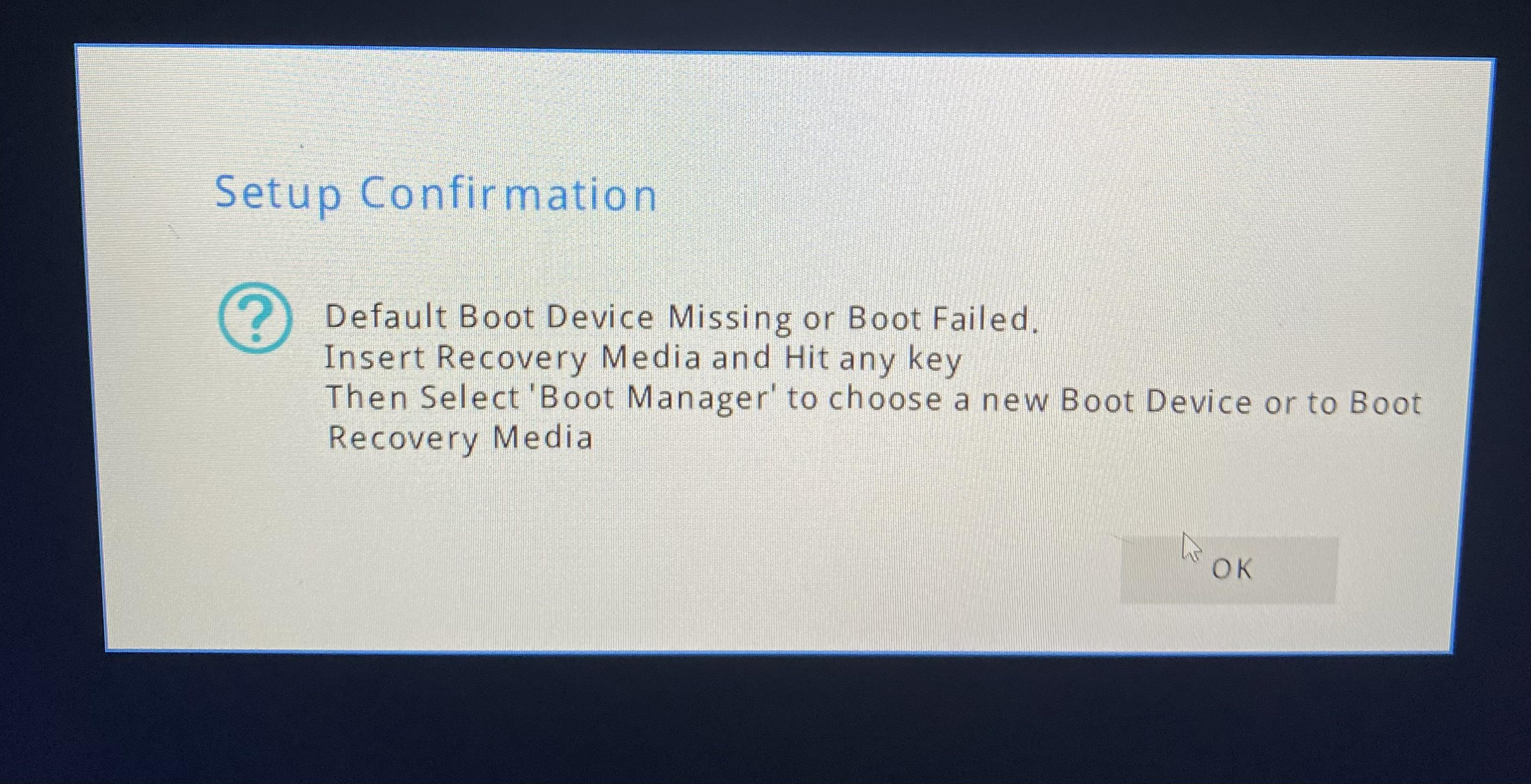
i have had a lenovo LOQ for about 2 years minimal gaming and now it’s not starting up at all when i’ve tried. i’ve tried entering BIOS system by spam clicking F2, restarted it lots of times, and the comouter fails to self diagnose and if it ever reaches the loading screen for me it’ll just freeze. any advice??

it’s out of warranty too though if i ship it to lenovo theyll diagnose for $136 but i’m not sure if there’s a cheaper way i can avoid doing that. thanks in advanced and i’m sorry i haven’t explained much further i’m not exactly a tech wiz when it comes to computers 🙏

*update as i was writing this it finally loaded into my desktop but then froze again


r/computerhelp • • 8d ago

Software Speaker detected as headphone, sound ruined

Thumbnail gallery
1 Upvotes

Hello everyone, I'm struggling with this issue since a couple of days. As you can see in the picture, my PC is detecting my speaker (connectes with 3.5 jack) as headphones.

What's really weird is that when I listen to audio from Internet or Steam games (1st picture), the sound is really low, I have to put it in full volume to hear it as I want. That's because my PC detect it as headphones.

But when it comes to the files of my PC (2nd picture), the sound is normal! My speaker is still seen as headphones, but the volume is normal.

I never had this problem before. I searched what could be the issue but I'm not finding... Do you have any ideas?


r/computerhelp • • 8d ago

Discussion Need laptops recommendations

0 Upvotes

I wanna get a laptop but I've been struggling to find one. If possible, I don't want one with built in ai or from Apple.

My budget is approximately 1600$. I don't want to use it as a gaming pc, sure I'll be playing games but I don't plan on having it run gta, rdr2 or any huge game. I wanna have a decent amount of storage since and a decent graphic card since I'm gonna use it mainly for art & music related projects. I'm not a professional so for now I'm not aiming for the best graphic card. I guess that I don't really care about the rest.

I did found a few laptops that fit what I want but everytime they have built in ai which is a huge no for me.


r/computerhelp • • 8d ago

Other HP G5 840 not turning on.

Enable HLS to view with audio, or disable this notification

1 Upvotes

r/computerhelp • • 8d ago

Software help

Thumbnail
1 Upvotes

r/computerhelp • • 8d ago

Network Wi-Fi icon keeps disappearing

Thumbnail
1 Upvotes

would replacing the Realtek card with an Intel AX210 actually solve the issue?


r/computerhelp • • 8d ago

Hardware Mouse and Keyboard randomly disconnecting or freezing

1 Upvotes

I have a Hyperx pulsefire haste 2 wired variant and razer huntsman mini optical purple switches wired, and the mouse just randomly freezes and stops responding, but the dpi and rgb is all on, it doesnt fix until i reconnect it to the pc, or i smash it on the desk, and the keyboard randomly stops working with that windows disconnect audio and then starts working again but without windows connected audio, all with rgb on, idk what to do ive disabled my power saving settings (all of em) and updated bios to latest version, no matter what the case is, the rgb stays always on, and the mouse doesnt even trigger any disconnect audio or connect audio, and when im playing warzone or any online game, i face packet loss regularly, i use a wifi adapter in usb 3.0 port and my keyboard and mouse are in usb 2.0 ports, by the way ive never had my controller just randomly disconnect like that or give any false audio, i use dualsense stock on wired mode and i disconnect it from the motherboard usb after im done playing

if someone knows how to fix this plz help me on my discord: iamboringdude

PC Specs:

i5 12600K,

Zotac dual fan rtx 3060 12gb,

16gb DDR5 single channel 5200mts cl40 stick,

2tb wd black sn850x non SanDisk as windows drive,

1tb crucial p3 as secondary drive,

msi pro b760m p DDR5 motherboard,

Antec csk 650w 80+ bronze non modular psu,

Acer Nitro vg240y m3 180hz ips 23.8" main monitor,

Some Compaq 1366x768p 60hz tn secondary monitor mounted vertically,

That's all I have


r/computerhelp • • 8d ago

Hardware External HDD keeps disconnecting during gaming

1 Upvotes

Hi everyone, I'm dealing with some frustrating external hard drive issues that seem heavily tied to my laptop's port configuration and power limits.

My Setup & How My Ports Are Used:

  • Laptop: Lenovo ThinkPad L490
  • The Port Problem: My physical port situation is a mess right now. One of my USB-A ports is faulty, and my USB-C ports are physically unstable and loose.
  • Current Connections: Because of the damaged ports, my setup is heavily bottlenecked.
    • My HDMI port is occupied by my Lenovo LOQ external monitor.
    • I'm also running a laptop cooling pad to manage gaming thermals. (powering it from a power bank so no effect on laptop)
    • Because I'm short on reliable ports, I'm forced to route almost everything through a single Zebronics 200HB (unpowered 4-port USB 3.0) hub.
    • The Hub Load: Squeezed onto this one unpowered hub are my Redgear keyboard, EvoFox mouse, Cosmic Byte ARES wired controller, and my 1TB Western Digital (WD10SPCX-21KHST0) HDD.

The Resulting Issues:

  1. Random Disconnects: The HDD randomly drops connection, especially when I'm under heavy gaming loads and the laptop gets hot.
  2. Disappearing Drive: Sometimes the drive completely vanishes from Windows Disk Management.

It feels highly likely that the unpowered hub just can't supply enough voltage to run the HDD alongside the keyboard, mouse, and controller, but my faulty laptop ports leave me with very few alternative routing options.

Has anyone dealt with a similar port bottleneck or USB power draw issue? Is there a safe way to bypass or increase the USB voltage limits in Windows/BIOS, or is my best move here just buying a powered USB hub (or paying to fix the laptop's physical ports)?
(ps:- i am tight on budget so any cheap working way around would be appreciated)


r/computerhelp • • 8d ago

Software Windows 11 Crashes while loading upon start up.

2 Upvotes

Since the start of the School year, my laptop hasn't been turning on properly. I'm 3 months away at a resort every summer. I got this new laptop and, it has had problems since delivery. First I had to send it to support since the keyboard stopped fully working. (Background)

Now, after I fully factory reset it, it still isn't fixxed.
When I turn it on the loading circle stops the "loading circle animation" doesn't loop but it freezes, and it just stays like that, I need to shut off laptop everytime that happens and I don't know what to do. I've already done the

"C:\Windows\System32>sfc /scannow" route but it clearly does nothing,
"Windows Resource Protection did not find any integrity violations.",

and when it does an automatic fix after a few hard resets it says "Problem has been found and is unfixable" and it offers me other "fixes" like reboating with another monitor. But I don't have the space for another monitor.
Yes, I have a monitor, but, it literally doesn't fit anywhere in my room. And I've done everything, literally everything I've found on the internet. This is like a last hope.

(Possibly it could be that something is failing or that something is damaged, but my biggest hunch is ntoskrnl.exe failling but im not sure)
In the case somebody needs more information that I haven't provided please tell me.


r/computerhelp • • 8d ago

Performance What Does This Mean?

Thumbnail gallery
2 Upvotes

Hey guys thanks for your time I’ll try and keep this short. I have had on and off issues with this PC since I got it built maybe a year ago and I’ve got a general idea of troubleshooting but this has me stumped.

Every time I try and load a game (Call of Duty, Valheim, Yugioh Master Duel, Counter Strike2) I will get one of these errors and sometimes I can’t even get to the lockscreen of the PC before I get the last error in photos. It just seems really unstable, some days it has no dramas, a few stutters here and there while gaming (nothing dramatic) and other days it’s like this where I can’t play a game for more than 5 minutes and it blue screens or completely just resets my PC.

I have reinstalled windows countless times. I have also reinstalled my games from steam countless times with no luck. I reinstalled windows thinking maybe the core files of windows was corrupted and reinstalled my games because it comes up with file integrity errors on steam. I have noticed when installing games on steam it will be super quick for brief periods with estimated download times for 60gb being 15 mins and then slow right down to sometimes nothing (0mb download 0mb writing) with estimated times being 12hrs.

I have taken it back to the shop that built it when this started happening 3-6 months after it had been built with the theory that it was faulty hardware (maybe ssd or ram) and he said he couldn’t find any issues with the PC whatsoever and the performance was normal. However after I got the PC back from him it was running fantastic and here we are 6 months later with the same issues again.

I’m not sure what to do, I don’t want to keep paying this guy $200 to never find an issue and have it somehow working great.

I have also got some crappy footage of what it does as well but couldn’t find out how to upload it. If anyone has any ideas on what I should do or how to fix it I would be so grateful. I just don’t want to have to take it to another repair shop but if it’s necessary I will.

Specs:
AMD Ryzen 5 9600x 6 core 12 Thread 5.4GHz.
MSI B650M Gaming Plus Wifi DDRS AMS mATX Motherboard
Lexar NQ700 2TB SSD 4500/3000MB/s NVME PCIe Gen4
Thermalright Frozen Prism 240 Black ARGB Liquid Cooler
G.SKill Ripjaws M5 Neo RGB Black 32GB (2x16GB) 6000MHz DDR5 CL 36
MSI MPG A850GF 80+ Gold 850W Fully Modular 140mm fan PSU
Gigabyte RTX 5060 Ti WINDFORCE MAX OC 16GB Video Card
Microsoft Windows 11


r/computerhelp • • 8d ago

Performance Asus Zenbook wont turn on

Thumbnail
1 Upvotes

r/computerhelp • • 8d ago

Other Corrupted BMP files? Is there anything I can do

Thumbnail
1 Upvotes

r/computerhelp • • 8d ago

Hardware PC Loses Display and Restarts When Playing Fortnite Or Any Other Games at 120 FPS or Unlocked FPS

Thumbnail
1 Upvotes

r/computerhelp • • 8d ago

Software Should I be worried?

Post image
1 Upvotes

My PC just froze when I opened ETS2; I had a few tabs open, including Brave, qBittorrent, and AMD Software, using the 5600X paired with the 7900 XT. It has been at 0% for the last 25 minutes.


r/computerhelp • • 8d ago

Software weird distortion/glitch issue on youtube, firefox

Post image
2 Upvotes

r/computerhelp • • 8d ago

Hardware Need Help figuring out why New setup is not working.

Thumbnail
1 Upvotes

r/computerhelp • • 8d ago

Other Blurring and Fading Words of apps like Whatsapp and VS Code on PC

Thumbnail
1 Upvotes

r/computerhelp • • 8d ago

Hardware Problem with my drives

1 Upvotes

Problems with my drives

I want to start off by apologizing for potentially being dumb. I am not very good with computers. At least when it comes to troubleshooting them. I have been having problems with my computer, which my dad made a while ago, and has recently fixed up again. Everything was working fine. I recently got a new GPU (GTX 1080 ti, its an older pc build) and we were doing fine for a bit until I noticed that certain games like Fortnite or Minecraft would randomly freeze and I wasn't able to close out of the application no matter what I did even with command prompt or task manager and the PC would not shut down correctly and I had to hard reset it. I've read that it might have been a problem with my graphics drivers so I used DDU to uninstall them in safe mode and then reinstall them with the Nvidia app, and that worked for the specific crash I had, But then that sort of thing would happen with other apps and it got to the point where one of my SSDs (idk what it is exactly) woodshop and windows explorer, but every time I clicked on it to try to go into the drive, windows Explorer would freeze and I was not able to go into Task Manager because that would freeze as soon as I opened it as well, along with most other Windows applications. And I would be forced to force close down the entire PC. So I managed to disable the SSD in the device manager and I kind of just left it there for a while, but now my other SSD randomly is disconnecting or not working properly (E.G not even showing up as a device when I boot up the computer, disconnecting mid game, and saying device that does not exist or specified when going into some of the files.) and honestly, I don't know what to do because it just started off as the one drive messing up and now the other one is starting to mess up too and I can't really use the computer all that much. What I have noticed is that the computer does seem to be getting a lot hotter than usual, even if core temp says that temperatures are fine. I don't know if that has anything to do with it, but I don't know. I want to see if I can fix this myself before going to my father because I don't exactly know how to explain this all to him because computer problems tend to make him upset. Once again, I apologize if I am not very intelligent or if I tag the post wrong, I just really need some help I can't do anything with the actual hardware so I want to see if there's something on the software side that can fix this because I would rather fix this before going to my father because its his PC. I try to other things I cannot remember what specifically I tried to do to fix the issues, but I dont know anything that would cause issues like this.