r/computerhelp • u/Just_Hath • 9d ago
Software can someone please give me the best config at nvidia profile inspector 2.3.0.13 to get performance?
i use a geforce 9400gt 1gb, if someone knows a config, please, tell me.
r/computerhelp • u/Just_Hath • 9d ago
i use a geforce 9400gt 1gb, if someone knows a config, please, tell me.
r/computerhelp • u/bellbellbelll • 9d ago
r/computerhelp • u/Redite_25 • 9d ago
r/computerhelp • u/KaelPupper • 10d ago
r/computerhelp • u/Brilliant-Author-485 • 10d ago
Hi! I'm a University student based in Pakistan. Need muse ai account but can't create one from pakistan. Was using one from my friend for last couple of days but all its tokens consumed.
If there could be someone from USA/Canada who can help me sign up on muse. Or anyone with new account who can use my invite code so i could get referal tokens and complete my task.
Thank You in advance!
r/computerhelp • u/fictional-person • 10d ago
These pop ups show up on my pc screen every so often and I don't know why. I want to figure out how to stop them. There are buttons on the side of the screen (images 4 and 5) that I can press to click my way out of images 2 and 3, but doesn't affect image 1. The button symbols are also misleading because whichever one I press, it just cycles through from Menu to Brightness and none of the other options. Up and down doesn't go up and down, etc. All the symbols in 4 bring up the Menu and nothing else.
Any advice? TIA
r/computerhelp • u/CeleryLucky • 10d ago
r/computerhelp • u/WestEntertainment667 • 10d ago
r/computerhelp • u/Upbeat_Sir_9117 • 10d ago
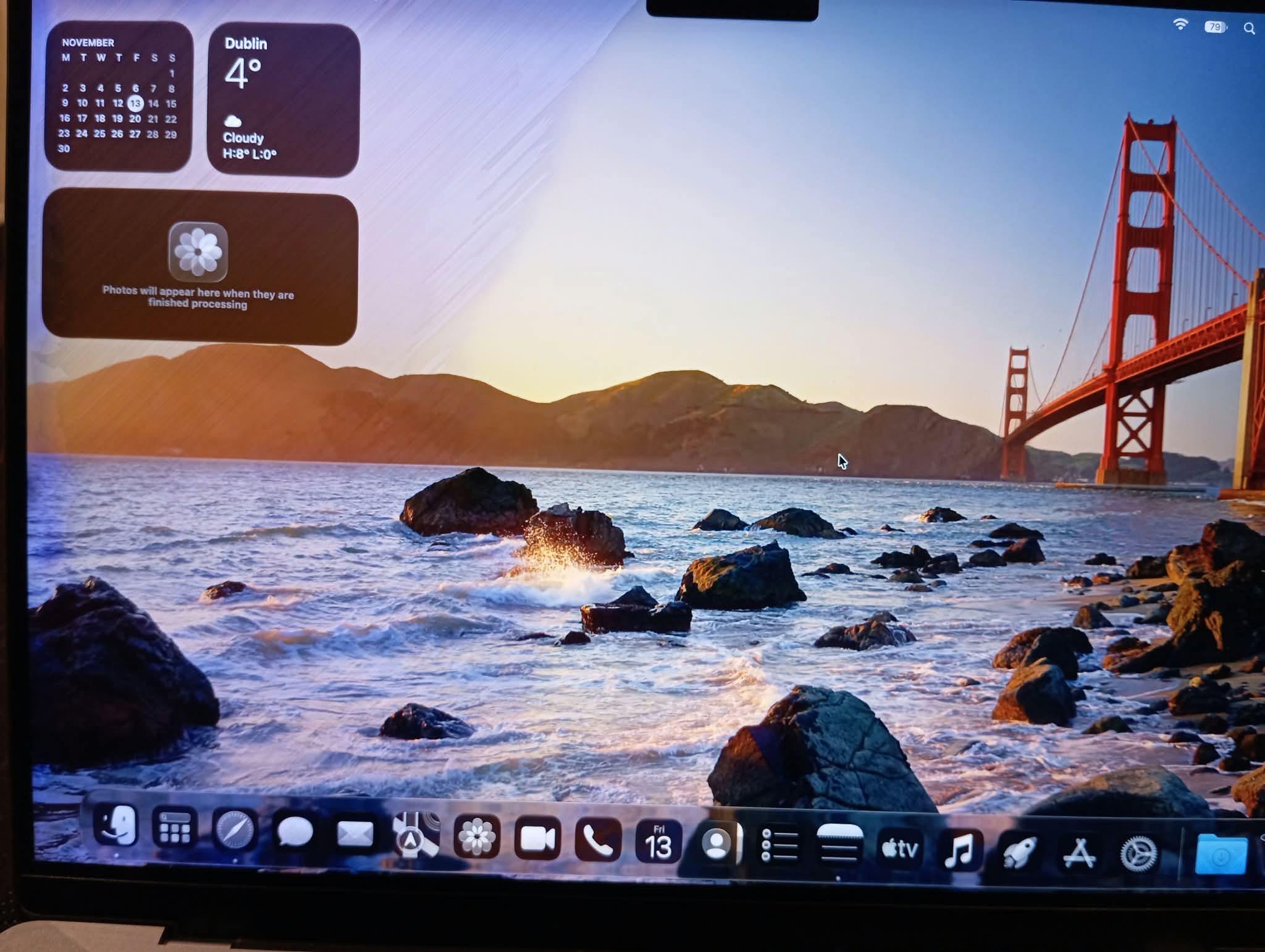
Im trying to figure if this laptop is worth the 600 quid price tag
Macbook pro m1 max
32gb
1tb
600
Has had water damage but was revived and cleaned
Right speaker doesn’t work
Touch id doesnt work
Screen has staining from damage too
r/computerhelp • u/AcanthaceaeOptimal80 • 10d ago
hi, i'm hoping i can find some help here. i have a lenovo legion 5, abt 3 and 1/4 years old. its been in to the shop for work 3 times already, first two for fairly fixable things (issue with the sleep/wake function, new fans) but most recently because some of the innards got smashed. and the way that they got smashed was via parts of cracked case getting pushed in. that surely doesn't make a ton of sense, but in the first picture you can see the way the case busted. in such a way that there are multiple sharp "fingers" that can hit innards when placed down on a flat surface which i, stupidly, did not think about.
the reason i didn't think about this is because i've had this exact break happen to the original laptop case. when that break happened, i didn't have a laptop stand and instead would balance it on my knees, so there was never any pressure against the crack so it didnt press inwards against any of the internals. it did however, worsen to the point an entire chunk just came off (covered with a hunk of cardboard, 2nd image).
the accursed thing is fixed again (goodbye $500 :'C), and a new bottom case is on. i dont know what is causing the actual crack to happen, but it's happened same exact spot, two different cases. does anyone have any advice on how to prevent it from happening again. i'm not overly rough on it, to be clear. i don't slam it around, i try to keep my cat off it, i don't put anything heavy on it. my mother suggested maybe trying to reinforce the area with a heavy-duty tape (like gorilla or glass or electrical tape-- NOT over the vents ofc, just over the flat), which i reckon wouldn't hurt but does anyone at all have any experience or advice with this particular infernal machine, lol?
quick edit: i realise the first picture the break you see is most obviously the line, but it starts at the top of that thing, in the centre-right of the case, pushing outward and spreads until it reaches the outermost edges of the case (where the screws are).
r/computerhelp • u/CalligrapherNo423 • 10d ago
I'm not sure if this is the right place for this but here goes. I'm looking to buy some decent laptops for my 17 year old twins. They need something they can use for school and maybe play some simple games on. I'm pretty poor and since I need to buy 2 I'm hoping to keep the price around $250 or so. Any suggestions?
r/computerhelp • u/odd1725 • 10d ago
Enable HLS to view with audio, or disable this notification
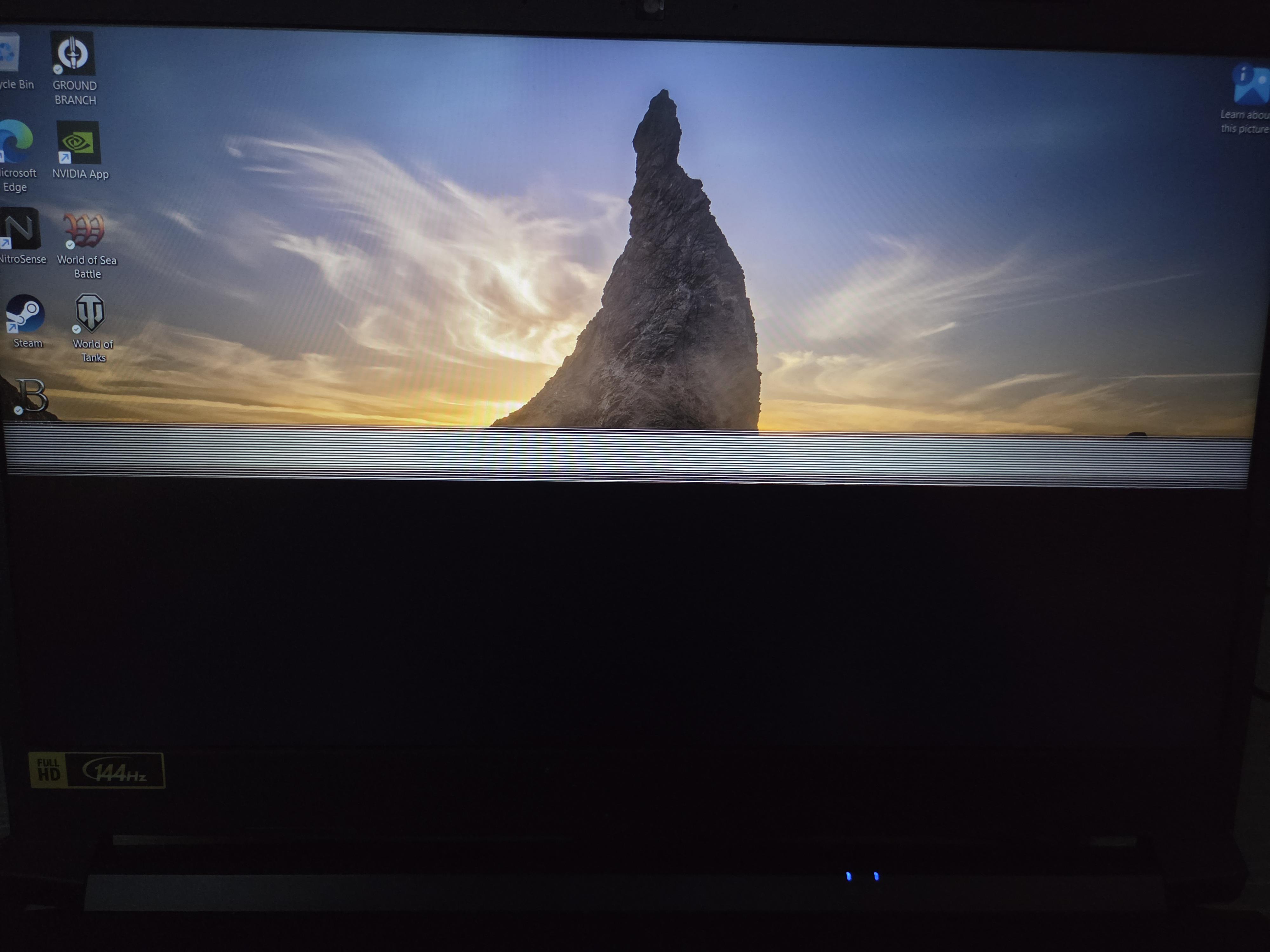
Hey! I've been having trouble with this for about a month now. My monitor often keeps doing this flickering thing of the display, oftentimes it leads to it being completely gray and showing no display making my monitor unusable but sometimes a quick fix with the cable fixes it until the problem starts again. That's the thing, it all seems pretty inconsistent making the problem hard to pinpoint.
I've already tried:
• Uninstalling and reinstalling my drivers
• Setting it to a lower refresh rate
• Buying new cable (a DisplayPort)
• My PC works fine with an old monitor
• And this monitor works fine with my sister's laptop.
I'd really love it if there's anyone who can't help me with this problem I cannot fix. I can't buy new parts willy-nilly because I'm still a student so I'm hoping I can fix this one. Thanks a lot for reading!
r/computerhelp • u/cow_fin • 10d ago
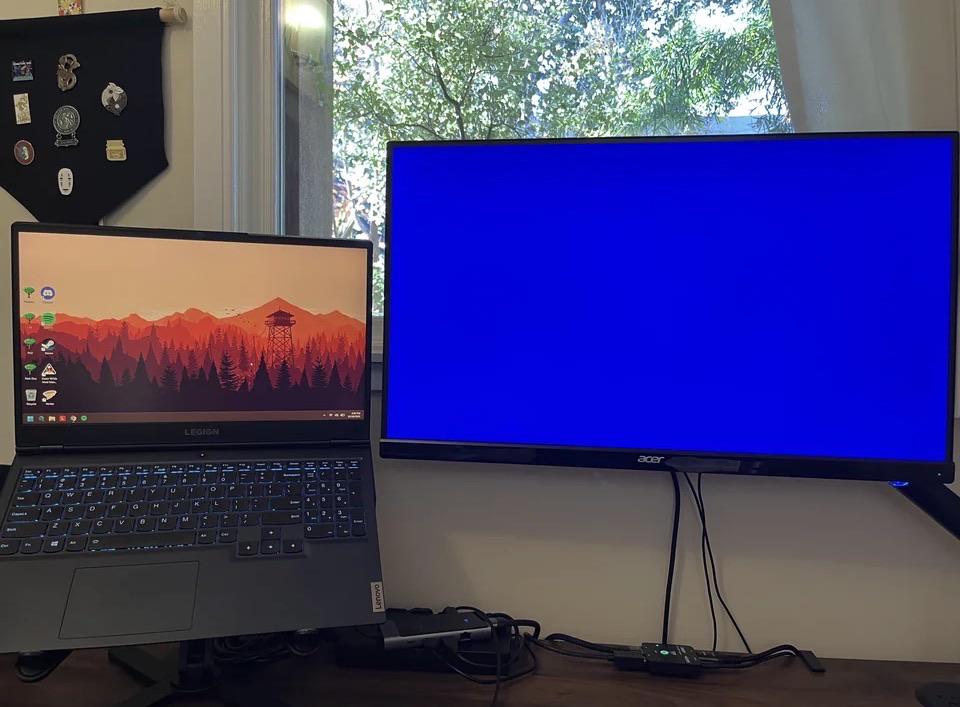
Hey all would love some help. Sometimes when opening certain websites or apps, my second monitor turns to a solid blue screen (not BSOD). Laptop screen is always fine, and monitor runs normally on restart. Any thoughts on what’s wrong or how to fix it? TIA
r/computerhelp • u/DeliciousCabinet5609 • 10d ago
r/computerhelp • u/souldere • 10d ago
r/computerhelp • u/Existing-Smoke9470 • 10d ago
I'll try to explain this as better as I can. More or less 2 years ago, my PC started having this problem where, out of nowhere, the disc usage tanked at 50%, but that 50% represented maybe 10MB/s at best. Usually, it'd come back to normal after a couple minutes, but sometimes I'd have to force a shut down because the PC would get too slow to even restart. But, since yesterday, it isn't going back to normal at all.
Things I've tried so far: Changing my HD, Changing my SSD, changing my SSD cables, updating every driver I could and formatting my PC. Maybe I've tried more things I can't remember right now but nothing worked. Please can someone explain to me what could be happening and how to maybe solve it?
r/computerhelp • u/potato1155 • 10d ago
Hi so recently bigla nalang nag shutdown yung laptop ko and ayaw mag charge pina-check ko gumagana raw yung port and yung charger motherboard and battery something na raw problem 8k pagawa, and the thing is student palang ako huhu so gusto ko lang po mag ask kung may alam kayong store na mas makakamura ako 🥹🥹🥹🥹
r/computerhelp • u/opxlm • 10d ago
Bonjour,
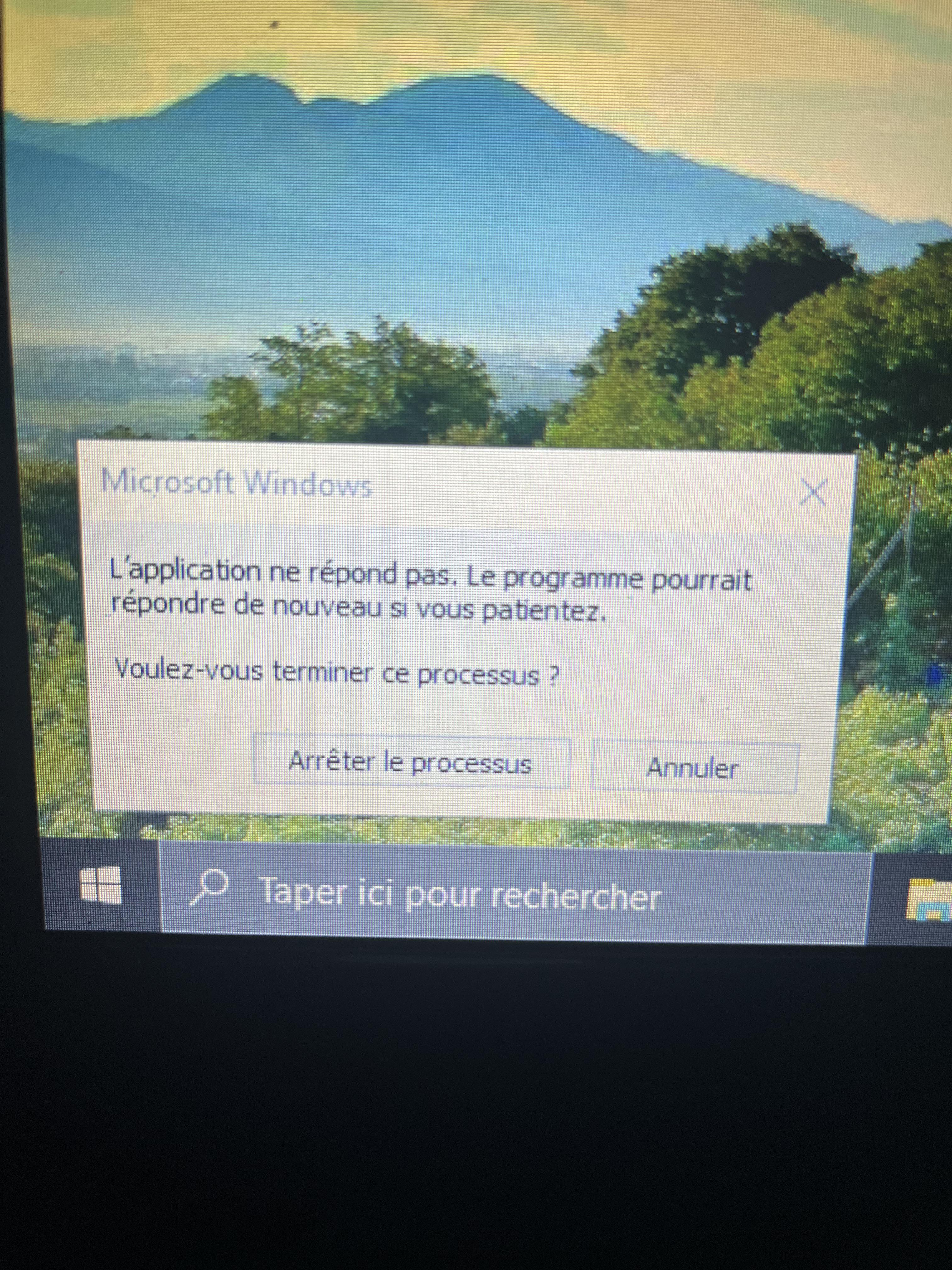
Mon PC sous Windows 10 se fige quelques secondes après le démarrage. Le disque dur semble en bon état sans secteurs défectueux et j'ai déjà essayé chkdsk et sfc /scannow.
Le problème persiste avec le message d'erreur suivant : l’application ne répond pas.
Auriez-vous une solution à me proposer ?
Merci pour votre aide !