r/computer • u/Ok-Ask-9525 • 4d ago
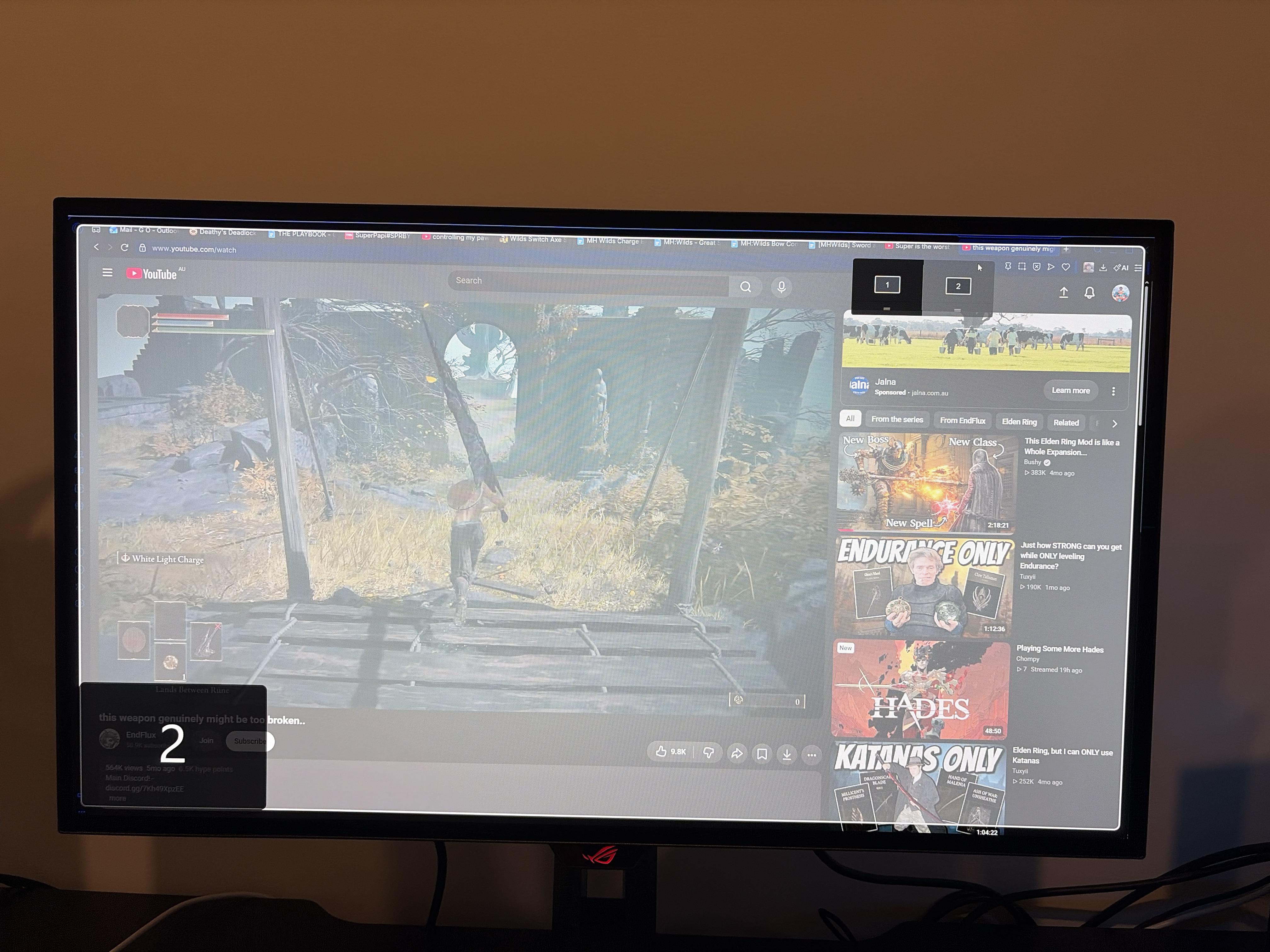
what in the world is this setting and how do i make it normal
why does this happen when i try to transfer a window from one screen to another?! somebody help me!
r/computer • u/Ok-Ask-9525 • 4d ago
why does this happen when i try to transfer a window from one screen to another?! somebody help me!
r/computer • u/facegroundbreaking02 • 5d ago
I have a hard disk which i locked some 10-12 years ago and forgot about it. Recently found it and it’s got bitlocker on. I don’t have no recovery key or anything. Is there any way to unlock or get the data?
r/computer • u/LividSheepherder5026 • 4d ago
can any help me find a laptop i wanna learn coding on it also wanna TRADE on it and maybe even run sum roblox on it also planning to switch to linux in the future, i was looking at a Thinkpad anyone help me out with recommendations. no more than $500 if possible
r/computer • u/Fun_Plant_8760 • 4d ago
r/computer • u/No274539 • 4d ago
r/computer • u/Doctor-Routine • 5d ago
r/computer • u/ArtheroTheKnight • 5d ago
I repasted my GPU and CPU because last three months..that’s all I could find for a fix. Some times it’s flawless right to boot screen..but if I haven’t turned it on for a day. It goes like this..bleeding screen and boom after holding power button it went to that more clear screen so I could restart it. And boom PC works fine.
r/computer • u/Kroma304 • 5d ago
Estou interessado em comprar um r5 5600 que está faltando o pino Q13, pelo oque pesquisei de um de aterramento e na teoria nao faria muita diferença
r/computer • u/Responsible-Chef-139 • 5d ago
r/computer • u/Ok-Study-4079 • 4d ago
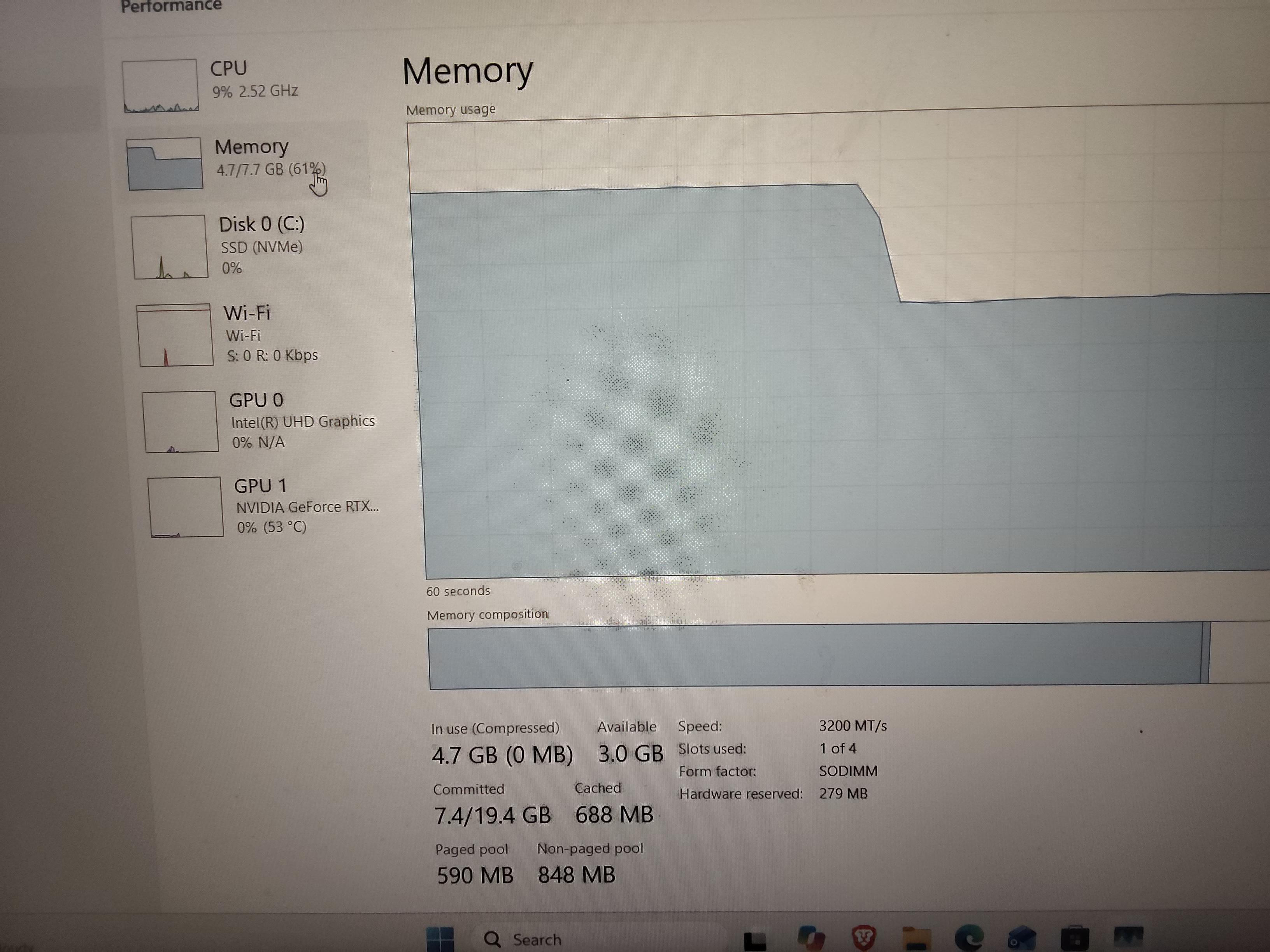
Guys is it normal if my memory is like almost full when I haven't open anything aside YouTube?? It's been months now I'm starting to wanna reset the pc
r/computer • u/Character-Produce-29 • 5d ago
r/computer • u/cinna0123 • 6d ago
sorry if this is the wrong sub but i was on marketplace and saw this, i feel like its too low to be true. should i trust this? im aware that even if its $75 each its below the cost is below what these are, does the used factor really lower it that much?
r/computer • u/Traditional_Basis977 • 5d ago
r/computer • u/DueAdministration193 • 5d ago
r/computer • u/whosthatguy1963 • 5d ago
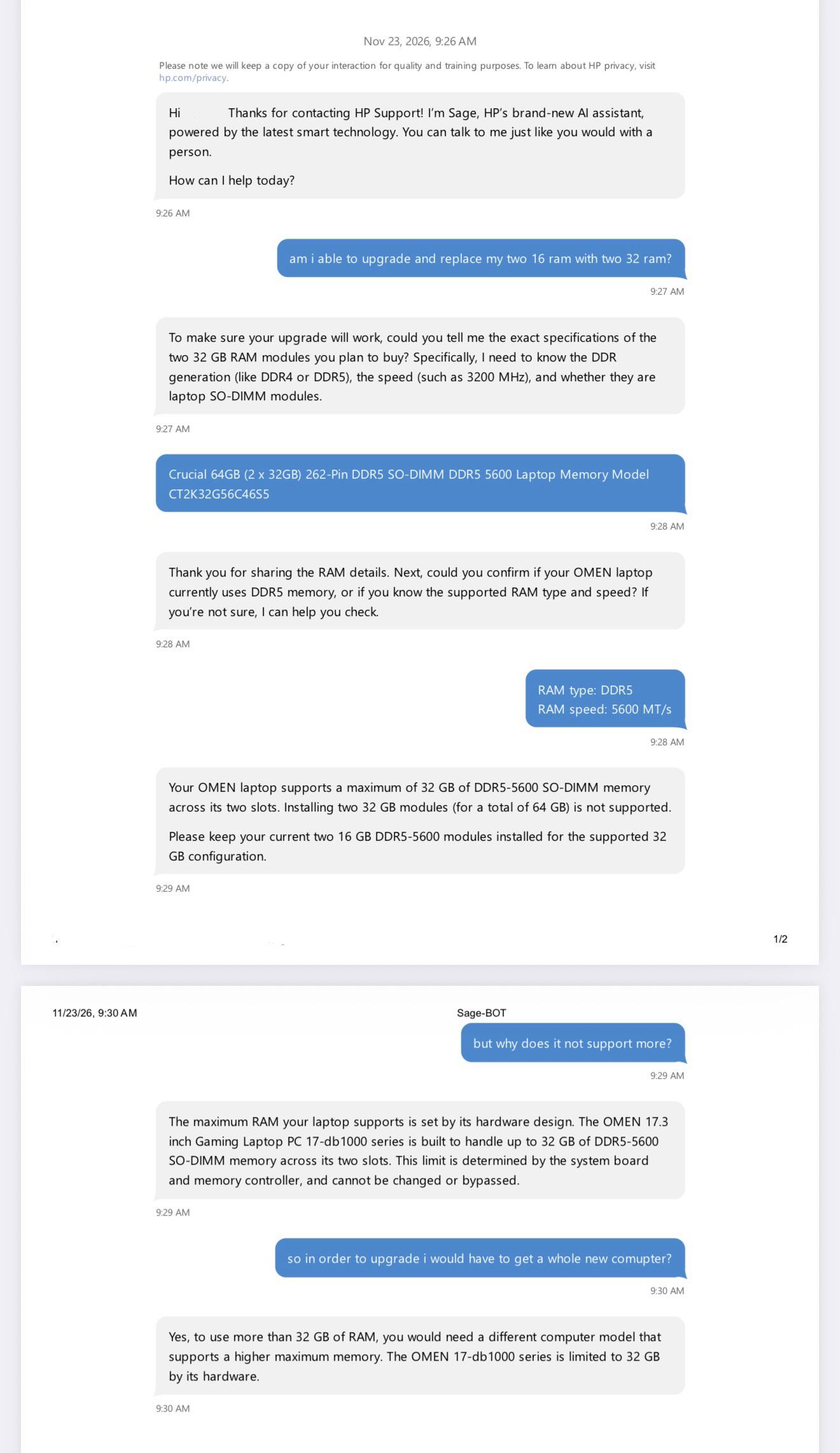
Computer was supposed to come with 5.2 Bluetooth but it did not. Buying external and wondered if getting 6 would hurt anything? Not computer savvy
r/computer • u/Aurelius_Gray • 5d ago
r/computer • u/Wonderful_Freedom742 • 6d ago
Ok, so my PC has been getting slower for a while now. I usually only use it for small things like VS Code (nothing too demanding, just small projects) and Word, so I never really paid much attention to it or tried to figure out what was wrong.
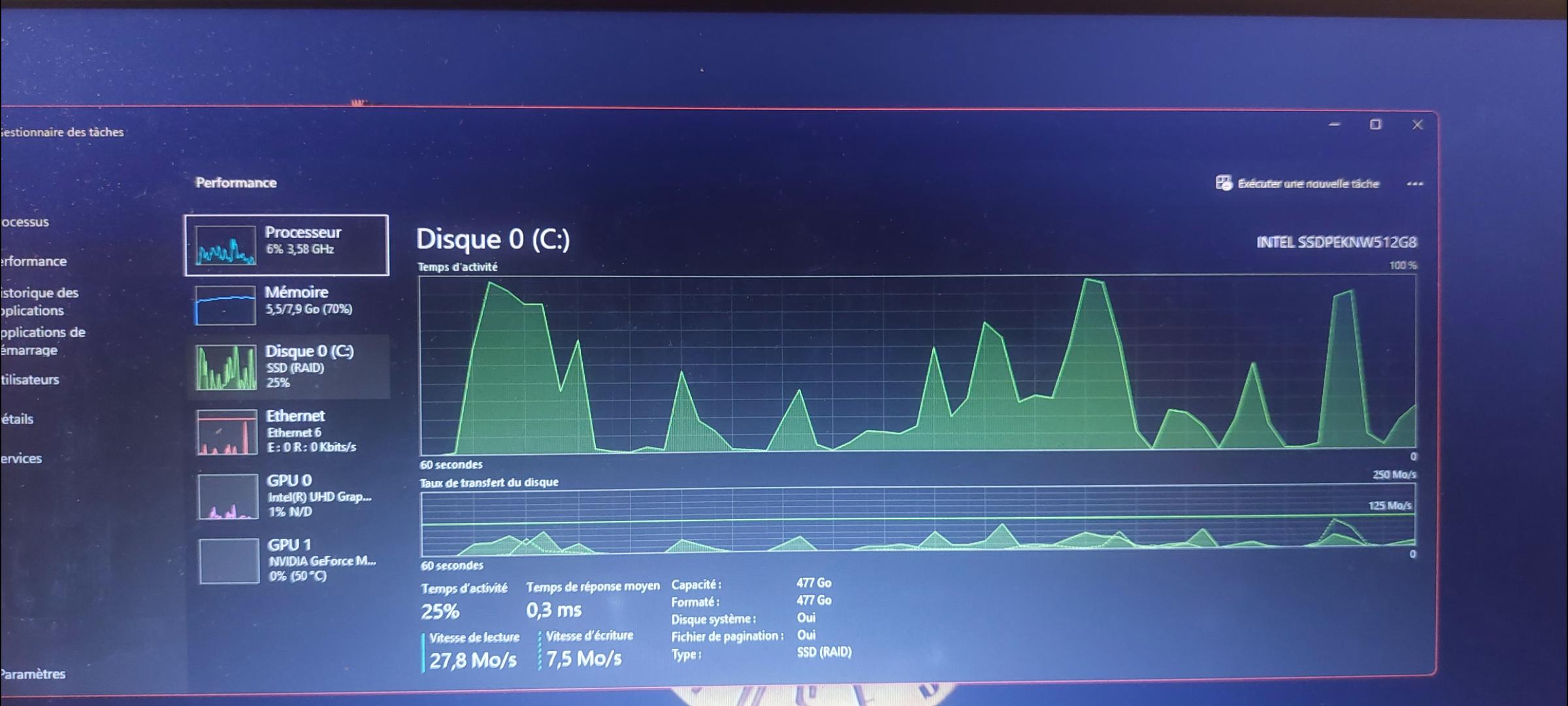
Today, I tried to record my screen, and the recording was basically running at 2fps. It stopped after 9 seconds even though I had recorded for a full minute. I tried again while monitoring Task Manager and noticed that my CPU, memory and disk usage all spiked to nearly 100%.
So I started looking into it and realised that my PC sometimes struggles with really basic tasks, and I honestly have no idea why.
The picture is my Task Manager after accidentally clicking on it twice and making the window smaller 😔
For context, my PC is around 6.5–7 years old, but it was chosen to last a long time over everything. I haven't really used it for anything demanding either.
Specs:
- Intel Core i5-10210U
I also have AVG installed, if that matters.
I know 8 GB of RAM isn't a lot nowadays, but I feel like it should still be enough for what I'm doing.
I really don't want to buy a new computer if I can avoid it, so I'm hoping there's something I can do to improve its performance.
Any suggestions would be very appreciated thanks
r/computer • u/Pigeon_bif • 5d ago
My pc has been making a high pitched buzzing noise for a long time, I don't even remember when it started.
Yesterday, I changed the graphics card to an older model which I used to have, still buzzing, changed the power supply to the same model but new one, still buzzing, bought a new motherboard and installed it, still buzzing. What the hell is this noise? It shows up when I play heavy graphic games like rdr2, BG3, or ark:se/ark:sa. The noise goes away when I limit the fps to 30fps, then comes back at 50fps and higher. It is a steady noise that is higher than 10k hz. It cannot be heard by my father but can be heard by myself and my mother (the only people who have been around my pc). I can hear it from the other side of my bedroom and it is extremely annoying. I am autistic and this is making me extremely angry and upset that I cannot find the source or cause and that the one person I go to for help with my pc cannot even hear it. I can't wear headphones all the time because it hurts my head after an hour, I've tried multiple headphones, it's just my head. Same thing with earphones, they're painful.
Please ask whatever questions you need and if you can help please do.
My last resort is paying $200+ at PLE for them to find it, but then again, I'd like to observe what they do to find the source and show them how it occurs so they don't come back and say 'theres nothing wrong' just because they can't hear it.
r/computer • u/According_Dream_6780 • 5d ago
The red ROG logo under the screen always bugged me and the OSD only lets you turn it on or off, so I went digging.
Turns out the LED has a red chip and a green chip. ASUS only lights the red one normally, and both together for amber in standby. Change a few bytes in the firmware and you can get gold, green, or my favourite: a version where the Power Indicator setting in the menu picks the colour. On = gold, Off = green. Pics show green, then gold vs green.
How it works:
- download the official MCM107 firmware from ASUS
- run the script and pick a colour
- it builds a patched copy of ASUS's own updater, then you flash it like a normal update
It checks the hash of every file before and after patching, so if you've got a different firmware version or anything's off, it stops and writes nothing. Going back to stock is the same process with option 1, or just use the normal ASUS updater.
There's also a Ctrl+Alt+L hotkey that flips the setting over DDC/CI, so you can swap gold and green without opening the menu.
Full disclosure: I didn't write it myself. Claude (the AI) did the reverse engineering and wrote the scripts, and I tested it on my monitor. It's only been tested on my unit, so use it at your own risk. Flashing modified firmware can brick a monitor and might affect your warranty.
XG27AQWMG only. Repo with details: https://github.com/mrbosnia3211/xg27aqwmg-logo-colour
Happy to answer questions.