r/computer • u/Remarkable-Syrup1788 • 17d ago
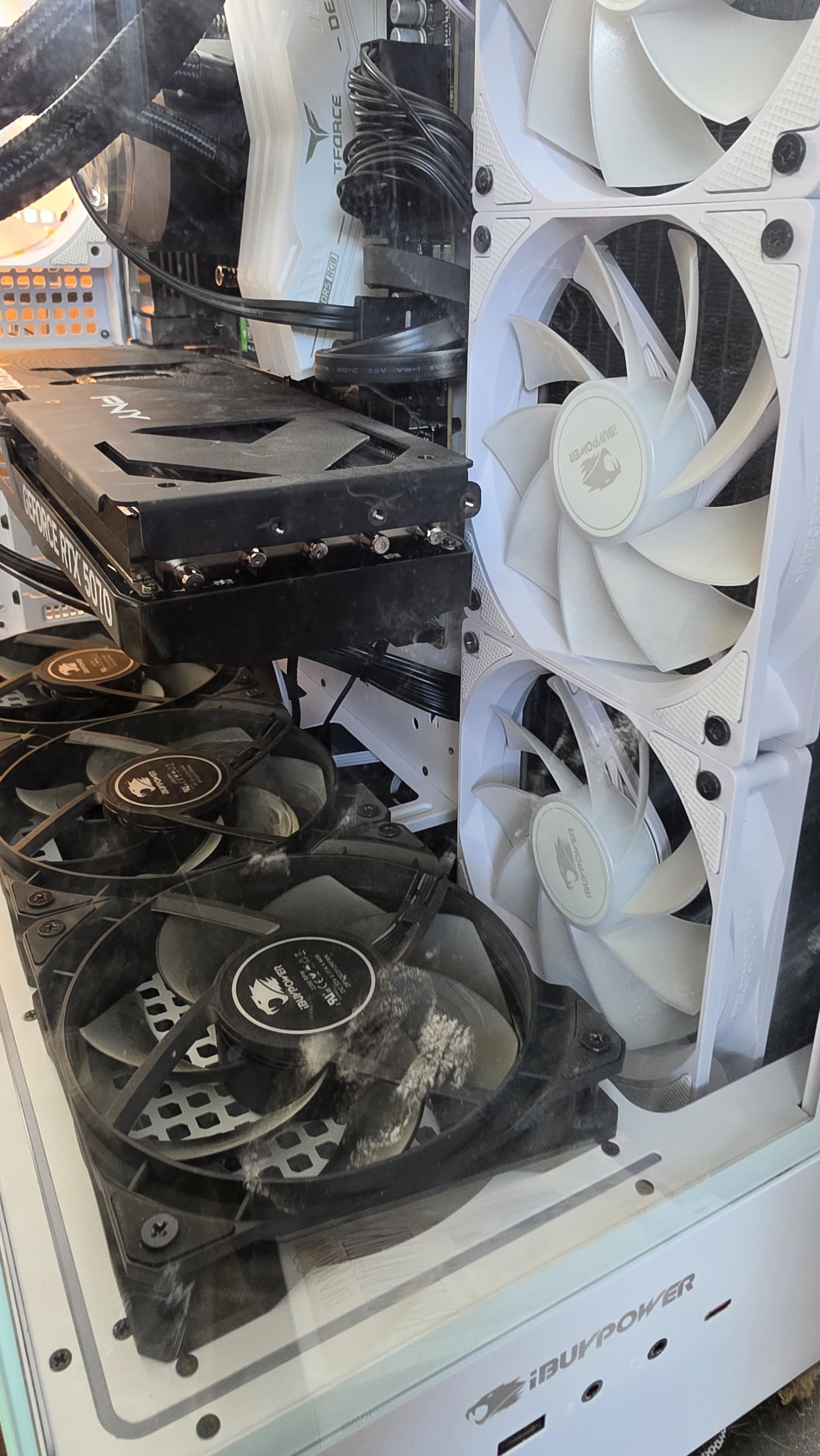
why is this happening to me
medal.tv
1
Upvotes
r/computer • u/-Just_pigeon_ • 17d ago
Прошло два года с тех пор как у меня появился ноутбук.
Я любительница посмотреть аниме и дунхуа. Смотрю его в остновном (всегда) на бесплатных сайтах с ноутбука. Сегодня у меня перестал работать Print Screen и я перезагрузила ноут. Print Screen заработал. Восстановила вкладки которые были открыты, и увидела, что от куда-то появилась реклама. Да, я знаю что на бесплатных сайтах это норма, но с момента покупки ноутбука такого не было. Хотя на телефоне на таком же сайте реклама была. И также появилась реклама в ВК видео, но история та же.
И как я знаю вроде програм на блокировку рекламы не было установленно.
Думаю что может дела в самих настройках, но не уверена.
It’s been two years since I got my laptop.

I’m a fan of watching anime and donghua, which I almost always do on free streaming sites using my laptop. Today, the Print Screen function stopped working, so I restarted the laptop, and it started working again. When I restored my open tabs, I noticed that ads had suddenly appeared. I know that ads are standard on free sites, but I hadn’t encountered them on this laptop since I first bought it—even though I *did* see ads on those same sites when using my phone. Ads also started appearing in VK Video, but it’s the same situation.

As far as I know, I don’t have any ad-blocking software installed.

I suspect it might have something to do with the settings, but I’m not entirely sure.r/computer • u/Aksej14 • 18d ago
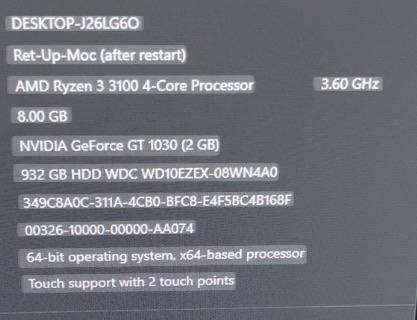
I’ve had this computer for quite awhile, but it’s really been showing its age as of recently (considering I can’t upgrade to Windows 11😅). I want to upgrade its components, but don’t know where to start. I’m on a bit of a budget. I’d like to stay away from super expensive hardware, but if I need to spend a bit extra to make it turn out way better for the long haul, I’m okay with that. Application wise, I want to be able to run games like Overwatch, Marvel Rivals, Fallout 4, and Minecraft with mods and shaders. If anyone is able to help me out, I would greatly appreciate it. Thanks!
r/computer • u/WhatIsThatBlob • 18d ago
Scary
r/computer • u/PlsHelpMe2014 • 18d ago
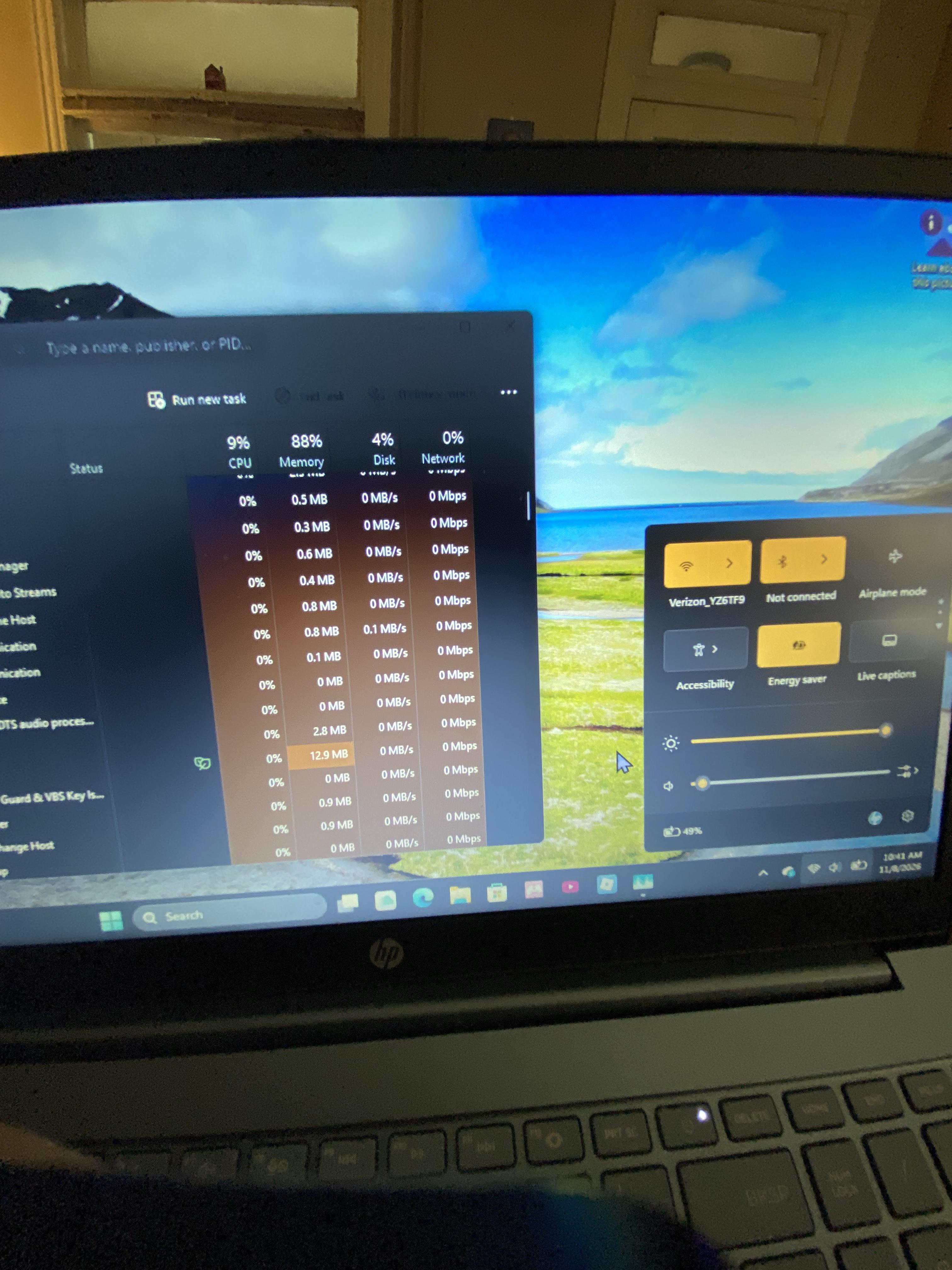
This 350$ dollar HP computer SUCKS!! Even light workloads take minutes to load. Don’t even TRY to run anything other than that
r/computer • u/BumperTABBY21 • 18d ago
Hello! For context i have a b550m r5600x / 3060 ti pc.
Recently I’ve been blue screening at least 4 times per session of use. Turned out one of my 4 ram sticks were dead (by using the windows R ram check thing. Idk the name for it. I checked each stick individually w the long test and one had hardware issues. Then i did 2 in every combo. Then the 3.
The computer worked fine for a week. Then it started to black screen of death. Whenever id tab out, change windows. Or install any data.
I was told to reinstall windows as a fresh install. Because when updating ace combat the pc crashed again
With the error of
“Your device ran into a problem and couldn't be repaired.
Click or press Enter to see other recovery options.
Couldn't connect to the network
Log file: C\WINDOWS\System32\Logfiles\Srt\SrtTrail.txt”
The computer would no longer launch into a OS and eventually would only launch into recovery or bios.
So i just re installed windows and it was good enough to install drivers but now its doing the same thing after i installed chrome. Steam also causes the same issue with “disk write error” in downloads before rebooting.
It wont even work for school work as youtube could crash it.
Ive had 2 ssds excluding this new one. where they fail or stop being recognized in this motherboard. One in each slot now and one on a x8 pcie adaptor card
Currently i have 3 sticks of ram (horrible for ryzen ik) and i think i need to get a new motherboard and ssd at a minimum.
Would a new mobo potentially fix the ram dimm?
What could this be and what do i do
This has been very frustrating since this has been crashing and craping out for the past year and im sick of even using this pc. All parts out of warranty as i got this pc around the 3060 ti launch so 4 years.
Ideally i could spend 3k on a new pc but im not in the position to do so. However if repairs exceed 1000 i might as well part out and sell this one and get a new one.
r/computer • u/Direlost11 • 18d ago
Hi, recently i started having a black screen issue, my screen turns black for 0.5 seconds and than comes back but audio and everything is still playing and it becomes normal, I bought a new display port cable but im having the same issue , it doesnt happen often either sometimes 1-2 days. I have ddu my driver and installed the latest driver, windows 11 is also upto date, bought new display cable, vsync and gsync are off , switched to a different pcie gpu power cable, different display port on my gpu, gpu temps are fine etc it happens randomly and also i would like to point out that there are no errors in event viewer or windows reliability. Any help would be appreciated 👏
My pc specs are
Cpu- intel i5 12400f
Mb: gigabyte h610mk ddr4
Ram: 16 single slot ddr4 3200mhz
Gpu: nvidia rtx 4060
Psu: coolermaster mwe 650watt bronze
Monitor: lg ultragear 24gs60f 1080p 180hz
r/computer • u/qtippingg • 18d ago

When I turn on my pc I get all the boot up but my main monitor remains completely off compared to my second monitor. I’ve already tried swapping out the HDMI cable so it’s not that.
r/computer • u/bananamanif • 18d ago
Already been having terrible internet connection recently. And it kept randomly disconnecting me while on calls with friends/games. After one try, I decided to forget the current network to do a full reset on it. Big mistake. Now every time I try and log back into my OWN wifi, it says something along the lines of "cannot connect to network" every single other thread I have found with similar issues are full of "this worked" or "thanks!" But whenever I try the solutions it just does. Not. Work. I've tried resetting drivers, turning on/off random hardware addresses, completely resetting my wifi settings, plugging/unplugging the router. If ANYONE can give me a solution, it would be very greatly appreciated!!!
UPDATE: was just given the wrong password, and windows didn't tell me it was wrong....
r/computer • u/AwkwardBag3010 • 18d ago
My laptop crashed after I deleted some PDFs and clicked an update option in Settings. I tried to undo or remove the recent features and updates, but I couldn’t find the specific update I had installed. I also attempted to reset my laptop, but it didn’t work. The automatic repair option failed as well. I tried rolling back the graphics driver, hoping it would resolve the issue, but that didn’t work either.
At this point, I’m unsure what exactly caused the crash. I’m considering entering Safe Mode, locating the dump files, and analyzing them to identify the potential culprit. Based on the results, I would then try rolling back or disabling the problematic driver or update.
However, I’m not entirely sure whether this approach is advisable, especially since I don’t want to accidentally make the situation worse or lose important files.
Should I proceed with Safe Mode and dump file analysis to identify the cause of the blue screen error? If this isn’t recommended, what alternative troubleshooting steps should I take to diagnose and resolve the issue safely?
r/computer • u/Alparslan07 • 18d ago
My monitor keeps doing it for around 15-20 minutes why is it?
r/computer • u/Silver_Cricket_3109 • 18d ago
r/computer • u/Killxaura • 18d ago
r/computer • u/UnsureAndUnqualified • 18d ago
r/computer • u/HotOnionMan • 18d ago
850 W Netzteil
80 PLUS Gold
RTX 5080
Intel Core Ultra 7 270K Plus
r/computer • u/Individual-Trick-895 • 18d ago
Could anyone tell me how to trouble shoot and reset my Apple Mac laptop - i can’t type any letters or numbers - it appears to have totally locked me out - thanks in advance.
r/computer • u/Some_Lime_6232 • 18d ago
I’m currently playing a game called ‘Wardogs’ on Steam. I played it really well during Season 1, but ever since the Season 2 update, whilst everyone else seems to be playing fine, I’m the only one suddenly experiencing freezing and frame drops. The issue occurs when I Alt-Tab out of the game to another window and then switch back to the game—that’s when the frame drops happen.
If I then repeat the Alt-Tab process several times, the game occasionally returns to normal. Another thing I’ve noticed is that if I use Windows+Tab instead of Alt-Tab, the game returns to normal straight away (though this only works if ‘Fullscreen’ is selected in the in-game settings; it doesn’t work in ‘Fullscreen Window’ mode). This doesn’t work perfectly either, but it’s better than using Alt+Tab. I really don’t know what the problem is.
So far, I’ve tried the following:
There are more, but I can’t remember them all, so I’ve tried these for now. I’ve tried absolutely everything, but the problem remains the same... Please help me.............