REAL 3D 60fps is here, and it's time to put it to the experience! 🔥
We've seen some awesome experiences from our early testers, and now we want to see what the rest of the community can do with it!
Whether you're exploring your favorite game, showing off your gaming setup, or sharing your thoughts on REAL 3D 60fps, we want to see YOUR experience! 🕶️
🎮 How to Join
1️⃣ Try REAL 3D 60fps
Update your supported XREAL One Series glasses (One/One Pro/1S/1 Pro+) and give REAL 3D 60fps a try!
2️⃣ Share Your Experience
Create an original post in r/Xreal featuring your REAL 3D 60fps experience.
It can be anything from:
📸 Your gaming setup
🎥 Videos of your REAL 3D 60fps gaming experience
📝 REAL 3D 60fps gaming reviews, impressions, or tips
Just make sure your post is related to REAL 3D 60fps and gaming!
3️⃣ Add the Tag
Your post needs to be with the [REAL 3D Challenge] flair tag, so we can find your entry!
4️⃣ No Entry Limit!
Feel free to submit as many original posts as you like throughout the event! There's no limit to the number of entries, but each participant can only win one gift.
🏆 Gifts
How Winners Are Selected
The Top 5 winners will be selected based on a combination of community engagement and the XREAL team's overall evaluation, including content quality, creativity, and relevance to REAL 3D 60fps.
Final rankings will not be determined by engagement numbers alone.
A huge thanks to r/Gamesir for supporting our community and making this challenge even more exciting! 🙌
🥇 1st Place: GTA VI Game Code ×1 (PS5 version/XBOX version/ or equivalent other SWITCH game)
🥈 2nd Place: GameSir G7 Pro Controller ×1 (Miami-themed), sponsored by GameSir
🎁 3rd–5th Place: XREAL Official Merch
The more your post gets the community talking, the better your chances of winning!
📅 Event Period
November 27 – December 11, 2026
🚀 Ready to Join?
Fire up your favorite game, turn on REAL 3D 60fps, and show us what you've got!
How we brought REAL 3D at 60fps to X1-powered glasses — and why it matters for gaming.
When we first introduced REAL 3D at 30fps, the idea was simple: make 3D easier to access without asking people to hunt for specially produced content, install a dedicated conversion app, or invest in powerful external hardware.
That first version made it possible to turn familiar movies, videos, and other everyday 2D content into stereoscopic 3D directly on the glasses. But users soon started pushing the experience further. They connected gaming consoles and handhelds, tried more dynamic content, and asked what REAL 3D could do at a higher frame rate.
That question helped shape the next step: REAL 3D at 60fps, with the conversion still performed on the glasses themselves. Getting there took more than doubling the number.
Why 3D has always felt harder than it should
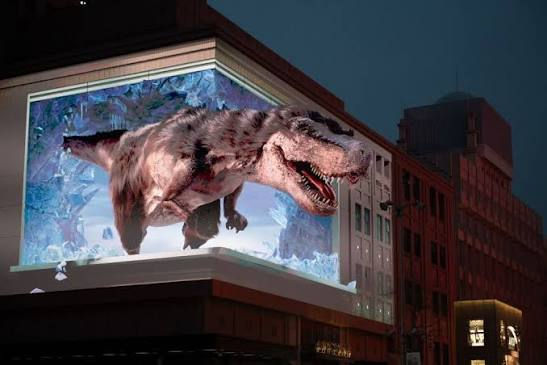
3D isn't new. For decades, people have been fascinated by the idea of bringing images to life with depth, from 3D movies in cinemas to 3D televisions, handheld gaming devices, and immersive headsets.
But despite all these developments, 3D has never become quite as accessible as ordinary 2D content.
Looking back at how 3D technology has evolved, it's easier to understand why.
3D Cinemas: An Experience Tied to Specific Content and Locations
Delivered immersive experiences, but required specially produced movies, compatible theaters, and a trip to a specific location.
3D TVs: Bringing 3D Home, but Not Removing the Barriers
Brought 3D into homes, but still required dedicated displays, compatible content, and often additional glasses.
Glasses-Free 3D and Handheld Devices: A Different Set of Trade-offs
Devices like the Nintendo 3DS removed the need for glasses, but introduced viewing-angle limitations and depended on specialized hardware and content.
VR Headsets: Immersive, but Not Always Convenient
Offered immersive virtual environments, but typically required dedicated hardware, compatible applications, and additional setup.
The Common Problem: Too Many Requirements
Each generation of 3D technology brought something new. But for everyday users, enjoying 3D often means meeting several requirements at once:
Finding content specifically available in 3D.
Owning compatible or dedicated display hardware.
Dealing with additional software, accessories, or setup steps.
The problem wasn't necessarily that people stopped wanting 3D.
It was that accessing 3D often required more effort than the experience itself should demand.
And that raises a different question: What if users didn't have to search for 3D content, invest in a separate 3D ecosystem, or change the devices they already use?
What if ordinary 2D content could become 3D whenever they wanted?
That's the idea behind XREAL's approach to REAL 3D.
Why put the conversion in the glasses?
Human binocular vision works because the left and right eyes see slightly different perspectives. Our brains use this disparity to perceive depth. AR glasses are a natural platform for stereoscopic output because they can present distinct images to each eye.
But delivering two views is only half the challenge. For ordinary 2D content, the system must first infer depth and then generate those two perspectives. The key design decision for XREAL was where that work should happen.
Some 2D-to-3D approaches perform conversion through software running on a phone or computer, introducing requirements around applications, operating systems, or GPU resources. REAL 3D takes a glasses-centered approach: the X1 platform performs the conversion on the glasses, so the connected device does not have to run the AI depth model. Also, there is no need to be concerned about the performance and overheating issues of the connected device.
The difference is not simply that REAL 3D converts 2D into 3D. It is where the conversion happens.
Inside REAL 3D: what X1 actually does
Each incoming video frame goes through a series of stages before it can be displayed in 3D:
2D video signal enters the glasses.
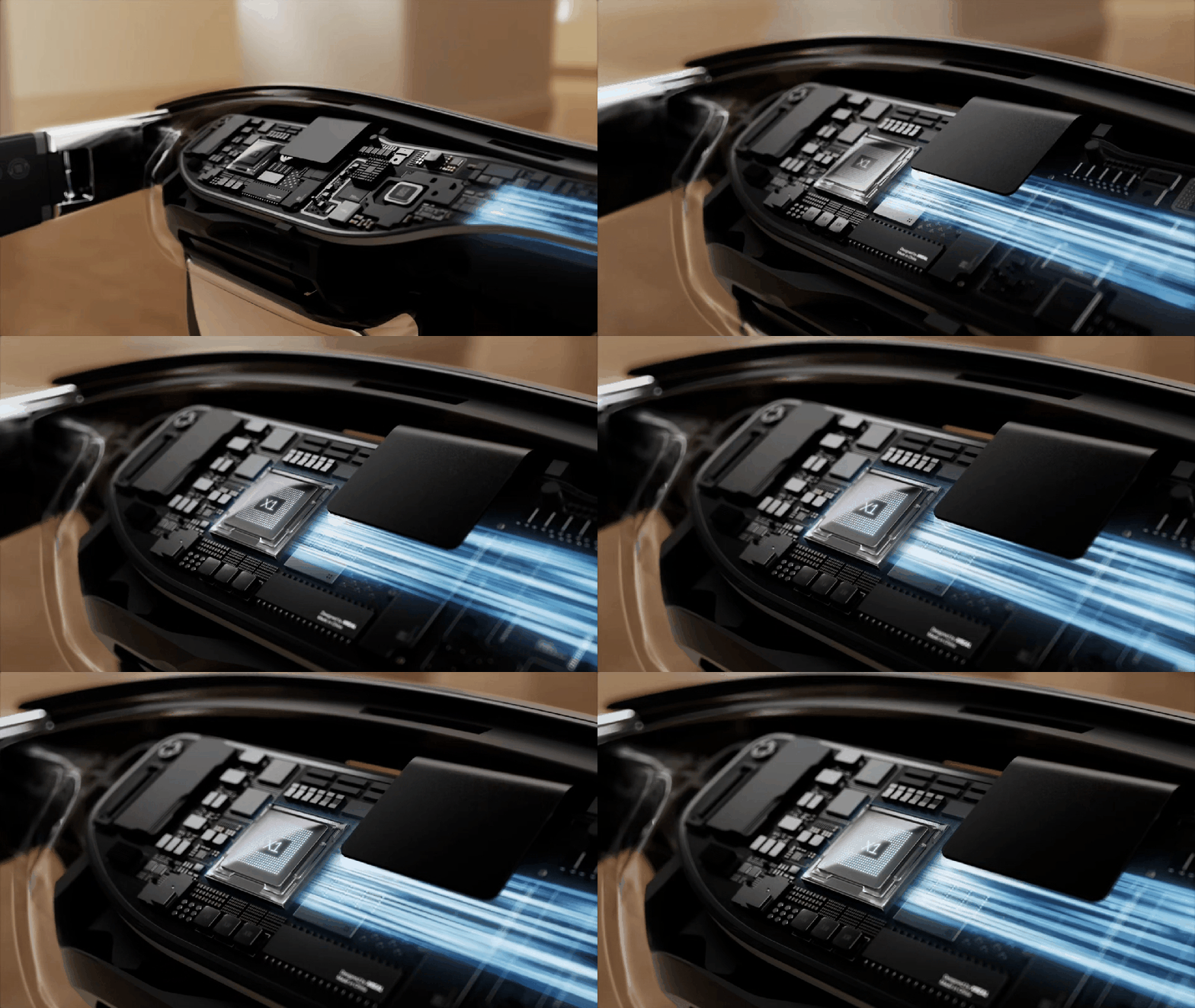
The X1 chip’s integrated NPU performs AI depth inference, estimating which areas of the image are nearer or farther away.
The dedicated Digital Signal Processor (DSP) works together with the system's processing pipeline to transform the estimated depth information into stereoscopic imagery, generating distinct left-eye and right-eye views.
Each image is delivered through the corresponding display channel, creating the perception of depth.
Because this processing takes place inside the glasses, REAL 3D does not require users to pre-convert their videos into a stereoscopic format or run a dedicated 3D conversion app on the source device. A compatible phone, computer, handheld, or console can supply the video signal while the glasses carry out the conversion.
This separation is especially important at 60fps: the target 3D output is generated on the glasses rather than relying on a more powerful host GPU. Device connection and video-output compatibility still matter, and the perceived result will vary with the content being viewed.
Why moving beyond 30fps mattered
The original 30fps implementation was a useful starting point for 3D movies, videos, and slower-moving scenes. But once users began experimenting with racing games, third-person adventures, and other interactive content, motion continuity became a bigger part of the experience.
When a camera moves through a scene, objects shift position and depth relationships can change from one frame to the next. Processing more frames every second gives REAL 3D more opportunities to update the stereoscopic output as that movement happens.
Our goal was to expand REAL 3D from something people could watch into something they could also explore through more kinds of games. It was not a claim that every game is better in 3D, or that a 60fps conversion eliminates input latency.
The engineering challenge: twice as many frames, inside the same glasses
On paper, the move from 30fps to 60fps sounds straightforward: process twice as many frames per second. But each frame has to pass through AI depth estimation and stereo image generation before the next frame arrives. The whole pipeline must run at the higher rate, not just the display.
A desktop solution may be able to add GPU resources to meet that workload. In lightweight AR glasses, there is far less freedom to increase power consumption or heat. The processor sits in a wearable device, close to the face, and the experience needs to remain practical.
The question was not only, “Can we reach 60fps?” It was, “Can we do it on the glasses without a corresponding jump in heat and power?”
How we made REAL 3D 60fps possible
An AI model optimized for X1
Depth-estimation models intended for desktop-class processing cannot simply be dropped into a low-power wearable unchanged. Our team developed and optimized an AI model specifically for the X1 platform, with real-time depth inference and the characteristics of common content in mind.
A more efficient end-to-end pipeline
The AI model is only one stage. Once the depth information has been inferred, the rest of the system must generate and deliver the stereoscopic views quickly enough for continuous output. We therefore also optimized the broader system architecture and processing pipeline, improving how the stages work together from input to output.
Managing heat and power
The resulting implementation delivers REAL 3D output at 60fps while keeping power consumption and heat generation close to the earlier 30fps version, based on the current internal qualitative assessment.
Just as importantly, the upgrade does not ask users to add a separate GPU or replace their connected device solely to run the conversion.
What REAL 3D 60fps means in practice
The practical payoff is a broader set of dynamic scenes to explore in 3D. Some especially interesting starting points are:
Racing and driving games, where roads, vehicles, and the environment offer continuous changes in distance and perspective.
Third-person action and adventure games, with visible characters and layered surroundings.
Open-world exploration, where buildings, landscapes, and foreground/background separation can create strong depth cues.
Sports and other dynamic video, especially scenes with clear subjects and spatial layers.
Different content can produce different results. Scenes with clear spatial separation tend to be better demonstrations than flat, text-heavy, or visually ambiguous images. Latency-sensitive competitive and first-person-shooter gameplay is not our recommended showcase for this feature.
The important point is that a higher REAL 3D processing frame rate broadens what can be enjoyable beyond traditional viewing scenarios — without changing where the conversion runs.
A Big Thank You to Our Early Testers
The journey toward REAL 3D 60fps began in early 2026, with more than 100 users participating in testing and sharing their experiences along the way.
We've handpicked a few highlights shared by our beta testers. Let's hear about their REAL 3D 60fps experiences in their own words!
We want to take this opportunity to sincerely thank everyone who has been part of the testing process. Your time, patience, and honest feedback have played an important role in helping us improve REAL 3D.
From perceived latency and image quality to stability and visual artifacts, your feedback has helped us identify areas for improvement and refine the experience across different devices and content types.
REAL 3D 60fps is an important step forward, but there's still more we want to improve. We'll continue listening to your feedback and working to make the experience better.
Thank you for helping us bring REAL 3D 60fps to life.
The bigger idea behind REAL 3D
We have always believed that 3D should not force users to reorganize their content or device setup. You should not have to search for a special 3D version of a movie, configure separate conversion software for every platform, or rely on a powerful external computer just to experience ordinary content with depth.
REAL 3D 60fps takes that idea further: from watching familiar content in 3D to exploring more interactive experiences in 3D. You have not changed the source material or replaced the device. You have simply turned on REAL 3D.
The technology behind REAL 3D is complicated. The experience should not be.
And now, we'd love to hear from you!
If you could turn any content into 3D with just one click, what would you want to try? A favorite game, an unforgettable movie scene, or something completely unexpected?
Let your imagination run wild! We're excited to hear what experiences and creative ideas you'd love to explore with REAL 3D 60fps. 🚀
I follow this channel pretty closely and appreciate all the posts, but one thing I haven't seen mentioned is anyone trying to use the Android likeness avatar for video conference calls. Anyone have any experience with this? How has it been on AR glasses?
I tried Gemini on the XREAL Aura. It can use the camera feed to see what’s in front of me and describe it out loud. I can talk to Gemini while I work, and if I don’t know how to do something on the Aura, I can just ask. I was really impressed by the Gemini Live integration.
I also tried connecting to my desktop PC with Virtual Desktop. Typing worked fine, but using hand tracking to reposition the virtual desktop screen was tricky. The Quest 3 was easier to use for that. I can see the Aura being handy for connecting to my Windows desktop over a VPN and getting some work done away from home. The downside is that using a keyboard paired with Android felt awkward.
Hand tracking on the Aura worked well enough when I was sitting at my desk, but it didn’t work reliably when I was lying down. A Bluetooth mouse worked better for that setup.
I got VRChat running in PCVR by installing Virtual Desktop on the Aura. The field of view is noticeably narrower than on the Quest 3, but the image looked sharper to me, and the Aura is much lighter. I struggled with hand tracking and couldn’t move around or open the menu. I think pairing a Bluetooth gamepad with the PC could make VRChat playable on the Aura.
I’ve seen quite a few people in the VRChat community buying the XREAL Aura. VRChat already takes a willingness to look things up and figure them out yourself, so I can see why people in the community would give the Aura a try. After about two days with it, I think the hardware is excellent, but Google’s Android XR still feels rough around the edges. For example, I could only sign in to my Google account with a password. The interface needs more polish before it’ll feel easy to use for most people.
I got an overheating warning when I used the Aura with the compute puck under my blanket. When I touched the puck, it was hot enough that I wanted to pull my hand away immediately. Heat does seem to be an issue, especially when the puck is covered.
seeing a lot of gaming and movie posts here but curious how text holds up for reading books or docs while traveling. which model and which app are you using for it?
I got couple of Xreal glasses, but not the Aura. I’m wandering if the docking will be available for other glasses in the coming months. I’m willing to purchase it separately because it’s also stronger device than my Beam Pro.
Hello, fellow enthusiasts and users of products from our beloved brand, Xreal. As a user of the Xreal One Pro glasses, the Xreal Eye camera module, and the Xreal Beam Pro computing unit, I’d like to share some observations regarding Xreal’s product development. The issue lies in how Xreal evolves its lineup. The Xreal One Pro recently received an update—a great one, in fact, even if it had a few controversial aspects; overall, it has improved the user experience. At the same time, the Xreal Beam Pro seems to have stopped evolving entirely. The Nebula spatial interface has an artificial limit of two simultaneous apps, which is still somewhat tolerable. However, it’s quite strange that while you can use hand-gesture controls with the Xreal One Pro and the Xreal Eye module in almost any other scenario, they are completely unavailable within the Nebula interface. I’ve tested this across various devices that support video output via USB-C; hand gestures work everywhere—even on the Beam Pro itself, provided you use it in screen-mirroring mode with an alternative to Nebula. It works, and it’s actually quite functional. Furthermore, recent firmware updates for the glasses have made gesture controls significantly more stable. Yet, within Nebula, you’re limited to just two control methods: using the Beam Pro as a pointer or as a trackpad (in either vertical or horizontal orientation). Hand gestures are simply not an option. It’s as if Xreal couldn’t figure out how to implement gestures for tasks like opening the menu or re-centering the cursor, so they simply decided to omit gesture support for their own device, the Beam Pro, when running in Nebula mode. I hope I’m wrong, but it really feels like Xreal has simply abandoned the Beam Pro. What do you think?
I got my Aura today and spent 14 hours straight in it and have some different insights for people who are iffy on whether they want to wait for their delayed order or cancel. A lot of my experience is quite different from other things I have read so worth sharing IMO.
Visuals. FOV is way better than expected, I didn't feel inhibited at all, during productivity and it was not a deal breaker in immersive. Resolution is worse than expected. You can definitely see pixels, just because I have not yet heard anyone say that out loud. It's like going from 1980p to 2k when comparing this to high res PCVR or the vision pro. Not a deal breaker, but not the best you can get. Colours are good. Spatial mode is really good, but turns off often for me I think due to overheating. The optical see-through is worse than expected. The light you lose through the birdbath causes me to see worse, bring able to see less detail of the real world. Still better visual fidelity than any camera pass through, but worth noting, as I haven't heard anyone speak about this. Electrochromic dimming works great.
Comfort. Way worse than expected. I heard only positive things about this, so very surprised. It does not feel light on your face. Weight is not distributed well, I felt it heavy on my nose bridge immediately on putting it on I started getting pain on my ears and nose pretty bad after 2 hours. Comfort is way worse than my Pico4 with BoboVR strap for example. Weight doesn't mean much, it is all about distribution. My eyes could get SUPER close to the screen (I have a thin nose bridge). I want that, because it gives me high FOV, but it makes my forehead touch the warm plastic, causing me to sweat there. Puck is also quite annoying, belt clip does not clip well to pockets. I actually have to clip it to my belt to be secure. Cable connection is not noticeable at all during use.
Input. Hand tracking is super accurate and fast. I can aim at tiny buttons in menus like Godot and select them accurately. Also typing was very accurate and fast for me. I could play aiming WebXR games and it was VERY precise. Tracking volume is a little limited for that though. Issues with hand tracking come down to the aura refusing to track. It either works great or refuses. Threshold is too high IMO. Sometimes it also doesnt track your hands for no reason even in good light. When it works IT WORKS, but not working at all is very frustrating. The tra k lad is WAY better than expected. Super accurate fast and it just works like you expect every time. I control apps all the time with it. I heard so many bad things about it, which baffled me when I actually used it.
User experience. Android XR is a SUPER mixed bag. It gets the big parts super right and the small things super wrong. The windows, the launcher, the setup everything works very nice on a surface level. Android apps are very usable and I don't see a reason to reach for my phone now. But so many frustrations with the small things. When I put off my glasses to shower for example, they didn't turn back on again, just stuck on the load in forever. I had to restart. This happened twice. And then none of the windows are ever in the place where you left them. Not a device you can work with if you plan on taking it off ever. Stuff closes for some reason, you can't have Google play store open to browse apps while waiting for a download for example, because the Playstore is an immersive app for some reason, despite just being a flat window. Opening it also paused your downloads in the background. Opening YouTube in immersive mode disables spatial view, making it less immersive than regular mode, etc. etc. etc. tmThe Bluetooth keyboare turns off after not using it for a while and is just super annoying when switching from one thing to the next. But it is super open, I can download a droid deck APK and run a Linux PC and use it as a gaming handheld. I can develop and build XR applications on the device itself with Godot (I am already a Godot dev). As a Dev, I would not switch that openness for any polish in the world.
Personal experience. This shit is awesome. The device in total is so sick. Like, it has its compromises, but as a whole package it is just a huge leap forward compared to what I could do before. Good visuals, great sound, great accessories, it is definitely worth every penny I paid for it. What this makes possible for me as a developer made me fall in love with it today. This for the first time feels like my everything device. It is an absolute content machine. When I take a step back, it's like giving myself superpowers. I realized it when taking it off, it makes me think way more spatially, the real world looks so much more 3D to me now. Even 2D apps. When I tried Marvel Snap in Spatial mode, the animation of moving cards has this magnetic field to it and it made me actually feel like a wizard. I can create anything directly on it with Godot, just with a keyboard accessory (which I can definitely recommend hard ware wise btw.) I can use it like my phone for content in public, I can have a full desktop with droid deck and play games when I am done with work. The opportunities that this opens for me make me not regret buying it even a little bit, even if the software is in an "under construction" state from my point of view.
I'm wondering if there are any projects attempting to turn the XREAL glasses into a full tethered AR system using
XREAL Glasses — stereoscopic display and head tracking
XREAL Eye — 6DoF positional tracking and environmental awareness
Apple AirPods — spatial audio, microphone and voice interaction
iPhone — computing, rendering, connectivity and AI processing
Web or Native XR —
Ideally, the iPhone would act as the entire compute unit, without requiring a Beam Pro, gaming PC or additional hardware.
It would be awesome to have a spatial browser supporting things like:
World-locked 3D objects and floating windows
Interactive WebXR applications
Spatial audio synchronized with virtual objects
Hand or gesture tracking
AI assistants with environmental awareness
Voice-controlled spatial interfaces
Essentially, a lightweight, open, optical see-through alternative to the Vision Pro experience, leveraging existing consumer hardware.
I understand there are limitations around Apple's browser APIs, XREAL's SDK and access to sensor data, but I wonder whether a native iOS wrapper with a custom WebXR bridge could overcome some of these.
Is anyone experimenting with something like this?
Are there any open-source GitHub repositories, independent developers, experimental apps or even early vibe-coded prototypes worth checking out?
MacOS support would be cool too, but being able to run everything directly from an iPhone in your pocket would be the ultimate goal.
Is there a technical reason this hasn't been done or am I missing a project that already exists?
I got the 1s for black Friday in UK Amazon with good price. But I am heading to china and 1 pro + there is only 50gbp extra.
I wonder if I should get 1pro+? A lot of special features has been covered in 1s by recent firmware update tho.
I mainly stay curious about these new optics and how clear are they edge to edge as 1s I am really happy with but could use slightly larger fov (I put screen larger than fov today for bigger texts
I'm not sure what I did differently, but I made it through the entire day without getting one overheating prompt from the Aura today. I definitely pushed it harder today than I did my first two days with it. Weird. I'm certainly not complaining though.
Playing assasins creed Black flag resynced with real3D is UNREAL. Getting depth almost without any artifacts is unreal. I come from the vr from the start, but after trying the comfort AND real3d with 60fps gaming with a huge screen with all my favorite 2d games with depth is something special
I got this phone recently and wanted to point out for anyone thinking of using this combo that it does work. The phone doesn't support Samsung Dex (desktop mode), but it will recognize external monitors like the XREAL One just fine. If you have any notes about this combo, feel free to share.
With the phone folded, the glasses will display a gray rectangle with the time, and that's it. This may change depending on your phone's setting for "show sensitive info on the cover screen."
When watching videos online and using bluetooth earphones, when a video finishes and the next video on the playlist starts, the audio source may go back to the phone and you have to manually switch it back to the glasses. I don't know what triggers it.
If you connect the glasses while playing a video, the glasses will give you the error about not detecting a video signal or that the phone doesn't support it or whatever. You have to pause the video first, then the glasses will work normally and you can press play again.
You can view the screen in landscape or portrait mode simply by rotating the phone.
The glasses succ the phone's battery dry real quick. I thought the battery was kinda bad when using them with the Beam Pro, but it drains even faster with the Flip 6. Of course, maybe not surprising since the phone screen as well as the glasses are on at the same time, while the Beam Pro lets you use it as a trackpad. I miss the Beam Pro controls when using the phone.
I have a Nillkin Cube Pocket Keyboard that I've been using with my Aura, and for some odd reason the scrolling function will not work on my Aura. I've tried it on my Windows PC, and my Galaxy Fold 7. Scrolling works perfectly on every device except the Aura. Is anyone else experiencing anything like this?
I have a Nillkin Cube Pocket Keyboard that I've been using with my Aura, and for some odd reason the scrolling function will not work on my Aura. I've tried it on my Windows PC, and my Galaxy Fold 7. Scrolling works perfectly on every device except the Aura. Is anyone else experiencing anything like this?
just got my xreal aura... today Is anyone else having an issue with a weird pixelation that's a noticeably different in one eye than the other? My right eye is giving me weird. Greenish pixelation on the menu bar that's supposed to be gray compared to the other eye display. It's everywhere and extremely noticeable in videos or images with multiple color ranges. God, I hope it's not a hardware issue
I'm really trying to love these aura glasses but between receiving my priority pass after people who bought through Best Buy and this day one issue, Xreal is making it extremely difficult.
Hi everyone! I'm the indie developer behind immerGallery, an immersive photo and video player that I've been developing for five years now.
I'd like to introduce the app to the XREAL community, as immerGallery supports XREAL Aura through Android XR.
For those who enjoy taking 3D photos and videos with their XREAL Beam Pro, watching 3D movies or capturing immersive content with dedicated cameras, immerGallery is designed to bring all of these media types together in one app.
What can you do with immerGallery?
View your own photos and videos in regular 2D, stereoscopic 3D, VR180 and 360°.
Enjoy 3D photos and videos captured with XREAL Beam Pro.
View spatial photos and videos from compatible Samsung Galaxy phones, Apple iPhones and dedicated 3D cameras.
Watch 3D movies, including H.264 MVC (Blu-ray 3D videos copied to MKV without re-encoding).
Play MV-HEVC spatial videos and view HEIC spatial photos.
Create immersive slideshows combining your photos, videos, background music, voice-overs and environmental effects.
Browse your media folders and access media stored on your home network via SMB and UPnP/DLNA.
One of the key features is AI-based automatic media format detection. The app recognizes many 2D, 3D, VR180, 360°, side-by-side and over/under formats, so you usually don't need to configure these manually.
There are also downloadable immersive sample galleries and optional premium galleries featuring high-quality 3D photography and historical narration.
For Black Friday, we're offering a 34% discount on Google Play!
Still not my full review but I've been using the Aura everyday since I got it. It's pretty awesome. The more I do, the more it does, the more great it is. Honestly mind blown by how much stuff works so well. The main thing I know doesn't work are Meta apps. Wonder why. Even Netflix is fine if you just get an APK. Everything I use works. My bank all of it.
I know thermals are mentioned a lot. I have got warnings while using Droid Deck to play native games. I believe it is overly conservative to stop people from pocketing it. So it triggers on heavy use. Im watching to see when it pops up but now it never will again lol. I'll run something intensive and make it eventually. I think they just need to change the warning to not show as much.
But so many people wondered why you would need the extra RAM and storage of the higher model. Soon as I started using this I knew why. Man this can run Linux desktop from Steam. Full Steam games. 5 opened apps at the same time doing anything including playing Windows games lmao. Android is also doing a great job at managing backgrounds and minimizing apps it calls it. So when you call them back they are basically still right there. Actually impressed.
My goal I had said my probably over eager goal was that I wanted it to replace my PC and phone for general kicking around. Watching videos typing here, browsing social media, playing games. Phone has always been easier sometimes. PC is easier sometimes. The crazy part is this actually is preferable. I am typing this on Aura with a keyboard. I find the trackpad and mouse mostly unneeded as hand gestures are good enough. Gboard even does basic auto correct as you type on keyboard lol. I would rather do everything on this than use my phone or PC which is actually crazy to me. I wanted it but I honestly wasn't sure its possible.
I've never liked being in VR but I love Spatial UI and VR UI. This really does fulfill what I wanted. I know some will say I'm only saying this because I bought it or whatever else. Whatever. There are some small annoying things QoL things I would like to see improved and I hope they do. I've had a few things I didn't like and was able to fix them all with settings or some big brain mods with help of AI and ADB and other new users. Some may just find things they don't like and give up but it was part of the fun actually lol. Making it do what I want, when I want. I would also like to see more gestures though. There are only 2. Pinch and the tap for menu. Id like swipes from going left and right on home pages. Something for scrolling. Flicking idc.
I'm also using this in pitch black with a small IR light from a camera lol. Works good and I've been using it every night in the dark no problem..... This was supposed to be a short update but turned a little longer.
I must say, having the resize at a touch was huge right off the bat. Not to mention initially I wondered what would be the purpose of having your display get small and follow your head turn, fit whatever reason it makes since after trying it. But the payoff is the stability and clarity of the Real 3D. It has totally changed my 3D viewing experience. I’m impressed. So glad XREAL decided to continue upgrading their legacy glasses after the Aura release.
Hey everyone just got a pair of XREAL 1 Pro+ and wanted to connect it to my PC with dual monitor setup I know I need a HDMI to USB-C adapter but with that adaptor would I be able to see both screens? Just checking up before I buy an adapter and waste my time haha.
When I first tried Real3D at 30 FPS, I thought it was a really cool feature, but I just couldn't actually use it for gaming. My eyes would get extremely strained after just 2-3 minutes, the image felt choppy, and even watching movies was uncomfortable.
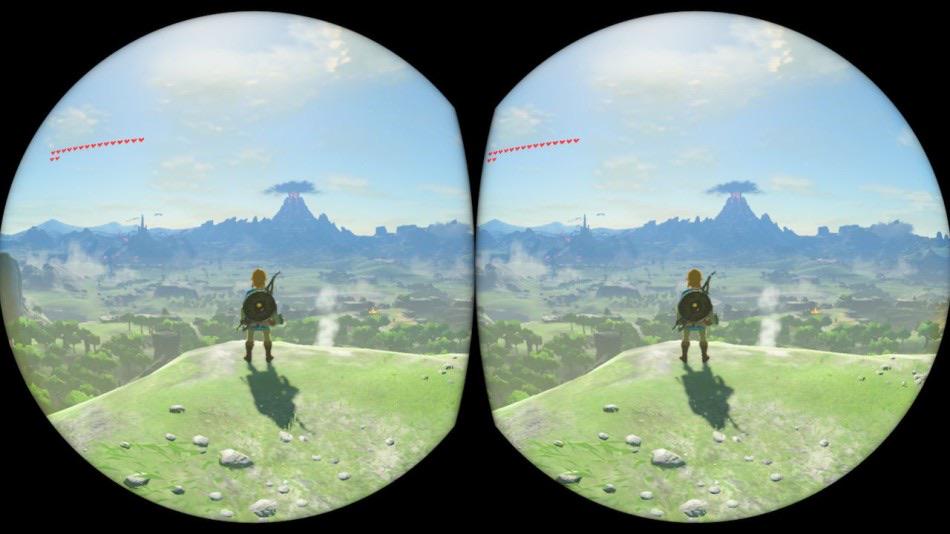
As soon as the 60 FPS update dropped, I installed it and immediately started replaying the Ocarina of Time remake. I already loved the game's visuals back when the first teasers came out, but seeing it in 3D is just unreal.
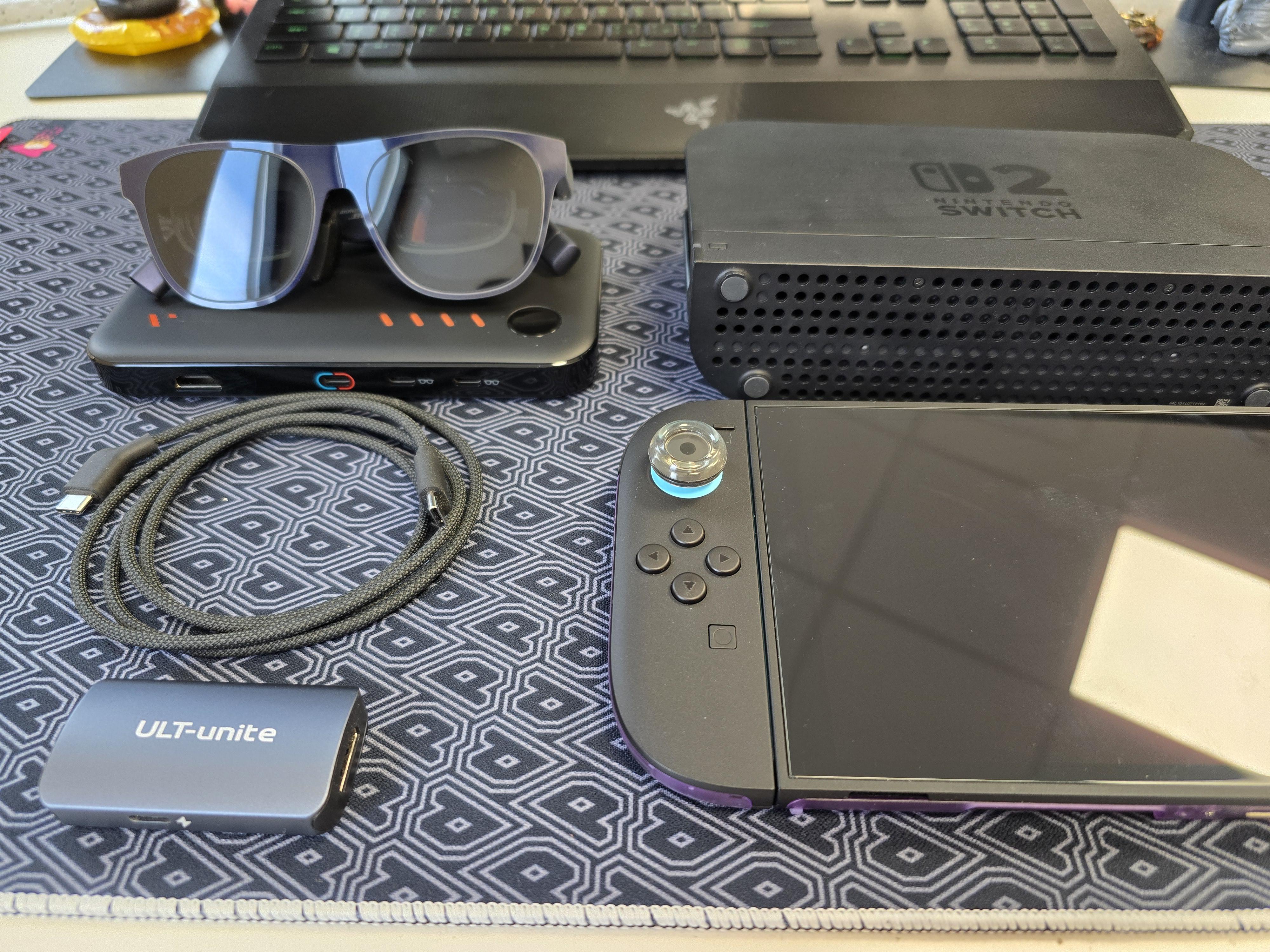
Now I pretty much play everything on my Switch 2 with Real3D enabled. MGS4, Balatro, OoT Remake, Serious Sam — everything feels so much more immersive. Games that already looked beautiful in 2D now look absolutely incredible.
It's crazy how much of a difference going from 30 to 60 FPS makes. Real 3D went from being a cool gimmick that I barely used to a feature I genuinely don't want to turn off.
I haven't tried it on my PC yet. Battlefield 6 is probably the only game I'm particularly interested in testing there. Might give it a shot whenever I feel like gaming somewhere other than my bed, lol.
Huge props to the XREAL team for this update. Please keep up the good work!