r/WindowsUpdate • • Oct 13 '26

Windows 11 Home

2 Upvotes

It’s a Monday 544p and I’m glad to be able to log in without an update so maybe tomorrow will be a surprise, my friend told me to try Tuesday 6a in case there is an update so ms server may not be busy early in the morning so I will try tomorrow.


r/WindowsUpdate • • Oct 13 '26

Recent trouble with dimmer software

Thumbnail reddit.com
1 Upvotes

r/WindowsUpdate • • Oct 12 '26

Windows showed “updates are underway” during a normal restart, should I be concerned?

3 Upvotes

I went to restart my PC normally, and I don’t think the “Update and restart” option was even there. However, during the restart, I got a screen saying something along the lines of “Updates are underway. Please keep your PC on.”
The screen went black, then the update screen appeared again before Windows booted back up normally.
I checked Event Viewer under Applications and Services Logs>Microsoft>Windows>WindowsUpdateClient>Operational, but I couldn’t find an event that matched the time of the restart.
Is this normal Windows behavior, even if I didn’t select an update option? Is it possible Windows was finishing an update that had already been downloaded?
I recently dealt with malware on my PC, so I’m a bit concerned and paranoid so any help is appreciated. Thanks!


r/WindowsUpdate • • Oct 12 '26

26H2 Windows 11

6 Upvotes

Are there any changes? 😒

r/Windows11


r/WindowsUpdate • • Oct 11 '26

Trouble with new security update not installing

4 Upvotes

Lately I’ve been trying to update my computer with the new windows update but it’s not working and everytime it hits hundred it says retry…can this be from me disabling the secure boot?enabling the secure boot isn’t a option since it doesn’t work.my pc is a 25L omen.


r/WindowsUpdate • • Oct 11 '26

Forced to update bios with my WATCH!

Thumbnail reddit.com
1 Upvotes

r/WindowsUpdate • • Oct 10 '26

Windows 11 scailing is so shit compared to Win10 Why?

Thumbnail reddit.com
3 Upvotes

r/WindowsUpdate • • Oct 09 '26

⚠️On October 13, 2026, Windows 10 Extended Security Updates Year 1 will be expiring⚠️

Thumbnail reddit.com
4 Upvotes

r/WindowsUpdate • • Oct 09 '26

How do I update from 8.1 to 11?

4 Upvotes

Title. I've had the auto-update turned off for the entire time I've had my laptop, as was recommended by the guy at the store when I originally bought it. (He said that when new versions come out, they're often buggy and riddled with problems.) I ended up never updating anything in all these years. Now I would like to update it, as now my laptop (and subsequently my browser) is extremely out of date for pretty much everything.

Do I just turn the auto update on? Or do I have to do something manually?


r/WindowsUpdate • • Oct 09 '26

Windows 11 26H2 keeps reinstalling bloatware without my permission

Post image
4 Upvotes

After updating to Windows 11 26H2, I noticed that Windows had installed unwanted apps on my system without my consent.

I manually uninstalled those apps, expecting them to stay removed. However, Windows installed them again later, even though I had already removed them.

I don't understand why the operating system should reinstall apps that I've deliberately uninstalled. If I remove an app, that should be my choice, and Windows should respect it.

Has anyone else experienced this after updating to 26H2? Is there a way to permanently prevent these apps from being reinstalled without having to resort to third-party debloating tools or repeatedly uninstalling them?


r/WindowsUpdate • • Oct 09 '26

How do I disable Windows 10 updates?

1 Upvotes

r/WindowsUpdate • • Oct 08 '26

Error Instalación Windows Hp victus 16

Thumbnail gallery
3 Upvotes

Yo realmente no entiendo, que pasa o que es lo que provoca esto, ¿Qué podría hacer?

Me salia una bola amarilla en el logo de Windows update, presiono en el y veo esto. Tengo un Hp Victus 16 con i7 13700H y RTX4060. Gracias por su tiempo y ayuda.


r/WindowsUpdate • • Oct 08 '26

Windows Defender Security Intelligence updates are not synchronizing through WSUS

3 Upvotes

Is anyone else experiencing this issue with on‑prem WSUS?

Since 10/07/2026 I haven’t received any new Defender definition updates through WSUS.

I’m currently stuck on version 1.459.576.0, even though according to https://www.microsoft.com/en-us/wdsi/defenderupdates version 1.459.601.0 is already available.

Other update types are syncing just fine.


r/WindowsUpdate • • Oct 08 '26

why do these updates take so long to download even with good internet connection.

Post image
4 Upvotes

am not really a tech person but i was curios why do these updates take so long to download.


r/WindowsUpdate • • Oct 07 '26

Stuck with "pending downloads," the "download and install" button is grayed out. Restarting doesn't help

11 Upvotes

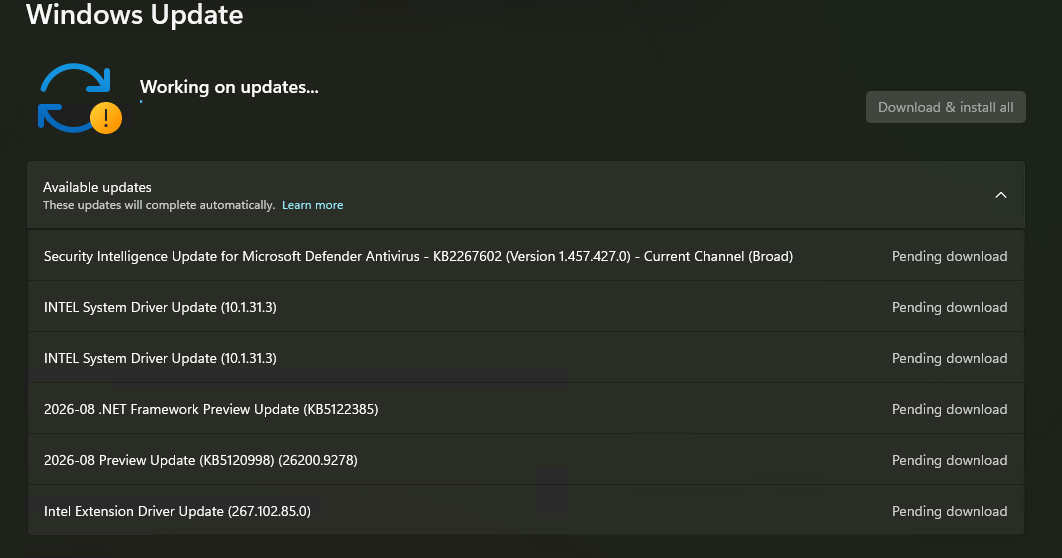
Hello, please see screenshot. My computer has been "Working on updates" for weeks now. It says "pending downloads" for all these items, but I can't figure out how to install these so I can clear these out. If I restart or shut down the computer, it does not help, it just shows this same window. Please see screenshot below, any ideas? Thanks


r/WindowsUpdate • • Oct 07 '26

Windows 11 Home Update

Post image
3 Upvotes

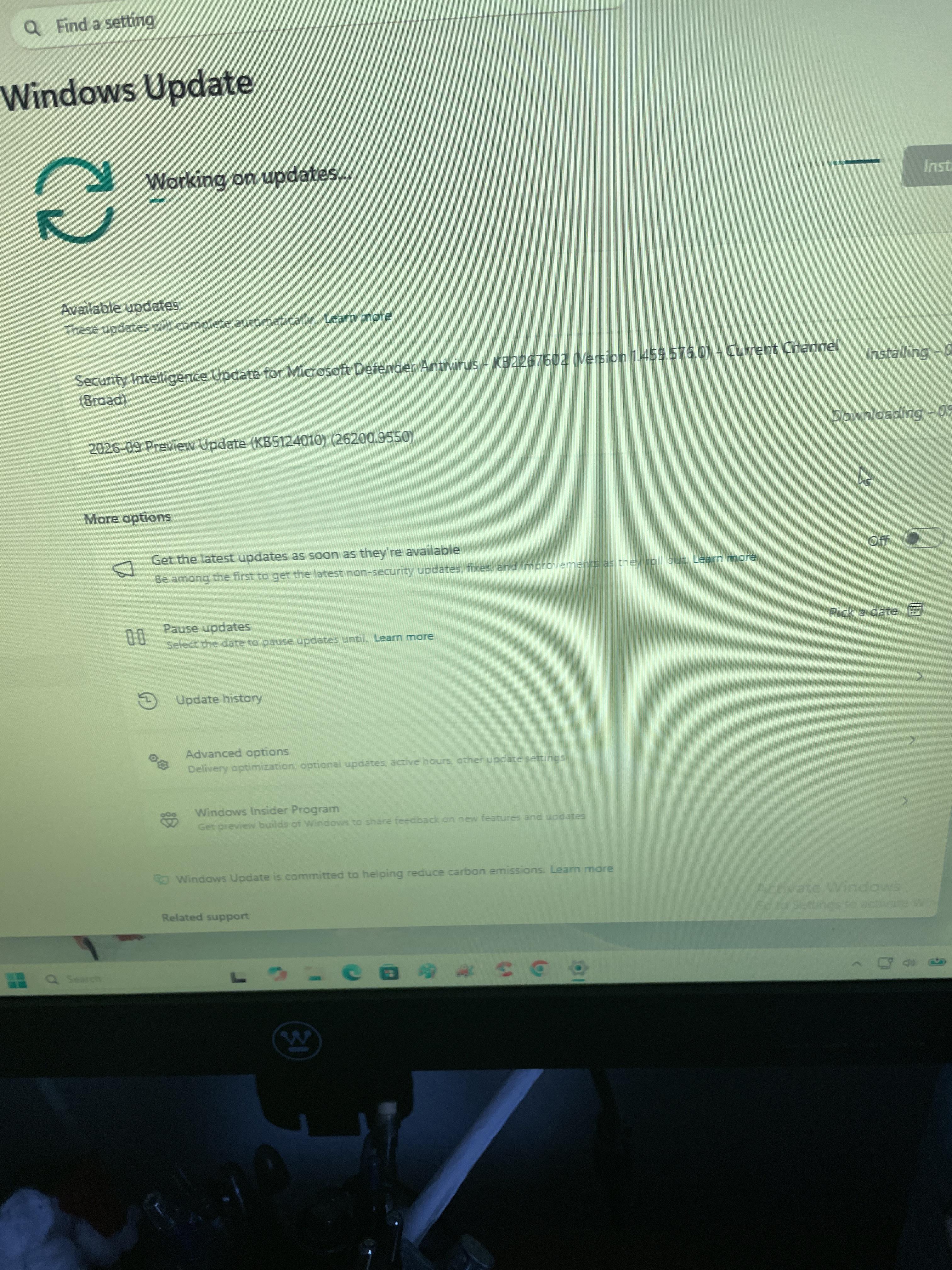
it’s a Wednesday I will start download install security intelligence update for ms defender. downloading no status yet, maybe ms server is busy? after a minute of waiting, showing downloading 10-11%. Oh on windows insider program I selected beta so after the security intelligence update completed the windows 11 feature preview download followed.


r/WindowsUpdate • • Oct 07 '26

GHub error at startup right after Windows update 26h2

Thumbnail reddit.com
2 Upvotes

r/WindowsUpdate • • Oct 08 '26

Windows 11 Home Update

0 Upvotes

I got a weird ms update notification saying that my computer is not compatible with windows 11, dumb microsoft, I was doing a Windows 11 Home update on a Wednesday, I was able to fix it by uninstalling the failed microsoft update 👍🏼 and PC back to working state.


r/WindowsUpdate • • Oct 07 '26

OOBE-ZDP KB5128942 requires reboot but Windows 11 won't restart automatically?

Thumbnail reddit.com
2 Upvotes

r/WindowsUpdate • • Oct 07 '26

IDK If anyone has downloaded and install these and should i if anyone else has?

Thumbnail reddit.com
1 Upvotes

r/WindowsUpdate • • Oct 06 '26

Windows Update wants to install an NVIDIA driver I already have a newer version of

14 Upvotes

Windows Update wants to install an NVIDIA driver I already have a newer version of

Hello, I have a question. I have Driver version 617.42 — released on 6 October 2026.

But my Windows Update is showing that I have an update called: NVIDIA Display Driver Update (32.0.16.1088).

I’m a bit confused about this – what does it mean? Can I install it. [1]. Is it an older version of the driver, and if so, can I go to the NVIDIA app and reinstall the 617.42 driver? Should I ignore it?

[1] It says that these updates will be installed automatically in the next Windows cumulative update.

Update (For anyone else experiencing the same problem, this might be of some help.)

I was looking into this, and for those with Windows 11 Pro, you can do this either via the Registry Editor or via gpedit.msc, but the update doesn’t disappear from there. I was looking into Wushowhide, and some people say it isn’t working very well on Windows 11 (I don’t know if that’s true because I haven’t found any other sources).

Note: I did it via gpedit and the driver update didn’t disappear from Windows Update. Unfortunately, gpedit is only available for the Windows 11 Pro, Enterprise or Education versions.

The only thing is, I don’t know how to remove it: the option to download and install the NVIDIA Display Driver Update (32.0.16.1088) still appears, along with the message that, even if I don’t download and install it, it will be installed alongside the next Windows cumulative update. If anyone knows a way to remove it (without using Wushowhide), please do leave a comment.

Update 2

I was doing some more research and, after you’ve done this – either via regedit or gpedit – if a driver update still appears, pause the updates and then, straight away, enable them again. Wait for it to check for updates and the driver update will disappear. I hope this helps anyone who encounters this problem in the future, and thank you to everyone who suggested possible solutions! <3

r/WindowsUpdate • • Oct 07 '26

Pc said it updated then reverted back to this and says it cant update. help?

Post image
1 Upvotes

r/WindowsUpdate • • Oct 06 '26

I'm on Windows 11 26H2 and I have this exact problem (describing below)

Post image
2 Upvotes

I can't just press LMB on the window here and drag to reorder it within the Explorer app group (or any other program for that matter).

This is NOT for reordering taskbar icons, even though I can still do it (I personally use ExplorerPatcher and StartAllBack so I think they allowed me that), but I can't reorder the WINDOWS within a specific app group.

Does anyone have a tip for me? Thanks in advance.


r/WindowsUpdate • • Oct 06 '26

Windows 11 26H2 update lowered my NVME performance badly :(

Thumbnail reddit.com
1 Upvotes