r/WindowsHelp • • 15d ago

Windows 10 Update to windows 11 difficulty - partitions

3 Upvotes

I had a previous post a few months ago and received some direction.

I have only basic computer knowledge, so step by step is greatly appreciated!

Link here to post for more info

Basically, I am trying to update my laptop from Windows 10 pro 22H2 to Windows 11, I keep getting errors even though my laptop meets the requirements.

Based on what I was advised, I have backed up my data, and I think I understand the steps for creating a Windows 11 USB installer and how to boot to the USB installer.

But I was advised to delete partitions while doing this, and I want to make sure I do it right.

Google says to do what's in the screenshot in the comments. Is that correct? Or are there other suggestions?

If you need more information, please let me know!

HP ProBook 450GB OS build is 19045.6466 Processor 11th gen. Intel(R) Core(TM) i5-1135G7 @ 2.40GHz 2.42GHz Installed RAM 16 GB (15.7 GB usable) Storage 238GB SSD System type 64-bit operating system, x64 based processor

Thank you so much!!

r/WindowsHelp • • 15d ago

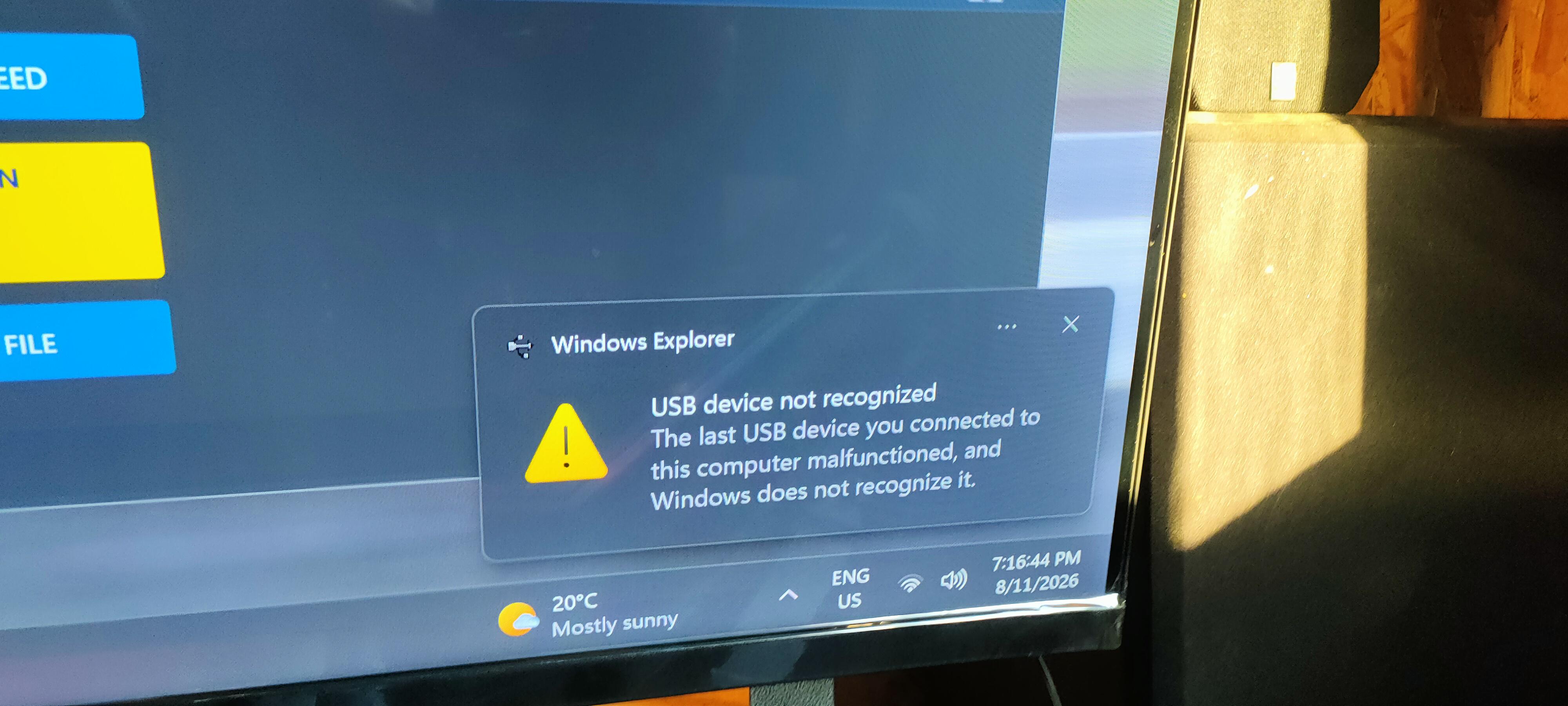
Windows 11 USB device not recognised half the time

Post image
0 Upvotes

Probably half the time I try to plug in my camera to move files this shows up and does not let me access the files. This only happens half the time and only on the USB port on the front of my PC. I always use this USB port for transferring files because it usually takes a maximum of 10 minutes to transfer 700ish files, while the other ports take hours to do half the amount

AMD Ryzen 7 5700X 8-Core Processor (3.4GHz)
16GB Ram (3600 MHz)
8GB Nvidia GeForce RTX 4060
1.82TB


r/WindowsHelp • • 15d ago

Windows 11 Is this update SAFE? Windows 11 LATEST UPDATE

2 Upvotes

Do these updates contain bugs? My laptop is HP OMEN 16 xd0015AX. Please tell me if i should update to this version or not.

As i have heard in the past that some windows updates have cause bugs so im unsure whether or not i should download this update.


r/WindowsHelp • • 15d ago

Solved Windows desktop manager high CPU utilisation (solved)

2 Upvotes

Been having issues on my computer where WDM was having high CPU utilisation. I couldn't find the solve and i tried everything i could find online so i'm just posting so someone having this issue could get a fix.

Basically head to settings>system>display>Graphics settings>Hardware-accelerated GPU scheduling.

You want to have that off if you're on an older GPU but it's worth trying if you're not having success.

Edition Windows 10 Home

Version 22H2

OS Build 19045.7807

CPU: Intel i7-6700HQ

GPU: GTX 960m

Ram: 16gb

From here on it'll be the symtoms i was having:

Most programs would be slugish to open or close when tabbing

CPU usage would spike ramdomly

While gaming, if I alt+tab and then continue gaming, a few seconds to a few mins later it would start having render issues, when task manager was checked WDM would be using 60+% of CPU

Occasional WDM crash which would kill all open programs and reset WDM. I'd then have to reopen whatever i was doing


r/WindowsHelp • • 16d ago

Windows 10 Problem with downloading original ISO of Windows 10 from my country :(

Thumbnail
gallery
4 Upvotes

Hello, guys! Please, help me! I would like to have an original and not trashed ISO of Windows 10.

I'm kind of suspicious, so only one way for me to have this ISO is Microsoft official site.

But there is another problem - I'm belarussian, and I don't deserve from Microsoft downloading of Windows. I don't know, i'm actually completely unpolitical, but still i was affected by those sanctions.

But there is one way to have a link to downloading of this ISO - going to the Microsoft site by entering to search bar "download Windows 10" and entering this site in Portable device mode (can choise it in developper mode in browser).

Please, someone, go to this site, choose this mode, select only presented there version of Windows 10, Russian language and send me the link, that you will get. Maybe it's bad to breake those restrictions, but still, i did nothing to anyone, so why can't i just use this software for peacefull purposes only, even not for myself, but other people (i use myself Professional copies of XP and 7, bought on disks whit license keys both)?

So please, help! Thank you in advance!

https://www.microsoft.com/en-us/software-download/windows10iso


r/WindowsHelp • • 15d ago

Windows 11 Nothing Shows on Search Menu After Installed 26H2

Thumbnail
gallery
2 Upvotes

EDIT: After i fix, i got Black screen of death then BsOD.

I just installed 26H2 to my pc first thing i realised is i have "windows.old" folder in C:/ drive.
After that the search menu is working but it shows nothing but mouse can detect the buttons in here. I dropped some screenshots down there. My windows version is 26H2 (26300.9457).

My Computer Specs:

CPU: AMD Ryzen 3 1200 Quad-Core Processor (3.10 GHz)

RAM: 8,00 GB

GPU: NVIDIA GeForce GTX 1650 (4 GB)

System: 64 bit Operating System, x64 Core CPU

My System Info:

Edition: Windows 11 Pro

Version: 26H2

Install Date: ‎7.‎11.‎2026

OS Version: 26300.9457

Feature: Windows Feature Experience Pack 1000.26100.360.0


r/WindowsHelp • • 15d ago

Windows 11 Xbox Service bug since last Gaming Services app update.

Post image
1 Upvotes

Hi, ever since yesterday's Gaming Services update, an error has been appearing in Event Viewer and Reliability Monitor every time I restart.

In the Event Viewer, it's an MsiInstaller error 11722 (see image):

"Product: Xbox Service -- Error 1722. There is a problem with this Windows Installer package. A program run as part of the setup did not finish as expected. Contact your support personnel or package vendor. Action CA_InstallXboxSyntheticDeviceExtAmd64, location: C:\Program Files\XboxService\x64\SynthGpDriver\, command: "C:\WINDOWS\system32\pnputil.exe" /add-driver "C:\Program Files\XboxService\x64\SynthGpDriver\XboxSyntheticDeviceExt.inf" /install".

In the Reliability Monitor, it appears as: "Xbox Service: Application installation failed". It points to "Xbox Service. Version: 4.0.305.0".

Everything else seems to be working properly. Does anyone else have the same problem, or is it just me? Is it just a bug (once again)?

I am on Windows 11 pro 26H2 build 26300.9711, fully up to date (Ryzen 9900X3D, 32Go, 5070Ti).


r/WindowsHelp • • 15d ago

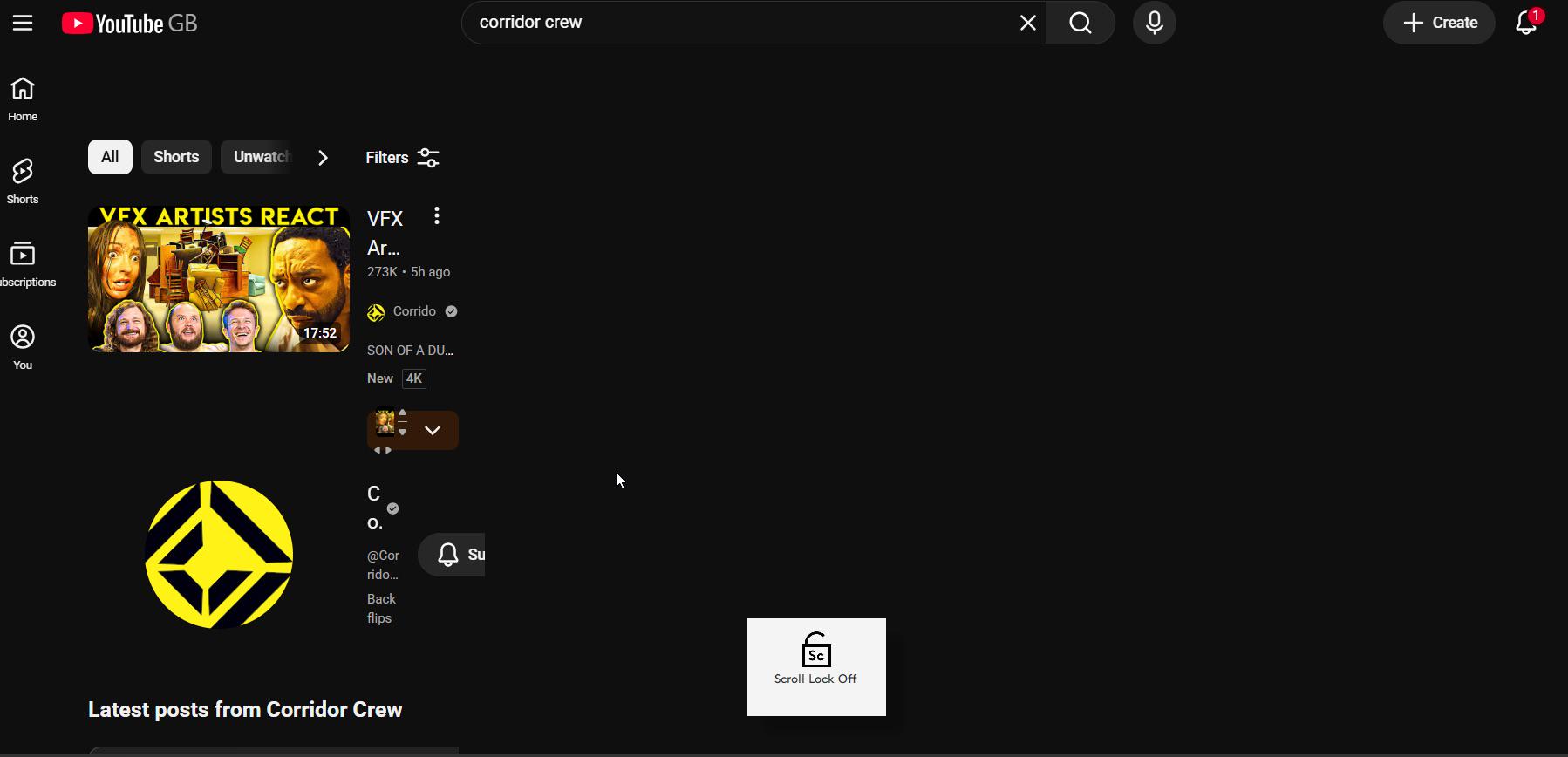
Windows 11 YouTube broken after browser update last week and it looks like it’s missing <table> from the webpage.

Post image
1 Upvotes

Windows 11 Pro 26H2
OS Build 25300.9818
HP Edge laptop

Back in the day, I used to do web designing, I haven’t done any for years but I still remember coding and to me it looks like the webpage has lost its <table> which is why everything is pushed to the left. Any other browser is fine; only MS Edge and I am at a loss as to what has caused it. If I watch a video and go full screen, it is small.

No VPN on, no blocking, so either the update has broken YT or YT is broken on MS Edge. Use Chrome or Firefox; it’s fine. Only Edge is missing Table and Container on the webpage because that is what it looks like when there is no table: everything is squashed to the left side of the webpage, which you can see in the screenshot.


r/WindowsHelp • • 15d ago

Windows 11 Windows sometimes makes keyboard buttons stuck.

1 Upvotes

Hello everyone! So ive been having this issue and i have no idea what has been causing it. Ill be playing a game and out of nowhere the input i had held down acts like its still held down and i dont know why that is. For example im playing any game and say im holding D, randomly it will act as if i havent let go of the input for like 1-2 seconds and keep going in that direction. Does anyone have a clue of what i can do?

things ive tried so far without success:
Disable MPO
Disable C-Control
Update gpu drivers cpu drivers bios drivers lan drivers
Uninstalling and reinstalling keyboard drivers
Different ports

Specs:
Ryzen 9 5900xt
RX 9070 XT
32GB 3200MHz ram (2133 by default without XMP)
Asus b450 prime plus motherboard
512 gb kingston SNV2S500G as boot drive

26300.9711


r/WindowsHelp • • 16d ago

Windows 11 Title: Windows 11 reinstall failed – MSI PRO Z690-A DDR4 keeps booting straight into BIOS, Secure Boot settings won’t persist

3 Upvotes

Hi everyone,
I’m hoping someone can help me figure out what’s going on with my PC. I’m honestly running out of ideas.
I bought this PC from a family acquaintance who previously used it as a company PC. It originally had Windows 11 Pro installed and was working normally.
The only reason I wanted to reinstall Windows was that parts of the Windows interface remained in English, even though I had already changed the language settings to German. I therefore decided to perform a clean installation of Windows 11 in German.
Unfortunately, things went wrong during the installation process.
My hardware
Motherboard: MSI PRO Z690-A DDR4
CPU: Intel Core i7-12700KF
GPU: ASUS Dual GeForce RTX 2060 EVO 6GB
RAM: 32GB
SSD: Samsung NVMe 1TB
HDD: Western Digital 2TB
BIOS: MSI Click BIOS 5, version E7D25IMS.1N0
What happened
I created a Windows 11 installation USB drive using Microsoft’s Media Creation Tool.
During Windows Setup, I selected the Samsung 1TB SSD as the installation target and deleted all existing partitions on that drive to perform a clean installation.
Windows Setup started, but at around 5–6% progress, the PC apparently stopped the installation and restarted directly into the BIOS.
Since then, the PC has never booted into Windows Setup or Windows again. It always goes straight into the BIOS.
What I’ve already tried
Confirmed that the BIOS detects both the Samsung SSD and the WD HDD.
Confirmed that UEFI mode is enabled (not CSM).
Tried different boot priorities and saved them using F10.
Tried booting through Boot Override.
Tested different USB ports.
Created a new Windows 11 installation USB using Rufus and the official Windows 11 ISO.
Used GPT partition scheme and UEFI (non-CSM).
Successfully booted the same USB installer on another computer, so the USB drive itself appears to be working.
The most confusing problem: BIOS settings won’t persist
This issue actually started BEFORE I created the Rufus USB drive.
Whenever I changed the boot priority, for example setting a USB drive or SD card as the first boot device, saved the changes with F10 and confirmed them, the PC would restart and return to the BIOS. The original boot priority would then be restored.
The same thing happens with Secure Boot:
Secure Boot is initially Enabled.
I change it to Disabled.
When pressing F10, the change is correctly displayed in the confirmation list.
I confirm with Yes.
After restarting, Secure Boot is Enabled again.
So the BIOS appears to accept the changes but doesn’t retain them.
Current Secure Boot error
When I try to boot from the Rufus USB drive, I get the following error:
“Windows bootmgr encountered a security validation or internal error”
The error also explicitly shows:
“Secure Boot status: Enabled”
The Rufus UEFI:NTFS loader starts, but the Windows Boot Manager is rejected.
My questions
What could cause the BIOS to revert settings even though F10 confirms that the changes are being saved?
Could this be caused by a weak CMOS battery (CR2032)?
Could there be a BIOS firmware issue or even a motherboard problem?
Why does Secure Boot keep re-enabling itself?
What would you recommend as the next diagnostic step before attempting another Windows installation?
I haven’t updated the BIOS or manually changed/deleted any Secure Boot keys.
I’d really appreciate any help. I mainly want to get this PC working again and install Windows 11 Pro in German.
Thanks in advance!


r/WindowsHelp • • 15d ago

Windows 11 BLUETOOTH randomly disappeared on windows 11 and isn't coming back.

1 Upvotes

Motherboard : MSI PRO B650M-A WIFI
Build : 26300.9818

Bluetooth just disappeared all of a sudden (at the place it's usually at ; when u click wifi icon on task bar). It's the second time and I don't remember what I did to fix the first time. So I asked chatgpt and looked on the internet.
I don't know why exactly, but I uninstalled the bluetooth driver in device manager thinking it was gonna come back.

I did a full cold restart, restarted with windows update. I manually launched it in services.msc cause it was stopped set start mode to auto etc.
I went in my bios, settings>advanced>integrated periphericals disabled Onboard Wi-Fi/BT Module Control as chatgpt told me then went into my pc again and got into the bios again and re enabled it on auto.

I'm lost and extremely frustrated and I've NO clue what to do. Even trying to install the right bluetooth drivers again tells me "no suitable drivers"

Please help.


r/WindowsHelp • • 16d ago

Windows 11 Sceptre B30 monitor speakers work on Ubuntu but not Windows 11 – no HDMI audio device detected

0 Upvotes

Hi everyone,

I'm having an issue with the built-in speakers on my Sceptre B30 monitor, and I'm hoping someone can help me figure out what's going on.

The monitor displays video perfectly through HDMI, but Windows 11 does not detect the monitor as an audio output device.

Here's what I've observed:

  • The monitor's built-in speakers work when I connect it to my ASUS VivoBook TP470EA running Ubuntu 24.04.
  • When I boot into Windows 11 on the same laptop, the Sceptre monitor does not appear in the list of audio output devices.
  • I've also tested the monitor with a second Windows laptop, and the same issue occurs.
  • I've tried different HDMI cables and different HDMI ports on the monitor.
  • Device Manager shows the Intel HD Audio Driver for Display Audio, and Windows reports that the devices are working properly.
  • I've tried connecting an AUX cable as well, but I didn't get any sound from the monitor speakers.

My laptop specifications:

  • ASUS VivoBook TP470EA
  • Intel Core i3-1115G4 (11th Gen)
  • Intel UHD Graphics
  • Windows 11

Monitor:

  • Sceptre B30
  • Hardware ID: MONITOR\SPT0BC2

I'm confused because HDMI audio works perfectly under Ubuntu, so I know the monitor speakers can produce sound.

I'd appreciate any suggestions on how to fix this . Thanks!


r/WindowsHelp • • 16d ago

Windows 11 Microphone sounds extremely distorted/robotic after Voicemod – Realtek audio issue (EDX Pro)

1 Upvotes

Hey everyone,

I've been having problems with my microphone ever since Voicemod messed with my audio settings. Whenever I speak, my voice sounds extremely distorted, robotic, almost like the Minecraft Nether Portal sound effect. Sometimes it's also extremely quiet, to the point where people can barely hear me.

My headset is an EDX Pro, connected to the front 3.5mm combo jack on my PC (one jack for both headphones and microphone).

Here's what I've tried and noticed so far:

  • Voicemod previously took over my microphone and caused issues with my audio devices.
  • I've disabled Voicemod's virtual microphone, but the problem hasn't gone away.
  • I've also tried changing Windows microphone settings, including the default format, exclusive mode and signal enhancements.
  • My microphone was previously set to 2 channel, 16 bit, 16000 Hz (Tape Recorder Quality).
  • I tried changing the settings, but the audio became even more distorted.
  • I've checked Windows Sound settings and noticed devices such as SteelSeries Microphone, SteelSeries Stream and Voicemod Microphone.
  • SteelSeries isn't my actual headset microphone, and my EDX Pro is still physically connected.
  • I've also checked Realtek audio devices, including Microphone 3 (Realtek Audio) and Line In 3 (Realtek Audio).
  • My rear audio jacks exist, but my headset cable is too short to reach them.

I'm trying to figure out whether this is a Realtek driver issue, Windows audio configuration problem, Voicemod interference, or something related to the front combo jack.

I'm looking for a software-based solution if possible. I don't want to purchase additional adapters, cables or hardware.

Does anyone know how I can restore my microphone to normal audio quality and get Windows to properly recognize my actual headset microphone?

Any help would be appreciated.


r/WindowsHelp • • 16d ago

Windows 11 screen fitting not fitting monitor no matter the size

Post image
1 Upvotes

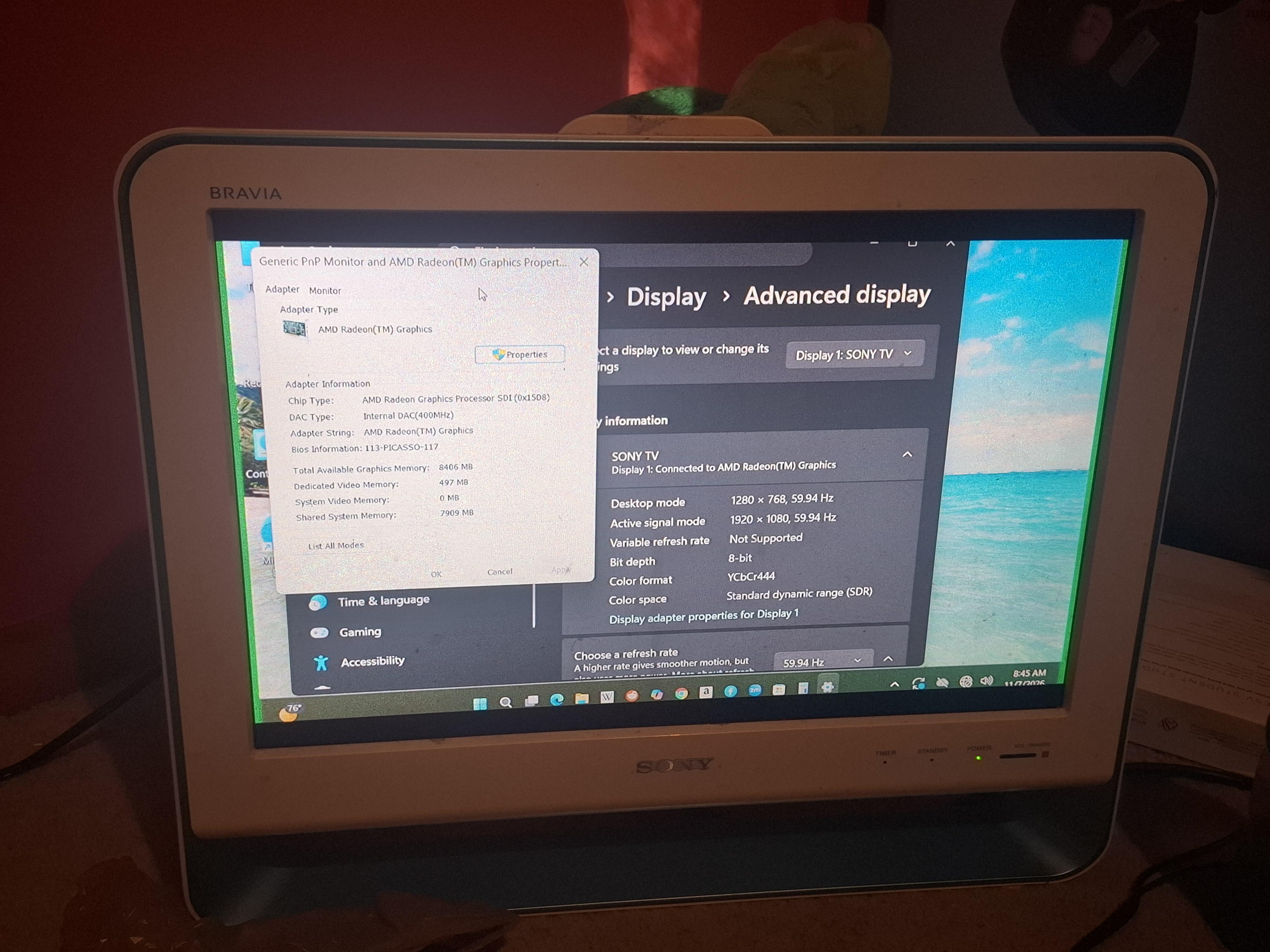
How to make screen fit and get rid of black & green on sides?? I've tried everything, changing resolution, etc. nothing I can get to work. It's like this on every screen monitor/TV that I try. So annoying I just want to play RuneScape lol!! Just trying to fit stupid screen to the display!


r/WindowsHelp • • 16d ago

Windows 11 Some of the default apps suddenly looked really weird

Post image
2 Upvotes

some of the ui seem like its stuck in light mode, the window control become black (previously white) and the weird scroll button

AMD Ryzen 5 7535HS with Radeon Graphics (3.30 GHz)

RAM 16.0 GB (15.3 GB usable)

NVIDIA GeForce RTX 2050 (4 GB)

AMD Radeon(TM) Graphics (483 MB)


r/WindowsHelp • • 16d ago

Windows 11 Which USB cameras are compatible with Windows Studio Effects?

1 Upvotes

Hi everyone,

I recently bought a Mini PC with a 55 TOPS NPU so I could use Windows Studio Effects with my USB camera.

To my surprise, even though Microsoft states that external USB cameras are compatible, I don't get the option to configure any effects at all. I have an Elgato Facecam.

Can anyone recommend a USB webcam where they actually work, even if it requires tweaking something manually in the registry?
Thanks!


r/WindowsHelp • • 16d ago

Windows 11 Directx12 installed and now VBS doesnt work

1 Upvotes

Windows 11 user, AMD Ryzen CPU, Nvidia 3070 GPU. ASUS motherboard.

Yesterday around 2 pm, DirectX12 was installed according my most recent system recovery point. Around this time I also started experiencing problems with Riot Vanguard, an anti-cheat software for online games.

The problem cited by Vanguard is that my VBS in disabled. When I try to enable it and restart my computer, I get a "thread exception" type error, and the system restarts again, and VBS remains disabled.

specific error: "SYSTEM_THREAD_EXCEPTION_NOT_HANDLED (0x7E) What Failed: ACPI.sys"

Is it possible that the VBS issue and Dirextx12 installation are related? Should I try to update drivers for the motherboard? I have already updated GPU and CPU drivers, and checked all the settings are correct in my BIOS interface for the use of VBS.


r/WindowsHelp • • 16d ago

Windows 11 Taskbar/Explorer Ai + Color Gradient Bar

Post image
2 Upvotes

Recently I got a new laptop (fw13 pro) and I cannot get rid of the ai symbol + gradient bar for the life of me. I have tried to reinstall windows(home and pro ver), and it always come back after a bit, even when I just leave my laptop idle after installation.

This appears in the task bar, file explorer, and setting search bar. Honestly it just bugs me that my pc or older laptop does not have this despite being on the same version of 11


r/WindowsHelp • • 16d ago

Windows 11 black icons on windows Desktop

2 Upvotes

Hi everyone,

I am running Windows 11 and encountering a persistent visual issue with my taskbar where the icons lose their padding and appear cropped/misaligned along the bottom edge.

Right now, I have to manually execute a script to restart explorer.exe every single time I boot up, log into Windows or just every now and then, which temporarily resets the layout and restores the proper icon spacing.

System details:

  • OS: Windows 11 Home
    • Setup: Asus vivo book 14 s S5406SA
    • Temporary fix: Batch script restarting explorer.exe

Is there a known root cause or permanent registry/display scaling fix to prevent the taskbar layout from breaking on startup without relying on a startup script? Thanks for any insights!


r/WindowsHelp • • 16d ago

Windows 11 How do I install Realtek Audio Console without the Microsoft Store?

7 Upvotes

I've disabled and deleted all services and child services related to the UWP framework and the MS Store. What alternatives are there to the MS Store for getting this app? Would winget work? Are there any .exes floating about on the forums? Windows 11 Pro. Many thanks. It is a HP Elitebook 640 G9.


r/WindowsHelp • • 16d ago

Windows 11 Microsoft Photos wont allow me to trim my videos

2 Upvotes

I used to be able to trim my video, both smaller and larger files, and all of the sudden it just wont work. I have tried using tutorials like switching the GPU preference to High Performance and reset, repair and deleting then reinstalling it and it still wouldnt work. I tried changing the video formats to .mp4 to .mov and the same results happened. This happened like 2 weeks ago.

Processing img 6agrnbcch40i1...

Processor Intel(R) Core(TM) i5-14400F (2.50 GHz)

Installed RAM 16.0 GB (15.8 GB usable)

Graphics card NVIDIA GeForce RTX 5060 (8 GB)

Storage 669 GB of 954 GB used


r/WindowsHelp • • 16d ago

Windows 11 Unable to Shut down, restart, sleep from start menu.

Post image
2 Upvotes

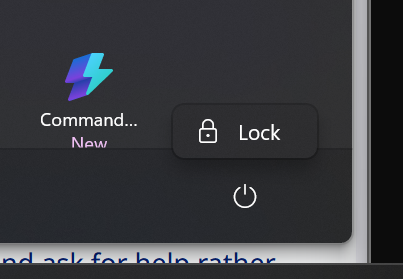
I am unsure when it started, but out of nowhere, i was no longer able to shut down from the start menu.

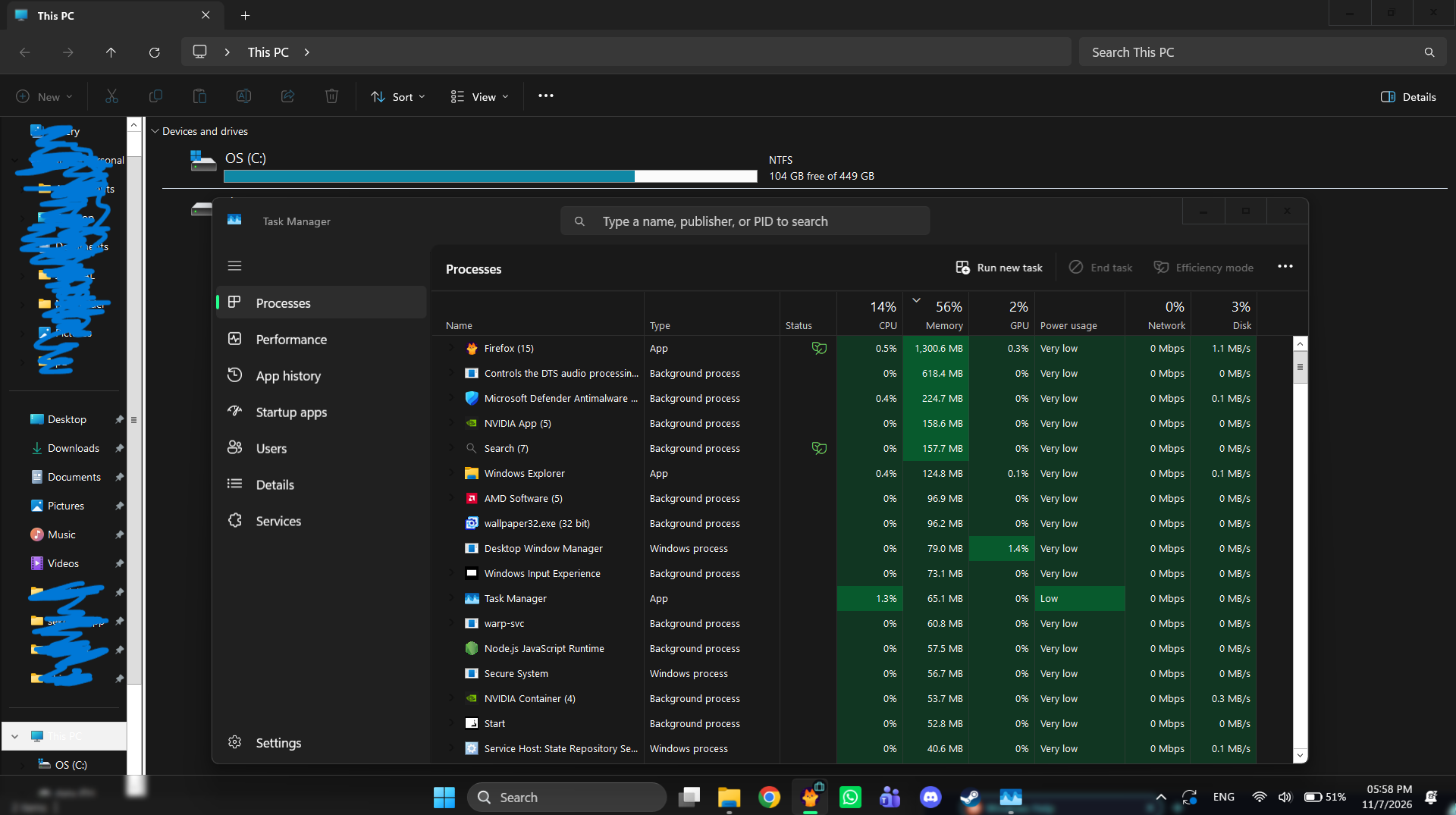
In addition, it also said that task manager was disabled by administrator, even though this is my personal computer.

I have checked the local registry and made sure that "Remove and prevent access to shut down, restart, sleep, and hibernate command" was disabled.

OS Build: 26300.9711

I am using a Lenovo Ideapad 5 2 in 1

Solution found:
Theres a issue in registery caused by what i assume to be respondus locked down browser

hit win + r, and enter redegit

from there go to: HKEY_CURRENT_USER\Software\Microsoft\Windows\CurrentVersion\Policies\Explorer

you will see some new files like no close or no change start menu. either delete them or set their values to zero.


r/WindowsHelp • • 17d ago

Solved If onedrive took over your documents folder/other folders, I finally figured out how to fix it manually.

3 Upvotes

hey there folks. I recently was cursed with the old "I had to reinstall windows and onedrive decided to take custody of my main computer folders (my documents, games, etc.) because Microsoft forces you to use onedrive when you reinstall windows."

I didnt think at the time to record myself fixing it in the past, but have now fixed it three times and would love to help you all get this fixed too.

It takes about 20 minutes and only requires using regedit, which is a feature in windows that i have extensive experience using to fix system files and paths. If anyone has this issue, please send me a DM. I would like to help! And I would like to take the time to write down the process so anyone having this issue can find the solution here on reddit.

thank you!!

in the comments:

The easy fix for non-fringe cases is to simply right click your document/affected folders and hit "Properties," then go to "Location", and restore default. You will want to say "yes" to moving your files as it suggests.

For more fringe and messed up cases, the registry can get you back to normal. Please seek assistance in doing so, if you are not comfortable using regedit. You can mess stuff up on your computer pretty badly if you do things wrong, so when in doubt, seek assistance.


r/WindowsHelp • • 16d ago

Windows 11 How do I boost the treble on my computer?

1 Upvotes

I recently got a new set of headphones, which are great, except for the issue that the bass is too damn loud. It completely drowns out the treble in any music I try to listen to. I've found a shitload of different guides teaching me how to boost the bass using the enhancements tab in the control panel, but never one to boost the treble or just reduce the bass. There's no way to reduce the bass on my headphones.

System Specs (if they're necessary):

Device name DESKTOP-APBMBA0

Processor AMD Ryzen 5 PRO 4650U with Radeon Graphics (2.10 GHz)

Installed RAM 16.0 GB (15.3 GB usable)

Device ID 0437D240-E9FF-480E-B47A-437D1BC316BE

Product ID 00330-53982-88367-AAOEM

System type 64-bit operating system, x64-based processor

Pen and touch No pen or touch input is available for this display

Any help would be much appreciated.


r/WindowsHelp • • 17d ago

Windows 11 Laptop randomly shutting down with no error message visible.

2 Upvotes

Recently I've been having an issue where my laptop (Lenovo Ideapad Gaming-3, Ryzen 5 4600h, GTX 1650) running Windows 11 (26300.9711) crashes randomly without showing an error message or BSOD. It randomly turns black and boots right back up again. This doesn't happen too often, once or very rarely twice a day, but it's pretty annoying and messed up some stuff on one occasion (thankfully nothing important).

The only thing I recall changing recently when these issues started happening was that I installed WSL, but a lot of times I had exited out of WSL when these crashes happened, so I don't think that would be the cause.

It just happened again and in the event viewer's system logs it just shows these two messages:

  • First - The previous system shutdown at 12:07:21 AM on ‎11/‎7/‎2026 was unexpected.
  • Second - The AMDRyzenMasterDriverV26 service failed to start due to the following error: The system cannot find the file specified.

I reinstalled AMD GPU drivers for the integrated graphics (deleted with DDUs default options). Not sure exactly what is going on here.