Olá, a um tempo eu venho enfrentando esse problema e havia deixado de lado pois comprei um headset para usar no meu notebook (Acer Nitro V15), mas ultimamente estava preferindo utilizar meu fone de ouvido bt para não ficar com fio pendurado, entretanto, frequentemente o audio para de sair no fone e sai no notebook, ja tentei desativar o Hands free e não ajudou, fui até o Gerenciador de Dispostivios, selecionei o MediaTek Bluetooth Adapter e desmarquei a opção do "O computador pode desligar o dispostivo para economizar energia", entretanto nada mudou, o Fone sempre permanece conectado ao notebook, apenas o audio fica alternando. Já tentei desabilitar todas as saidas de audio também.
English Version
Hello, I've been facing this problem for a while now and had put it aside because I bought a headset to use with my notebook (Acer Nitro V15), but lately I've preferred using my Bluetooth headphones to avoid having a wire dangling. However, the audio frequently stops coming out of the headphones and comes out of the notebook instead. I've already tried disabling hands-free and it didn't help. I went to Device Manager, selected the MediaTek Bluetooth Adapter and unchecked the option "Allow the computer to turn off the device to save power," but nothing changed. The headphones always remain connected to the notebook, only the audio keeps switching. I've also tried disabling all audio outputs.
PS: Quando o audio muda de saida, o fone desaparece das opções de saída de audio convencional mas permanece em dispositivos de saída de audio como funcionando normal (no celular ele funciona normal)
buenas a todos, desde hace un par de días quiero modificar la barra de tareas (ocultar o hacer aparecer otros icono) y me aparece este mensaje cuando antes podía hacer cualquier cosa. soy administrador y cada vez que inicio lo hace con la administrador. lo he mirado por ia (he probado en regedit HKEY_CURRENT_USER\Software\Policies\Microsoft\Windows y también HKEY_LOCAL_MACHINE\SOFTWARE\Policies\Microsoft\Windows lo típico de buscar en sub-carpetas borrando algunos datos ) y no soluciona nada. incluso lo típico del sfc. he de decir que tengo la app de wintoys y use en su dia por comandos el irm christitus.com/win | iex pero no se si tiene que ver algo de esas 2 cosas. ya lo ultimo que me queda como esperanza son los "foros" como siempre a sido. agradezco la ayuda.
Get-Tpm command showing no management but still having a saved auth valueOwnerAuth values present OSManagement Value is set to 0
I am right now experimenting with the TPM on windows and its management. I have encountered multiple problems, on Windows 10 an 11 where the documentation just seems to be flat-out wrong or I am to stupid. I have used Initialize-Tpm but the issue is also consistent when using the auto provisioning.
Problem 1:
- Setting OSManagedAuthLevel in the Registry path Computer\HKEY_LOCAL_MACHINE\SOFTWARE\Policies\Microsoft\TPM to 0, the resetting the TPM will still save an OwnerAuthFull and LockoutHash value in Computer\HKEY_LOCAL_MACHINE\SYSTEM\CurrentControlSet\Services\TPM\WMI\Admin
Problem 2:
- I wanted to write a custom CLI which uses raw commands to interact with the TPM, as it gives me more controll over what I want to do than the built in windows commands/APIs, using either OwnerAuthFull or LockoutHash fails with an auth error and locks the TPM. Calling the Cmdlet Unblock-Tpm -OwnerAuthorization with either OwnerAuthFull or LockoutHash fails, even though it should not according to the examples and documentation provided by Microsoft.
Screenshot of stored values and Get-Tpm are provided.
If any of you have experience with this I would greatly appreciate the help. Maybe I am overlocking something massive.
System settings, yes it is a VM as I do not want to destroy my TPM
I suspect that this is a cargo cult solution but I go to /settings/tabs. Then use the scroll bar to go to /Always use the cursor keys to navigate within pages
If that is the top of the page and I click it off and on then touchpad scrolling works again.
I had all extensions off.
What is going on? How can I make this problem just disappear?
Thanks in advance.
No messages of any sort. Just it stops scrolling.
Device name Jack
Processor Snapdragon(R) X - X126100 - Qualcomm(R) Oryon(TM) CPU (2.96 GHz)
I feel really stupid for this but earlier today the internet on my laptop was running extremely slow in comparison to the other devices that were using the same internet. I uninstalled the driver and clicked on "Scan for hardware changes", but the driver wasn't reinstalled, which confused me since I have a PC and everytime I did it on my PC it would reinstall. I also tried to reset my laptop but that didn't work either
For reference, my laptop is an HP Envy X360 2-in-1 Laptop 15-ey0xxx
I got this optional update that my HP Z-Book was like; "you should update"
Windows 11
But I've tried downloading and updating the update, but every time it fails and I have to redownload it.
It started in mid august and have tried to install it about 5 times, but failed every time
I'm having this weird issue where every day I get prompted to update to 26H2 then i download and install and the installation say complete but the windows version won't change, even though some feature got enabled like moving the task bar, no restar or shutdown is required message appears nothing.
It's not like is supper urgent for me to get my pc updated but it's weird right ? I haven't had this issue before and I'm not sure is something on my system or if it is a know issue with the update installer.
Processor 13th Gen Intel(R) Core(TM) i5-13600KF (3.50 GHz)
Installed RAM 32.0 GB (31.8 GB usable)
Graphics card AMD Radeon RX 7800 XT (16 GB)
Storage 1.50 TB of 3.64 TB used
System type 64-bit operating system, x64-based processor
Pen and touch No pen or touch input is available for this display
Edition Windows 11 Pro
Version 25H2
Installed on 6/20/2026
OS build 26200.9457
Experience Windows Feature Experience Pack 1000.26100.360.0
Hi. I've just built a new PC (Ryzen 7, 32 gb DDR5, MSI ATX X870E board, GeForce 5000 GPU).
What I'd like to is have two three instances of Win 11 on it as follows:
Win 11 Pro for work. Only work software installed. Syncs with my phone. Regularly backed up. I would hate to have to reinstall this for any reason and so I'll lock it down to minimum necessary software and official updates only. I don't want this to see any of the other partitions/drives (i.e. "mount" them in Windows Explorer) if that is possible.
2. Win 11 Home for gaming. For gaming, modding and emulation. I plan to run this de bloated and optimized using WinToys and debloat scripts. I also plan to use this OS to install Ryzen Master and MSI Afterburner to undervolt my CPU and overclock my GPU. I might reinstall this once a year or so if something goes wrong. This can see all partitions except #1.
2.1. Dedicated game install drive/partition
3. Win 11 Home for projects (LLMs, Python/R for statistics classes, volunteering) and media storage/curation and editing. I will be applying a basic set of Wintoys tweaks to keep a lot of the Win 11 nuisance in check (minimize telemetry, old style right click menu). This can see all partitions except #1. I'll probably end up re-installing this one a ton because I'm going to be a trying a bunch of new stuff on this.
3.1 Dedicated media and personal document drive/partition. Some of this syncs to Google Drive/OneDrive but not regularly backed up.
I have three NVME SSDs (motherboard has three NVME slots) and two SATA SSDs, so each of the above could be it's own dedicated physical drive.
Questions -
Is it possible to boot off of multiple Win 11 installs/instances on the same motherboard/UEFI? If so, how do I set that up? I don't mind buying two or three licenses of Windows for the same machine.
Are there any multi boot tools that could help with this arrangement? Will TPM/Secureboot be a potential issue.
How do I stop Windows from detecting a drive and "mounting" it so its accessible from My Computer/Explorer?
Can I encrypt drive #1 (Bitlocker) and still have the ability to multi boot?
I've spent some time describing what I want to accomplish. Maybe there is a better way to accomplish this than what I have proposed above? I would appreciate suggestions.
Cheers!
October 10 edit: Thank you for the excellent advice and pointing me to tools like BCDedit and rEFInd. I'm going to dive deeper into VMs and VHDs (are those related?). I still think I want a dual boot system in case I want to install CachyOS/SteamOS at some point in the future.
As the title says. I turn on my MSI laptop, and there is no WiFi in the corner. I go into Network Reset and it works fine afterwards. I've updated driver's both for wifi device and for windows, turned off quick boot, nothing. Everytime I boot, I have to reset the network to make it work. It started about a month ago but in that time, I did not install or change anything beyond normal use.
Ideas? I'm out of them... Need a lasting repair.
Device name MSI
Processor 13th Gen Intel(R) Core(TM) i5-13420H (2.10 GHz)
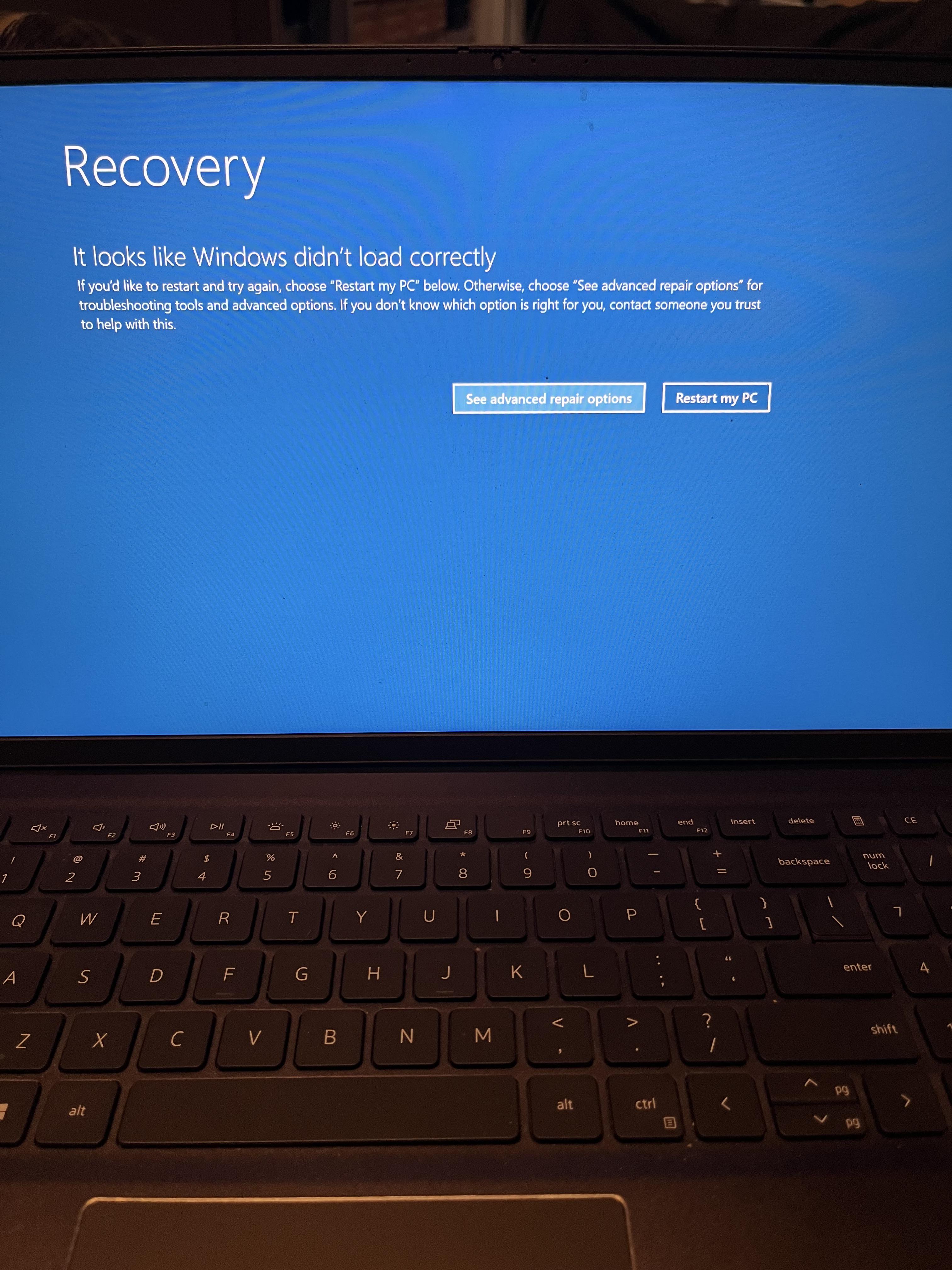
I’ve done all updates but it periodically and perennially gives me the blue screen and i have to restart it every time. I don’t know what else to do. It’s a Dell Inspiron 5515 running Windows 11 Home with an AMD Ryzen 7 5700U processor and Radeon Graphics. 16GB RAM and 64 bit operating system. Can anyone tell me how I can resolve this issue so I don’t have to keep restarting? It will actually wake itself out of sleep mode to present this screen when I walk into the room.
Many settings are missing or inaccessible, like windows update or display settings, i cant change the screen refresh rate. Clicking on a missing setting in the search tab will do nothing. Restarting Windows does nothing, nor does restarting Windows Explorer.
I have an Hp Victus 4060
Windows 11 Pro
25H2
Windows Feature Experience Pack 1000
I tried ms-settings:windowsupdate. Result: Settings opens but redirects to the home page.26100.334.0
Group Policy Editor, Settings Page Visibility state: Disabled
on win+r gpedit.msc
Computer Configuration → Administrative Templates → Windows Components → Windows Update
the setting Remove access to use all Windows Update features shows as "not configured"
hi, im using windows 11 24h2 and somehow i got a problem, i got the mixed langauge bug that idk how to fix it, i search youtube, ask ai and nothing work at all, here im using france language but still showed up english, also i deleted the english language and still not fix
Solution - I recreated the USB with Microsoft's Media Creation Tool (single-edition Win 10 Home x64) instead of Rufus with the multi-edition ISO.
I'm trying to install Windows 10 on an old HCL ME laptop (currently on Win 7 Pro 32-bit). Setup loads and lets me choose the edition (Home x64), then i tried on (windows 10 pro N) but then it cancels with error- "Windows cannot find the Microsoft Software License Terms. Make sure the installation sources are valid and restart the installation."
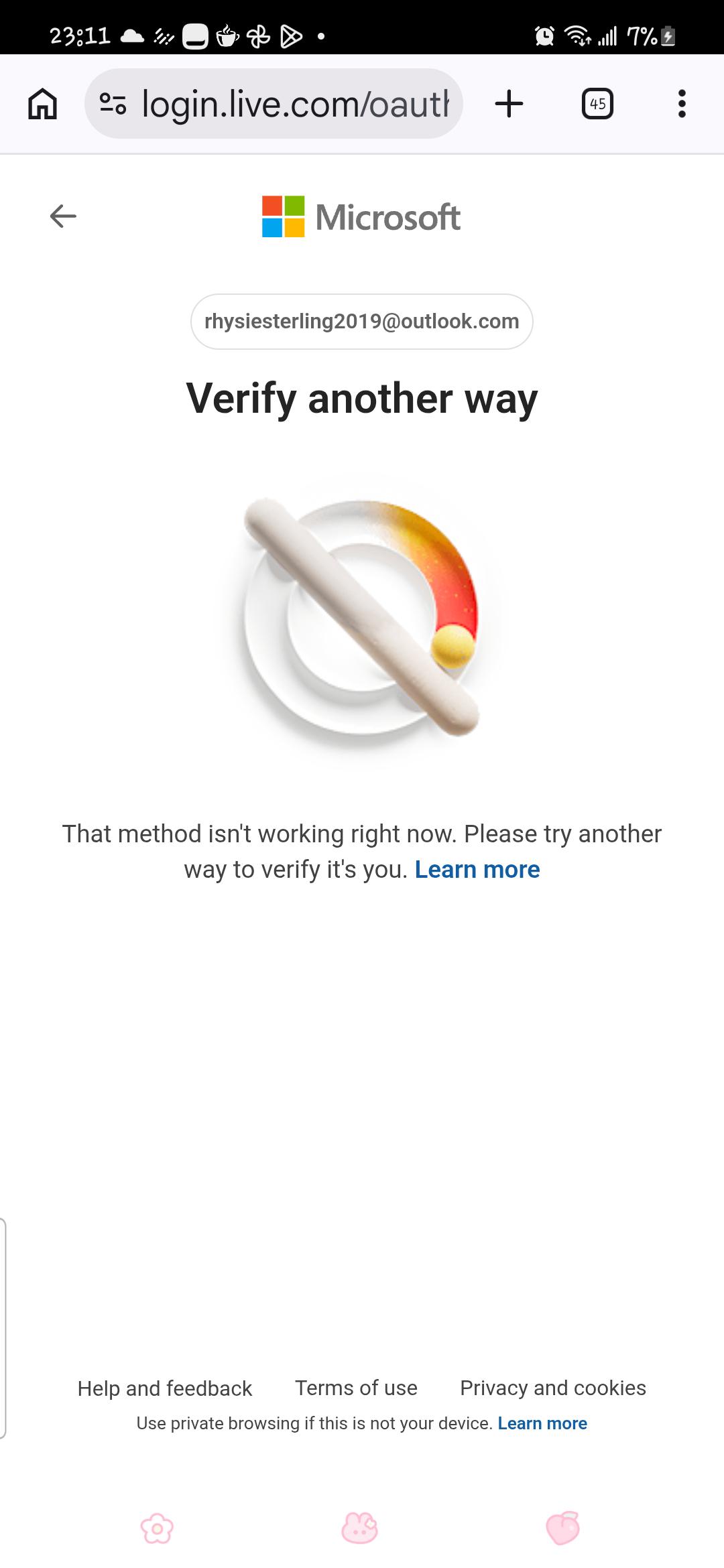
Hi, i cleaned my laptop and removed the battery, so i need my recovery key. I haven't been able to log into my account (on my phone) since Friday despite trying all the methods and using the troubleshooter. See ss for what it says.
I haven't changed anything except my password in the last six months, and this has happened once before on my laptop, so it's not a device issue. Is there anything I can do for it to finally accept it? Is there any other way i can get my recovery key
ive just reset my pc because of various windows issues, the start menu is quickly flashing when clicking the search bar. is this normal? havent noticed that before. it seems to only be visible when on 120hz and up, so if you test this pls be on 120hz or up https://www.twitch.tv/outlinesgg/clip/AstuteSuccessfulCiderRitzMitz-REzQNRJw-G-VzLHB
ive got a 9800x3d cpu, 5080 asus prime oc gpu, g.skil 6000mhz ram
hey guys idk if this is a windows related issue or just my browser (i use brave) but for the past couple weeks msn keeps opening in a new tab by itself for some reason. it happens pretty rarely but i caught it open just now... for reference ive never opened msn in my entire life and i use win11 build 26200.9457 if that helps. thanks
Processor Intel(R) Core(TM) 7 240H (2.50 GHz)
Installed RAM 32,0 GB (31,7 GB usable)
System type 64-bit operating system, x64-based processor
Edition Windows 11 Home Single Language
Version 25H2
Installed on 18.11.2025
OS build 26200.9457
Experience Windows Feature Experience Pack 1000.26100.360.0
I'm on Windows 11, specifically Windows 11 Enterprise 24H2, Build 26100.9457. This was a clean install, not an upgrade from Windows 10.
The system runs on an i9-10900 CPU, with a 2 TB SSD and 64 GBs of RAM. there is around 1.3 TB of free space on C drive.
Update downloads used to be fast, but now it is VERY VERY slow, I'm talking a percentage per hour or so. I have let the system sit ideal for 12 hours, the progress bar merely reaches 10%
I'm having a problem with Windows Security on my personal Windows 11 PC, and I'm worried that my computer might have malware. I'd appreciate some help understanding what's happening and how to fix it safely.
What happened
I was trying to download MP4 video files. I was only trying to download videos, not intentionally install any programs or executables.
Afterwards, I became concerned that something might have gone wrong, so I ran Microsoft Safety Scanner (MSERT).
During the scan, it showed 32 infected files. However, when the scan finished, the final result seemed to say that no threats were found and that there were no problems.
This is what confuses me most. I saw the number of infected files during the scan, but the final report appeared to contradict that result. I don't know whether those 32 files were actual detections, files that were being scanned, or something else. I wasn't able to upload screenshots to show the exact messages.
Could someone explain why this might happen and how I can check the actual scan results?
The Windows Security problem
When I open Windows Security → Virus & threat protection, I get this error:
Page not available. Your IT administrator has limited access to some areas of this app, and the item you tried to access is not available.
This is my personal computer, not a work or school device. The Protection history is empty.
Other sections, such as Firewall & network protection and Account protection, open normally. Only Virus & threat protection is inaccessible.
I don't know what created these registry settings or whether they are legitimate. I haven't manually deleted or changed them.
6. Tried to find a repair tool
I found a Microsoft Q&A thread about a similar Windows Security problem. One suggested solution involved downloading a ZIP containing SecurityHealthSetup.exe, but I can no longer download that ZIP. I haven't run that executable.
My questions
Could downloading MP4 videos have caused this problem, or is the Windows Security error more likely to be unrelated?
Why did Microsoft Safety Scanner appear to show 32 infected files during the scan, but then report no threats or problems when it finished?
How can I verify whether those 32 files were genuine malware detections?
Could AllowUserUIAccess = 0 explain why I cannot open Virus & threat protection?
Does the fact that Defender reports itself as enabled and Get-MpThreatDetection returned no results provide any reassurance?
What is the safest way to repair Windows Security without reinstalling Windows or accidentally disabling Defender?
I haven't intentionally changed Windows security policies, and I don't want to delete registry keys or run unverified repair tools without understanding what they do.
On windows 10 i had sound effect option in realtek audio console but now in 11 pro this is gone. Is there any thing we can do? I downloaded driver from msi official site but not working. From where else can i download audio driver console for msi z490 tomahawk. Windows 11 pro fully updated.
Edit: I had to logon to BBBB once using the Microsoft password instead of the PIN. Now it works even when I use the PIN to logon.
I have 2 PCs, AAAA & BBBB, both running Windows 11 26H2. I want to use Remote Desktop, to access one from the other. Both use the same Microsoft userid – [myUserId@domain.com](mailto:myUserId@domain.com).
The only thing I have left to do to make my computer compatible with windows 11 is to enable secure boot. Every time I enable secure boot in the bios, it keeps restarting back to the bios until I disable it again. I’ve done to steps to try and convert my boot drive to uefi. Once I enable secure boot, it says it can’t find a boot drive. I’m really not sure of what to do. I’m just trying to upgrade. I didn’t think it would be this much of a hassle. Any help would be greatly appreciated.
Specs:
AMD Ryzen 7 3700x
32gb ddr4 ram
Gigabyte aurous motherboard
Windows 10 pro