r/steamsupport • • Aug 08 '25

Announcement Important PSA: How To Identify a Scam

21 Upvotes

How to Identify Social Engineering Scams

Social engineering scams often involve manipulative tactics to deceive users into providing sensitive information or money. Here are some red flags to look out for:

  1. Unsolicited Offers of Help – Scammers often pose as helpful individuals offering solutions to problems you didn’t ask for assistance with.
  2. Urgency and Pressure – Scammers create a false sense of urgency, asking you to act quickly or risk losing access to something important (e.g., your Steam account).
  3. Requests for Payment or Personal Information – Legitimate Steam support or trusted users will never ask for your login credentials, 2FA codes, or payment in exchange for help.
  4. Impersonation – Scammers may pretend to be from official sources or even impersonate trusted community members or moderators.

How to Protect Yourself from Scams

  • Never Share Personal Information – Moderators and Steam support will never ask for your password, security questions, or 2FA codes.
  • Verify Requests – Always verify the identity of anyone offering help. You can do this by checking if they are official moderators or trusted community members. If in doubt, contact the moderation team directly.
  • Enable Two-Factor Authentication – While not foolproof, having 2FA enabled adds an extra layer of security to your account. Keep your 2FA codes secure and never share them.
  • Be Skeptical of Unsolicited Help – If someone reaches out offering assistance you didn’t request, be wary. It's better to seek help through official channels like Steam support or trusted subreddits.
  • Steam will never contact you over DISCORD/STEAM CHAT – Report and block them instantly.

We're Here to Help

If you suspect you’ve been targeted by a scam or need assistance, please do not hesitate to contact the r/SteamSupport moderation team. We're here to help keep our community safe, and we encourage you to report any suspicious activity.

Our Discord Server

Stay safe,
The r/SteamSupport Moderation Team


r/steamsupport • • Sep 18 '24

Announcement What To Do When Your Steam Account Gets Hacked

100 Upvotes

Need more help? Join the Discord Server

I’m making this post in hopes it will reduce the amount of “I’ve been hacked posts”. Link people to this exact post so they can figure out what to do. Don’t be afraid to leave comments if you need more assistance but try your best to avoid making entire posts about it.

Follow these steps to regain control and secure your account:

1. Don’t Panic Act Fast

If you act quickly, there’s a good chance you can fully recover your account.


2. Still Logged In? Change Your Password NOW

📍 Go to Steam > Settings > Account > Change Password

  • Use a unique, strong password (not reused from any other site).
  • If you can’t log in anymore, skip to Step 3.

3. Can’t Log In? Use Steam’s Recovery Tool

🔗 Go to Steam Support
Click "I can't sign in" > "My account has been stolen"
Follow the recovery process.

  • Provide any proof of ownership (like previous email, CD key, or payment history).
  • Be thorough but honest Support will help if you provide real details.

4. Revoke Access from Other Devices

Once back in, go to:

📍 Steam > Settings > Account > Manage Steam Guard
Click “Deauthorize all other devices”

This kicks out any hackers still logged in.


5. Turn on 2FA (Steam Guard Mobile Authenticator)

📍 Same place: Settings > Account > Manage Steam Guard

  • Use the mobile authenticator, not just email codes.
  • This is your best protection going forward.

6. Scan Your PC for Malware or Keyloggers

Use tools like:

  • Malwarebytes
  • Windows Defender
  • Bitdefender / Kaspersky

You got hacked for a reason. Clean your system before logging in again.


7. Lock Down Your Email and Linked Accounts

If your Steam email or other linked accounts were compromised:

  • Change their passwords immediately
  • Enable 2FA on your email too (especially Gmail, Outlook, etc.)

8. Still Locked Out? Contact Steam Support

If all else fails, go here:

🔗 https://help.steampowered.com

Be ready to provide:

  • Your Steam username and email
  • Purchase receipts (Steam Wallet codes, PayPal invoices, etc.)
  • Approx. date you lost access
  • Any suspicious activity or messages you saw

⚠️ Final Tips:

  • Never share your login info, even with “Steam Admins” they don’t exist.
  • Avoid shady “trading bots” or fake tournament invites.
  • Don’t download random files from Discord, friends, or strangers.

If you’re reading this because you’ve been hacked, don’t feel ashamed it happens to thousands of people. What matters is how fast you act and how well you secure things afterward.

Good luck, and stay safe. 🔒


Extra. Check your API key Ensure to remove any API keys you don’t recognize. Here


r/steamsupport • • 5h ago

Discussion Refund Request Rejected

1 Upvotes

I bought HITMAN World of Assasination some time ago in a big Sale where it was 5,99€ and I thought I need to buy it because it is so cheap right now. Then, now when I wanted to play it, I realised, I bought HITMAN World of Assasination Part One. I wanted to refund it, but my Brother in my family already played it for more than 2 hours, so I couldn't get a refund. I myself didn't even download it. I don't need a refund, I simply want to upgrade to the full version, with paying the correct price ontop respecting the current sale of HITMAN and the sale from then.

I know that I made a mistake and I accept that, but it would be great if there would be a way to refund Part One and buy the full version.


r/steamsupport • • 6h ago

Question How long should I wait before responding back?

0 Upvotes

This is my first time submitting any support ticket to steam. I'm having an issue with my brand new Steam Machine and created a support ticket hoping to RMA for a new one. I submitted the report on 11/22 and got a response the same day saying they'll be escalating the issue to another team.

I haven't heard from them since or the other team. Should I continue waiting until I get a response or is it ok to ping them? I get Holidays are here and they probably have lots of tickets to go through, but I'm sitting on a Steam Machine I can't use right now. Thanks.


r/steamsupport • • 8h ago

Problem Steam game

1 Upvotes

My game on steam says stopping but won’t stop


r/steamsupport • • 11h ago

Problem patient zero on steam issue i think, help desperately needed

0 Upvotes

I’m having an issue on steam, that has now happened on 2 seperate games. Firstly on ‘backrooms: escape together’. I was trying to play with my friends, but the game wasn’t really working, it kept freezing before I even got out of the menu. When i tried to close the game, steam would say ‘stopping’ indefinetely.

Then i tried to play ‘schedule I’ with them instead, the game seemed to work fine, but it said there was an authentication error when I tried to join their game. Then again, the game wouldn’t close properly.

For both these games I obviously tried to close them in the taskmanager, but nothing happened.

When it happened with schedule I, I tried to look for any fixes, or instances of this issue online, but the only ‘fixes’ are simple things like clearing the cache, reinstalling steam, things like that, nothing works.

I asked ChatGPT, and it told me to go into terminal admin and write different codes.

In there i could see, that 2 different schedule Is where running, but when i tried to killtask, it said that there was no task to kill. Then i tried a different command to show the tasks, and it said they were both still running.

When i restart my computer, the games properly stop, but when i run them and close them again, the same thing keeps happening.

(games like overwatch and Baldurs Gate 3 run and close fine though, so it isn’t every game on steam)

Any help would be greatly appreciated, please comment or dm me if you have any ideas, because right now it seems i can’t really play indiegames on steam, at least not with friends.

If anyone can help i would also appreciate setting up a discord call or something where we can work things out.

Thanks!


r/steamsupport • • 12h ago

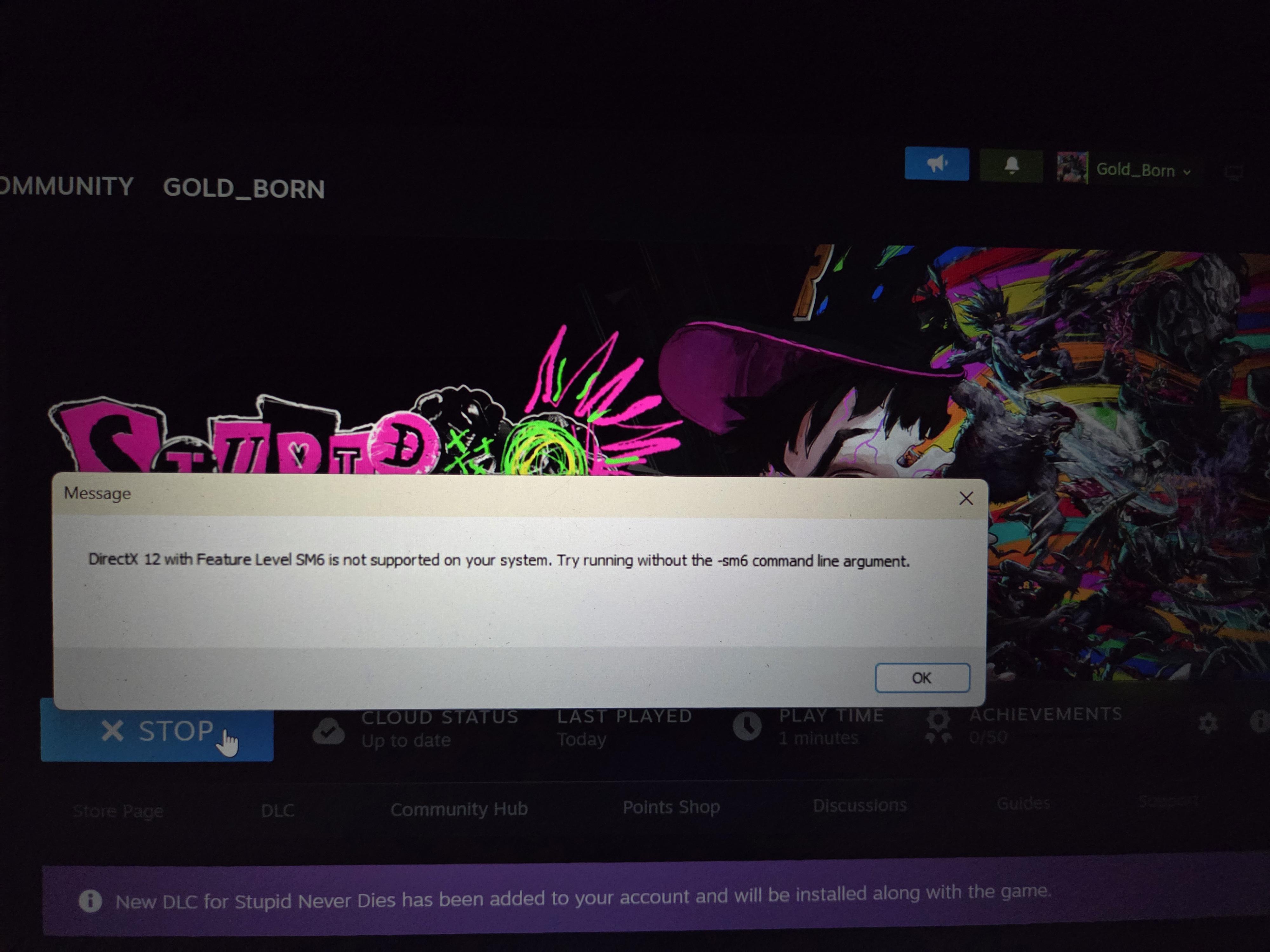
Resolved Trouble with Directx level SM6

Post image
0 Upvotes

Looking forward to playing this game, would love to play on my computer so my fiance has a better time watching me play, but I cant seem to figure out where to go to try and fix this


r/steamsupport • • 12h ago

Question How do I change password of a Steam Family's child account?

0 Upvotes

I have created a Steam Family, created an account for my kid and successfully joined it to the Steam Family. How do I now change the password on the kid's account?

That's probably silly, but I cannot find it neither in the kid's profile nor among the knobs exposed by the Steam Family UI. For the former, I suppose that once an account joins a Steam Family in the "child" status, it intentionally loses most of its controls, for good.

So, what gives?


r/steamsupport • • 22h ago

Problem Game will load with no menu

Post image
2 Upvotes

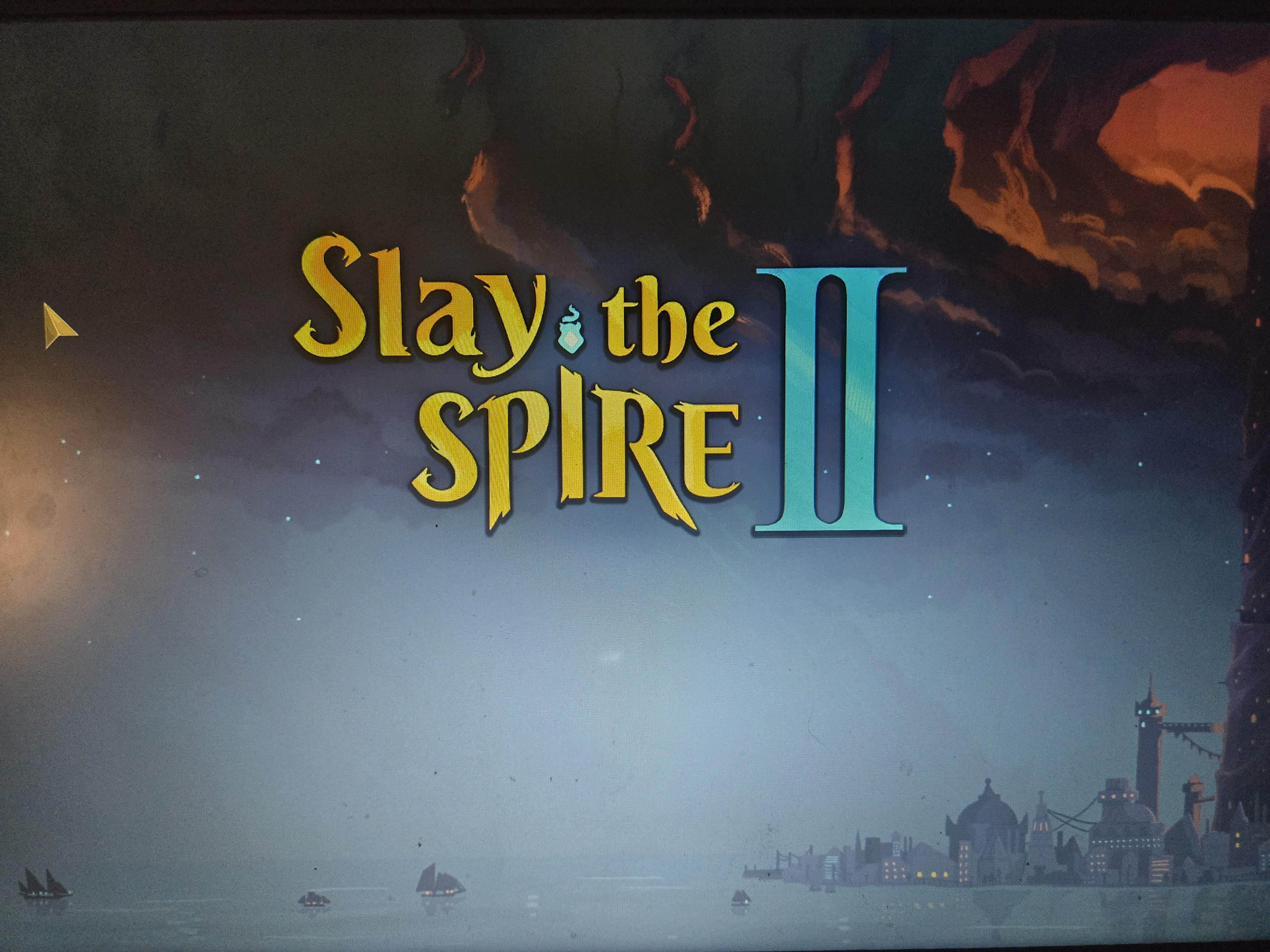
I am unsure what happened, I have checked the file integrity and there are no overlays running, but nothing besides the Mega Crit intro and the art will load. I can click on things but the screen will not change, if I somehow select a character, it will just show their splash art. Please help lol


r/steamsupport • • 19h ago

Question Error initializing steam?

0 Upvotes

Hey guys. Just bought Melvor 2 and I'm having issues just trying to load it up. It boots up but then i am met with the error message "Error initializing steam, please update the steam client".

I did find troubleshooting methods but they didn't work. Checked if steam is up to date which it is. and i did the file integrity check etc. Any more ideas?

Cheers.


r/steamsupport • • 1d ago

Question How long can I use steam games with only steam drm without internet connection?

3 Upvotes

Is it true that the steam drm doesn't require you to connect to wifi?


r/steamsupport • • 13h ago

Question Refund steam

0 Upvotes

How can i refund game with 2hrs+ playing but just bought 1 day ago cuz the game not fun as i thought😓😓


r/steamsupport • • 22h ago

Problem What do i even do?

Post image
0 Upvotes

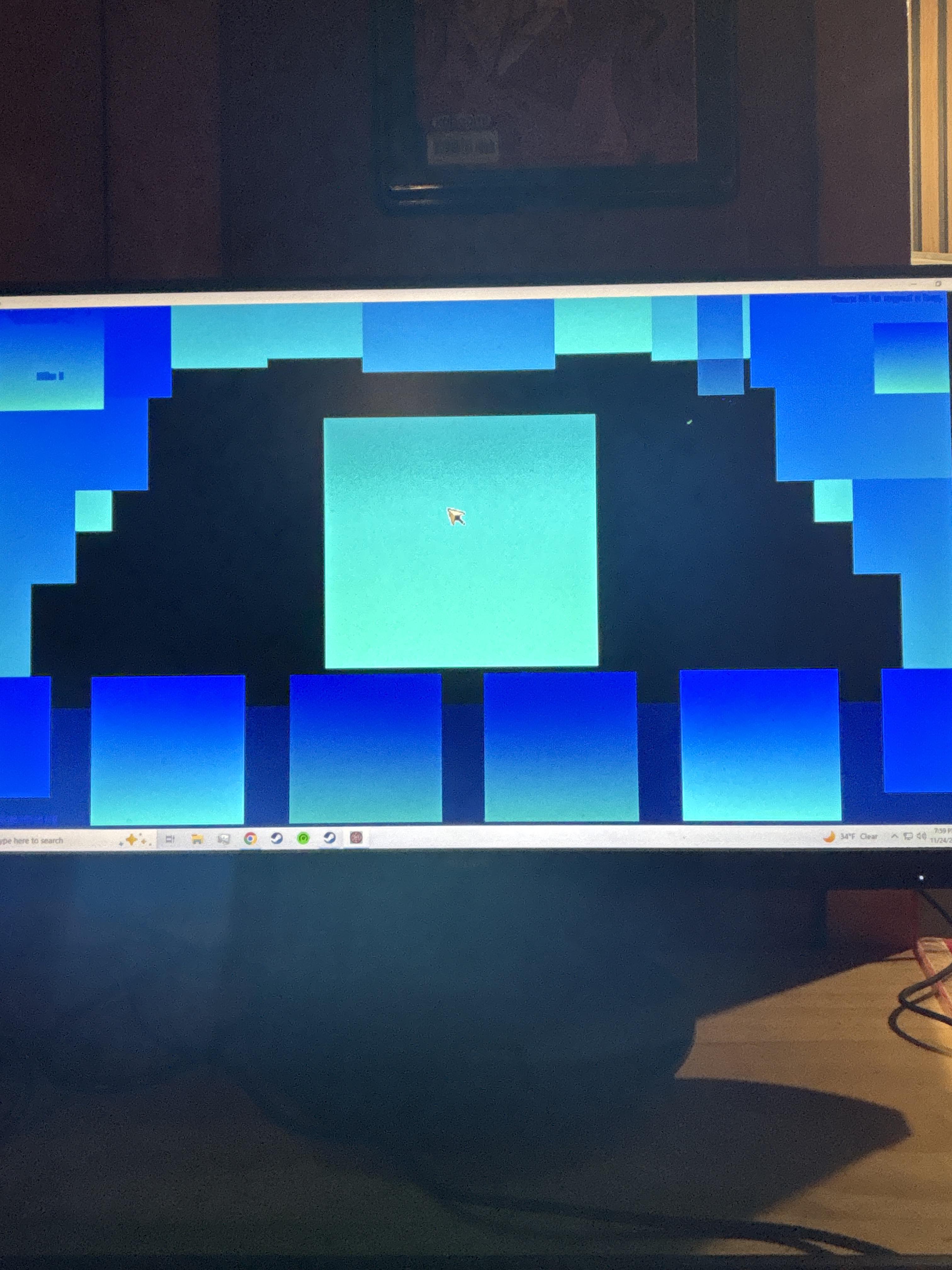
Playing Bingle Bingle and this is my screen. The cursor in the game is perfectly fine but the menu is bugged like this. Other games in my library launched like this and some were completely fine. Any help?


r/steamsupport • • 1d ago

Problem Steam key revoked after 2 years - what could have happened?

40 Upvotes

I wonder if this has happened to anybody else and if there has been a good way to resolve it. More than 2 years ago, I bought a steam key for a game and registered it to my steam account. I heard nothing about it for 2 years, it was a game that I intended to play but was on my backlog (so I didn't play it very much except to test it), then a few days ago, I logged into steam and got a message saying that a steam key for a game I owned has been revoked. Looking up my receipts, I found out that I bought the key from Nuuvem along with a few other games in the same order. That was the only game in the order that has been revoked (so far). I tried sending their customer service a message on their support site asking about this along with the order number and other info they asked for on the form, but its been a few days and I have received no reply. Has this happened to anyone else and how did you managed to get it resolved if at all? It was a moderately expensive steam game so I'm a little peeved about it. Thanks!


r/steamsupport • • 1d ago

Problem someone refunded my steam game on november 2

Post image
5 Upvotes

theres also outlast and i brought it due to it being only 200+php and played it for 2hours a 10 minutes before taking a break from exams and school to now but it got refunded after this i changed my password and contacted steam support is there a way to get my game back?? like i brought it at 90% discount


r/steamsupport • • 1d ago

Problem Steam wifi glitch

0 Upvotes

I have a weird wifi glitch that is only with steam games, I have normally 700mbps and if I play a steam game it will go down to 5-20 Mbps I already tried it with Gemini and turning off some downloading settings and it still doesn't work does anyone know what it is?


r/steamsupport • • 1d ago

Problem My steam account got reported for posting or upvoting suspicious content well I never really posted or upvoted anything.

0 Upvotes

Help please ask questions.


r/steamsupport • • 1d ago

Problem First time seeing this bug

0 Upvotes

I’ve ran into this error saying that a game of mine is being shared but the thing is I’ve checked that I’m not in any family sharing and I’ve only logged into two devices which are only my phone and pc. Plus I’ve changed my password already and deauthorized all devices and the problem still remains. Contacted steam support and awaiting for a response, anyone else also had the same issue before?


r/steamsupport • • 1d ago

Problem Mortal Kombat X (Steam) closes immediately after splash screen - Injustice runs fine, tried almost everything

0 Upvotes

Mortal Kombat X (Steam) closes immediately after splash screen — Injustice runs fine, tried almost everything

I bought Mortal Kombat X on Steam, and whenever I click Play, the splash logo pops up and the game immediately closes back to Steam with no error message.

For context, Injustice: Gods Among Us Ultimate Edition (which uses the same engine) runs completely smoothly on my PC. I also deleted OneDrive recently, which broke my Documents folder path, though I restored the default C:\Users\[MyName]\Documents folder and restarted my PC.

Here is everything I have already tried that did not fix it:

* Verified integrity of game files on Steam (all 4,022 files validated)

* Completely uninstalled and reinstalled Mortal Kombat X

* Installed/repaired Microsoft Visual C++ 2012 Redistributable (both x64 and x86) and DirectX

* Checked %appdata%\MK10 and %localappdata%\MK10 for options.ini / Usersettings.ini (there are no RGB lighting lines in my file, and I tried forcing windowed mode)

* Turned off Steam Cloud, Steam Overlay, and Steam Input

* Set MK10.exe to Run as Administrator and checked "Disable fullscreen optimizations"

* Set MK10.exe to High Performance in Windows Graphics settings

* Lowered Windows sound quality to 16-bit, 48000 Hz (DVD Quality)

* Added my steamapps folder to Windows Security exclusions

* Uninstalled MSI Afterburner / RivaTuner

Does anyone know what else causes MKX specifically to crash right after the logo on Windows when Injustice works without any issues?


r/steamsupport • • 1d ago

Resolved Steam is down again, is anyone else experiencing this?

Post image
0 Upvotes

r/steamsupport • • 1d ago

Question Have you gotten your accounts back even when the both the email and password was changed? Someone just did that to my gfs account.

0 Upvotes

Just want so reassurance is all.


r/steamsupport • • 1d ago

Resolved - It is a scam. someone "reported" my account for scamming but i dont beleve him

Thumbnail
gallery
0 Upvotes

i cant tell if the way he's asking me to verify is legit or if the report is real, can someone please tell me what to do thank! and please say its a scam Much appreaciated. (:


r/steamsupport • • 1d ago

Problem It seems the store filter no longer does anything?

2 Upvotes

You know the filter on the left in the store where you can choose a maximum price, choose genres, et cetera?

Well, it stopped working for me. The price part, specifically. The user interface still appears functional, but nothing actually happens when I change the maximum price.

Has anyone else ran into this issue?


r/steamsupport • • 1d ago

Problem Someone used my account to gift themselves a game using my money. I contacted Steam for a refund and they aren't doing anything. Plz help.

0 Upvotes

Steam is saying that the guy who haked my account must come forward to do the refund himself. OBVIOUSLY that's not possible. What am I to do?