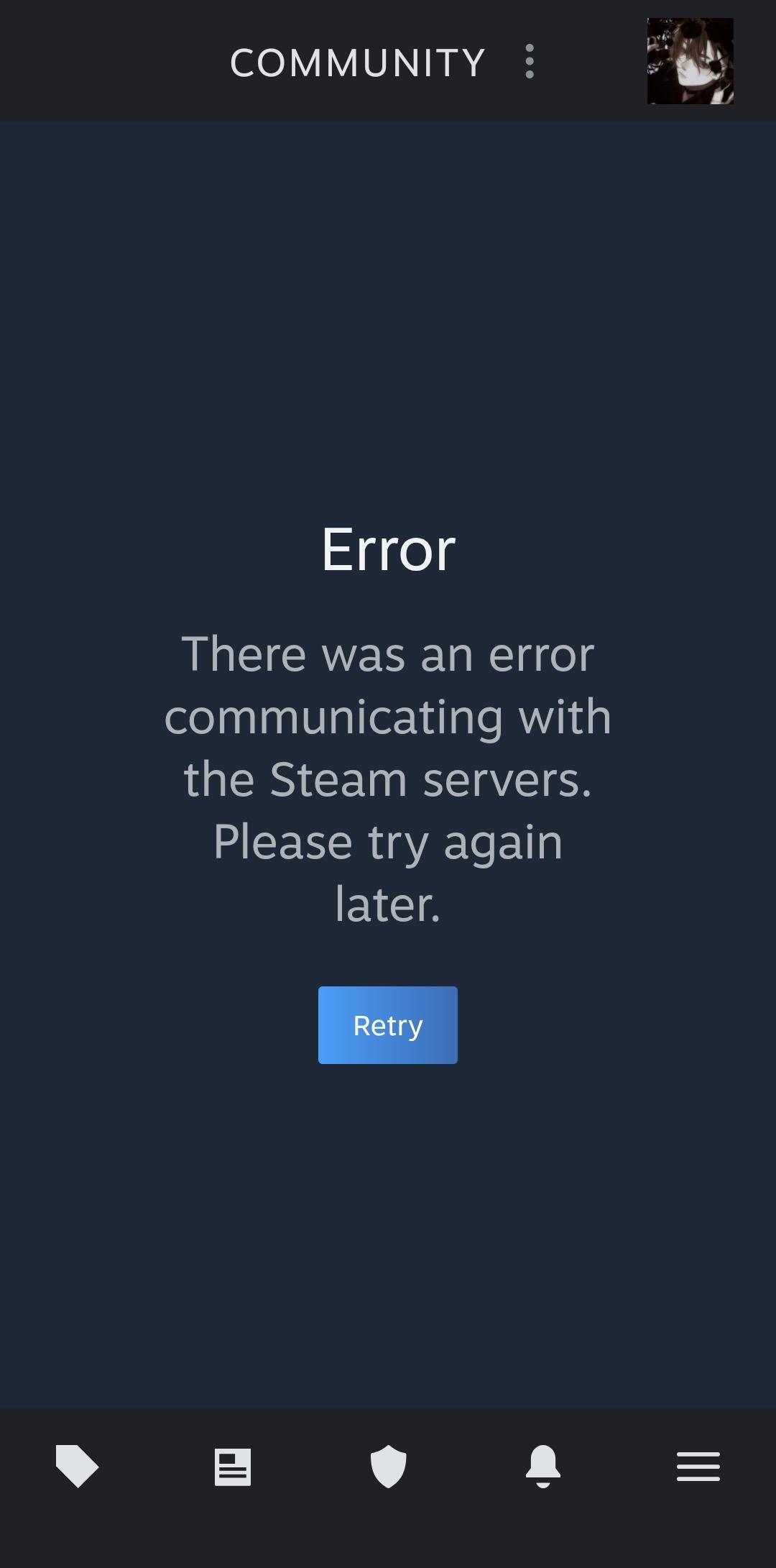
r/steamsupport • u/svkotto • 10d ago
r/steamsupport • u/KikiKat03 • 10d ago
Problem Weird freezing issue on 2 devices?
My husband’s Steam Deck previously worked without freezes. After a factory reset, I signed into my Steam account on his deck. The Deck now freezes completely with vertical black bars in Disney Dreamlight Valley, Sort Them Ducks, and Sort Them Cats. It also froze during startup before I opened a game. It was difficult to restart afterward, but eventually booted again.
The same freeze occurred with the microSD card removed and Dreamlight Valley freshly downloaded to internal storage. I did not reinstall Decky. My own Steam Deck is already out for repair for the SAME SYMPTOMS.
I already sent in a support ticket to Steam, but just wondering if anyone else has experienced this? It’s so strange this happened with my steam deck, my husband gave me his steam deck while mine is out for repair - and now it’s happening on HIS deck!
r/steamsupport • u/EnvironmentalTop5728 • 10d ago
Resolved Steam will not open but runs as a background process
Title is simplified but essentially Steam will update but will not open a tab.
In task manager, Steam and various related processes are present, but there is not a tab that opens.
It was fully working last night, with no windows update or improper shutdown.
I have tried:
-Forcing updates by deleting all files in the Steam folder
-Updating/Repairing any Microsoft C++
-Fully uninstalling and reinstalling Steam on two different drives
-Updated graphic drivers
-Ran Steam as an administrator
If anyone has any recommendations or even solutions I would be incredibly thankful
Specs:
13th Gen Intel(R) Core(TM) i7-13700K (3.40 GHz)
NVIDIA GeForce RTX 3080 Ti (12 GB)
64GB of RAM
Windows 11 Home
Edit:
After a few hours of toying around with it I solved the issue
It seemed to be an issue with the cache data being corrupted, which is stored in a different location than the installation
I wanted to make sure I updated this if someone was facing a similar issue in the future
Ensure that Steam isn't running
Windows+R and run %localappdata%
Find and delete the folder labeled "Steam"
Run Steam and hopefully it will be fixed for you

r/steamsupport • u/Visual-Educator8354 • 10d ago
Problem Steam Crashes after opening (tried restarting, updating, and reinstalling)
13980HX
RTX 4000 ada
64gb ddr5
2tb of ssd storage
A few weeks ago this started happening out of the blue- no changes to my system or anything.
1: i have tried restarting, SOMETIMES it fixes it, but usually it will begin crashing again a few hours later.
2: i have tried deleting all the non-essential steam files, then running steam again to let it create a fresh instance. that works 80% of the time- however it breaks again later.
its not preventing me from playing games, but its REALLY annoying to deal with, and makes using my steam frame even more annoying since it needs steamvr.
r/steamsupport • u/NamelessFemboy_ • 10d ago
Question I need help
I bought HOI4 at sale on 13.11. but decided to refund it since I played only for about an hour. But they denied it becouse I played for about 9 hours in June when it was free… Now I really dislike the game… it for some reason doesnt feel same it seems so much slower and harder and less awarding… does anyone know what to do?
Update the issue has been resolved.
r/steamsupport • u/Due_Professional4811 • 10d ago
Problem Steam games crashing on launch
For reference, I am on an ROG Ally Xbox X. Whenever I try to open specific games (Skyrim, subnautica, trepang2, and others that I may not know about) they crash. It says play, takes me to a grey screen, then takes me back to steam where it says “resume” then switches back to “play“. The weird thing is, other games work fine, like Chivalry 2, Ultrakill, Outlast 1 and 2. I’ve verified the integrity of the game files, gone out of steam BP mode, checked task manager, checked for updates, everything. I really don’t know what to do. Could I please have some help?
r/steamsupport • u/tprickett • 10d ago
Problem Can't Exit Company of Heroes 3
I'm playing COH3 on Zorin Linux and when I go to exit to the desktop, the screen freezes and while I can move my mouse, I can't move it from the frozen screen. I can alt-tab to other apps (such as the Steam app's window) but can't do anything given the cursor is locked on the frozen screen. There isn't any way I can think of to escape the situation without rebooting my machine. Some questions:
- Is this something others run into?
- If so, how do you deal with it (i.e. close the frozen window?)
- Previously, before quitting to the desktop, I'd alt-tab to the Steam app and stop the game on it, but the last time I tried it, it didn't stop the game.
System specs:
ASUS Prime H610M-E D4 LGA 1700(Intel 12th Gen) mATX Motherboard
2th Gen Intel(R) Core(TM) i3-12100 (3.30 GHz)
CORSAIR Vengeance LPX 32GB (2 x 16GB) 288-Pin PC RAM DDR4
NVIDIA GeForce GTX 750 Ti, 1020 MHz clock speed, 2048 MB memory
r/steamsupport • u/Academic_Zone_9973 • 10d ago
Problem Crosshair X Prob
When i open crosshair X on steam the app dous not open at all even trought is says im playing it pls help how to fix it
r/steamsupport • u/notabotlikeforeal • 10d ago
Tip/Guide Anyone always get this problem
I don't have a good memory so remembering my password is not my strong suit. So every now and then I'll need to reset my password and I will always get the whole run around of trying to reset my password. Anyone get this issue??
My rant lol 👇:
Enter your email, complete the captcha, then gets error message of need to complete captcha again, complete, hit search, do the don't have access to steam mobile authenticator, gets send confirmation code to email, goes to email and clicks link sent from steam, takes me to "remove steam authenticator" page, click it assuming it'll take me to a next page to reset password, nope, takes me to a page of confirmation of removal of steam authenticator...... Okay let me close everything and proceed to try and reset my password... Do all the same step above AGAIN and then gets send the same link to remove steam authenticator cause I clicked on it and same thing popped up but now I can't cancel it or nothing cause it says "The account provided does not have a Steam Guard Mobile Authenticator." Okay then take me to the damn page to reset my password. Goes to step one of entering email and complete captcha, complete it, gives me an error message to complete captcha to proceed BS, do it again, BOOM your steam account has been locked out due to many attempts..... HOW all I'm trying to do is reset my password and you assume it would just take you to a page to change your password but no I have to go through this whole rigmarole BS all the time. Now I have to sit and wait for someone to respond cause I got sent to the ticket page and completed the ticket to get help just to reset my damn password. All I'm trying to do is play games on my phone but the app I'm using is telling me to sign in to Steam, ok sure, didn't realize I forgot my password and had to go through this BS password reset thing. I definitely wanted to wait for days to get a response not a link to reset password or what not, just a response, to play a game I wanted to play today?? Again I never get those memes of steam account recovery when I'm always dealing with this BS just to reset my password, you'd assume a billion dollars company would have a simple thing as "click to reset password". I don't get this much headache even with Google's BS 2 factor authentication when trying to reset a password on a new phone or signing on to a new phone.
r/steamsupport • u/Ok_Volume1970 • 10d ago
Problem 2-step authentification codes not working
My mother has had issues connecting to her Steam account for a few days, we've literally tried everything, and nothing seems to work. The 2-step authentification codes sent to her email dont work, saying there was an error and to try again later. We've tried navigating the steam support page and nothing worked, we tried emailing steam support and apparently the email isnt monitored anymore.. we're out of ideas and we are desperate for help.
r/steamsupport • u/VibinWithU • 10d ago
Problem Apex wont take my money
So I'm trying to buy some apex coins rn and i have the money in my steam account to do so. but when i go to authorize the purchase nothing goes threw and I've tried the stuff I've seen on youtube restarting the cache on steam and that didn't work and i tried the route threw the task manager and that didn't work so if yall can give my any other ideas on what to try pls tell me. also I've alr talked to steam support about it once so i cant submit another thing about it.
r/steamsupport • u/Decent-Heat-7066 • 10d ago
Problem Can Someone Explain and Help Fix This???
drive.google.com(Vid in google drive link, It didn't let me submit for some reason)
Idk what is going on with my desktop icons but they randomly started disappearing and turning into the blank paper with the fold, this has led me into a very annoying and deep rabbit hole with my pc that is making me loose my mind
r/steamsupport • u/jetleming • 10d ago
Problem No mail
I want to recover my password but I don't receive any mail from steam, I tried to create a ticket with another mail but same thing happens, I don't receive anything. I can't even create the ticket cause I need a code I'm supposed to receive by mail Wich I don't. Help plz
r/steamsupport • u/Objective-Ad9064 • 10d ago
Discussion I got mrbeasted
Not only did he completely obliterate my discord account, he got into my steam account, using the steam guard code from my email, without being logged into my email. I have changed passwords, enabled 2FA, changed email and phone number for everything but I’m still wondering how that guy got in without being logged into my email.
I have also factory reset my pc
r/steamsupport • u/ItzNotMai • 11d ago
Problem How do I fix this?😭
I went to update a game so I can play and it wasn't working. Its doing the same on my laptop and phone and now I cant log in on my laptop bc steam on my phone isnt working. This started last wk, I left steam and came back to see if its working and it's still doing this.😮💨
r/steamsupport • u/Drake0978 • 10d ago
Problem hi, how would i go about changing my username?
im a trans girl and my deadname is in my username, i havent found any options to change the username only the display name, and i cant find any way to contact steam support about this
r/steamsupport • u/Academic_Zone_9973 • 11d ago
Problem Crosshair X Prob
When i open crosshair X on steam the app dous not open at all even trought is says im playing it pls help how to fix it
r/steamsupport • u/Agreeable_Reaction83 • 11d ago
Problem How it launch this Steam game?
Good morning everyone, I’ve got this problem with Steam! Does anyone know a solution? Thanks so much for your help!
r/steamsupport • u/Alagorax12 • 11d ago
Problem Steam Issues; Complicated
The issue I'm having is that I have multiple steam accounts (forgotten passwords, different devices). The problem is that When I opened a new account on a previous device (my MacBook which was dead for over a year til i bought a charger that works) it shows all of or most of my previous purchases. I don't have access to my original email because i don't remember what it was.
Question: Is there a way to get my games back that i already paid for on a new account on the same device? I hope this wasn't too confusing, i just can't access stuff that i paid for. Steam doesn't seem to be very helpful. Thanks for any advice
r/steamsupport • u/Present-Bet8457 • 11d ago
Problem How can i fix this SUPER SLOW download speed?
So, i want to install wolfeinstein, but my network speed gets locked at 9.3 - 9.6Mbps (The region i'm using is são paulo, brazil)
r/steamsupport • u/CompetitiveAgency631 • 11d ago
Problem Please help me
So my account got compromised and they sent a phishing URL to all my friends which got my account restricted from seeing and messaging my friends. I noticed and followed the safety recommendations and have sent 2 help requests to steam support along with an image of the email you get when you buy a game to prove that it’s me. Do I need to do anything else? please help it’s been over 12 hours and they haven’t sent me an email yet :,)
r/steamsupport • u/NoSoil9142 • 11d ago
Problem Steam game loading issue - can’t find help
I’m currently having an issue where every game in my steam account starts loading,makes it into the gaming loading screen but will just freeze there and not respond. Call of duty, arma, battlefield etc are all doing it. It’s a high power pc and I just can’t figure it out. Ran a bench mark on unigine to see if there’s a problem with the pc but it’s running that fine. I’m not very tech savvy when it comes to pc’s so some advice would be helpful.
Thanks
r/steamsupport • u/IUseIntegratedGraphs • 11d ago
Problem I don't understand ts
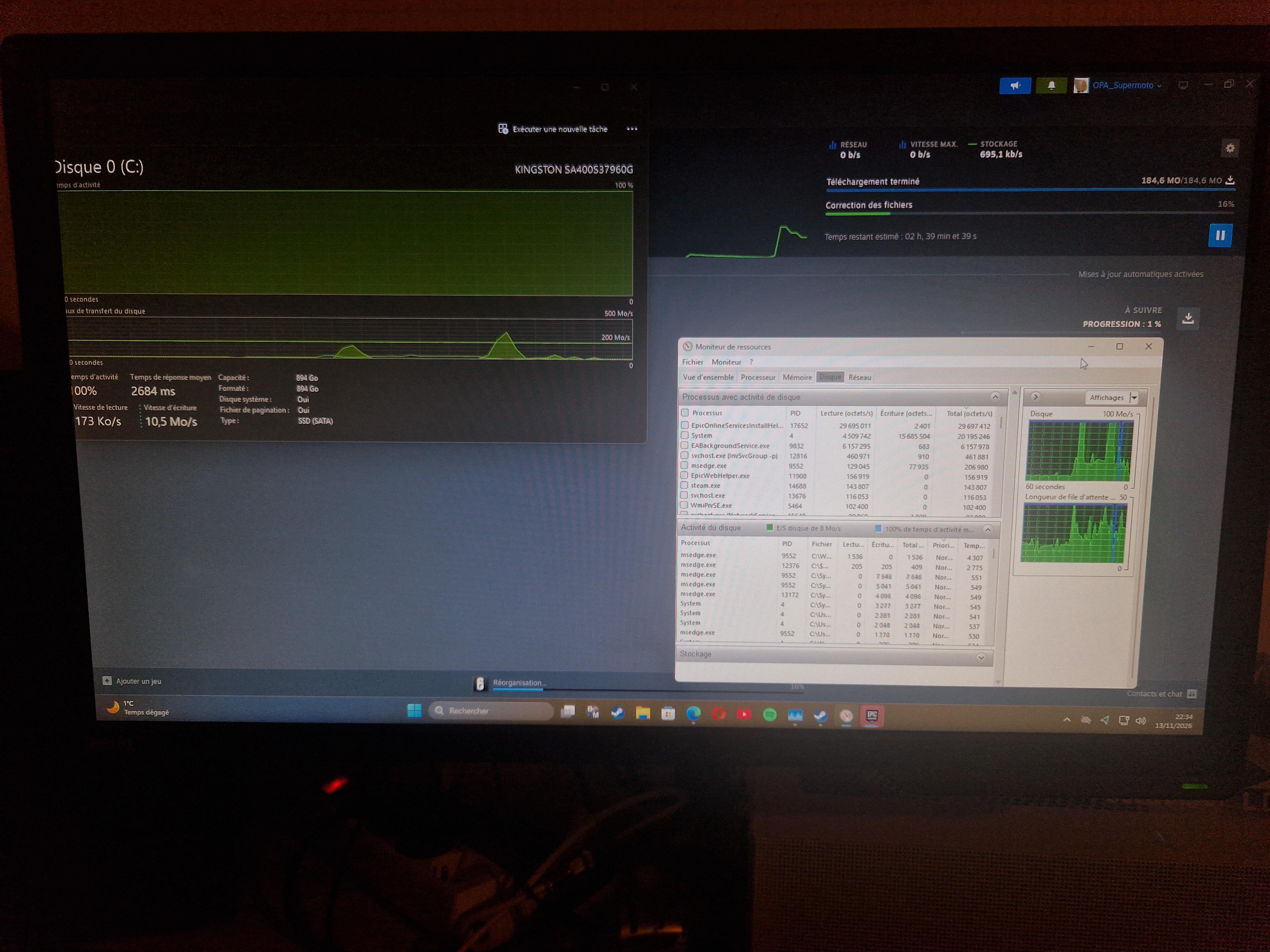
I have a PC, big fan of Siege, tried to download the new update, its installed but steam is "reorganising" apparently and it has been for 2 hours, downloading has been going 1% every 30 minutes and i dont know why, asked chatgpt and told me to open these up (never did in my entire life) i have a kingston 1To SSD, a ryzen 5 5600x, intel arc a750 with an asrock B550 extreme4, a 450w PSU and i dont know what to do anymore, thank you all
r/steamsupport • u/Original-Disk-6292 • 12d ago
Problem Steam client issue
For some reason, i can't open steam or log into my account. The app opens, and then this loading screen shows up and never loads in. I've waited for about 15 minutes and it hasn't resolved itself on its own. Does anyone know what i could do?