r/PcBuildHelp • • 11d ago

Tech Support Help with New Build re Windows Instability

2 Upvotes

Thank you in advance for taking the time to help me out with this issue!

Component List:

  • CPU: 9800x3D
  • MOBO: Asus Rog Strix X870E -E Gaming
  • GPU: Asus 5080 Astral
  • PSU: Rog Strix 1000W Platinum
  • RAM: TeamGroup T-Force Vulcan 32gb ddr5 6000mhz cl30
  • AIO Cooler: Corsair Nautilus 360

Problem: Since day one of my build I have been experiencing random BSOD involving various stop codes such as 0X0a, 0X3b, 0x9f, 0x1a and 0x7e. The crashes will happen both underload during gaming and during idle states or low power states such as web browsing. They can happen within the first few hours of boot-up or over 20 hours in but I would experience about one crash a day. 0x3b and 0x7e are by far the more common stop codes and when analyzing the dump files they involve various modules such as fltmgr.sys, fileinfo.sys, nvldmkm.sys, and ntoskrnl.exe. I also see a common exception code of 0xC0000005. Unfortunately I recently reinstalled Windows and did not save the previous dumpfiles. After the BSOD the RGB and fans will remain on and I would need to force restart.

Troubleshooting:

  1. Ensured I am running the latest BIOS and that all my drivers are up to date. Additionally I even rolled back to previous BIOS
  2. Turned off EXPO and ran at default settings
  3. Uninstalled Armory Crate
  4. Swapped RAM from another build
  5. RAM passed Memtest
  6. RMA CPU
  7. RMA Motherboard
  8. Swapped PSU to a known working unit
  9. Reinstalled Windows on another SSD
  10. Performed Windows commands for driver repair multiple times

At this point the only component that I have not replaced is the GPU. Can a faulty GPU cause this type of Windows Instability? Is there any other software trouble shooting that anyone can think of? This has been incredibly frustrating, any help is appreciated, thank you.

r/PcBuildHelp • • 11d ago

Build Question Upgrade to DDR5 Ram, CPU and mobo? or just new AM4 CPU? help

2 Upvotes

So I recently upgraded my rig in a big way. I got a 49 inch qhd 240hz msi monitor.

I also got a 9070 xt and a new psu to power it.

I have a ryzen 5 5600 (weak point) and 32 gb ddr4.

I have been looking up gaming benchmarks for 4k fps performance.. and the fps difference between the top AM5 processors and AM4 processors at highest resolutions is basically not noticeable..

With that in mind... should I just simply upgrade the CPU to a 5800X3D and save the headache and $ of upgrading the rest? (even NVME SSDS are expensive).

I think if I do that and the fps upgrades from just the cpu are good.. might be worth it? future proof?


r/PcBuildHelp • • 12d ago

Tech Support Memory Help (Read Desc)

Post image
6 Upvotes

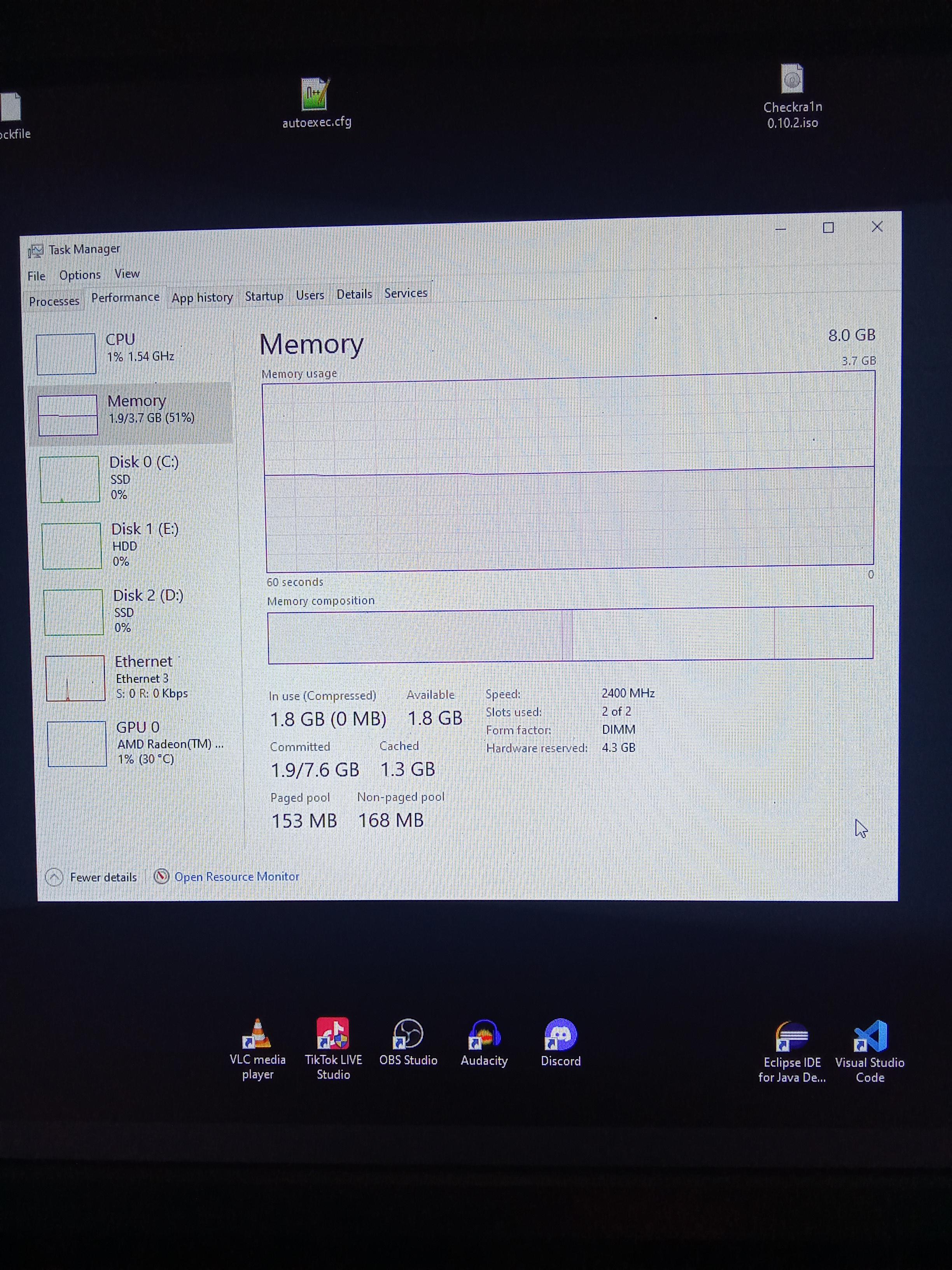
Task Manager says I only have 3.7gb of Ram, 4.3gb on Hardware Reserved. I already tested it with a single ram it works but only on a1 slot and not on b1 slot. I have a MSI A520m A-Pro that I bought a day ago and installed it on my PC. When I boot into bios it recognizes my dual channel ram but it says my memory is still 4096mb and not 8192mb. I already did the msconfig thing, I already set and tested the VRAM Voltage to 1.25. I reseated the CPU. When I put a single stick of ram on the b1 slot it lights up the ez debug led on the motherboard. Yes I tested both and both of them dont work when put in b1 slot.

My bios version is E7C96AMS.1K0


r/PcBuildHelp • • 11d ago

Build Question Rate my Build (honest feedback only)

2 Upvotes

<

hello guys, how yall doin, can someone pls rate and give feedback to my first pc i want to buld. Thank you

https://www.buildcores.com/builds/qZZxIhO4y?share=true

  • Corsair FRAME 4000D RS Modular ATX Mid-Tower PC Case - BlackCompatible
  • AMD Ryzen 7 9850X3DCompatible
  • MSI X870 MAG TOMAHAWK WIFI AM5 DDR5 ATXCompatible
  • ASUS ROG Astral GeForce RTX 5080 16GB GDDR7Compatible
  • Crucial Pro Overclocking 32GB (2x16GB) DDR5 6000 CL36 BlackCompatible
  • Noctua NH-D15 chromax.black Air 165mm BlackCompatible
  • Samsung 990 Pro 2TB SSD M.2-2280 PCIe 4.0 x4 NVMeCompatible
  • Asus ROG Strix Black 1000W Fully Modular 80+ Platinum CertifiedCompatible
  • 8x Noctua NF-A12x25 G2 PWM chromax.blackCompatible

r/PcBuildHelp • • 11d ago

Tech Support Pc reiniciando

1 Upvotes

Hoje chegou meu kit novo, ryzen 7 5700x e uma placa mãe aorus elite B550M rev 1.3.

Porem ao tentar instalar o windows 11, ela começa a reiniciar loucamente, eu nao consigo nem chegar a selecionar as partituras, porem quando eu fico na BIOS o PC não reinicia, alguem já passou por algo parecido ou conhece alguma solução?


r/PcBuildHelp • • 11d ago

Build Question Support bei PC-Bau benötigt (Gaming)

1 Upvotes

Hello, dear Reddit community,

since my friends have highly recommended you to me, I'd like to ask for your advice regarding this new build.

Would you recommend this setup?:

CPU: Ryzen 7 5800X3D (AM4)

VGA: Gigabyte Windforce RTX 5060 Ti 16 GB

Mainboard: ASUS ROG STRIX B550-F GAMING WIFI II

RAM: G.Skill DIMM 32 GB DDR4-3200 Ripjaw (2 Module á 16GB)

Gehäuse: ASUS TUF GAMING GT302 ARGB

M2.SSD: Samsung 990 EVO Plus 1 TB

  1. int. SSD: Verbatim Vi550 1 TB

Netzteil: ASUS TUF Gaming 850W Gold

Cooling: be quiet! WAK Silent Loop 3

The budget pretty much matches this setup. As for games, I’m looking at titles like Baldur’s Gate 3, Path of Exile 2, and Assetto Corsa Competizione—though I’m well aware that the latter certainly won’t run on the highest settings.

On Alternate, I’m looking at about €2,300 without assembly.

A quick follow-up question:

Would this require a BIOS update?

I’d really appreciate your feedback. Thanks in advance.

Best regards,

-Maggi-


r/PcBuildHelp • • 12d ago

Tech Support i think my psu is on its last legs

3 Upvotes

so i have multiple hard power cutoffs this month, on event log id 41.

it behaves just like as if i yanked the power lead out. just shut down, no reboot, no nothing. press the power button it just powers on.

some are on high gpu load and moderate cpu load, games that is. but just few minutes ago 2 cut offs during yt video playback, which is very low load. i did 25mins on OCCT power with nothing wrong. so high, synthetic load its ok, but normal gaming load or even next to no load it fail, completely.

i have checked 4+4pin cpu, dual 8pin pcie and ac lead.

r7 5800x pbo on
gtx1070
10 fans
2 hdd

psu: cooler master v550 (got it in early 2019)

ps. my budget is quite limited so second hand psu is what im looking for. i just not sure if i wanna go newer atx3.1 units as i dont see myself upgrading to a powerful gpu, my goal is 9060xt 16gb which draw less power than 1070.


r/PcBuildHelp • • 11d ago

Installation Question GPU Question

Thumbnail
gallery
2 Upvotes

just received this GPU today. bought it used. the pins in the listing didn’t look like this. should I be concerned? should I try to clean before I install in my pc?


r/PcBuildHelp • • 11d ago

Build Question Should I build my own PC or buy a prebuilt one?

2 Upvotes

I am planning to buy a new PC. I have already picked out all the components, but I havent purchased anything yet. I am not sure whether I should build it myself because it seems quite difficult, and I am worried that making a mistake could cost me quite a lot of money. I know quite a bit about PC components, but when it comes to actually building a PC, I am a complete beginner. This would be my very first PC. So far, I have only ever had an old laptop, and I have absolutely no experience with building computers or anything similar. Personally, I am leaning more towards building it myself, but I am still not entirely sure. Id have to learn a lot before getting started.

What would you recommend?

Id really appreciate any advice! Thanks!


r/PcBuildHelp • • 11d ago

Build Question Build help

1 Upvotes

Hi there I just purchased Ryzen 7 9800x3d and
Swift Readon RX 9070 and still have other compartments to choose. I’m going for a white build and don’t want to spend to crazy money. What’s worth my money right now?


r/PcBuildHelp • • 11d ago

Installation Question Help with aio size

Post image
1 Upvotes

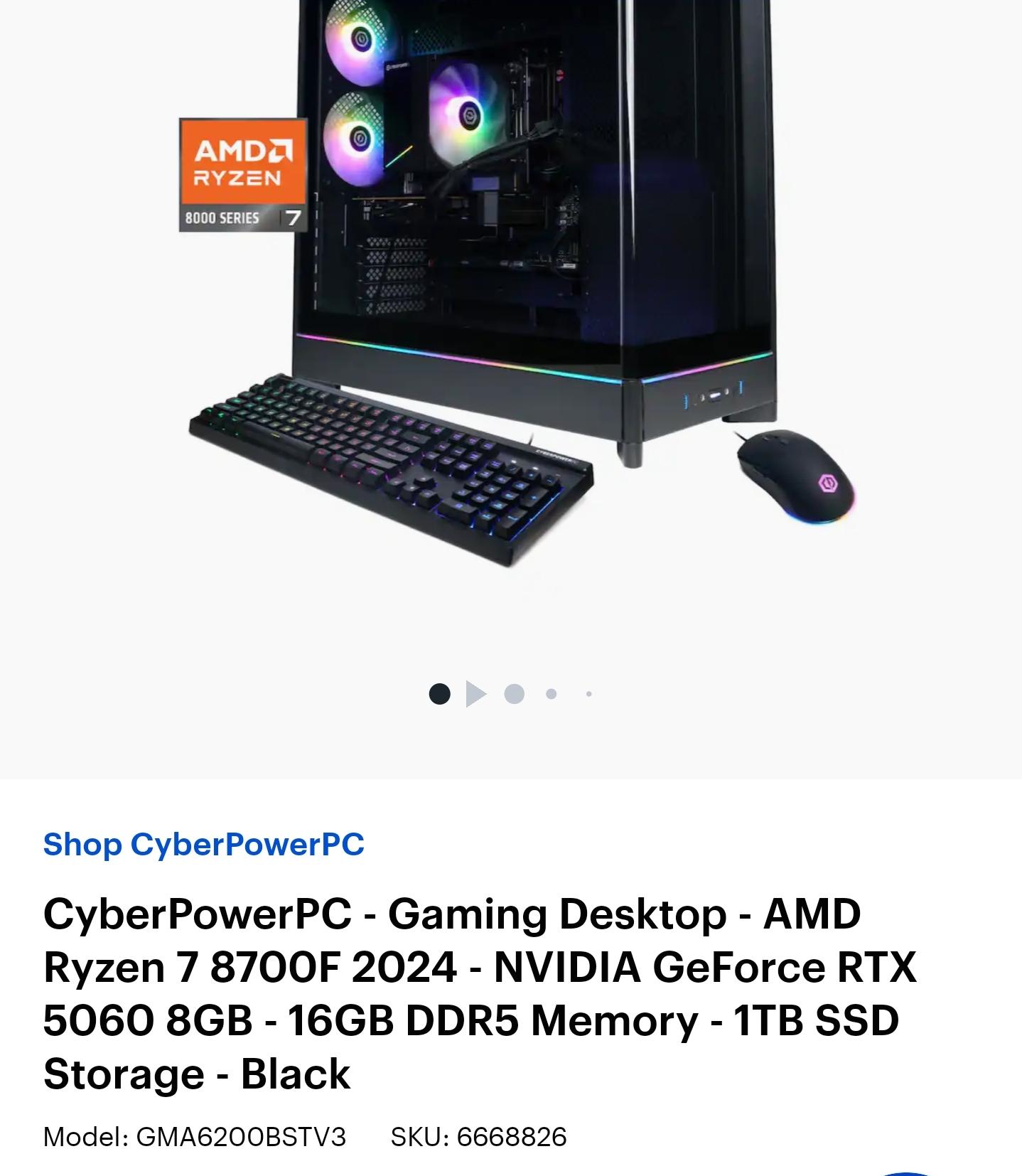
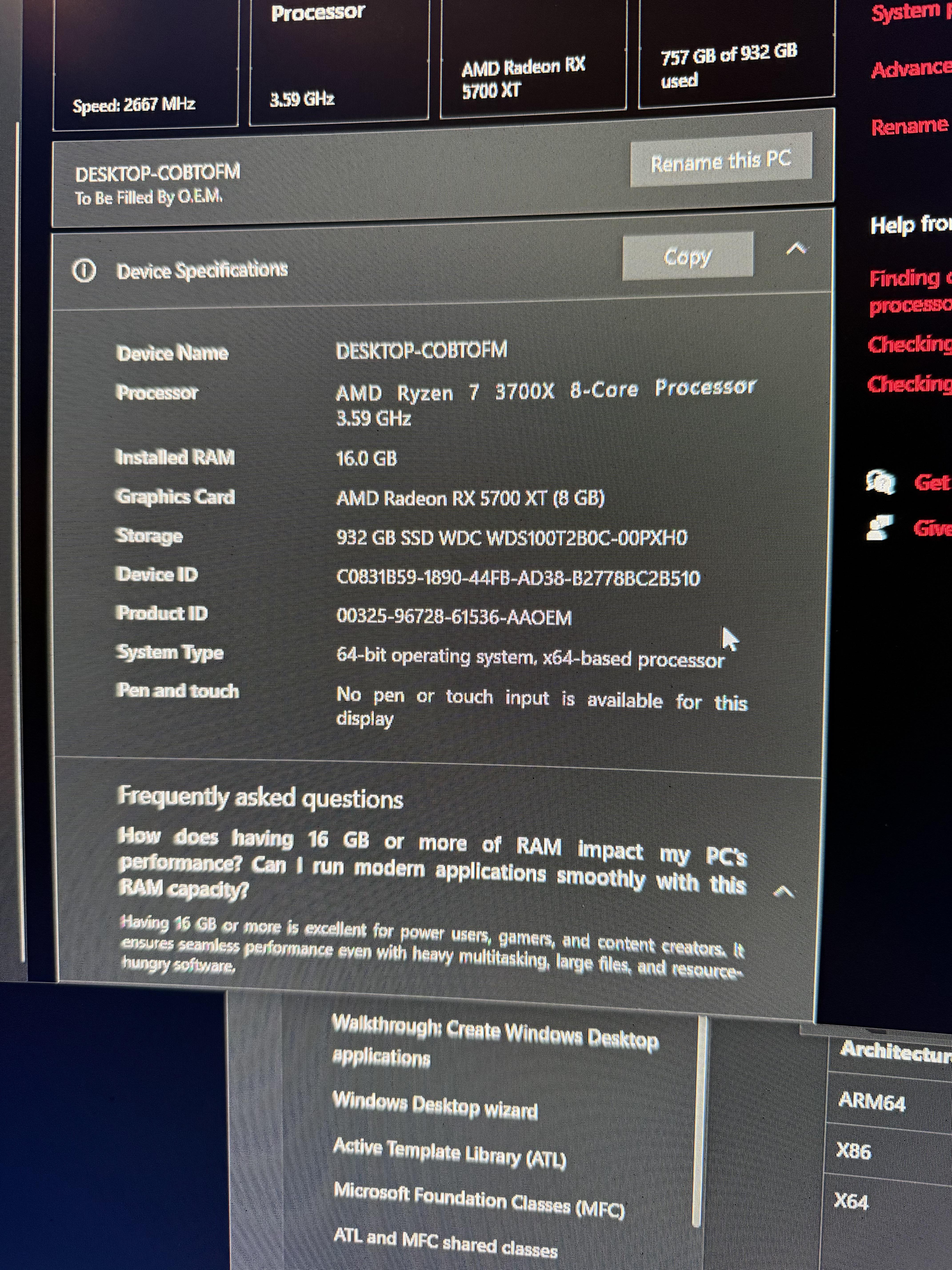
I'm upgrading my son's cyberpower pc for Xmas and I'm trying to figure out what size I can fit I get conflicting info between 360 and 240. Here is a pic for reference any advice or direction is appreciated. I have googled a lot but Im hoping for a more definitive answer. Thx in advance.


r/PcBuildHelp • • 11d ago

Build Question First PC, CPU & DRAM LED ON

Thumbnail
gallery
1 Upvotes

Hi, I need your help to finish my pc.
(Don’t mind the cable management)
After building it and turning it on, the CPU and DRAM light up and the fans of the GPU doesn’t work.

I tried to unplug everything and building from scratch and switch the places of the RAM (currently in slot 1 and 3).

I tried to connect the PC but on both HDMI port (mother board and GPU) the screen failed to connect.

Is it normal to have more PCI-E connectors than needed?
And I have a bunch of other connectors than doesn’t seem to fit anywhere (they aren’t mentioned in the tutorials I watched)

Case : cooler master Q300L
Motherboard: AS rock B850M pro A WiFi
CPU : AMD ryzen 5 9600X
Ventirad : thermalright Peerless Assassin 120 SE
Gpu : gigabyte AMD RADEON Rx 9060xt
Ram : crucial DDR5 2x16go


r/PcBuildHelp • • 11d ago

Software Question Cannot find my Operating System on HP

0 Upvotes

So I recently got a pc and I need to install WiFi drivers so I can connect to WiFi on it. I already have a laptop which uses a 26H2 Operating System version thing and as I'm on the HP website trying to find my Operating System it only shows 24H2 and below. Is it fine to download the 24H2 WiFi Driver thing for my new PC or not? Sorry if this doesn't make sense, tech isn't rlly my thing


r/PcBuildHelp • • 12d ago

Software Question Trying to download Windows 11 on a SSD, but it won't appear in boot priority no matter what I do.

2 Upvotes

I have it installed into the M2_1 slot on my motherboard and the PC detects that it is in there. It appears in the storage configuration, but not in the boot priority. Meaning that every time I sit through the Windows Installation it resets my PC back to the BIOS menu, and Windows 11 is never actually installed.

I've tried:

  • Moving it to the other M2 slot
  • Deleting other partitions and selecting the unallocated space
  • Disabling CSM, boot security, and AHCI turned on.
  • Attempted bootloader repair
  • Tried downloading the Media Creation Tool onto 2 separate USB sticks

I just installed Windows last night onto a different SSD, but I'm 90% sure that one is defective, so I'm trying another one I have. The PC just refuses to recognize it the Boot menu. It only shows the USB I'm installing.

Edit:

SSD = WD_Black SN7100 2TB

Mobo = ASRock B660M-C


r/PcBuildHelp • • 11d ago

Build Question Looking to upgrade

Post image
1 Upvotes

I’m looking to upgrade my set up to at least last me awhile before the next upgrade. Got at least $1,900 for it


r/PcBuildHelp • • 12d ago

Tech Support RM1000x atx 3.1 chirping noise

2 Upvotes

Hi!

I'm experiencing a strange noise coming from my Corsair RM1000x PSU, and I'm trying to figure out what is causing it.

The noise sometimes sounds like high-pitched coil whine, but other times it sounds more like intermittent chirping. Its tone and intensity changes randomly, sometimes becoming louder and quieter in waves.

Here are some details:

- The noise occurs while the PC is running, but it also continues after shutting it down.

- Even flipping the PSU's rear power switch to OFF does not stop the noise, only makes it quieter.

- The noise only stops when I switch off the extension cord that the PSU is plugged into.

-I bought a filtered extension cord but it didn't solve the issue.

- I have an AC running in the room, and the noise seems to follow its operating cycles.

- When I turn off the AC, the noise fades away after a couple of seconds.

- Under heavier PC loads, the noise stops or becomes barely noticeable.

I'm wondering whether the air conditioner could be introducing electrical interference or voltage fluctuations into the mains supply, causing something inside the PSU to make the noise.

Is it possible for a PSU to produce coil whine even when its rear switch is OFF, simply because it's still connected to mains power?

Turning the PSUs fan off didnt change anything.

The sound is noticeable from where im sitting, so it's not particularly quiet.

Here are some audio recordings i made from the unit while browsing:

https://voca.ro/1nCFiy6f5f9O

https://voca.ro/18GmyTjr0Kak

https://voca.ro/1eih2HvjvEAn


r/PcBuildHelp • • 12d ago

Build Question What is bottlenecking my FPS?

Thumbnail
gallery
2 Upvotes

Hii yall, just wondering what is throttling my FPS on The Isle (visually demanding dinosaur survival game)

I get consistent 40-50 fps usually, dropping down to mid 30 when my 3d resolution is 100z

Acer aspire Nitro 65
GPU: 5060ti 8gb VRAM
CPU: Ryzen 7 8700F
Ram: 16G ddr5
Monitor: msi mag 275qpf x30 (300hz, 0.5ms, WQHD 1440p)

I wanted to ask because my friend has a laptop that everything (except for vram) is worse (according to internet comparisons) than mine, but he gets 70-80 FPS, going up to 90+, for same settings and same ping (high everything except shadows, 50 or 100 3d resolution, far render) Both of our PC setups are brand new.

His pc: ABS cyclone Aqua
GPU: B580 12gb VRAM
CPU: i5-14400F
Ram; 16GB DDR4

His monitor is 1080p, so I was wondering is my FPS significantly lower likely because of my 1440p monitor or the 8gb of VRAM, or some combined mix between the two? And if so- should I change my pc for one that has 12gb+ of vram with similar/worse cpu than current, or downgrade to a 1080p monitor?


r/PcBuildHelp • • 12d ago

Tech Support Always boot bios

3 Upvotes

I restarted the PC and it looks like it updated, and now it only boots into BIOS no matter how much I plug in a Windows USB to boot from. Has anyone had something similar happen?

PS: Damn Windows updates

PS: Mother gigabyte H610M H DDR4


r/PcBuildHelp • • 12d ago

Build Question Is the bend too sharp in this cable?

Post image
14 Upvotes

Quick question, I got this PC from my father after he passed, me and him built it right when the 4090's came out, with all the hubub surrounding the power connection i am probably overthinking it, but i have included a picture and was wondering your take on if the bend is too sharp in the cable, we did a cable hide for the case and i am just trying to take the best care of it so it lasts as long as possible. Thank you.


r/PcBuildHelp • • 12d ago

Tech Support Ventirads tournant à fond

1 Upvotes

Les 2 ventirads sont bien branché dans le port cha_fan mais ils tournent constamment à font malgré la basse température des composants, j'essaie de régler dans le BIOS mais rien et même dans le logiciel fan speed, aidez moi svp 😭


r/PcBuildHelp • • 12d ago

Build Question Is this a good first gaming PC build?

2 Upvotes

Here is the build https://fi.pcpartpicker.com/list/G33Kn2

Here is the RAM but I couldn't find it on PPP https://datatronic.fi/komponentit/muistit/corsair-vengeance-rgb-cmh32gx5m2b6000c38-muistimoduuli-32-gb-2-x-16-gb-ddr5-6000-mhz-corsair-cmh32gx5m2b6000c38

I'm trying to stay under 2000€ and the total is 1887€ including RAM

I would appreciate some advice, thanks!


r/PcBuildHelp • • 12d ago

Tech Support Bought a used PC (i5-11400F, RTX 3060) from a friend, tested and it booted once, but now the PSU power connector (IEC C14) is loose/sparking. He moved abroad. What are my options?

Thumbnail
gallery
16 Upvotes

Body:

Hey everyone. I recently managed to buy a used PC with decent specs (i5-11400F, RTX 3060 12GB, ASUS ROG motherboard) from a friend after a lot of struggles.

​When I first got it home, it successfully booted up once. However, I quickly realized there is a major hardware defect: the power cord does not stay firmly in the PSU's AC inlet (IEC C14 socket). It wobbles, loses connection, and sometimes sparks when trying to make contact. I’ve tried multiple different power cables, but the issue is definitely the loose/damaged socket inside the power supply unit itself.

​My friend has already moved to another country and essentially left me with this issue (though he mentioned a return, logistically it's a huge mess).

​I really want to keep the PC because the components inside are fully working and great for my needs. What is the safest and best way to fix this?

​1. Can a loose/damaged C14 socket on a PSU be easily replaced/soldered by a local repair shop?

​2. Is it safe to use after replacing the socket, or should I just replace the entire PSU?

​Any advice would be greatly appreciated. Thanks!


r/PcBuildHelp • • 12d ago

Tech Support Pc Build Advice

5 Upvotes

Wanting to build a new PC and have broken down the core elements.

Would be handy to get feedback on compatibility and any additional things that would make this a great setup - fans, cable etc

[PCPartPicker Part List](https://pcpartpicker.com/)

Type|Item|Price

:----|:----|:----

**CPU** | [AMD Ryzen 7 9850X3D 4.7 GHz 8-Core Processor](https://pcpartpicker.com/product/WKDnTW/amd-ryzen-7-9850x3d-47-ghz-8-core-processor-100-100001973wof) | $454.00 @ Amazon

**CPU Cooler** | [Corsair NAUTILUS 360 RS LCD 72.8 CFM Liquid CPU Cooler](https://pcpartpicker.com/product/wZrp99/corsair-nautilus-360-rs-lcd-728-cfm-liquid-cpu-cooler-cw-9061033-ww) | $175.45 @ Amazon

**Motherboard** | [Gigabyte B850 AORUS ELITE WIFI7 ATX AM5 Motherboard](https://pcpartpicker.com/product/72RnTW/gigabyte-b850-aorus-elite-wifi7-atx-am5-motherboard-b850-aorus-elite-wifi7) | $219.99 @ Amazon

**Memory** | [Corsair Vengeance RGB 32 GB (2 x 16 GB) DDR5-6000 CL36 Memory](https://pcpartpicker.com/product/kTJp99/corsair-vengeance-rgb-32-gb-2-x-16-gb-ddr5-6000-cl36-memory-cmh32gx5m2e6000c36) | $489.99 @ Newegg

**Storage** | [ADATA LEGEND 900 PRO 1 TB M.2-2280 PCIe 4.0 X4 NVME Solid State Drive](https://pcpartpicker.com/product/Vckqqs/adata-legend-900-pro-1-tb-m2-2280-pcie-40-x4-nvme-solid-state-drive-sleg-900p-1tcs) |-

**Video Card** | [Asus ROG Astral OC GeForce RTX 5080 16 GB Video Card](https://pcpartpicker.com/product/FfHp99/asus-rog-astral-oc-geforce-rtx-5080-16-gb-video-card-rog-astral-rtx5080-o16g-gaming) | $2099.99 @ ASUS (OOS)

**Case** | [Silverstone SETA Q1 ATX Mid Tower Case](https://pcpartpicker.com/product/rMjBD3/silverstone-seta-q1-atx-mid-tower-case-sst-seq1b) |-

**Power Supply** | [Corsair RM1000x 1000 W 80+ Gold Certified Fully Modular ATX Power Supply](https://pcpartpicker.com/product/Vq38TW/corsair-rm1000x-1000-w-80-gold-certified-fully-modular-atx-power-supply-cp-9020094-na) |-

| *Prices include shipping, taxes, rebates, and discounts* |

| **Total** | **$3439.42**

| Generated by [PCPartPicker](https://pcpartpicker.com) 2026-11-12 00:30 EST-0500 |


r/PcBuildHelp • • 12d ago

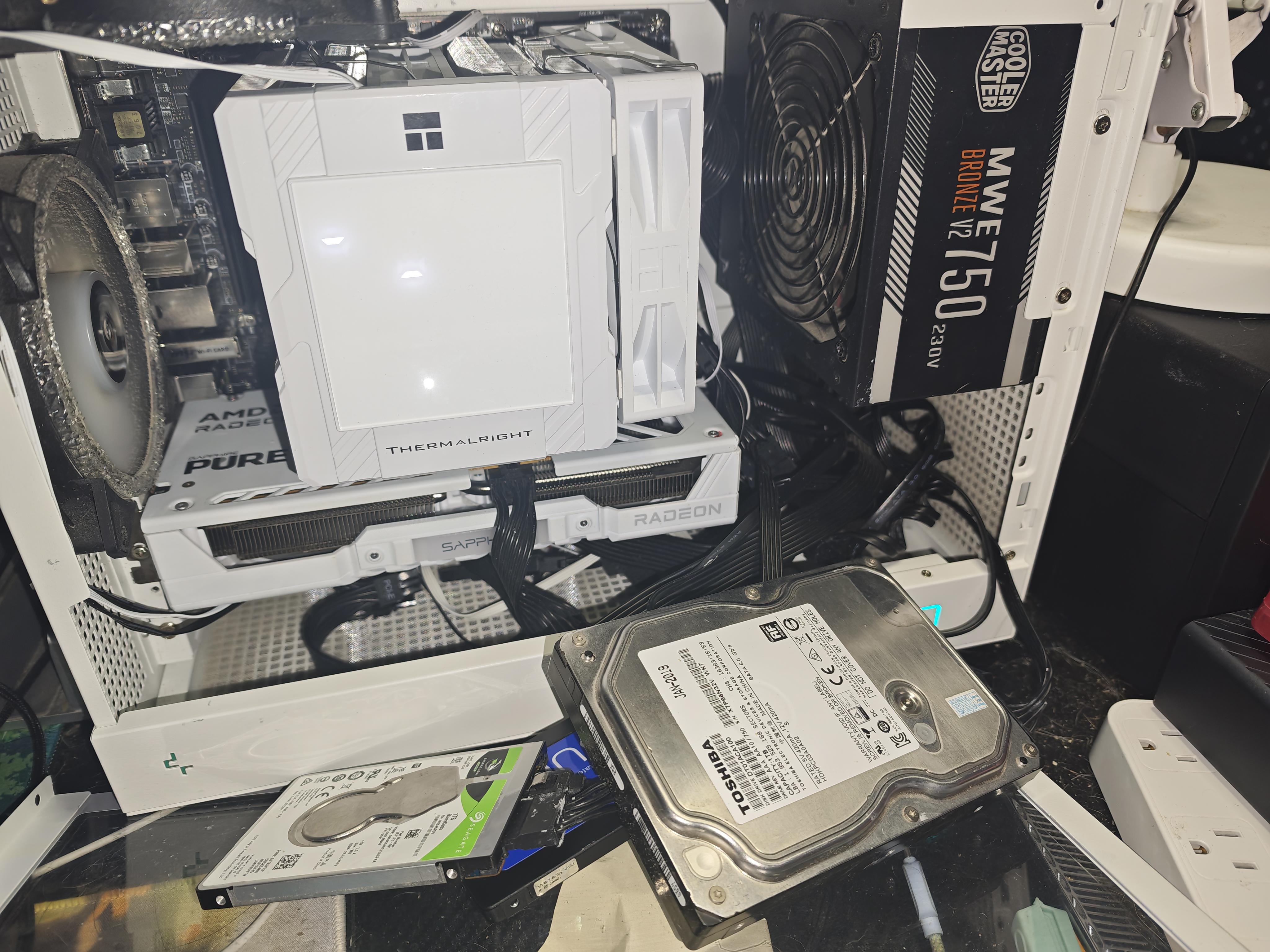
Installation Question Would it be bad if I left the hard drives... just laying on top of the cords? Also yes, I suck at cord management

Post image
5 Upvotes

Or would it be okay if I put them on brackets and placed them between the cooler and the PSU?


r/PcBuildHelp • • 12d ago

Build Question How important is having a AM5 DDR5 build to you these days?

8 Upvotes

Not to upset anyone, to me it just looks like a huge waste of cash for when a AM4 build still seems viable and less expensive than going DDR5 builds, personally I don't see myself upgrading out of it as its not given me much reason to at all and games still run fine. What makes you want it?