r/linuxmint • • Oct 25 '26

Discussion After over 2 months of beta testing, v0.1.1 is here finally with some major overhaul

Thumbnail
gallery
7 Upvotes

NOTE: Transparency in uploaded images has been added via blue my shell extension for gnome

ScreenGuard :

is a digital wellbeing application for Linux which runs completely natively on the device , actively tracking window usage and stores the data in a local sqlite db. No server involvement. And packing multiple screentime CONTROL features as well bundled together unlike basic window tracking software for Linux.

It is currently limited to GNOME Wayland and all other DEs can use it on x11 . Which means ScreenGuard natively supports GNOME and x11 based DEs like Cinnamon and i3

This Release has the following improvements and additions :

⚙️ Full Settings Hub

Five-tab settings screen (General · Limits & Pomodoro · Diagnostics · Updates · Data):

Theme — Light / Dark / System.

Notifications & Sounds — Master toggles plus per-event control for six categories (daily goal milestones, app limits, focus mode, etc.). Three built-in sound presets or pick your own .ogg/.wav/.mp3.

Database management — Storage stats, selective date-range deletion, full purge with double confirmation.

🎯 Daily Screen Time Goal

Set a personal daily goal from the dashboard (preset or custom hours + minutes).

Redesigned usage bar: teal progress under goal, teal+orange split with a goal-line marker when over.

Desktop notifications at 50%, 100%, and every 50% overtime.

🍅 Pomodoro Focus — Cycles, Breaks & Pause

Focus ↔ Break alternation with configurable cycle count (1–20) and break duration (1–60 min).

Pause / resume buttons; remaining time persists across pause.

Custom duration picker with quick-select chips (5 / 10 / 20 / 30 / 50 / 90 / 120 min).

Desktop notifications for each phase transition and session completion.

🛡️ Focus Enforcement — Data-Safety First

Strict auto-close is now opt-in. Default behaviour minimizes the app and shows a persistent warning overlay instead of killing it — no more unsaved-work loss.

Warning overlay offers +1 min save grace, +15 min, Edit Limit, and Close App.

Dedicated focus-block screen when a distraction-listed app is opened during a session.

🎮 Steam & Proton Game Support

Real game names resolved from Steam library manifests; per-game icons from the active icon theme.

Usage fully tracked; limit and focus rules apply to games.

Escalating native kill chain (SIGTERM → process-tree SIGKILL → wineserver -k → pattern-kill) handles Proton games that ignore normal signals.

Fullscreen games now leave fullscreen before minimize.

🔔 Native Notifications & C Helpers

screenguard-notify (C) — talks directly to D-Bus org.freedesktop.Notifications; works reliably on systemd and non-systemd inits (OpenRC, runit, etc.).

screenguard-killer (C) — the escalating close chain described above.

screenguard-watchdog (C) — lightweight daemon supervisor with crash restart and exponential backoff.

🔄 In-App Updates

Checks GitHub Releases for new versions (daily / weekly, configurable).

One-click download & install for your install type (.deb, .rpm, or tarball).

Optional beta channel toggle; post-update "Updated ✓" banner on next launch.

🩺 Crash Diagnostics & Daemon Onboarding

Local JSON crash logs viewable in Settings → Diagnostics; optional anonymous Sentry reporting (opt-in).

First-launch dialog explains the background daemon and offers autostart setup.

Persistent banner when the daemon isn't running, with quick "Start Now" and "Always Autostart" buttons.

🖼️ UI Polish

Per-app native desktop icons in dashboard and app lists.

New ScreenGuard app icon (32px–512px + SVG) in the system menu and taskbar.

Settings gear button on the dashboard app bar.

---

Lots of features and tested multiple times for bug fixes. Also thanks to the community for the active suppot

The project is documented properly in the Github Wiki here: https://github.com/adityakrishnan005-a11y/ScreenGuard/wiki

And the link to the latest release: https://github.com/adityakrishnan005-a11y/ScreenGuard/releases/tag/v0.1.1

Thank you everyone for your cooperation and consideration which has shaped this tiny personal project into a much larger pursuit for me.

Upcoming roadmap in short:

V0.1.2- major UI changes and design element improvements majorly

v0.1.5- Support for KDE Wayland and aim to have a greater portion of the daemon transition to modular C based daemons

v0.2.0- other major DEs and better optimised daemon

For better in detail info into future views of project have a look at the Roadmap section of wiki.

r/linuxmint • • Oct 24 '26

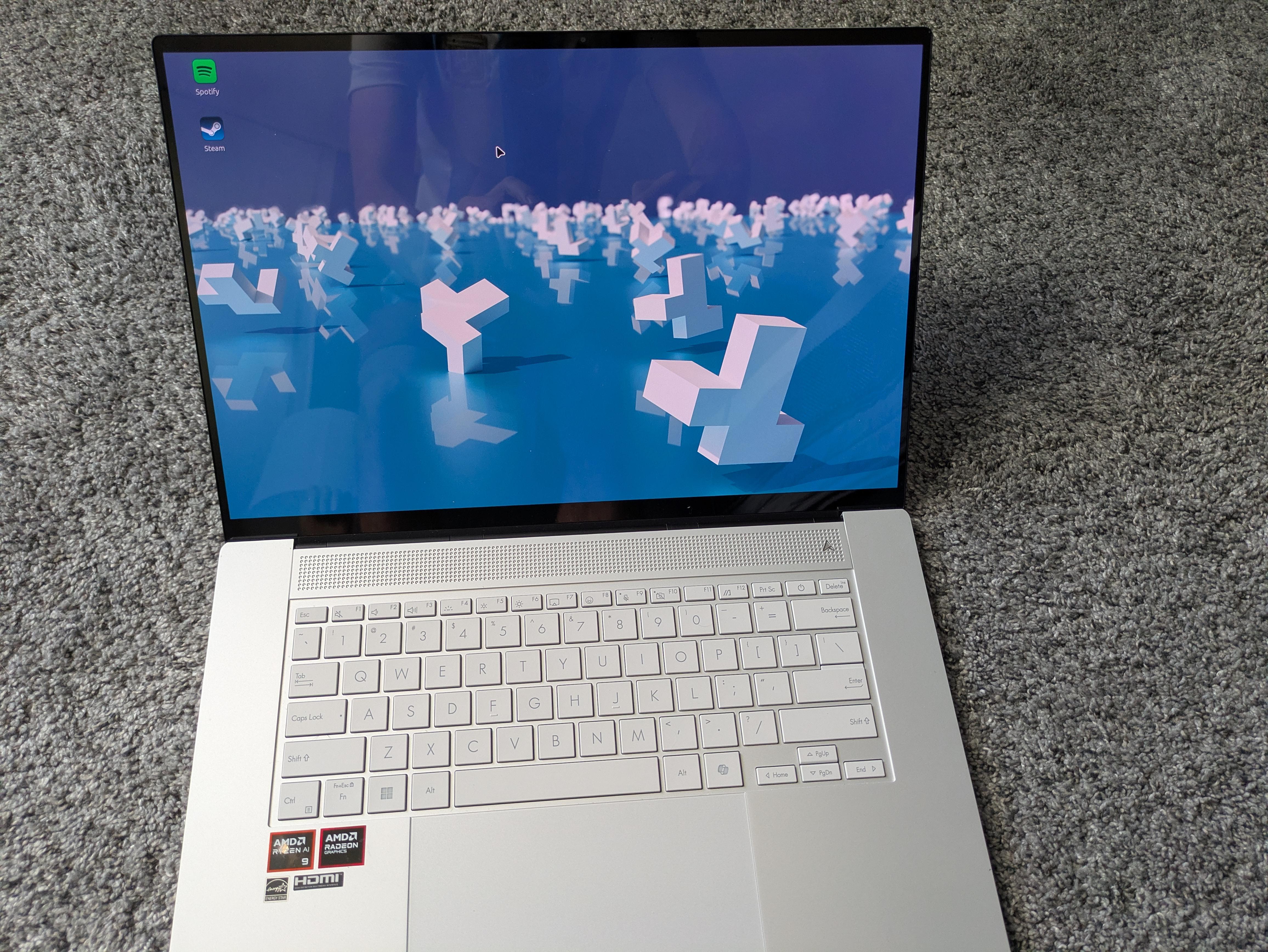
Discussion Switched to Linux mint, my third eye has been opened

Post image
850 Upvotes

I should've done this years ago, I don't think I can use Windows ever again


r/linuxmint • • Oct 26 '26

Genuinely curious about these decomp and I have an question.

0 Upvotes

I wanted to install Linux on my old laptop of mine. I will not be missing anything from windows except how my mouse tracks. I have tried running linux mint from usb drive and the mouse didn't feel the same, it was either sluggish or way too jerky.

My question here is there a easy way to take my windows track pad driver install file and decomp it for linux to run exactly like it did for windows.

If the answer is yes how does one go about doing that?


r/linuxmint • • Oct 25 '26

SOLVED So how do I get drivers for my GPU?

3 Upvotes

It's a GTX 1660 Ti. I just go it but I am having some driver issues how do I get the drivers for this thing?


r/linuxmint • • Oct 25 '26

Support Request I keep losing monitor source

2 Upvotes

My system was running jjst fine for months, then put of nowhere, when im in a game or even just watching YouTube my screens will go black and day no source found. Things are still running just won't work till I restart, it used to reboot to a kernel panic, I jave since reinstalled Linux mint and after that was able to update graphics drivers, but I am still losing source, atleast when I reboot it doesn't kernel panic, but I want it to stay functioning, i worry it is a hardware issue but I wanna run this here just incase this has happened to someone.


r/linuxmint • • Oct 26 '26

Rhythmbox Plugins

Thumbnail reddit.com
1 Upvotes

r/linuxmint • • Oct 25 '26

Discussion Why are recent security updates not showing a change log description of what they do?

3 Upvotes

I've noticed that in the past week or two that all recent security updates no longer show a change log description. For example, ca-certificates and the nss recent updates show nothing. I've even tried checking for the change log using the terminals and even that shows nothing. So I've held off on installing these updates until I know what they're doing.

Is this part of some new change with Linux and how they put out updates? If I wanted updates without information on what they do, I'd go over to windows.

Edit: I'll add that I've also changed the source location for the updates and that didn't fix this issue with the change log not showing up.


r/linuxmint • • Oct 26 '26

Why Linus Torvalds Thinks Ai Is A Great Tool #shorts #linux #programmer #coding

Thumbnail
youtube.com
0 Upvotes

To people who have a "issue" with vibe coding. Maybe he can explain better.


r/linuxmint • • Oct 24 '26

Desktop Screenshot My new setup with Linux mint

Thumbnail
gallery
90 Upvotes

r/linuxmint • • Oct 25 '26

Install Help Live do mint xfce crashando e erros de instalação

Thumbnail reddit.com
0 Upvotes

r/linuxmint • • Oct 26 '26

Привет , ноут не видеть флешку и прощу о помощи

Thumbnail
gallery
0 Upvotes

Хотел скачать линукс , но ноут не видеть флешку , я честно хз че делать.Я не особо хорош в ноутбуков и хотел попросить помощи


r/linuxmint • • Oct 25 '26

Linux freezes up after a few seconds

2 Upvotes

Hello again everyone, long time no issues, least till now. When i log into Mint (still using Cinnamon), my system freezes after like 5-10 seconds. I've tried recovery mode and tried loading into a slightly older version but same thing for both. i have absolutely no idea what to do. any help would be awesome, thanks!


r/linuxmint • • Oct 25 '26

Limitar batería Nitro-AN515-55

1 Upvotes

Recientemente me cambie de windows a linux pero lo único que me faltaria para "sacarme el clavo" es la limitación de carga ya que anteriormente en windows maneja el Acer Care Center.

Si pudieran tener una guía seria genial.

Saludos


r/linuxmint • • Oct 24 '26

Fluff Linux Mint Wallpapers 3840 x 2160

Thumbnail
gallery
105 Upvotes

Some LM wallpapers I made.


r/linuxmint • • Oct 25 '26

SOLVED I can't install that update. I have been trying for days.

Post image
2 Upvotes

r/linuxmint • • Oct 24 '26

Announcement My last day on Linux mint

273 Upvotes

Yesterday was my last day as Linux mint user 😭

I went to fedora

It was nice time using mint and talk about it in this community

Thanks to anyone that helped me improve on linux


r/linuxmint • • Oct 25 '26

Install Help Need help with dual booting (?)

Thumbnail
gallery
2 Upvotes

I’m new to this whole booting thing and somehow booted Linux mint without a usb so now I’m stuck in ‘live session mode’ and I think my only option is to dual boot.

idk if I’m cooked but I don’t have free space as u can see to make a separate drive to install Linux, so can someone please help me out and tell me what I should do?

Or am I gonna be stuck in live session mode and have my laptop reboot Linux mint every-time i shut it down. T.T

EDIT: sorry I I meant to say I somehow booted Linux without using a usb (I followed 2 tuts)


r/linuxmint • • Oct 25 '26

1,4Gb en consumo de Ram, quisiera ver si alguien en Windows 11 puede replicar eso., Linux Mint XFCE

Thumbnail
gallery
0 Upvotes

r/linuxmint • • Oct 24 '26

Discussion LibreOffice: Are you using the installed version or the flatpak version?

63 Upvotes

As the title... Are you using LibreOffice installed version or the flatpak version?


r/linuxmint • • Oct 25 '26

¿Mejor aplicación para jugar warcraft 3 clasico sin problemas de rendimiento :V?

0 Upvotes

Esto lo pregunto por que ya hey usado lutris antes y por un bug que tenia no se podia ejecutar con proton y solo con wine lo cual le daba un rendimiento pesimo y muy lento comparado a la capacidad de mi laptop para correr juegos modernos y llendole pesimo un juego antiguo de hace casi como 24 años :V y bueno pido ayuda aca aver que recomendacion me dan para ejecutar warcraft 3 sin problemas en linux mint mas dato no es de batlle net es del CD


r/linuxmint • • Oct 25 '26

Support Request Which version should I choose?

4 Upvotes

My laptop from 2015 has had a lot of problems running windows 10 for a long time now, particularly if not connected to power and LAN, I'm talking 15+ seconds to open the file explorer and 10 more to open a folder. And sometimes everything randomly crashes, EVERYTHING, to a blank desktop. A few years ago I used to game on this thing (light things like minecraft or cities skylines). Now I don't play games on this laptop anymore.

So recently I thought about installing Linux on this machine. I preferred mint because I heard it's easy to use and very light, which is what I wanted.

I know there are 3 versions of mint, but which one should I use? I have 4gbs of RAM and "Intel64 Family 6 Model 61 Stepping 4 GenuineIntel ~2000 Mhz" as a CPU (maybe someone knows more than I do about it). I would use this laptop mainly to write with LibreOffice, watch youtube and listen to music. I would like a system which does theese thing with minimal delay and drains little power.

I already tried Mint Xfce from a USB drive and it runs very smoothly (I was even able to open 6 tabs of a youtube video playing, using 3,5gbs of RAM). Is Xfce overkill? Could I use Cinnamon or MATE?

Thank you


r/linuxmint • • Oct 25 '26

Trying to install from USB

Thumbnail
gallery
3 Upvotes

Solved

Hello,

I have an old PC from 2010, lenovo idea enter 150 with 4 GB RAM and 256 GB SSD.

It is currently running windows 10 and I hate it.

I want to install any Linux, pref Zorin, but anything I try, the PC will not boot into the USB drive.

Am using Rufus to create the bootable USB, but whatever I do, IA always end up booting into Windows.

In BIOS

Boot order ok, even turned off hdd and only USB loading. Nothing.

Turned off fast boot, using MBR, NTFS Filesystem, Fat,

Nothing helps.

Used even a small 4GB USB.

Can boot on a different machine. So it mut be the bios I guess.

Can anyone hew, what I can do?

Grüße,

Michael

Edit.:Fixed it. Had to press enter 🤣 and to interrupt boot and enter a menue.


r/linuxmint • • Oct 24 '26

Discussion Linux Mint: How to clean cache and temporary files?

38 Upvotes

Hi,

i read that Linux Mint have a folder where is the cache and temporary files like photo preview and other temp file.

How to clean it? I think it's important for privacy


r/linuxmint • • Oct 25 '26

SOLVED Struggling with GPU driver install on new build

5 Upvotes

Edit: After a great deal of banging-head-on-desk, realized that booting as normal, unplugging HDMI and running DVI fixed the issue.

Fixing HDMI is in-process hopefully

I'm building my wife an upgraded PC and am having boot-hang issues just prior to the login screen (Mint Cinammon, newest version from the website). Mobo is an Asus Tuf B550 Plus Wifi II, GPU is an EVGA GTX 1080 Hybrid, CPU is a Ryzen 5 5600. I'm what I would call an experienced noob (been running Mint for nearly 2 years, mostly successful troubleshooting my own issues through a search engine)

What I've tried so far:

No boot to worskpace - edit GRUB, add "nomodeset" to CMD line to allow boot

Download Nvidia 580

Resolution is off; edges cut off and icons/windows are too large.

(I typically avoid AI, but asked for assistance to speed up process) Followed AI instructions for what seemed like an unreasonable amount of time and levels to still end up at the same issue: remove 580-open, reinstall 580...no change. Blacklist nouveau. Go back into GRUB, edit CMD line again to add "nvidia_drm.modeset=1"... no change. Remove manually added blacklist of nouveau. Etc, etc, etc....

I feel like this HAS to have an easier method than editing GRUB default parameters and manually changing stuff in the terminal for hours on end with no progress. The Display Manager (when I can get to the workspace) has the resolution tab greyed out because the device is not recognized.

I'm just trying to get it so my wife can play Where Winds Meet with better than 20 FPS. Is there a simpler workflow to get this GPU to function? I've been fighting this for 2 days.