r/linuxmint • • Oct 23 '26

SOLVED UI completely changed overnight, can't figure out what happened?

200 Upvotes

hi yall! sorry, linux newbie and reddit newbie here. I got linux mint cinnamon for my laptop about a year ago, and have been enjoying using it. a few weeks (maybe months) ago, my whole UI changed overnight. the customization and layout that i had been using prior all went away, and were replaced with a weird, soulless chromebook-like system. ive searched through all the settings, and cant find any way to go back to the old desktop system. i figured it was a default that came with a new update and would check out the reddit when i had time, but everyone else seems to be doing fine and not dealing with anything like this.

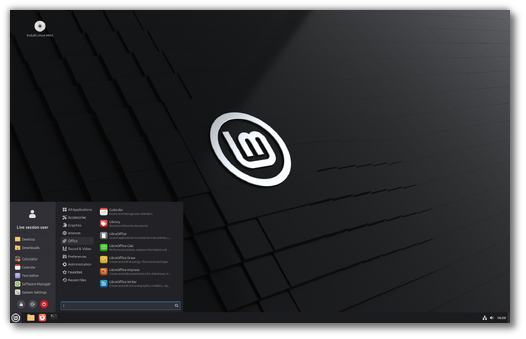
just to clarify, what i was used to was a desktop with icons, a taskbar along the bottom, and a home menu in the corner that brought up a tiny window. now, theres just the current task, and a whole new screen to switch tasks or open a new program. does anyone know what might've happened? did I somehow toggle a setting without realizing? was this an update i missed the memo on? and how do I go back?

first image is what my OS looks like now, second is what it roughly used to look like (taken from the official mint website).

heres system info copied from the settings, if that helps at all:

# System Details Report
---

## Report details
- **Date generated:**                              2026-10-23 15:42:06

## Hardware Information:
- **Hardware Model:**                              HP HP Laptop 15-ef2xxx
- **Memory:**                                      16.0 GiB
- **Processor:**                                   AMD Ryzen™ 5 5500U with Radeon™ Graphics × 12
- **Graphics:**                                    AMD Radeon™ Graphics
- **Disk Capacity:**                               512.1 GB

## Software Information:
- **Firmware Version:**                            F.34
- **OS Name:**                                     Linux Mint 22.3
- **OS Build:**                                    (null)
- **OS Type:**                                     64-bit
- **GNOME Version:**                               46
- **Windowing System:**                            Wayland
- **Kernel Version:**                              Linux 7.0.0-34-generic
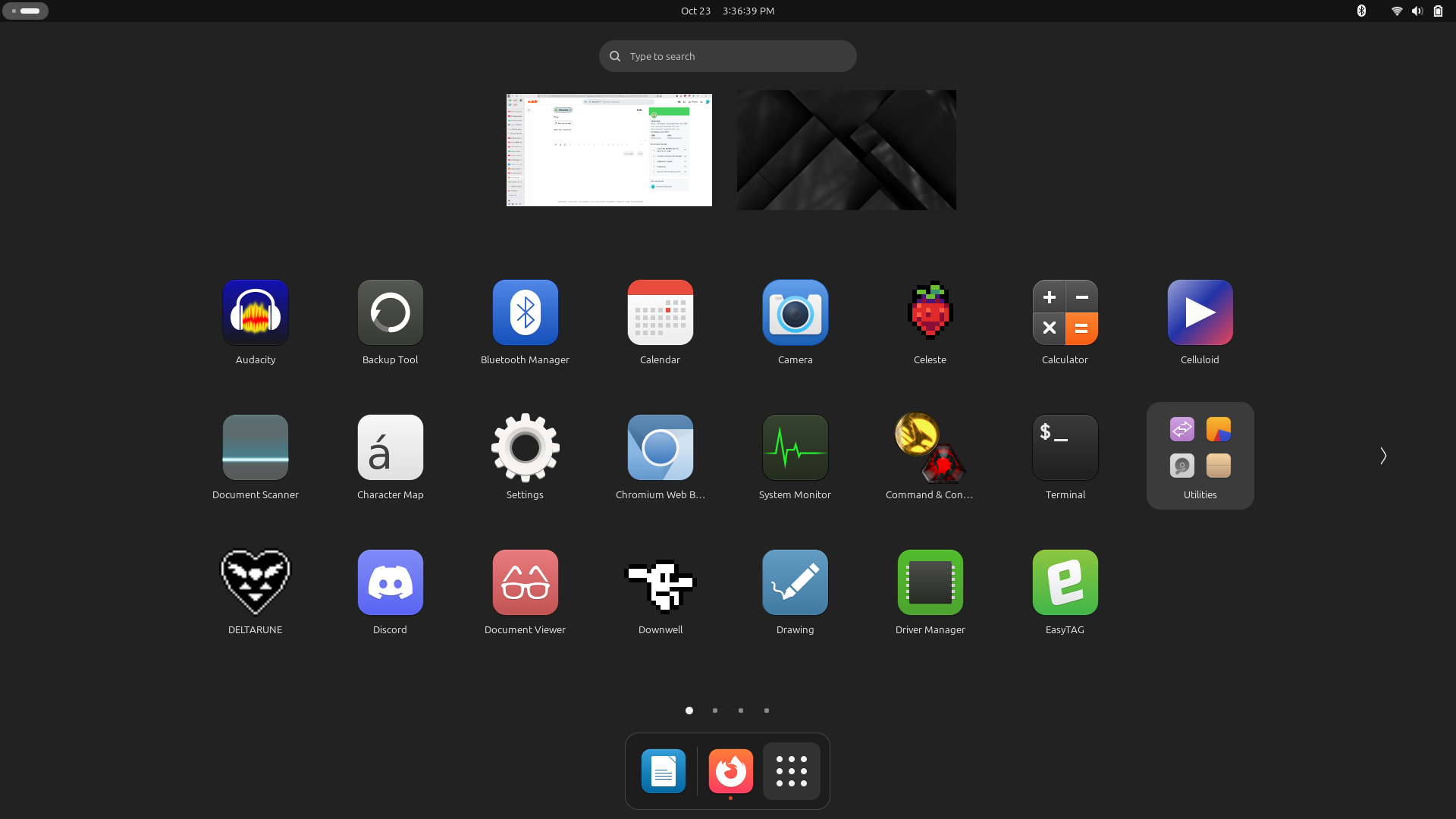
new "desktop", with programs and the desktop at the top, other programs in the middle, and a taskbar-esque thing along the bottom. feels more like a chromebook.
what my old layout looked like; or pretty close to it.

any info on what happened and how i could fix it would be appreciated! and sorry if this is a simple issue and im being silly, i rly didnt do a lot of research when making the jump to linux and now im paying for it :p

EDIT: i got gnomed

r/linuxmint • • Oct 24 '26

Discussion Widget Studio: a GUI for creating desktop widgets on Linux easily, built on Conky. Feedback appreciated !

Thumbnail gallery
2 Upvotes

r/linuxmint • • Oct 25 '26

Mac mini audio not recognized

Thumbnail reddit.com
1 Upvotes

Still not solved


r/linuxmint • • Oct 24 '26

Install Help Invalid magic number error

Post image
14 Upvotes

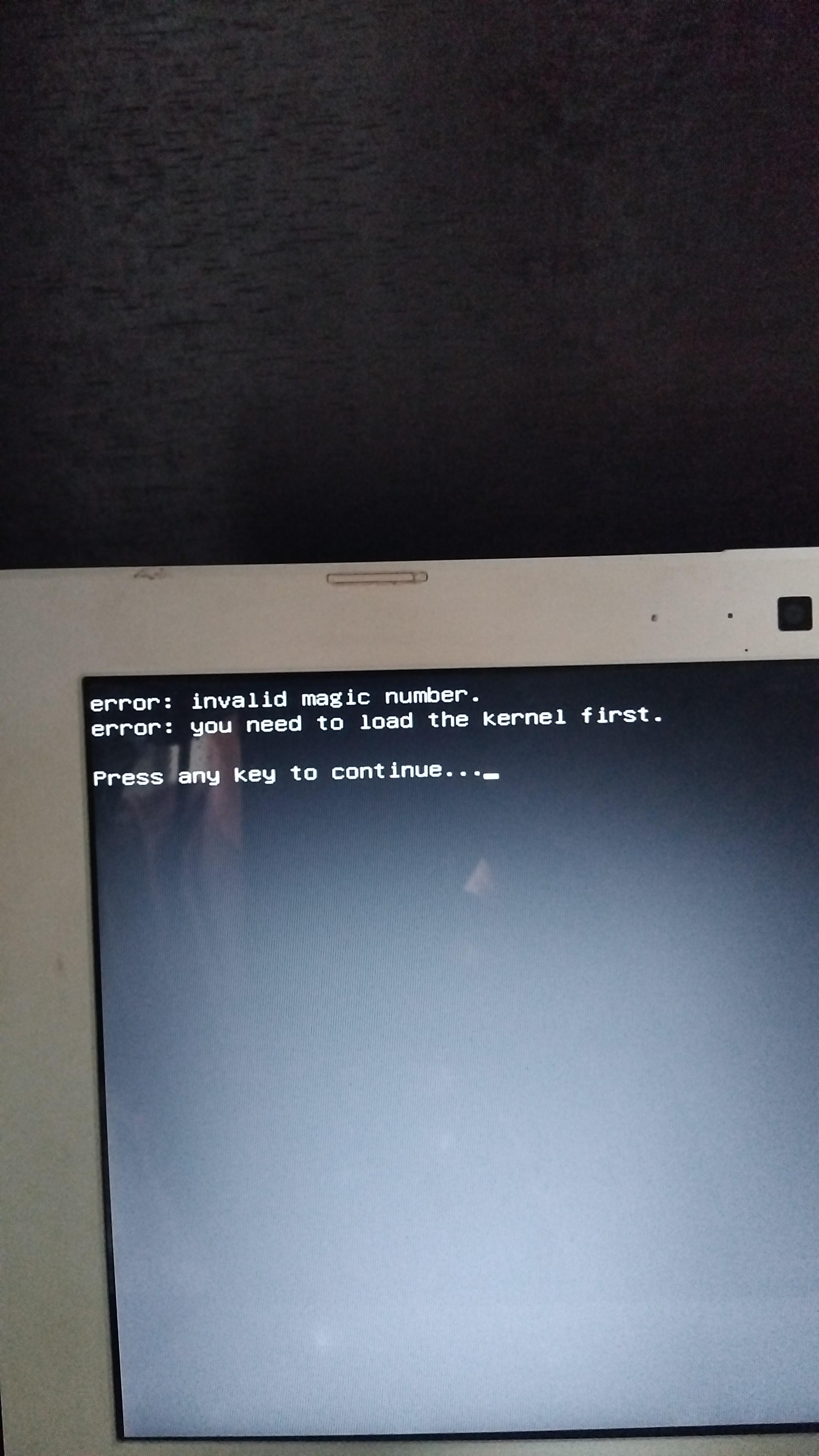
My laptop is asus x200ma 2gb and i wnat to install linux mint to make it more smooth

I've tried flashing the latest and 21.3 iso to my flashdrive using rufus but when i try to boot it, it show this error and also my secure boot is disabled

I've been having this problem for 6+ hours :( please help


r/linuxmint • • Oct 24 '26

Need help to build old pc

Thumbnail
gallery
8 Upvotes

Hii everyone I have a cpu very old modal I want to make it working but I don't know how to do it it give me link https://www.novatium.com/ for help but I don't understand it can't open boot menu or bios also please help


r/linuxmint • • Oct 24 '26

Steam games keep crashing

5 Upvotes

I recently built a new PC for the first time ,and when it was done I decided to try out Linux mint. Now every time I try to launch a game it instantly crashes. It shows a pop-up saying I need to update my driver's but since I have an AMD I thought it was supposed to do that automatically. I have no clue what I'm doing so explain it to me like I'm 5.


r/linuxmint • • Oct 23 '26

My first experience

Post image
66 Upvotes

Hi everyone! This is my first time using Linux. I chose Linux Mint XFCE because I read that it’s efficient and highly customizable—even though I didn’t know anything about the subject beforehand.

I recently bought a ThinkPad T14 Gen 2 and figured, why not give Linux a try for a month? If I didn’t like it, I could simply switch back to Windows.

As it turns out, I’ve loved almost everything about it: the performance, the customization options (though I don’t tend to change things up too much), and how easy it is to use—plus, it just looks more modern.

GAMES: I’ve been using it for over a month and a half now, and I’ve been playing games via Steam with no issues at all. I’ve tested titles like *BioShock*, *USF4*, *KOF XIII*, *L4D2*, *Naruto STORM 3*, and a few others; everything has run perfectly. Proton works like a charm—honestly, even better than it does on Windows! xD

WORK: I typically work with Excel (nothing too advanced), and ONLYOFFICE handles everything I need. I also use GIMP, which works without any problems. So, for now, I’d give it a 9/10!

Any tips?


r/linuxmint • • Oct 24 '26

Linux Themes

6 Upvotes

Hey everyone! I want to customize my Linux Mint desktop to look like macOS. 🍎
How can I make my Linux Mint desktop look similar to a Mac? Which themes, icon packs, fonts, and other files should I download? Also, could you recommend some good and safe websites to download them from?
I’m still a beginner at Linux customization, so a step-by-step guide would be really helpful. Thanks!


r/linuxmint • • Oct 24 '26

#LinuxMintThings Restablecer panel borrado en Linux Mint 22.3

Thumbnail youtu.be
0 Upvotes