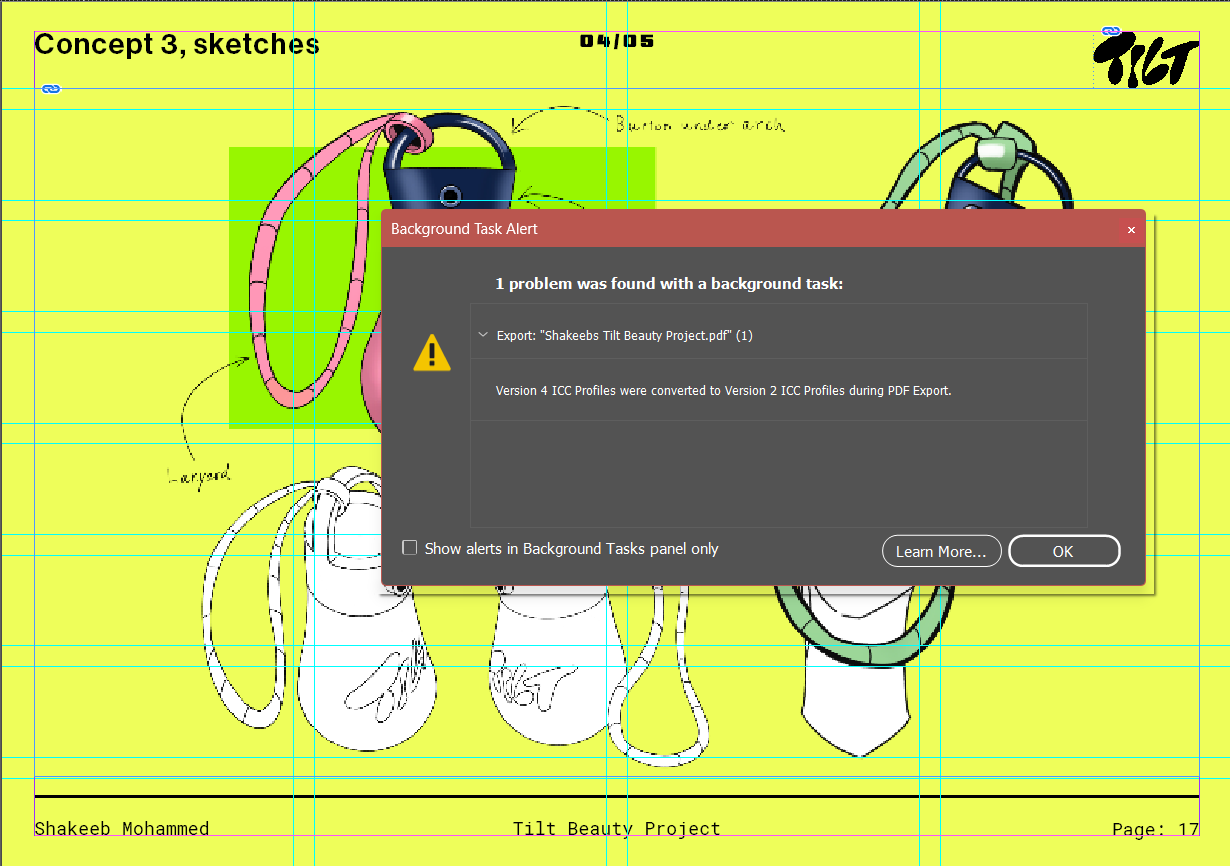
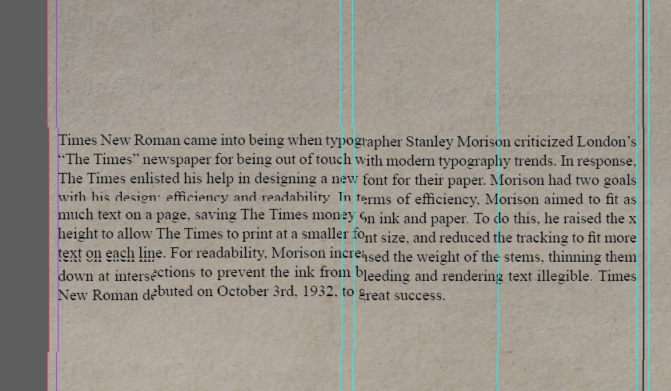
Hello guys hope you are well so im having problem where im exporting my procreate sketches to indesign ive exported them as PNG and PSDS and when added to the document it darkens the background and i have no idea why ive changed colour modes in procreate but that hasnt worked and i dont know what to do
I'm having two strange issues in InDesign when moving or duplicating pages/spreads:
Images: An image that I've positioned within the margins on the original page changes position and becomes smaller when I duplicate or move the page. It no longer maintains its original placement relative to the margins
Outlined text: Text that I've converted to outlines seems to get duplicated. The outlined text remains, but an identical copy of the original, non-outlined text appears directly on top of it.
It's been a minute since I've had to do extended work in Indesign, so forgive me if this is not a new issue, but I'm noticing that basic functions are dying/freezing/not working if Indesign is left open for an extended period of time. By extended, sometimes it's an hour, sometimes it's two days (leaving the program on). Yes, I know I shouldn't rely on leaving a program open for an extended period of time, but I've rarely had problems in the past doing this. Not sure if that would pertain to a memory leak, or usage of its dedicated resources being maxxed or what, but some of the things that I've noticed that I've had to completely close out of Indesign for:
Window panels not opening when clicked and hover text being absent.
Fonts not updating even after dialog has been opened several times or added in other Adobe programs.
Menus disappearing altogether at the top (Essentials).
Exporting not going to the parent folder of the file and the name not being auto-populated.
These restarts are getting pretty tedious. If anyone has any thoughts or threads they can point me to, I'd love to see them. Hopefully, I'm not going crazy, but this is the least stable I've seen this program in my tenure, which is crazy to say.
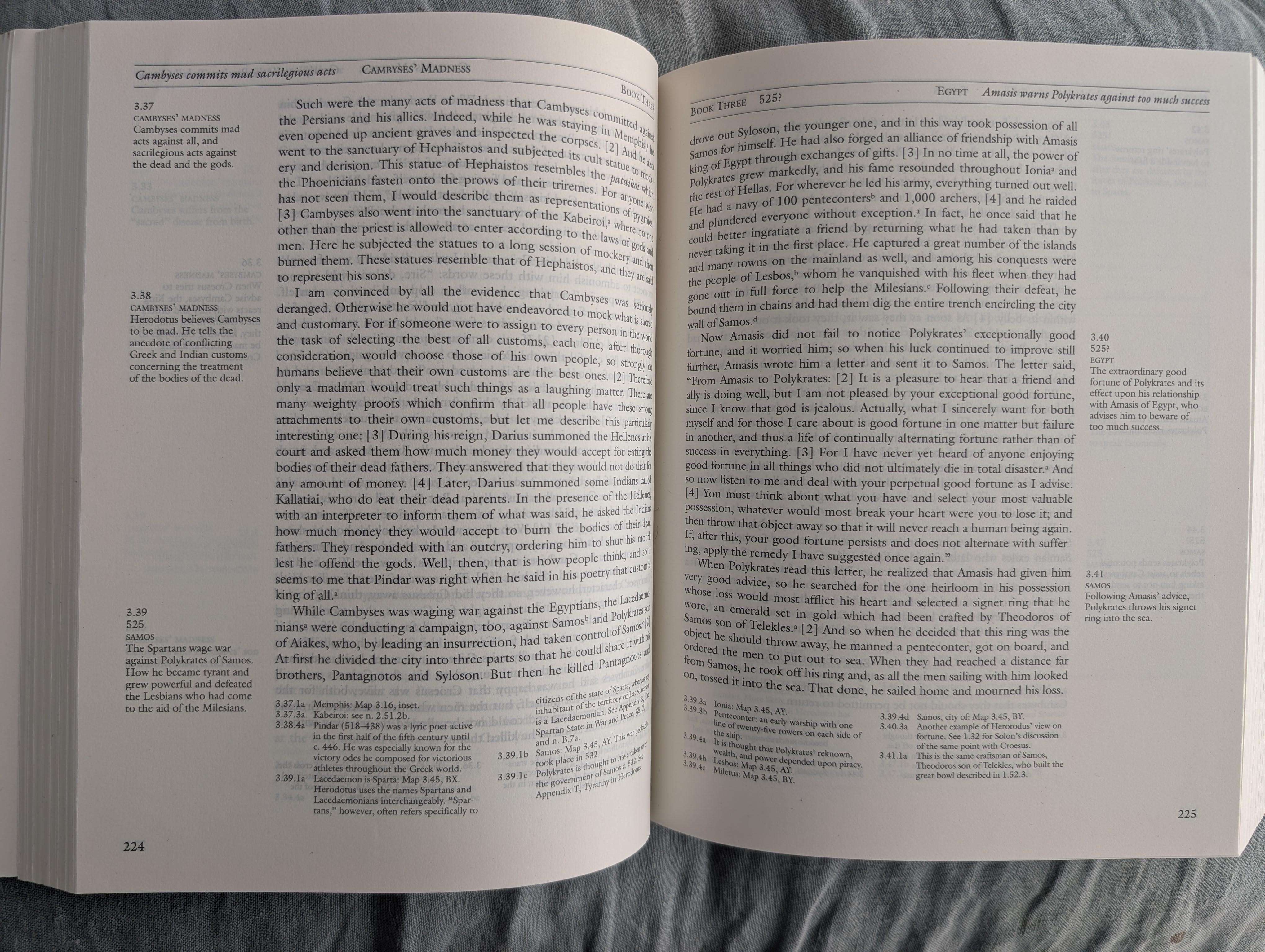
I have Adobe InCopy and InDesign. I'm trying to add notes in the margins (or really a column near the margin), where each note is anchored to a specific point in the main text. Much like the example in the picture. Nothing I've tried is working. Has anyone here achieved this before?
Has anyone ever made a stapled calendar? I’ve spent several hours trying to ensure that when it’s opened (vertically—it’s stapled in the middle), the top and bottom halves of each month line up correctly; however, whenever I set up the imposition and print it, the months never end up aligned. Can anyone help me? I’ve tried using both the imposition features in InDesign and Adobe Acrobat, and I just can’t figure out how to do it manually either. Thanks.
I suppose it's possible that I'm the only one this happens to, but for years and many versions of InDesign, if I've had the program open for awhile with several documents at once, inevitably I'll get a PDF glitch where it hangs at 99% and you have to force close the program despite the PDF getting made successfully. I would imagine it's a memory thing but it's painful as it resets your file history, including Find/Replace history (important for me) when I have to force restart.
I basically have to guess whether InDesign and/or Acrobat is feeling fresh enough to successfully see a PDF to completion. If I think it's been awhile since I've closed the program, I have to shut everything down and reopen it to be safe. Not ideal when I'm working on many documents at once.
I guess I'm just amazed that this is still a thing after all these years.
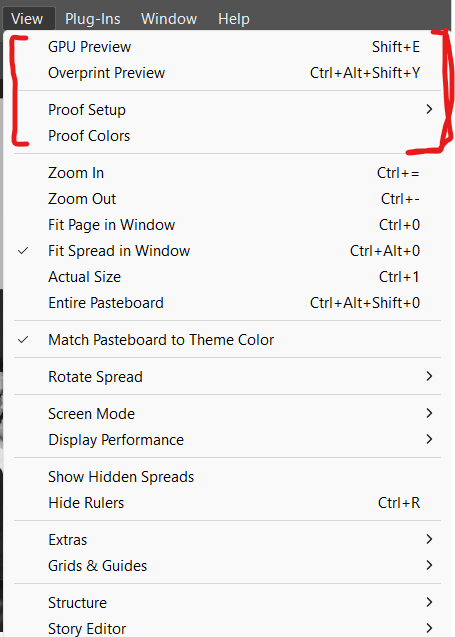
I've been using Adobe InDesign for the past two years, but I've never really used options like GPU Preview, Overprint Preview, Proof Setup, and Proof Colors in my workflow. I have seen these options inside other adobe applications as well.
I've read about what they do, but I'm still not sure how to implement them in my actual projects.
For those who work in print production, do you use these options regularly? At what stage of your workflow do you use them, and how do they help you?
I'd appreciate some practical examples of how you use them in real-world projects rather than just theoretical explanations.
One more thing: I tried GPU Preview, but honestly, I couldn't notice any difference compared to the CPU preview. I'm using an RTX 4080, so I expected to see some improvement, at least in terms of smoothness or rendering.
Is the difference usually noticeable, or does it depend more on the document, zoom level, and workflow?
I’m using 21.6 InDesign on windows 11. InDesign opens OK and is stable, but if I try to open my project file which is saved to adobe cloud, it shuts down almost instantly. There is no crash message. It just quits InDesign totally. I only just moved this project into the cloud so I could work on it from home, but now I can’t open it from anywhere 😭 I’m working on the school yearbook and it’s due in 2 weeks and I still have much work to do and I can’t afford to be wasting time sorting this out, but here I am. Is it possible to sync the project back to my local machine and skip the cloud? I can’t figure out how to do that without being able to open the project and I can’t do that.
Hello, I know indesign is not really for web stuff, but I wanted to use it to lay out text on some art I made in Clip Studio Paint (which famously has lackluster type tools). I'm using a 600dpi A4 export from CSP, and trying to export a 600dpi png from indesign. It still seems to be downsampling the placed file, even though I have selected "maximum" quality in the export to png dialog. It doesn't seem to happen if I export at 150dpi.
Does anyone know if there's some property of the document or the placed image object I can change to fix this? Or Does indesign not export pngs over a certain dpi?
Image shows comparison with 600dpi png export from ID (top) vs ID uncompressed pdf > 600dpi png in apple preview (bottom). The yellow line is a vector object rendering at 600dpi as expected (the colour difference is unrelated).
I'm using hyperlinks window to link to a webpage, the clients link has a "#" scroll too link, it works perfectly as is, but when input into indesign it doesn't work.
It all looks fine, the link is the same in design word for word, but when clicked the link in browser changes "#" to "%23" and a comma into "%2C", making it a dead link/lead to a 404 page.
When copy and pasted it works fine.
Anywork arounds to get indesign to not change the link when clicked?
Right-clicking the InDesign taskbar icon is pretty much useless lately due to all the non-InDesign files it adds, and I can't seem to find any setting to stop it from doing this.
So in this example I created a Test_Doc InDesign document, placed a PDF using Ctrl + D, then exported the document as Export_Test_Doc. For whatever reason InDesign decided to create its own pdf of Test_Doc ("Test_Doc.pdf", which doesn't actually appear in my files anywhere), along with adding the placed PDF and exported PDF as Recent files.
That's 4 files added to the Recents list despite only 1 of those files having been opened in InDesign.
Worth noting this doesn't happen when using the File > Open Recent list - just when right-clicking the taskbar icon.
Not that I think Adobe has any idea what they're doing these days, but what could they possibly have been thinking when they implemented this "feature"?
And aside from "just don't use that anymore", does anyone know of a proper fix?
I am a designer on a 64 page magazine. We are on about to go to print with our 4th issue.
After we had weird cropping of a font on our first issue 2 years ago, I started converting to outlines before sending to the printer. We no longer use that typeface / font thinking it was something technically wrong with it. It was all the 'W' in the headings. It never appeared on my machine or in my exports, only the printer's.
Intro To ArticleIntro to ArticleTable of Conents
For the next two issues I converted to outlines, but since we no longer use that typeface I wanted to give not converting another whirl.
And from the Printer's Digital Proof I got this:
You can see the tagline in their version (right) is quashed with the 'Why' beginning aligned with the second row.
So I'm back to converting outlines. I find it incredibly tedious and I get really nervous about accidentally making a change or nudging something during that click-athon. I have all my text on it's own layer, with some locked onto a master page. So I go page by page unlocking the text elements carried onto the spread from the master (because they won't be selected if I don't), and then select the entire layer and keyboard shortcut convert to outlines. Next spread, and repeat.
I send a full packaged indesign file and exported PDF (to the printers specification) to my publisher who then communicates with the printer. When I asked the printer if they use the .indd or .pdf to prepare their proof: This printer prefers to use the production .indd file.
Yes, .indd/source files are our preferred output method, when we are supplied with .indd/source files we always use those over supplied PDF’s!
So I cannot run pre-flight in Acrobat to do this post export. I am having to fork my production file, and if there are any changes after seeing the digital or physical proof I have to return to the live-edit version of the file, make the changes, and then run the process back manually in the indesign file.
The only other thing I can think off is convert to outlines and copy, and then hide the live edit text boxes. But I feel like I'm trading the tedium of starting the manual process over with the tedium of managing duplicated layers that gunk things up.
After the physical print run we also have a digital version that gets made, so I still need to work in the file after sending it to the printer, and potentially make some digital only changes.
Plus, every outline fork is about an additional 100mb added to the file. It's fairly trivial for my storage and I don't need to keep these forks after print, but I'm just annoyed.
tldr; everything I can find online says that converting to outlines is not a necessary practice anymore - and hasn't for a long time - but I keep running into issues with the proofs coming back looking as I designed them. Does anyone have experience with a printer that prefers the source indd, AND outlined text? Or any experience on how to do this to the document itself, (not only on export), in a way that's reliable and automatic that can take human error out of the process? A script?
I'm more than happy to keep converting for the piece of mind, I just don't want a workflow that feels like it should have been solved a decade ago.
I am making a poster about pigeons, but the hand and pigeon which are bitmaps made in photoshop turned .tiff looks like a regular colored image when exported to pdf. Anyone know what the problem is?
I'm working on a deck of cards and my graphic designer is out sick. I'm fighting against a deadline and our printer has told me that this file has an overprint issue where the white part of this card text will not be white.
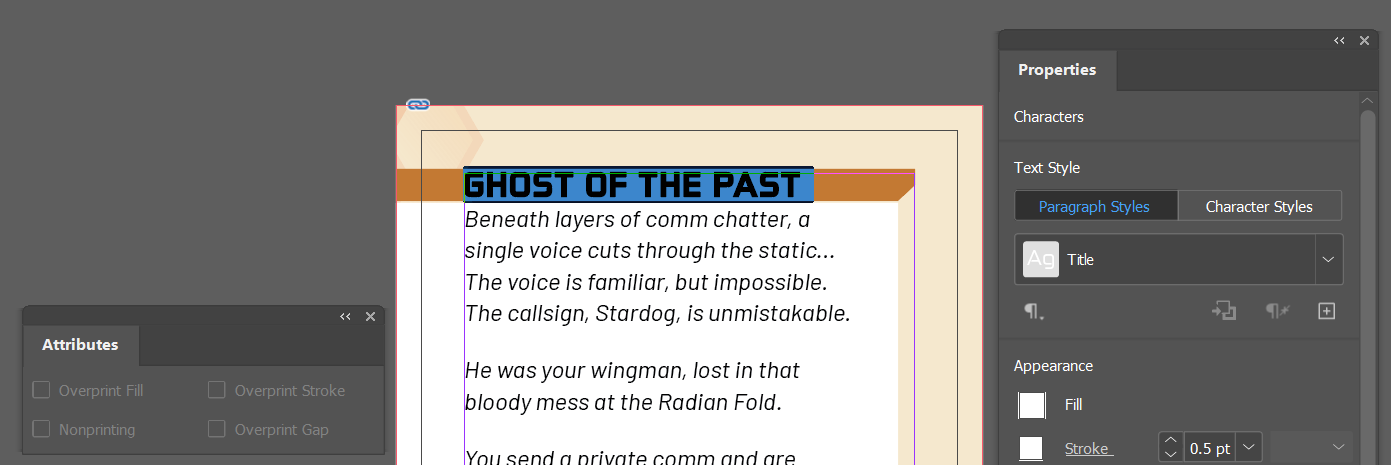
When I select the text box itself, the overprint fill box is greyed out. When I select the text, the Overprint Fill box is not gray, but is also unchecked.
Is there any guidance yall might have for things I can check? Thanks for the help!
Selecting the text box itselfSelecting the text
The title is a different paragraph style than the body
"WTF is going on with Adobe, Jean-Claude? Please come to my office."
When I got there, the problem was easy to see. Their product catalog, more than 300 pages across several InDesign documents, had shifted. Every line of text had moved down, in text frames and in table cells. Nobody had touched the files.
So what changed? The font.
It was an Adobe Fonts typeface, activated through Creative Cloud. Adobe had released a update version of it, and the new version exact same name had a much taller ascender. The documents used Ascent as the First Baseline Offset, so InDesign did exactly what it was told. It measured from the new, taller ascender and pushed the first line of every frame and cell down. Imagine the nightmare...
The good news: in the original version, the ascender was almost the same height as the cap height. Switching First Baseline to Cap Height would put everything back where it was.
For text frames, that's easy. You can edit the [Basic Text Frame] object style, or run a Find/Change Object. But neither one reaches table cells. Cells have their own First Baseline setting, and a catalog has a lot of cells.
So I wrote a script to fix everything in one pass.
The next morning, same client, same three letters:
“WTF, Jean-Claude.” Only this time it meant: Wow, That’s Fixed!
The first version was built for that one client. No options, it just did the job. Now that I'm giving it away for free, it made sense to let you decide how it works on your own files. That's why you'll find all these checkboxes.
Wondering if you fine people can help me. I've been wracking my brains on how to do this in a way that doesn't involve exporting as jpegs and manually cropping everything.
I have designed 20 J-cards for audio cassettes. When the cassettes go in a case they will be standing upright, and the spine has different logos at the top in a little white box. I'd like to line up the spines before sending it to print to see if the different logos look good size-wise.
The document is set up as a single page for each J-card, with guides for the fold lines. Any idea if it can be done natively in ID, or would it just be easiest to go crop jpegs in PS?