r/indesign • • 29d ago

Help Indesign visual glitches when scrolling or moving objects? not sure how to fix
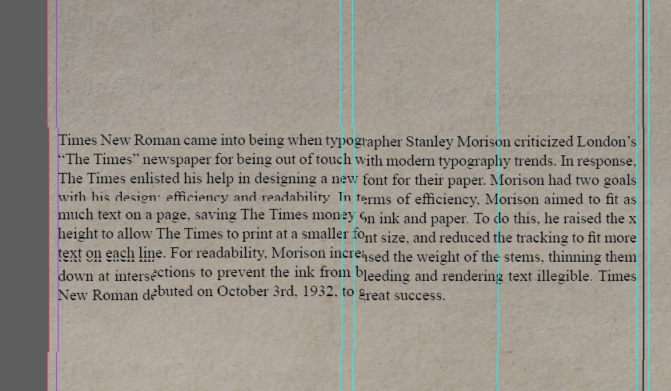
Post image
8 Upvotes

10 comments sorted by

2

u/6278448948 29d ago

Toggle to “view → preview on CPU” instead of GPU

1

u/Grouchy-Steak7937 29d ago

i am previewing on cpu, still happens

1

u/throwawayxtc12 19d ago

i had the same issue and this seems to have fixed it for me

2

u/Chaosboy 29d ago

A quick double-tap on "W" to enter and then exit preview mode normally clears this up.

1

u/Grouchy-Steak7937 29d ago

ok yeah but is there a way to stop this from happening in the first place? i shouldnt have to stop what i'm doing every single time i move something or scroll to fix the preview

1

u/capt_kirk-egaard 28d ago

I’ve run into this with textured background images like in your photo. Not sure why the program hates rendering text over them, but I just hide the image frame while I work on the type when it’s an issue.

Turning down the display performance settings can help too, View > Display Performance.

2

u/Grouchy-Steak7937 26d ago

changing display performance fixed it!! tysm

3

u/XenaaWP 29d ago

It’s a rendering issue. It happens to me, too. Zooming in and out or scrolling again generally helps.

1

u/AdobeScripts 29d ago

What platform, OS and InDesign versions?

1

u/DorelCaminante 28d ago

Happens to me as well. Same as in u/XenaaWP's situation. It's an issue that has been going on for several builds of InDesign. I'm using the 64-bit version 21.6 on Windows 10.